From Command and Control to IPTO

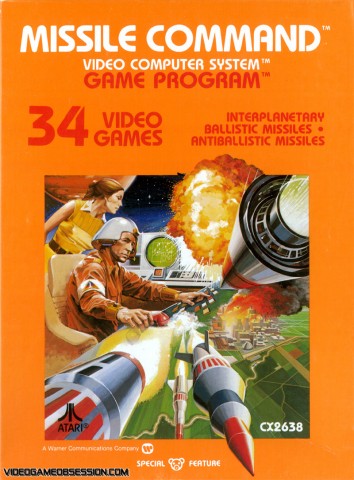
Missile Command COverIn the Internet Course today we reviewed the students’ research thus far, and things are looking pretty impressive according to the submission form with the articles they found. I’ve even spotted the first article summary, sharing Leo Beranek’s personal history about the beginnings of the internet (Beranek was a principal partner in the firm BBN Technologies that was contracted to build ARPANET).

One of the things we’re doing a bit different this summer is we are having everyone read Katie Hafner’s 1998 history of the internet Where the Wizards Stay Up Late (WTWSUL). We discussed chapter 1 today, “The Fastest Million Dollars,” which provided an overview of the cultural context: President Dwight Eisenhower’s loves of all things science, his corresponding distrust of the military-industrial complex, the escalating Cold War paranoia around Sputnik, and an attempt to shake up the Department of Defense to enable more innovation. What resulted from these factors was a relatively small, independent research and development outfit, Advanced Research Projects Agency,  within the U.S. Department of Defense that in the early 1960s turned it’s attention away from war games and simulations and to more in-depth research into computer processing, graphic interfaces, and networking.

The narrative around innovation in this chapter is particularly interesting given how much a buzzword that term has become in our cultural moment. Innovation is synonymous with industry disruption, which oftentimes can lead to a slash-and-burn agenda for public services, like education. So while I am wary of the concept, I’m also intensely interested in it given I feel I have been part of an innovative educational technology group at UMW for quite a while now. Anyway, the idea behind innovation in the Advanced Research Projects Agency was interesting, and not surprisingly premised on people, resources, and freedom. Folks like Jack Ruina, J.C.R. Licklider, Ivan Sutherland, and Bob Taylor, to name a few, introduced practices that helped shape the culture of ARPA as one of curiosity and exploration rather than invidious competition, wrestling for resources, and micro-management.
licklider

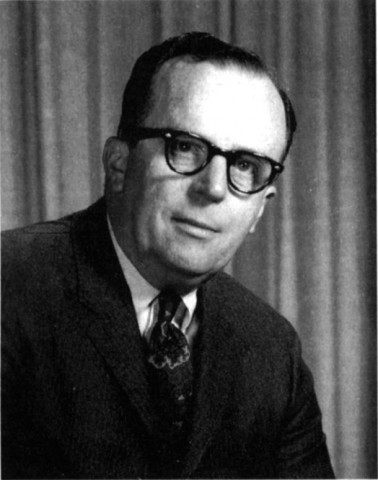
J.C.R. Licklider

For example, according to WTWSUL, Jack Ruina was not interested in managing the details. He spent his energy bringing in the most talented people and letting them go crazy with their ideas. To that end he had a pretty remarkable track record hiring, after a dogged pursuit, J.C.R. Licklider onto ARPA. Licklider was director for only a couple of years, but he framed the vision for the Information Processing Techniques Office (IPTO) and hired Ivan Sutherland who, in turn, set Bob Taylor on his way to build what would become the internet.

What struck me while we were discussing this in class today was what would be the ARPANET, at least in terms of the Department of Defense funding for the project, was never about an alternative communications network in the event of nuclear war with the Russians. As much as that origin narrative continues to persist, one could argue that the resistance of that breed of command and control line of thinking by Licklider at the Department of Defense is one of the things that made the internet possible. During the interview for the job at ARPA, Licklider was quoted as suggesting the following:

“I thought it was just ridiculous to be having command and control systems based on batch processing,” he recalled years later. “Who can direct a battle when he’s got to write the program in the middle of the battle?” (36)

And once Licklider took the position at ARPA, he started moving the research away from the control and command war game SCENARIOUS hsi office had been dedicated to.

Lick developed new programs partly as a reaction against some of the applications the Defense Department had in mind for large computers. Air Force intelligence, for instance, wanted to harness huge mainframes to detect patterns of behavior among high-level Soviet officials. The computer would be fed intelligence information from a variety of human sources, such as hearsay from cocktail parties or observations at a May Day parade, and try to develop a best-guess scenario on what the Soviets might be up to. “The idea was that you take this powerful computer and feed it all this qualitative information, such as ‘The air force chief drank two martinis,’ or ‘Khrushchev isn’t reading Pravdaon Mondays.’” recalled Ruina. “And the computer would play Sherlock Holmes and conclude that the Russians must be building an MX-72 missile or something like that.” (37)

Sounds like the National Security Agency before social networks, I guess it was just a matter of time 🙂 Licklider pushed in the opposite direction from these voodoo computational theories. He tried….

….tried putting a stop to such “asinine kinds of things,” as Lick described the ill-conceived projects. Then Lick worked to find the country’s foremost computer centers and set up research contracts with them. In short order, he had reached out to the best computer scientists of the day, from Stanford, MIT, UCLA, Berkeley, and a handful of companies, bringing them into ARPA’s sphere. All told, there were about a dozen in Lick’s inner circle, which Ruina called “Lick’s priesthood.” In typical fashion, where his most passionate beliefs masqueraded as a bit of a joke, Licklider nicknamed it the Intergalactic Computer Network. (38)

The innovation was repositioning the research away from command and control hierarchy, cultivate a vision around possibility, and bring the various minds at the country’s foremost universities together to start solving the issues of processing and networking rather than obsessing about disruption nuclear annihilation.

By the time he [Licklider] left in 1964, he had succeeded in shifting the agency’s emphasis in computing R&D from a command systems laboratory playing out war-game scenarios to advanced research in time-sharing systems, computer graphics, and improved computer languages. The name of the office, Command and Control Research, had changed to reflect that shift, becoming the Information Processing Techniques Office. Licklider chose his successor, a colleague named Ivan Sutherland, the world’s leading expert in computer graphics. In 1965 Sutherland hired a young hotshot named Bob Taylor, who would soon sit down in ARPA’s terminal room and wonder why, with so many computers, they were unable to communicate with one another. (38)

It was an “intergalactic” shift of possibilities, not a gland-driven vision of the end of times. During my second reading of this chapter the power of renaming and re-visioning the focus of Command and Control to Information Processing Techniques Office seemed to help set the tone for the next five years. The focus around information processing, pluralized techniques, and ultimately sharing through integration are the broader strokes that really inspires the work around ARPANET after Licklider’s departure. The ARPANET wasn’t about communication in the event of nuclear holocaust, it was about expanding the intellectual possibilities for humanity more generally.

Posted in The Internet Course, Uncategorized | Tagged | 2 Comments

Brainstorming the Internet

Douglas Copeland "I Miss my Pre-Internet Brain" Campaign

Douglas Coupland’s “I Miss my Pre-Internet Brain” Campaign

The Internet Course summer edition has officially started, and today we brainstormed some research approaches to the four major topics we’ll be designing the course around over the next five weeks. Below is a record of that process, and it’s interesting to see the similarities and differences with the spring semester’s brainstorming session back in January. During tomorrow’s class we’ll discuss the CRAAP Test video, as well as get an overview of researching in UMW’s library. After that they’ll immediately be set loose on the library given they only have two days to find three relevant articles for each of the four topics (twelve in all). The life of an internaut is INTENSE!

Once they’ve done their research, students submit their findings to an online form. The articles/books are then vetted by Paul and I based on the CRAAP test (using the red, yellow, green light method described here). An important note here is that there can’t be any redundancy, if two students find the same article or book the first to submit it gets credit and they other has to go fish. This is possible because the form is public and they can see everyone else’s submissions. At least half of the 12 articles/books they find have to be green, which means the meet all of the elements of the CRAAP test. The other half have to at least be yellow, which means there are a few elements in question. Nothing red counts towards the twelve articles they need to find. And with that the course begins to take shape based on what they discover. Hopefully as much of this process is driven by interest and curiosity as expediency and getting it done.

Oh yeah, and after all this are the article/book summaries…

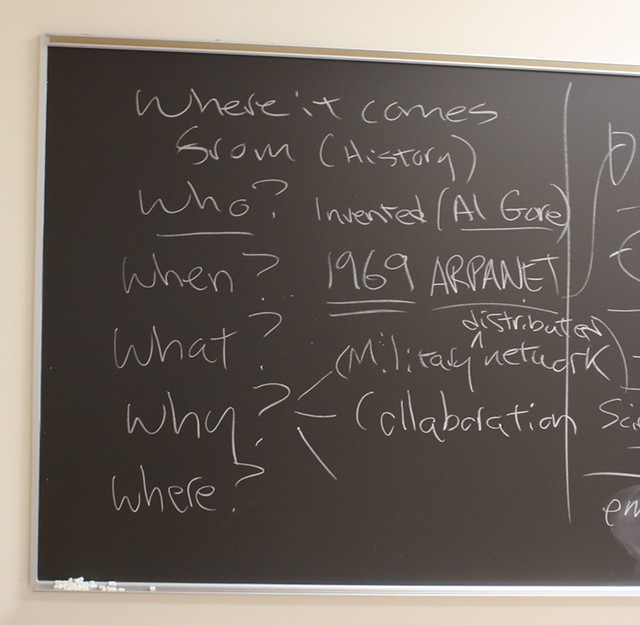
Topic 1: Where it comes from (origins of the internet)

The Internet: Where it comes from

This topic quickly becomes the Who, What, When Where, and Why of the internet. Al Gore can’t be underestimated in this process, and it’s interesting that this was the same approach taken to this topic by the class during the Spring semester. What quickly becomes apparent with this topic is that so many of these details are negotiable. Did the internet start in 1969? Was it earlier, say 1959? or even 1945? Obviously there are hard and fast facts, but the nexus of relationships and events makes the history far richer than the standard narrative.

Topic 2: How it works

The Internet: How it works

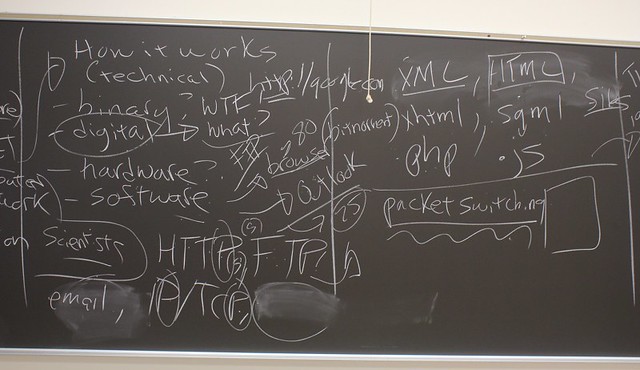
This topic was interesting because the first suggestions that came up was what the hell is binary? Which led to what is digital? I love that it started with these concepts, because in many ways they undergird the internet. From there they suggested hardware, software, protocols, languages, and I threw in packet switching towards the end using bitTorrent as an example to try and explain how this means of networked communication works. A solid list to start thinking about research possibilities to find articles for this topic.

Topic 3: Social Impacts

The Internet: Social Impacts

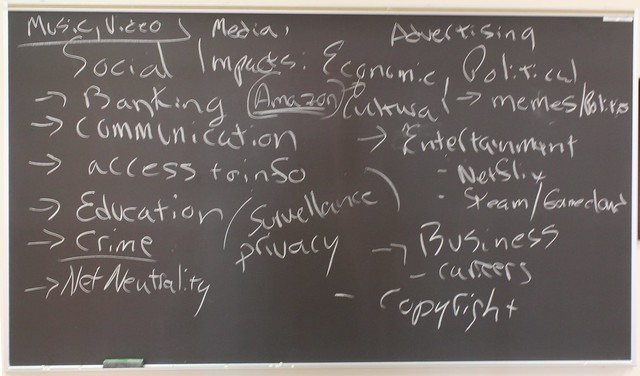
It’s almost ridiculous to suggest we can cover the social impacts of the internet in a week, but faith springs eternal. And just from this cursory list it quickly becomes apparent just how broad and deep the impact is across all domains. I’m hoping as we work up to this topic we can identify a way that pulls from numerous examples to try and communicate these impacts. It will be fun to see how the project for this week attempts to communicate this, should be fun to watch that unfold.

Topic 4: Where it’s going

The Internet: Where it’s going

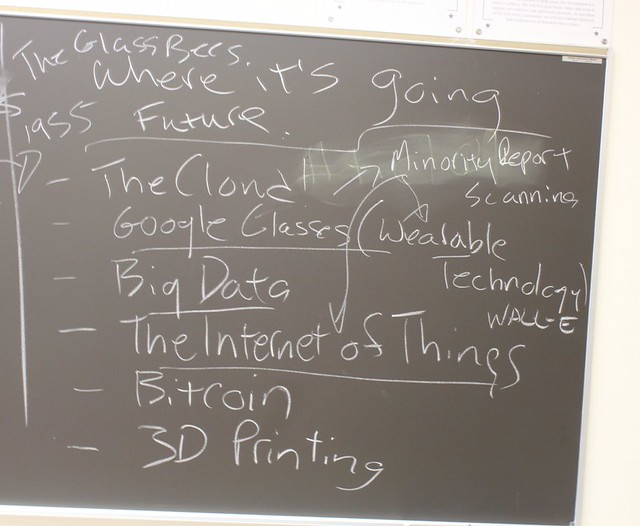
The final topic is the future of the internet, and interestingly enough much of our future framed here is the present. From cloud computing to Google Glass (wearable tech) to Big Data to 3D Printing to the Internet of Things—the future is now. It can be hard to think outside the present, so this topic is an interesting thought experiment, and hopefully we’ll push hard on whether the internet will even be recognizable as such in the not so near future.

Posted in The Internet Course | Tagged , , , | Leave a comment

The Internet Course Summer Edition

Apollo Workstation

Apollo Workstation

The Internet Course that Paul Bond and I taught last semester is getting another go round. I was scheduled to teach it the first summer session—which starts tomorrow—but for much of the spring it only had three students registered. A summer course needs at least seven students, so I was pretty certain it wouldn’t run. Well, my being too sure of anything provides a perfect opportunity for the cosmos to illustrate my capacity for fallibility 🙂

The course will be running, and Paul and I will be back at the helm…well, as much as we ever are in this course. We did some pretty intense work designing a student-driven course from beginning to end, and the evaluations we got back last week suggest that it wasn’t all in vain. I’ve never gotten such positive feedback for a course taught the first time. The evaluations were so encouraging that we’re pushing forward with the students designing the course as we go for the summer edition.

As you can see from the syllabus, the first week is pretty tightly planned:

  • they’ll be reading Katie Hafner’s 1998 popular history of the internet Where the Wizards Stay Up Late,
  • brainstorming and then researching the four overarching course topics (Where it came from, how it works, where it’s going, and the social/ecomomic/politic impacts),
  • finding and submitting twelve acceptable articles (3 per topic) for approval,
  • and summarizing all twleve of their articles no later than this Saturday night.

Damn, that’s a ton of work. Oh yeah, I forgot, they’ll also have to get up and running with their own domain and web hosting, install WordPress, and start blogging! But, to be fair, come this Thursday they’ll also have the ability to plan out what the next four weeks will look like.

As of now, the course is managable with six students taking it for credit and two auditors. While planning the summer edition with Paul, the idea came up that the entire class would work together on each topic for a weekly project wherein they create some product of what they learned that week. For example, week two they might do a timeline for the where it comes from topic, week 3 a full blown HTML site for the how it works topic, etc. What’s more, each week will have a different project director managing the week’s work. They’ll also be responsible for seeing the week’s project through.

I’m pretty excited about the additon of a weekly project and director for the summer edition. I think some pretty awesome things could happen if we treat the next five weeks as a collaborative learning laboratory. I also love the idea that each week will be focused on making something that documents the topic in some fashion, and I really am interested to see what they all come up with. Avanti!

Posted in The Internet Course | Tagged | Leave a comment

To the Cloud!

As a number of my recent posts attest, I’m finally spending some time trying to wrap my head around what the computing cloud might mean in terms of edtech infrastructure. A couple of things have converged to make this seem like the next logical step for DTLT. First Tim Owens, whose been experimenting with it on and off for years (that’s how the early DTLT Today episodes were streamed),  demonstrated earlier this semster how invaluable it could be for enabling faculty to experiment with a variety of applications with little overhead in terms of server infrastructure. Additionally, UMW’s Department of Information Technology (DoIT) has also been hearing from faculty interested in particular application environments with unique dependencies.* The time is ripe for a pilot.

After the meeting we had on Friday, it looks like DTLT and DoIT will be sharing an Amazon Web Services test account to play with this environment more intensely over the summer. What’s more, during that meeting Jeff McCLurken pointed us to an Amazon Web Services symposium for Government, Education, and Non-Profits that will be taking place just up the road in D.C. next month from June 24 – June 26. I’m already registered, and I’m pretty excited to start digging more deeply into what this space might mean for higher ed. Although as soon as I wrote that last sentence I’m immediately reminded to temper my enthusiasm about jumping onboard with one of the tech robber barons of the late 20th, early 21st century. Just call it a pilot, and damn the torpedoes! 🙂

Ominous clouds appear over London in a scene from Warner Bros. Pictures’ fantasy adventure ‘Harry Potter and the Half-Blood Prince.’

*Interestingly enough, a third factor was The Internet Course I taught with Paul Bond this semester. The student group that presented on that topic fascinated me with the vision of cloud as utility—it was finally an analogy that made sense for me.

Posted in AWS | Tagged , | 1 Comment

Terminal Ghost

Creative Commons – Attribution (CC BY 3.0)  Ghost designed by Mister Pixel from the Noun Project

Ghost designed by Mister Pixel from the Noun Project

My exploration of the blogging platform Ghost continues, and this is yet another post in that vein. It might be worth mentioning, however, that my experimentation with Ghost is in service of trying to figure out a cloud-based infrastructure servce like Amazon’s EC2. Having something concrete to work with, such as this micro isntance of Ghost, pushes me to figure out the specifics of how I would manage an application in this environment. This is all the more important given DTLT will be piloting Amazon Web Services alongside UMW’s IT department this summer. It’s exciting to think this might be the next generation sandbox for our group, and I wanted to actually experiment in this space myself. I’m tired of the rest of DTLT having all the fun 🙂

This post, however, is a bit less grandiose that all that. Here I’ll simply recount my feeble attempt at command line after locking myself out of the Ghost blogging application. Turns out Ghost has a bit of a design flaw. Sending email doesn’t work out-of-the-box, as it does in a LMAP environment. So you need to configure a cloud-based email service, such as Mailgun, Amazon’s SES, or Gmail in order to get emails sent to you for, say, retrieving or changing a lost password. But that’s not necessarily the flaw, the problem is when you click the “Forgot Password” link it automatically changes your password and send it to you, regardless of whether your email is setup or not. Shouldn’t you have to click on some kind of confirmation link in the email for such a function to hanppen? So, turns out, anyone who clicks the “Forgot Password” link can change your password. Not so good.

I experienced this problem first hand when I clicked th “Forgot Password” to test if the Mailgun account I set up worked (more on this in another post). Failing to get the cloud-based email to work, I decided to try and access the database and change the password there. After a bit of exploration in via SFTP, I discovered where the database for Ghost is located: ../ghost/htdocs/content/data/ghost.db. I still needed to edit the database, and Tim Owens turned me on to the SQLite Database Browser which is pretty slick and edabled me to find the password hash within the user table.

Ghost uses bcrypt to encrypt passwords, so I used this bcrypt hash generator in generate a bcrypt hash from a password I entered—very cool. At this point I thought I was golden, I entered the hash and saved it to the server, but no go. I tried this several times in several differetn ways, but it would not work.

I’ve had issues with permissions in regards to FTP before, so I figured it was time to start doing some of this stuff via terminal. I had to brush up on my Terminal 101 skills when it comes to file permissions and the like, but as much as I bitch I know it’s good for me. One of the things I apprciate is that I figured out how to SSH into a virtual server using Amazon’s keypair. I had put my Amazon keyair in the ~/.ssh folder on my computer, so know that I found this post that explains how to SSH into your EC2 instance. It looks something like this:
“ssh -i path/to/amazon.pem [email protected]

I did this, but I got a “Permission denied (publickey)” error, so I had to do the following:
“sudo chmod 600 /path/to/amazon.pem“

After that I was in. I quickly remembered how the ‘cd’ and ‘ls’ commands work in terminal, and navigated to ../ghost/htdocs/content/data/.
From there I used these two posts to edit the database and reset the password. Given I was already in the data directory, I entered the following:
sqlite3 ghost.db
And then
sqlite> update users set password="generatedbcrypthash" where id = 1;

But when I did this I got the following error message:

Error: attempt to write a readonly database

Turns out in It was a permissions issue afterall, and the issue was I needed to change the permissions for the /content and /data directories, as well as the ghost.db file. Once I changed those permissions,I could finally change my password. Here’s how I changed those permissions—-one by one, mind you (I know there are better ways to do just about eveyrthing I did, and I am more than open to advice and recommendations on the comments 🙂 ):
sudo chmod 777 ghost.db
and move up a directory and
sudo chmod 777 data
and move up another directory and
sudo chmod 777 content

Also, given this is not safe at all, it’s essential that after you change the password, you revert the permissions back to 775 for the directories and 644 for the files.

And that’s it. I never learned so much changing a password in my life.

Credits: Ghost designed by Mister Pixel from the Noun Project

Posted in AWS, Ghost | Tagged , | 2 Comments

Welcoming Summer’s Ghost

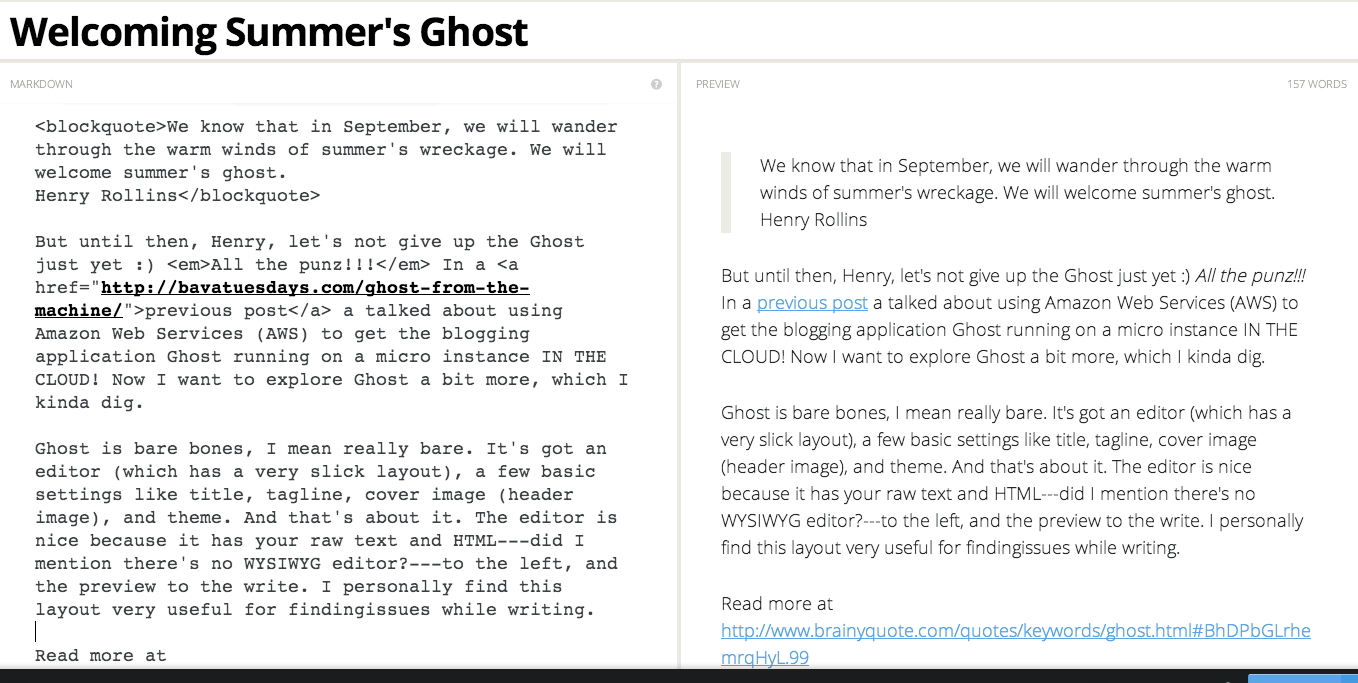
We know that in September, we will wander through the warm winds of summer’s wreckage. We will welcome summer’s ghost. –Henry Rollins

But until then, Henry, let’s not give up the Ghost just yet 🙂 All the punz!!! In a previous post a talked about using Amazon Web Services (AWS) to get the blogging application Ghost running on a micro instance IN THE CLOUD! Now I want to explore Ghost a bit more, which I kinda dig.

Ghost is bare bones, I mean really bare. It’s got an editor (which has a very slick layout), a few basic settings like title, tagline, cover image (header image), and theme. And that’s about it. The editor is nice because it has the raw text and HTML—did I mention there’s no WYSIWYG editor?—to the left, and a preview of the published post to the right. I find this layout very useful for finding issues with formatting, spelling, and grammar while writing.

The other thing I am still working through with ghost is configuring my blog URL to have the feed pull off of the mapped domain, http://ghost.murderinc.biz, rather than the less than intuitive public DNS from Amazon, namely http://ec2-54-84-245-2.compute-1.amazonaws.com/. I found this post on the Ghost for Beginners blog about configuring your URL, but everytime I edit my config.js file with the mapped domain and restart the instance it automatically reverts back to the convouted URL. Haven’t figured this one out yet—do any of the three people using ghost have any tips? 🙂

That said, learning how to edit the config.js file was useful regardless because it forxed me to figure out how to SFTP into the Amazon micro instance Ghost is running on. I found a tutorial on the Bitnami site about connecting to your Amazon Instance via SFTP, it was just what I needed.

I used the instructions based on the FTP application Filezilla, but the one thing that stumped me was the PPK file thing. What the hell is a PPK file? Acronyms will be the death of anyone knowing anything! Luckily, this site gave me enough of a definition to figure it out, and I then searched how I convert the Amazon Key Pair* (extension .PEM) to a PPK file so I can use it with Filezilla. Turns out you don’t need to convert the PEM file to a PPK file cause Filezilla will do that for you—nice!, I think.

So, while I didn’t actually fix the URL issue I was SFTPing into to get access to the config file for Ghost, I did learn how to SFTP into an Amazon instance, and I’m digging that. There is a lot more to be done, I think I tackle manually setting up email notifications next, time to experiment with mail servers IN THE CLOUD next.


*This whole Key pair encryption is a whole new concept for me, and I’m glad Tim and Ryan told me to pay attention to the explanation during the AWS webinar.

Posted in AWS | Tagged , , | 4 Comments

A Fantastic Voyage into Analog Effects

Screen Shot 2014-05-15 at 11.07.24 AM

I watched the 1966 science fiction classic Fantastic Voyage for the first time last week, and I was blown away. In no small part by the beauty of the analog aesthetic. [Caution: nostalgia hard at work!] It was a special effects-driven extravaganza that also had an excellent plot—the combination of which is transcendental. These are the kind of movies I love the most. A cinema of attractions that also has a viable story is like two movies for the price of one.

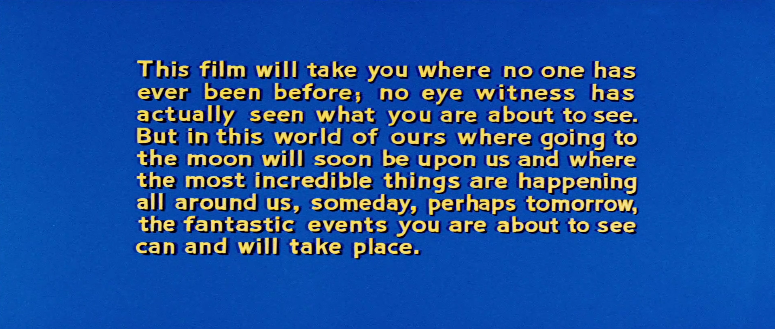
Fantastic Voyage

The various registers this film works on in the first ten minutes is amazing. It goes immediately from faux documentary with the opening title to cold war noir with the defecting Soviet scientist. All to land on the speculative scifi of scale and the exploration of the  inner workings of the human body/mind. The Soviet scientist is shot during his escape and immediately rushed to a secret, underground military hospital to be operated on. The underground hospital is one of my favorite sets in the film. It’s pretty amazing what you can do with a wharehouse and some curtains.

Screen Shot 2014-05-15 at 11.05.55 AM

The juxtaposition of the different scales of size underline the magic of film as attraction,  the ways in which water in the windows behind Donald Pleasance is cut against the sub floating in an oversized syringe tube is a brilliant example of the grammar of cienma to communciate an effect like scale. And what’s so cool is we have the tools for all of this now, the idea of imaginative recomboniation of effects and story remains the holy ghost of creativity.

Fantastic.Voyage_pleasance_water. 1
Fantastic.Voyage_mini_sub 01

As the crew is shrunk (for the second time) while floating in the oversized syringe tube they become microscopic and are ready to be injected into the bloodstream of the comatose Soviet scientist. All this, mind you, so they can operate on a blood clot in his brain. A solid ten to fifteen minutes is spent on the laboratory setup and two rounds of shrinking the sub and the syringe. The film takes you through an elaborate, albeit fantastic, scientific process that seems anything but fantasy. There is this interesting insistent on verisimiitude in the film. As if to say “this very well could be happening at a military research lab near you.”

A quick plot point here, the scientist being operated on has the key to indefinitely shrinking matter to an atomic level, which right now is limited to a sixty minute time span before the objects shrunk revert to their original size. Upon shrinking the crew, the film moves to real time and for the next sixty minutes the crew of five (three scientists (including Donald Pleasance and Raquel Welch), a submariner, and a military joe (played by Stephen Boyd)) spend there time navigating the human body to save the Soviet scientist with an industrial strength raygun–so 50s!

Fantastic Voyage Raygun

There is so much to talk about with this film, but this is a blog not a book. Something that struck me right away was the opening credits. They’re a colorful, analog exploration into the inner world of the human mind thanks to the groundbreaking technological discoveries that undergird the plot. It’s interesting how this film plays off the idea of inner space versus the US space program that framed much of the 1960s popular obsession with tech. And the more I research computing, this decade seems to be as amazing as everyone claims in regards to tehcnology—the internet virtual reality, graphic user interfaces, etc. And while I’m the first one to try and resist the fetishizing the 60s, it’s hard to refute history. Fantastic Voyage Opening Credits from Jim Groom on Vimeo.

The credits for Fantastic Voyage were fascinating to me because they highlight this fetish of tech in the 1960s, but also highlight the notion of how bodily it all is by using the Soviet Scientist’s brain as the immediate focus. I found this post from the Art of the Title Tumblr with animated GIFs of the credits, which beautifully feature Richard Kuhn’s  amazing work. I’d much rather see David Cronenberg remake Fantastic Voyage rather than James Cameron, bring back the new flesh!

Posted in movies | Tagged , , | 2 Comments

Double Jeopardy

I’m not sure how it happened, but Antonella and I found ourselves watching the 1999 potboiler Double Jeopardy, starring Ashley Judd and Tommy Lee Jones. I avoided this film when it came out 15 years ago, so I’m not sure how I got sucked in last night. Needless to say, it was pretty brutal. Ashley Judd is as lifeless as wood in the role of a woman wrongly accussed of murdering her husband, who then loses her son as a result of the legal fallout.

I think it may be the most toothless representation of incarceration in all of film. She enters prison, immediately is surrounded by a diverse group of friends, and thenstarts to train like Rocky Balboa when she realizes her double-crossing husband framed her. It’s pure kitsch—imitating various film formulas with no soul whatsoever. I have to wonder if this film might eventually gain cult statusg given how audaciously it cannibalizes narrative—though it might be better for all of us if it’s not considered at all. Anyway, below is the scene in the prison where the ridiculous legal premise of the film “double jeopardy” is laid out (it’s been debunked), and Ashley Judd’s character immediately proceeds to ostensibly train for the revenge kill. So bizarre.

Posted in movies | Tagged , , , | Leave a comment

Ghost from the Machine

My last post explored the possibilities a platform like Amazon Web Services (AWS) affords a group like the one I’ve worked at for almost nine years. That post was a bit vague about specifics, so I’m going to narrate the particulars of getting an instance of the blogging application Ghost up and running through AWS.

To start, if I were installing Ghost on a Linux box it would push me into command line territory, which is usually the point at which my “eyes glaze once and that is death – impossible to feign.” Given that, I’m fairly confident most (but certainly not all) faculty, students, and staff will feel similarly. AWS provides a realtively easy way to install an application like Ghost, which has unique server dependencies, by tapping into Amazon’s marketplace of Community Images. These are searchable, virtualized packages that take care of all the server settings for a given application, enabling you to get up and running quickly and easily. One of the providers of these community images, Bitnami,  defines itself as follows:
Bitnami is a library of popular server applications and development environments that can be installed with one click, either in your laptop, in a virtual machine or hosted in the cloud. We take care of compiling and configuring the applications and all of their dependencies (third-party libraries, language runtimes, databases) so they work out-of-the-box

And if you’re coming to AWS from a LAMP environment like me, Bitnami might be compared to script installers like Fantastico, Simple Scripts, or the venerable Installatron, but for the cloud. They provide machine images across a number of applications for a number of server setups. You can look at Bitnami’s stacks to get a sense of this.

Bitnami Stacks

Using the free tier of services Amazon offers new customers for the first year, I took the opportunity to start experimenting with the space. The AWS dashboard lists a whole bunch of  options, some of which I have no idea about. Again, if you are coming from a LAMP environment, this could be likened to cPanel’s dashboard.

AWS Dashboard

I have only explored EC2 and S3 so far, and for the sake of this post I’ll focus on EC2 dashboard and how to fire up a micro instance of Ghost. In the EC2 Dasbhoard (featured below) you get an overview of what’s happening with your instances. And to be clear, each instance represents a particular server  you have running at a given time. For example, I have one instance of a Linux environment that is running the blogging application Ghost. The volume provides storage for the data being written to that instance, and Key Pair is the authentication encryption AWS uses for access. I’ll talk about Elastic IPs and Security Groups in a bit.

EC2 Dashboard

One of the links off the EC2 dashboard points to AMIs, the Amazon Machine Images which provides various instances you can fire up pretty quickly. Below is a screenshot of how you can search the public images for an instance of the forum application Discourse. As you can see, several of the top results are the Bitnami images of Discourse. Select the one you want and click “Launch.”

AMI search results for Discourse forum application.

From there you choose an instance, is it going to be a micro instance (which is what I use because it’s part of the free tier), general purpose for medium load, general purpose for large load, etc. This is where you decide on server spces, i.e., small, medium, or large. And you can seamlessly scale across the spectrum depending on your needs.

AMI Instance Type (free tier #4life)

When I chose the  instance, I inadvertenly skipped over the configuration, storage, tag instance, and security group settings because  I just hit the “Review and Launch” button, but each of those might be worth looking into if you want to assign an persistent IP, point to different storage spaces, tag an instance, or, most importantly in my case, create a new security rule so that your instance can access port 80 and be accessible on the web–an important detail for a blogging platform 🙂

Configure Security Group

After that, review your instance and launch.

Review and Launhc

You should now have an instance that has all your details, including your IP address and your public DNS (the public DNS is where you can find your instance on the web).

Launch Instance

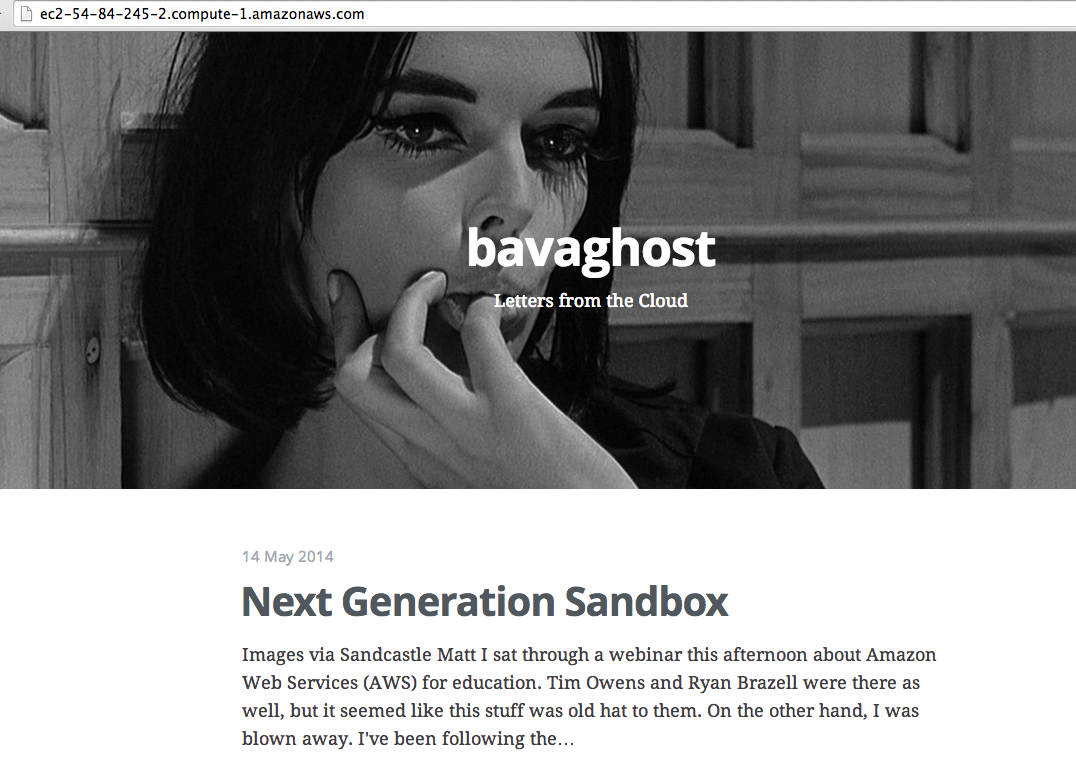
At this point I have Ghost up and running, and my public DNS address is the following: http://ec2-54-84-245-2.compute-1.amazonaws.com/ I discovered that to access the admin area for Ghost you need to add /ghost to the end of the URL. I also realized that Bitnami has a predefined username and password for accessing their AWS Images, you can find the specifics for Ghost  here. They also provide a username for SSH/SFTP that may come in useful.

Details for the Bitnami Machine Image for Ghost offered through AWS

At this point I have my Ghost blog set up, and you can find it at http://ec2-54-84-245-2.compute-1.amazonaws.com/

bavaghost

the bavaghost up and running, notice the convoluted public URL

The last thing for the purposes of this post, I wanted to map the convoluted public URL provided by AWS for this instance (http://ec2-54-84-245-2.compute-1.amazonaws.com) onto something simple. So, I used one of my favotite top level domains, murderinc.biz, to create an A Record through cPanel where I have that domain pointing. I navigated to the Simple DNS Editor and added ghost.murderinc.biz along with the IP address provided for that AWS instance and the domain was almost instantaneously mapped for me.

Adding A Record using Simple DNS Editor in cPanel so isntance of Ghost has a clean URL

After starting and stopping my instance of Ghost a couple of times, I realized the value of an Elastic IP address. For $1 /month you can get a persistent IP to associate with the instance(s) you create. This is useful because whatever isntnace I have associated with this elastic IP will contiue to resolve to this domain. Whether it’s the Ghost applciation, or some other instance I spin up.

So, if you go to ghost.murderinc.biz, you will see the fruits of my experimentation with AWS over the last two days. I’ll be writing more about figuring out Ghost and how to FTP into the virtual isntance—there is so much more to learn! But for now, this is more than enough. Just spending the time writing this helps me find the vocabulary to try and explain it all. Far from perfect, I know, but light years ahead of where I was just two days ago. Blogging #4life!

Posted in AWS | Tagged , , | 4 Comments

Next Generation Sandbox

Images via Sandcastle Matt

I sat through a webinar this afternoon—it’s actually yesterday now—about Amazon Web Services (AWS) for education. Tim Owens and Ryan Brazell were there as well, but it seemed like this stuff was old hat to them. On the other hand, I was blown away. I’ve been following the conversations around the service EC2 (Elastic Cloud Computing) that enables firing up servers and application environments on the fly and paying based on usage rather than set cost. I’ve also been intrigued by Amazon’s S3 storage for years, but I’m old gold LAMP environment. So the idea of moving all my digital kipple to the cloud always seemed more work and buzz than I had time for.

That’s an excuse in the end. There’s really no reason I shouldn’t have explored the possibilities of AWS sooner; I am a technologist after all. To atone for my sins, that’s what I spent a good part of the afternoon and evening doing. And it was high time because I needed some experimental space in my life, I was beginning to feel like a virtualized machine image in my day job 😉

“What is a virtualized machine image?”, you might ask. You might even be saying, “What the hell are you talking about?” Let me try and explain. Among the coolest things at AWS are the Amazon Machine Images, which basically provide a virtualized package containing a specific server environment or application that can be customized for specific uses.

So, for example, say you wanted a WordPress MultiSite setup and you needed unlimited storage and bandwidth, but at the same time wanted to pay for usage rather than a set server fee (the idea of web as utility, now it just needs to be regulated ). Additionally, you want a package (or image) that has particular themes, plugins, and server specifications out-of-the-box. With Amazon’s marketplace you can choose from scores of such images  that you can set up in a matter of minutes. Given the work I did in a LAMP environment getting UMW Blogs up and running in 2006 and 2007, that’s pretty remarkable.

What’s most remarkable is how seamlessly we can share infrastructure now. This goes way beyond open content in my mind. You can choose from a wide variety of machine images shared within the AWS marketplace, and fire up an instance almost immediately. And the marketplace idea doesn’t necessarily mean they are all provided by vendors, UMW could just as well share it’s configurations and customizations for UMW Blogs as a machine image with any school who was interested. This is exactly how we fired up an instance of EdX so our faculty could play with it.

What might this mean if the state of Virginia started sharing infrastructure for teaching and learning in higher ed that went beyond the learning management systems? I love the idea of a marketplace around infrastructure, and it not only scales very big, but also very small. One-off projects for folks who want to experiment with newer, lightweight platforms that are difficult for IT departments to spin up a server are an ideal use case. I’ll be writing more about this in my next post, but the fact I could install the node.js blogging platform Ghost (which requites a particular server environment) in a matter of minutes and immediately login and start playing is pretty radical.

In terms of an educational technology group like DTLT, something like AWS is the next generation of the Bluehost sandbox we got started with back in 2004. I don’t think I can ignore it any longer. And after playing with an instance of Ghost for much of the night, I don’t want to!

Posted in Uncategorized | Tagged , | 3 Comments