
This afternoon I have been a bit blue with bluehost. I have been ramping up for a project I will be working on over the next month, and I finally got motivated to install the Content Management Systems Drupal and Typo3 (I am going to try working through both to see which one is best for the project). When I opened the script installer Fantastico, to my great surprise, neither were available. I knew they had been previously available because I had installed both programs using Fantastico on Bluehost to play with these different systems a few months ago. So I called Bluehost and found out, with a bit of uncertainty on the tech’s part, that Drupal v.4.7.2 and Typo3 v.3.8 are for the moment -this is where the uncertainty manifested itself- unavailable through Fantastico because they have recently had problems with both applications. Hmmmm … problems? How do you call these problems?! (Excuse the Strong Badian moment.) I asked if they planned to resolve the issues and have these applications back up and running through Fantastico anytime soon? To that question I was told that the person who found the bugs with Typo3 was on break and that as of right now they could not support Drupal 4.7.2. Not very reassuring for those of us interersted in using CMSs through Bluehost.
After this I decided to use a Typo3 installation I had installed (using bluehost, mind you) for an entirely different set of sites I worked on previously as a temporary development space. And at this moment my surprise became something closer to concern. I was uploading some images when I began getting a 500 Internal Server Error message (see image below) that basically disabled all of the installs, i.e. blogs, wikis, lyceum, etc., on my web-hosting space. However, the various sites on my account were back up and running in a matter of a couple of minutes.
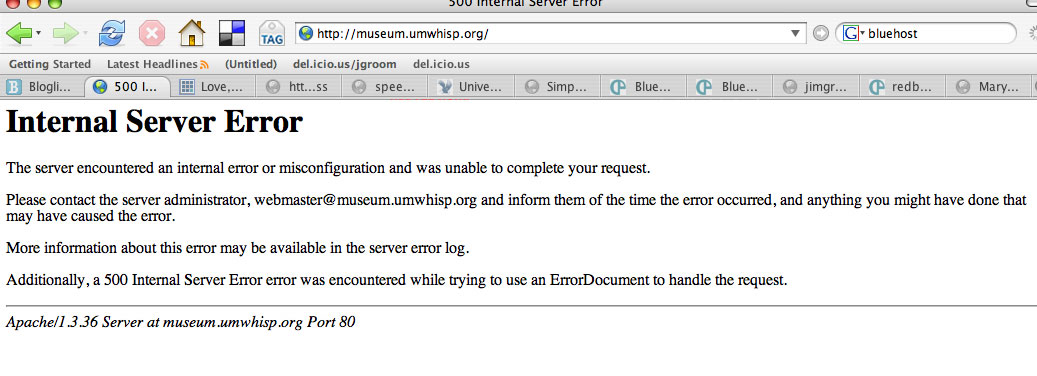
Click on image to see a larger copy of the error message
I had gotten the Internal Server Error message previously when working with Typo3 on Bluehost back in April. At that time I was told that I probably had bad javascript in my templates that was causing the crashes. The tech was right. I did, indeed, have an errant javascript in the template so I removed it promptly and had fewer errors, but they were not entirely fixed. But today the problem seemed worse, anytime I try and upload an image file from my desktop to Typo3 I get an Internal Server Error -to avoid this I have been uploading my images via FTP, but this only circumvents the problem. Additionally, during the last half hour I have been getting these errors when trying to add an image as a content element which I uploaded via FTP. At this point I am not entirely certain if these issues will be resolved, but I would think that two pretty popular php driven applications like Drupal and Typo3 would be a pretty high priority for Bluehost to get working correctly, don’t you?

Yes, I do, and I’m sorry I haven’t seen this blog before now. Let’s talk about some strategies to get better answers from Bluehost, both in the sense of more certain and complete and in the sense of more of what we’d like to see.
Pingback: at bavatuesdays
We had the same problems at work, the problem is typo3 (or php? I’m just the designer) has a file size limit, so whenever you try upload something thats too big jpg, swf or something you get the 500 error.
Actually i think it might have been an apache limit. sory if im a bit vague. I am quite interested in this cos I was thinking of joining bluehost or dreamhost to do some personal typo3 work.
later
Good to know Adam, on the top of my things to do list this week will be to call up Bluehost again and see if they have any more info about this. The University of Mary Washington has been using Bluehost for many of its academic technology tools, and Drupal and Typo3 will be playing an ever large role in this regard, so i hope they have an idea of what is behind these 500 internal server errors. i’ll keep you posted.
Thanks for the ping.
It’s goo to read this post. This way I know there are others disappointed with Bluehost about removing Drupal and Typo3 from Fantastico without informing its users.
I had two typo3 instances installed on my webspac earlier and are working fine. Now i need to install a third for a certain project to test stuff but can’t because there is no more Typo3 in Fantastico.
Infact, it would have been allright if Bluehost had mailed users bringing to the attention the fact that these CMS’s were being pulled out and in turn would let users know how to specifically install them manually on Bluehost instead. I like bluehost but this thing is really making me upset. Infact if more readers respond to your post, I think we could all write a collective mail to Bluehost and get them to do something about i.t. 🙂
Invesarium, I defeinitely agree with you. The Fantastico isntalls are essential to a good hosting service. Moreover, Drupal and Typo3 are essential to users who want to do fun and exciting things with their web-hosting service.And while I have no problem with a temporary take down of these programs to fix bugs, this situation seems ongoing and, as you point otu, there has been no communication before their removal or since. I will be calling them again today to find out the status of these Fantastico installs, and i will update my findings here. Thanks for letting us know we are not alone – and there certainly is power in numbers!!!
Pingback: Still Blue with Bluehost at bavatuesdays
Pingback: Drupal No Fan of Fantastico at bavatuesdays
On the other hand Installing typo3 on bluehost isn’t that hard. Shouldn’t take more than 20 minutes and should be a lot more personalised.
Is anyone else experiencing “cpu exceeded” messages a lot on blue I am beginning to think it is not possible to run typo on a shared server.
Hey Adam,
I have been having problems with exceeding CPU on Bluehost since Wednesday. I was training faculty and students on a wiki and my site crashed. In short, i do not necessarily think its Typo3, but some larger issue with BlueHost.
Jim
Aside from the normal tech support person who doesn’t have a clue, I have had great luck with Bluehost over the past 3 years. Other sites that could provide a alternative to the Bluehost experience would be Hostgator or Host Monster.
But for the most part I have had great luck with Blluehost. I wish you luck on solving your problems with Bluehost, maybe it is just a matter of talking to the right person.
Good Luck!