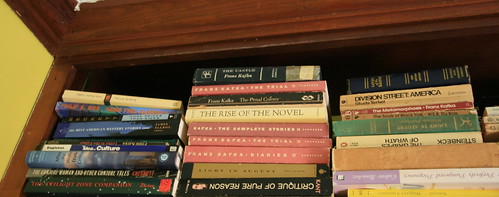
All images courtesy of various DS106 Internauts.

Image credit: spur_dotz’s “Ash and Ichabod”
Thursday night’s class started in one direction and ended up in a whole ‘nother one. It was pretty fun, well, at least for me. I was planning on talking about image stories, because we have been working on photography assignments all week, and were starting to think about image stories. But then the opportunity arrived to talk more about RSS feeds, Flickr, WordPress plugins, and hacking theme templates, and I couldn’t resist—I felt like an instructional tehcnologist again, a real EDUPUNK, so I ran with it 🙂
The entire class was asked to tag their photos on Flickr with two tags, ds106 for all their photos for the class, and then a tag for each day’s Daily Shoot assignment, i.e., dailyshoot1, dailyshoot2, all the way up to dailyshoot8. They had done that before coming to class tonight, and I noticed about half of the images the class took showed up in each of the feeds for the eight dailyshoot tags. For example, the dailyshoot1 tag only has 19 images, which means about 8 or 9 were missing. Same was true for most of these tags. Still trying to figure out why so many are missing, especially when the class had tagged them correctly, I wonder if it has anything to do with the Flickr RSS feeds capping at 20 items—though the http://www.flickr.com/photos/tags/dailyshoot1/ doesn’t lead directly to an RSS feed, so I am stumped.

Captureme45’s “Untitled”
Anyway, each of these tags still has a feed, and looking at that provided a way for me to demonstrate more specifically how plugins work in WordPress. We installed the Flickr Feed Gallery, which is a simple plugin that pulls in specific photos based on Flickr feeds. So we started experimenting with this as a way to pull in the class photos we tagged to the sidebar of the course blog. And what was amazing, is that just about everyone in the class had also installed this plugin on their own blog with a quick search and click from within the WordPress installer. So within seconds, they almost all had the plugin up and running. And given it was all so easy, it just made me want more! Especially when I saw the plugin description:
Enables easy integration of Flickr photo feed to a WordPress blog. Configure feed parameters from settings page. Use
in your theme or add plugin as a Widget.
That little bit of PHP code got me thinking, why not show the class how to hack a theme in WordPress. I mean plugins were easy, search and installing themes is a cinch. So why not turn to the actual theme files in the editor and have them add that bit of PHP code to get a sense of how templates work. Or better yet, have them create their own page template, add the PHP code, and then upload it to the theme file in wp-content. They have file manager from CPanel, it should be a breeze. And there went the rest of the class 🙂

Image credit: Apeterso’s “Untitled”
And while a bit risky, it was invigorating. An occasion to have the whole class hacking WordPress themes, making Flickr galleries in a page on their blog. Kind of a dream come true, I mean it is that very hacking that got me my job at UMW. It’s good stuff, and I think it will beget more curiosity in those who already have an inkling but have no sense of what some shared web hosting space and open source application can expose them to.

Image credit: c-hamp’s “Reflective Shades”
So, anyway, we got to the Appearance–>Editor section in WordPress, and I realized I had to get off the course blog on UMW Blogs and head over to the bava in order to demonstrate how the themes work and try and briefly explain what’s the deal with CSS, header,php, page.php, etc. So, I switched bava’s theme to TwentyTen because K2’s code is too bizarre for a good demonstration. And then asked the class if anyone knew anything about CSS because the first page that comes up when you go to the theme editor is stylesheet.css. It became a opportunity to talk about the emergence of CSS, what it means in relationship to dynamically created content using PHP and MySQL, and explain how the themes in their blog were actually theirs to hack. I was surprised how few of them knew anything about CSS. And I tried capturing that in broad strokes, but I may have to revisit this again. I might talk to Zach Whalen, and see what his CSS assignments entail for his Writing through Media course–cause I could use some tips in this regard.

Image credit; KC_Masterpiece’s “Learning by Osmosis”
Anyway, after that I explained how the template-driven theme works, what header.php, footer.php, index.php, and page.php do. How these scripts work together to dynamically create pages, the styles of which are defined by CSS: a virtuous cycle. And after that, I demonstrated how you can copy the code from the page template to a text editor, and then create your own template locally, rename the template something like Daily Shoot 7 and the PHP file something like dailyshoot7.php. After that, you upload it to you wp-content/theme/your_particular_theme directory. Finally, it should become an available template in the dropdown menu of any page you are creating, and with that bit of code from Flickr feed Gallery place right beneath the the_content PHP call, you should now see the Flickr Feed Gallery of images in the page you assigned this template. For the most part they got it, but there was some lumps, and about 4 or 5 people stayed after class for upwards of an hour to get some more details, fix their site, and walk through the process in more detail. Hence this post.

Image credit: edmz99’s “The thing that should not be.”
Here is what we did:
We copied the code from TwentyTen’s One Column Page template (I used this template for demonstration purposes) to a text editor on our desktop, something like Text Wrangler for Mac users (cause Text Edit sucks all you Mac fanboys and girls). For the PC, Notepad was more than adequate.
After they had the page template code copied into their local text editor. We changed the name of the template. For example,
/**

 * Template Name: One Column Page

 */
Became this:
/**

 * Template Name: Daily Shoot 1

 */
This simple change (or addition for many given they were using themes other than Twenty Ten) Actually renames the templates you you can see it in the Template drop down box on any given page you create in your WordPress blog.
After that, they had to find the he_content PHP call in their page template code and add the following line beneath it:
Once that’s done, they saved the template file to something like dailyshoot1.php and then uploaded it to their theme folder using File Manager in CPanel.
Finally, they head over to their blog and create a new page and select the template titled Daily Shoot 1 (remember we are creating a page not a post, posts don’t have individualized templates).

Image credit: b4ssm4st3r’s “Daily shoot: chaos”
Ok, so that was it for the basic hack the class was asked to do in class Thursday night. And those steps will hopefully act as a quick refresher and guide to anyone who had issues making it work. But after playing with Flickr feed Gallery I came up against some of this plugin’s limitations. So I wanted to play with it more. You see, for the course blog I wanted the Daily Shoot assignments to have their own tab in the header nav menu, and then have each of the eight daily image assignments feed into their own page within the menu item—each of which show up in the drop down menu. But the plugin was not designed for this, you could really only set the parameters for tags, how many images, what type, etc., globally in the plugin settings from the plugin interface under the Settings tab. Which meant, no matter how many times I pulled in the call into different templates, it would always pull in the same images for every page because the settings were global. And after some trial and error I couldn’t figure out how to pass specific parameters into the flickr_feed_galler PHP call I put into each of the eight different Daily Shoot page templates (one for each assignment). The fact I failed here shouldn’t be necessarily surprising because I am not a programmer. But, turns out I know a few. I asked Michael McManus of the great Cast Iron Coding outfit to look at this plugin and perhaps give me some advice on how I could pass specific parameters within the PHP call itself. Well, given he is a programmer, and a good one, he came up with the solution. What you need to do is change the code in the flickr_feed_gallery.php file of the Flickr feed Gallery plugin to this (I would explain the difference in the two versions of the code, but that might be another post, and one I will fumble through). What this will do is allow you define the specific tag and number of photos you want the to include. For example, if I put the following code in a specific page template:
What would show up is 30 images from Flickr tagged with dailyshoot5. So bam, I have the ability to customize each of the Daily Shoot assignment templates 1 through 8 by passing specific variables into this Flickr Feed Gallery PHP call, which will allow me to feature just that days assignments. You can see this at work on the DS106 course blog under the Daily Shoot menu item.

Image credit: les.epinards’ “Treasure Chest”
All that said, I had a couple of problems with this modification to the plugin, all which stem from the fact that in order to get more than 20 items pulled in from a feed on Flickr you need to get at the API, and do some custom queries. Given that, I can only show 20 of the 29 images on any given day. What’s more, I can’t show all 250+ images over the course of the assignments on one page as a kind of uber gallery. If I new how to program custom queries and get my hands dirty with the Flickr API I certainly would, but as of now this is a bit beyond me. And having said that, I was hoping for one of two things. 1) That someone out there might have a clue of how to pull in more images with the Flickr Feed Gallery plugin by messing with the Flickr API. 2) Someone might be abe to point me to a plugin that does this all already.

Image credit: b4ssm4st3r’s “Daily shoot: symmetry”
Either way it was an experiment with hacking that might actually turn into a feature this class could use, and the ds106 internauts could experiment with creating a custom template in WordPress, hack it, and even modify the code of a plugin in order to get functionality that is not out-of-the-box. Either way, i hope this diversion pushes the class to experiment more with the tools they have at their disposal, and to try and break things so that they can put them back together, and really get a sense of how this open source application that they’re administering through their own web hosting space works. In other words, some sense of how the web works beyond drag and click.