This Week in ds106: Intro to Audio (Week 6)

This is a video from last night’s class which introduces my section of ds106 at UMW to audio. The class includes an overview of the power of sound, real-time student-produced foley, a look at some basic radio conventions, as well as a brief introduction to the open source sound editing application Audacity. It was a fun class, and you can see the foley work section 1 did last night, an assignment stolen shamelessly from idea of Scott Lockman’s that Alan Levine executed brilliantly the  night before 🙂

Posted in digital storytelling | Tagged , , , | Leave a comment

Turn up the Audio: Assignments for Week 6

Image credit: “On Air” by OCV Photo

Here’s what is expected of students in UMW section 1 for our next class and the rest of the week. The deadline for all work is midnight on Sunday, February 26th.

Come to class with a collection of sound clips to use (downloaded from a source such as freesound.org, recorded yourself, or sounds from elsewhere. You should also have Audacity installed in your computer or another sound editing software (such as GarageBand for Mac).

Here is a basic tutorial by Andy Rush that introduces downloading and making recordings with Audacity that should get you started, but keep in mind there are tons of resources out on the web. For more in-depth resources on audio, see Andy Rush’s brilliant overview of Digital Audio.

In class, we will all be creating a Sound Effect Story and posting it to Sound Cloud. By the end of the week you should write a blog post that describes your story, provides information on the source material of your sounds, and includes the tags for this assignment. This is also required of online students in Section 1.

For extra practice in sound editing, complete another 4 stars worth of audio assignments, each blogged separately.

Listen to one radio show from either This American Life or RadioLab. Write a blog post describing the show (be sure to link back to the web page for the episode) and include your observations of audio techniques used in the story (e.g. use of music, layering of sounds, transitions, bumpers, etc).

Review the radio show assignment we will be working on now through Spring Break. You will have time in class to start forming groups; by Friday, someone from each group needs to contact me (via email and/or twitter) identifying your team and its name.

Complete three Daily Creates this week and write a recap summary.

Special thanks to Alan for giving me the framework for my assignments (leaning on him heavy during audio, as I did Martha last Spring 🙂 ).

Posted in digital storytelling | Tagged , , , | Leave a comment

Guilia Forsythe talks Sketchnoting

Last Thursday we had the great pleasure of having Giulia Forsythe discuss the art of sketchnoting (a.k.a. visual note-taking) during class. She didn’t come in live, rather she made a video wherein she shared an overview of what visual sketchnoting entails, her method, as well as some tips and ideas of how students in ds106 might experiment with the form. You can see her post on the resources she prepared for this class here, and I am also embedding her video below.

I had the students watch Giulia’s video “How ds106 changed my life”—which demonstrates her art form beautifully—before having them watch the above video that breaks down her thinking and method. We then went on to watch the RSA Animation of David Harvey’s Crises of Capitalism, which further demonstrated the power of sketching/drawing as a way to understand more complex ideas and theories—it is remarkable how much the sketching of Harvey’s talk makes it that much more accessible.

As a final exercise for the evening, I played Sir Ken Robinson’s “Changing Educational Paradigms” without the animation—only the sound—with the idea that we all would try and sketch our notes of the talk. It was insanely difficult for me, and you can see some of the results of the exercise on Flickr. A number of students actually remarked how much they enjoyed that class after it ended, and I too thought it went pretty well thanks to Giulia. But I was also concerned that the Ken Robinson example for sketchnoting was too difficult for a first shot—which I think it was.

What amazed me though is that during student conferences yesterday and today a number of them brought up their interest in pursuing sketch-noting as a final project, more specifically as a way to illustrate complex ideas in chemistry and historic preservation. I love the whole thing. Take, for example, Emily DelRoss who was so intrigued by the class that she used it to illustrate her work for another class as a design assignment, and I love the whole crossover of that realization because it’s not really about ds106, but rather everything else. What’s more, she talks about the idea of doodling providing a sense of humanity to the cold ideas of technology, which is a really profound observation, and she says it much better than I can paraphrase it:

Another aspect of Giulia’s technique regarding design, which I particularly love, is how it makes technology feel more comfortable. Doodles just feel really simple and organic. They remind me of my own hand-written notes from middle school (…and high school and college :/ ). As you have probably gathered about me this far, technology scares me. I feel like it’s this cold world where everyone knows what they are doing and they all have secret a little techno chat language and special little buttons they know how to use. (DS106 is helping me break down this perception, but it still lurks in the back of my mind.) Seeing a doodle integrated into technology makes the virtual world feel a little warmer and a whole lot more welcoming!

That’s the money quote, and this is the result of the exercise:
Image of Emily DelRoss's Doodle

Thank you for inspiring awesome, Giulia!

Posted in digital storytelling | Tagged , , | 10 Comments

They’re Here!

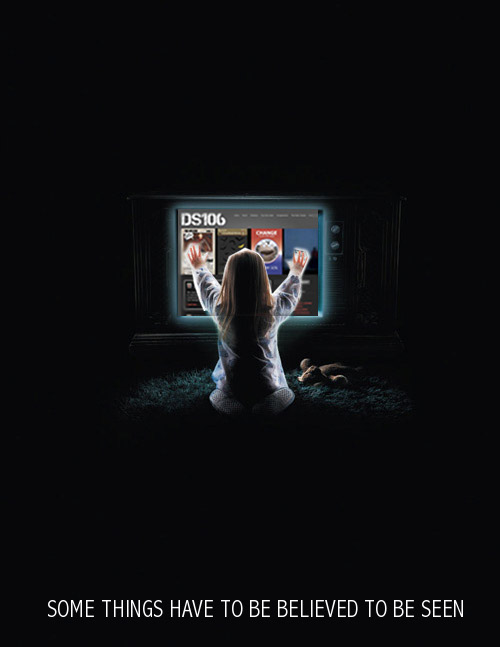
I loved Linda McKenna’s assignment to make a ds106-themed movie poster, so I started searching through some of the classic horror movie posters over the years. I didn’t have much time because I still have an Animated Comic Book Cover GIF to do, so I was looking for something quick. When I saw the movie poster for Poltergeist I figured why not just replace the hockey game on the TV screen with the ds106.us website? I did a quick screen shot of the ds106 website, but proceeded to spend about an hour messing with the layers anyway between tracing out the TV screen, cropping the added layer, messing up a few times, etc. In the end it’s still far from perfect, but I think the idea of ds106 as an alien that abducts your soul not unlike TV is made clear. What’s more, this little known alternative tagline for the film sums up my whole idea of the class 🙂

Posted in digital storytelling | Tagged , , | 2 Comments

Just for fun: A coupe of 4 Icon Challenges

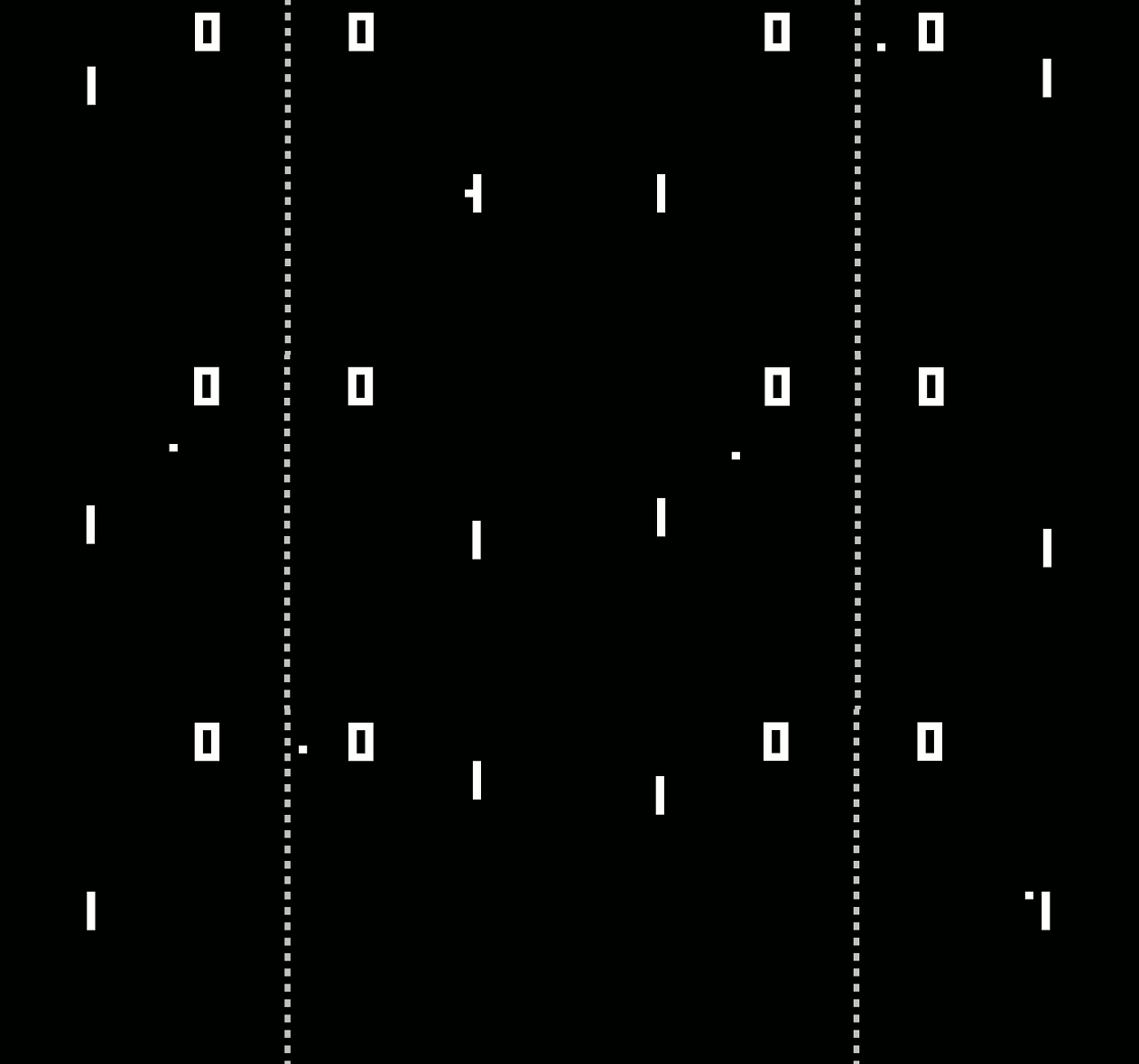
I was looking through the icons in The Noun Project, and while others might have already used these icons for similar reason, I couldn’t help but reproduce a couple of classics for The Four Icon Challenge assignment (one of the all-time greats). The first should be dead simple to guess, the second a bit more difficult, so I’ll give you a hint: 1985. As for the assignment, very easy. Take screenshots of the images and then scale them an paste them together in GIMP.

Posted in digital storytelling | Tagged , , | 23 Comments

Spreadsheet Invasion: Animating Pong

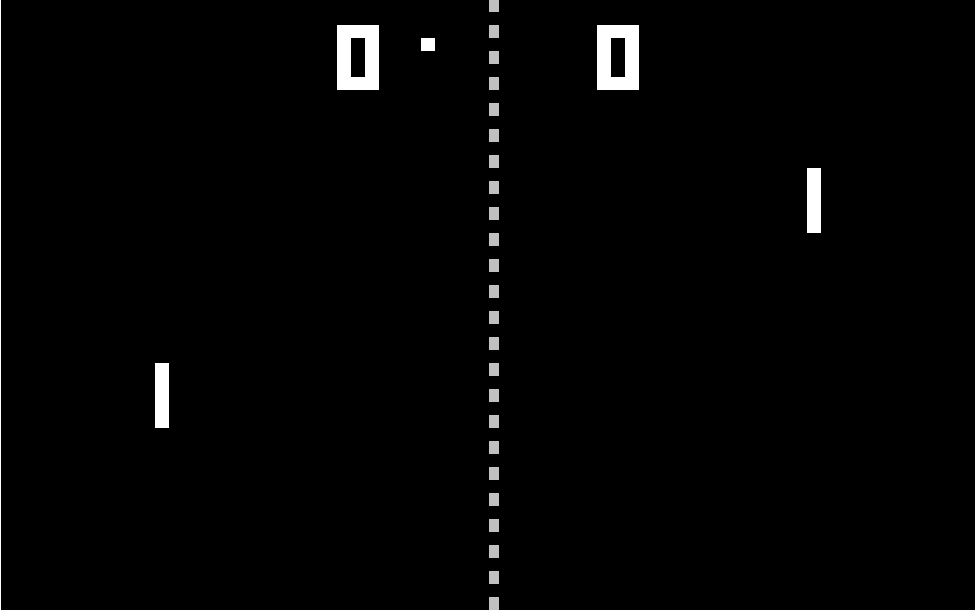
After seeing the inspiring work so many ds106 folks had done with the Spreadsheet Invasion assignment, I knew I eventually had to try it myself. I’ve been on an Atari 2600 kick for some reason lately, so I was originally wondering how much work it might take to re-create Asteroids for Atari 2600 in Excel. After looking at what that would entail (basically endless hours, though I’m not ruling it out in the future) I decided to animate the first great, mainstream video game: Pong. It seemed like the perfect option after seeing this video of the game play to spark my memory.

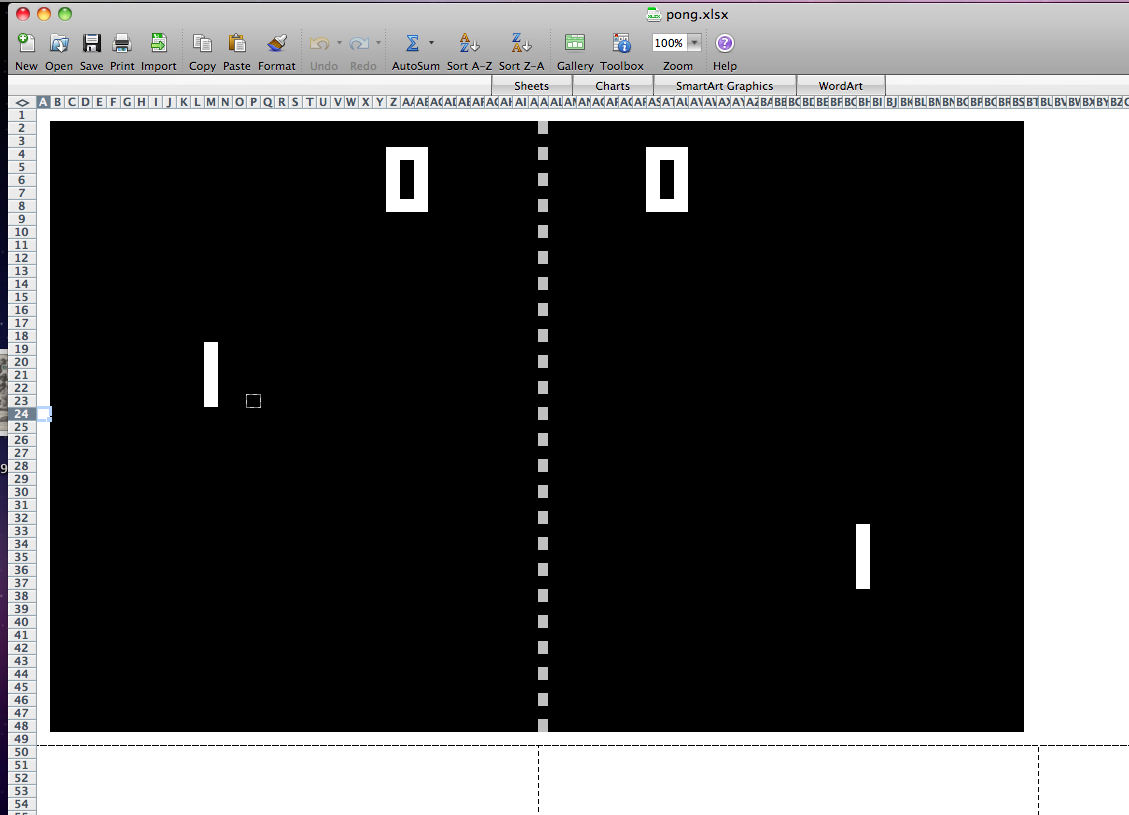
So, using the video as my aesthetic guide, I opened up excel and homesteaded a sheet in excel that was 81 columns wide (at .2″ a column) an 42 rows high (at .2″ as well). I filled in that area with black fill to create a basis to work from an then used five vertical squares in a column to create the paddles with white fill (each 1″ high) and I used one square that was .2″ x .2″ as the ball. The center line was made by shrinking the two center-most columns down to below .1″ each and highlighting every other cell in light gray. After that I had the field, an what was amazing to me is that it looked exactly like a game of Pong!

After that came the laborious work. I had to animate the movement of the ball diagonally from cell to cell as well as moving each of the paddles with every movement of the ball. It took me about a minute or so to animate each movement of the ball, and after each animation I had to take a screenshot. Like the one below:

After about two hours last night, an another two today I animated the ball moving at an angle from one paddle to the other, after that I decide if I wanted to finish my fifteen stars worth of assignments this weekend and still see my family I couldn’t animate another volley back, so what I did is grab all the stills I took and reverse them so that it gives the illusion of the ball going back and forth. This is a strategy I often use to make the animated GIF look smoother, so I figured I would make this animate spreadsheet an animated GIF as well—another play on the assignment I figured. Given that all my screenshots weren’t exactly the same I re-sized the layers and cropped them all to hide as much jumping from shot-to-shot as humanly possible. Of all the many GIFs I have made I might be proudest of this one, it was like making a game from scratch, and it gave me a real sense of just how complex a system video games represent. What’s more, what could possibly be cooler than using Excel to make an animated GIF of a game of Pong. I would love to finish my work with this as a more complex game but the labor is too much right now, so I am uploading my Pong template in Excel here and all my screenshots thus far in a zip file in the highly unlikely event that anyone else would want to spend endless hours animating Pong in Excel. Excel Pong anyone? 😉

That’s 11 stars, I have 4 more to go. here I come Animated Comic Book cover.

Posted in digital storytelling | Tagged , , | 9 Comments

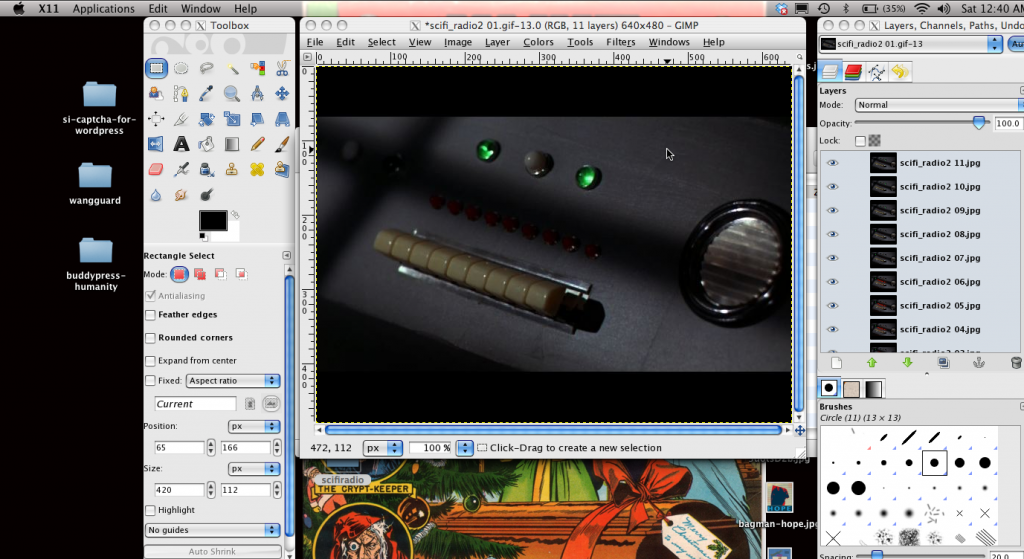
Isolating Animation with Masked Layers in GIMP

Last May or June I went on a sick tear animating GIFs, and even isolating pieces of those GIFs so that only certain parts of an image would animate. However, turns out I forgot everything I figured out less than 10 months ago, so I decided to retrace my steps and make a short screencast tutorial this time to remember some of the baics. Scott Lockman just did an awesome animated GIF of the M*A*S*H ATari 2600 cover, and I would love to hear how his experience matches up with this, but in the mean time here is quick and dirty tutorial which is really just my way of slowly building up enough courage to take on the animated comic book cover assignment.

Posted in digital storytelling | Tagged , | 5 Comments

Screencast tutorials for Alternative Book Cover assignment

As promised yesterday, I did two screencasts for the Alternative Book Cover assignment, one for photoshop users and one for GIMP users. What you will get from these tutorials is that 1) I, too, am a novice at these applications, and 2) these design assignments are mostly about the conception—keep it simple if you are having time or technical issues.

Here is the tutorial for Photoshop (which is palatable at 7 minutes):

Here is the tutorial for GIMP (which runs way too long at 12 minutes):

Posted in digital storytelling | Tagged , , | Leave a comment

Remixed game Covers: The Big Lebowski

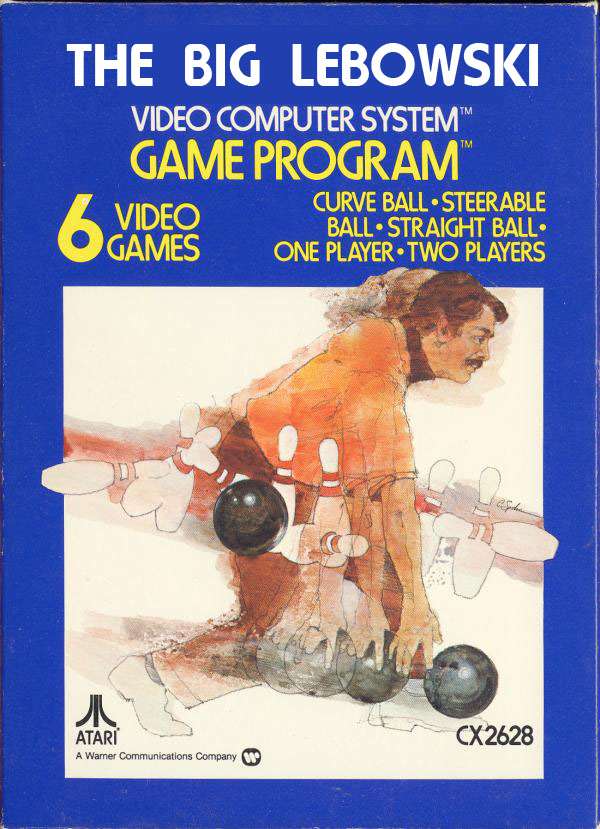
I added another new design assignment for ds106 called Remixed Game Covers inspired by this awesome remixing of a series of Atari game covers that Mikhail Gershovich turned me on to a few months back. The assignment is pretty straightforward, take a video game and remix it to change the meaning or idea. I went through the archive of Atari 2600 covers at Atari Age and found the Bowling cover to be pretty trippy, and the first thing it made me think of was Lebowski, so I changed the title to create a The Big Lebowski Atari 2600 game, which is pretty awesome. The only issue I had was locating the right font, and I was trying to find Harry Fat font without paying $60, but I should have known the awesomeness that is Atari Age has all the fonts for all the games and cartridges, and this one is called HammerFat. So, in the end, that made this one a bit easier, but I am thinking you could animate the image, or even add an animated GIF from a film, which is what I plan on playing with later this weekend.

Posted in digital storytelling | Tagged , , | 8 Comments

Alternative Book Covers: Naked Lunch

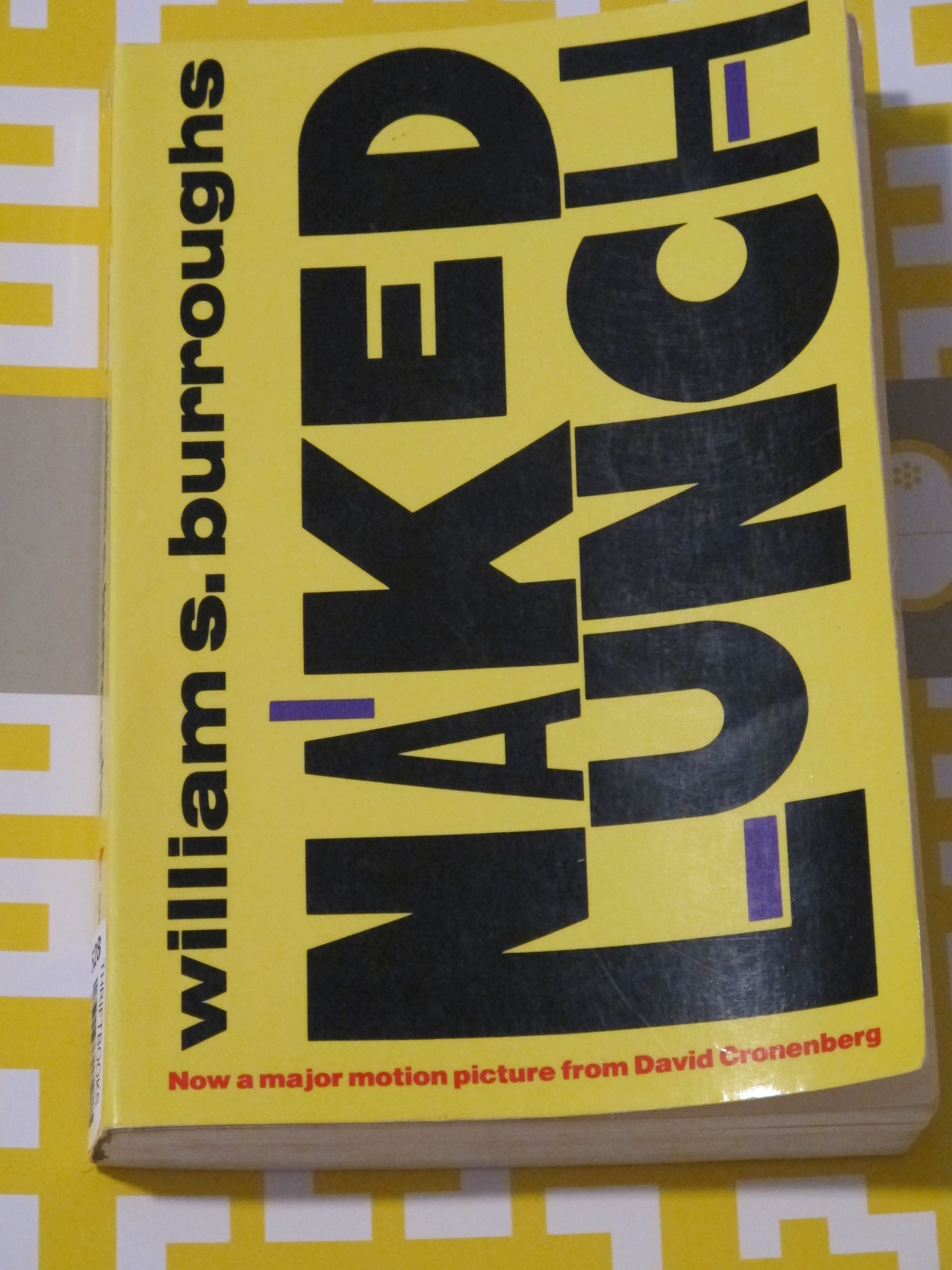
I just submitted this as an assignment, and I will be doing a quick tutorial for this one in Photoshop and GIMP shortly. It is either a two or three star assignment in my mind, and the inspiration comes from this contest from a few years back. I took William S. BurroughsNaked Lunch and interpreted the title somewhat literally with an image I found from this Guardian article.

Here is the version of the book I own (this is not a picture of my book, just one like it I found on the internet):

I simply grabbed the background color of the book cover and filled it into my image and then copy and pasted the title and author’s name from this image into the project. I then posted the image of the nude people eating lunch between the title and the author’s name. The inspired touch was having the motion picture by Anthony Bourdain rather than David Cronenberg. This was too much fun.

Posted in digital storytelling | Tagged , , | 5 Comments