The Allure of Mastodon

Since November I’ve been toying around with Mastodon on Reclaim Cloud. At first it was to take up the gauntlet thrown, and see if I could create a space for the ds106 community. I did a bunch of work for a month or so spinning up a few instances, and Taylor even got an installer built, which is awesome. We have partnered with ALT since January to run Mission Mastodon, a sandbox Mastodon server so folks could test out this tool and begin to wrap their heads around how it works in practice. We had three sessions, the server will “explode” next month, but one of the things we came away with is that the tech is eminently manageable for a fledgling sysadmin like myself (I speak from my social.ds106.us experience) and costs to run it are not crazy. The question that looms is should organizations feel compelled to stand-up their own servers, or does it make more sense for folks to sign-up where ever, and then just use the magic of federation inherent to the system to glue together that community.

I think we leaned towards the latter given the overhead of managing a community for most orgs in our last discussion “The Final Countdown,” but I can still see tremendous value in creating intentional community servers—like our little ds106 Mastodon experiment—that provides a more localized space outside the maddening crowd. What’s more, I’m really excited about the much grander work Kathleen Fitzpatrick and company are spearheading with hcommons.social to build a full blown scholarly community that is built around an open source, federated infrastructure that is only beholden to its own community rules and policies. The key here is it stands intentionally apart from the corporate overlords that everywhere dominate Social Media presently—which is why new services like Bluesky for me are a non-starter at this late stage of my metastasizing Web 2.0 growth-cycle.

And that for me, right now, is the allure of Mastodon, and other federated tools I’ve been playing with like PeerTube. The network effects may be less, but personally I’m fine with that. It’s a re-calibration to a more human scale I desperately needed. My tweets were getting lost in all the noise for many years, but on Mastodon I’m finding connection again, folks are actually responding, conversations are happening, and there’s a growing sense of community. That’s what I signed-on to Twitter for 16+ years ago, and I’m realizing I missed it.

But there’s another piece that’s re-kindled something in me that I’m appreciating these days. It allows me to tinker in service of that community. Just like with WordPress Multiuser back in the day, I really enjoy trying to support a community using a tool to share and connect. I’m digging figuring out how to run Mastodon; what’s the best storage option; how to map domains; how to integrate Azuracast; some basic tweaks and maintenance; etc. It’s that old idea of narrating your work openly, with hopes it could benefit others. And look who else is blogging their exciting experiments with Mastodon. Lead with the work, it’s how you learn what you’re doing and give others a peek into how you’re doing it.

“I’m doing the work! I’m baby-stepping! I’m not a slacker!”

That might be what allures me the most, the idea of having a shared object of attention (other than the AI goldrush) to gather around and learn from one another. It helps me understand what we’re building with Reclaim Cloud, it provides a real-world example, and it’s the open infrastructure I want to see in this virtual world to help support healthy online communities.

Posted in Mastodon, Reclaim Cloud | Tagged , , | 8 Comments

Creating a Domain Alias for Mastodon Files Served through DigitalOcean Spaces

As promised in my last missive, this post will take you through creating a custom domain alias for the files being served by a DigitalOcean Spaces bucket. What does that mean? Well, DigitalOcean Spaces is a cloud-based file storage that serves media like images, video, etc. This media can take-up a lot of storage, especially for an application like Mastodon, so it makes sense to offload it to a service is relatively inexpensive and prevents you from running into storage caps. Another benefit is that you can move your application more easily between hosting services without worrying about moving all the files, which often is the biggest time suck for migrations.

So that’s why one might use an S3-compatible storage service like Spaces for an application like Mastodon which I discussed in my last post, but why do you need a custom domain for serving those files? There are a few reasons:

  1. It makes moving between S3-cloud-based storage providers easier. For example, say I want to move between Spaces and my own, self-hosted Minio S-3 object storage server eventually, that would be possible without breaking links by keeping the domain consistent regardless of storage provider.
  2. When using a custom domain with Spaces you can actually access their content delivery network (CDN) which means the files are cached around their global network and files will be served faster.
  3. Finally, custom domains are awesome, how much better is a domain like  custom domain like https://ds106.social versus https://ds106social.fra1.digitaloceanspaces.com …. no contest, right?

Ok, so now that you know the what and the why, let’s get into the how-to for DigitalOcean Spaces. The first piece is making sure you can point the domain you want to map on a Spaces bucket to DigitalOcean’s nameservers.  DNS can be confusing, but the piece here to keep in mind that for this to work is the entire domain needs to be pointed at DO’s nameservers, and this means you would control the DNS zones and pointing from their networking interface.This is not necessarily bad, it’s essentially the same thing you do with Cloudflare, but an issue could arise if you already have this domain managed elsewhere and changing the DNS records to a new service could mean overhead and downtime.

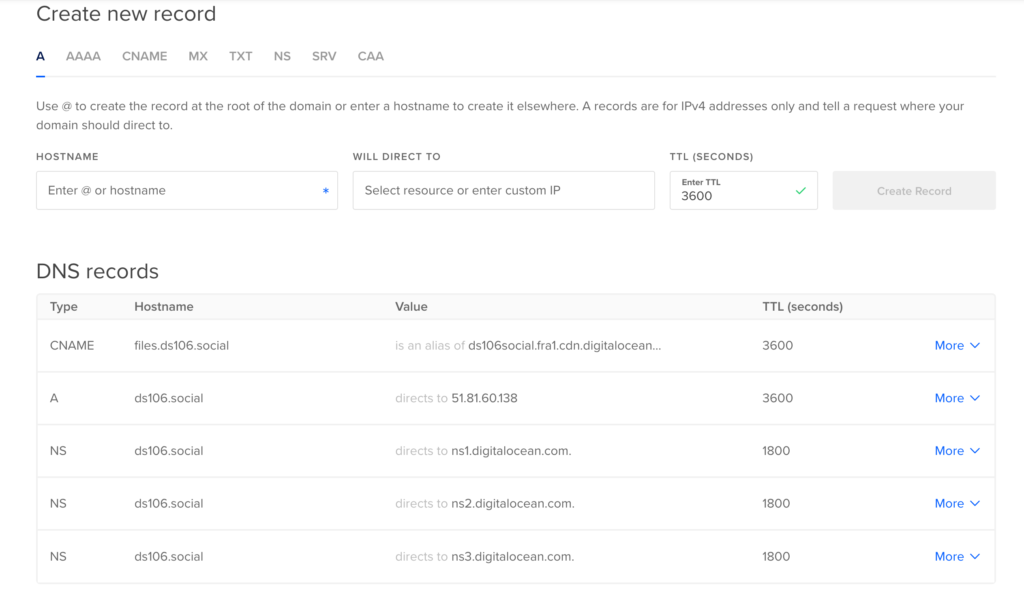
I just happened to have the ds106.social domain I was thinking about running Mastodon on, but having already setup the server on social.ds106.us, it was a simply redirecting traffic. So, I decided to point ds106.social to DigitalOcean’s custom nameservers, which are  ns1.digitalocean.com, ns2.digitalocean.com, and ns3.digitalocean.com. The nameservers are usually changed where ever you registered the domain. After that, you go to the Networking area of Digital ocean and add the domain, which will then allow you to manage and add new DNS records:

DNS management panel on DigitalOcean for ds106.social

Once the domain is added, return to the Spaces bucket and enable the CDN option in settings:

Enable CDN option in Spaces bucket settings

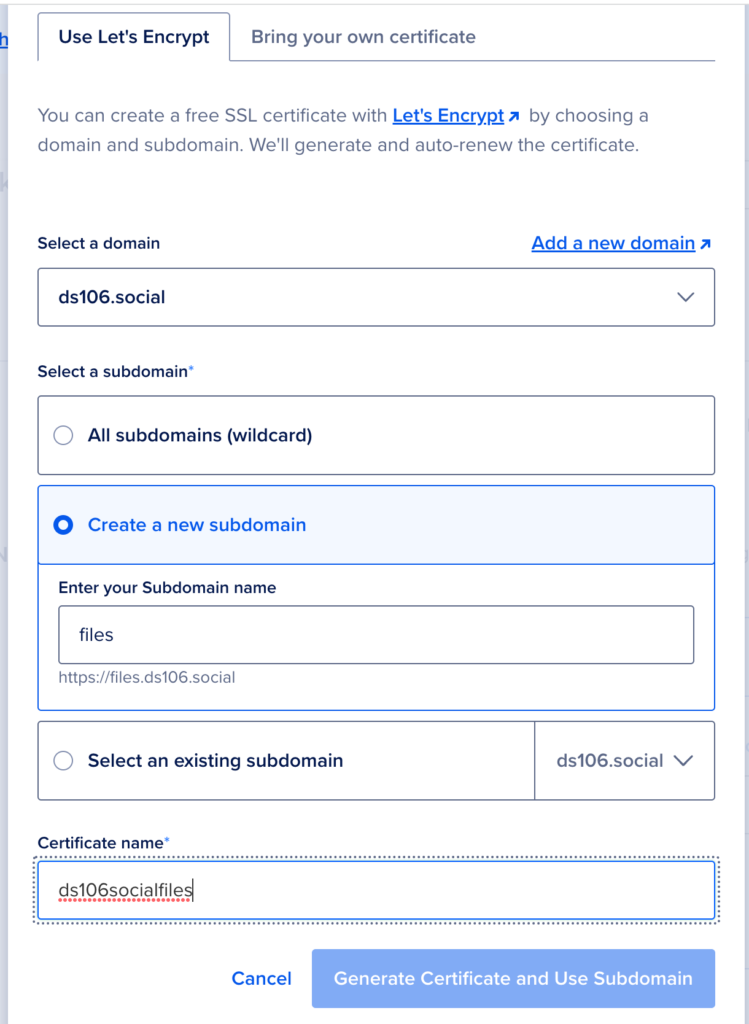
Once the CDN option is enabled you will be asked to select a subdomain to load the files over, and now that you have pointed your domain’s nameservers to DigitalOcean you can do this. You can choose the domain ds106.social and define the subdomain.

Creating subdomain and issuing certificate for Spaces CDN

I used files.ds106.social, and this will automatically create a CNAME (or alias) that will make all the files served over ds106social.fra1.digitaloceanspaces.com also work over ds106social.fra1.cdn.digitaloceanspaces.com for the CDN, but most importantly served over files.ds106.social. Below are three examples of the same file resolving over all three domain names:

https://ds106social.fra1.digitaloceanspaces.com/accounts/avatars/109/309/621/412/056/867/original/f758838c34a58ad2.jpg
https://ds106social.fra1.cdn.digitaloceanspaces.com/accounts/avatars/109/309/621/412/056/867/original/f758838c34a58ad2.jpg
https://files.ds106.social/accounts/avatars/109/309/621/412/056/867/original/f758838c34a58ad2.jpg

And that is the magic of alias domain mapping! Digital Ocean provides the Let’s Encrypt certificate that works for all the above domains, and now the ds106 Mastodon instance defaults to the files.ds106.social domain for all media, which is quite slick. The subdomain, files.ds106.social for this example, is a CNAME hostname, pointed to the value ds106social.fra1.cdn.digitaloceanspaces.com. —this makes files.ds106.social an alias of ds106social.fra1.cdn.digitaloceanspaces.com.

CNAME for subdomain files.ds106.social in DigitalOcean DNS panel

I learned this the hard way given I was initially confused about whether I could point a subdomain from another service like Cloudflare to the Spaces bucket (you can do this on AWS I’m pretty sure), and the short answer is you can’t. You have to point nameservers and then use DigitalOcean’s networking option to manage the domain, subdomain and SSL certificate.

Final step would be to add the environmental variable for the new alias to your .env.production file in Mastodon:

S3_ALIAS_HOST=files.ds106.social

So my .env.production configuration for the object storage now looks like this, which is just the additional of the S3_ALIAS_HOST variable:

S3_ENABLED=true
S3_PROTOCOL=https
S3_BUCKET=ds106social
S3_REGION=fra1
S3_HOSTNAME=fra1.digitaloceanspaces.com
S3_ENDPOINT=https://fra1.digitaloceanspaces.com
S3_ALIAS_HOST=files.ds106.social
AWS_ACCESS_KEY_ID=yourspacesaccesskey
AWS_SECRET_ACCESS_KEY=yoursupersecretspacesaccesskey

And that’s all folks! If everything is working as it should be your domain alias is working and you can test that by inspecting any image or avatar and checking the domain file URL.

NB: If I were a better guide writer I would re-do adding this subdomain to Spaces given I can’t remember the exact steps of how the subdomain was created (complicated by the fact I uploaded a certificate from Cloudflare while I was trying the old method) and how it creates the certificate, but I believe it is automatic and you can create a new subdomain such as files, but I really don’t want to delete this subdomain and do it again for the sake of this post given it will create a bit of havoc on the server 🙂

Posted in Mastodon | Tagged , , , , | 1 Comment

Moving Mastodon Object Storage from AWS S3 to DigitalOcean Spaces

These days I’ve been in a Mastodon maintenance state-of-mind, as my last post highlights. Early this week I tried to shore up some security issues linked with listing files publicly in our AWS S3 bucket. This encouraged me to explore additional options for object storage (the fancy name for cloud-based file storage) and I decided to try and move all the files for social.ds106.us from the AWS bucket to DigitalOcean’s Spaces, which is their S3-compatible cloud storage offering.

“Why are you doing this?”

Why am I doing this? Firstly, to see if I could, and secondly because AWS is unnecessarily difficult. What annoys me about AWS is the interface remains a nightmare and a simple permissions policy like preventing listing files in a bucket becomes overly complex, which then results in potential security risks. I eventually figured out how to restrict file listing on AWS, but seeing how easy it was with my other Mastodon instance using Spaces— literally a check box—I decided to jump.
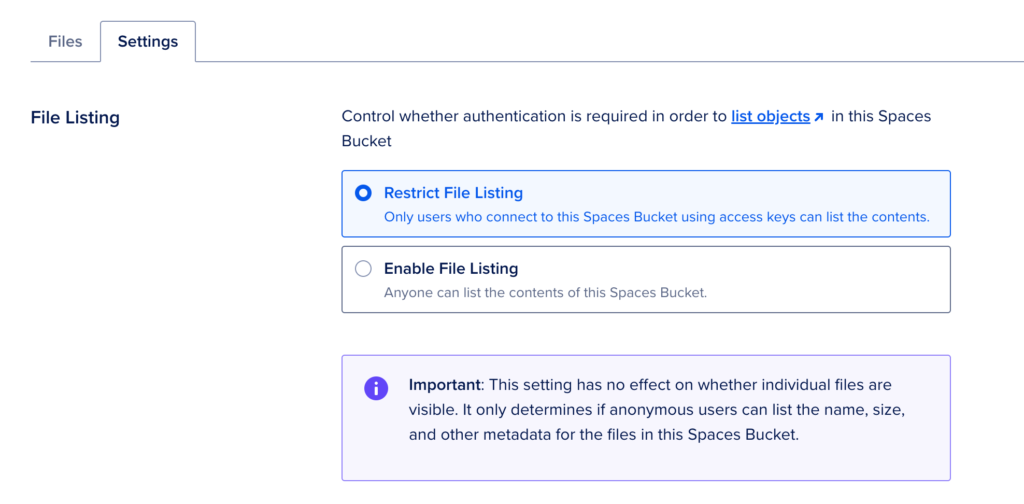
Screenshot of Digital Ocean's Spaces's option for disabling File Listing

DigitalOcean’s Spaces provides option for disabling File Listing

To be clear, I didn’t take this lightly. The ds106 Mastodon server has over 30 active users, and I’m loving that small, tight community. In fact, I’m loving the work of administering Mastodon more generally, it transports me back to the joyful process of discovery when figuring out how to run WordPress Multiuser.

“Back when I had hair”

Anyway, moving people’s stuff means you can also lose their stuff, and that is not fun. So I did take a snapshot of the server before embarking on this expedition, but the service does not stop with a snapshot. Folks keep posting and the federated feed keeps pulling in new posts, so that was something I had to keep in mind along the way.

So, in order to get started I had to setup a Spaces bucket on DigitalOcean where I would move all the files from the AWS S3 bucket. Doing this is really quite simple, and you can follow DigitalOcean’s guide for “How to Create Spaces Bucket.”  Keep in mind you want to restrict file listing in the settings for this bucket.

After that, we need to move the files over, and after reading another DigitalOcean guide on “How to Migrate from Amazon S3 to DigitalOcean Spaces with rclone” the best tool for the job seems to be rclone utility—but that guide is from 2017 so would love to hear if anyone has something else they prefer. You download rclone locally and setup the configuration file with the details for both AWS and Spaces.

My config file looked something like what follows, but keep in mind it is highly recommended if you’re doing this for Mastodon that you make the acl (access control list) public, not private as the rclone guide linked previously suggests. Leaving this setting as private led to a huge headache for me given I was not reading the fine print, and with over 400,000 objects being moved to Spaces, all of which were private, I had to do another pass using the s3cmd utility to make them all public—which took many hours and added an unnecessary step given these files are designed to be public.

Anyway, here is template for your rclone.conf file, keep in mind you’ll need your own access keys for each service.

[s3]
type = s3
env_auth = false
access_key_id = yourawsbucketaccesskey
secret_access_key = yourawsbucketsecretaccesskey
region = us-east-1
location_constraint = us-east-1
acl = public

[spaces]
type = s3
env_auth = false
access_key_id = yourspacesaccesskey
secret_access_key = yourspacessecretacccesskey
endpoint = fra1.digitaloceanspaces.com
acl = public

After that’s set up correctly, you can run the following command to clone all files in the AWS S3 bucket that is specified over to the DigitalOcean’s Spaces bucket specified:

rclone sync s3:reclaimsocialdev spaces:ds106social

Given the sheer amount of files this took hours. And one of the things I learned when doing this is most of those files are in the cache folder given that is where all the federated posts are stored, and this is what can quickly get your Mastodon instance storage out of control. In fact, our local user files are all stored in media_attachments:
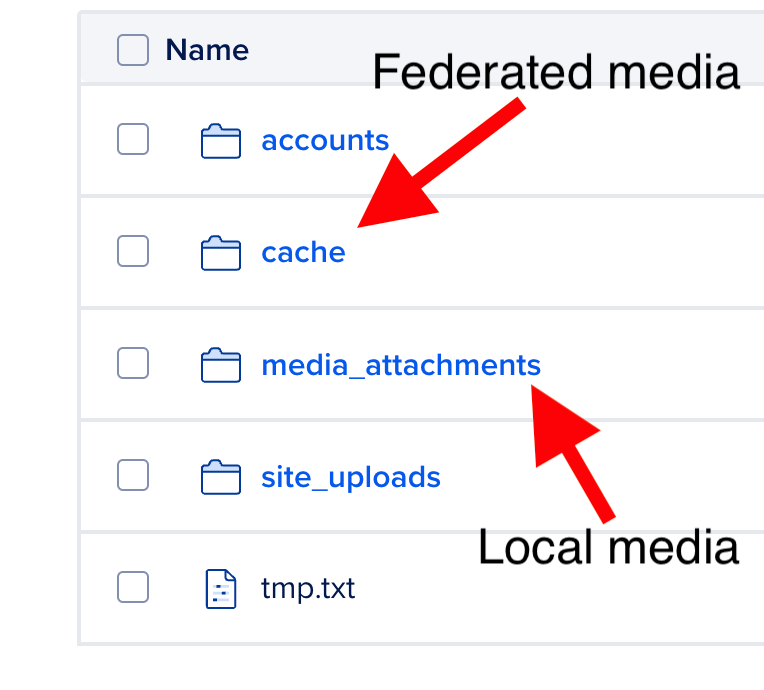
Mastodon Bucket file storage directories

The cache folder is by far the largest for the ds106 server, and knowing this allowed me to do a final clone of every other directory before switching to Spaces to make sure everything was up to date. Some of the federated media may be lost in the transition given the sheer volume, and that proved to be true for about an hour’s worth of media on this server.* Luckily it is still all on the original source, and this only effected images and thumbnails, but I do what to figure out if there is a way of re-pulling in specific federated feeds, given I tried to tun the commands for accounts refresh:

RAILS_ENV=production /home/mastodon/live/bin/tootctl accounts refresh [email protected]

As well as rebuilding all feeds, but that didn’t help either:

RAILS_ENV=production /home/mastodon/live/bin/tootctl feeds build --all

That said, it was not too big an issue given just a few images were lost in the transition from federated posts, so I was willing to swallow that loss and move on. After the cloning was finished and I made the switch I realized all the media on Spaces was private given that errant acl setting referenced above. I was chasing my tail for a bit until I figured that issue out. I had to use the s3cmd tool for the Spaces bucket to update the permissions for each directory. Rather than trying to change permissions for all 400,000 files at once, which would take too long, I just updated permissions for every directory but cache (which has the lion’s share of files on this server) and this was done in under an hour. Here are the s3cmd commands I used, and here is a useful guide for getting the s3cmd utility installed on your machine.

s3cmd setacl s3://ds106social/accounts --acl-public --recursive
s3cmd setacl s3://ds106social/media_attachments --acl-public --recursive
s3cmd setacl s3://ds106social/site_uploads --acl-public --recursive

Once these were done, I then went into each sub-directory of the cache folder and did the same for them, which will 400,000 files took forever.

s3cmd setacl s3://ds106social/cache/preview_cards --acl-public --recursive
s3cmd setacl s3://ds106social/cache/custom_emojis --acl-public --recursive
s3cmd setacl s3://ds106social/cache/accounts/avatars --acl-public --recursive
s3cmd setacl s3://ds106social/cache/accounts/headers --acl-public --recursive

Once I updated all the file permissions for every directory except cache, I could switch to Spaces and let the permissions update for the cache directory run in the background for several hours. That did mean that media for older federated posts were not resolving on the ds106 instance in the interim which was not ideal, but at the same time nothing was lost and that issue would be resolved. Moreover, all newly federated post media coming in after the switch was resolving cleanly, so there was at least a patina of normalcy.

In terms of switching, you update the .env.production file in /home/mastodon/live with the new credentials, so after updating the file my Spaces details look like the following:

S3_ENABLED=true
S3_PROTOCOL=https
S3_BUCKET=ds106social
S3_REGION=fra1
S3_HOSTNAME=fra1.digitaloceanspaces.com
S3_ENDPOINT=https://fra1.digitaloceanspaces.com
AWS_ACCESS_KEY_ID=yourspacesacccesskey
AWS_SECRET_ACCESS_KEY=yourspacessecretacccesskey

After you make these changes and save the file you can restart the web service:

systemctl restart mastodon-web

You’ll notice the region is now in Frankfurt, Germany for the ds106 Spaces bucket versus US-East in AWS, this makes it a bit more GDPR compliant given the ds106 Mastodon server is in Canada. And  with that, if you don’t make the same permissions mistakes as me, your media will now be on Spaces which means you have simplified your Mastodon sysadmin life tremendously.

With that done and the files being successfully served from Spaces I started to get cocky. So, I decided to load all the files over a custom domain like https://ds106.social versus versus https://ds106social.fra1.digitaloceanspaces.com, but I’ll save that story for my next post….

Update: For posterity, it might be good to record that this was the StackExchange post that helped me figure out the permissions issues with the rclone transfer making all files private.

____________________________________________________

*It seems, though I’m not certain, that when trying to clone specific directories within the cached directory of media that were not synced overnight, the re-cloning of specific directories removed the existing directories/files in the cloned directory. I was hoping it would act more like rsync in that regard, but not sure it does that, which may also be a limitation of my knowledge here.

Posted in AWS, Mastodon, s3, sysadmin | Tagged , , , , , , , , , | 7 Comments

Mastodon Version Updates, Object Storage Security, and More

This post provides a place for me to capture some of the maintenance work I’ve been doing on social.ds106.us and reclaim.rocks; the two Mastodon instances of note I’m currently administering. Keep in mind these two instances are running on a Debian VPS, so they’re not Docker images like our one-click Mastodon installs through Reclaim Cloud, so updates and management will be a bit different for those—and hopefully even easier.

Updating Mastodon to Latest Versions

I’ve been really pleased with how easy it’s been to update Mastodon to the latest version. In fact, it would have been seamless if I actually read the directions. The Upgrading to the latest version doc will get you in the right directory and have you pull the recent release. You then go to the notes for the release you upgrading to, for me it was version 4.1.2, and follow the update notes which will tell you if there have been any core dependency changes you need to account for:

Non-Docker only:

  • The recommended Ruby version has been bumped to 3.0.6. If you are using rbenv, you will be require to install it with RUBY_CONFIGURE_OPTS=--with-jemalloc rbenv install 3.0.6. You may need to update rbenv itself with git -C /home/mastodon/.rbenv/plugins/ruby-build pull.
  • Install dependencies: bundle install and yarn install

Both Docker and non-Docker:

  • Restart all Mastodon processes

Following these instructions ensured the upgrades worked cleanly. I did notice on both instances in the Administration panel there was a notice that “there are pending database migrations. please run them …” which led me down a Google rabbit hole that ended at this post which helped me push through the database migrations with the following command run from the /home/mastodon/live directory:

RAILS_ENV=production bundle exec rails db:migrate

After that the warning went away and was good.

Preventing Object Files from Being Listed Publicly

One of the things I realized was the way I had setup the AWS S3 bucket for the ds106 server was not secure given anyone could list all files in the bucket. This is an issue because this could give access to someone’s takeout downloads should they want to migrate elsewhere. Luckily ee did not have that scenario on the ds106 server, but I still wanted to fix this. I was not having luck until I came across this Stack Exchange post that Chris Blankenship shared with a Reclaimer using S3. Lo and behold, it worked perfectly. Essentially it’s a S3 bucket policy that allows anyone to see files, but not list them at social.ds106.us/system/ —which is exactly what I needed. Here it is, just replace Bucket-Name with your S3 bucket name:

{
    "Version": "2012-10-17",
    "Statement": [
        {
            "Sid": "PublicReadGetObject",
            "Effect": "Allow",
            "Principal": "*",
            "Action": [
                "s3:GetObject"
            ],
            "Resource": [
                "arn:aws:s3:::Bucket-Name/*"
            ]
        }
    ]
}

From AWS’s S3 to Digital Ocean Spaces

The other thing I’m currently working on is transferring all the media for the social.ds106.us Mastodon instance from AWS’s S3 to Digital Ocean’s Spaces because Spaces is 1,000,000x easier than S3. The S3 bucket policy feature is, to be sure, powerful  for those in the know, but the AWS interface remains a nightmare to navigate for the rest of us. The above permissions policy gives you a taste of that, compare the above code block with doing the same thing in Digital Ocean’s Spaces. It is a radio box selection in the setup screen, and even provides some understandable guidance.

Screenshot of Digital Ocean's Spaces's option for disabling File Listing

Digital Ocean’s Spaces provides option for disabling File Listing

Anyway, I’m cloning the S3 bucket over to spaces using the rclone tool that Digital Ocean has a good tutorial. Once everything is moved over I’ll need to update the environment variables for object storage and see if the move is that simple, not sure if the database stores full URLs for media that need to be overwritten, but assuming not given that would be a lot of overhead and somewhat counterintuitive.

Adding Certbot Renewal as Cronjob

Another bit that Tim Owens tipped us off on that I wanted to get documented is that when we installed Mastodon on Reclaim Cloud using the Debian VPS, we setup the SSL certificate using certbot, but forgot to setup a cronjob to check to see if we need to renew daily, so I manually renewed the certbot with the following command:

certbot renew

After that, be sure restart nginx:

systemctl reload nginx

That being done, I updated the crontab on this server to check for certbot updates daily  using crontab -e to edit the file, and then added the following line to the bottom of that file:

43 6 * * * certbot renew --renew-hook "systemctl reload nginx"

I found this StackExchnage thread that suggested adding --renew-hook "systemctl reload nginx" to the daily certbot renewal check, so that if the certificate renews nginx will be restarted. We’ll see how that works out in a few months.

Posted in Mastodon, Reclaim Cloud | Tagged , , | 3 Comments

Web 2.0 and Web3 Walk Into a Bar…

A few weeks ago I wrote about preparing for this presentation for OER23. I had no idea how fitting the title would be given the previous day left me with a hangover from exhilaration that I was nursing much of the day. But it worked pretty well for this talk because while I was super excited to start describing the karaoke scene at Johnny Foxes the night before….

OER23, Inverness, 5th and 6th April 2023.
Here, another barnstorming performance from Jim Groom

…much of the rest of the talk was a much calmer meditation on the federation of blogs in the heady Web 2.0 days thanks to RSS and trackbacks to suggest how that overlaps with the sense of excitement and promise of a federated web experience using Web3 tools like Mastodon driven by ActivityPub. I think there may be a recording of the session with slides available at some point, and if so I will grab a copy and link it here. I do have the slide deck with links, and even without the audio it gives a pretty good sense of the talk given it was pretty straightforward.

It was a session that provided an occasion to reflect on blogging and the technology that undergirds that practice as an ongoing force of open education. It’s an idea that’s still near and dear to the work I do and the raison d’être of this site, and being in a room with people who have blogged, still blog, or may even start blogging is always a thrill. I also tried to pay homage to Jon Udell, whose work continues to be crucial for my understanding of the the web, given he helped the talk take shape via interactions on Mastodon—in many ways making my point for me.

But let me break down the highlights and include links here so they are not locked away in a Google Slide deck. I should really be using SplotPoint!

You Looked Hotter Online…

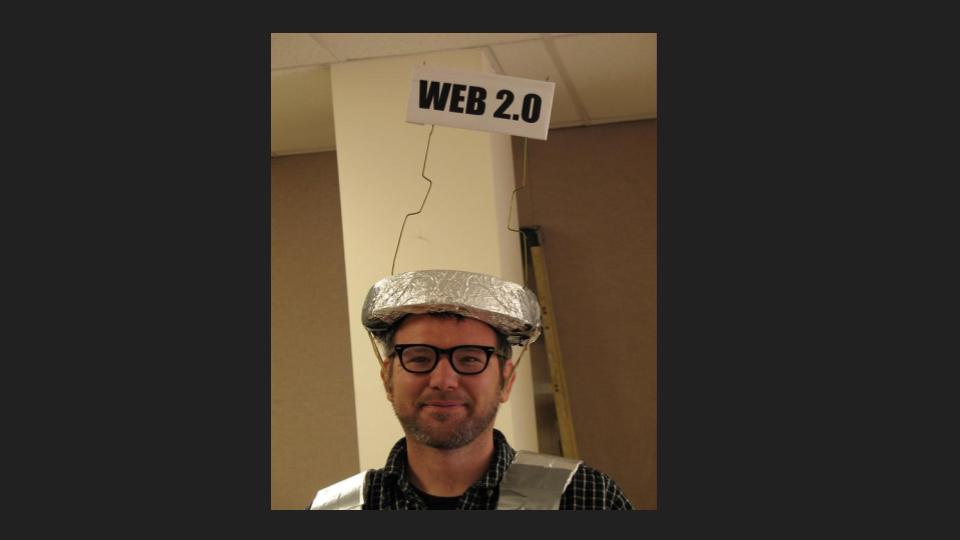
The first slide was basically the punchline to the talk title, and is an assignment created by ds106 alum Sarah of I’m Like So Blonde fame. The question is who looked hotter online? And who is Web 2.0? And who is Web3?

Web 2.0 = Social Web; Web3 = Federated Web

Web 2.0 Boy

The above slides are basic one-liner definitions and proof I was there when Web 2.0 started 🙂

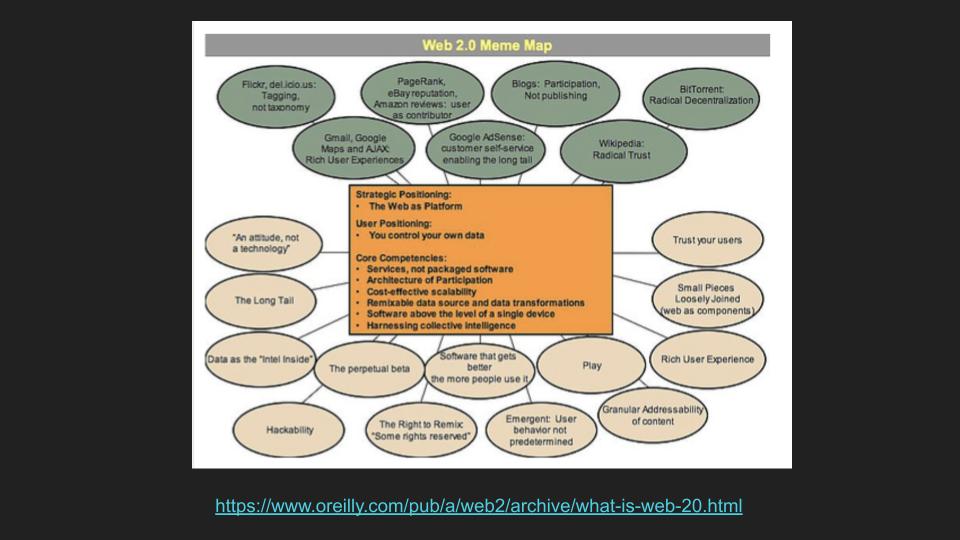
Web 2.0 Meme Map

Web 1.0 services versus Web 2.0 services

I talked a bit about Web 2.0 and Tim O’Reilly’s framing of the shift away from Web 1.0, to a more user-driven, social web. I then talk a bit about how Jon Udell’s feedback on Mastodon helped me frame the talk around RSS, trackbacks, permalinks, and some of the Web 2.0 technologies that made blogging much more about participation, interaction, and sharing rather than Publishing with that intentional capital “P.”*

I then do the contractual shout-out to ds106 and the assignment bank, which is driven by participation using tagged RSS feeds, which stands as a brilliant DIY example of a Web 2.0 teaching and learning application built on top of WordPress.

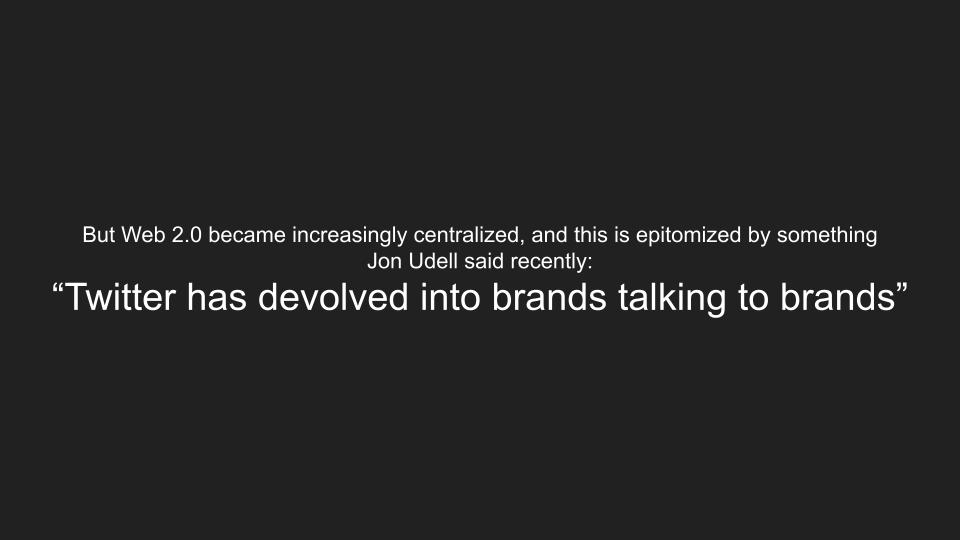
“Twitter has developed into brands talking to brands.” Paraphrasing Jon Udell

I then paraphrase Udell’s note that Twitter has devolved into “Brands talking to brands,” which rings so true, and how Web3 and the open protocols such as ActivityPub are reminiscent of the OG days of blogging.

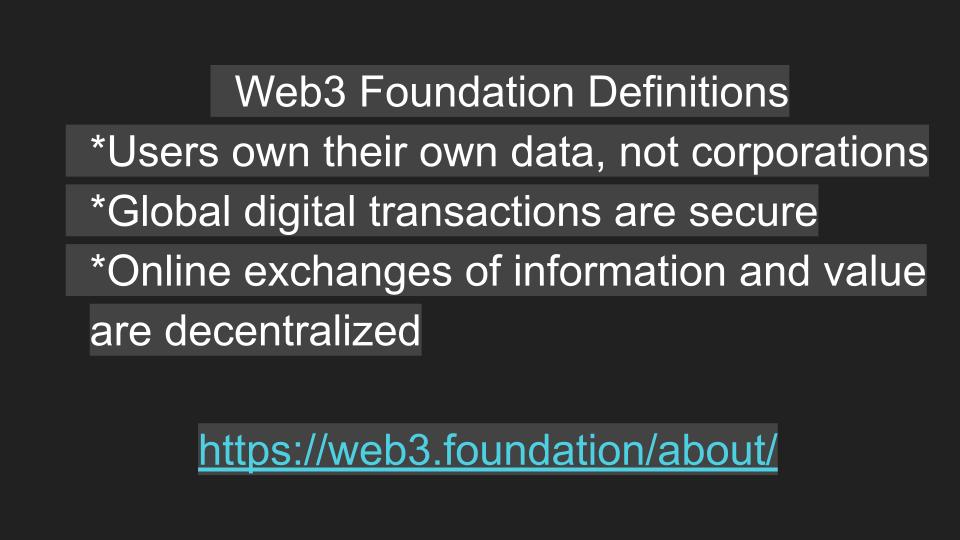
Web3 = Federated Web (not crypto web)

Web3 Foundation Definitions

I also provide some very cursory definitions of Web3, and I believe the web3.foundation is a legit organization, but I am nervous Mike Caulfield is going to tell me it is a Russian front website for the overthrow of Western ideals. But I think it was founded by Gavin Wood who is the CTO of Ethereum, and while a bit Dick Blockchainy flirting with the whole liberterian ethos—which scares me—I think the basic definitions hold-up. But I will acknowledge this is a place I could have done more research and waiting until after karaoke-palooza the night before the talk was not good planning 🙂

“Of Course the Attention Economy is Threatened by the Fediverse”

I then talked about Jon Udell’s discussion of Twitter and the attention economy and why I’m shifting my attention to Mastodon given there’s a sense of possibility and excitement that has long been gone for me on Twitter. I skipped a few slides in this summary, but that’s a general jist of the talk.

But I’m no longer employed in the attention economy. I just want to hang out online with people whose words and pictures and ideas intrigue and inspire and delight me, and who might feel similarly about my words and pictures and ideas. There are thousands of such people in the world, not millions. We want to congregate in different online spaces for different reasons. Now we can and I couldn’t be happier. When people say it can’t work, consider why, and who benefits from it not working.

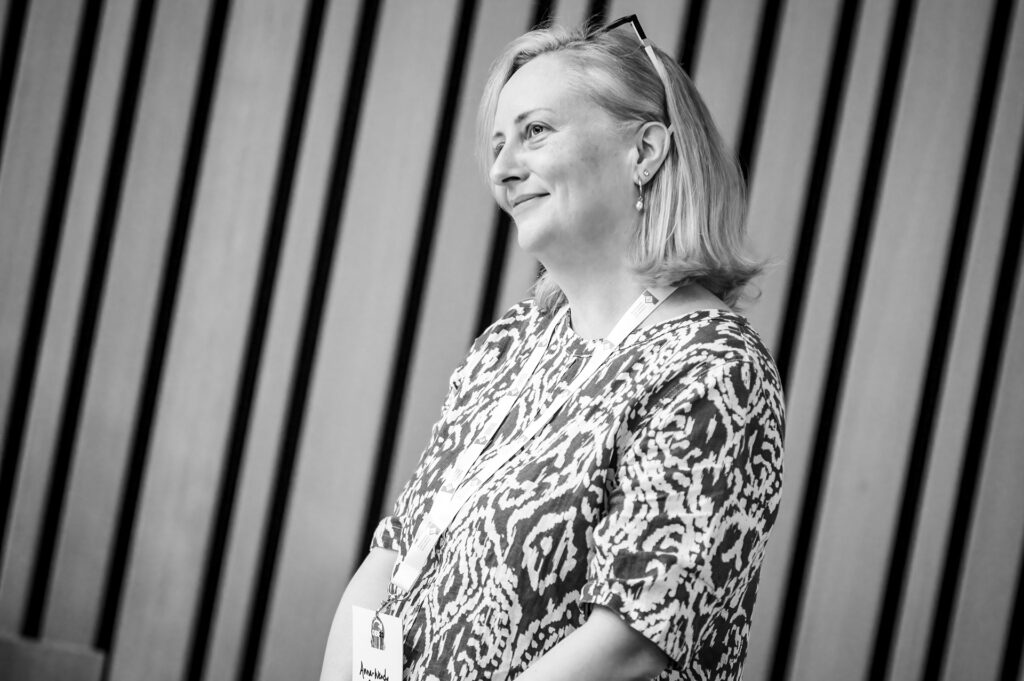
One of the salient points made in the follow-up Q&A by Anne-Marie Scott, discussing the above quote from Jon Udell’s aforementioned post, was beyond hanging out with people you like in these new spaces, communal servers like social.ds106.us offer the potential for shared management to ensure they remain troll-free and folks adhere to the server’s stated policies. The invisible work of managing social media comes back to the community in Web3, and that represents a form of labor and connection with the spaces that suggest a powerful shift that needs to be recognized and negotiated. In fact, Anne-Marie was full of insightful comments like this throughout OER23, and I would like to thank her for bringing that brilliance to this talk. Anyway, it was a fun talk in a warm, welcoming room at a brilliant conference. Thanks OER23!

_______________________________________________

*There was a time during the early blogosphere days when the MSM, or main stream media, was the enemy. Blogs were an alternative press that had the reach and possibility to challenge the dominant narrative, whereas Web 2.0’s consolidation into a few popular social networks would eventually make it just another commodified publishing outlet.

Posted in OER23, presentations | Tagged , , , , | 1 Comment

Visual Note-taking at OER23

I am still blogging about OER23 because it was the best 1-star conference I have been to yet.

OER23 Polaroids, Day 1

Shot taken featuring some Visual Thinkery T-shirt Art at the Bluffer’s Workshop

I have to be careful how much I publicly praise Bryan Mathers given we currently have him doing some new art for Reclaim and I would hate for any more demand to jack up the costs 🙂 But as anyone who has worked with him knows, his work is pure gold and a deal at any price! Bryan Mathers’s pre-conference workshop “A bluffer’s guide to Visual Thinking,” was wonderful to start off the OER23 experience, who’s warmer and more welcoming than Bryan? Not to mention a host of amazing folks like Catherine Cronin, Frances Bell, and LC at the same table thinking through and drawing the values of Open.

OER23 Polaroids, Day 1

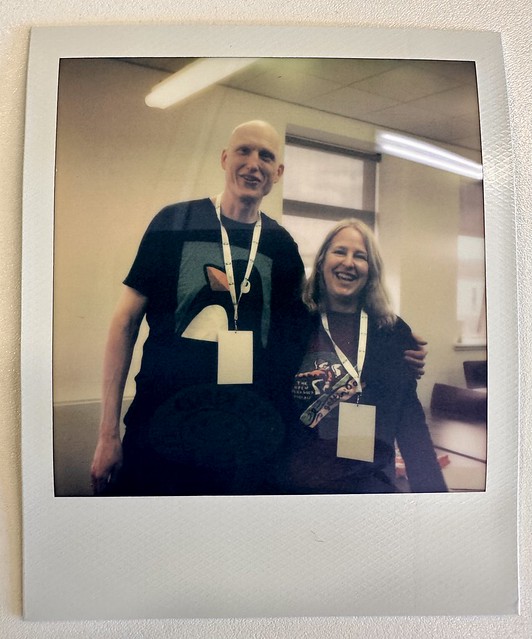
Frances Bell and Catherine Cronin after Bryan Mather’s workshop at OER23

Bryan’s workshop not only got Lauren and I thinking about how we can use zines for Reclaim Hosting, but it also opened my eyes to. the possibilities of visual note-taking. And like any good learning experience, I was inspired to take visual notes at the following morning’s opening keynote “Hyper-Hybrid Futures?” by Rikke Toft Nørgård.

Visual Note-taking at OER23

Visual Notes from Rikke Toft Nørgård Plenary

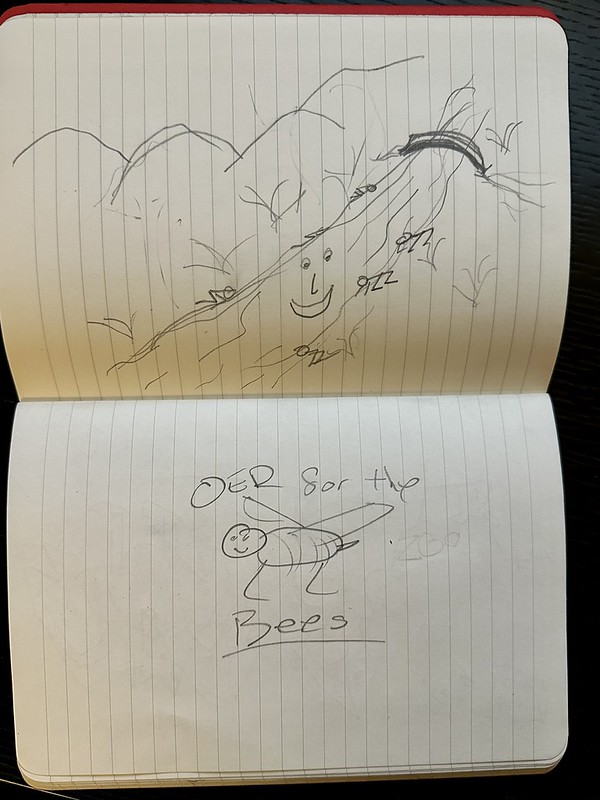
Rather than tweeting or taking photos, I listened and took visual notes based on the ideas in the talk. And this talk was chock full of visually rich ideas. I see so many threads from the notes above that take me back to the talk, whether its a hybrid tiger-owl, or Towel, or the what an atmosphere for OER would look like? I loved that question, and it immediately made me think of containers, and then VR, and then brains in glass jars, which was weird—The Man with Two Brains anyone? There is also the femedtech quilt, a fediverse diagram, an “open” heart, and an effigy of Bryan Mathers. I spy a polaroid camera, GO-GN penguins, and much more. It gives you a sense of all the things mentioned leading up to Rikke’s talk. Her talk coincides with the chimerical Towel, which then made me think of the Owlbear from AD&D, only to see Honor Among Thieves the following week and learning about the Owlbear kerfluffle. In fact, looking at my notes Rikke’s hybrid monster images really sent me down a Dungeons & Dragons rabbit hole. I spent a good part of the talk drawing a full-page Beholder, which is an interesting way to think about her talk given it was such a fresh, monstrous vision of the world of OER we have been trapped in.

OER23 Visual Note Taking: Beholder

Visual Notes from Rikke Toft Nørgård Plenary

And the talk also dug into some really powerful and resonant topic like hoping in the face of the apocalypse, what gets framed as Hopepunk. A concept I both love and truly believe in, and that made be draw narwhals and unicorns, because the tone of the whole talk was somehow magical, as if Rikke had cast a spell on us all!

Visual Note Taking

Visual Notes from Rikke Toft Nørgård Plenary

There was then talk of glaciers and giving the Ganges River personhood, as well as what OER for Bees would look like, WTF?

Visual Note-taking at OER23

Visual Notes from Rikke Toft Nørgård Plenary

It was a brave, beautifully outlandish talk that really resonated with the OER23 crowd, and as you can see from my rudimentary visual notes, it helped me remember so many moments that might have otherwise been lost in the oblivion of my mind. It was a really fun process, and giving myself the permission to doodle throughout thanks to Bryan’s workshop made both the experience and the re-living of it while writing this that much more pleasurable. YEAH!

Posted in OER23 | Tagged , , , | 5 Comments

A Magical Day at OER23, Part 2

Where did I leave off in part 1 of this post? Oh yeah, that’s right I stopped after narrating the magic that was the Gasta session because in many ways it represents a natural break because the energy was so intense that immediately afterwards my head was spinning. It was ostensibly an impossible session to follow, but the programming committee knew what they were doing when the put Anna Wendy Stevenson in that spot, because her keynote was brilliant. In many ways it was a practical counter-part to Rikke Toft Norgard’s speculative vision of hyper hybrid futures that got us started that morning.

OER23, Inverness, 5th and 6th April 2023.
Here, Anna-Wendy Stevenson (UHI) gives the Plenary. Image Credit: Tim Winterburn

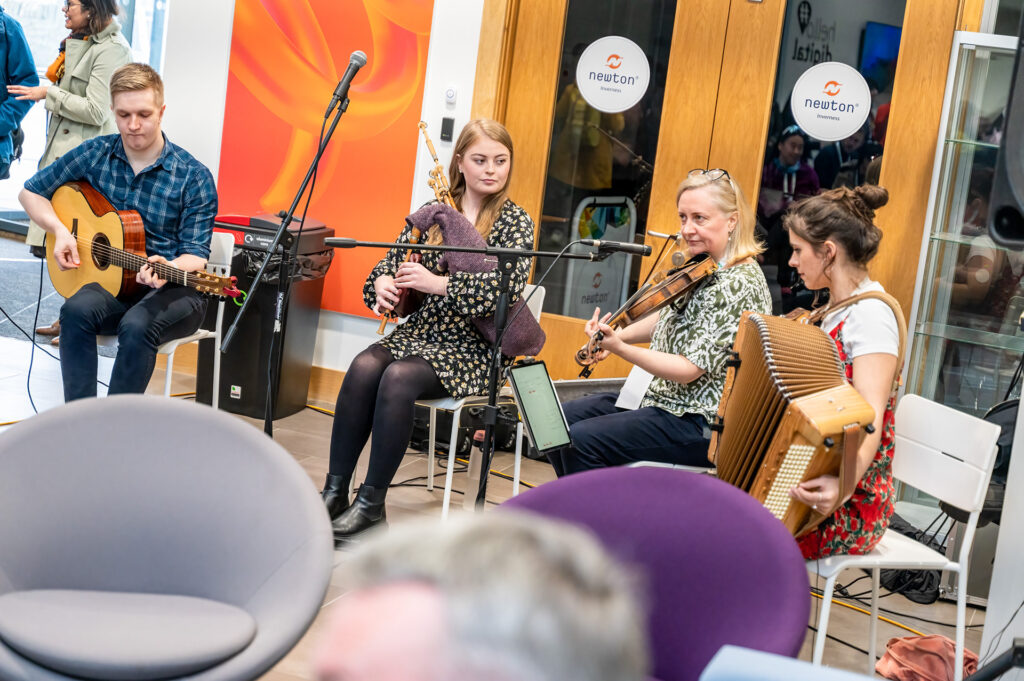
Stevenson’s talk grounded everyone in the room by discussing the completely online, distributed music degree offered through the University of the Highlands. This program highlights an alternative to ways online has been imagined for more than a decade (i.e. MOOCs) that often trump-up efficiency and scale, but to echo Martin Weller’s point in his OER23 reflection post, Anna-Wendy’s talk highlighted how distance ed “allows people to stay embedded in their local culture.” This has particular resonance for the music, culture, and language of the islands off Scotland, but it’s also a vision of distance ed that travels well beyond that context, and her keynote really made me think of the culture around ds106 (all great things do) and the fact she followed up this brilliant talk with an reception concert consisting of her playing traditional songs from that region alongside three of the program’s graduates, it powerfully tied it all together.

OER23, Inverness, 5th and 6th April 2023
Drinks and dinner reception at An Lochran. Image Credit: Tim Winterburn

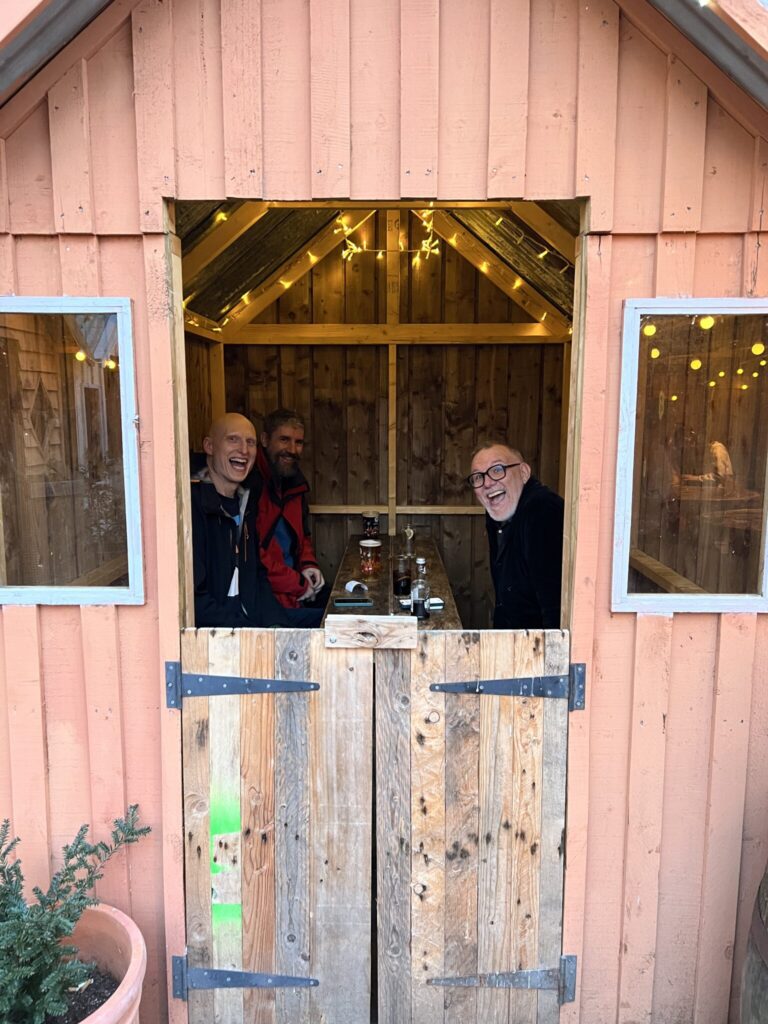
And that marked the official close of the program for Day 1 of OER23, but that was by no means the end of the day! The energy was pretty amazing as you can imagine, and upon returning to downtown Inverness from campus, some of the participants met up at the Black Isle Brewery, that just happens to serve some amazing pizza. We ate there the night before in the “pizza huts” on the roof, as Lauren has documented on her fine “Mini-Moments at OER23” post.

Great pizza and conversation on the rooftop of Black Isle (alternate caption: dinner in a Pizza Hut). Image and caption credit: Lauren Hanks

The nice thing about the social events at OER23 was that they were not over-engineered. It was come as you please, stay as you like, and feel free to avoid them all together. I do think while it was awesome to be face-to-face again, it could also be both awkward and exhausting given it’s been a minute. After a full day I was tempted to have a quick pizza and soda and then quietly tap out to work on the following day’s presentation. But, the company at Back Isle was amazing (no surprise there), so when Joe Wilson (who has a great post about the event—as so many have now) mentioned karaoke at nearby Johnny Foxes I knew my presentation prep would have to wait. I love me some karaoke, and a crew from the Black Isle merrily made their way over, which means a built-in audience 🙂 What happened after that? Well, let me tell you….

OER23, Inverness, 5th and 6th April 2023.
“Another barnstorming performance from Jim Groom.” Image Credit: Tim Winterburn

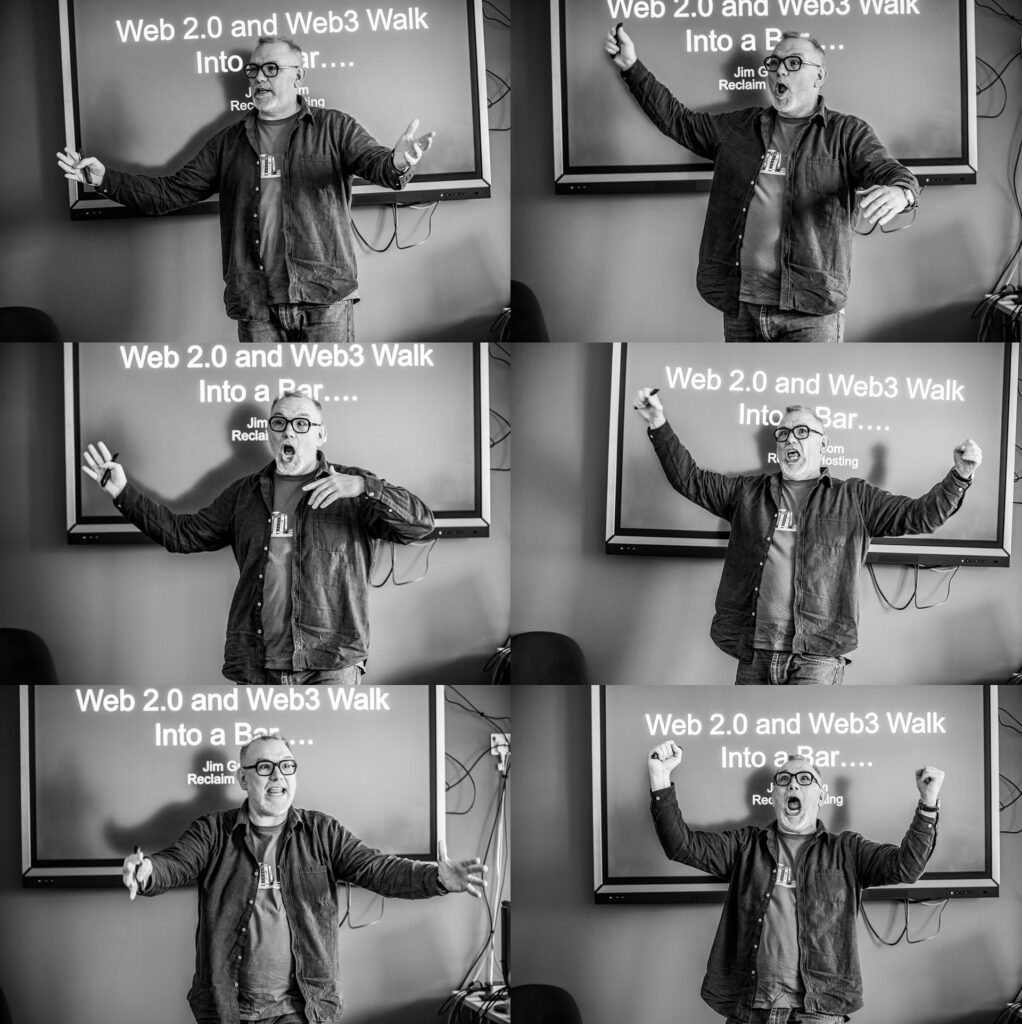
As the images above from the ridiculously talented Tim Winterburn might suggest, it’s a story I tried to tell before. In fact, this is me relating what happened at Johnny Foxes that night. I look pretty animated, don’t I? That’s because I was, Johnny Foxes was awesome, but not because my karaoke was any good, but because the place—like Inverness more generally—was yet another character in the story of OER23, and this pub just happened to host Wednesday night karaoke, and folks just happened to come to sing and dance and have fun. OER23 attendee Antonio Arboleda brought his A-game with a brilliant rendition of La Bamba. After seeing that I wanted in, so I requested a spot knowing it would be as much as an hour wait. But I was having fun and chatting about conferences past and present so no worries. After about 30 minutes or so Tom Farrelly was called for his song, which was AC/DC’s “It’s a Long Way to the Top,” but the crowd had changed since Antonio sang. Before it was a small, fairly subdued crowd, but in the ensuing 30 minutes the bar had filled up with a squadron of 20-somethings and the energy was dialed up several notches. I was beginning to regret requesting to sing given this was not my Gen-X bretheren anymore, and my Pixies song was not likely to resonate.

It's a Long Way to the Top if you wanna rock with Tom!

I’m not sure if Tom had these same misgivings, but that did not stop him from getting up an absolutely killing his song. It was really something to behold. The crowd was in it, and he was grooving, and I heard there may even be video or two out there, but I can neither confirm nor deny such things. But even after Tom sang the place got even more intense, someone pulled out “Hotel California” and it was a full-on stadium-like sing-along. I was beginning to shake in my boots, a couple of songs followed and I was debating ducking out, but folks like Kate Molloy, Joe Wilson, Tanya Elias, and Bonnie Stewart kept me accountable. So, they called my name and I sang “Debaser” and it was a blast. I don’t remember much given I was in outer-body mode. But I do know I lost my voice from the raucous screaming, and it just so happens Kate Molloy caught it for posterity—probably for worse than better. I still can’t watch it given I know it will never be as good as I thought it sounded in my head, and I have enough disappointment already looking in the mirror, so I don’t need an interactive version that yells at me 🙂

It was an absolute blast, but that was not even the highlight. Soon after a twenty-something got on the stage and did the Rocky Horror Picture Show tune “Time Warp” and the entire place was on its feet doing the dance. The place blew up! It was absolutely off-the-hook amazing, and as I was leaving the bar soon after Bonnie and I compared notes and it was clear that what we just experienced in Johnny Foxes was truly special, and that was the way day one of OER23 ended for me. Walking back to my hotel room without a voice, an under-prepared presentation, and a sense of absolute bliss I have felt few other times in my life. That is what I was trying to communicate in the polyptych above, and this two part post, but it may also just might be true you had to be there.

Posted in OER23, open education, reclaim | Tagged , | 8 Comments

Reclaim Community

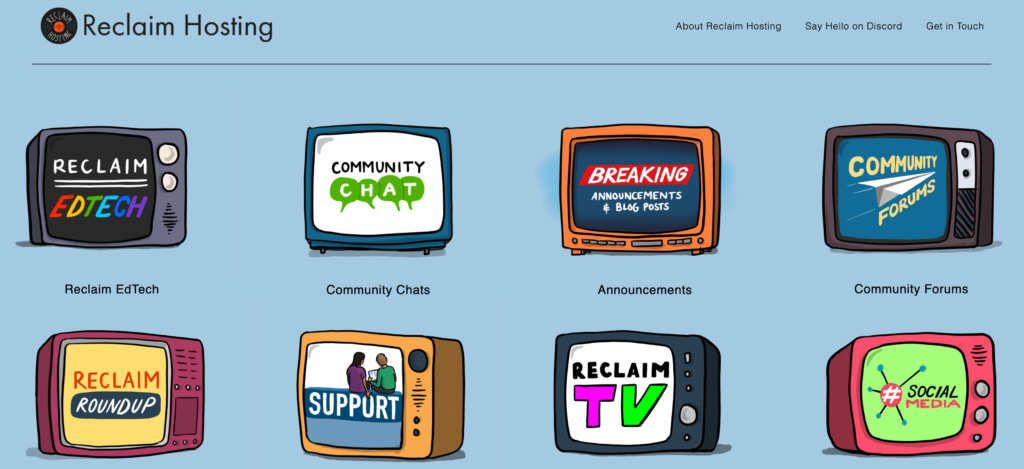
Image of the Reclaim Community page

Reclaim Hosting’s new Community page which aggregates all our various community spaces online

It’s been live for a bit now, but I am finally getting around to writing a bit about Reclaim Hosting’s new micro-site that essentially aggregates all the different channels that we use to communicate the work we do more broadly. Lauren Hanks spear-headed this project, and worked with Taylor Jadin and Tom Woodward to build out the site using Bryan Mathers’ TV set art to communicate those channels with pizzazz!

There isn’t an individual thing that automatically makes a ‘Capital C’ Community, but rather a bunch of small, intentional moments that, when combined, is rather special.

The above quote from Lauren Hanks’s post about her work designing the community site really captures the spirit of how Reclaim Hosting has been community building over the last decade. Small, intentional interactions across our various platforms to connect with others in authentic ways. So this project was an attempt to take stock of the various places we do this, not only so we have a clearer sense of our community but also as an opportunity to clean up our namespaces a bit. Since almost the beginning the community.reclaimhosting.com subdomain has been home to our Discourse forum, but as we’ve added additional elements like our Reclaim Roundup newsletter, Discord server, more consistent video production as part of the Reclaim EdTech push (much of which came to be as recently as last year). We quickly realized the forums were just one slice of the broader Reclaim community, so to that end we created a broader umbrella to try and capture the various channels we’ve been using to communicate and interact.

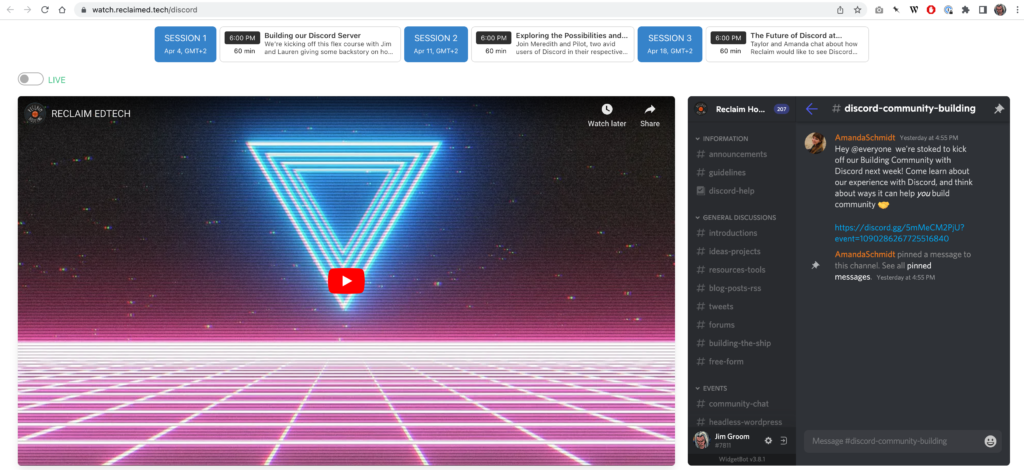
Reclaim EdTech’s Watch site, inspired by the YouTube/Discord mashup that drove OERxDOmains21

The fine-tuning of those channels is still a work-in-progress. Reclaim EdTech’s Watch site, based on the YouTube/Discord mashup that drove OERxDomains21, is a thing of beauty for the way it integrates those two technologies so seamlessly, but I would like for us to do more with PeerTube in the coming months to make that an equally viable alternative to YouTube. Building out these environments is not simply marketing, although it is that, it’s also us doing the work of edtech’s to experiment with spaces that bring people together to connect and encourage them to share the work they’re doing. It’s not easy work, and if you are lucky you’ll have as many wins as losses. But it’s the work I enjoy most, playing with these environments to see what sticks, and sharing how we did it along the way. It’s the best kind of open, iterative practice, and it fits well with my penchant to try and blog everything 🙂

Posted in OERxDomains21, reclaim, Reclaim Edtech, ReclaimTV | Tagged , , , , | 2 Comments

Building Reclaim Hosting’s Discord Server

Things have been moving pretty fast between travel, amazing conferences, Reclaim awesomeness, etc., that I’m bound to fall behind or even miss a few things on the old bava.blog. But one video I wanted to post was a conversation Lauren and I had about building out Reclaim Hosting’s Discord server. It was the first installment of our 3-part flex-course focused on “Building Community with Discord.” This episode aired on Tuesday, April 5th, and the flex-course is finishing up tomorrow with the final installment, “The Future of Discord at Reclaim,” which airs at 12 Pm ET.

Lauren did all the heavy lifting on building the various iterations of our Discord servers, and in this session she walks-through her work and even shares a template for others to build off. My role is simply to narrate some of Reclaim’s history with Discord, as well as add some color commentary. The bits that are fun in terms of that history is how the OERxDomains21 conferences experience, which used Discord as its backbone, was inspired by various influences such as Cloudflare.tv, exptv.org, and the Digital Ocean Deploy conference in 2020. These three examples helped us frame what we wanted for OERxDomains21, which was also the moment where we realized Discord will be crucial for just about everything we wanted to do for that conference when it came to creating a sense of community.

Posted in OERxDomains21, reclaim, Reclaim Edtech | Tagged , , , , | 2 Comments

Reclaim Today: OER23 Reflections

On Friday Lauren and I sat down to reflect on some of the highlights from OER23, which took place in Inverness, Scotland from April 4th until the 6th. It also provided a welcome excuse to re-visit all the good energy from that event, which was an absolute treat. This video is also doubling as episode 37 of Reclaim Today, given we have a history of reflecting on all the great OER events we’ve attended over the years. I twas an awesome conference, and great to try and bottle a bit of that spirit as we head into Reclaim Open in just under two moneth!

Posted in OER23, reclaim, Reclaim Open, Reclaim Today | 2 Comments