Algorythmic Radio on #ds106radio

A few years back I toyed with the idea of doing a radio show on #ds106radio that would simply be a trail of algorythmic recommendations that sent me down a trail on the web and recording that via music, sounds, etc. In my head it was the idea of capturing the way we are shaped by these recommendation engines, but when I was playing with this on #ds106radio there were very few folks listening. There still are very few folks, but when the listener base goes from 1 to 4, that is 4x the reach 🙂 Anyway, after Nigel Robertson‘s epic anti-war show last Saturday on the radio I was inspired to follow the algorythmic radio idea after teasing him on Twitter, and what followed was a hodgepodge of war-related songs that was a pretty fun hour of live surfing on the radio. 

I was using Youtube and iTunes alternatively to cue up songs and see what YouTube was recommending based on my last choice, etc. The algorithim was not all that smart— surprise, surprise—and I performed quite a few interventions, but this idea of curation influenced my algorithmic recommendation is a fun show idea for me. I did one last weekend, and now again this past weekend.

The more recent “show” of Algorythmic Radio was focused on 1990s post-punk, predominantly from US and focused by-and-large on the LA hub Jabberjaw. It was a very fun show, and I had seen many of these bands perform live at Jabberjaw which made it extra sweet. It started as simply a recognition of the awesome radio Scottlo had been doing with Brian Lamb and then Chahira Nouira and Anne-Marie Scott. it was a wonderful morning of stories and laughing, and I wanted to acknowledge it. But as they were getting ready for bed I was gearing up for the day, and my LCD Soundsystem dedication quickly sent me down a rabbit hole of radio that was fun.

I think it was Blonde Redhead that sent me down the early to mid-1990s path of tunes.

And after that it was off to races, and using Youtube and iTunes as a Jukebox with some algorythmic help for this geezer’s faltering memory.

I made my one mistake on the Hammerhead song, which was lame, but cleaned it up quick. 

It was a really fun morning of radio for me, and extra sweet that Grant Potter jumped on the stream soon after and played some music using the VCVRack  codebase on Github that is an open-source virtual modular synthesizer.

It was a blast, and I hope to do some more shows in the future, but for now below is the “Let’s Have a War” show from April 25th:

And the “Good to the Last Drop” 90s post-punk show from yesterday, May 3rd:

The radio has been an absolute blast, and I haven’t even written about the #vinylcam yet 🙂
Posted in ds106radio | Tagged , , | Leave a comment

Checking in with John Johnston on #ds106radio

Back on March 20th I did one of my earlier call-in discussions with Scottish educator, blogger, and tinkerer John Johnston. John has been a long-time participant to the ds106 community, and he and Mariana Funes did the radio show Goodspell for several years that seemed to spin out of ds106radio. I had the pleasure of being on that final episode, and I even got to meet-up and talk with John and Anne-Marie Scott in Edinburgh during OER16, which was my gateway event to becoming an addict of that community.

John supports all sorts of amazing things, such as EDUtalk radio (a radio platform for discussions about education in and beyond Scotland), ScotEduBlogs (a blogging aggregator and platform for Scotland edubloggers), not to mention his amazing photography, brilliants hacks, and so much more. As the Corona virus started to bear down on us here in Italy and the mighty ds106radio emerged like a phoenix from the flames, John was one of the first people I thought of reaching out to. I’m not exactly sure why, but I have a sneaking suspicion it has much to do with the fact he embodies a lot of the DIY ethic of hacking, fierce independence, community-facing coolness with his various projects and overall groovy work that so many folks associated with ds106 in one way or another (except for maybe me).

So, here is a document of that discussion, two people talking through the changes, sharing stories, and generally happy to re-connect with each other. That’s damn good radio! Not to mention the fact John convinced me to finally jump to Audio Hijack after hearing him pull his music into the Skype call, magic!

Posted in ds106radio | Tagged , , , | Leave a comment

vinylcast #28: Galaxie 500’s On Fire

I rushed this vinylcast a bit because I was so excited about the idea I had earlier that morning for vinylcam. What is vinylcam? It’s a Chiquita banana box I cut up to sit over my turntable as a scaffold for me to place my phone so that I can capture the record rotating on ds106.tv as well as cross-cast it to ds106radio. So, I would say more but given it was cross-cast to ds106.tv I have a full archive of the vinylcam vinylcast on video I know it is small and silly, but this was so fun! The album is a recent favorite, I was not all that familair with Galazie 500 back in the late 80s when this album came out, but they have been in regular rotation for me since coming to Italy. I reaLly love both this album and the previous release Today.
Posted in ds106radio, ds106tv, Galaxie 500, on air, vinylcam | Tagged | Leave a comment

Playing with the Data Transfer Project

I wanted to get one more post out about another project I have been playing with these days. While attending the MyData conference in 2018 I saw a presentation from folks at Google about the Data Transfer Project (DTP). The project is an effort to create data standards across major social media companies like Facebook, Google, Twitter, Instagram, Flickr, etc. that would allow you to migrate your content on one platform to another.

So, such a tool could be used to migrate all my posts in Instagram over to Flickr, which would allow me to keep the image, descriptions, likes, etc. It is a tool that could be really useful for archiving, and I immediately started likening it to the Reclaim Your Domain discussions we had with Audrey Watters and Kin Lane back in 2013. The idea was not only about moving from one service to another via API, as this project does, but also taking that same approach and using it to pull your content into an open source, self-hosted application such as WordPress. I would love to one day have a version of this kind of thing in someone’s Reclaim Hosting dashboard that provides them the ability to archive and/or migrate from a service like Flickr or Instagram into a an open source content management system or straight-up HTML. This kind of portability should be part and parcel of the move towards data protection, the ability to port your data seamlessly to avoid platform lock-in.

Anyway, while I have thought about the implications of this project, I had not played with it since the workshop the DTP folks put on in 2018 at MyData (which was quite good). So, having some time last week I decided to try and fire it back up. It was a good reason to fire up Docker Desktop client for Mac, and I followed the directions on the DTP Github page to get the demo running locally on my computer. Initially I ran into an issue that Nginx was not loading, and after asking Tim for a second opinion he confirmed as much so I submitted query to their Google Groups forum. I got a quick response, and they resolved the issue and commited the fix, so when I did a pull request from Github the fix was working. Disco!

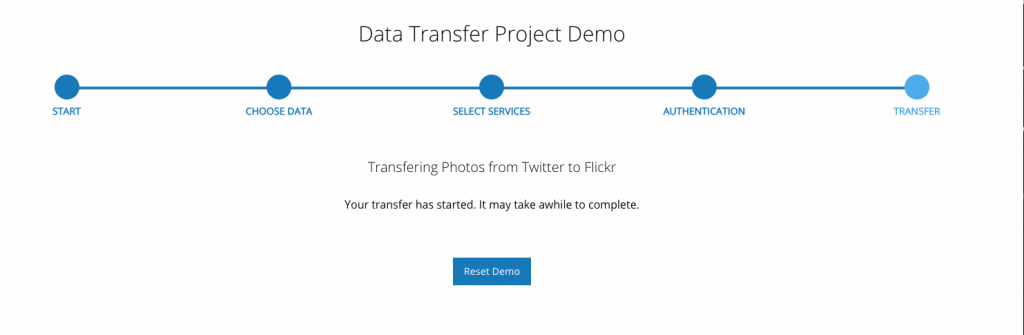
So, above is what the demo interface looks like, and you can choose what data you want to be moved from where, the key here is that you need the Environment secrets for the accounts you want to access (so a secrets to access your data fromInstagram, Flickr, Google, etc). Once you have those environment secrets you can run the DTP demo and play with it. I was not able to get access to my Instagram or Google data (so I may need to check my secrets), but I was able to transfer images from Twitter to Flickr. Which I thought was awesome.

So this tweet…

Was pulled into my Flickr account:

Copy of - Twitter Photo 1253618782981029888

The titled comes in as “Copy of – Twitter Photo 1253618782981029888” because Tweets don’t have titles, but the text did come in as the image description, which is nice. One thing I did notice is that in the conversation GIFs and videos were simply converted to JPGs, so that could be an issue. The other thing was that only 17 images came over from Flickr, and I probably have thousands, so I am wondering if one can lift those limits, I’ll need to dig in on that.

The other question for me is can I get Instagram working. The whole reason I finally decided to do this is that after 1000 posts on Instagram I feel like I am done. I did my time, and I enjoyed it. But my job as a Instagram influencer didn’t pan out 🙂 What’s more, I really want to avoid pushing too much content into a service I can’t get my stuff out of cleanly. I’ll explore other ways to migrate and/or backup Instagram (anyone playing with this?), but until then I am limiting my posting on Instagram until I have a viable escape plan. I already did that with my Tumblr, and I am glad I did—as much as I miss Tumblr.

So, this is another work in process, but one I really would like to see flower because one of the crucial elements of the effectiveness and usefulness of legislation like the General Data Protection Regulation is that it encourages companies to make our data more portable with incentives to create data models that adhere to standards.

Posted in reclaim | Tagged , , , | 6 Comments

The Ghost of bava

This is kind of a record keeping post, it turns out when you’ve been blogging for nearly 15 years posts can be useful to remind you of what you did years earlier that you presently have no recollection of. It’s my small battle against the ever-creeping memory loss that follows on the heels of balding and additional chins—blog against the dying of the light!

Anyway, I’m trying to keep on top of my various sites and recently I realized that as a result of extracting this blog out of my long-standing WordPress Multisite in 2018, followed by a recent move over to Digital Ocean this January a number of images in posts that were syndicated from bavatuesdays to sites like https://jimgroom.umwblogs.org were breaking. The work of keeping link rot at bay is daunting, but we have the technology. I was able to login to UMW Blogs database and run the following SQL query:

UPDATE wp_13_posts SET post_content = replace(post_content, 'http://bavatuesdays.com/files/', 'https://bavatuesdays.com/wp-content/uploads/')

That brought those images back, and it reminds me that I may need to do something similar for the ds106.us site given I have a few hundred posts syndicated into that site that probably have broken images now.

But the other site I discovered had broken images as a result of my various moves was the Ghost instance I’ve kept around since 2014. I initially started this site as a sandbox on AWS in order to get a Bitnami image of Ghost running, which was my first time playing with that space in earnest back in 2014. That period was when Tim and I were trying to convince UMW’s IT department to explore AWS in earnest. In fact, we would soon move UMW Blogs to AWS as a proof-of-concept but also to try and pave the way for hosting more through Cloud-based services like Digital Ocean, etc.

It’s also the time when the idea of servers in the “Cloud” seemed amazing and the idea of new applications running on stacks other than LAMP became real for me. Ghost was one of those. It was the promise of a brave new world, a next-generation sandbox, which was around the time Tim setup container-based hosting for both Ghost and Discourse through Reclaim Hosting as a bit of an experiment. Both worked quite well and were extremely reliable, but there was not much demand and in terms of support it continued to rely too heavily on Tim for us to sustain it without a more robust container-based infrastructure. We discontinued both services a while back, and are finally shutting down those servers once and for all. And while we had hopes for Cloudron over the last several years, in the end that’s not a direction we’re planning on pursuing. Folks have many options for hosting applications like JupyterHub and the like, and the cost concerns of container-based hosting remains a big question mark—something I learned quickly when using Kinsta.

Part of what makes Reclaim so attractive is we can provide excellent support in tandem with an extremely affordable service. It’s a delicate balance to say the least, but we’ve remained lean, investment free, and as a result have been able to manage it adroitly. We are still convinced that for most folks a $30 per year hosting plan with a free domain will go a long way towards getting them much of what they need when it comes to a web presence. If we were to double or triple that cost by moving to a container-based infrastructure it would remove us from our core mission: provide affordable spaces for folks to explore and learn about the web.* What’s more, in light of the current uncertainties we all face we’re even more committed to keeping costs low and support dialed-in.

Ghost in a Shell

So, I’m not sure why this record keeping post became a manifesto on affordability, but there you have it 🙂 All this to say while we have been removing our Discourse forum application servers we also decided to use the occasion to migrate our Ghost instances that we’re currently hosting (which are only a very few) to shared hosting so that we can retire the my.reclaim.domains server that was running them on top of Cloudron. So, Tim and I spent a morning last week going over his guide for setting up Ghost through our shared hosting on cPanel, and it still works.† The only change is now you need to use Node.js version 10+ for the latest version of Ghost.

He migrated his Ghost blog to our shared hosting, and I did the same for mine (which only has a few posts).  He has been blogging on Ghost for several years now and I have to say I like the software a lot. It’s clean and quite elegant, and their mission and transparency is a model! But if you don’t have the expertise to install it yourself (whether on cPanel or a VPS) hosting it through them comes at a bit of a cost, with plans starting at about $30 per month. That price-point is a non-starter for most folks starting out. What’s more, there’s little to no room to dig deeper into the various elements of web hosting afforded by cPanel for an entire year (including a domain) versus the same cost for just one month of hosting for only one site.

So, I have toyed with the idea of trying to move all my posts over to Ghost, but when I consider the cost as well as the fact it has no native way to deal with commenting cleanly, it  quickly becomes a non-starter. With over 14,000 comments on this blog, I can’t imagine they would be migrated to anything resembling a clean solution that would not result in just that much more link rot. I guess I am still WordPress #4life 🙂


*And while it remains something we are keenly interested in doing, we are not seeing it as an immediate path given the trade-off between investment costs and the idea a per-container costs for certain applications which would radically change our pricing model.

†He had to help me figure out some issues I ran into as a result of running the commands as root.

Posted in Ghost, reclaim | Tagged , , , , , | 1 Comment

Running the bava’s DNS through Cloudflare

So, one of the themes of 2020 for me (even before the virus) has been experimenting with the hosting of my blog. Back in January I moved my blog away from shared hosting on Reclaim to its own server on Digital Ocean (there were insinuations I was slowing down our infrastructure 🙂 ). That was fun and educational. In March I used the excuse of exploring the container-based WordPress hosting service Kinsta to move this blog away from Digital Ocean and onto that service. My site was definitely faster, but at close to $100 per month for my traffic tier it was more than double the cost of my own droplet, so back to Digital Ocean I went before my 30-day free trial were up. 

Couple of things lingered from that experiment: I started using more robust caching on my server and I wanted to explore further the possibilities of Content Delivery Networks (a.k.a CDNs). So, trying to keep the always rewarding discovery time alive, I started playing with Cloudflare this weekend. How to explain what Cloudflare is? Well, it is similar to transactional email services like Mailgun or Sparkpost, but for DNS. So, if you have a cPanel account you can run your email, manage your DNS, and store your files all in the same place, it’s an all-in-one hosting solution. But as you start creating apps outside that environment, you have to manage not only the cloud-based hosting service you install your app on (such as a Digital Ocean droplet or an AWS EC-2 instance or a Linode node), but you also need to manage the DNS for the account as well as the email. So, you need various service to run that VPS, and many of them have APIs that allow the services to integrate behind the scenes. Cloudflare is a service that is by-and-large dedicated to manage your DNS in the cloud, and by extension has become one of the biggest CDNs on the planet. 

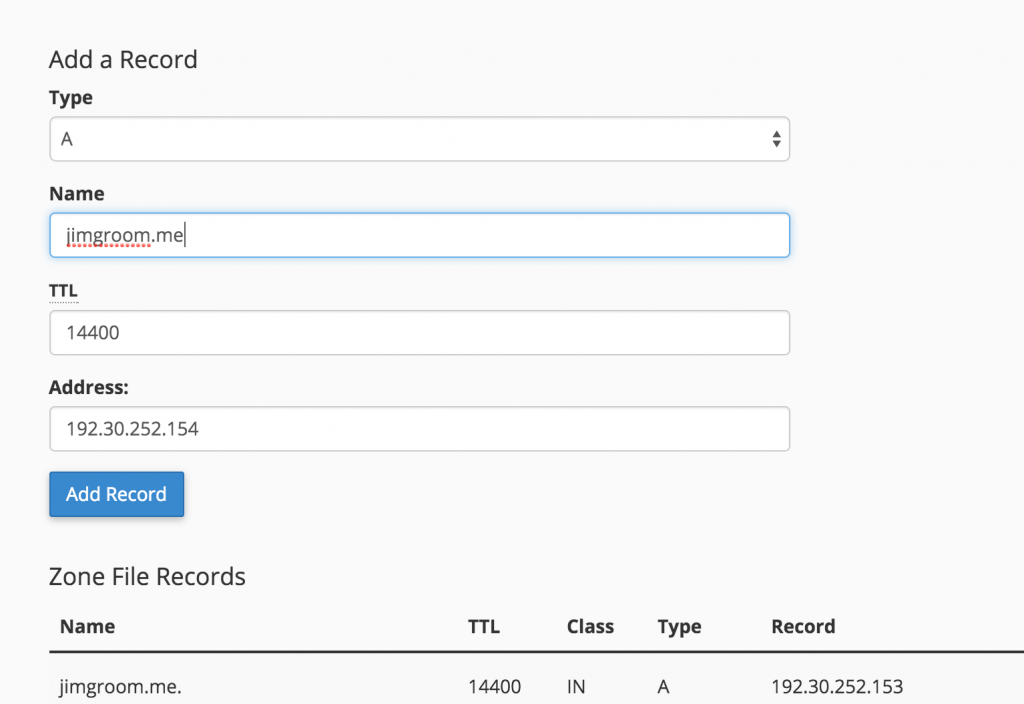
Managing DNS entries in cPanel

Traditionally I have used cPanel’s Zone Editor to manage DNS (pictured above) for all my domains, but I figured it was high time I start exploring Cloudflare for myself given we’ve had more than a few questions about the service from folks using Reclaim.

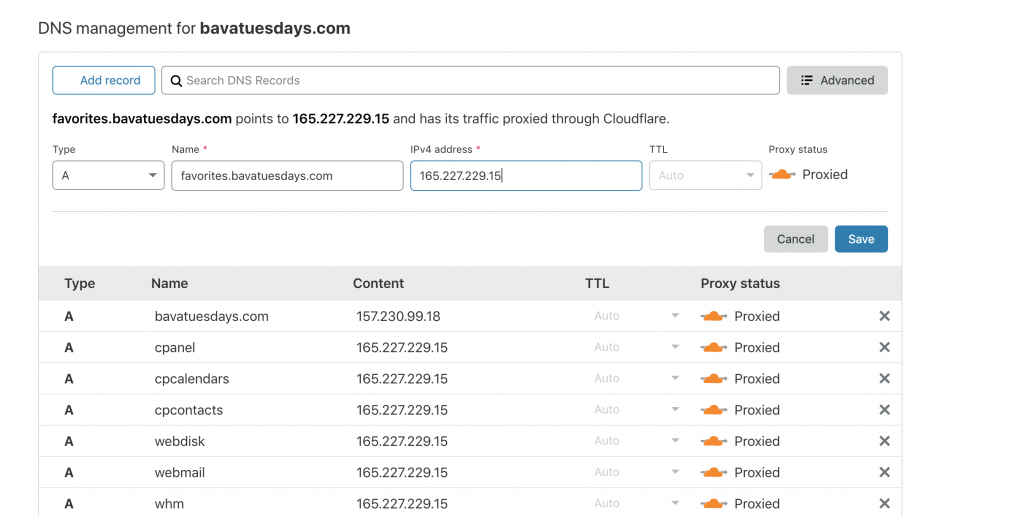
So, what does this look like? Well, first thing is you can sign-up for a free account which will basically give you access to managing DNS for free, DDoS protection, and some basic CDN options. You can see the breakdown of their plans here, but the long and the short of it is that if you want to use the more extensive CDN options, more caching options, access to load balancing and failover, etc. you going to have to start paying anywhere from $20-$200 per month, ranging from a personal to business level of options. But first things first, first things is you need to sign-up for an account and then point your nameservers to Cloudflare for the domain you are hosting through them. They have a pretty solid tool that discovers all the DNS records for that domain, but keep in mind I have found it does not find subdomains, so those need to be re-created manually. This blog is on its own VPS (157.230.99.19), but all the subdomains and other services (save email which is through Mailgun) are reverting to my cPanel account where this domain used to be managed and where the subdomains still live, namely 165.227.229.15. So, DNS is essentially routing the domain names to various IP addresses, and that can be in the form of A records, CNAMEs, MX records, etc. So that is what the free version of Cloudflare offers, and if you need to route domain names and do not have DNS built into the application on your server this service would be a quick, cheap, and easy solution than trying to figure out DNS at the server level on your own.

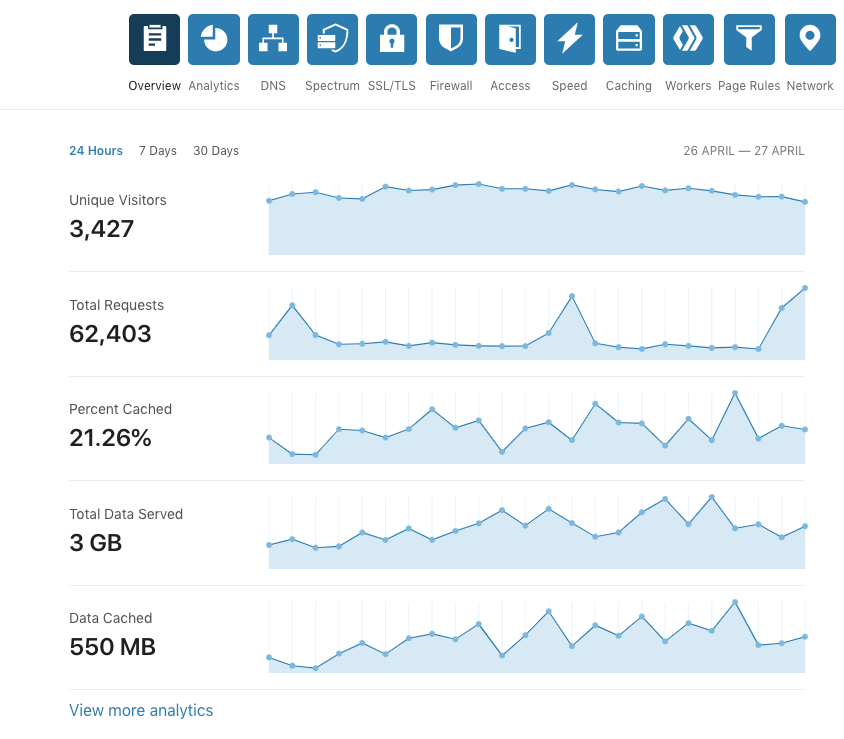
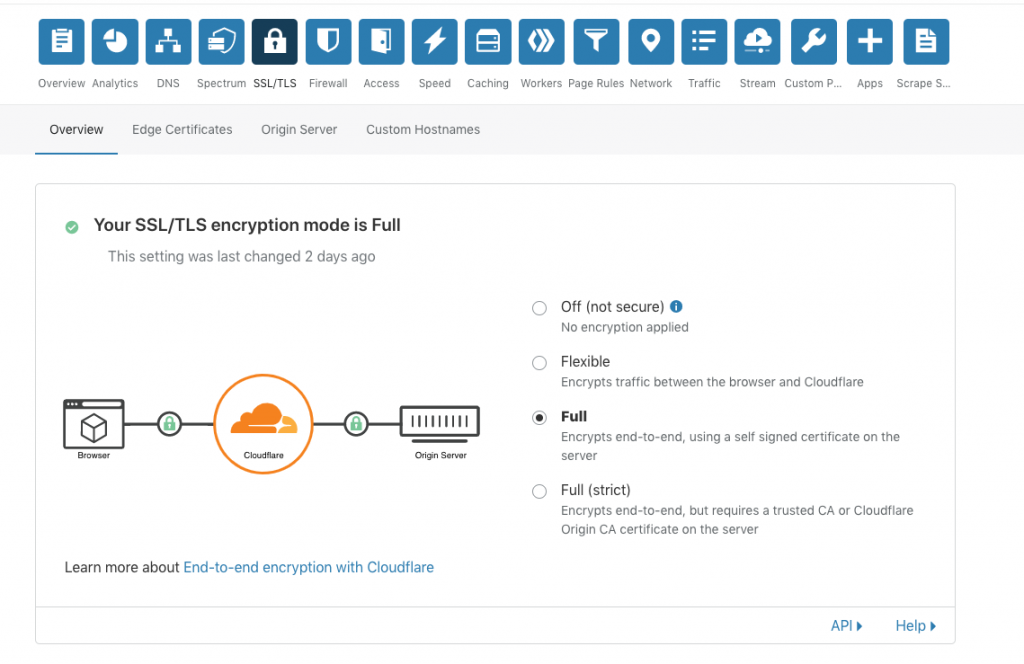
While the free option will work for most, but I wanted to start drilling down into more options through the CDN. Particularly I wanted to see if they can compress my images and make the site run faster from where ever it’s loaded. The bava site is pretty inefficient to begin with given I never optimize images and I have way too many scripts running, so services like Cloudflare could help speed-up a site’s loading time for lazy people like me (a result of the year’s of online kipple that accumulate over time). The other thing I apprecaite about Cloudflare is insight to how much data is being service, what is cached, and how much of the traffic the site is getting is actually real. The numbers here are once again inflated as they were with Kinsta, but the ratio of requests to unique visitors seems more inline—and I am not paying per request or visit (or so I hope :). The other thing that is kind of nice is that they give you a shared SSL cert as part of the service, so that is taken care of by Cloudflare, and you can upgrade for a dedicated certificate or to upload your own, but that is not part of the $20 monthly Pro plan I have signed-up for.

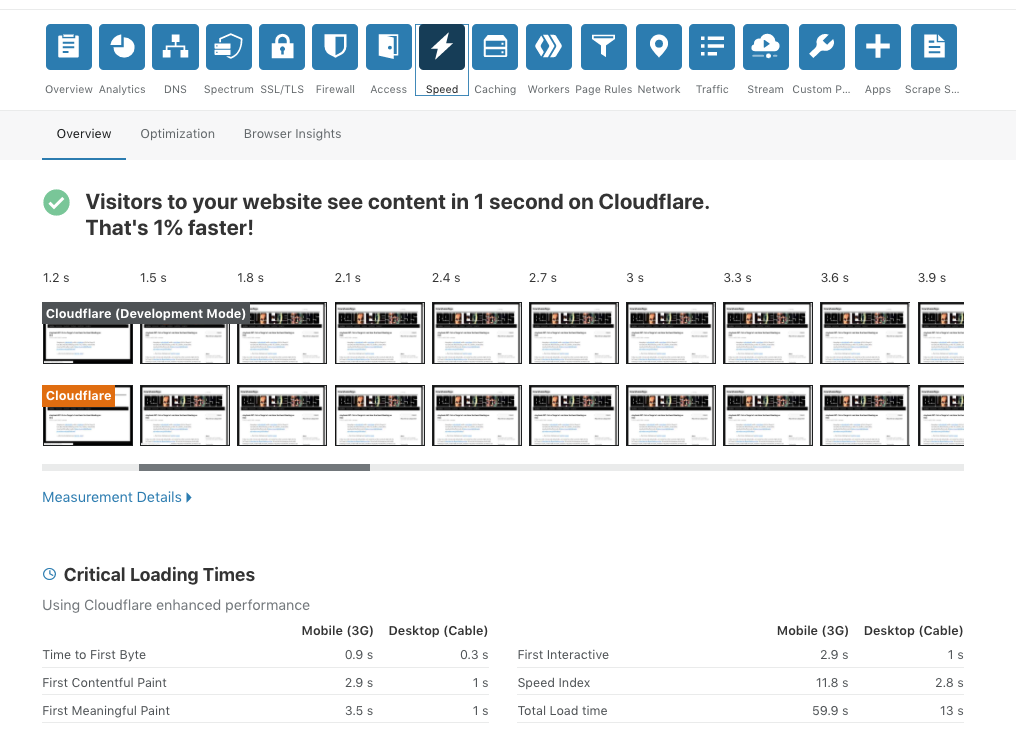
But it is definitely increasing the site load time that made me interested in Cloudflare, and according the the Speed tab, it’s working:

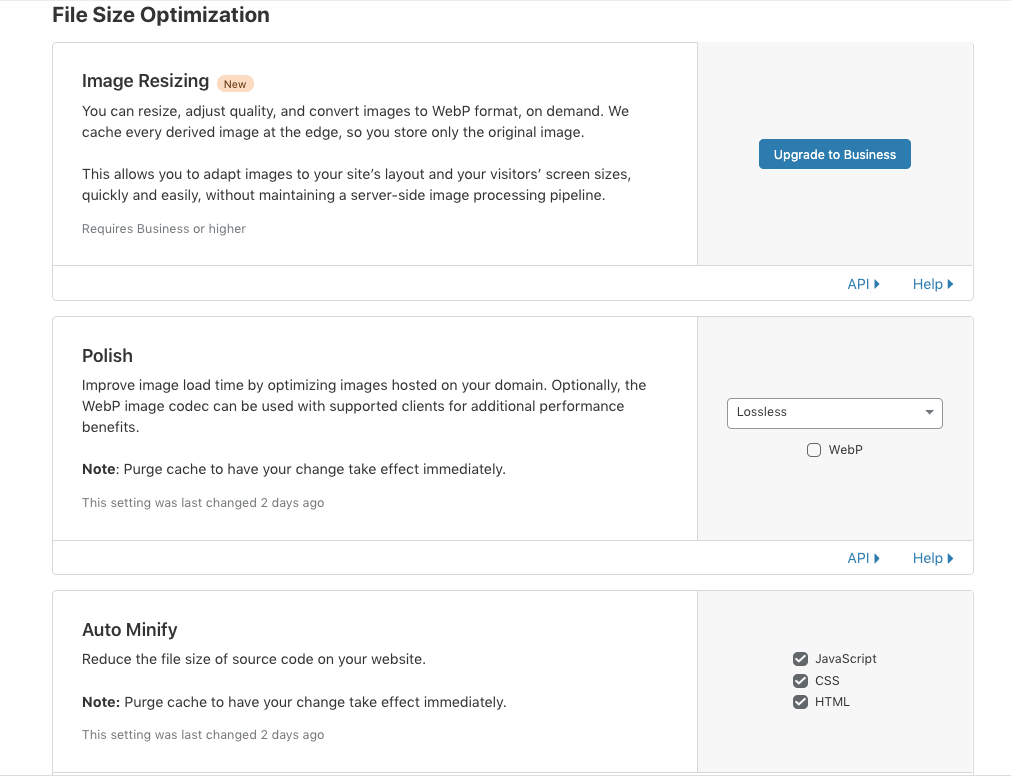
So, if I am reading this right, what was usually taking anywhere from 3 seconds to a minute to load before Cloudflare is now taking anywhere from a second to 3 seconds for the user, which is definitely a good thing. One of the options you get in the Pro plan is the Polish option to increase image load time, and that is something I enabled, so we’ll see if that makes a sustained difference.

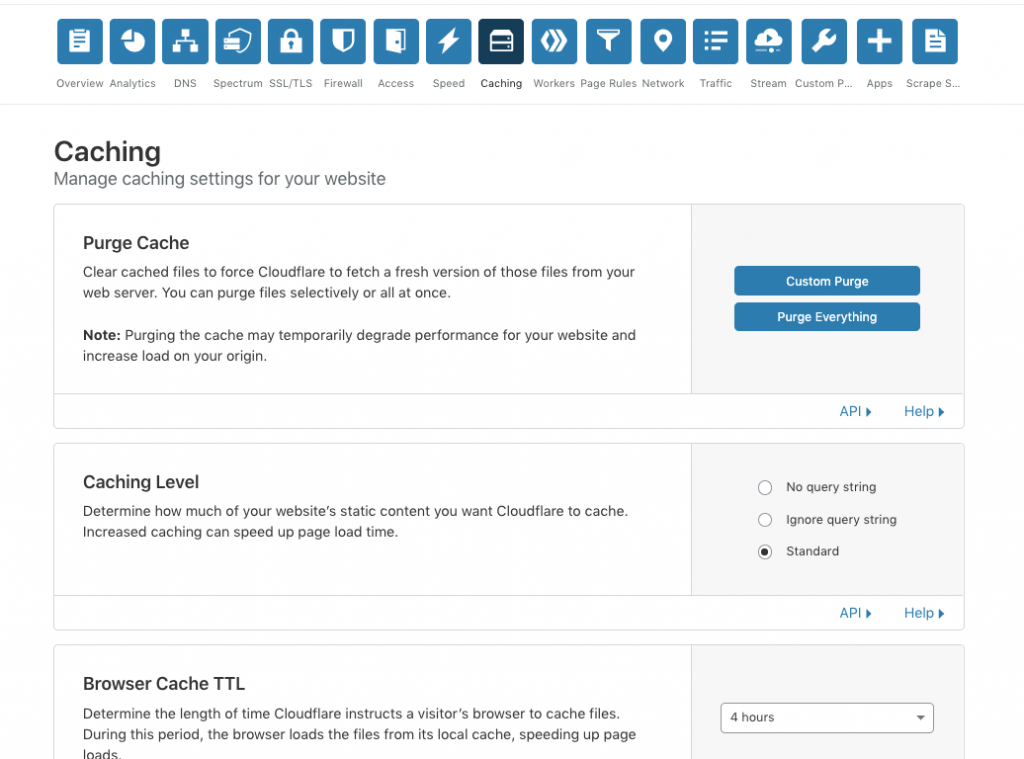
The other key element is caching, and the options seem pretty basic and simple, which I like, and I have to see if this caching interferes with caching already in place on WordPress through plugins. 

So all this as a way to document where I am with Cloudflare thus far, there are a few things I still want to explore though. They enable you to setup load balancing and failover between two servers. This is absolute overkill for my blog, acknowledging that, I still want to play with this because I love the idea of the site going down and instantly traffic is directed to a stand-by bava so no viewer is ever at risk of not being able to read my drivel at all times 🙂 That is in the traffic section, so more to discover through a service they call Argo. The other thing I would be interested in exploring is Streaming, I wonder what that would look like and how it would work, so that might be the topic of another post. 

Posted in bavatuesdays, WordPress | Tagged , , | 4 Comments

vinylcast #27: Yo La Tengo’s I can Hear the Heart Beating as One

Today was a bit overcast and melancholic, so I wanted to set the sountrack right with Yo La Tengo’s I Can Hear the Heart Beating as One. It was back to focusing on work while listening to music, I didn’t talk too much, and these vinylcasts work best for me when I can just play the music, take care of the to-do list, and then check-in at the album flip. This album was just what I needed today. At day 43 of lockdown I was not feeling all that chipper, so this album grounded me and as it happens the sun broke through just as the “We’re an American Band” guitar solo started. Coincidence? I think not.
Yo La Tengo’s I can Hear the Heart Beating as One #vinylcast
Posted in ds106radio, on air | Tagged , | Leave a comment

Yars Revenge on ds106tv

Another Atari 2600 test run on ds106.tv, this time highlighting some Yars Revenge gameplay, which I learned was a creative re-working of the 1980 vector arcade game classic Star Castle. I didn’t remember how to play the game, so there was some on-the-job learning, but that is what makes these fun for me. Also, I was playing and talking for about 6-7 minutes at minute 20 thinking you could see the game, but if you make it that far you will realize I was mistaken 🙂

Posted in ds106tv, video games | Tagged , , , , , | Leave a comment

Atari 2600 on ds106tv: Video Pinball, Space Invaders, and Jungle Hunt

I’ve been playing around on ds106.tv for a couple of weeks now, and I wanted to be sure to archive some of those shenanigans on the bava. My earlier attempt to figure out Streamlabs OBS (before switching to OBS) featured Tommaso playing Geometry Dash with mixed success to say the least.* One of the problems was that Streamlabs OBS was a resource hog, the other was an issue trying to capture Geometry Dash in a window on my Mac. The frame rate was terrible; turns out window-based video capture is pretty awful. You’re much better off capturing a full display than a window, so this video was my second experimentation with a few Atari 2600 games (my first test was with Adventure, but don’t think I got a recording of that one).

As a bit of context, for these videos I was using the Elgato Video Capture card for RCA and S-video inputs to pull a capture of an Atari Flashback 7 (which has an RCA video and one-channel mono audio output). I used the occasion to play some old gold Atari 2600 games, specifically: Video Pinball, a childhood favorite; Space Invaders, which was one of the first 3 or 4 games I got during that fateful Christmas of 1981; and Jungle Hunt, another arcade favorite come to life in the living room. Turns out the Space Invaders on the Atari Flashback 7 was not the original Atari 2600 Space Invaders cartridge, which threw me for a bit of a loop in the video 🙂 Needless to say, the playing Atari 2600 games on ds106tv would not end here.

Nota bene: By the look of the button-up shirt, this video was recorded on Easter Sunday during lockdown, so there’s that for added context as well 🙂


*Some of these videos were actually archived on the video server, so I caught a couple with the new random video feature on ds106.tv, which is awesome

Posted in ds106tv, video games | Tagged , , , , , , | Leave a comment

OpenEmu, RetroPie, c128d, and more cables than you can shake a stick at

Update: Thanks to Tim’s comment I was able to find a solution that will actually work and is significantly cheaper for capturing the Retropie output on the Mac for streaming.

I am quickly realizing why ds106radio and ds106tv is good for me, it pushes me to go down rabbit holes I never even dreamed existed. So, I’ll use this post as a way to collect some of my links and learning thus far to try and capture the road that got me here as the trees of memory already begin to blur the path. I figure I might need something to reference 10 years from now when I decide to get into classic game emulation yet again 🙂

OpenEMU

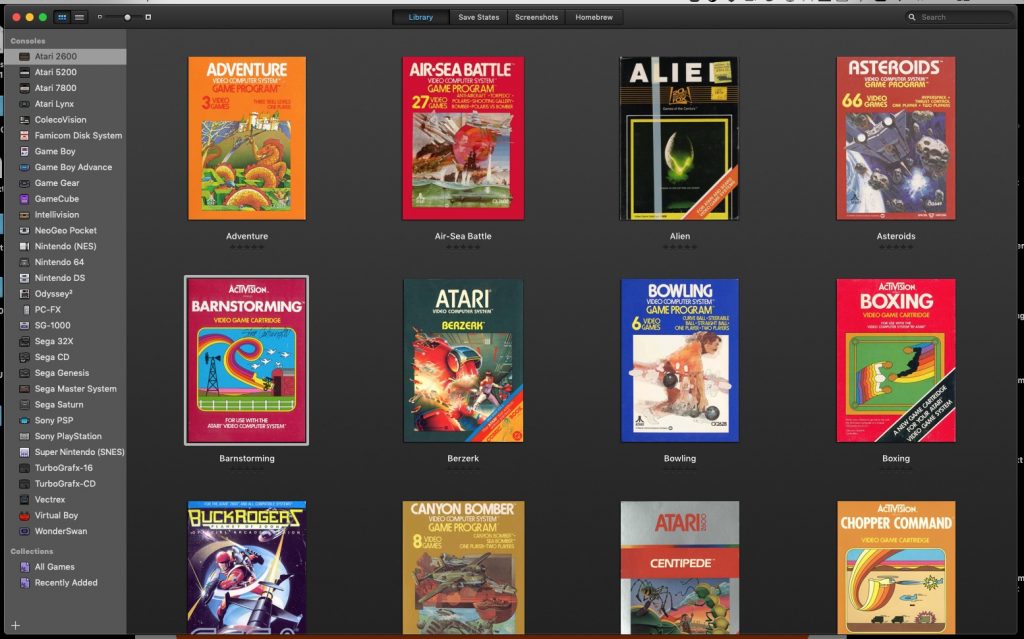
The discovery of OpenEMU was born of my small experiments on ds106.tv to create a living room like space wherein I play some old school Atari 2600 games on the Atari Flashback I picked up at Christmas a few years back. It was a quick way to test if I could use the Elgato video capture card I had purchased for archiving VHS tapes to bring in the card as an input for OBS on ds106tv. It worked, I could pull in the Atari Flashback and both play and stream it fullscreen from a second monitor. It was fun, and while there are some good games on the Flashback—Adventure, Asteroids, Haunted House, etc.—I quickly wanted access to a number of other Atari games I had as a kid (not to mention the 150+ we have at Reclaim Video in Freddy). This led me to digging up a bunch of roms I had for the z26 Atari emulator on an old storage disk. I found them and then went on a search for the best emulator out there now, and that is how I discovered OpenEMU. It’s nice because I can emulate just about any game on any old school console. I think Atari 5200 is next for me 🙂 If you are interested, this guide was quite useful in getting me up and running with openEMU: “Running the MAME Arcade Emulator on Mac OSX.”

RetroPie

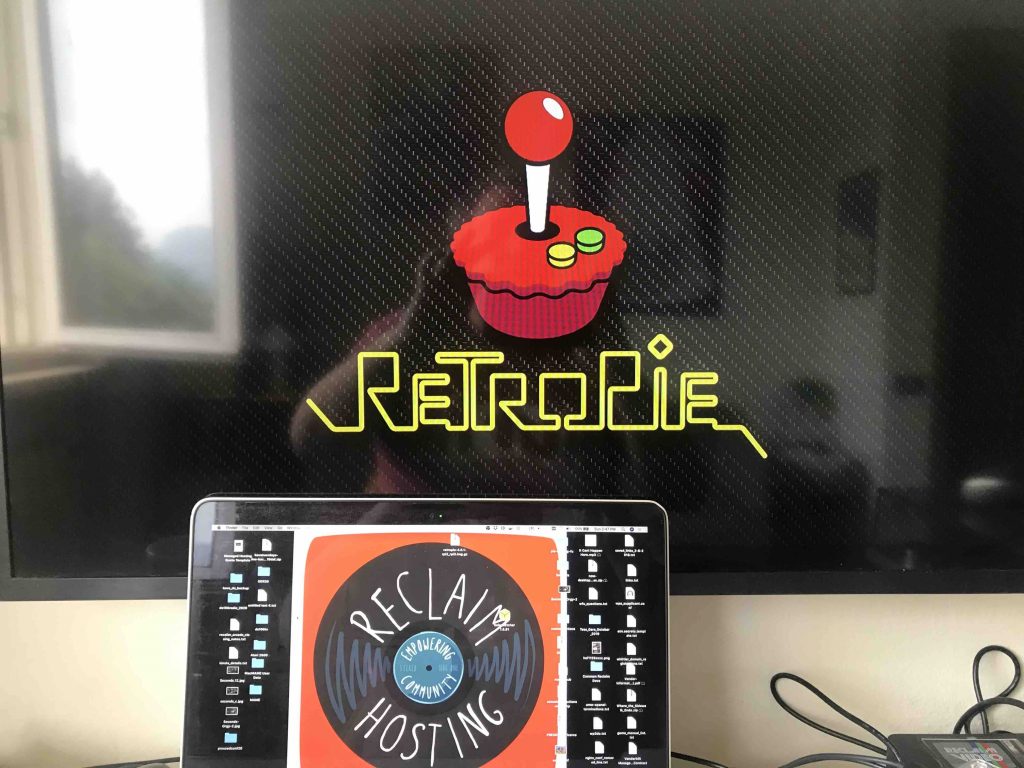
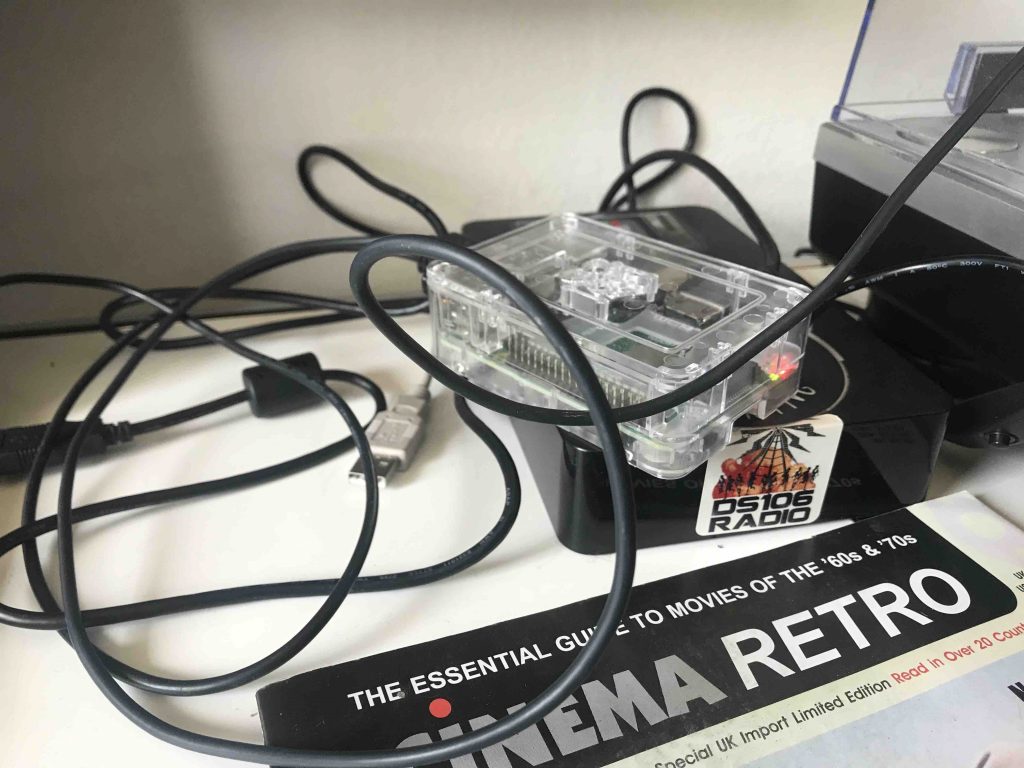
But there was one issue with OpenEMU, at least for the Mac, that led me down the RetroPie path: MAME roms (or the classic arcade games that Reclaim Arcade is all about) were not stable. This meant I needed another option, and while I played with a couple of Mac options like ChoccyHobnob, I knew they wouldn’t work for me because I wanted to run MAME in a separate window and these options were all command line which took over my screen when played.  There may be a command for forcing MAME to open in a window on the Mac, but I haven’t found it yet. What’s more, streaming from a window on OBS does a number on frame rates. During my searches I saw that several folks were running something called RetroPie for MAME, and given I have a Raspberry Pi 3, Model B+ hanging around I decided to take a left turn at Albuquerque and get that up and running on Saturday.

I was thrilled that it worked, but the itch I was trying to scratch was still eluding me. I had the Raspberry Pi loading RetroPie cleanly, and not only to my MAME roms work cleanly, but I could also play my Atari 2600 roms given RetroPie can emulate numerous systems,* much like OpenEMU. But I still wanted to get those classic arcade games through MAME into my Macbook Pro as an input so I can stream the gameplay for ds106tv. Using your 2015 Macbook Pro as a monitor for a Raspberry is not that easy, the HDMI cable is output only. I explored the VNC screen sharing option (as well the the TightVNCserver option)  in tandem with the VNC Viewer for the Mac, but turns out that audio does not work which was a dealbreaker for me. So, I have RetroPie running, and it is slick, but the final piece will be getting the gofanco HDMI to USB 3 convertor  an HDMI to RCA covertor so that I can bring it into my Macbook Pro using the Elgato video capture card and play the classics fullscreen on my second monitor for streaming to ds106tv. Can you dig it? I knew that you could.

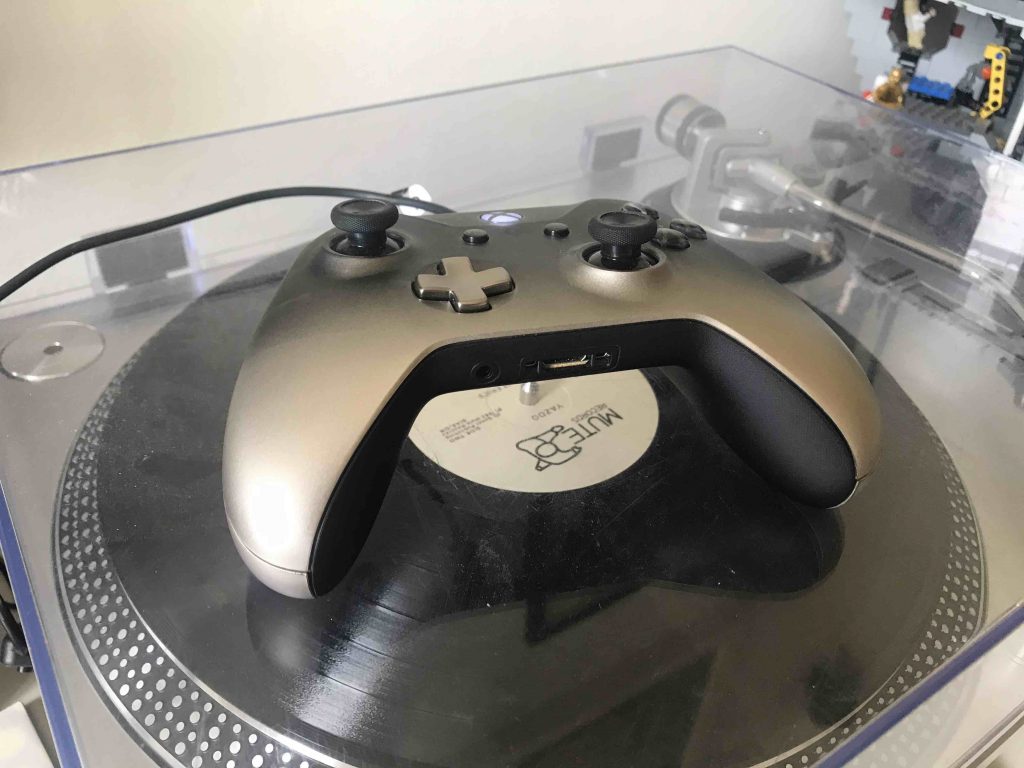
So, more on the MAME/RetroPie front, but the big win on this machine is having my Xbox game controller hooked up to the Pi so that it controls everything, no need for a keyboard or mouse after the initial setup, and this video was a great play-by-play of the installation process:

c128d

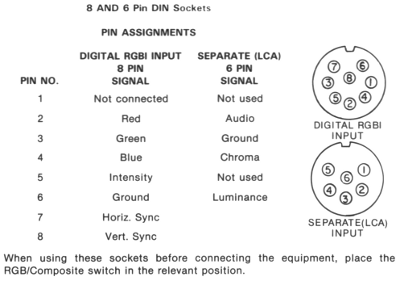
Finally, I returned to another project I spent several hours on earlier in the week, namely trying to figure out what I needed to use the Elgato video capture card to get the video and sound from a real, live Commodore 128d (a.k.a. the c128d) pulled into my Mac so that I could stream the gameplay. I have a ton of games for the c128d (almost all played in the C64 mode of that system) and they’re a total blast to play and the graphics age quite well. Commodore 64 gaming is a world unto itself, and I thought pulling some of that into the ds106tv stream would be a lot of fun but hit an early snag with the video signal. The C128d has an 8-pin DIN video output, and I have what turns out to be a 5-pin DIN, and I found the following diagram on this forum thread that I believe explains why the video signal from the c128d is not working with the Elgato capture card:

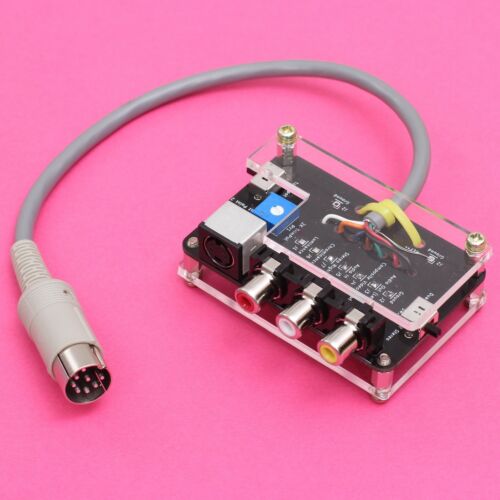
The 5-pin DIN does not have horizontal, vertical, and ground (pins 6,7 and 8 listed above), which I believe is why the c128d video coming in was a mess of lines. Hoping this will be easily fixed with an 8-pin DIN, but I even went a step further in my exuberance this weekend 🙂 I picked up an 8-pin DIN convertor to S-video and component RCA. Behold!

I love this kind of stuff, and I bought a few similar retro adapters for the c128d a few years back. The blog tells no lies! I got this from Australia yesterday and it is already on its way! So fired up. This reminded me that I should also get a s-video cable (male-2-male) and a couple of male2-male RCA component cables given I don’t have any (everything in Italy is S-cart, which always throws me for a loop).  

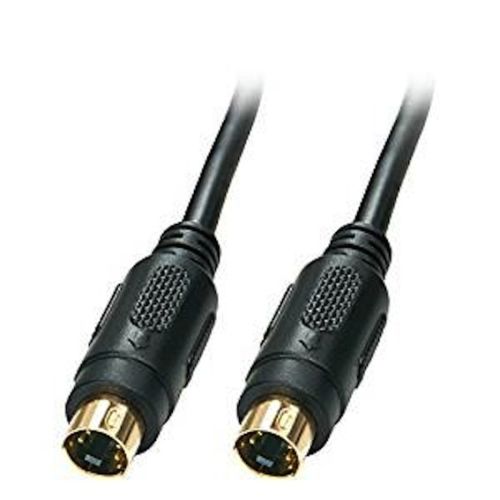
S-video male2male

RCA component male2male

In my readings on the c128d video and monitor output possibilities I learned I could also try the RGBI output, which is 9-pins, and use a 9-pin RGBI male output and convert that to a 15-pin male VGA that could then be converted to a RCA component output through a VGA female adapter. 

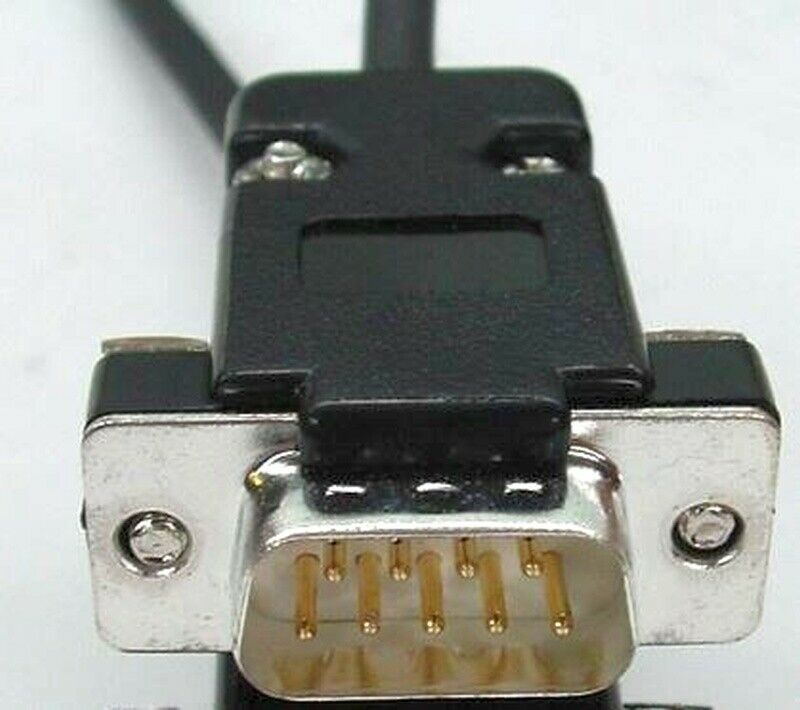
RGBI 9-pin male

VGA 165-pin female to RCA component

So, that’s where I am right now, I have bought more O.G. cables than anyone in that right mind ever would, but I am looking forward to having the retro game streaming kit up and running over the next few weeks. It’s a welcome diversion, and I always learn a ton about the various intricacies of the long history of video adapters and the regional differences within that history that make it feel almost like cultural arcana, especially as many of those adapters have begun to unify around USB then HDMI and now USB C. Although that could be an over-simplification given the various forms of USB I am conflating here. But, nothing like a 5-pin versus an 8-pin DIN to make all our current cable adapter issues seem quaint. 


*It even emulates Amiga which I want to explore in more depth.

Posted in Commodore 128, ds106tv, video games | Tagged , , , , , , , | 2 Comments