Week 1 Assignments: Domain, Webhost, the Daily Create, and tuning into #ds106

Given that ds106.us has been blacked out for #SOPA, and that bavatuesdays will never black out for nobody….NOBODY!!! I figured I would re-publish this week’s assignments below.

Purchasing your Webserver and Domain

Important: Please, please, please pay attention to your usernames and passwords for both your web host and domain registry. They will likely be different, and it is your responsibility to understand they are distinct, and need to be available to you throughout the semester.

Domain Name Registration

Purchase your own domain name at Hover (or some other domain registry service, here’s a list of all accredited domain registrars).

The cost of domain names vary depending on your extension. For example, traditionally domains ending in .com or .org are more expensive than domains ending in .info or .us. We do not require you to use any one domain extension, and more and more any one official application of a domain extension is becoming outdated.

NOTE: If you purchase from Hover, domain privacy is included in the cost of the domain name. If you purchase from someone else and are concerned about your private information being linked to your domain name, be sure to include privacy options in your purchase.

Webhost

You can purchase your webhosting account from a variety of hosts online. Anyone from Bluehost to Site5 to Host Gator to InMotion, to name just a few. But, each of those hosts have you pay upfront for an entire year even if you only want it for the four months of this class (if you use one of these services be sure to ask if they will give you a pro-rated discount should you cancel after four or five months). If you want to pay on a month-by-month basis I would recommend using Cast Iron Coding (CIC). Even though Cast Iron Coding sells domains, we are requiring that you use a different domain registrar (such as Hover, mentioned above), so you can see how DNS and domain pointing works. Also, be sure you enter your domain and choose the self-management option when registering at CIC (see image below).

IMPORTANT NOTE: When you enter the domain name you registered at Hover, you may get a message that the domain name is already taken. That’s okay — as long as you choose “Self Management” in the Registration Options, you’ll be able to proceed.

Image of the registration page at CIC

The cost of an account with Cast Iron Coding is $10/month, and the first month will be pro-rated. You can get an account for cheaper at other hosts, but, again, you will likely be required to purchase at least a year of hosting up front.

If you do decide to proceed with a different host, please make sure you are getting a LAMP hosting environment with cPanel. (If you’re not sure feel free to send us a link to a service you’re looking at — so we can check it out for you.)

Setting up your Webserver and Domain

Pointing the domain to webhost: We have created a tutorial for pointing your domain to your web hosting space here. Please do this as soon as possible because it could take up to 24-48 hours for the domain to propagate on your web host. Also, note that if you are using a different web host than Cast Iron Coding, your nameservers will be different.

Creating your blog: We have also created a tutorial for installing a blog on your web hosting account here.

Email or tweet us—http://twitter.com/jimgroom or http://twitter.com/cogdog your questions or issues.

When you have finished setting up your domain, web host, and blog, your first post on your brand spanking new blog should be a discussion of your process, try and explain what you think is happening technically, and be sure to tag your first week’s assignments “domo” (no quotes) so you get credit for completing it. Finally, once you have a blog address, be sure to add it to your user profile on ds106.us so we can syndicate your work into the course site.

If you are setting up your domain and web host for the first time and have questions, you can feel free to email me. Or you can post your issue to the Tech Support group and we will be sure to get back to you immediately.

The Daily Create
If you are taking the course for credit, it is expected you will be doing at least three Daily Create assignments a week (see the syllabus here). You can find that site here: http://tdc.ds106.us.

Tuning into the ds106 Live Sessions
You can tune into each an every ds106 session via ds106 radio or our live video stream. The classes at UMW go live MW or T/TH from 6-7:15 EST. To tune in to the radio, go to the main ds106.us site and click on the link underneath the ds106 radio logo, from there you will have downloaded a PLS file which you can open in iTunes, VLC, or some other audio application.

Also, to view the live stream video go to http://dtlttoday.com/live. You can use the chat room there for discussion or ask questions, share comments, and generally heckle on Twitter, just be sure to use the #ds106 hashtag.

Adding yourself to the Spring 2012 Group on ds106.us
Finally, you should already have an account on ds106.us. We would additionally ask that you add yourself to the Spring 2012 Group in order to get announcements, assignments, etc. We will not send a blast email out to the sign-up list again to avoid spamming you all, and if you sign up for the Spring 2012 Group it will be easier to communicate with those who want to opt-in for updates and assignments.

Although we should add here that subscribing to that group is a requirement for the section 1 for-credit UMW students given it will prove the primary means through which we communicate assignments and course updates.
Posted in digital storytelling | 1 Comment

Ghost of a Weeble

The ghost Weeble rom the Haunted House set.
I am now committed to the Daily Create. I have done about half so far, but now that the semester is upon me as of tomorrow, I want to formally commit to doing each and every assignment for the length of the semester. So today’s assignment is to take a close-up of a common object. An everyday object around my house for the last five or six years has been this well-worn ghost Weeble from the vintage 1970s Haunted House set. When I got this set on EBay I pretended I was going to keep it as a collector’s item given it was pristine, but as with everything in this vein (i.e., my comics, my AD&D paraphenalia, or my extensive smurf collection it never really works out. As it turns out as much as I want to be a collector I can never stand to see anything that is supposed to inspire joy an fun be entombed within prophylactic plastic. So, inevitably I hold out for about a day or two before the kids get hold of whatever it is I am trying to “preserve.” The unexpected joy out of having this stuff in circulation aroun the house is the everydayness of the object, these toys no longer become rarefied by nostalgia, rather they become part of the world of my home and my kids’ childhood.

Posted in Uncategorized | Tagged , , | 1 Comment

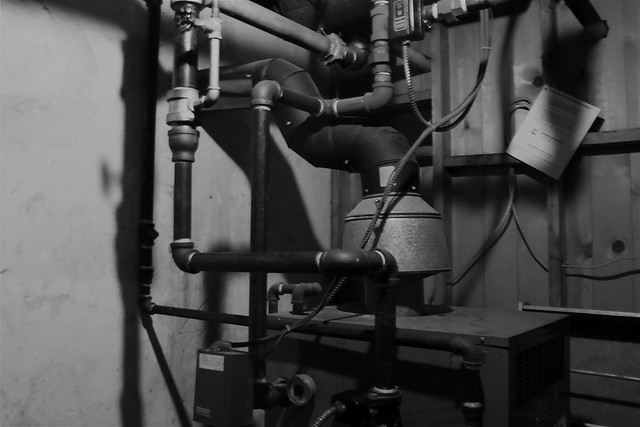
What doesn’t look better in black and white?

Today’s The Daily Create reinforces for me just how much better looking black and white is than color.

My first shot of the boiler room in my basement is pretty ugly.

But after a little black and white action,  not too shabby!

Posted in digital storytelling | Tagged , | 6 Comments

The Daily Create

One of the key elements of ds106 over the last two years has been the DailyShoot assignments. In previous courses we asked students during weeks three and four to follow the assignments on the dailyshoot site, and post their image assignments each and every day for two weeks. It was awesome for getting them used to using Flickr and Twitter on a regular basis, what’s more it immediately reinforced the idea that the course would be of the web, rather than about it. They would be sharing their work with people in the course as well as beyond it. Alan Levine has already written about the importance of the daily habit of creating, and few people model that spirit better than him. Cultivating the creative habit is an ethos at the very heart of ds106, and I think a number of us were truly bummed when the dailyshoot site was shuttered this past Fall. Soon after it went offline there was some vague talk on Twitter that we should build our own for ds106.

Life and the Fall semester went on, but the idea was not forgotten. When Alan Levine and I went into planning mode in December for the coming semester’s ds106 installment, a replacement for The Daily Shoot was one of the top items on the list. Alan and I asked Boone Gorges what he thought was possible with BuddyPress and FeedWordPress to automate this, and he gave us a ton of help in thinking it through. And then Tim Owens got wind of the idea and started hacking around in BuddyPress, and in just a little more than a week later we have what I believe is a sick addition to the ds106 community: The Daily Create. (As an aside, is anyone paying attention to just how amazing an instructional technologist Tim Owens is? —hire of the century!—I hope Tim will blog about his process of putting The Daily Create together, as well as the community twitter stream we have pulling in for all #ds106 related tweets). What’s cool about the Daily Create is it isn’t limited to Photography, it will also feature video, audio, and writing assignments on an alternating basis that parallel the focus of the course over the next 16 weeks. As of now we can cleanly pull in anything on Flickr, YouTube, and SoundCloud that is tagged appropriately. What is craziest about the whole thing is that aside from the premium theme Salutation by Parallellus, it was all done with styling, plugins, and ingenuity. In other words, it is an option that pretty much any non-programmer can do. And despite all the talk that we all need to become programmers or be programmed in 2012, it’s nice to know there are still a few options for the 99% 🙂

What I am blown away by with the Daily Create—which is the same thing I loved about DailyShoot—is the power of presence and community it affords ds106. Anyone can do the assignments, it encourages drive-by, low-threshold participation that makes ds106 vital and vibrant; it makes ds106 open in the simplest and least didactic of ways—it’s an invitation to participate every day of the semester. What’s more, the introduction of video and audio promises to make the whole thing more varied and interesting. Want an example? Take a look at yesterday’s Daily Create assignment that asks you to take a video of yourself telling a joke. This is not only assignment about expression and creativity, but also underlines the personal relationships that emerge through these media. The fact that two of my kids and my special lady friend did this assignment and loved it speaks to the low threshold as well as the compelling personal element learning and sharing online can and should have.

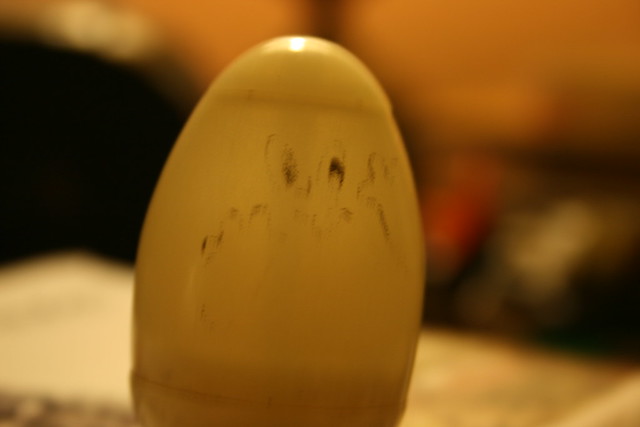
My favorite joke from yesterday’s assignment was Antonella telling her egg joke, don’t miss it 😉

ds106: it just keeps getting better! If you arent’ signed up, you really should be. Go here.

Posted in BuddyPress, digital storytelling, WordPress | Tagged , , , , , | 4 Comments

Godard shilling for Schick

The ever brilliant UbuWeb just tweeted out a link to a Jean-Luc Goddard commercial for Schick aftershave from 1971.

I’m embedding the YouTube version above because the UbuWeb version has no clean embed option I can see.

What’s more, the commentary on this commercial by Nicolas Rombes points out the polemic this might represent for Godard’s politics.

Godard & Gorin, according to the profitable contract signed with the publicity agency Dupuy Compton, from which they had a salary, were forced to propose one project per month and deliver at least one advertisement film per year. For Schick, they got the budget to pay the whole crew for a week, even though the shooting only took half a working day.

Schick was owned by ultra-Conservative, capitalist extraordinaire Patrick Frawley. Does this matter, that Godard made a commercial to help sell products for a company whose profits supported political causes antithetical to his own? We are all complicit in these hypocrisies, small and large, as we use and consume objects each day whose sources in the global matrix are often obscure. If Godard made the commercial to help fund his more radical projects (perhaps Tout va bien, the following year?) then do the two projects cancel each other out? Is there some sort of ledger to keep track? Is it okay to denounce the enemy, and then collaborate with the enemy, as long as you can come up with some sort of intellectual rationalization for your actions?

Posted in movies | Tagged , , , | Leave a comment

Thingu

The great Martin Weller passed on this brilliant re-telling of John Carpenter’s The Thing using Pingu’s stop-motion animation as the medium muse. The special effects as seen through claymation are brilliant. Martin and I share The Thing as our favorite movie of all time (I think I am right with this) —and I love how our love of 80s cult films has not only been vindicated by the web, but has proven to to rule the cool of the internets. We reign!!!

Posted in digital storytelling, fun, movies | Tagged , , , , | Leave a comment

Blade Runner Cigarette Ad

Bryan Jackson copied me on this awesome version of the Blade Runner cigarette advertisement that was originally shared by Douglas Coupland. I uploaded it to YouTube for posterity, or at least the next week or two—whatever comes first.

Posted in movies | Tagged , | 1 Comment

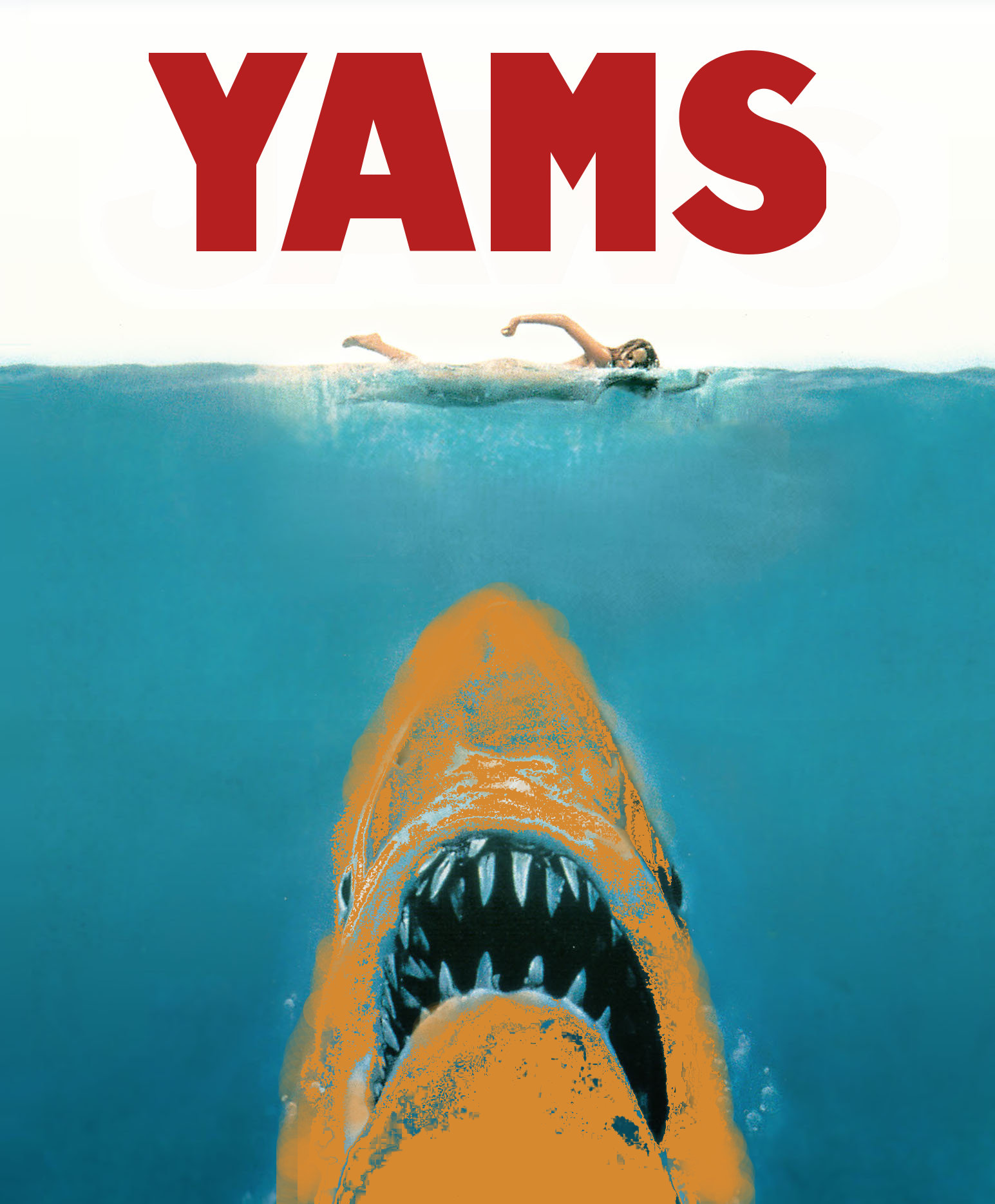
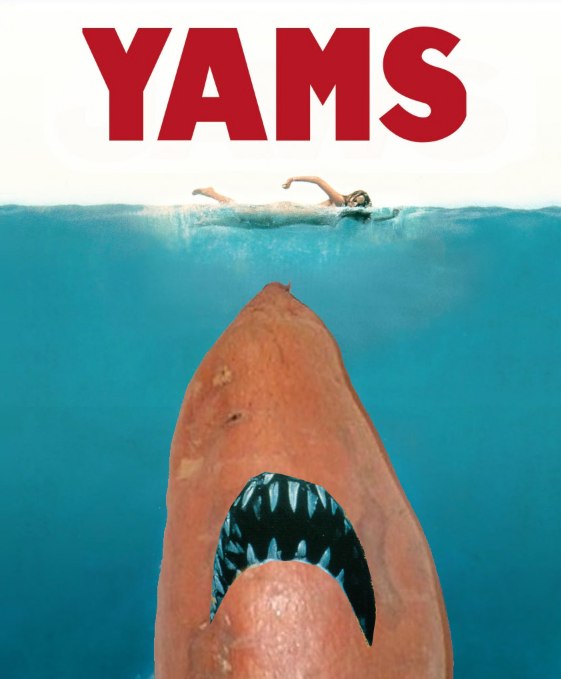
Just when you thought it was safe to eat yams

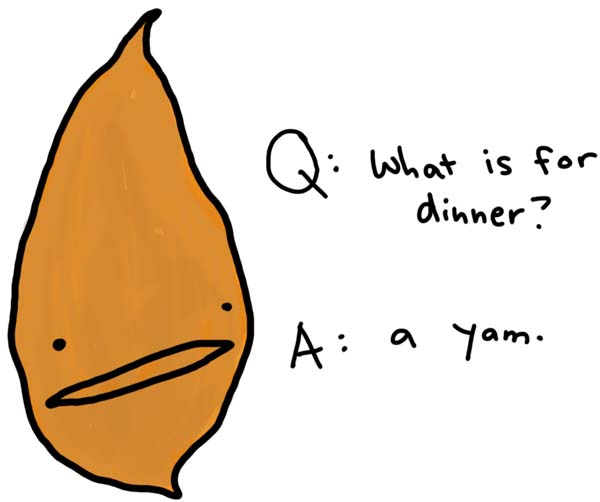
OK, with this I finally feel like I did a Yams Meme assignment, and I must say it was fun. Though to be fair, Giulia’s Silence of the Yams totally rules. I was thinking about options, and it occurred to me that the Great White in the Jaws poster looks a lot like a half a big Yam. So I figured if I could color the shark from blue to yam orange and keep the teeth and eyes I’d be golden.  I started by keeping the background color Yam orange and using the wand to cut out pieces of the blue to reveal the orange, this gave it some texture, and makes it look like the yam is actually moving through the water—or so I would hope.  Then I turned on the airbrush tool and filled some spots in and generally rounded off the yam shark.

The real score was locating the free Amity Jack font which matches the Jaws movie poster font. I added it to my GIMP font by simply dropping it in my Macintosh HD –>Library–>Fonts  folder and BAM! there it is! YAMS about to get some revenge and eat you for once!

Update: Thinking I might not have pushed myself as hard as I could have, I gave this another go, hope you like it 🙂

Posted in digital storytelling | Tagged , , , , , | 8 Comments

I Yam what I Yam

I wanted to play with the Yam meme, but unfortunately spent all day playing with animated GIFs (my true love). That said, I still wanted to make a showing so I went for a quick pun and found an easy way to play with color layers in GIMP. I found this image of Popeye and uploaded it to GIMP, and then grabbed this minimalist illustration of a yam and uploaded it to GIMP so I could grab the deep orange coloring. After grabbing the color from the yam illustration with the color picker, I made it the background color. Then pulled out the magic wand tool to select within Popeye’s face, chest, and arm and simply cut it out. What resulted was a deep orange, yammy skintone that makes the classic animated egoist truly a Yam—even if rough around the edges 🙂

Posted in digital storytelling | Tagged , , , , | 3 Comments

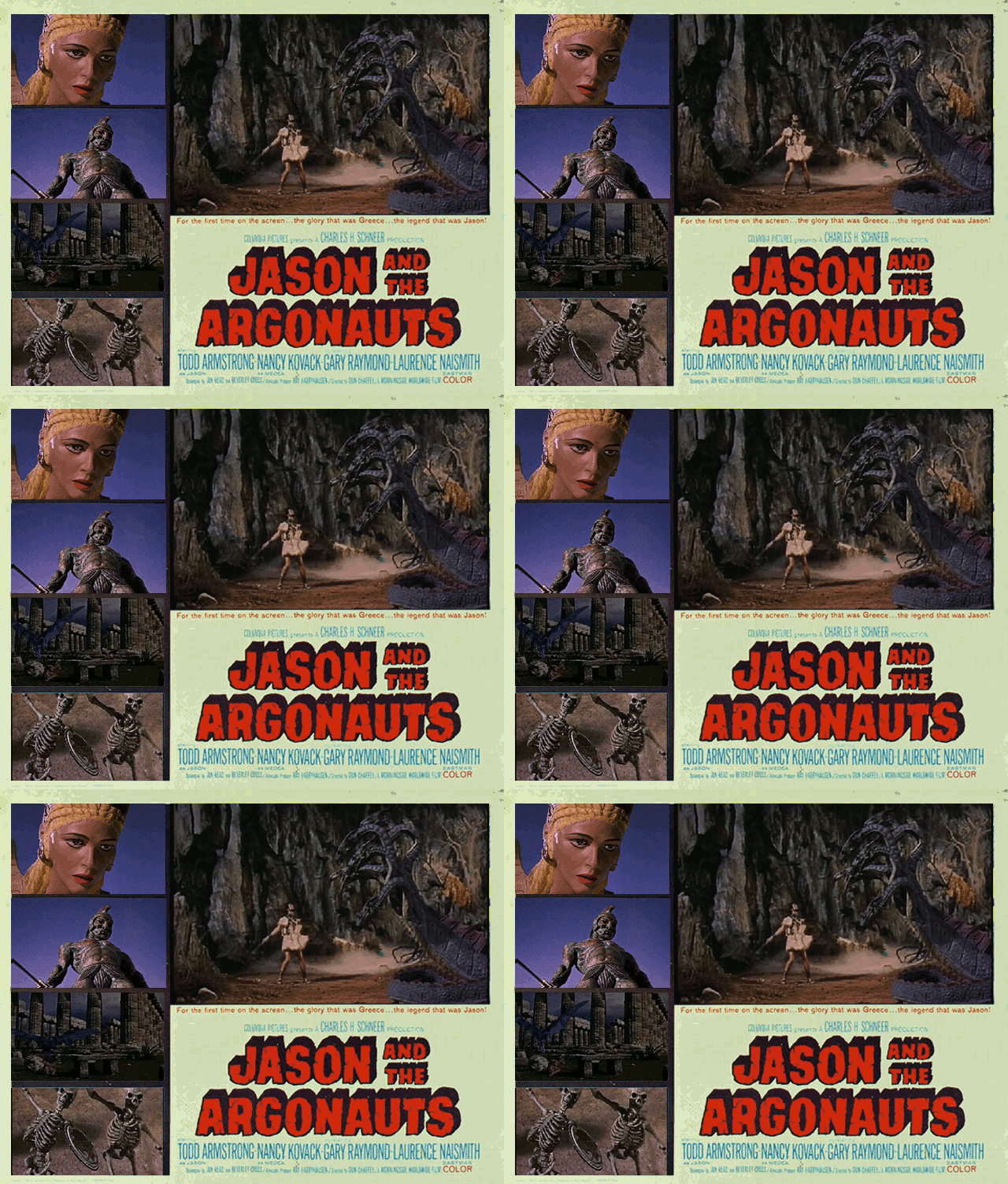
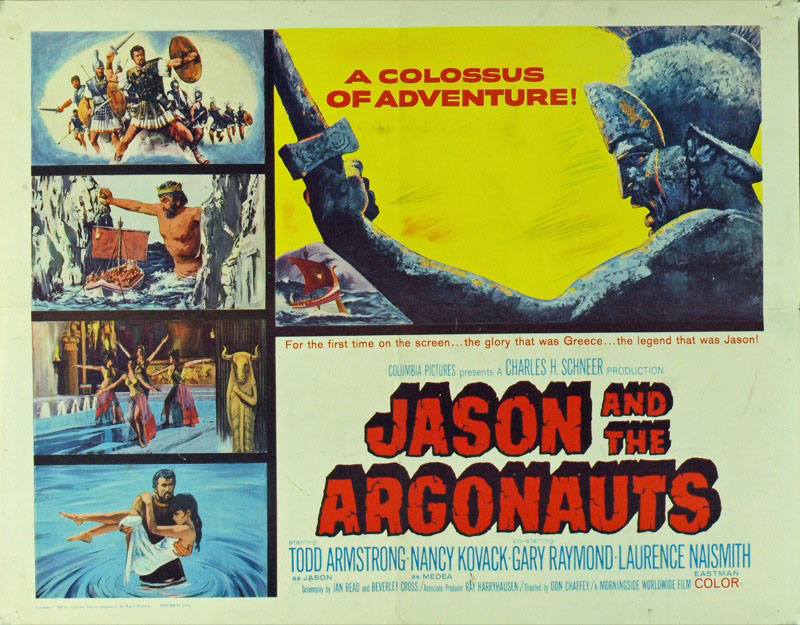
Jason and the Argonauts Animated Movie Poster 1.0

I was inspired by Michael Branson Smith’s awesome American Werewolf in London animated poster this morning, so I went around searching for some possibile posters to animate. I came across an awesome Jason And the Argonauts poster that breaks the film up into multiple illustrated scenes.

After seeing this cool variant of the movie poster from the 1960s I thought, “Why not try it, I already made five animated GIFs from that film.” So in the spirit of reuse I grabbed all my animated gifs for that film, added them as layers onto the original poster and started locking and moving the layers to the pre-determined spaces. The layer scaling tool let me make the areas match precisely, and once I had all the images matched I exported the whole thing as a GIF. What I realized was that the images animated according to a consecutive layer logic in relationship to when I had added them. So each layer animated after another, rather than independently. I attempted to merge the layers, but all my GIFs didn’t have the same number of layers, and I had spent a ton of time on this already. What’s more, GIMP provides no simple way to merge more than two layers, which is a great handicap time wise.

So, to finish off version 1.0 I replaced the original background image so that each of the animations would remain consistent with the animated GIF layers I put on top of them, essentially erasing the original images from the poster that showed up in my first version every time the GIF re-animates. As you can see the experiment was only half-way successful, I was trying to get each of the layers to animate independently, but now realize each has to have the same number of layers and they need to be merged. In the next iteration of this poster I’m gonna try and make that happen. Although I am sorry to say I may need Photoshop for this if it let’s you merge multiple layers quickly and easily, unlike GIMP. If you have any suggestions or advice I am all ears.

Posted in digital storytelling | Tagged , , , , , , | 9 Comments