In Search of the Magic Dust with Maren Deepwell

Last week I was invited by the great Maren Deepwell to chat about my experiences with remote working at Reclaim over the last decade, and it was a total blast. As it happens both Maren and I went remote around the same time, so there was no shortage of topics to discuss. What I learned from Maren over the years is how fundamental regular and intentional communication and community building is to a healthy online organization, in fact it may just be that elusive magic dust we were in search of during our conversation. I really enjoyed having the ability to work out so many of the finer details that make remote work work, and even better that it comes in the form of a free and open therapy session masquerading as a podcast episode!

Thanks again to Maren for having me, and if musings about remote work are of interest you might find this an enjoyable listen, but no promises.

Posted in audio, reclaim | Tagged , , | 2 Comments

The ds106radio Summer of Love Camp

It’s more than a week since the ds106radio Summer Camp wrapped up, and the good vibes are still bouncing around the atmosphere of my little corner of the world wide web. The free and open lofi conference that Maren Deepwell pulled together alongside Taylor Jadin was a pretty remarkable feat. My only regret is how little I had to do with how awesome it was!  Thanks to the impeccable planning of Maren and seamless integration of tech by Taylor all I had to do was show up after two weeks of traveling and jump on the air. The  vision and execution for this conference was all Maren and Taylor, so major kudos to a brilliant re-imagining of what a summer conference can and should be. It was truly a “summer of love” event, and highlights how warm and magical community events can be!

As for my part, I had the pleasure and privilege of getting the camp started four of the five days, which I approached as part playing music and part reflecting on what happened the day before, while preparing the listeners for what was on tap for that day. It was a pretty easy format for me to structure a show around and made planning dead simple. I would just dip into recordings that happened the day before and then extrapolate on the list of sessions for the day to come. For the record, here are the four 1-hour recordings from my Summer Camp morning show:

“ds106radio Summer Camp Day 1 Morning Show” by Jim Groom.

“ds106radio Summer Camp Day 2 Morning Show” by Jim Groom.

“ds106radio Summer Camp Day 3 Morning Show” by Jim Groom.

“ds106radio Summer Camp Day 4 Morning Show” by Jim Groom.

Beyond that, I had a hand in a few other sessions as either participant, moderator, or hanger-on. In fact, you can find any of the official sessions—20 in all!—over at the ds106radio Summer Camp audio archive. There are so many riches to explore in the wake of summer camp, and as always Maren and Taylor have prioritized both sharing and caring. All hail summer Camp on the mighty ds106radio!

Posted in ds106radio, reclaim, Reclaim Edtech, Reclaim Radio | Tagged , | 2 Comments

RetroPie Fun on Reclaim TV

After a month of on-again, off-again attempts to get my RetroPie upgraded to the latest version—which included not only changing the Raspbian OS from Raspbian Stretch to Buster, but also migrating hardware from Raspberry Pi 3B to 4B—I’m now running RetroPie 4.8 on a RaspberryPie 4B. Huzzah!

For this week’s stream on Reclaim TV I wanted to document installing RetroPie on a Raspberry Pi 4B from scratch.* After that, I went through getting the Atari 5200 console running correctly. All of that was done in less than 30 minutes, which surprised me. The next part of the stream was showing off how I was able to pull in a feed of not only the Raspberry Pi 4B, but also feeds of both Atari 5200 and Atari 7800 consoles I have setup in my office.

Finally, I ended the stream comparing various console versions of a particular game like Pac-man, and demonstrating how some of the gameplay experience can be compromised in emulation. All in all it was a very fun stream and I was pretty fired-up the various complexities of getting the old technology plugged into the stream worked fairly seamlessly.

___________________________

*After hours of lost time, upgrading from Raspbian Stretch to Raspbian Buster OS is not worth the hassle. Just be sure to backup all your ROMs, configs, and BIOS files, and start fresh. Most emulators work out of the box, and the more complex setups like Atari 5200 are easier on the latest version.

†The two small issues were the fan I had in my office to cool things down was making noise on my wireless mic, and the Elgato HN60X capture card that was grabbing the Raspberry Pi went in and out a few times—I need to see why that was. But if that is the worst of it for this setup, I’ll take it!

Posted in ReclaimTV, retrocomputing, TV, video games, YouTube | Tagged , , , , , | 4 Comments

Greetings from Reclaim Hosting

Turns out a few days ago was Reclaim Hosting‘s 11th anniversary, crazy how time flies when you are providing a range of infrastructure options for higher ed and beyond. Recently Meredith Huffman and I sat down with Bryan Mathers to try and map all the different products and services we offer. The beauty of these sessions is that they often lead to new ways of framing Reclaim Hosting, and this meeting did not disappoint. We came up with the overarching theme of visiting various products as if they were places, and the postcards become the key element for visually capturing their essence: Continue reading

Posted in art, reclaim | Tagged , | 4 Comments

DS106Radio Summer Camp

Bryan Mathers is at it again with his Remixer

While the Learning Management System may not be dead, I certainly feel better when it’s not around. In fact, the ds106radio Summer Camp from August 12th through the 16th is embedded in the idea that doing edtech is anything but isolating and depressing. The schedule highlights just that fact, with sessions about everything from the Austerity Blues to Dream Teams and Apollo 13s. And the platform? The open and free airwaves of the mighty ds106radio. I’ll get things going each morning with some impromptu radio with musings about such topics as “What is art?” and “Why you can’t kill what’s already dead.” This format allows for folks to tune in as they like and enjoy a frictionless experience all the while. Major kudos to Maren Deepwell for organizing the summer camp so seamlessly, and creating a free and accessible event that is open and available to anyone interested—my favorite kind of open! If you’re interested in playing along you can register here for reminders and updates or just listen in when the time comes.

Posted in ds106radio, reclaim, Reclaim Radio | Tagged , , | 3 Comments

Exploring Arduino Uno Motion Detector Options

As part of the Creepshow bav-o-rama installation for the bavastudio, I’m trying to get a motion detector hooked up to an HDMI switcher that will change inputs based on motion on the other side of the diorama window. It’s what Michael Branson Smith has termed an “aspirational goal” for this installation, and he may be right, but hope springs eternal in the bava’s breast. If nothing else, it’s given me an excuse to play with the Arduino Uno Rev3, which is a pretty amazing little gadget.

So, for the last week much of my free time has been dedicated to testing out a variety of scripts folks have shared to create a simple motion detector using the Arduino. My favorite so far is  “How to Setup an Arduino Motion Sensor” from PiMyLifeUp. I like this one because it has the motion detector connected to both an LED light and a tiny piezo speaker, so whenever motion is detected the light and speaker are activated. I used the above video and linked guide to create it, but left the resistors out of the circuit because I knew this was just a test and wouldn’t be running for any significant amount of time.

The above video is my test of the motion detector, and it’s amazing how something seemingly so complex as a motion detector can be made so simple and entertaining. That’s the magic of the Arduino.

Some notes on were I’m so far on my quest. The above build is using a PIR motion sensor, or a passive infrared motion detector, which picks up on change of radiation levels based on a person’s movement. These sensors are quite cheap; I was able to get a 5 pack for 10 euros. The tiny piezo speaker and LED light were taken from the Sparkfun Inventor’s Kit George Meadows so generously donated to Reclaim many years ago. I bought a breadboard separately because the one that came with the Inventor’s Kit was long gone. I now understand just how useful a breadboard is for experimenting with all these circuits, it allows for quick connections without ever having to solder a thing.

I figured out almost immediately that the PIR motion sensor will not work for my project because they are activated by energy displacement. Given my diorama will be trying to detect motion on the other side of an insulated window, this means energy/heat detection will be difficult, if not impossible, to pickup. In other words, this is a no-go for my use case.

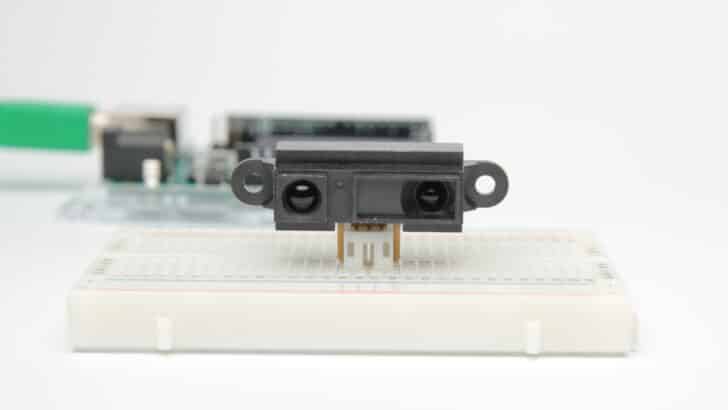
The SHARP GP2Y0A21YK0F is an easy to use IR distance sensor with a range of 10 – 80 cm

But this led me down a rabbit hole of other options for motion activation using the Arduino. Another sensor I had hanging around that might work is the SHARP GP2Y0A21 proximity sensor. This sensor has a range of 10-80 cm, and according to this thread might work at a distance of 30 cm from the window and angled at greater than 30 degrees from the glass surface:

I have had good luck using sharp gp2 series proximity sensors behind glass in museum display cases for triggering exhibits.  Typically incline them at greater then thirty degrees to the glass surface to avoid measuring the reflection.   Range from 30 cm in.

The proximity sensor measures distance, and when an object breaks the pre-defined distance it creates a reading that can then become an input that triggers an action, so if an object gets closer than X do Y. For example, if someone approaches beyond the distance X the diorama window the action Y can be triggered, such as the TV they’re looking at switches to a shot of them looking at the exhibit. Once again, aspirational, but it could work.

“Laser.”

The other kind of sensor that might work is a laser. Laser’s should be able to pass more easily through an insulated window, so when someone walks by and breaks the path of the laser the switch can be triggered. That’s Mission Impossible shit right there, but I’m a little hesitant to have a laser shooting out of the window across the street given the red dot might seem like a European hitman is stationed in the diorama—creating a bit more attention than necessary. What’s more, not sure if you look directly into the laser there could be any undesirable side effects, but this is where I am probably showing my ignorance—so more research needs to be done on this option.

Yet another option I have read about is video-based motion detection that depends on a establishing shot of the window environs without anyone in the frame. At the point someone passes by the window, or stands in front of it, the difference is detected which then triggers an action. I tried something like this with OBS when I started researching motion detection, and some folks have got this working. But I’d prefer an option that doesn’t depend on something as CPU-dependent as OBS, so I would need to explore what other options are out there for video-based motion detection.

Anyway, the quest continues, and at least now I know there are several options. What’s more, they’re all pretty cost effective, which brings me back to how amazing the Arduino is for such projects.

Posted in Arduino, bavastudio | Tagged , , , | 2 Comments

Archiving Content and a Long View of the Web

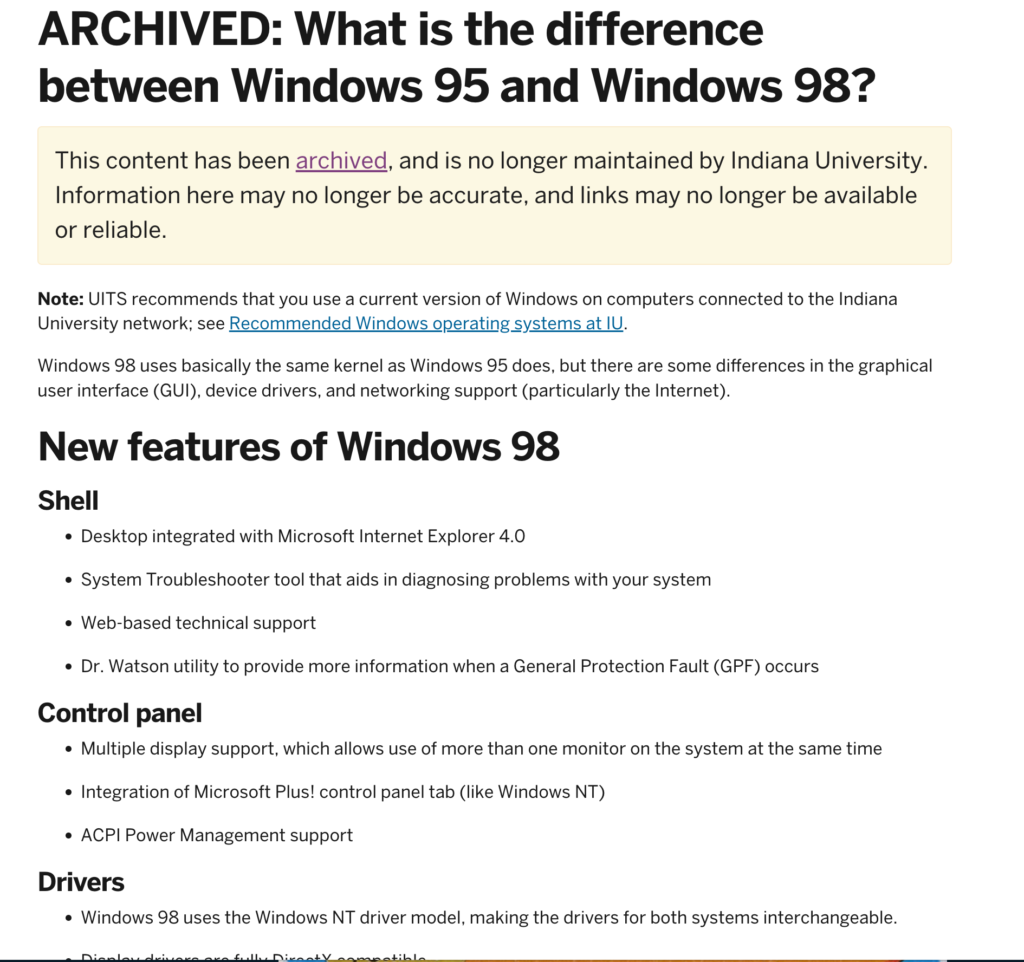
While preparing for one of my retrocomputing streams for Reclaim TV I was searching for some of the major differences between Windows 95 and Windows 98. One of the first hits I got in Google was an archived help document from Indiana University:

Archived Indiana University Website discussing the difference between Windows 95 and Windows 98

It was a quite useful document for providing a point-by-point breakdown of the difference during my stream. It also had the added advantage of being in the moment, so it was addressing an audience that was preparing for the various changes in 1998 or 1999, helping to capture the ways in which Windows 98 was designed to make it easier for tens of millions more people to get online. Between 1996 and 1999 the amount of people online went from 45 to 150 million, and by 2000 it was 400 million.* Most of those folks would be using the Windows 98 Second Edition—which packaged so many of the necessary drivers for plug and play peripherals like ethernet cards right into the OS, making it that much easier for folks to get online. At the same time, this also meant packaging Internet Explorer 4 and 5 as the default browser for this OS which led to an antitrust lawsuit against Microsoft.

Anyway, I digress. The point I’m trying to make is how refreshing it is to see Indiana University take the time and resources to preserve something as ostensibly disposable as IT documentation. The archaeology of knowledge on the web over the last 25 years is dominated by the gravitational darkness of broken link errors created by individuals and organizations that fail to understand, or care about, the cultural importance a link might represent. I understand it is easy to go Catholic here and argue every sperm is sacred, which can be dangerous ground for all kinds of reasons.

So let’s look at it from another perspective, the way so many organizations deal with their own web history and archive is akin to clear cutting forests, leaving nothing behind for folks to understand the ecosystem that once was—not to mention the damage to the health of the existing environment over all. Beyond the AI pollution, without the Internet Archive† we would have such an immense web amnesia that we would arguably be living in a present devoid of huge swaths of the cultural content that has helped define our world view for more than two decades. Collectively we owe an enormous debt to the Internet Archive for all the great work they’ve done to preserve our pasts, but depending on endless good will after their coming under continual attack for simply trying to carry out their mission seems dicey at best. It’s high time every organization, and dare I say individual, take ownership of their online presence and make deliberate and responsible decisions about what stays and goes. But even writing that last sentence I am not sure it would solve the issue or be nearly enough, so maybe a third party crawler like the Wayback Machine is the best solution, but what happens if and when that is undermined by those who would have us forget?

____________________________

*Stats taken from this Elon University History of the Internet article “Imagining the Internet’s Quick Look at the Early History of the Internet.”

†It is telling that the easiest and most reliable place to get a copy of Windows 98 Second Edition to do this kind of research is the Internet Archive, they are truly amazing, but it does beg the question if they can continue to do it all alone.

Posted in Archiving | Tagged , , , | 3 Comments

Retrocomputing on Reclaim TV

Reclaim Hosting has been streaming every Friday at 10 AM for a while now. We use Reclaim TV as the channel, and Taylor Jadin and Pilot Irwin did a recent stream breaking down the details of that process. A stream about streams…

One of the fun Reclaim TV developments has been the retrocomputing episodes I’ve been part of over the last month or two. It started with Taylor and I doing a stream about Protoweb, a proxy web service that’s designed to let you browse the web of yesteryear. Taylor demonstrated this brilliantly in that episode using his MiSTer running Windows 95.

That stream inspired me to fill some empty Friday streaming slots with some of my trials and tribulations of re-visiting Windows 98. I have at least two machines running this operating system, and it’s been quite eye-opening just how difficult relatively simple elements of computing were twenty-five years ago. So, I followed-up the Protoweb stream with another about the “Pain and Pleasure of Retrocomputing with Windows 98.” This one dives into running virtual ISO images using Daemon Tools to create a virtual CD-ROM drive. This allows you access to an unlimited treasure trove of old programs and games via the Internet Archive, which harbors a vast collection of software from this era. I demoed games that you can easily run off ISO images from the archive, such as Moto Racer (1997) and NHL 97, two of my favorites back in the day.

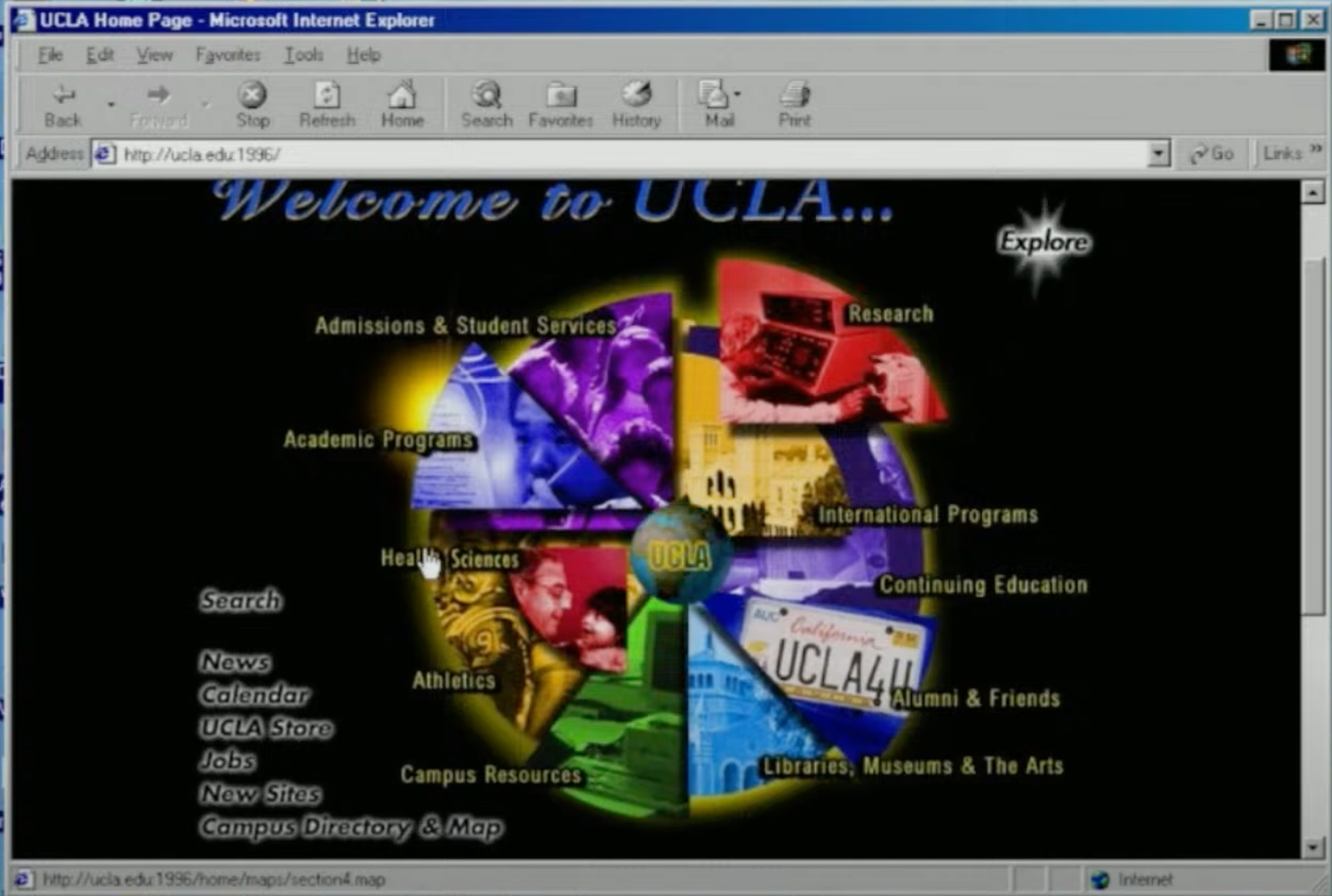
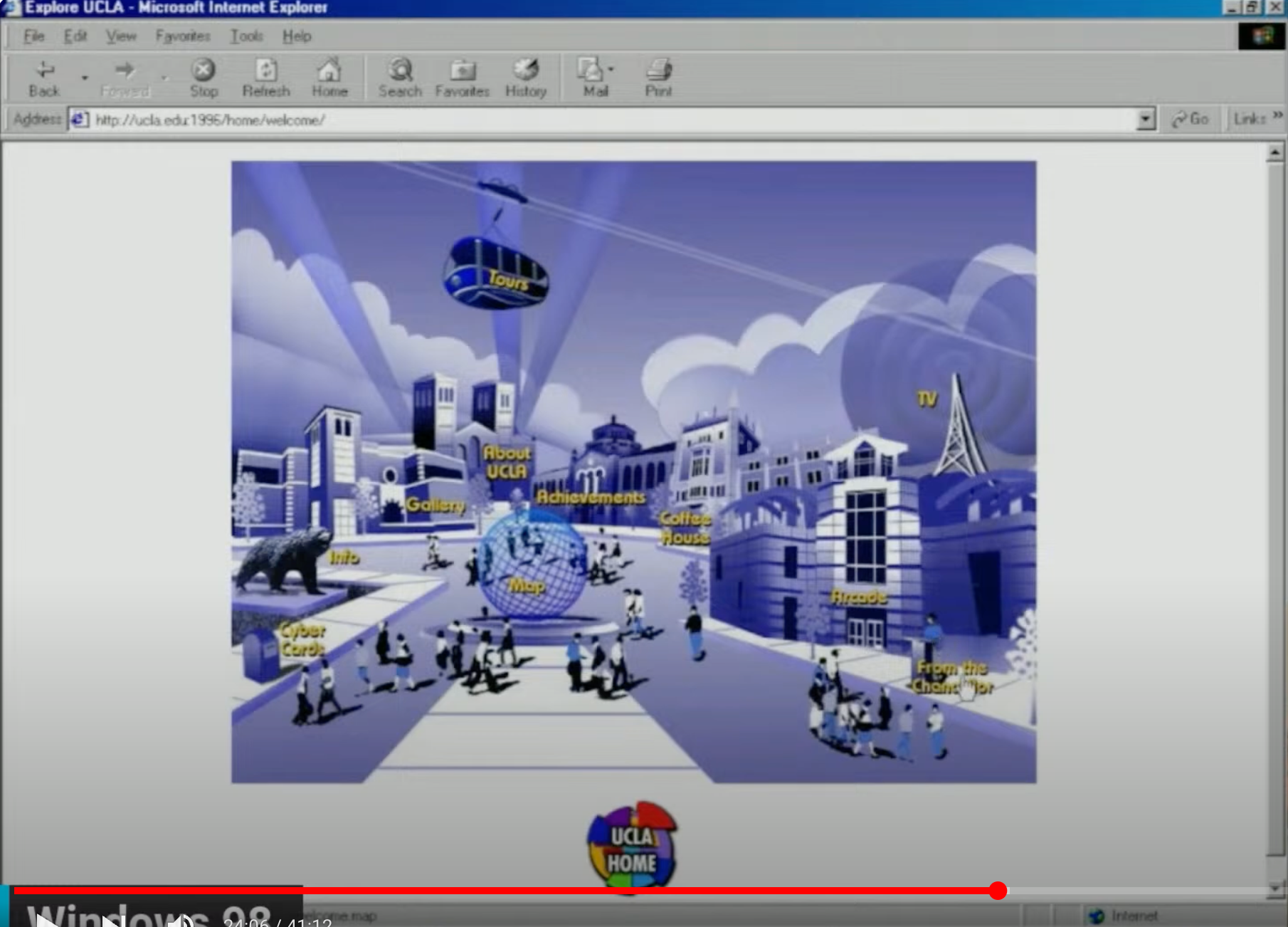
And just last Friday I did yet another retro computing episode, this time focusing on getting a 3COM Etherlink PCI ethernet card installed in my Windows 98 desktop machine so that I could get online and access Protoweb. I was able to get the card installed ahead of time and talked through the process, but the real gold was using Protoweb to surf old websites archived on the Wayback Machine. I visited UCLA’s website from 1996, and it was truly amazing. The main page was a very 90s image map, that had a pizza pie-like effect highlighting all the different “slices” of the university.

UCLA’s website in 1996 was an image map

The Explore button in the top-right corner leads you to another image map of the campus, this time with everything from an Arcade to a Coffee House.

Image map of UCLA campus from 1996 “Explore” website add-on

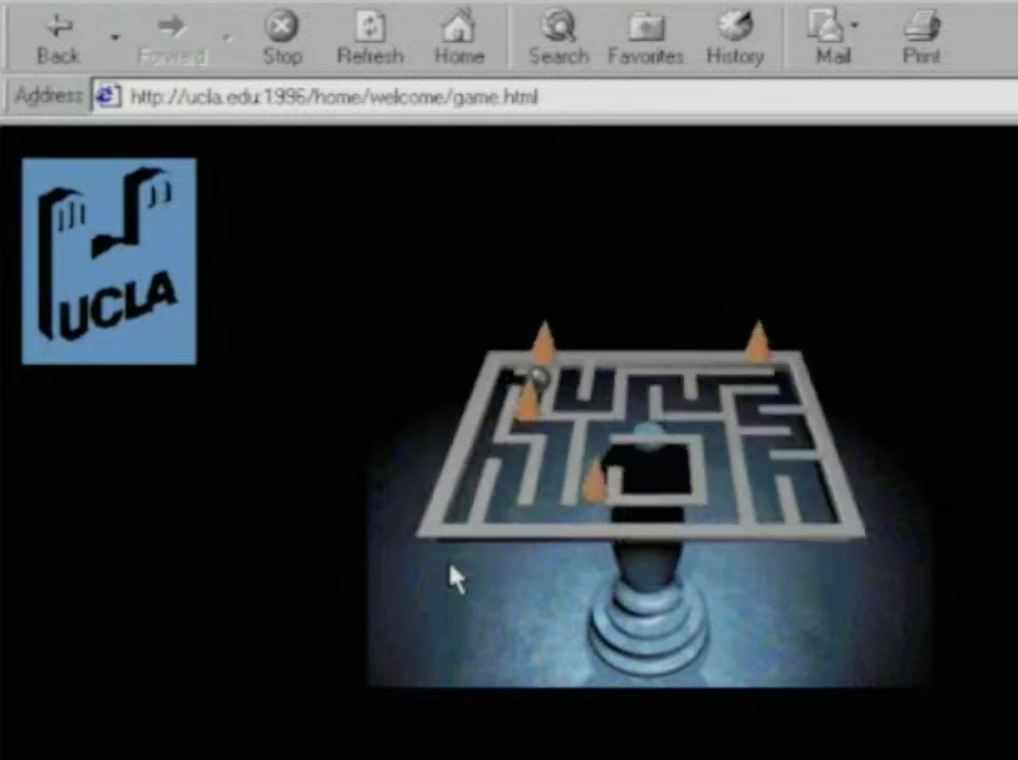
The arcade leads you to a Shockwave game that actually loaded for me in the video, and I could play it cleanly on the stream, which was amazing!

The Arcade has an interactive Shockwave video game called Labryinth wherein you control the marble in a maze with the number lock arrow keys

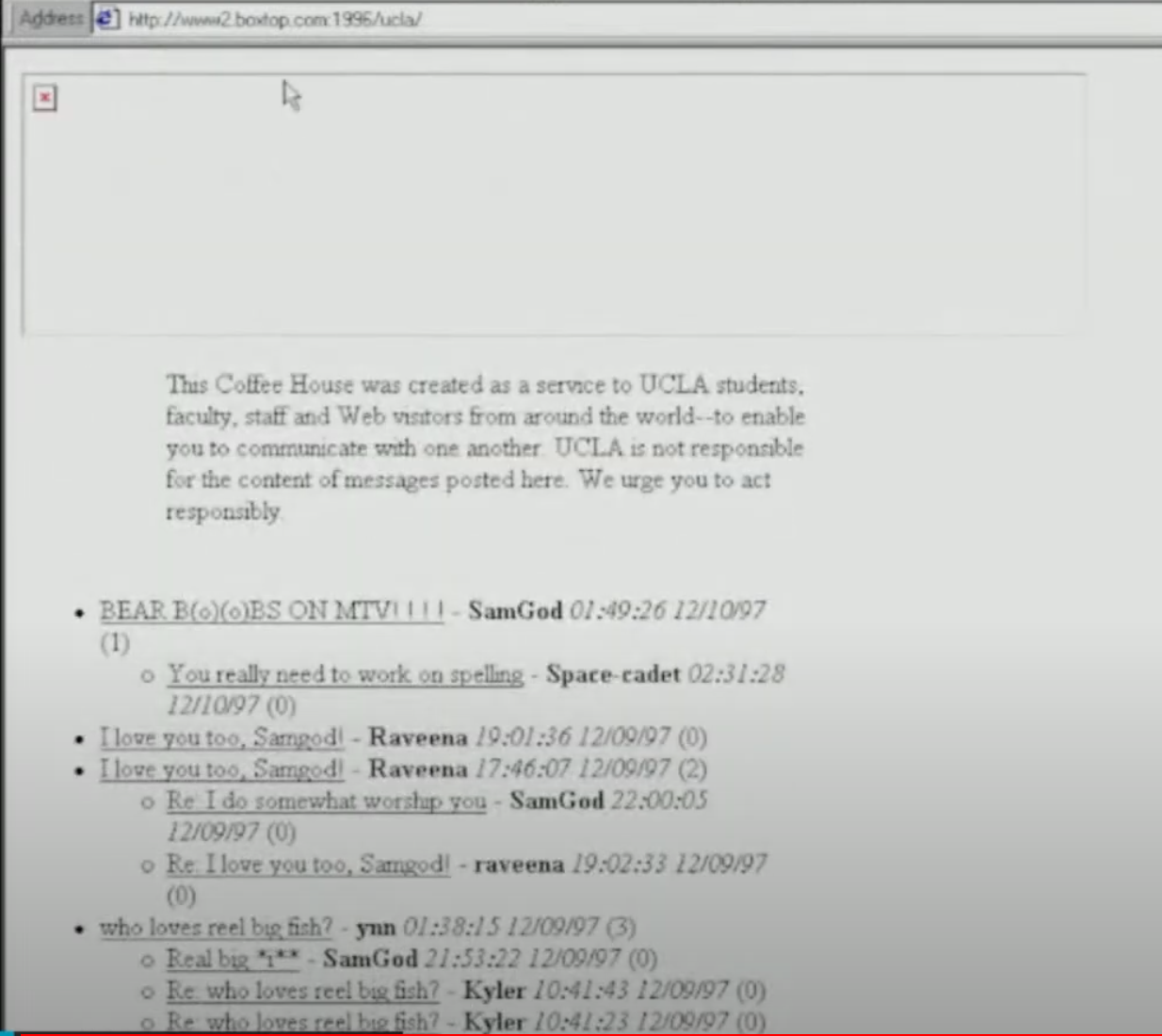
After that I went to the Coffee House which had a wide open public chatroom—can you imagine?

The Coffee House on UCLA’s 1996 website had a public chat room

Anyway, I fell down a rabbit hole of the 90s web using Protoweb, and it was really fun, and that marks the third video in what might be considered a retrocomputing strain of Reclaim TV, and I have a feeling there will be more to come.

Posted in ReclaimTV, retrocomputing | Tagged , , , , , | 1 Comment

bav-o-rama: Of Windows and Walls

The build-out of the bav-o-rama exhibit space is finished, and I’m thrilled with how it turned out. The plan was to have a window space to recreate movie scenes: think of it like NYC’s Museum of Natural History, just with dioramas of select 80s films. To realize this Antonella and I have been working with Riccardo and Alberto of Domus to figure out a plan that works. The space is about 4′ deep by 4′ wide.

The sides and back walls are made of movable pressboard that can be re-fashioned depending on the scene being created. The subfloor is made of 3/4″ OBS board, useful base for handling the various floors/terrain each scene will require.

One of the things that we also created around this window was a wood paneled wall with a nearly invisible door. This encloses the window diorama so that it’s neatly hidden when you enter the space, making sure the man behind the curtain is never exposed. The walls came out amazing, I’ll have to take care of the final step of staining them appropriately here soon:

Now that the window space is complete, I’ve been working further on the first exhibit. I’m hopeful to have it ready in the next week or two. You can get a sense of what Harry Wentworth’s head in the sand facing the TV in the window might look like:

Prototyping Harry Wentworth’s Head Watching Television

Also, I got the Creepshow episode “Something to Tide You Over” looping on the Zero Pi, which has me excited.

Finally, my friend Andrea and I started assessing the best placement of the head and TV while trying to account for the contours we will be created using a malleable wire base and various sized boxes to reproduce a sense of the undulating terrain of the beach.

Finishing the beach contours and adding sand is my project for next week, as well as digging in on the Arduino motion detector for switching to live camera (OBS seems a dead end). Beyond that, I have to get the background panels from the MBS Design studio and have them printed for the 3 wall panels and the ceiling panel  (more on that in the next few days); reproducing the old school CCTV camera using cardboard, while leaving room to house both a motion sensor and a Sony ZV-E10 camera; and , finally, trimming the hair of the mannequin head to more closely align with Harry Wentworth’s cut in the episode.

Outside of that, I want to talk to Bryan Mathers about creating  cartoon comments section using his Remixer Machine that folks can access via QR code when experiencing the installation. That same code will also allow them to read the comics on each wall in Italian, ensuring that the Trentini do not feel linguistically shunned—it is Italy after all!

Posted in bav-o-rama, bavastudio | Tagged , , | 1 Comment

Raspberry Pi Video Looper on Zero Pi W

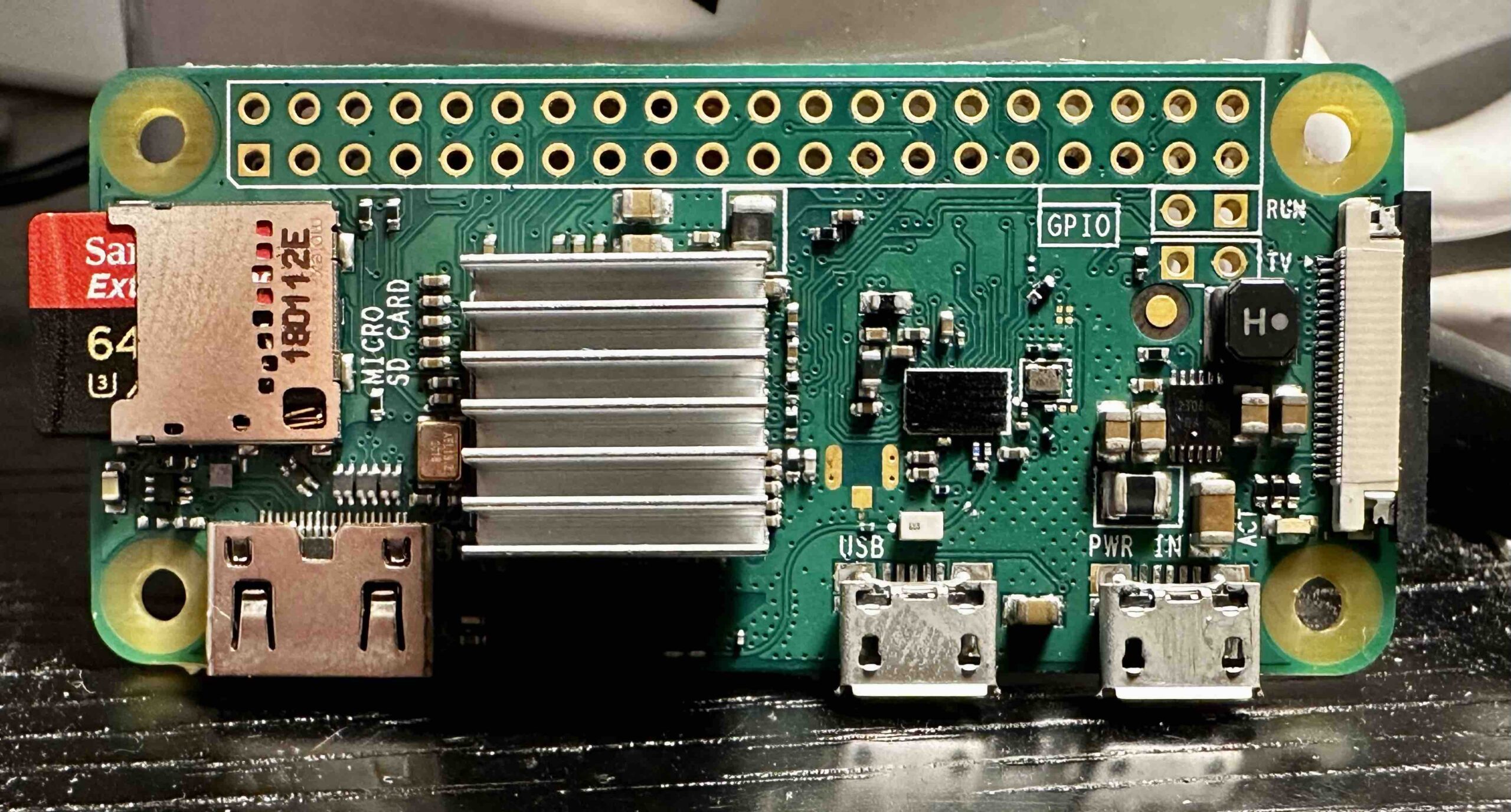
After some frustration with the motion detection bit of the Creepshow diorama, I took solace in getting a $10 Zero Pi W (version 1.1) up and running with Raspberry Pi Video Looper. Essentially this project turns the Pi into a machine that loops images or video—playing a single file (or a playlist) over and over gain. This can be useful for digital signage, art projects, trade shows, etc. We’ve used it previously at OER19 to show off our art and videos, as well as Domains19 to get Ryan Seslow’s art streaming on a tower of CRT televisions.*
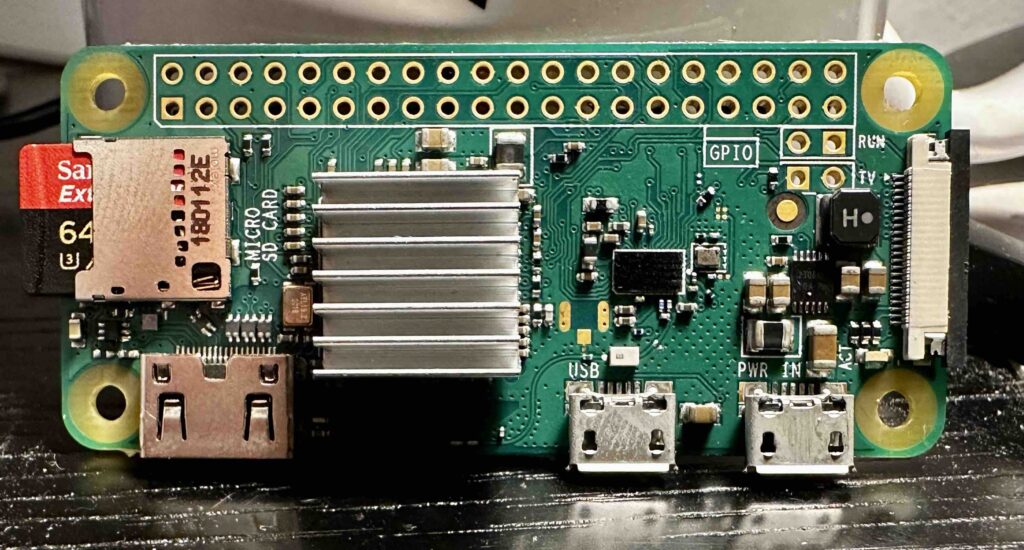
A look at the $10 Zero Pi W model, with two micro USB ports and a HDMI mini port

This time around the project is being used to loop a video of edited clips of Becky Vickers drowning from the “Something to Tide You Over” episode of Creepshow. The Zero Pi will be feeding this video into a 50 year old black and white TV (with some cable/signal conversion magic). I like the Zero Pi for this because it’s cheap, non-intrusive, and more energy efficient than a laptop—which is important given it will be running almost non-stop. †
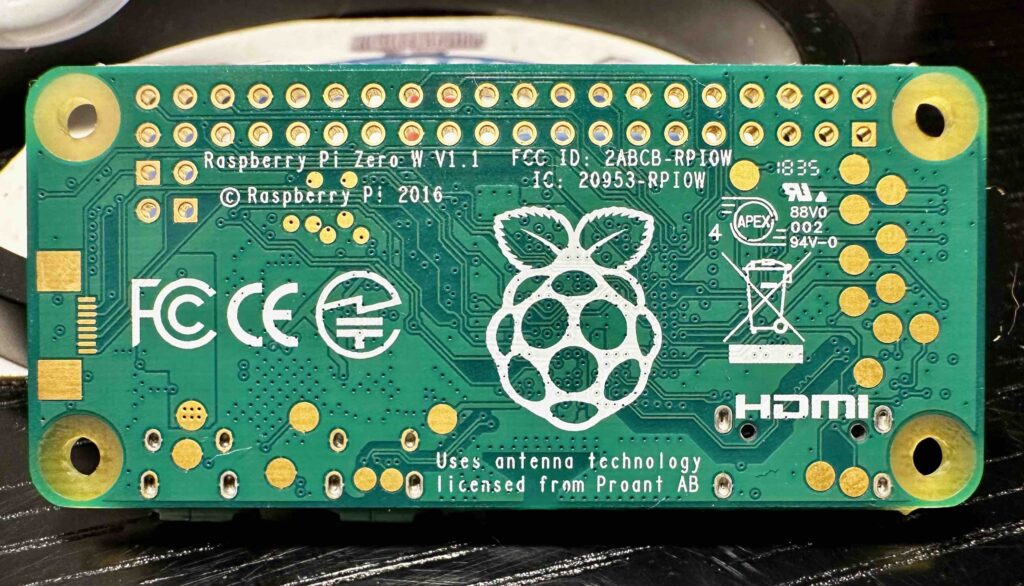
Underside of the Zero Pi W model, this is a 2016 version 1.1

In terms of getting this setup, this guide from Suzanne Borders reinforced that the Video Looper can be run on a Zero Pi. And to be honest, her post might be all you need to get things up and running—so check it out. She keeps things simple, and I believe the guide is geared towards folks getting the Raspberry Pi OS setup using Windows. Given I’m using a Mac I changed the OS customization so that I could easily access the Zero Pi via ssh. So, let’s get going, and I will quote the first four steps of Suzanne Borders post below—no reason to re-invent the wheel:

Preparing the SD Card

  1. Download and install the Raspberry Pi Imager
  2. Download the pre-built custom video looper OS image from videolooper.de which is still being actively maintained
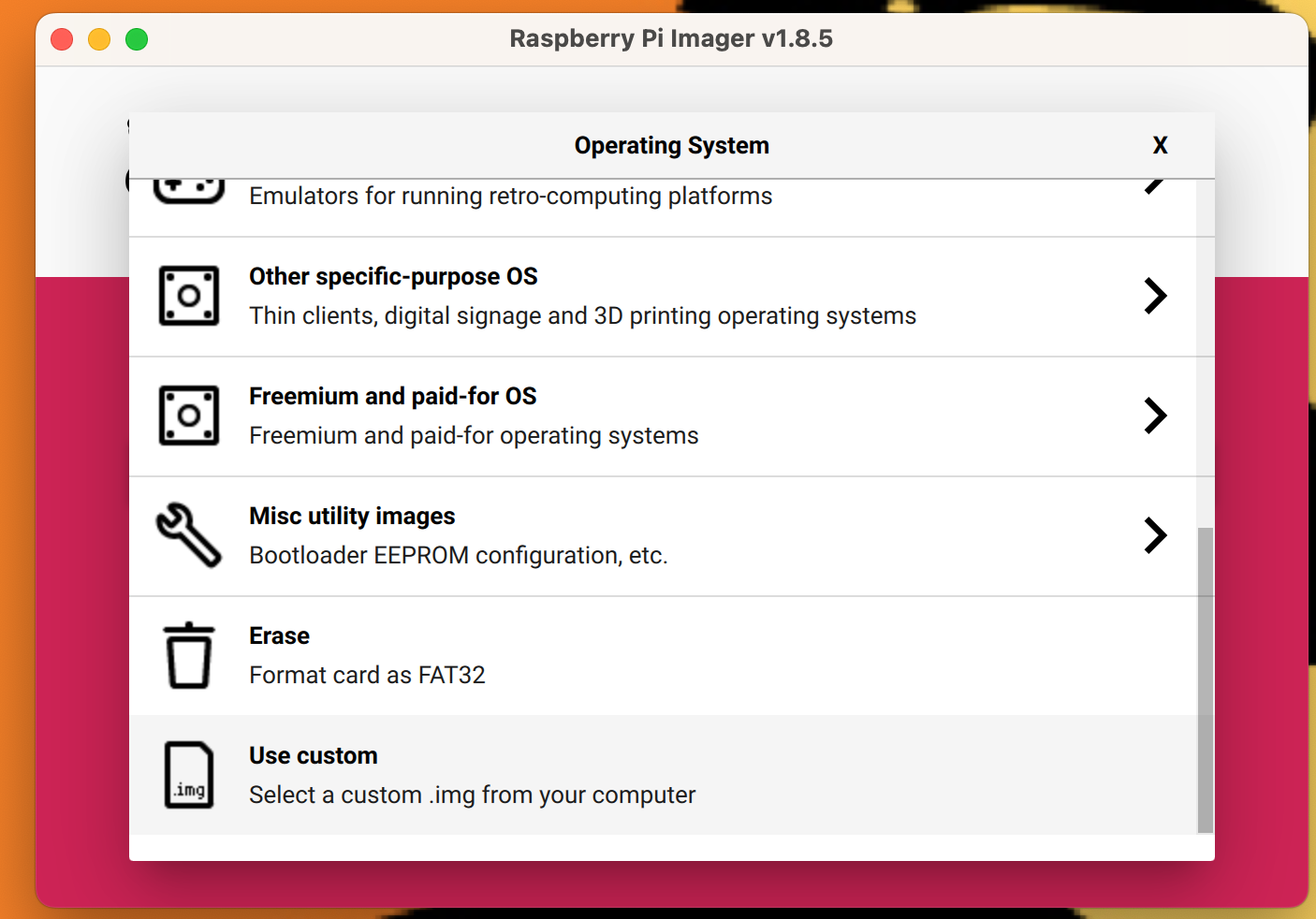
  3. Run the Raspberry Pi Imager, click “Choose OS”, select “Use custom”, and pick the video_looper_v2.8.zip or whatever version you downloaded. You do not need to unzip this file.
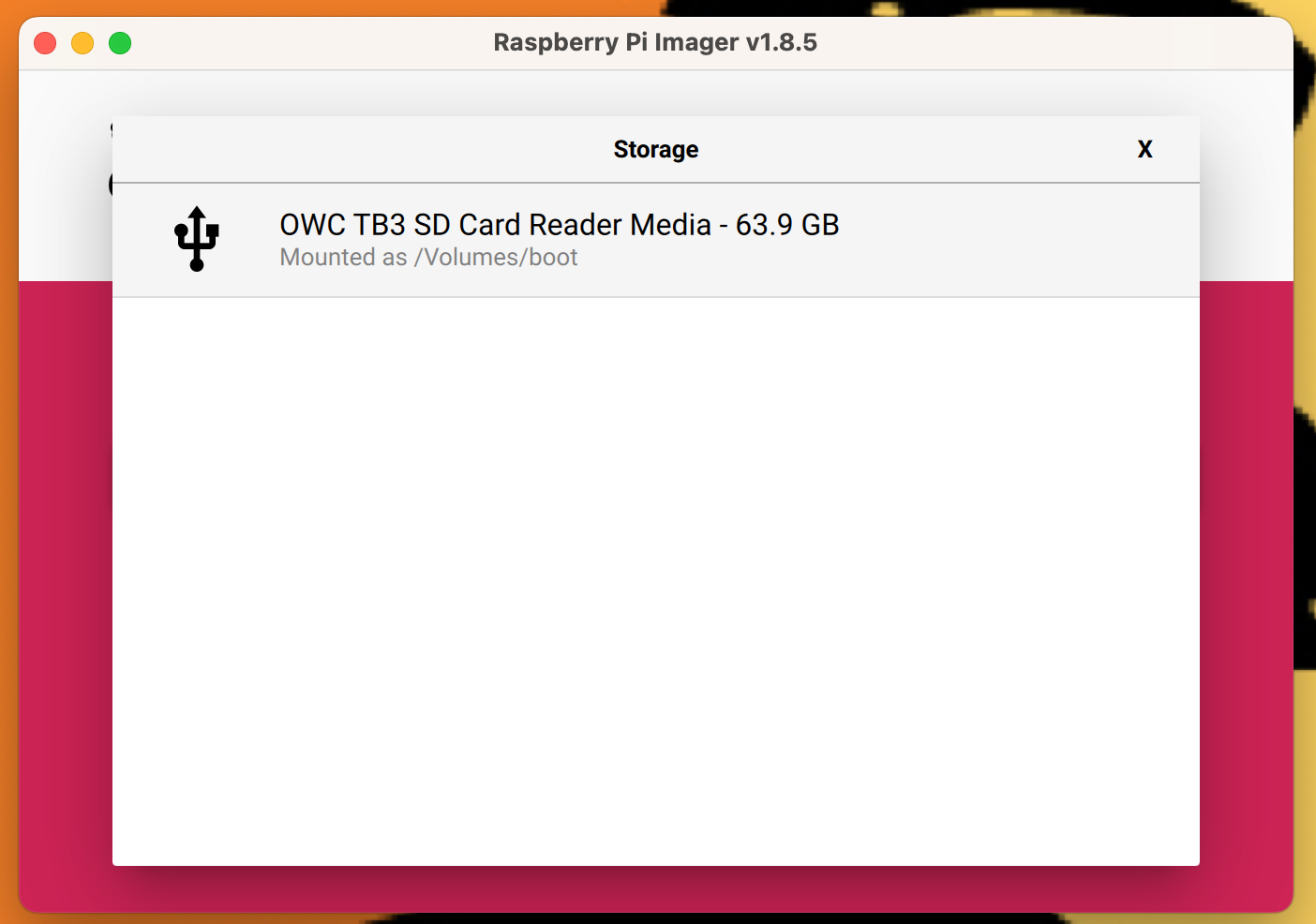
  4. Click “Choose Storage” and select the MicroSD card you are going to use

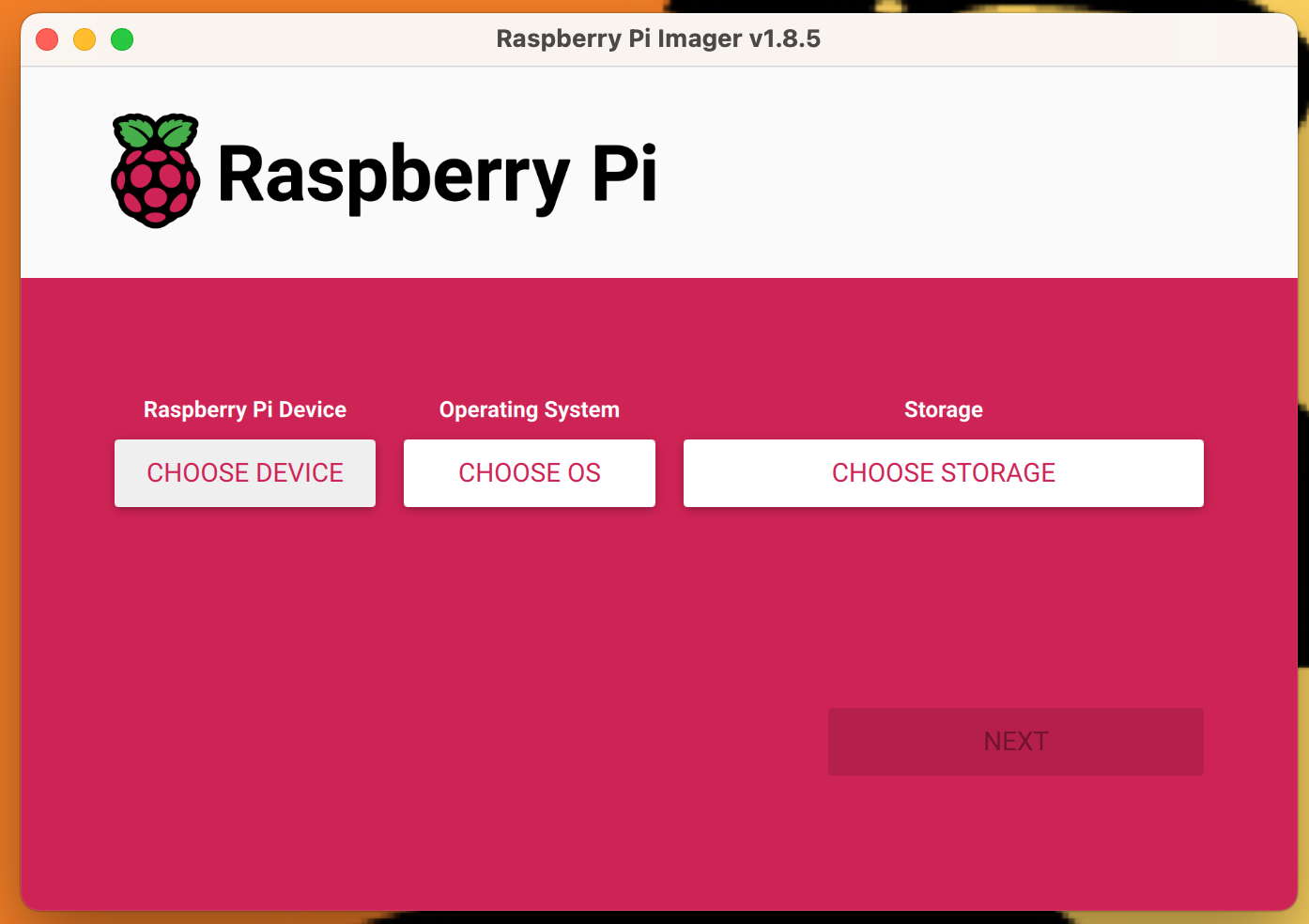
At the point where you finish selecting all the options in the Raspberry Pi Imager it should looks like this (though your Raspberry Pi Device may be different), but the custom OS should be VIDEO_LOOPER_2.8.ZIP (latest version as of the writing of this) and the storage will be whatever Micro SD card is being used:
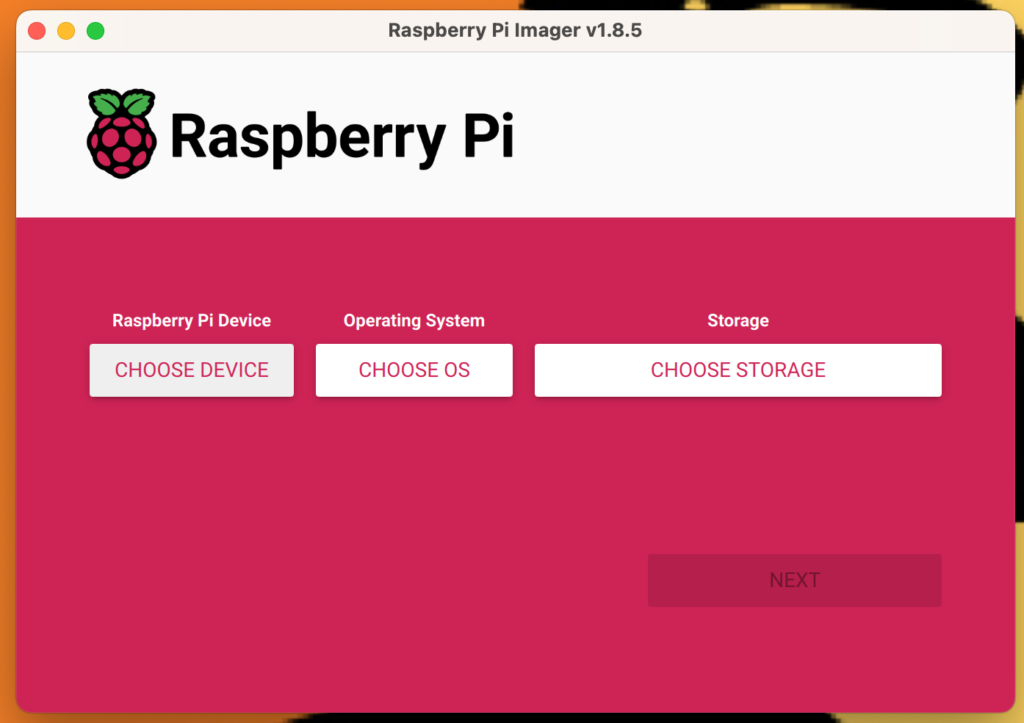
Clean Raspberry Pi OS Imager
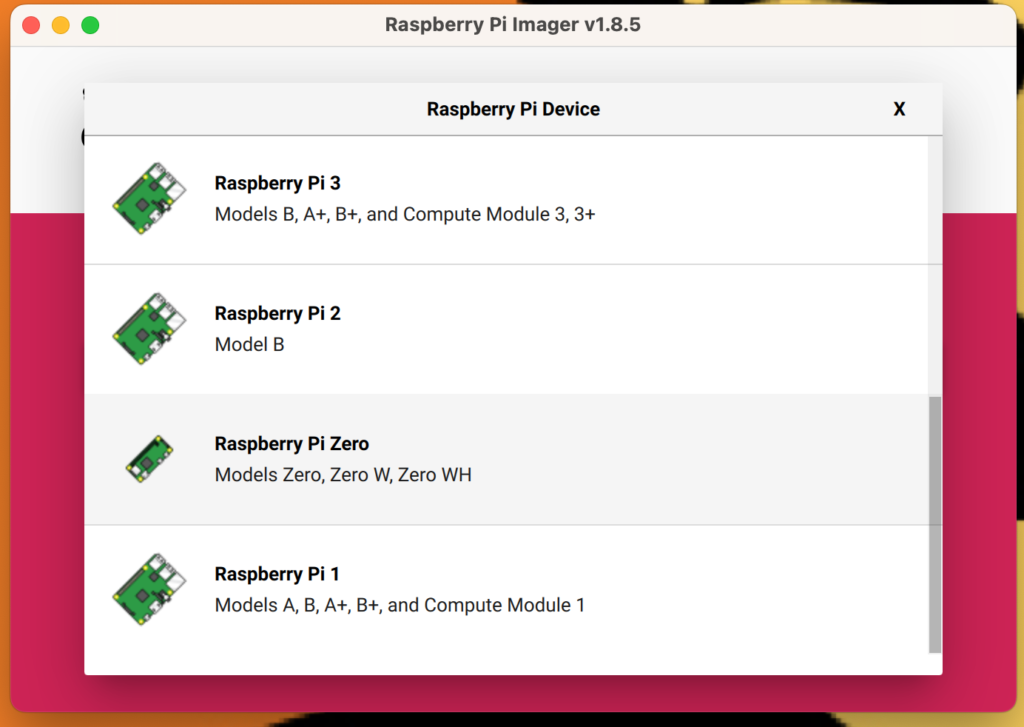
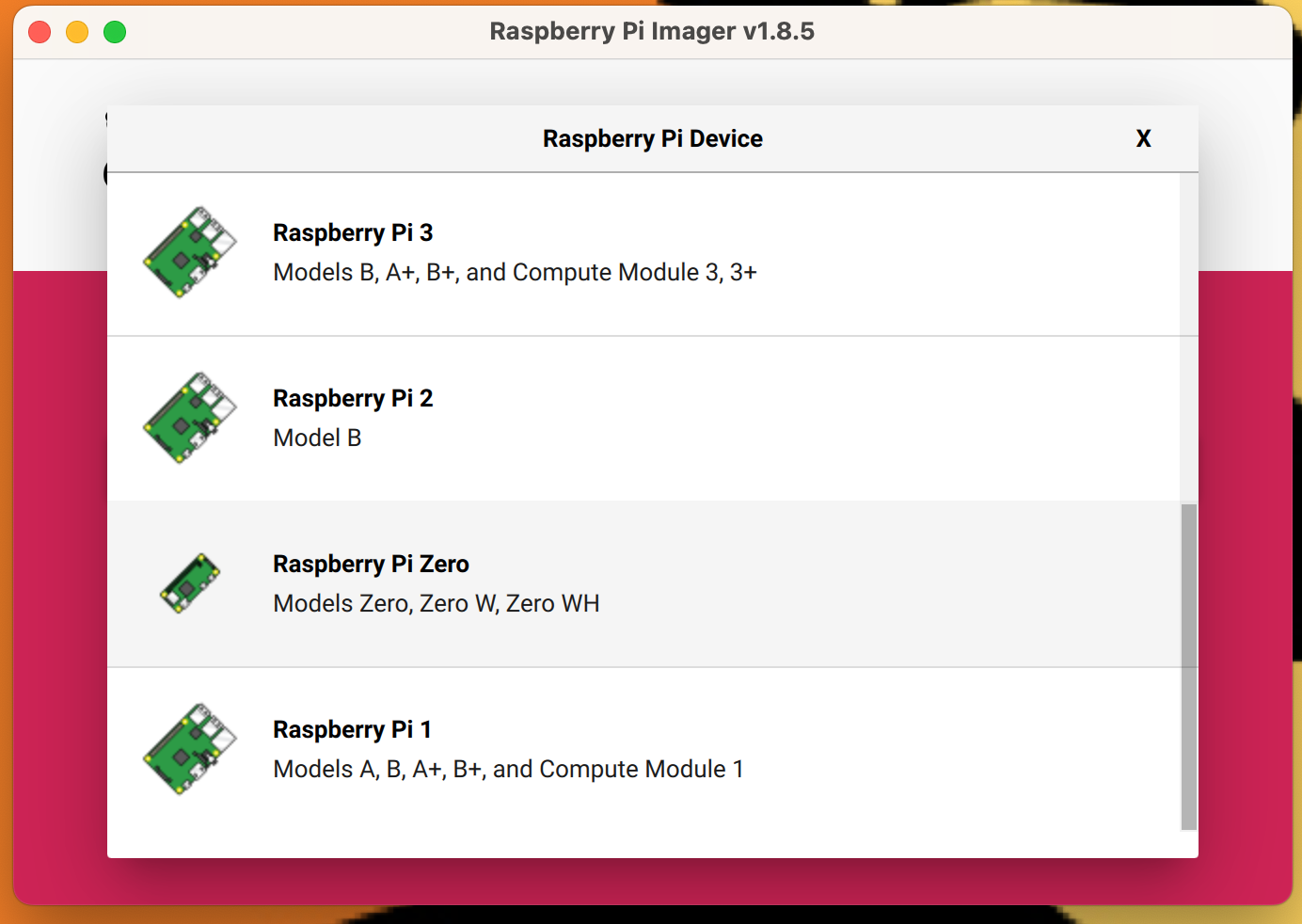
Click on the Raspberry Pi Device being used, mine was the Pi Zero
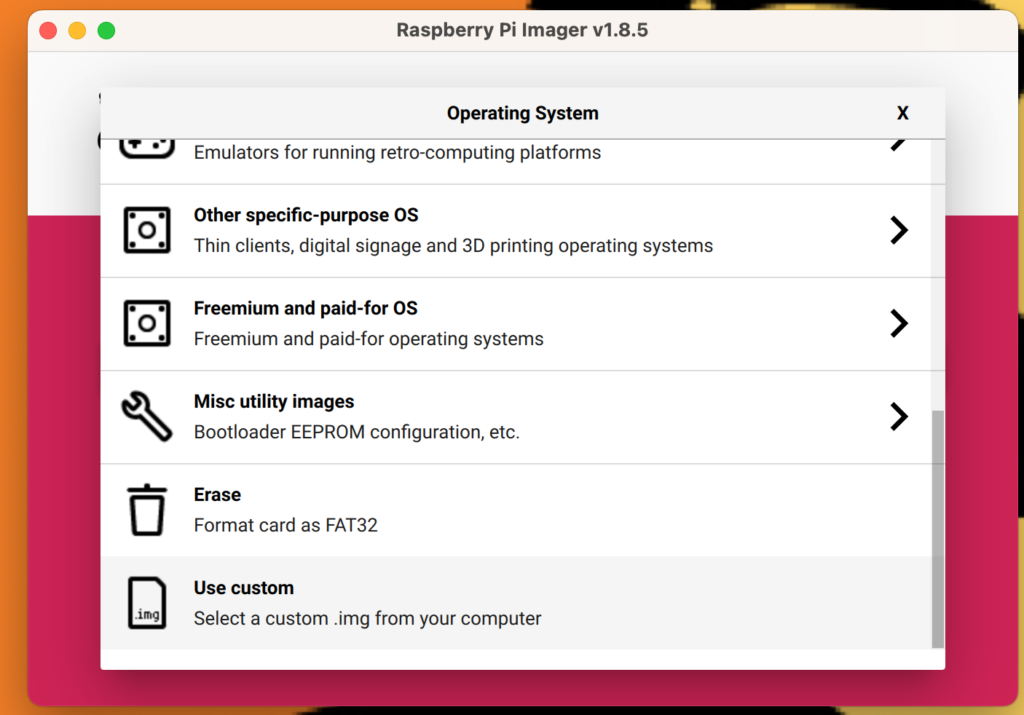
For operating system click on “Use Custom” and select the VIDEO_LOOPER_2.X.ZIP download
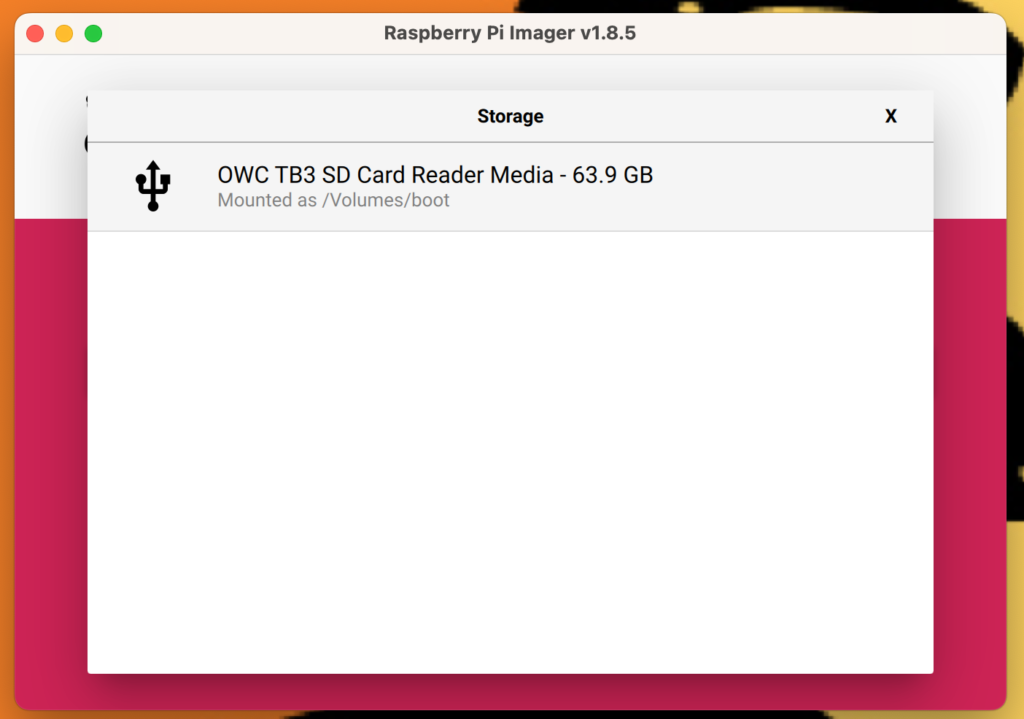
The micro SD storage device should be listed here
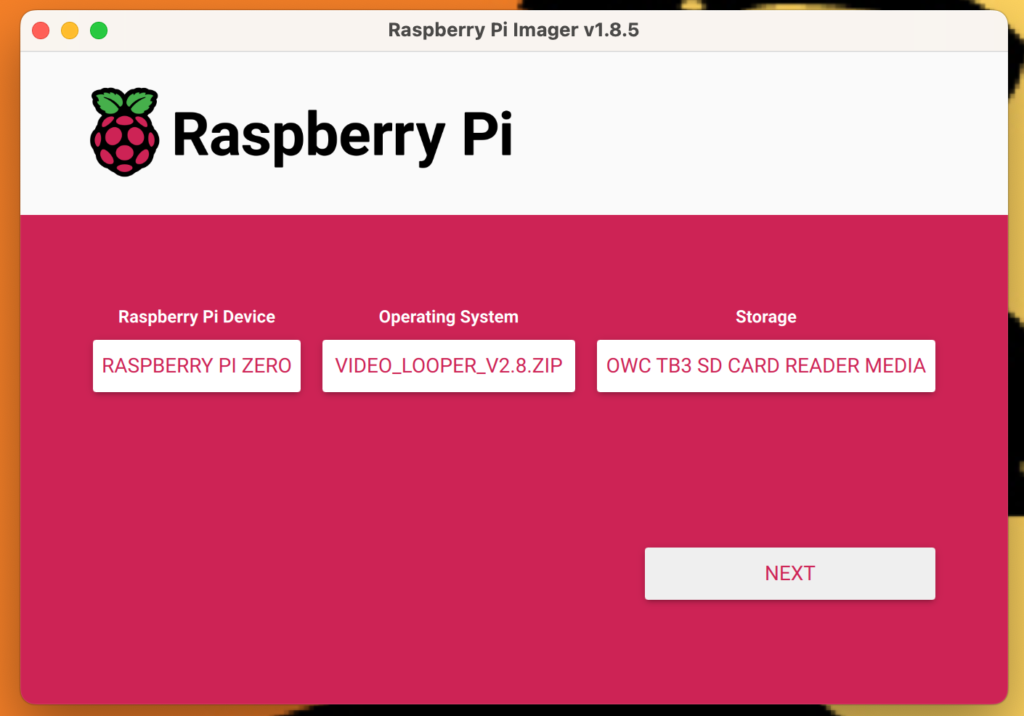
A screenshot of my selections before clicking “Next”

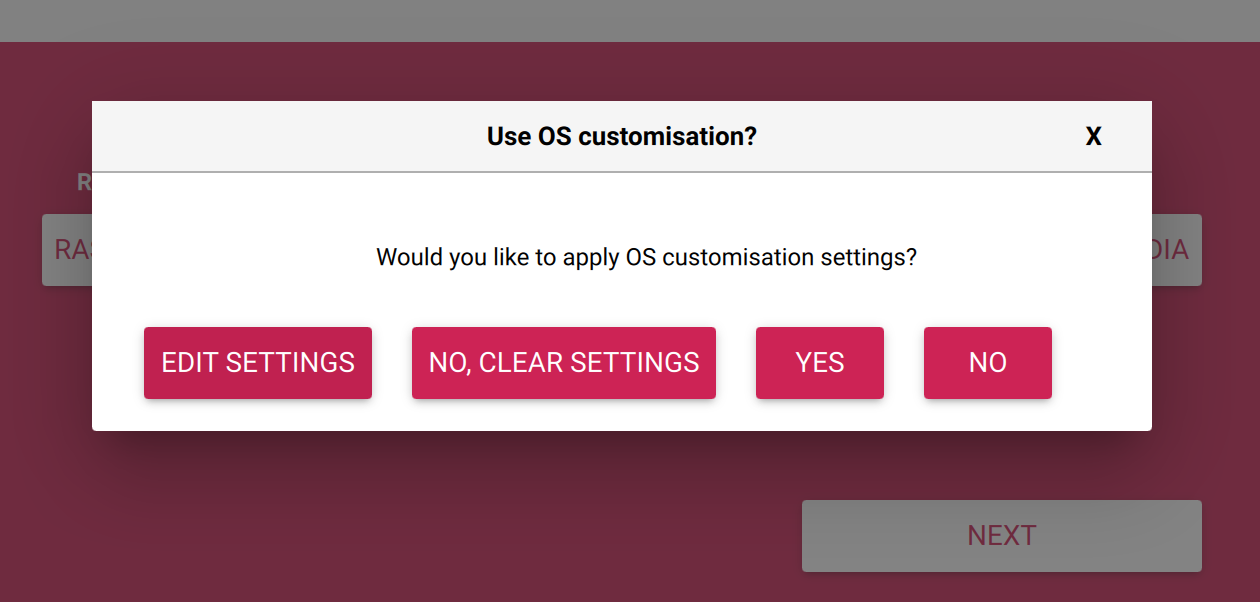
Once you click “Next” you will be given the option to customize the OS, click “Yes”:
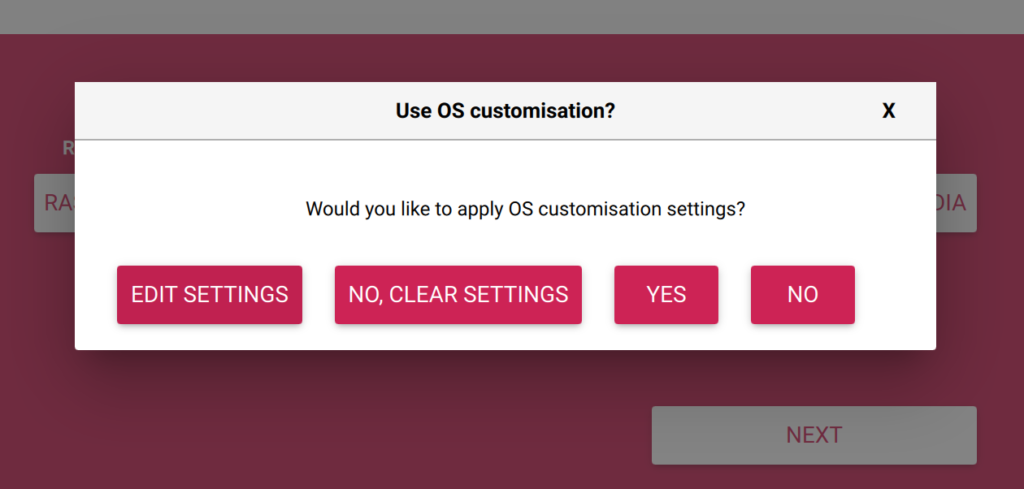
Image of a dialog box in which you need to click "Yes" to customize your OS configuration

Click “Yes” to customize your OS configuration

This will give you the options  to set your Raspberry Pi’s local hostname, which will make it easier to SFTP or SSH in if you don’t know the IP address. That said, at boot up my Zero Pi does give me the local IP address. You can also change the default OS username (pi) and password (raspberry) to something you can remember and is a bit safer. You also have the option to have the wireless connect to the network automatically at boot up.
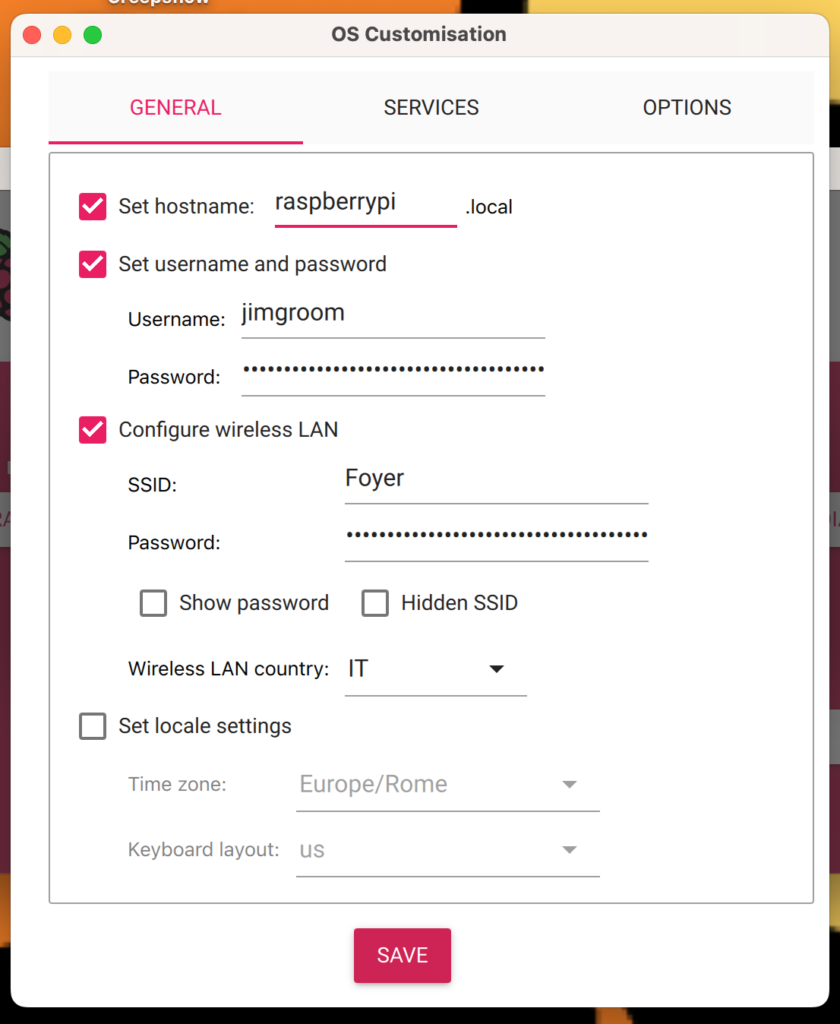
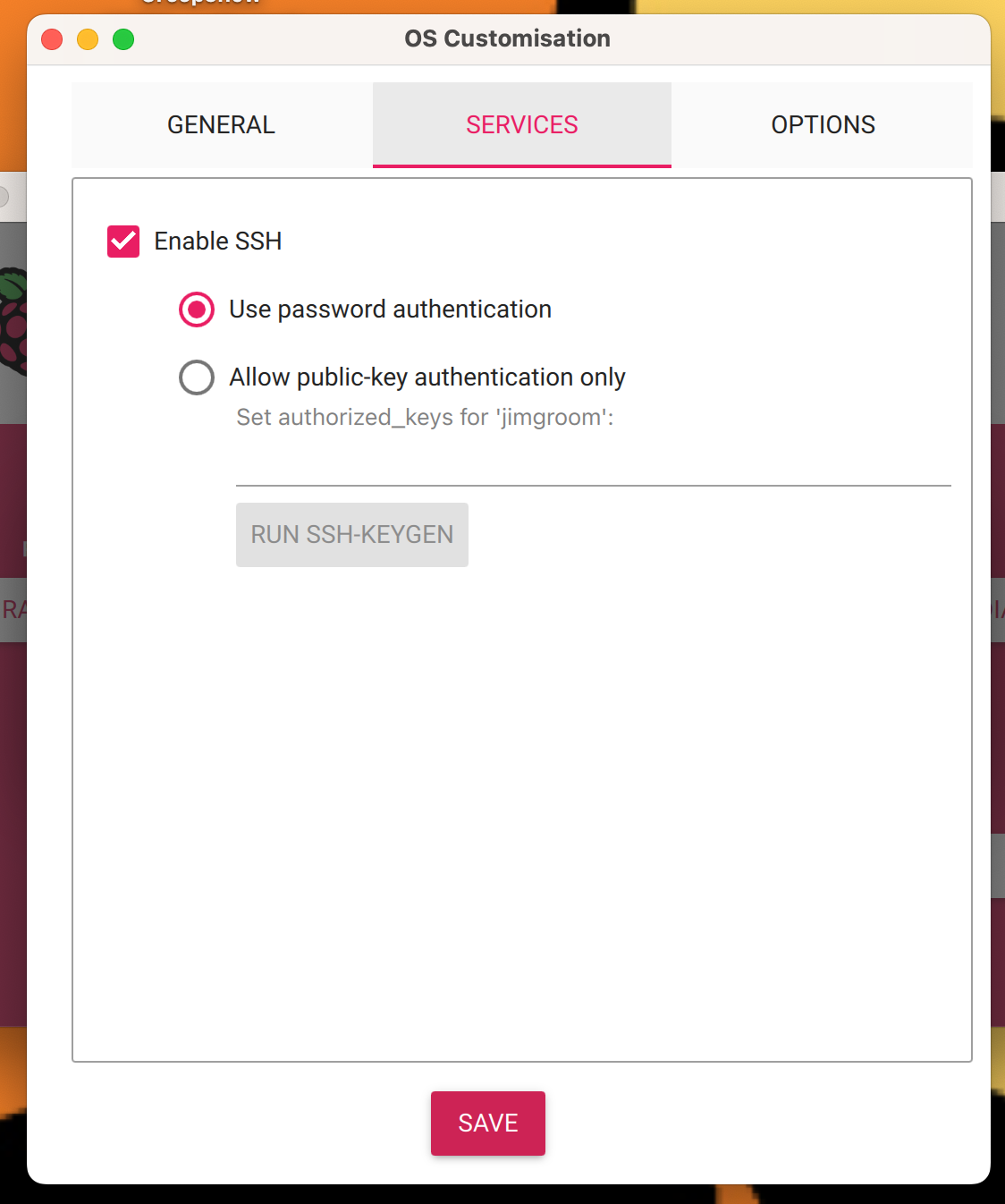
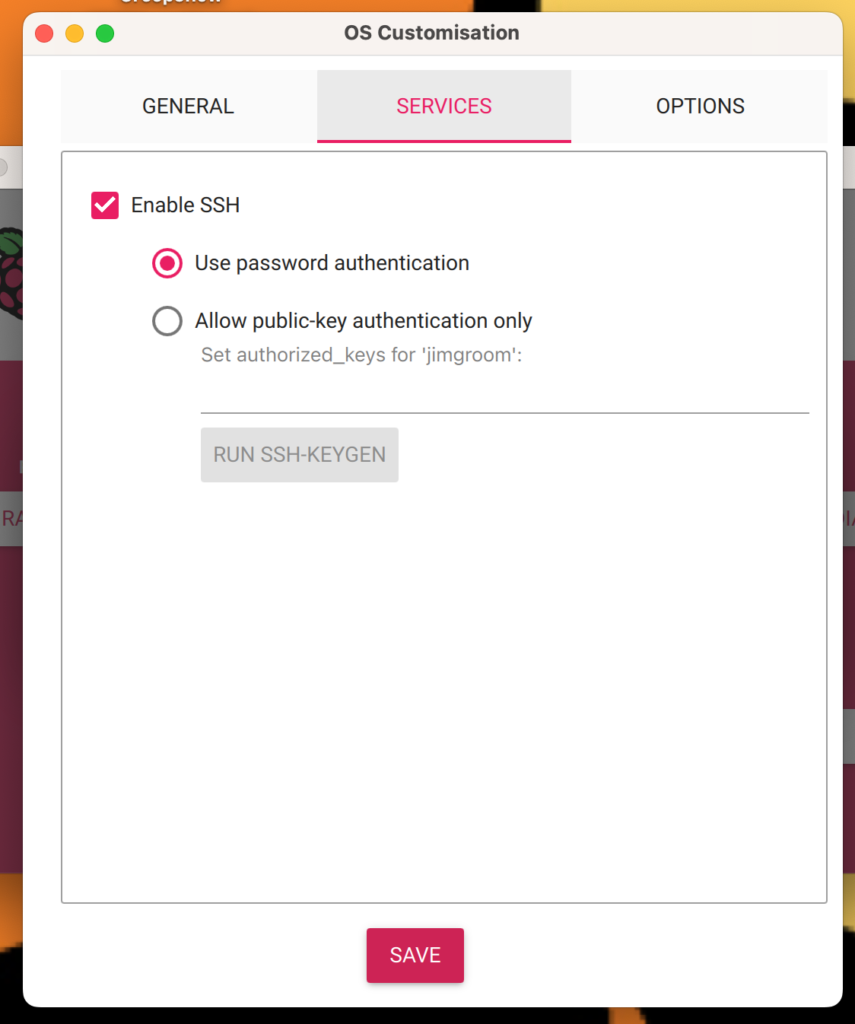
The other piece, and arguably most important, is making sure that you have SSH enabled under the Services tab of OS Customisation. This will allow you to remote into the Pi using terminal (or your SSH/SFTP app of choice). I opted for password authentication because password keys still trip me up:
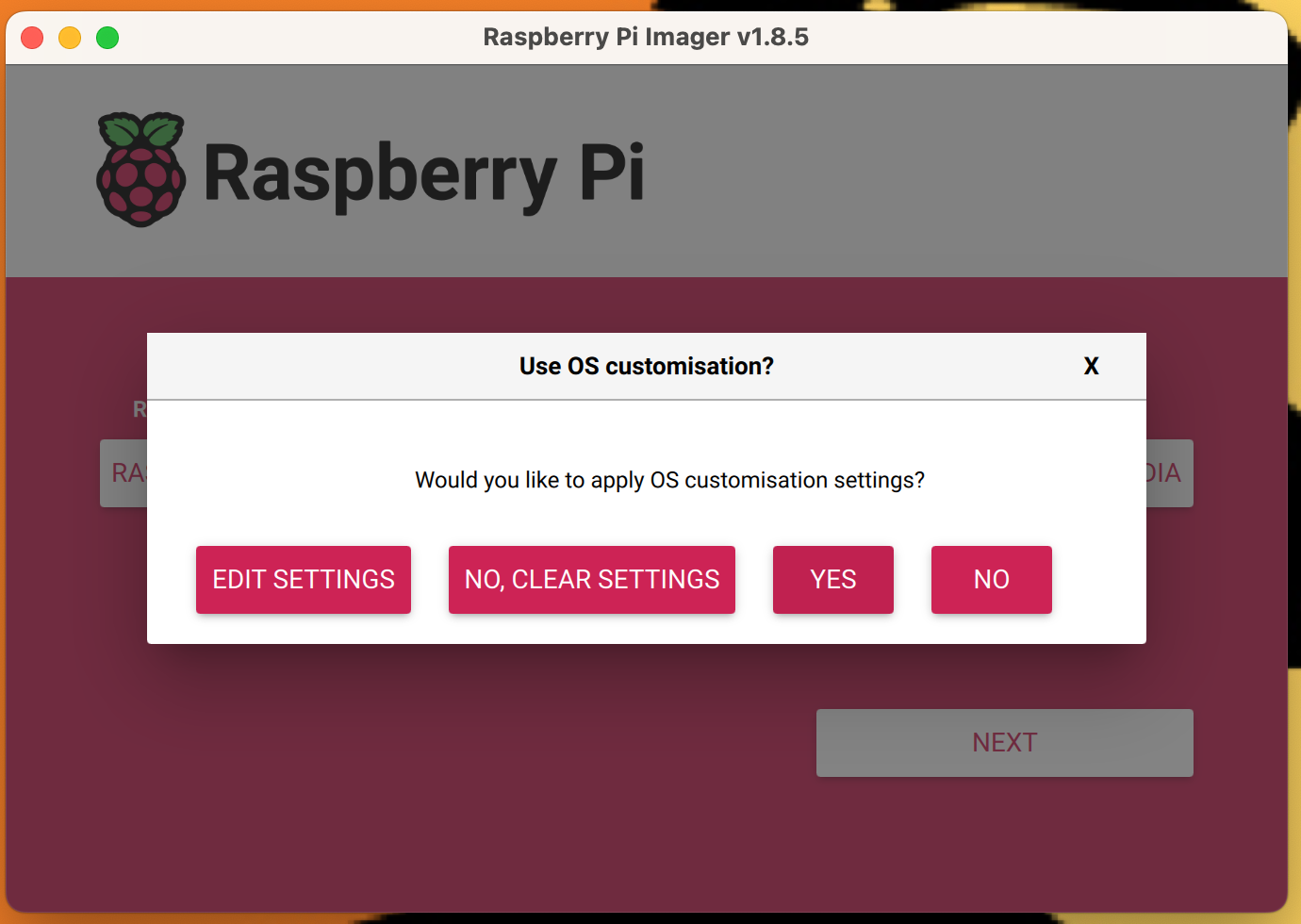
After that I apply the customizations by answering “Yes”:
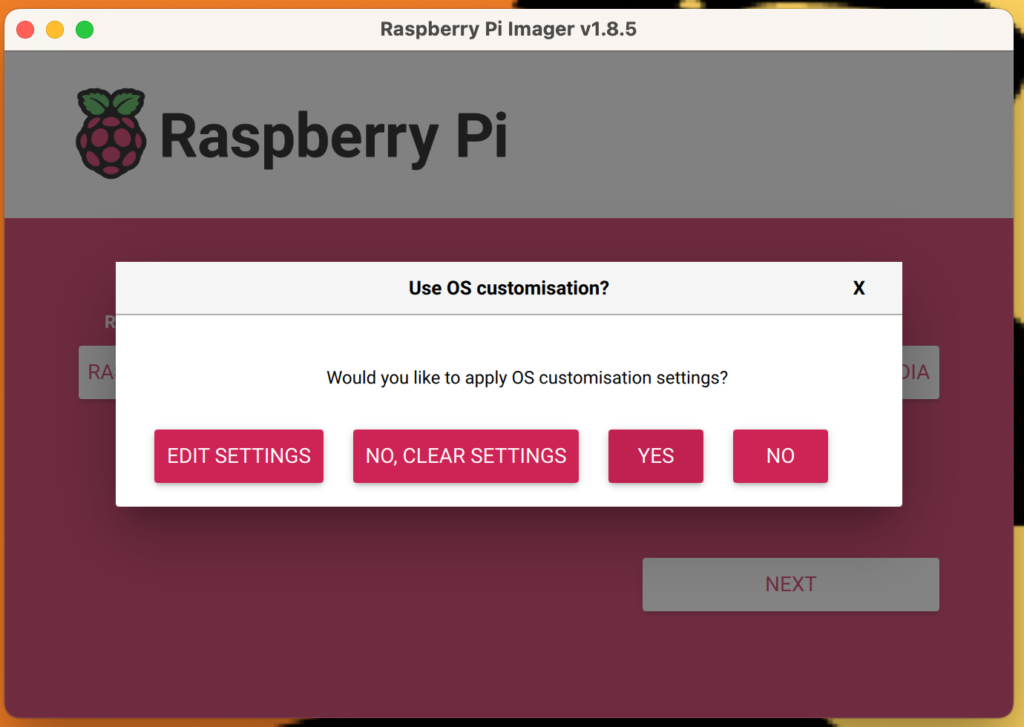
Click “Yes” to apply customizations

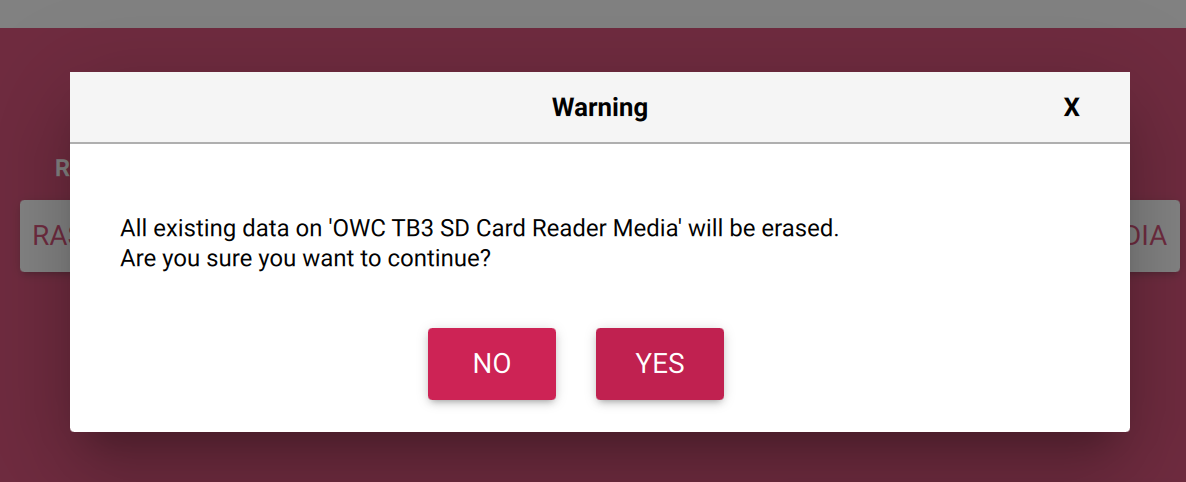
The next dialogue box will warn you about losing all existing data on Micro SD disk,‡ which you can answer yes given it’s assumed the disk is empty. If you have data on the disk you will need to back it up because everything will be erased when the OS is installed.
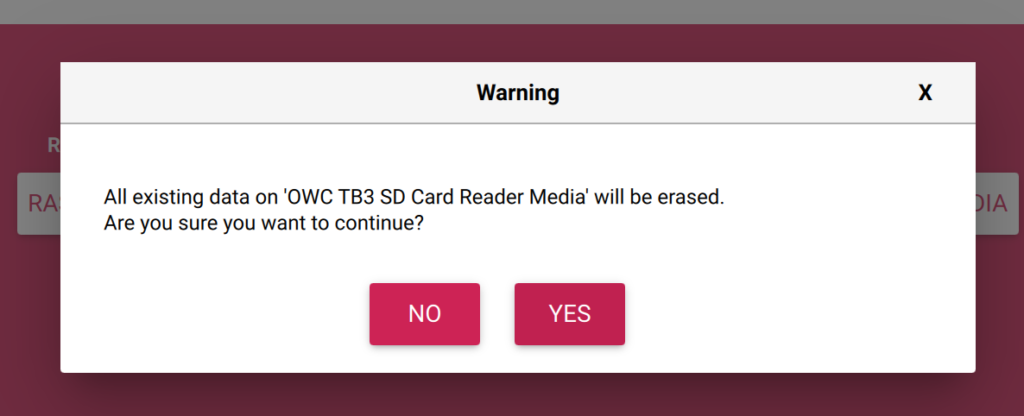
SD Card to be erased warning that can be ignored

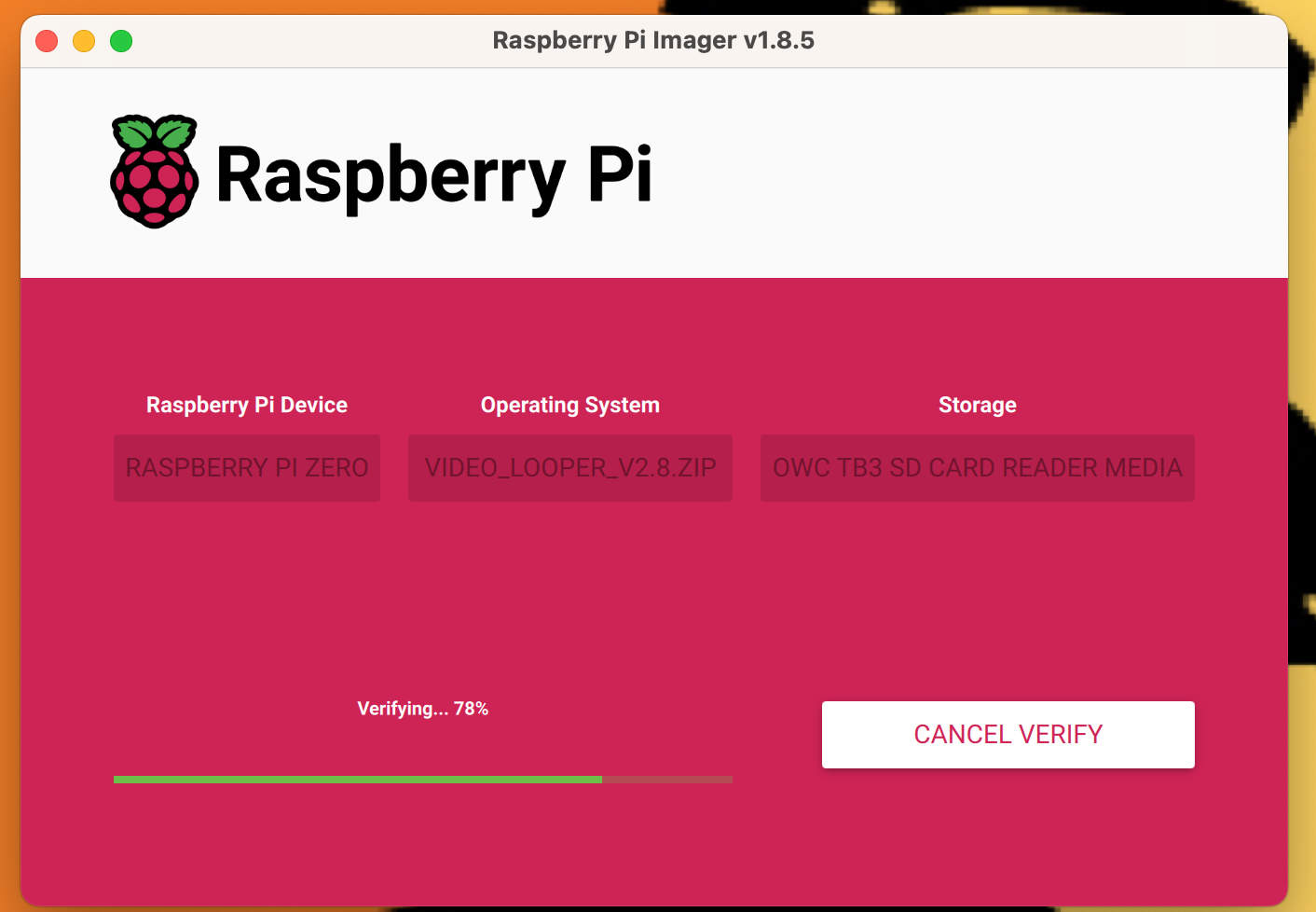
After that the disk will both be written and verified:
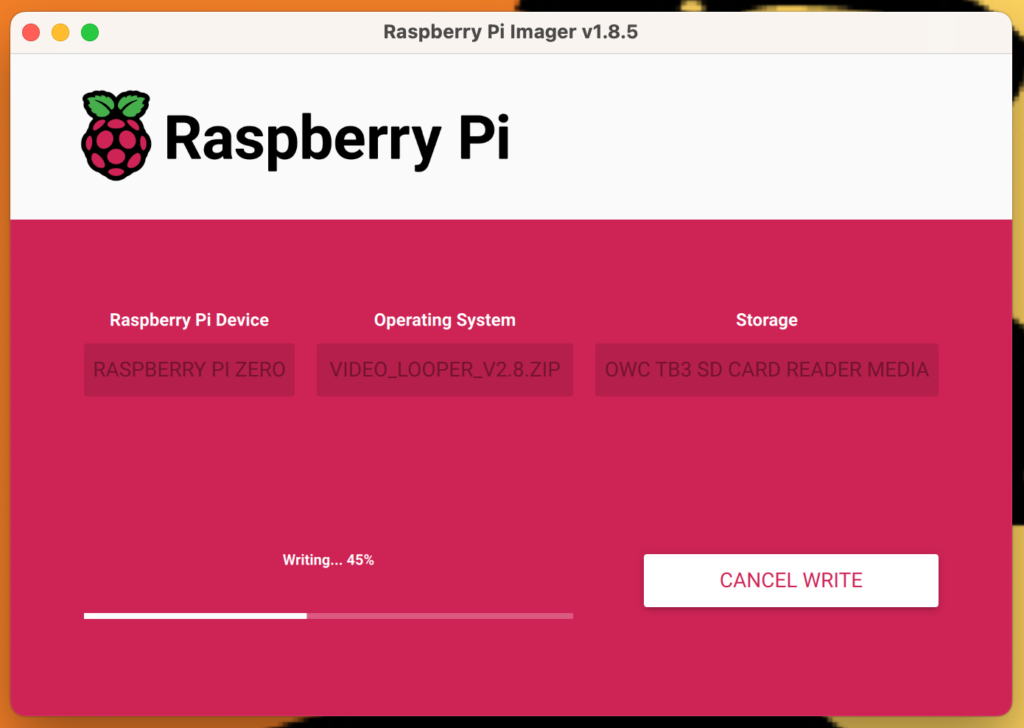
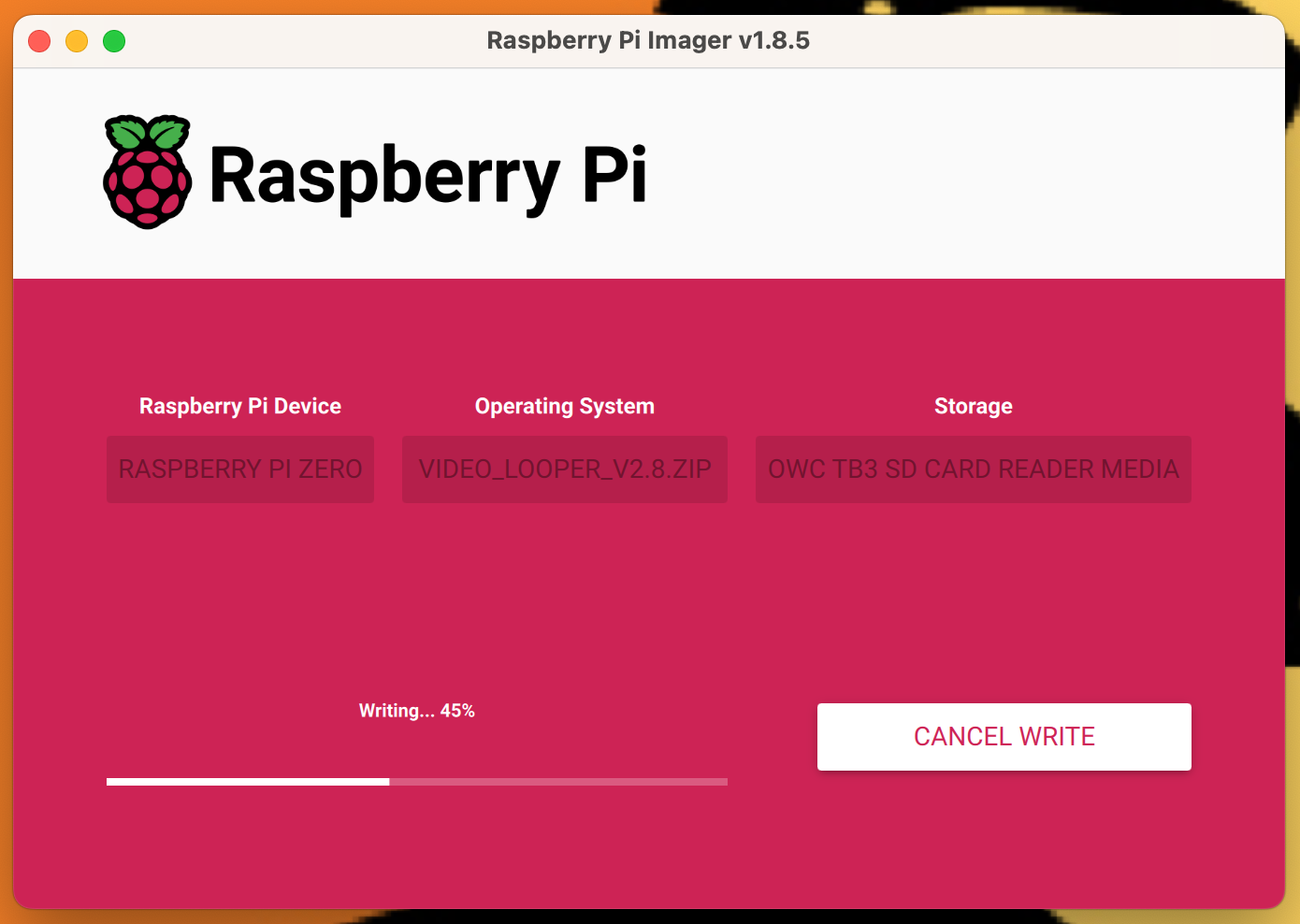
Raspberry Pi Imager writing disk
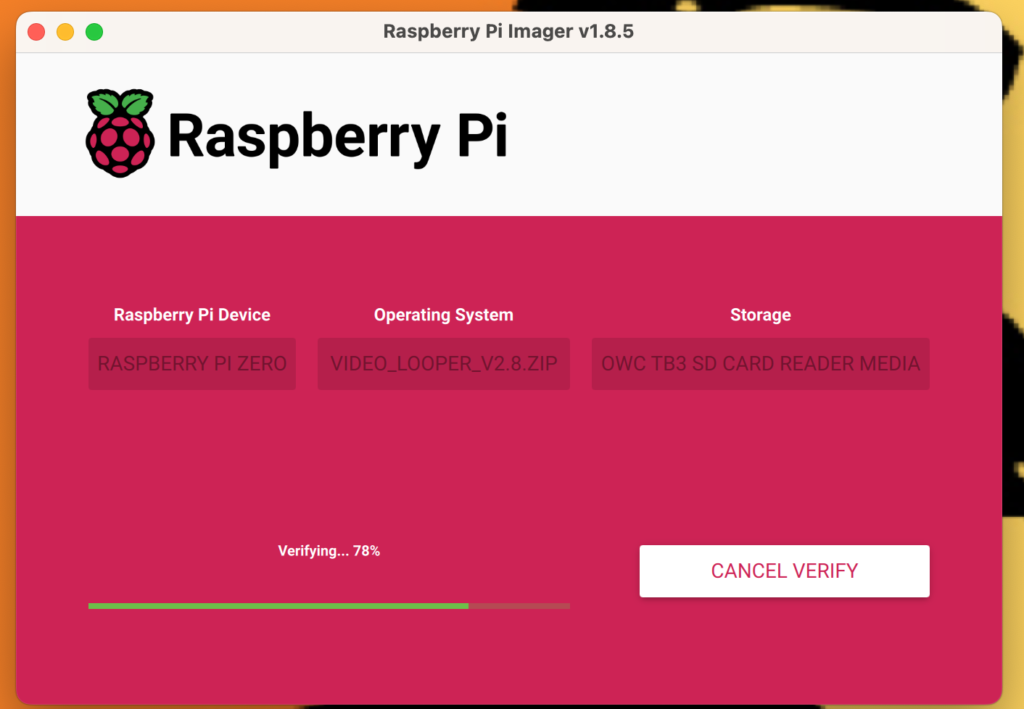
Raspberry Pi Imager verifying disk

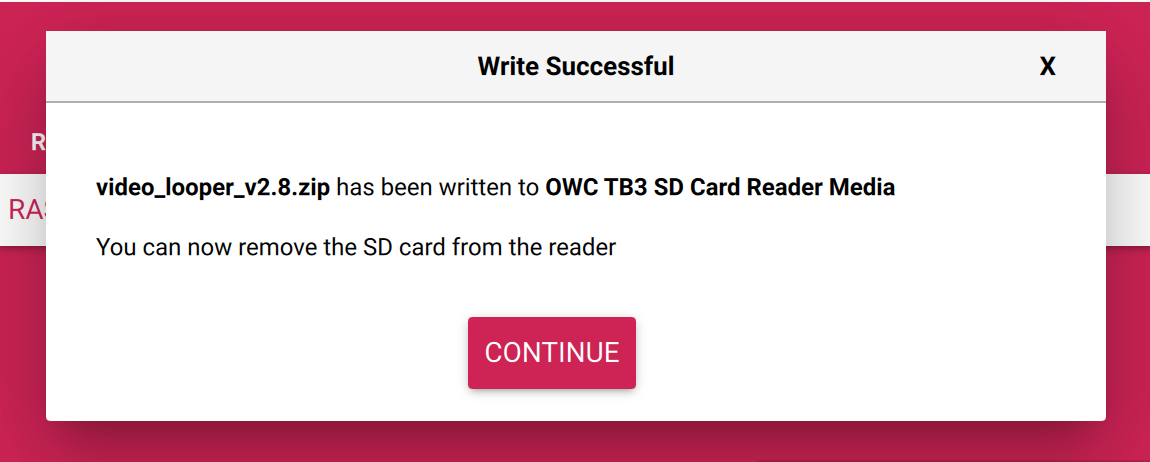
Once finished, you will be prompted to remove the SD card from your computer and insert it in the Raspberry Pi.
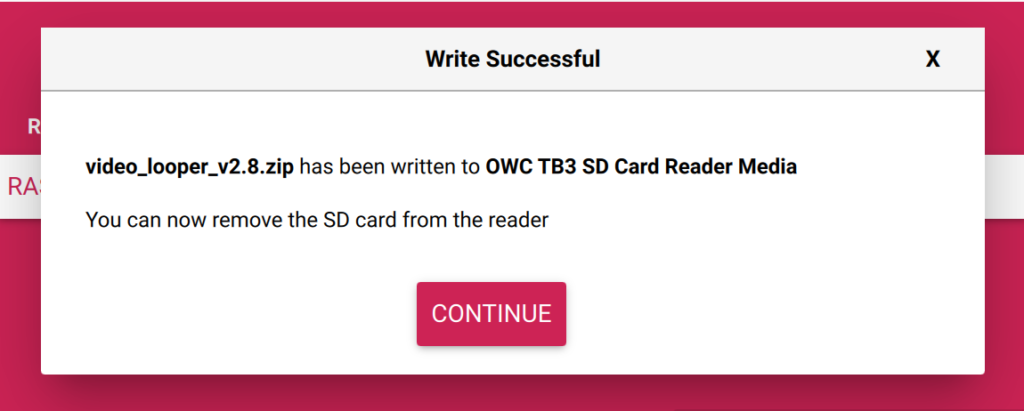
You can now remove SD Card from your computer and insert it in the Pi

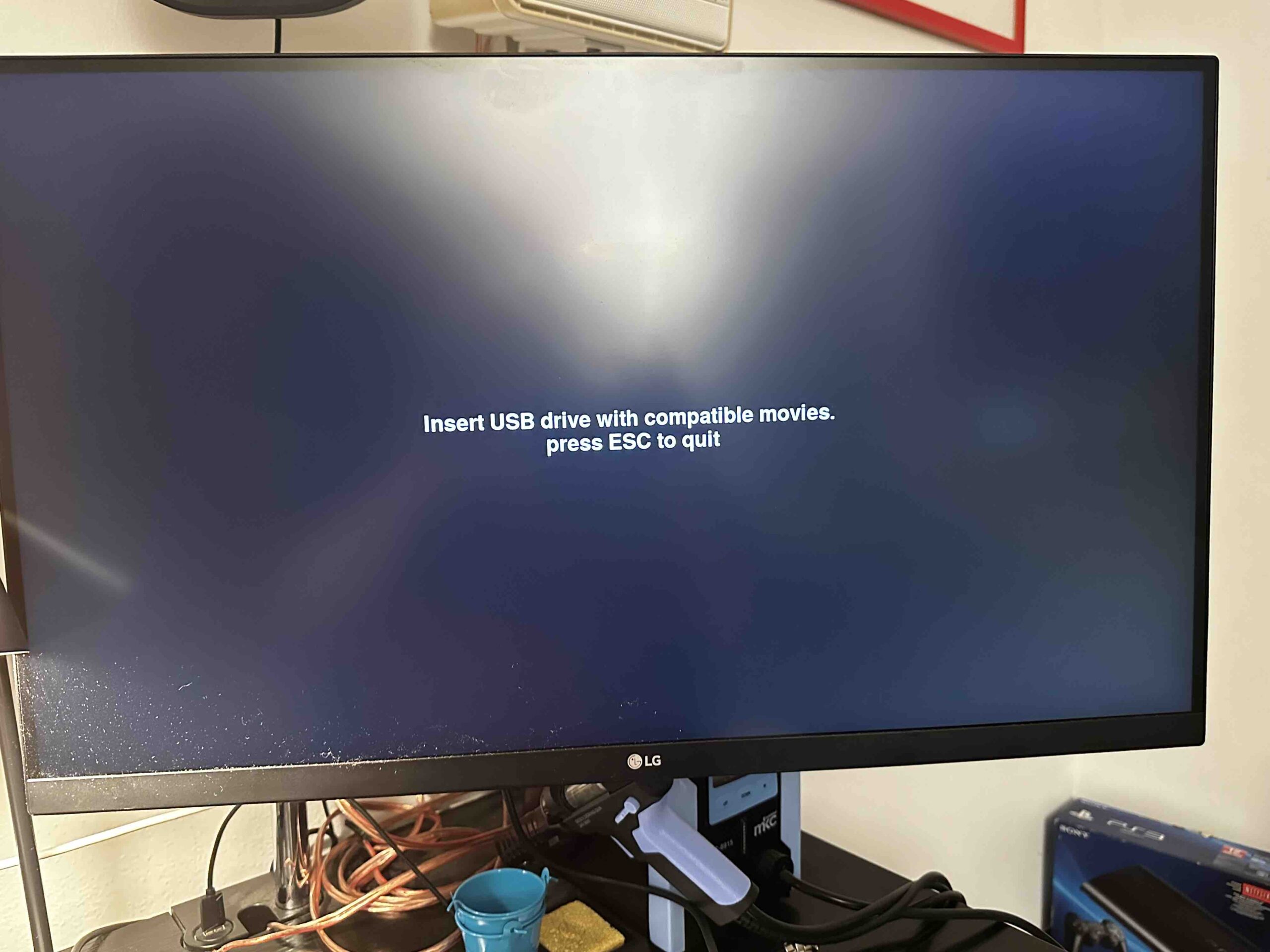
After booting§ the Raspberry Pi you should see a screen like this after boot, which suggests the setup went swimmingly:
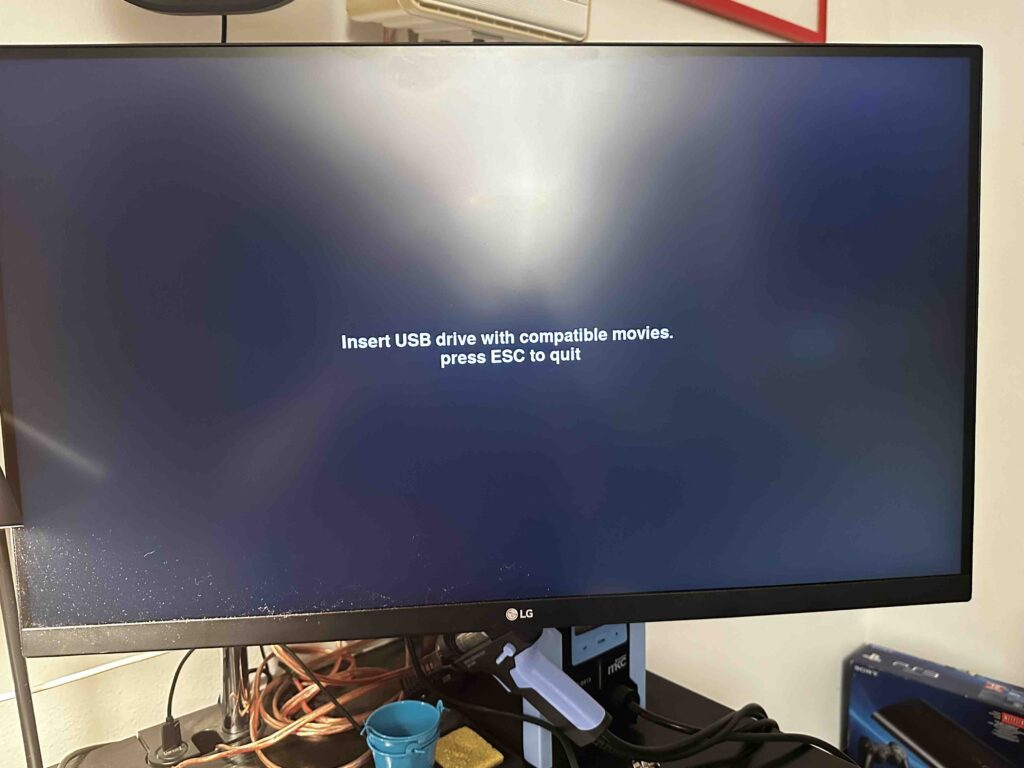
“Insert USB with compatible movies” means the Pi Video Looper was setup correctly, and you are now ready to edit the video_looper.ini file

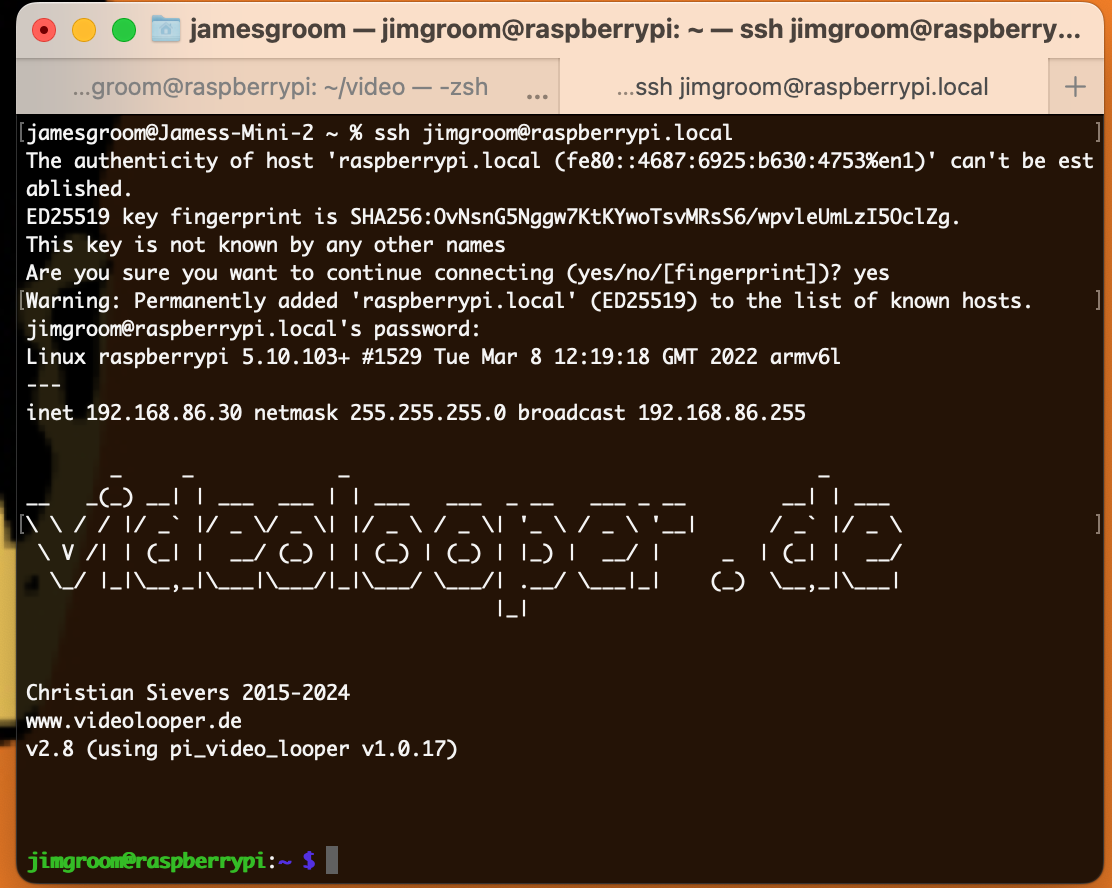
At this point you are ready to either SSH or SFTP in using the details setup when customizing the OS. For example, the above specified localhost, username and password will allow me to access my Pi Zero via SSH as follows:

ssh [email protected]

After which a password prompt appears, and once you enter it the screen should look something like the following:
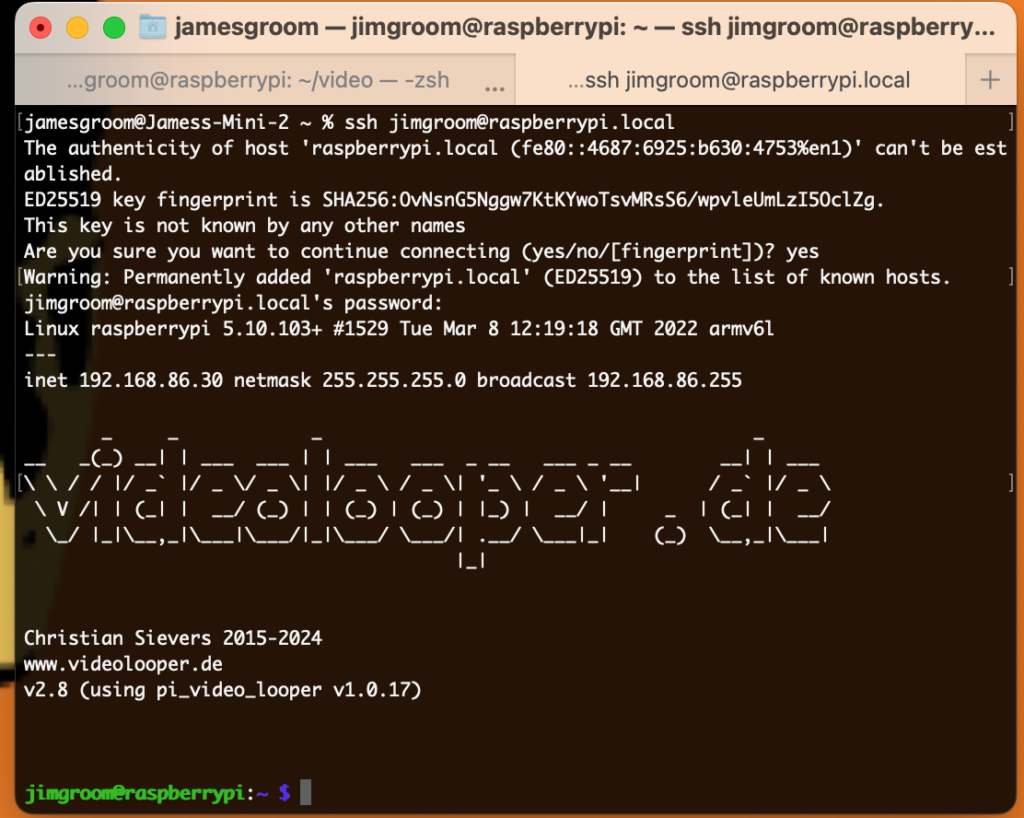
SSH access to raspberry pi using raspberrypi.local hostname

If you changed none of the settings save enabling SSH, the default username is pi and the hostname would be an IP address—with the caveat that the IP address will probably not be what’s shown below (the IP appears at boot up of the program, so be sure to note it):

ssh [email protected]

The default password is raspberry —that should get you command line access. After that you would need to update the permissions of the /home/pi/video folder if you did not change the username, and /home/jimgroom/video if you changed it to a unique name like jimgroom. The jimgroom directory would be reflective of whatever you named your raspberry pi user in the customization settings—so this will vary. You can navigate into the user directory and then run the following command to update ownership of the video directory, replacing jimgroom with whatever your new username is:

sudo chown -R jimgroom:jimgroom video

Changing ownership of video directory if you changed the pi’s username, and remember to use sudo

Once the video directory ownership is changed you should be able to upload files to the video directory. Now that that’s done,  edit the video_looper.ini file in the boot directory:

sudo nano /boot/video_looper.ini

Here you need to change two things:

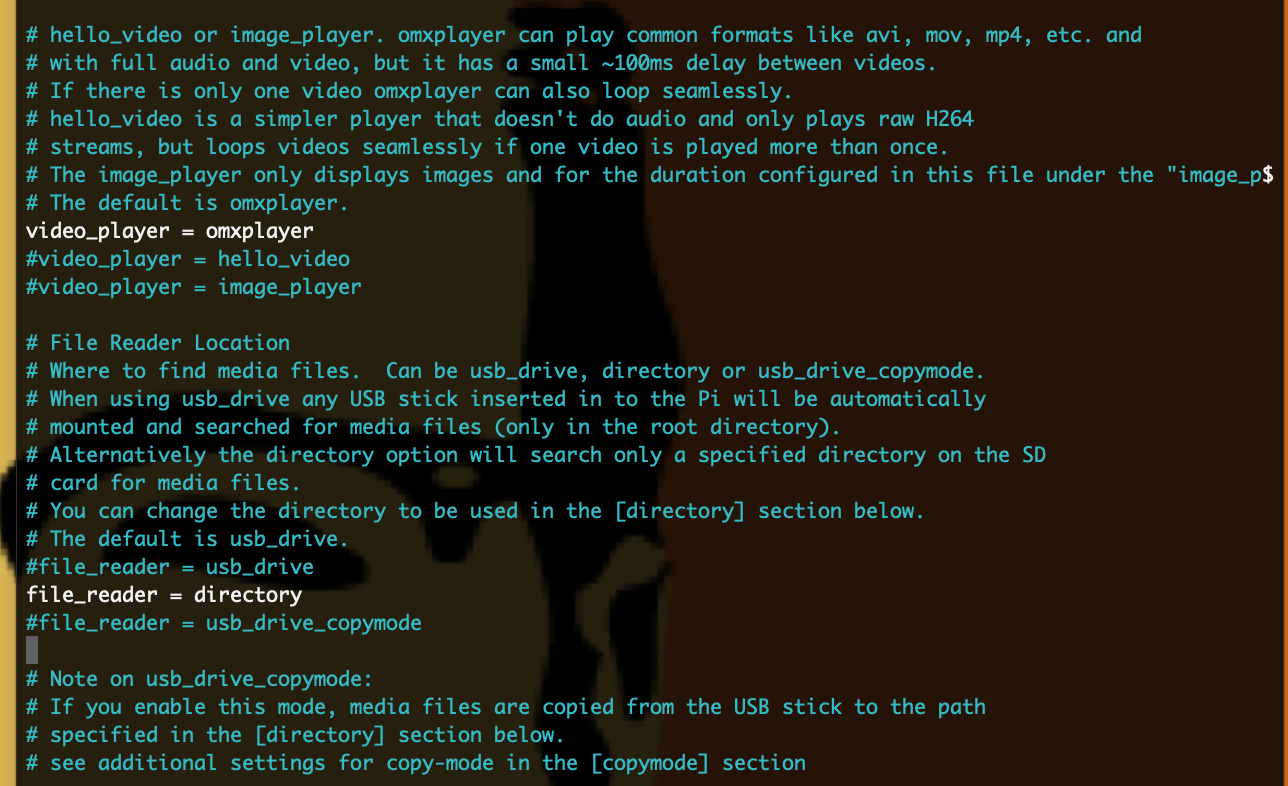
  1. Assuming you are loading video and image files directly from the pi, rather than a USB drive, comment out the file_reader = usb_drive and then remove the hashtag in front of file_reader = directory
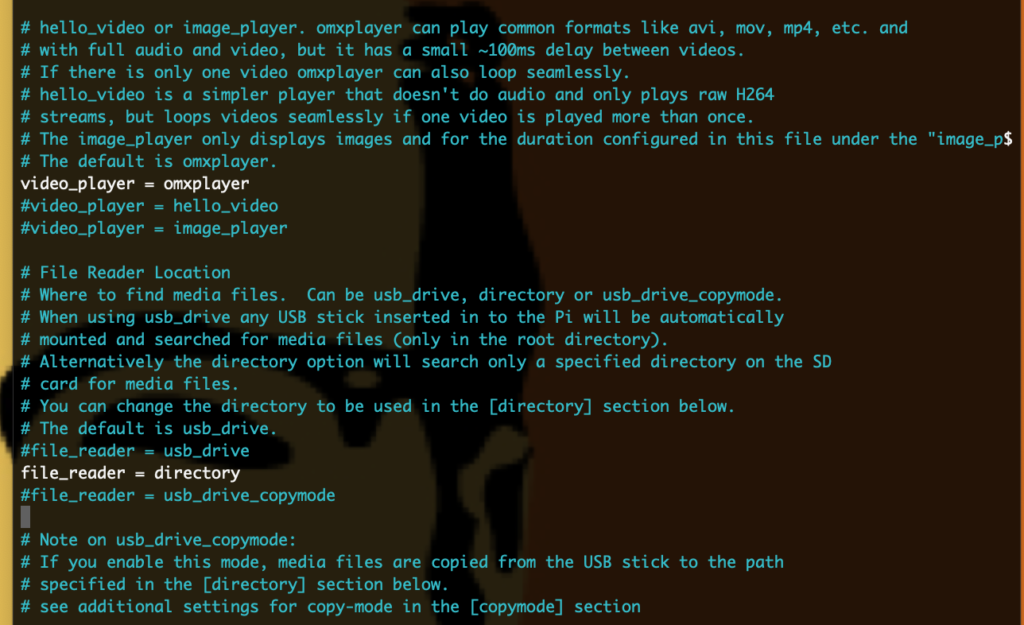
    Editing video_looper.ini to default to video directory rather than USB drive

  2. If you changed your username, change the directory videos are stored from /home/pi/video to /home/[username]/video using the username you created:
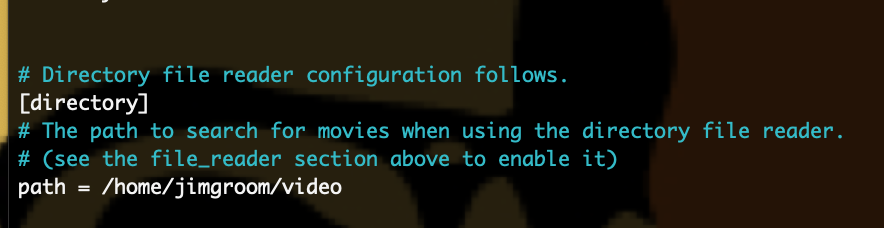
    Update directory path of where videos are stored locally on pi

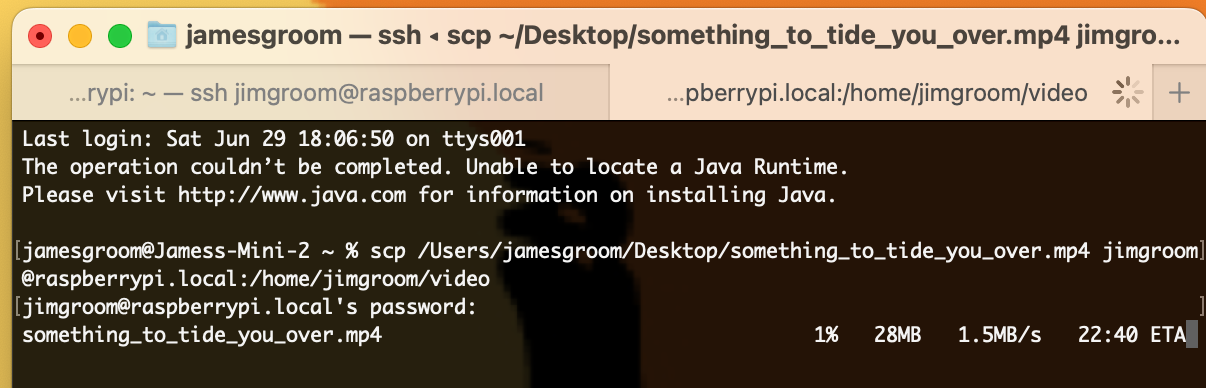
After that, you can copy files to the directory from your computer by accessing the terminal on your non-Pi computer and running a scp command like the following:

scp /path/to/video/file.mp4 [email protected]:/home/jimgroom/video
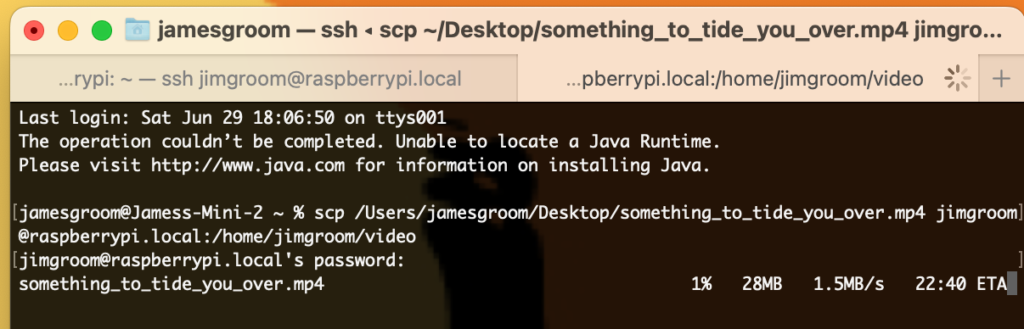
Command to copy local files to your video directory on the Raspberry Pi

Now if command line is not your game, then you can do most of the above via your FTP client using the following details:

  • hostname: IP address or hostname you specified in customization options
  • username: pi (default) or whatever you specified, in my case jimgroom
  • password: raspberry (default) or whatever you specified in customization options
  • port: 22

SFTP gives you a more familiar file structure to work with, and will log you into the /home/[username] directory. If you changed your username in the customizations options you will still need to change ownership of the  video directory via command line before you can start uploading files. Also, accessing the /boot directory to edit the video_looper.ini file should be pretty straightforward via FTP—the boot directory is at the same level as the home directory, for reference.

That should at least get you started with accessing the file system of the Raspberry Pi via a Mac, just keep in mind that Raspberry Pi’s OS is a Linux operating system, so directory and file structures of a more robust Linux machine—along with the commands—will directly apply. This also means that some of my slow, but fairly steady, understanding of Linux servers is finally paying off on these side projects, which makes me very happy.

_______________________________

*As it so happens, we learned about this cool use of a Raspberry Pi back in 2015 from Michael Branson Smith (MBS). He used this software and setup it to create his awesome day of 1980s programming for the UMW Console Living Room project. All hail MBS!

†That said, I’ve been playing with the possibility of having a motion detector switch the video on the TV, but that might be a “stretch goal,” as MBS has told me 🙂

‡The recommended Micro SD card is 8GB-32GB for the Zero Pi, but a 64GB card I had hanging around worked fine, so larger is not an issue, but it might be a waste.

§One of the quirks of the Zero Pi is that there is no power indication led until the SD card is inserted—this confused me given after plugging just the micro USB into a power source there was no indicator so I thought it was dead, but turns out it just needed a bootable micro SD card, who knew?

Posted in bavastudio, video | Tagged , , , , | 6 Comments