We’ve been lucky enough to hook up with Ben and Erin, and even spent time together at the Reclaim Your Domain Hackathon in LA, to get up and running with Known. Since August we’ve been working together to use Known as the syndication hub for the Wire106 course I’m teaching at UMW. It puts students in control of authoring in their own space, allowing them to push their work to a variety of social media networks like Twitter, SoundCloud, Facebook, and Flickr. Additionally, they can also push to a course hub, dramatically changing how simple it is to aggregate student work for a given course.
And that’s not the only Known experiment happening at UMW this semester. English professor Zach Whalen picked up on its value immediately, and is using it in his Digital Studies 101 course as well. Jeff McClurken‘s Infoage students are considering incorporating it into a database project later this semester. I also know Sue Fernsebner is fired up to explore it in the Spring.
And it doesn’t stop there, David Morgen—the man behind Emory University’s Domain of One’s Own project—was exploring what Known might mean for simplifying syndication with Tim Owens and I just this morning. Fact is, this is a very compelling piece of software for demonstrating the tenets of the indieweb in a practical and relevant way. What has been central to the publishing philosophy we’ve been pushing at UMW for many years is embodied in the logic behind Known: 1) control your own work, and 2) syndicate it far and wide. It would be nothing short of revolutionary for the work we’re doing with Domain of One’s Own if it became dead simple for an entire campus to do both these things with Known.
This week’s assignment and directions were broadcast via #ds106radio earlier this afternoon, and you can listen to that 20 minute discussion for an overview of this week below. Be sure to listen, all the details in that discussion will not be covered in the text of this post.
First Things First: ToDo List
The Wire Episodes: We will be watching episodes 3, 4, and 5 of Season 2 this week. You know where to find them
Video Discussion: Sign-up to join here. Remember, you have to be a part of at least 3 video discussions before the semester ends:
You need to complete 2 Daily Creates this week (I said 3 in the broadcast, but I am changing that to 2).
You need to blog about the Jennifer Ralston Interview (Thoughts/Ideas Category).
You need to complete 3 audio assignment worth at least 7 stars.
You need to brainstorm an idea for a 20-30 minute Wire-themed radio show (Thoughts/Ideas Category).
You need to listen to, and live tweet along with, at least one of this week’s The Wire episode’s happening this Tues/Weds/Thur at 9 PM on http://ds106rad.io/listen
All audio assignment need to be sent to SoundCloud, twitter, and the Wire106 hub through your Known account—then write-up your assignment and tag it properly in your blog
Diving into Audio
This unit in ds106 we’re going to be diving into our first storytelling genre: audio. Working with sound often seems daunting, so we’ll be easing you into by focusing first on our listening. Nearly all previous ds106 students start here dreading audio, and in a few weeks they totally change their mind once they understand by experience the power of creating in and manipulating it as deftly as the edit text in a word processor.
We’ll ask you to do some listening exercises as well as complete some basic audio story editing. By the end of the unit, we suggest you to start forming groups for the mid-course project: creating a 20-30 minute radio show. More on that below. You’ll have several weeks to work on this project, and we’ll be returning to audio in greater depth by week 7.
Learning to Listen: Jennifer Ralston on Sound Editing The Wire
We have a special treat this week. Jennifer Ralston, sound editor for The Wire series (amongst many others), was kind enough to take an hour out of her life and talk with Paul and I about her work on the series. She does a few close readings of scenes from Season 1, and her observations and insights about listening closely and creating rich soundscapes are amazing. Listen to the entire interview, and then blog your reflections on this interview. Categorize this post under Thoughts/Ideas.
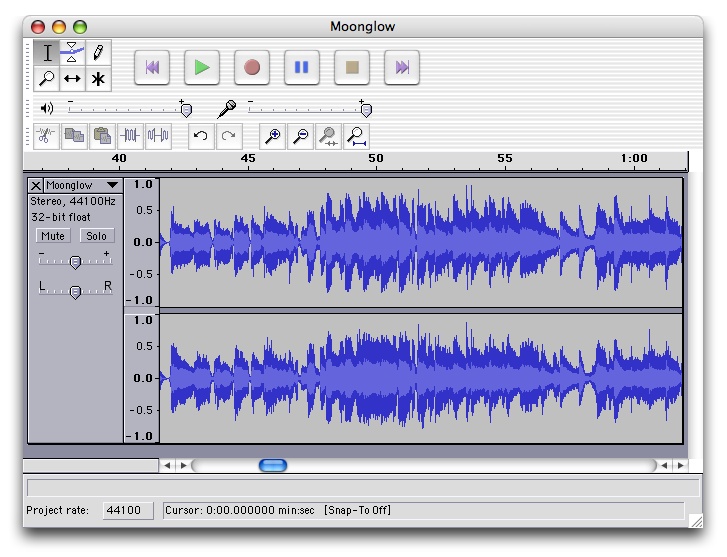
The way we run ds106 is that we never require use of any single software, but most highly recommend using Audacity for audio editing, the open source (free) audio editing software. Besides having many useful tools, a key features is its ability for multitrack editing, so you can layer your sounds. If you have other software available to you, by means use it!
The ds106 toolbox has a growing set of resources audio editing and sources of free audio to use. If you have suggestions, just leave a comment on tool page and we will add it to the box.
You should already have an account on SoundCloud, a site you will be using to share your audio assignments http://soundcloud.com (if you have a smart phone, you may want to also get the SoundCloud app for recording audio).
Create an account on Freesounds, a site for creative commons licensed sound effects http://www.freesound.org/
Your First Audio Stories (3 Audio Assignments totaling 7 stars)
This week we want you to get your feet wet with creating three audio assignments worth 7 stars in total; these will come from the Audio Assignments category of the ds106 Assignment Bank. If you are looking for ideas for what to do for these assignments, below are a couple of good starters, but, as always, feel free to create your own if you don’t find anything you like:
Create a DS106 Radio Bumper. Once you’ve familiarized yourself with ds106 radio, try your hand at making your first radio “bumper” – a 10-30 second short audio that announces a radio station that is played between songs to remind listeners what they are tuned in to.This should be saved as an MP3 file, and then upload it to SoundCloud. Make sure in Soundcloud that you enable to option to allow downloads (so we can add it to ds106 radio!) Your audio must be embedded in your blog post summary of this assignment. You can embed Soundcloud audio just like you have done for YouTube and flickr, put the plain text URL on its own line, and when you publish, WordPress will create a player to allow visitors to listen (on non WordPress platforms, you should look for embed code to copy to your site)
Create a sound effect story. This is a challenge to tell a short story (no longer than 60 seconds) using nothing but sound effects! Again, upload it to SoundCloud and make sure you embed your audio in your assignment post.
Share each of these contributions in separate posts on your blog, and tag them according to the instructions on their assignment page. The tags are important– for example the two tags for the Sound Effects Story are AudioAssignments and AudioAssignments70— as they enable us to list your blog post as an example completed for that assignment. Also, be sure to document your process. What was your thinking? How did you do it? A note about process. Etc.
“Listening to The Wire on ds106 Radio”
Understanding audio storytelling and the concept of radio means also learning how to be a participant by listening to ds106 radio, an internet radio station created for ds106 by Grant Potter, but open to a wide range of uses beyond this class.
This week we will be broadcasting just the sound of episodes 3, 4, and 5 of The Wire on ds106radio. This will happen at 9 PM each starting Tuesday (episode 3), Wednesday (episode 4), and Thursday (episode 5). We will be expecting that you listen and live tweet at least one episode, and reflect on the soundscape of that episode. In order to get credit for this assignment, you need to live tweet using the #ds106radio hastag. It’s time to welcome the other half of #wire106 to Twitter, finally!
There are a number of methods to listen, try one of these:
Download one of the playlist links for low bandwidth 64kbps (slower internet connections like mobile or public wiki) or high bandwidth 128kbps (broadband internet) and open the file in a player like iTunes, Media Player, or VLC.
Engaging:
The best way to engage the broadcast is the #ds106radio hash tag in twitter (in Tweetdeck, if you have a column for #ds106, it will also pick up #ds106radio).
“Brainstorming a Wire-themed Radio show”
In a few weeks from now, you will be forming groups and creating a radio show as pre-recorded audio. In preparation, we want each of you to brainstorm an idea for a 20-30 minute radio show—somehow related to or inspired by The Wire—on your blog. This post can just be some ransom ideas, thoughts, and/or a rough sketch. We want this to be a space where you share your ideas and people start to congeal around a few so we can be prepared to form groups well before week 7. Categorize this under the Thoughts/Ideas category of your blog.
Additional Resources:
Radio may seem like old technology, but there is not much more powerful creativity done in a single media. Audio is effective when sounds generate stories in the minds of listeners– the audio you produce is not the whole story, it is in what the audio can evoke in the listener.
A few other experts on audio storytelling worth listening to are Ira Glass, host of This American Life, a weekly radio storytelling show on National Public Radio.
Below are links to Ira Glass’ Series on storytelling (all together they’re about 20 minutes):
For another point of view, listen to a short interview with Radiolab‘s Jad Abumrad on “How Radio Creates Empathy”:
Introduction to Audio Techniques
Some things to notice when listening to audio are the pacing (think of the equivalent of paragraphs in sound), the use of music, sound effects, ambient/environmental sounds, the introduction of radio “bumpers” to remind us of the show, introduction and exits. Of key importance is trying to hear the layering of sounds, of how audio can create a sense of place by being more than just a recording, but a deliberate stacking of audio.
For a great reference, you might listen to an episode of Howsound, the radio show that takes you behind the scenes to understand how these shows are produced- Dissecting Joanne Rosser, Papermaker.
As another example, we took out elements of an hour long episode of RadioLab, a 2007 show called Detective Stories, and uploaded a shorter version to Soundcloud, where the comments indicate how some of these are used in the show. See if you can pick these out in this example and then in other audio you listen to this unit.
Another technique that is counter-intuitive, is when sound is left out. Listen to this annotated clip, an intro to an episode of the TED Radio Hour, for what happens near the 3 minute mark when the background music suddenly stops
And, if that is not enough, among the open participants of ds106 is Scottlo, a guru of audio and radio technique. Scott was one of several ds106ers who gathered in the summer of 2013 in Kamloops, British Colombia for SoundCamp, a one day hands on experience in learning audio recording and editing technique– check out the SoundCamp site for audio resources and tutorials.
Also useful from Scottlo are archives from his daily series from the Summer ds106 Zone class of 2013, below are some selected episodes where he reviews audio and shares Audacity tips:
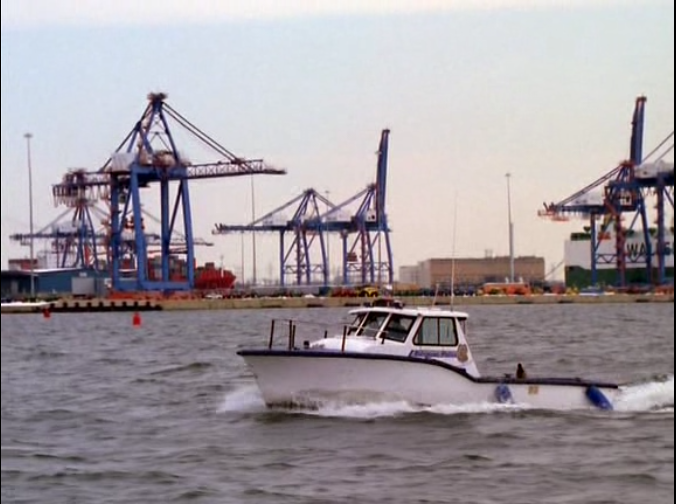
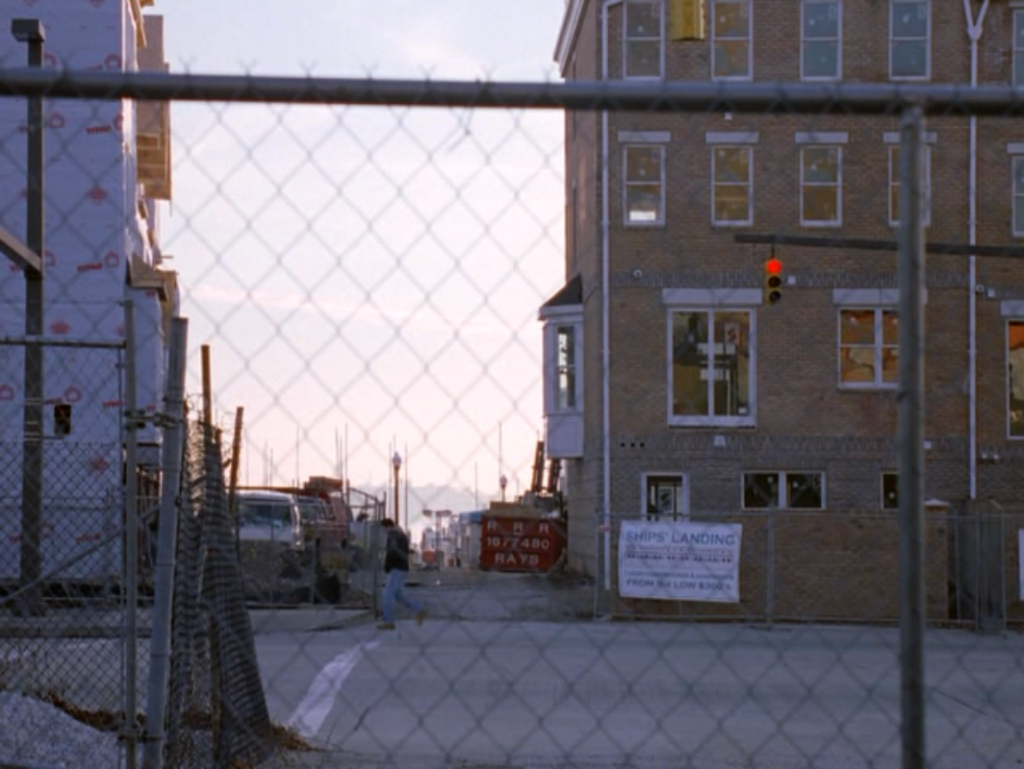
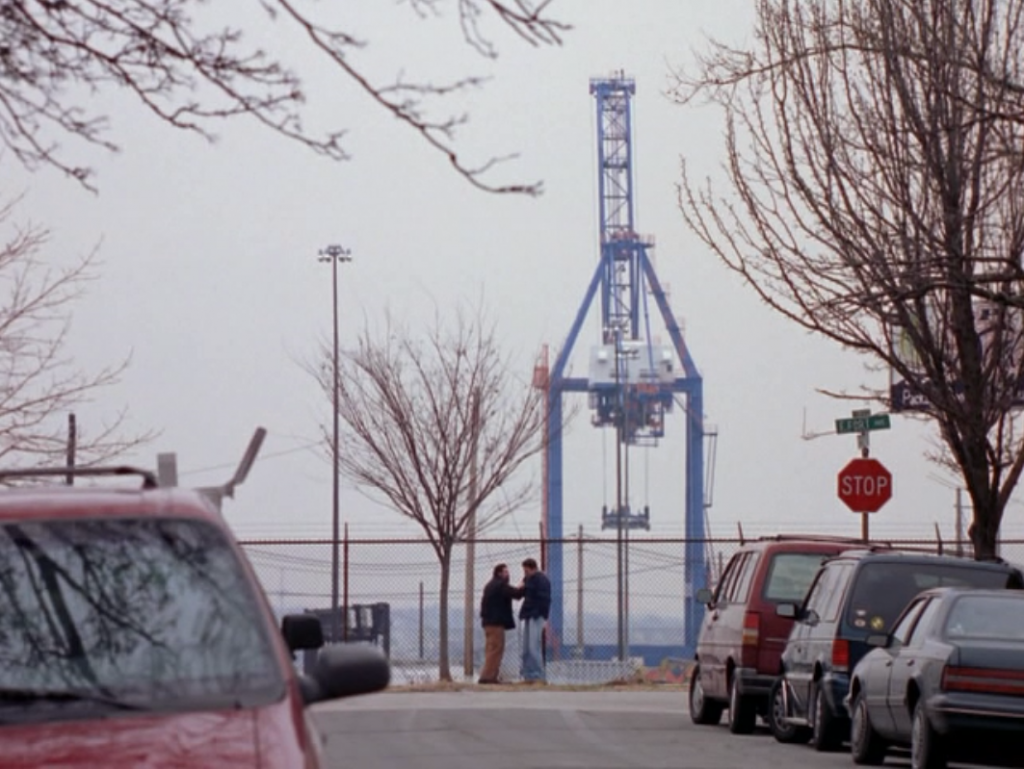
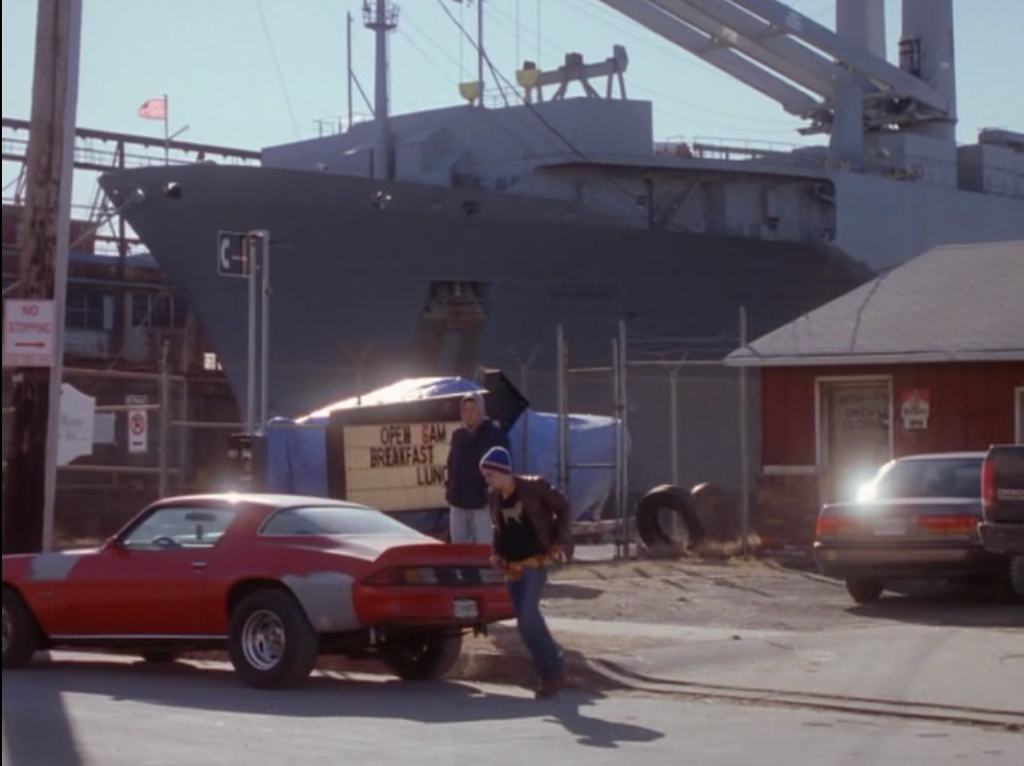
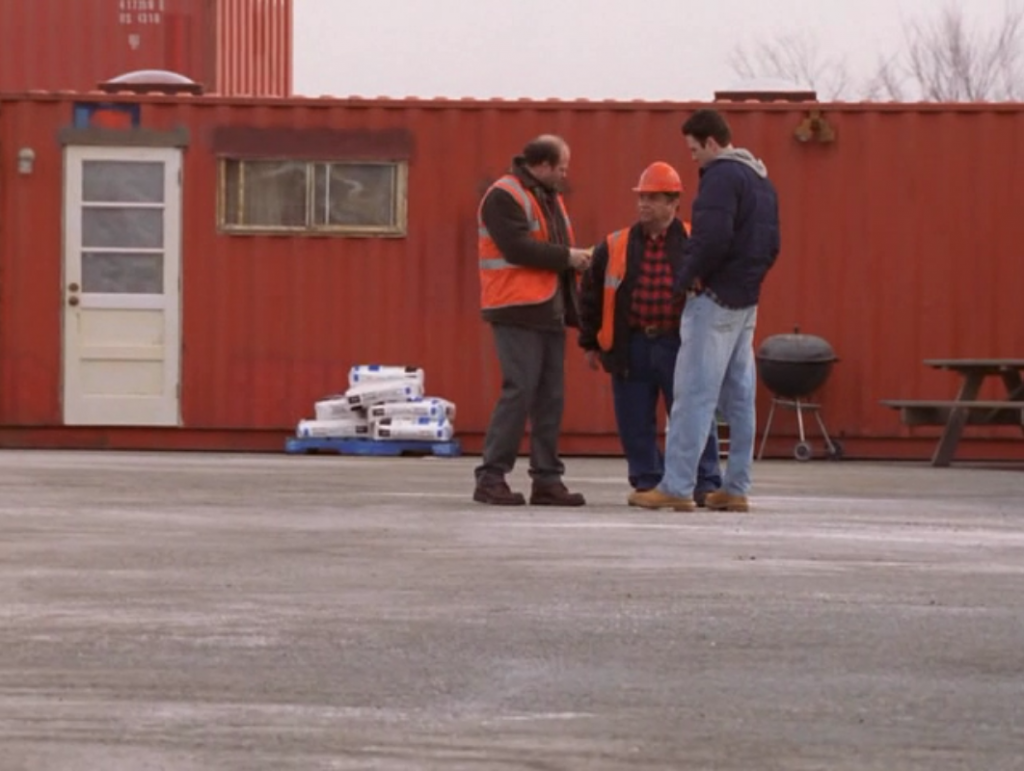
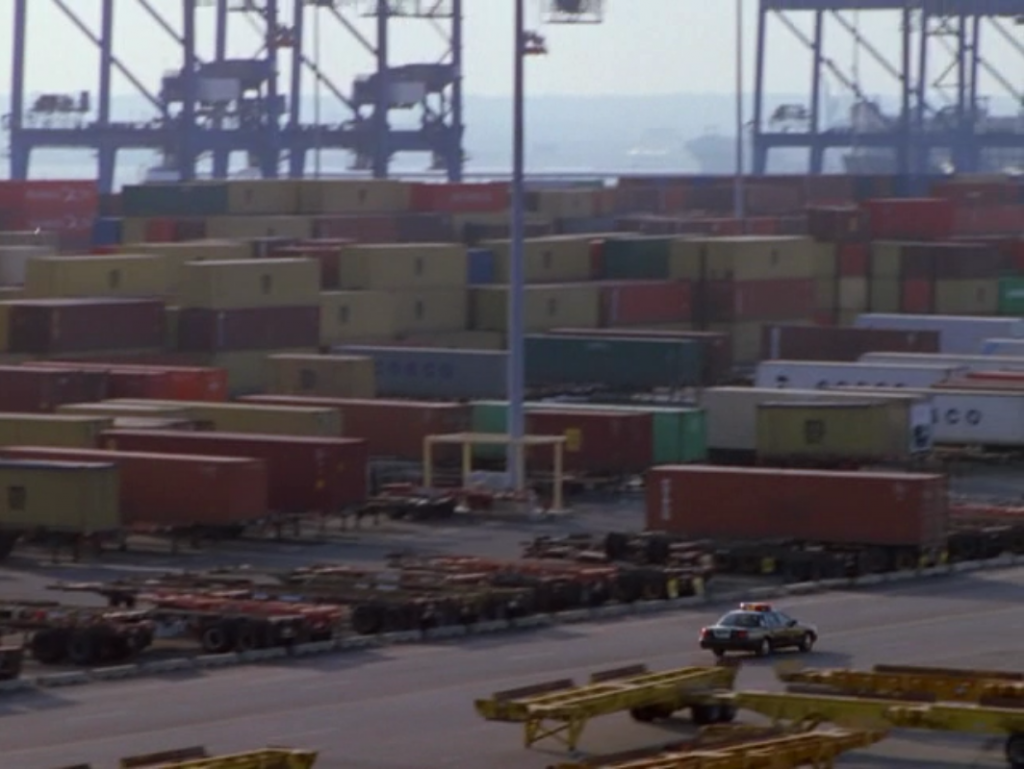
I immediately thought of season two when reading this assignment, because the port of Baltimore is so colorful. There’s a rainbow in just about every scene, between the water, the containers, the cranes, workers clothes, etc. For example, look at the very first shot of season 2:
You can find the whole rainbow just in that shot, and the same is true of the following shot of the port. That’s a rainbow of shipping containers, so cool.
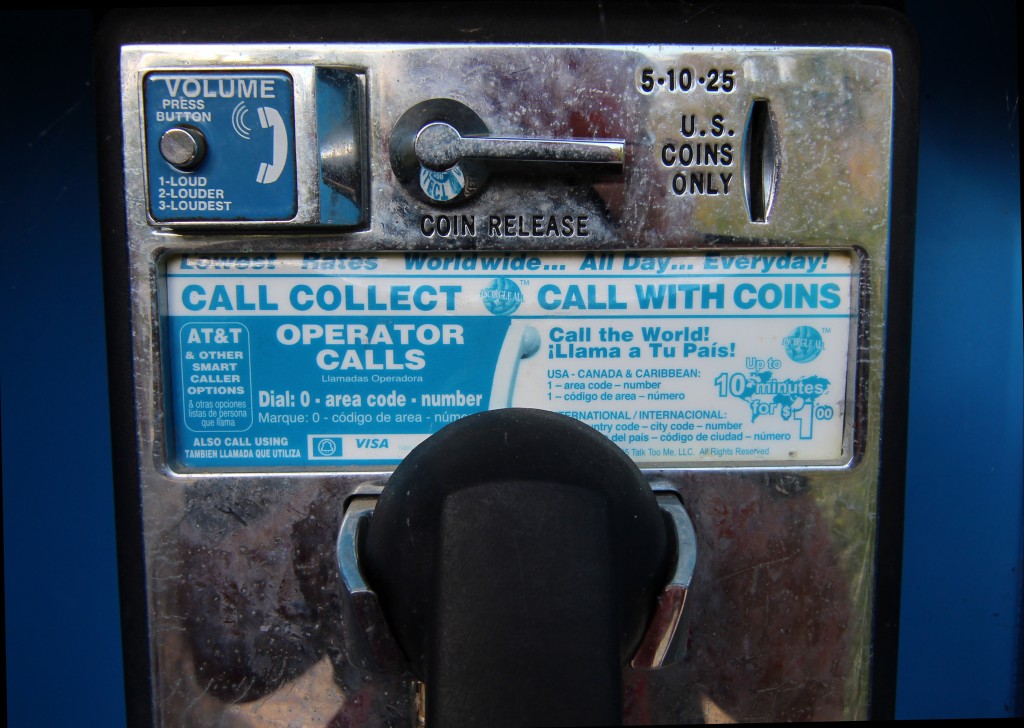
I was at Westmoreland State Park with my family today and I saw a payphone by the visitor’s center and immediately thought of The Wire Everywhere assignment for ds106. It’s interesting how the payphone is becoming a vestigial technology in a society where the majority of folks carry one in their pocket—in addition to it also being an extremely powerful computer.
I love the aesthetic of the payphone, and it’s a staple of season 1 of The Wire, so I figured I would document just that. It’s interesting how something as ubiquitous as this technology 25 years ago has all but disappeared in the wake of the mobile revolution. The idea of vanishing technology like the payphone is fascinating to me, and when Grant Potter set up #ds106radio so that you could broadcast to it from a payphone through an 800 number, I thought that was the coolest mashup of old and new technologies I’d ever seen. The absence of payphones is one of the more telling signs of the transformation of communication technologies over the course of a generation.
I can’t give myself any star credit for this assignment because I already did it, and it was just a picture.
For this discussion of the first two episodes of Season 2 Paul and I were joined by wire106ersKris Hooks and Maggie Stough. We discussed the first two episodes of Season 2 of theThe Wire, “Edd Tide” and “Collateral Damage.” I felt like this conversation was really starting to suggest a model for the discussions. Everyone was sharing there thoughts and throwing out there ideas fluidly. Major kudos to Kris and Maggie for coming prepared and making this a throughtful and engaging discussion. Wire106 is really starting to catch its groove, and I recommend watching this discussion for a model of what we we’ll be expecting of these moving forward.
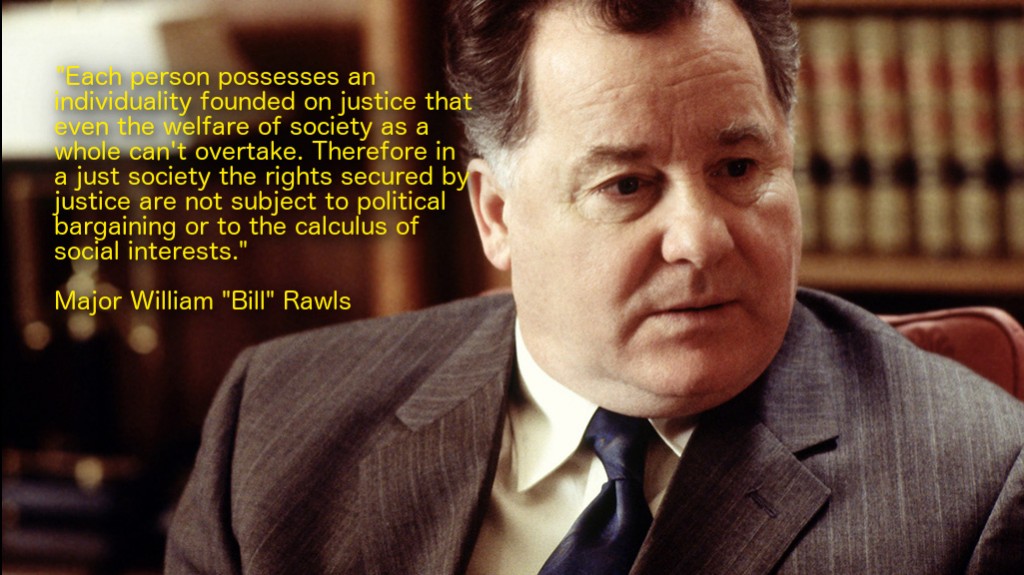
I wanted to start warming up with a nice “Troll Quotes”assignments, one of my all time favorites. This troll quote is actually inspired by the theory that the hard-ass character Major Bill Rawls in The Wire is ironically named after the political philosopher John Rawls. And after reading that John Rawls was from Baltimore, I was all but sure. That said, I was sure others have thought about the connection, and after a quick search on Google I confirmed that fact.
Like Simon, Rawls was interested in institutions, particularly institutions of justice. His writings also frequently address the issue of rights and liberties, a subject that often comes up in The Wire (the show is something of a crash course in all the regulations that prevent police from conducting surveillance without a warrant, or committing other civil-liberties violations). That is where the positive parallels end, however. Rawls the philosopher was an idealist, deeply committed to a vision of justice as impartiality. The Wire by contrast is the opposite of idealistic, and portrays a moral universe in which impartiality is a distant dream.
I was struck by the connection, and A.M Lamey frames it perfectly in the above quote. Rawls the philosopher suggests philosophy is above political bargaining or calculated interests, but the universe of The Wire stands in stark contrast to such a theory. Major Rawls being part and parcel of the alternative, so I was sure to source him for the other Rawls’ quote. As for the image, I figured the institutional representative of justice in this series, Judge Phelan, would complete the triumvirate of this troll quote nicely. While appearing austere and learned in his book lined office and three-piece suit, he’s the epitome of the institutional machinations that have usurped any vision of justice in the world of The Wire.
As for the process, I opened up the image in GIMP and added some yellow text so it would stand out. Given the background had varying colors, I used the Filters–>Light and Shadow–>Drop Shadow option to make sure people could read the text even when the background was light (you can adjust the value based on how much shadow you need). It’s a simple finishing touch that helps you avoid looking like a total amateur.
This is the last episode of season 1, “The Sentencing.”Paul and I were joined by UMW internaut Amy Wallace, who has been doing a great job thus far this semester. Paul blogged about color in this episode, and I just finished an assignment about mirroring scenes between this episode and the first of Season 1. I’m pretty blown away after a very close reading of this entire season just how tight a piece of art these first 13 episodes are. And after talking to the sound editor for the series, Jen Ralston, yesterday—I’m even more blown away. More anon, but for now enjoy the last discussion of season 1, at least for now.
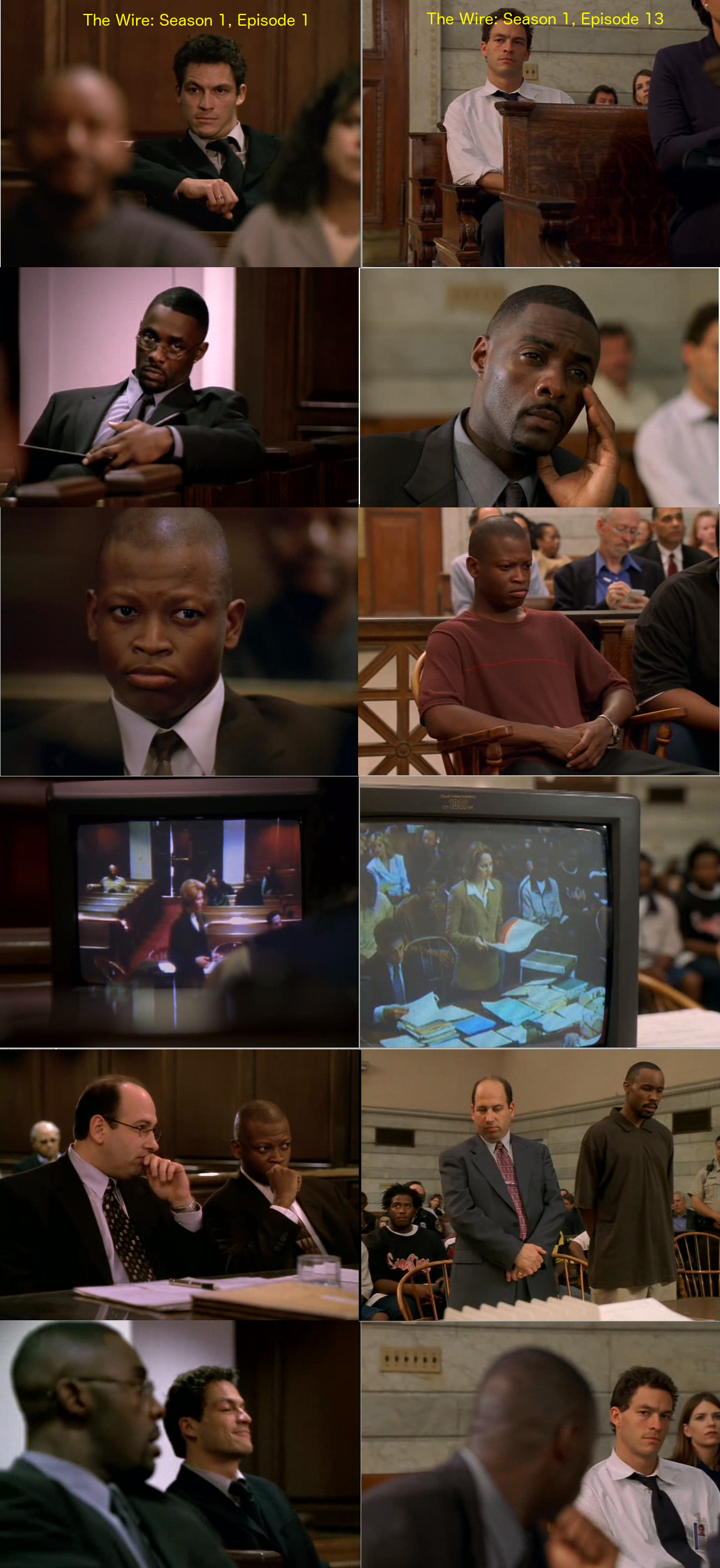
It’s time to do some assignments for #wire106, so I dreamed up a new one called “Wiring Mirror Scenes.” One of the things that came up again and again during our discussions of The Wire over the last month is how the show is constantly paralleling and mirroring scenes. One of the most obvious example is the mirroring of courtroom scenes in the first and last episodes. Below is a comparison of a number of shots from the two episodes to suggest how much they’re mirroring each other.
And while the compositions are almost identical, it’s interesting how much the body language and expressions become so defeated by the end of Season 1. What was an intense, hungry Jimmy McNulty in episode 1, becomes a dejected “what the f**k have I done?” McNulty by the end of the season. You can see a similar transformation in D’Angelo, and even Stringer Bell. The toll the detail has taken on everyone is readily apparent, yet they still find themselves literally in the same positions when they started. A sense of futility permeates the final episode’s mirroring of the first—and this idea of not escaping one’s self is abstracted to the institution. Looking into the mirror that will be placed in front of other characters and institutions in the coming episodes
How I did It
I took the screen shots on my Mac with the Command+Shift-4 keys simultaneously. From there I created a 2400 pixels by 1100 pixels canvas use File–>Create. I then imported the twelve images of the two different scenes in as layers. From there I arranged each layer in the order you see with the layer move tool. And added text up top to denote which row was episode 1, and which was episode 13. I’ll do a quick screencast tutorial to start getting folks comfortable with GIMP.
Back in July a number of folks met at UC Irvine to plan and design the open, online, and very connected course that officially launches next week. That’s right, you guessed it: Connected Courses. I’m proud to be part of this group, and I’m getting excited for what’s to come over the next twelve weeks. While in Irvine I gave what was supposed to be a 20 minute talk (I took 38 minutes) to discuss some of the elements of ds106 that might help define at least one approach to framing a connected course. This was loosely based on the “Open is as Open Does” talk I did with Martha Burtis at VCU last February. That talk has provided me a very useful model for thinking more broadly about the design of this course along the lines of platform, pedagogy, and community, and is the basis of a book chapter Martha and I are writing about ds106. It’s far from a perfect talk, as usual, but I think it begins to open up some of the various approaches possible once your recognize the web as something you and your students must inhabit to teach a connected course.
I want to thank Jamieson Pond of the Digital Media Lab for making this video presentable, and dealing with my refusal to stay in one place while talking.
For more than a decade I’ve been circling around one pretty basic idea: the open web kicks learning management systems (LMS) asses when it comes to teaching and learning in higher ed. I’ve said it far less succinctly than that on numerous occasions, but my point has always pretty much the same. And Audrey Watter’s nails it with her usual exactitude in a recent talk in Newcastle about the LMS:
The learning management system has shaped a generation’s view of education technology, and I’d contend, shaped it for the worst. It has shaped what many people think ed-tech looks like, how it works, whose needs it suits, what it can do, and why it would do so. The learning management system reflects the technological desires of administrators — it’s right there in the phrase. “Management.” It does not reflect the needs of teachers and learners.
If that’s the case, what are the needs of teachers and learners? Is it presumptuous for a few edtech folks to argue everyone should be using the open web? Probably, but that’s not going to stop us. And I will turn again to Audrey’s recent talk for an excellent reason why:
If we think about new technologies like the Web as facilitating learning networks and as learners and learning communities as nodes on those networks, we can see a very different “shape,” if you will, to education technology than what the learning management system enables.
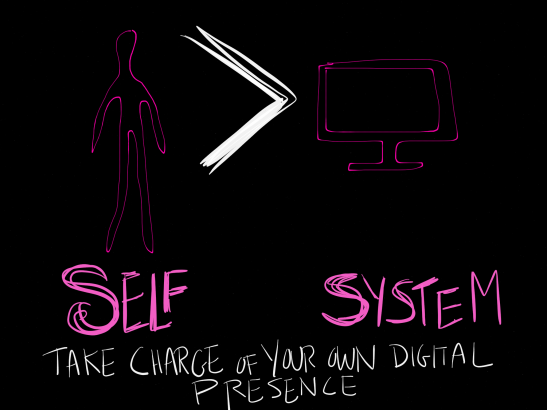
The web as learning network that isn’t an insulated, hierarchical reproduction of a managed system is a reality higher ed seems to be hell bent on resisting. Why can’t we imagine, for even a moment, the idea of user as developer that was prevalent in the early days of the web. Once upon a time we explored HTML and used FTP to upload files. Since then, creation on and through the web has gotten much more user-friendly. And, as Gardner Campbell notes in his essay on The Personal Cyberinfrastructure, we have arrived at a moment where a student can and should be the sysadmin of their education. The same holds true for faculty. What’s more, with extensive experience over the last two years helping more than 1000 faculty, staff and students get their own domain and web hosting through UMW’s Domain of One’s Own project, I can confidently say it’s easier than ever. And, to visually quote Amy Burvall, it moves us towards a technical infrastructure that privileges “self over system.”
Image credit: Amy Burvall
And while ease and convenience can’t be underestimated for faculty, it’s the personal and professional opportunities available that are truly compelling: building your online identity, networking within your discipline, and designing curriculum centered around digital fluency. It seems to be a foregone conclusion that online learning, hybrid courses, and digitally rich classrooms are the future, yet the systems we provide to support this inevitable reality do little to nothing to reinforce any of the most basic rights of students, faculty, and staff.
Do you have control over your data? (Domains is about as FERPA compliant as you can get!)
Is the work you do in any given system easily exportable and ultimately affordable beyond your university experience?
Do you have the freedom to customize your online learning environment?
We have been working hard at UMW to start answering these questions. And having worked with more than 75 faculty over the last two years, and almost 1000 students, we’ve been able to answer yes to all three. This is the “singleness of purpose” driving the work we’re doing at UMW. We see open sources publishing platforms like UMW Blogs, courses like ds106, and campus-wide initiatives like UMW Domains as compelling examples of resistance to higher ed’s fifteen year addiction to the LMS.
And the shift starts pretty simply. The path to empowerment is through acknowledging and reclaiming ownership of your world online. Over the course of the next 12 weeks I’m committed to help any and all faculty playing along with Connected Courses get up and running with their own domain and web hosting. This was the impetus behind the original vision of the course: create resources for faculty who wanted to build a course-hub on their own domain like the one Howard Rheingold and I worked through in this threepartvideo series. Those videos were the beginning of a larger idea of creating resources that would support faculty interested in setting up their own domain and web hosting.
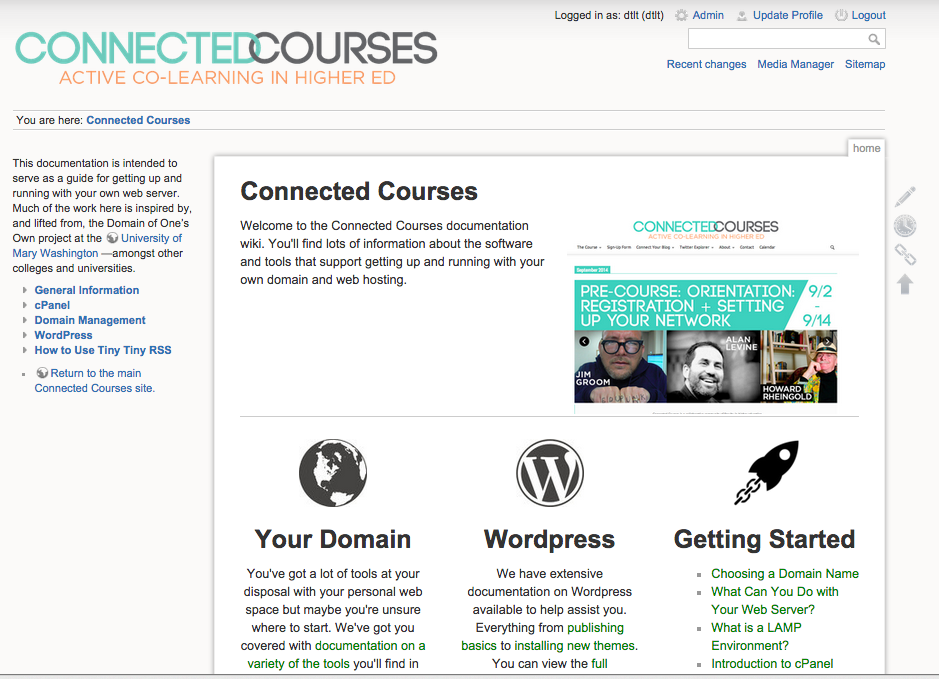
To that end, we created the Connected Courses documentation that provides an overview of web hosting, domains, as well as ton of specifics about CPanel, WordPress, and more. If you ever wanted to dig into managing your digital life online but never felt comfortable based on time investment and support, this is your lucky semester! Use any web hosting service you like, but the documentation above is specific to the CPanel GUI interface for managing your slice of a server. Also, if you want targeted support for your web space, I recommend starting out with Reclaim Hosting. Full disclosure: this is hosting service Tim Owens and I run, and I recommend it because it means we can help you in very targeted ways.
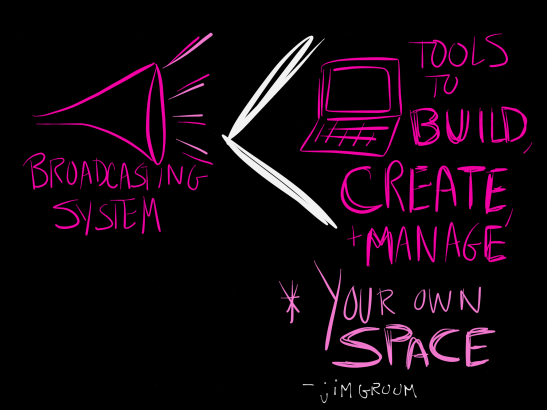
Image credit: Amy Burvall
So, as you follow along for the next twelve weeks consider this an opportunity to fully explore the tools available to create and manage your own space online.
is an ongoing conversation about media of all kinds ...
Testimonials:
Generations from now, they won't call it the Internet anymore. They'll just say, "I logged on to the Jim Groom this morning.
-Joe McMahon
Everything Jim Groom touches is gold. He's like King Midas, but with the Internet.
-Serena Epstein
My understanding is that an essential requirement of the internet is to do whatever Jim Groom asks of you while you're online.
-James D. Calder
@jimgroom is the Billy Martin of edtech.
-Luke Waltzer
My 3yr old son is VERY intrigued by @jimgroom's avatar. "Is he a superhero?" "Well, yes, son, to many he is."
-Clint Lalonde
Jim Groom is a fiery man.
-Antonella Dalla Torre
“Reverend” Jim “The Bava” Groom, alias “Snake Pliskin” is a charlatan and a fraud, a self-confessed “used car salesman” clawing his way into the glamour of the education technology keynote circuit via the efforts of his oppressed minions at the University of Mary Washington’s DTLT and beyond. The monster behind educational time-sink ds106 and still recovering from his bid for hipster stardom with “Edupunk”, Jim spends his days using his dwindling credibility to sell cheap webhosting to gullible undergraduates and getting banned from YouTube for gross piracy.