Natural Bridge Wax Museum: Archibald (Bar) Tolley fighting bear

The placard for this diorama reads as follows:

Archibald (Bar) Hunter was a famous bear hunter said to have killed between 99 and 385 Bears in his 91 years. Known for his honest, if rather salty tongue, Bar emerged unscathed from countless hunts only to die from blood poisoning from a nail in his foot.

And in addition to the ironic circumstance of death for this larger than life frontiersman, my favorite part of this installation is the lighting of both the bear and man as they grapple for life. We just don;t grapple bears the way we used to, well, exepct for maybe the Grizzly Man, but that didn’t work out too well in the end.

Posted in americana, pop culture | Tagged , , , , | 16 Comments

Natural Bridge Wax Museum: Swinging Man, are you real?

More from the Natural Bridge Wax Museum, this time Miles, Tess and I running towards the museum in excitment wondering if the hooded maniac swinging from the rafters is real or not. What do you think?

Posted in americana, pop culture | Tagged , , | 1 Comment

Natural Bridge Wax Museum: Robert E. Lee

I think for any Northerner living in Virginia (and for many where I live in Virginia is a far cry from the South, right Tom?) is sooner or later (most likely sooner) going to be struck my the godhead status of Robert E. Lee throughout the South. He is more than a mere man below the Mason Dixon line, he is a kind of spiritual icon. (The other one is Stonewall Jackson, but I’ll get into that later.) And if you want to get a sense of the reverence for Lee, check out this diorama of Lee with both Jackson and Jefferson Davis. Here is a bit of the audio narration:

Robert E. Lee carried two banners towards fame and immortality. First, as a soldier, he was a man of supreme ability. Second, he was a man of rare integrity and a great spiritual force. [Emphasis mine]

It’s pretty plain from the narration that I’m not really overstating the case here, Lee is a God in the South—nothing less than a “supreme, spiritual force.” Crazy, crazy stuff.

Posted in americana, pop culture | Tagged , | Leave a comment

Natural Bridge Wax Museum: William “Big Foot” Wallace

This short video features the diorama dedicated to Texas Ranger William “Big Foot” Wallace, who was originally from Lexington, Virginia, but went to Texas to “take pay out of the Mexicans” after learning both his brother and his cousin had been shot dead in the Goliad massacre. What is remarkableto me about this diorama is that William “big Foot” Wallace could very well have been one of the scalp huntere out of Cormac McCarthy’s brilliant, but devastating, novel Blood Meridian. And given I had just finished that novel a few weeks before visiting the wax museum, you’ll hear me start to make the connection between William “Big Foot” Wallace and McCarthy’s rendering of the Judge. crazy to see bounty hunters like this framed in such a way, I mean I never realized Texas Ranger is just another name for imperial bounty hunter—explains a lot about that baseball team.

Posted in americana, pop culture | Tagged , , , | 5 Comments

Natural Bridge Wax Museum: Old Wives Tales

About two weeks ago my family and I went to the Natural Bridge Wax Museum, and it may have been one of the trippiest places I have been to in this crazy ass state as of yet. I mean the history of old school Virginia as told through wax museum dioramas circa the 1950s provides a uniquely popular, and at times deeply troubling, vision of the history of the Southland. Nonetheless,the dioramas make up a remarkable time capsule of popular history, and the the actual material representations of these ideas of history narrated by a reassuring male voice of the 50s joking about a woman’s choice between being a wife and a slave brings the whole thing into some kind of bizarre focus. I have to believe someone has written about this place already—it’s just too crazy for it to have been overlooked. But at the risk of being repetitive—and in an attempt to blog regularly these days as I put together my toy videos—I’ll actually share out the videos I took in the Natural Bridge Wax Museum over the next couple of days. They are wild, but also some of them make for quite effective amateur videos, the setting of the wax museum was perfect in my opinion, and if a better videographer were to capture this, it could be gorgeous. As for the ideas the wax museum is purporting , I’m not sure what to say.

Posted in americana, amusement parks, pop culture | Tagged , , , | Leave a comment

The Twin Suns of Tatooine

Enjoy Eric Power’s brilliant paper-based retelling of the only Star Wars trilogy in two minutes put to the mellifluous sounds of Jeremy Messersmith’s song “Tatooine” —the combination of which may be the greatest thing I’ve yet to see on the interent (even rivaling the great Yacht Rock series). This video will be the highlight for the section of my class on fan art and the internet. Thanks to the great Chris Lott for passing it along.

Posted in art, fun, movies | Tagged , , , | 2 Comments

The DS106 Daily Shoot Assignment: The Great 8

OK, so upon finishing up one of the greatest series of assignments I ever gave, as well as did—-though to be fair I didn’t design them—I asked everyone to go through all the photos for each of the eight days and pick out their favorites, and then briefly explain why. Here are  mine:

Daily Shoot 1

Showcase the beauty of living foliage! Make a photo of a single leaf or an entire “greenscape” today.

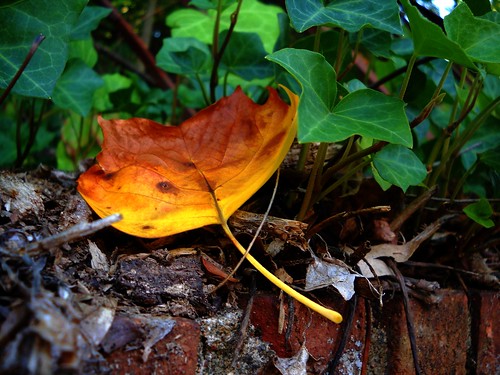
Claire Cecil’s image for the foliage was pretty powerful. Not only does the leave look like it is burning while surrounded by green, but it was the first real sign of Fall I’ve seen in what has otherwise been a sweltering Summer here in Virginia. What’s more, it’s as if the other leaves are looking on, steady in their free life, as this one falls on her sword for them.

Daily Shoot 2:

Make a photo of two complementary objects arranged in a pleasing composition, one large and one small.

Garrett Bush’s “Two loves.” There were a lot of good photos on Day 2, and this is when I realized that Daily Shoot assignments with a specific group that is sharing ans commenting is a powerful way to step back from trying to teach digital photography as much as working towards a common goal to challenge, think, learn, and work through digital photography together. In fact, the commenting during these eight assignments was mind boggling, this ds106 class came to talk and share.What’s cool is the last two weeks emerged as something more than an assignment, it became  a way of helping us see each other. And as with most photos I immediately see myself in these skateboards. The scale and complementary relations brought the assignment home to me so subtly, simply because I hadn’t thought of that, nor do I have that to photograph. It tells me so much with so little. And the light on the board worked well, and the narrative is imbued from perspective and relationship. Sometimes it’s there, sometimes it isn’t.

Daily Shoot 3

Some carry a talisman, amulet, “lucky charm”, or just a comforting thing in our pocket. What do you carry?

Again, a lot of great images on day 3, but that little pig in Edward’s pocket again frames an intrigue and narrative that just makes it an enigma to me, and keeps me coming back to it again and again.  The pig, an image titled “the thing that should not be,” is an ingenious frame of character because you know someone who carryies around a talisman like this regularly is right out of  film or novel. This prompt is all about revealing a part of yourself, and this pig represents the fodder of the best kind of mystery in why we do certain things, and how unique we are in our idiosyncrasies. This picture is al about framing the character for everything we don’t see. An image like this is so intrinsically linked to identity—something I remained fascinated with how we shape and foster online in narrative ways. And I can think of few better examples than this given the prompt.

Daily Shoot 4

Make a photograph of something that is soft, or at least looks that way. Convince the viewer of the softness.

For the soft images, there were once again many, many good ones (I have a list of honorable mentions below) but Sadie’s “We all Scream” is just so beautifully visceral that I immediately felt the soft, stickiness of the ice cream. And the colors just make it all that much more evocative. A great shot

Honorable mention: Garrett Bush’s “Woven Cacti,” Ashley Peterson’s “Spring Cleaning?”, and Lindsay’s “Afternoon Narrative.”

Daily Shoot 5

Use a mirror as part of a composition in a photograph today. Show yourself in the image if you’d like!

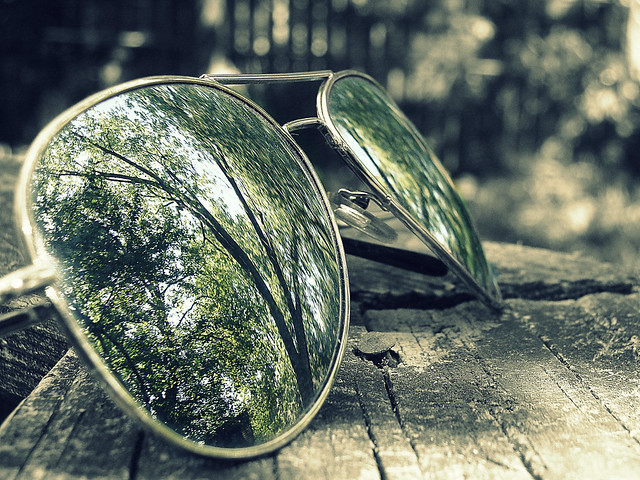
Man, how can I not go with Carlie’s “Reflective Shades”? Rock on!

I actually found the mirror images some of the hardest for ds106 internauts to do well, which was interesting. For what I thought would be a layup was anything but by and large.

Daily Shoot 6

Communicate chaos, disorganization or messiness in a photograph. Find some beauty in it.

The chaos image were a lot of fun, and once again there were some excellent photos. My favorite was Lindsay’s “Treasures here and there” Chest because it is so rich in both complexity and color. The chaos seems so naturally layered and organized, and I can;t help but think of the I Spy books my kids and I read on occasion, such beautiful chaos like this reminds me of the web.

Honorable mention: Jenn’s Ramen Chaos is beautifully done, and the food not only looks chaotic, but somewhat sinister.

Daily Shoot 7

Symmetry can be calm and soothing. Make a photo today featuring symmetry, either in subject or composition.

The symmetry shots were great, and there were a lot of good ones, but one image that got very little attention from others, but really struck me powerfully was Brian’s “Imperfect Symmetry” because it was the first time anyone had really dealt with the body. And seeing the symmetry of bodies, and the very powerful subject of the human form brings me back to the idea of our notion of symmetry and bodies is always both aesthetic and somehow physical, and as Blake might say “fearful” in the flesh.

Honorable mention: Jenn’s “Boat Symmetry,” Jessica’s “Living in a Symmetrical World” is remarkable, Lindsay’s telephonic symmetry is great, and both Megan’s and Gretchen’s respective book symmetries were great, but a day too early 😉

Daily Shoot 8

Make a photo of an interesting stack of books or magazines. Consider how you handle repeating lines in your composition.

Kevin’s “Learning by Osmosis” photo for the final day is near and dear to me, because as Jenn suggests in this post on her top 8:

I think photo really embodies what the class is about. Taking creativity to a new level and showcasing your work

But I would be remiss here if I didn’t also feature Morrgan’s “Books” image, which really subtly plays with color and grays. it is a masterful shot once you take some time and look at it:
Image of a book case

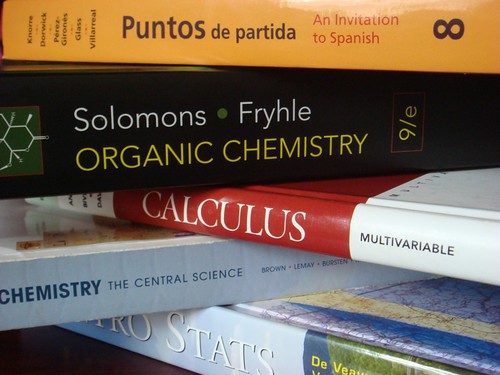
And finally, Ashley’s books for the semester tell us a lot about her semester, and what I wanna know is how much?

Image of textbooks

Posted in digital storytelling | Tagged , | 3 Comments

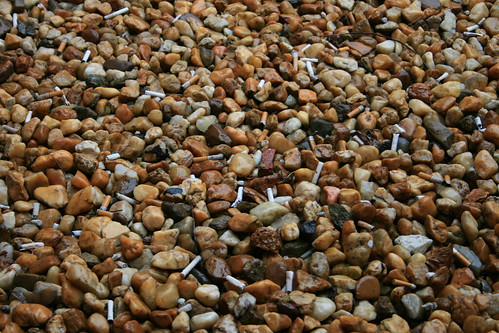
Daily Shoot: Carcasses in brown

This image is an elegy for an old habit I have kicked now for 1 month—the graveyard motif works on several levels, and fits in with the theme for today’s daily shoot:

Make a photograph today dominated by browns or other earthtones. Explore how the color influences your subject choice.

I’m excited that my month off the smokes corresponds with Tessy’s 4th birthday.  I love you Tessy, and I’ll miss you Lucky, but not enough.

Posted in dailyshoot, digital storytelling | Tagged , , | 3 Comments

It’s Shark Season in bavaland

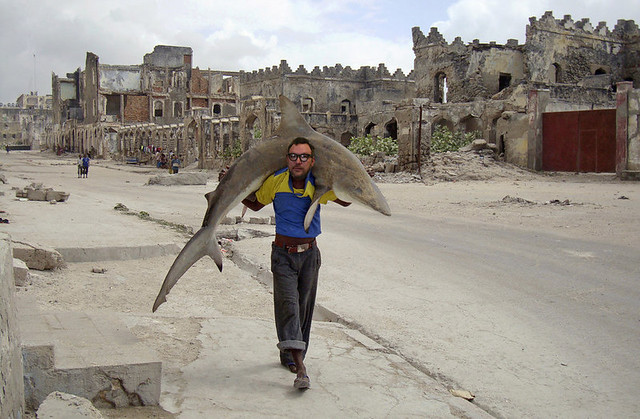
Late last week DS106 Internaut Ashley Peterson tweeted me a link to this image:

Image of man carring shark
Link to see full-size image and full article here.

This striking image from Mogadishu, Somalia—which is described as the “world’s most dangerous city” in the article—is kind of a culmination of all our talk and crazy links about sharks so far this semester. And once I saw this image, I really couldn’t get over it. I mean how crazy, a man walking through the streets with a dead shark over his shoulder really does frame just how dangerous this city is, even for sharks. The link to the image came out of a larger discussion the DS106 course has been having about photography more generally these last two weeks, and after this image was burned into my brain. And given this I figured it might be high time to ask the great Tom Woodward to work some of his Photoshop magic. So via twitter I put out this simple request:

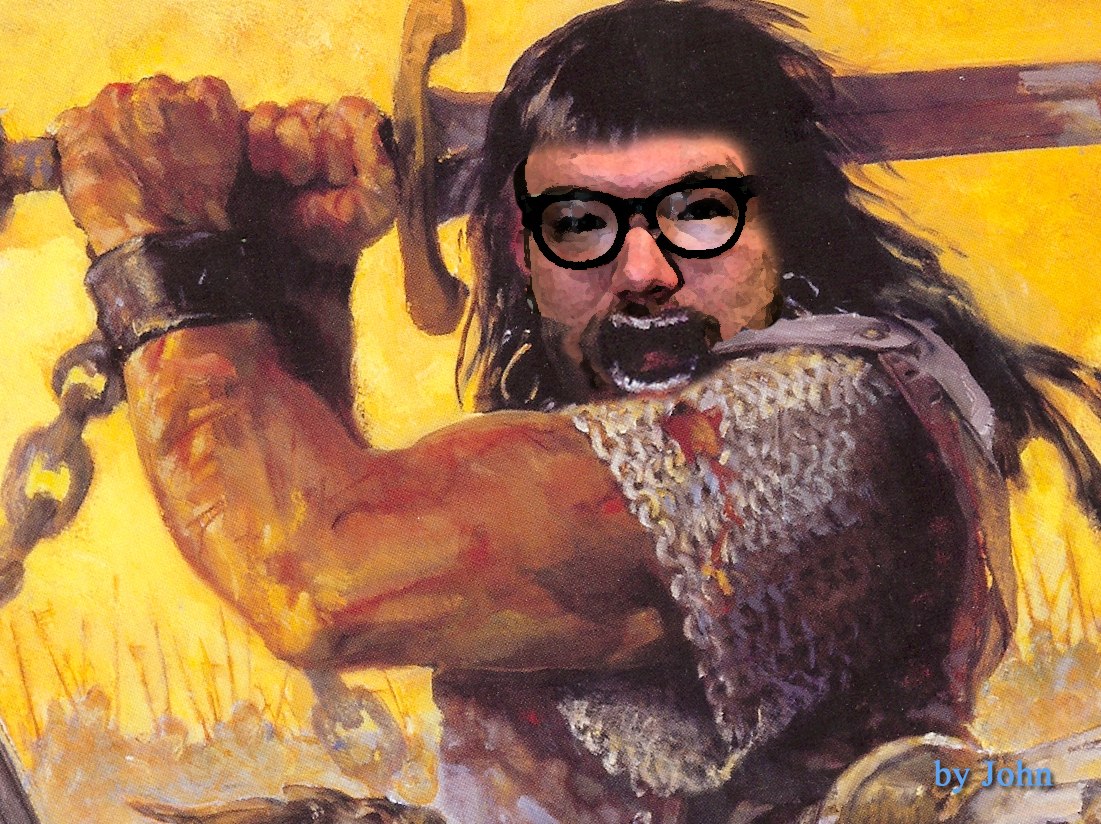
@twoodwar http://bit.ly/9z7spg Can you photoshop me in this pls?

And never one to let my vanity get in the way, Tom complied:

Image of the bava carrying a shark
Image credit: Tom Woodward’s photoshopped “man_carrying_shark”

A nice way to accentuate just how much fun you can have with a little Photoshop action. Now teaching Photoshop gets prohibitive given how much it costs, and how little access we have to it on campus. But this class does need some basic image editing elements. Charlie Rocket did a fine job taking his audience through the process of learning Photoshop last semester, but he had Photoshop and made it his semester-long digital story, and perhaps owning it like he did is the best way to learn it. I should probably dedicate some time to learning Gimp, and spend time teaching that. But with Picnik, Aviary, and Photoshop Express, most of the basic are already there.

I mean it is increasingly becoming apparent that one can never be too young to both learn sophisticated image editing, and there is no better way than creating Jim Groom as Conan the Barbarian images as Tom Woodward’s six year old son John has. pretty cool to see a kid this young working his way through Photoshop so impressively. You go John!!!

Posted in digital storytelling, fun | Tagged , , | 6 Comments

Flickr Feed Gallery: A Quick Hack for DS106

All images courtesy of various DS106 Internauts.

Image of two dolls
Image credit: spur_dotz’s “Ash and Ichabod”
Thursday night’s class started in one direction and ended up in a whole ‘nother one. It was pretty fun, well, at least for me. I was planning on talking about image stories, because we have been working on photography assignments all week, and were starting to think about image stories. But then the opportunity arrived to talk more about RSS feeds, Flickr, WordPress plugins, and hacking theme templates, and I couldn’t resist—I felt like an instructional tehcnologist again, a real EDUPUNK, so I ran with it 🙂

The entire class was asked to tag their photos on Flickr with two tags, ds106 for all their photos for the class, and then a tag for each day’s Daily Shoot assignment, i.e., dailyshoot1, dailyshoot2, all the way up to dailyshoot8. They had done that before coming to class tonight, and I noticed about half of the images the class took showed up in each of the feeds for the eight dailyshoot tags. For example, the dailyshoot1 tag only has 19 images, which means about 8 or 9 were missing. Same was true for most of these tags. Still trying to figure out why so many are missing, especially when the class had tagged them correctly, I wonder if it has anything to do with the Flickr RSS feeds capping at 20 items—though the http://www.flickr.com/photos/tags/dailyshoot1/ doesn’t lead directly to an RSS feed, so I am stumped.

Image of ice cream
Captureme45’s “Untitled”

Anyway, each of these tags still has a feed, and looking at that provided a way for me to demonstrate more specifically how plugins work in WordPress. We installed the Flickr Feed Gallery, which is a simple plugin that pulls in specific photos based on Flickr feeds. So we started experimenting with this as a way to pull in the class photos we tagged to the sidebar of the course blog. And what was amazing, is that just about everyone in the class had also installed this plugin on their own blog with a quick search and click from within the WordPress installer. So within seconds, they almost all had the plugin up and running. And given it was all so easy, it just made me want more! Especially when I saw the plugin description:

Enables easy integration of Flickr photo feed to a WordPress blog. Configure feed parameters from settings page. Use in your theme or add plugin as a Widget.

That little bit of PHP code got me thinking, why not show the class how to hack a theme in WordPress. I mean plugins were easy, search and installing themes is a cinch. So why not turn to the actual theme files in the editor and have them add that bit of PHP code to get a sense of how templates work. Or better yet, have them create their own page template, add the PHP code, and then upload it to the theme file in wp-content. They have file manager from CPanel, it should be a breeze. And there went the rest of the class 🙂
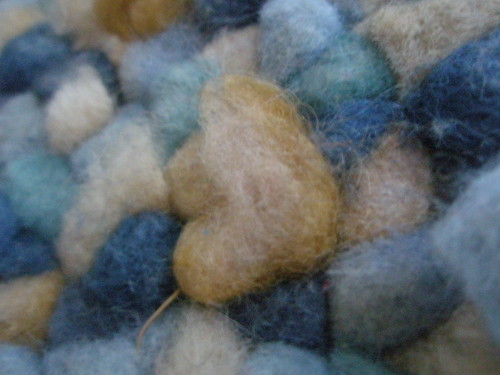
Image of rug
Image credit: Apeterso’s “Untitled”

And while a bit risky, it was invigorating. An occasion to have the whole class hacking WordPress themes, making Flickr galleries in a page on their blog. Kind of a dream come true, I mean it is that very hacking that got me my job at UMW. It’s good stuff, and I think it will beget more curiosity in those who already have an inkling but have no sense of what some shared web hosting space and open source application can expose them to.

Image credit: c-hamp’s “Reflective Shades”

So, anyway, we got to the Appearance–>Editor section in WordPress, and I realized I had to get off the course blog on UMW Blogs and head over to the bava in order to demonstrate how the themes work and try and briefly explain what’s the deal with CSS, header,php, page.php, etc. So, I switched bava’s theme to TwentyTen because K2’s code is too bizarre for a good demonstration. And then asked the class if anyone knew anything about CSS because the first page that comes up when you go to the theme editor is stylesheet.css. It became a opportunity to talk about the emergence of CSS, what it means in relationship to dynamically created content using PHP and MySQL, and explain how the themes in their blog were actually theirs to hack. I was surprised how few of them knew anything about CSS. And I tried capturing that in broad strokes, but I may have to revisit this again. I might talk to Zach Whalen, and see what his CSS assignments entail for his Writing through Media course–cause I could use some tips in this regard.

Imaeg of man with books balanced on head
Image credit; KC_Masterpiece’s “Learning by Osmosis”

Anyway, after that I explained how the template-driven theme works, what header.php, footer.php, index.php, and page.php do. How these scripts work together to dynamically create pages, the styles of which are defined by CSS: a virtuous cycle. And after that, I demonstrated how you can copy the code from the page template to a text editor, and then create your own template locally, rename the template something like Daily Shoot 7 and the PHP file something like dailyshoot7.php. After that, you upload it to you wp-content/theme/your_particular_theme directory. Finally, it should become an available template in the dropdown menu of any page you are creating, and with that bit of code from Flickr feed Gallery place right beneath the the_content PHP call, you should now see the Flickr Feed Gallery of images in the page you assigned this template. For the most part they got it, but there was some lumps, and about 4 or 5 people stayed after class for upwards of an hour to get some more details, fix their site, and walk through the process in more detail. Hence this post.
Image of a pig in a pocket
Image credit: edmz99’s “The thing that should not be.”

Here is what we did:

We copied the code from TwentyTen’s One Column Page template (I used this template for demonstration purposes) to a text editor on our desktop, something like Text Wrangler for Mac users (cause Text Edit sucks all you Mac fanboys and girls). For the PC, Notepad was more than adequate.

After they had the page template code copied into their local text editor. We changed the name of the template. For example,

/**
* Template Name: One Column Page
*/

Became this:

/**
* Template Name: Daily Shoot 1
*/

This simple change (or addition for many given they were using themes other than Twenty Ten) Actually renames the templates you you can see it in the Template drop down box on any given page you create in your WordPress blog.

After that, they had to find the he_content PHP call in their page template code and add the following line beneath it:

Once that’s done, they saved the template file to something like dailyshoot1.php and then uploaded it to their theme folder using File Manager in CPanel.

Finally, they head over to their blog and create a new page and select the template titled Daily Shoot 1 (remember we are creating a page not a post, posts don’t have individualized templates).

Imaeg of raman chaos
Image credit: b4ssm4st3r’s “Daily shoot: chaos”

Ok, so that was it for the basic hack the class was asked to do in class Thursday night. And those steps will hopefully act as a quick refresher and guide to anyone who had issues making it work. But after playing with Flickr feed Gallery I came up against some of this plugin’s limitations. So I wanted to play with it more. You see, for the course blog I wanted the Daily Shoot assignments to have their own tab in the header nav menu, and then have each of the eight daily image assignments feed into their own page within the menu item—each of which show up in the drop down menu. But the plugin was not designed for this, you could really only set the parameters for tags, how many images, what type, etc., globally in the plugin settings from the plugin interface under the Settings tab. Which meant, no matter how many times I pulled in the call into different templates, it would always pull in the same images for every page because the settings were global. And after some trial and error I couldn’t figure out how to pass specific parameters into the flickr_feed_galler PHP call I put into each of the eight different Daily Shoot page templates (one for each assignment). The fact I failed here shouldn’t be necessarily surprising because I am not a programmer. But, turns out I know a few. I asked Michael McManus of the great Cast Iron Coding outfit to look at this plugin and perhaps give me some advice on how I could pass specific parameters within the PHP call itself. Well, given he is a programmer, and a good one, he came up with the solution. What you need to do is change the code in the flickr_feed_gallery.php file of the Flickr feed Gallery plugin to this (I would explain the difference in the two versions of the code, but that might be another post, and one I will fumble through). What this will do is allow you define the specific tag and number of photos you want the to include. For example, if I put the following code in a specific page template:

What would show up is 30 images from Flickr tagged with dailyshoot5. So bam, I have the ability to customize each of the Daily Shoot assignment templates 1 through 8 by passing specific variables into this Flickr Feed Gallery PHP call, which will allow me to feature just that days assignments. You can see this at work on the DS106 course blog under the Daily Shoot menu item.

Image of jewelry
Image credit: les.epinards’ “Treasure Chest”

All that said, I had a couple of problems with this modification to the plugin, all which stem from the fact that in order to get more than 20 items pulled in from a feed on Flickr you need to get at the API, and do some custom queries. Given that, I can only show 20 of the 29 images on any given day. What’s more, I can’t show all 250+ images over the course of the assignments on one page as a kind of uber gallery. If I new how to program custom queries and get my hands dirty with the Flickr API I certainly would, but as of now this is a bit beyond me. And having said that, I was hoping for one of two things. 1) That someone out there might have a clue of how to pull in more images with the Flickr Feed Gallery plugin by messing with the Flickr API. 2) Someone might be abe to point me to a plugin that does this all already.
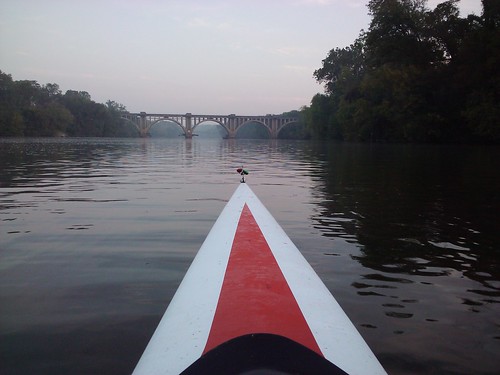
Imaeg of symmetry
Image credit: b4ssm4st3r’s “Daily shoot: symmetry”

Either way it was an experiment with hacking that might actually turn into a feature this class could use, and the ds106 internauts could experiment with creating a custom template in WordPress, hack it, and even modify the code of a plugin in order to get functionality that is not out-of-the-box. Either way, i hope this diversion pushes the class to experiment more with the tools they have at their disposal, and to try and break things so that they can put them back together, and really get a sense of how this open source application that they’re administering through their own web hosting space works. In other words, some sense of how the web works beyond drag and click.

Posted in digital storytelling | Tagged , , , , , , , , | Leave a comment