Running Azuracast on Reclaim Cloud

Following-up on my last post about Reclaim Radio, here is how I got the web radio software Azuracast up and running. The process was made easy by the fact that Azuracast has instructions on how to self-install a Docker instance of their software. Even better, Reclaim Hosting now has Reclaim Cloud that just so happens to allow you to install Docker containers quite easily.

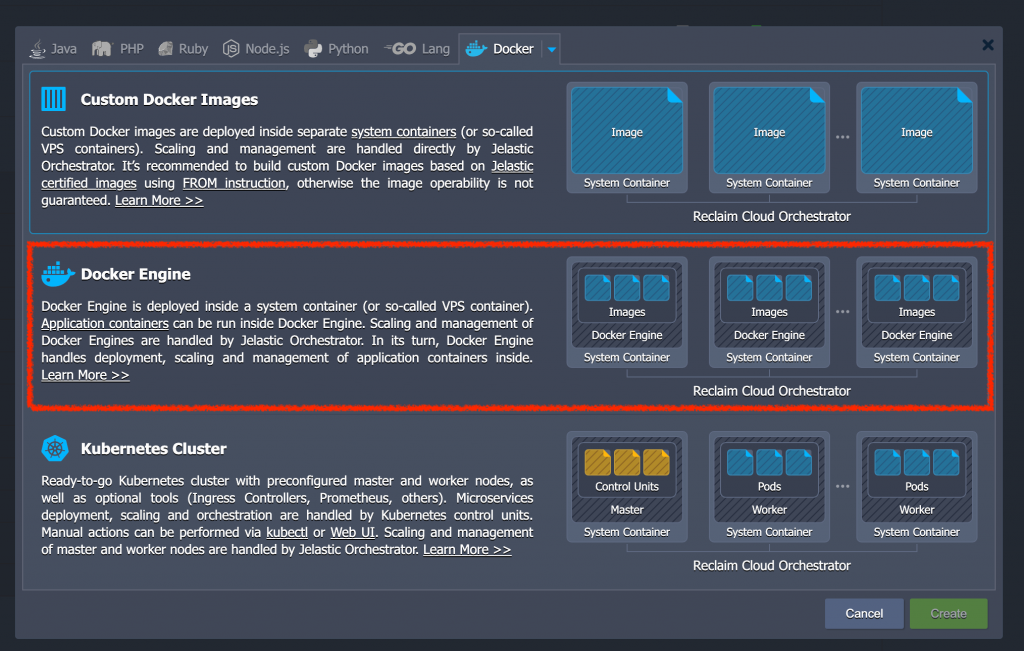
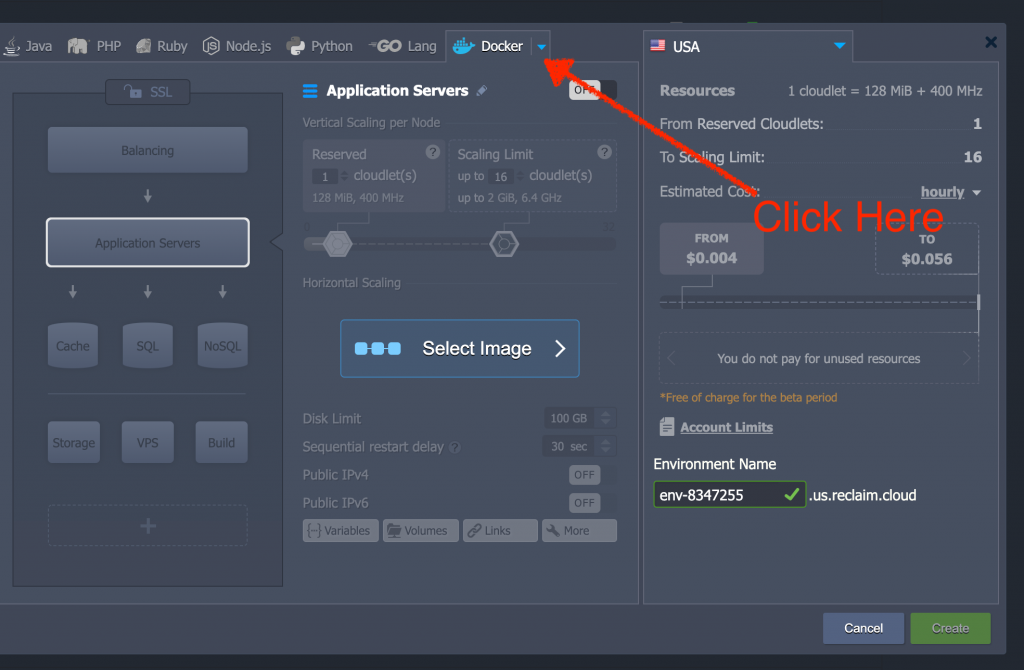
To begin with you will need to setup a Docker Engine on Reclaim Cloud by clicking on the downward-facing arrow next to the Docker tab:

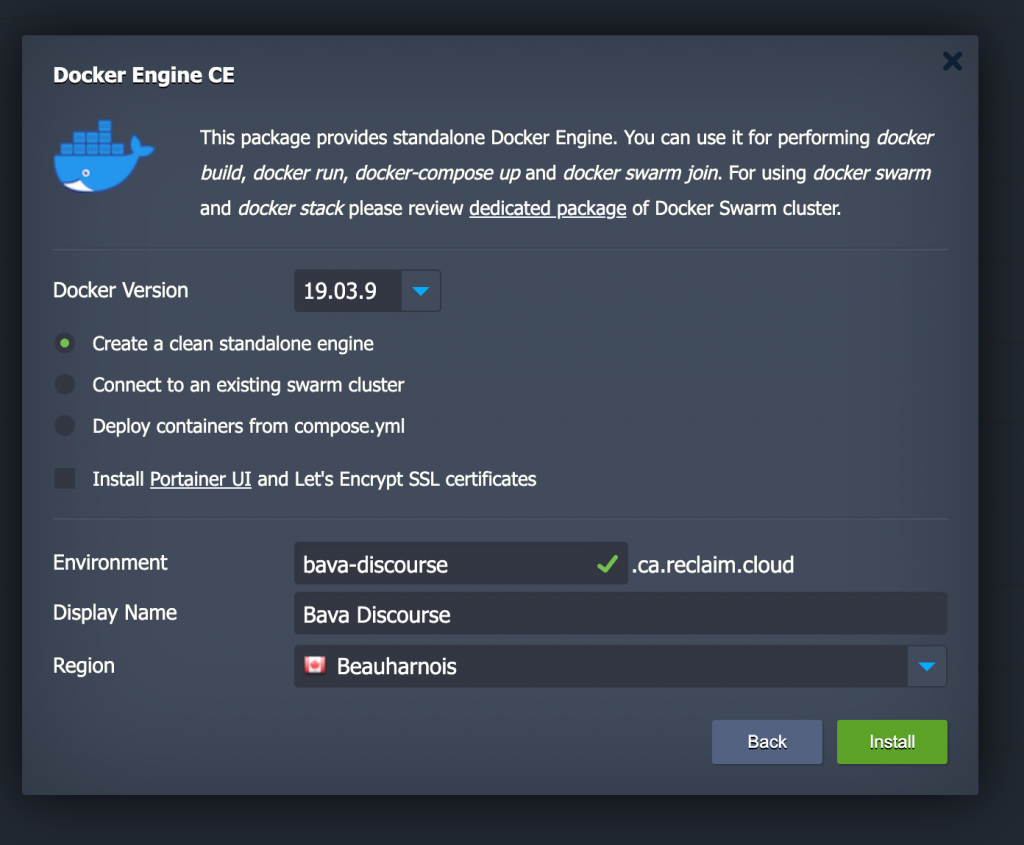
After that select Docker Engine:

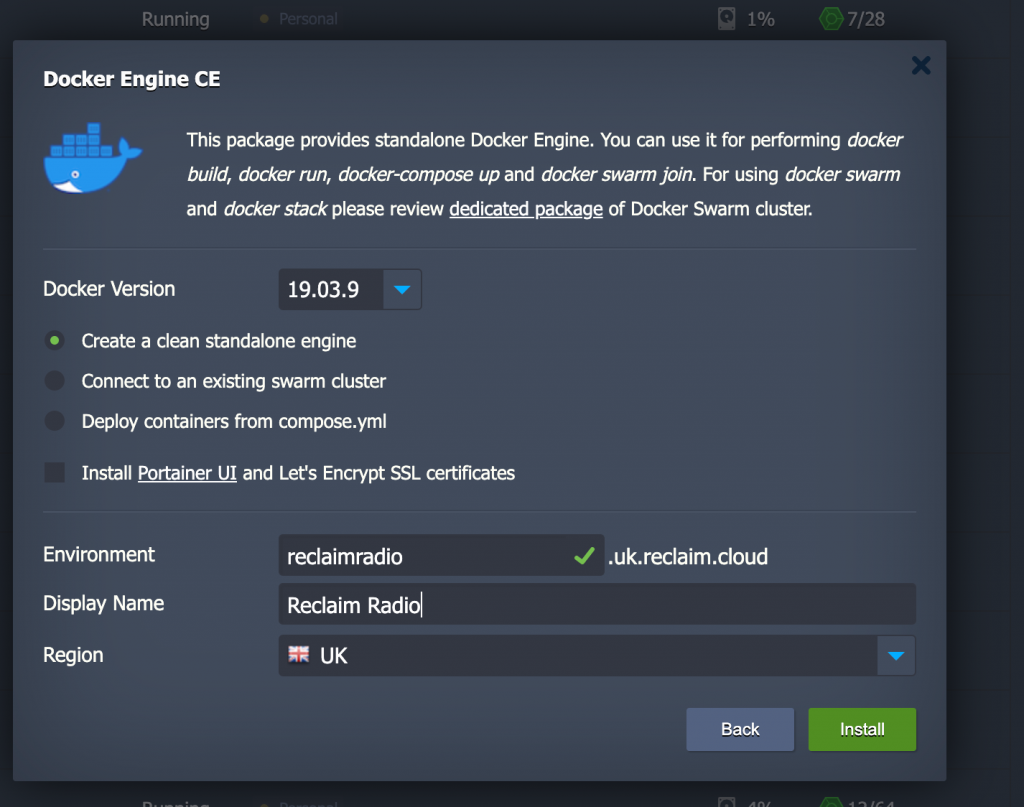
At the next prompt create the domain (reclaimradio.uk.reclaim.cloud), name the server (Reclaim Radio), and decide in what region you want the app to live (UK).

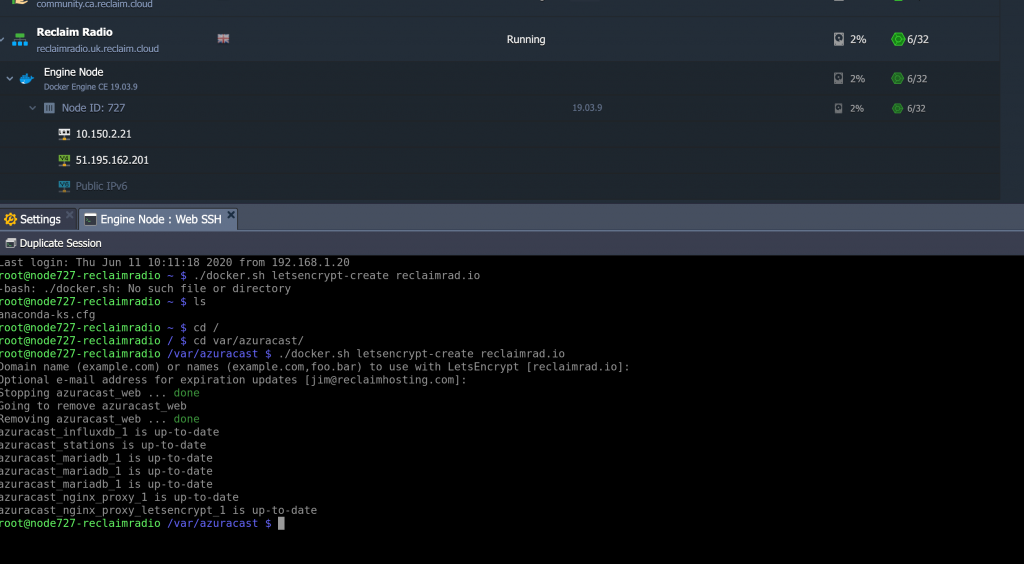
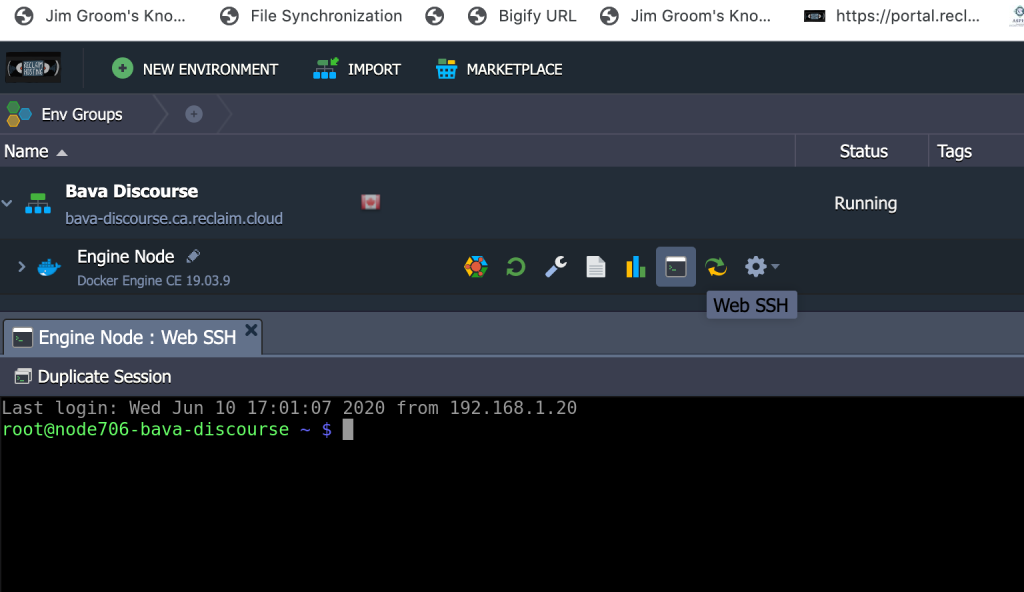
After the Docker Engine is created you can login to the web SSH tool and create the azuracast within the var directory:

mkdir -p /var/azuracast

After that, change directories:

cd /var/azuracast

From within the azurcast directory download their Docker Utility Script:

curl -fsSL https://raw.githubusercontent.com/AzuraCast/AzuraCast/master/docker.sh docker.sh

Set it as executable:

chmod a+x docker.sh

And then run the Docker installation process:
./docker.sh install

Soon after that the container with the Azuracast software will be up and running.

Keep in mind, you will want to make sure you define the domain as the custom domain you want the software to run in, in our example it is reclaimrad.io version reclaimradio.uk.reclaim.cloud. This is important when installing the Let’s Encrypt SSL certificate through the application.
./docker.sh letsencrypt-create reclaimrad.io

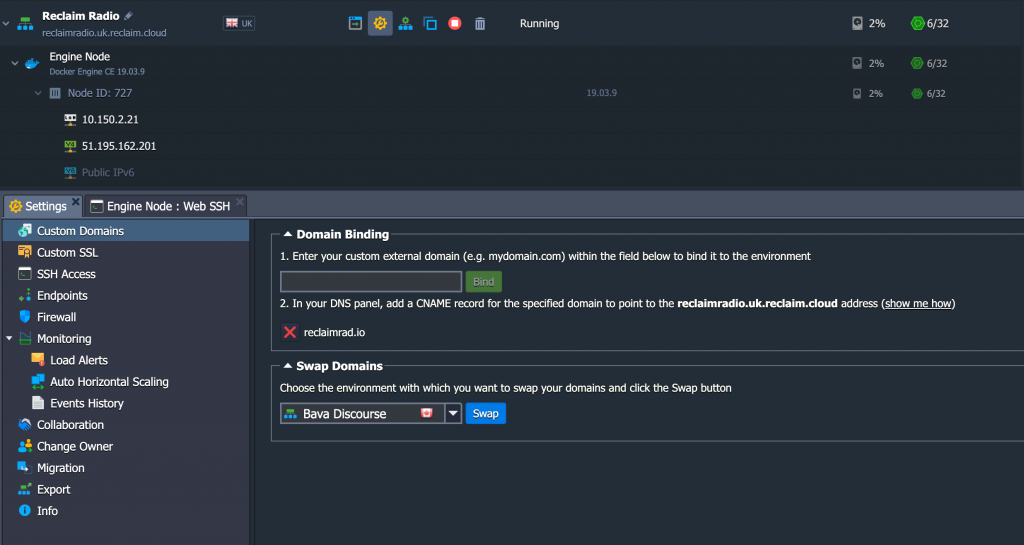
Finally, you will want to point an A record for the custom domain name to the container’s public IP address where ever you manage DNS, for this instance I was using the Zone Editor in cPanel for reclaimrad.io.

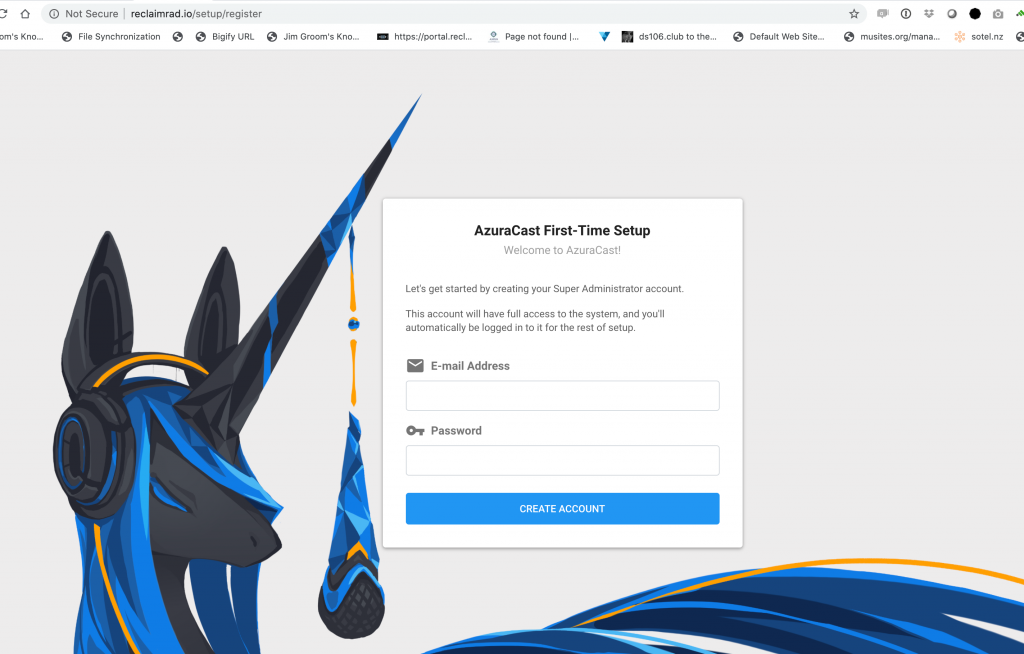
At this point you can login to Azuracast and start managing the application, here is a good guide to get you started on that journey.

Posted in reclaim, Reclaim Cloud, Reclaim Radio | Tagged , , , | 1 Comment

Reclaim Radio

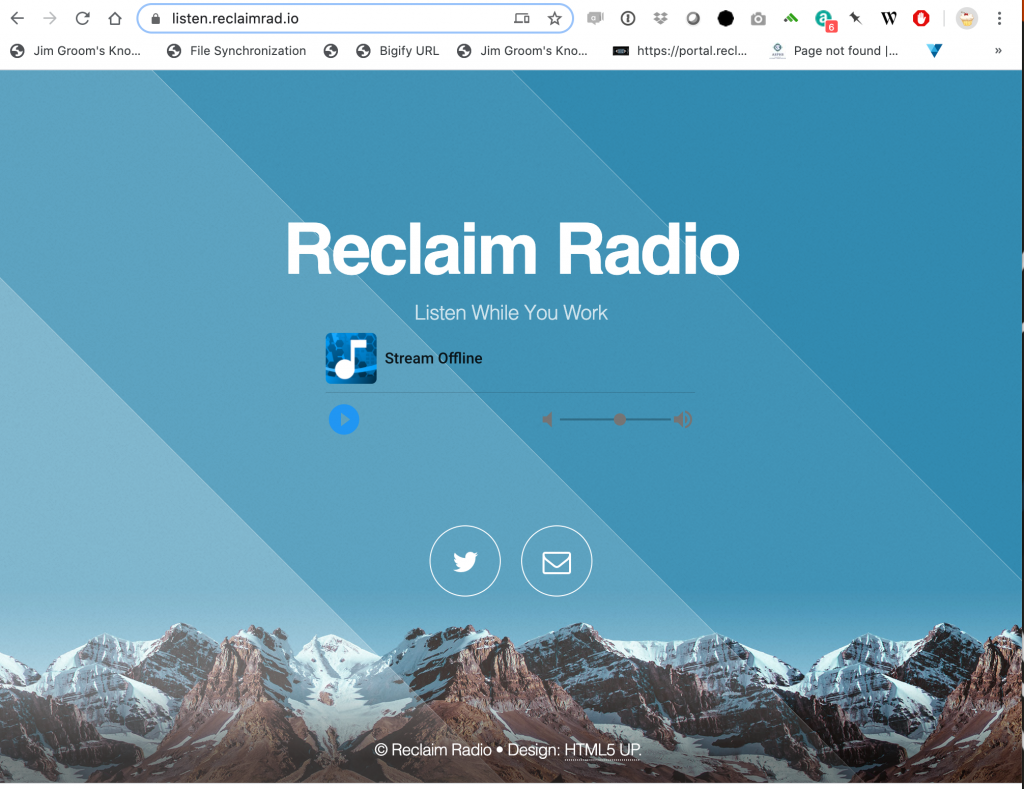
Reclaim Radio in the wild

This has been a long time coming. More than a month ago we were imagining how cool it would be to have a space where we could play music like we did in the office, all the while I was playing on ds106radio. There is no reason why ds106radio cannot be the default, but it can get busy and we wanted to think of it as a focused Reclaim Hosting radio station for listening (if you want) while you work. What’s more, we were fans of how Taylor Jadin just up and created his own radio station.

I played with setting up the open source radio broadcasting software Azuracast on Digital Ocean a few weeks back, but soon after that Reclaim Cloud took over my life. I put the project on hold for  a while, but last week before I got an instance of Azuracast up and running in a Docker container on Reclaim Cloud using Docker Engine and a few choice commands. It was quite easy, and I will document the installation process in another post shortly. And if all goes to plan, I hope to have a one-click application installer for Reclaim Cloud, but I may just be dreaming that part of this post.

I still have a bit to do in terms of making sure everyone else at Reclaim has access, figuring out uploading music, and then documenting how to live broadcast, upload music, create playlists, etc. So it’s still early days yet, but the software is impressive, and if I can get everything figured out this week I may even reach out to the ds106radio hippies and see if a move to Azuracast might make some sense in the near future.

Posted in ds106radio, reclaim, Reclaim Radio | Tagged , , | 7 Comments

Jitsi on Reclaim Cloud

Zoom’s privacy record has been spotty at best for a while now, but recent news pointing to their shutting down activist’s accounts at the behest of the Chinese government is yet another reason to think twice before using that video conferencing service. As Zoom has taken pole position in the edtech industry along side the learning management system as schools seem unable to imagine teaching asynchronously, the idea of an open source alternative to Zoom seems welcome. BigBlueButton is an existing option that folks at the OpenETC use and seem quite happy with. Another I’ve heard a lot about more recently is Jitsi Meet, and it just so happens that Reclaim Cloud has a one-click installer for Jitsi so I spun one up for myself.

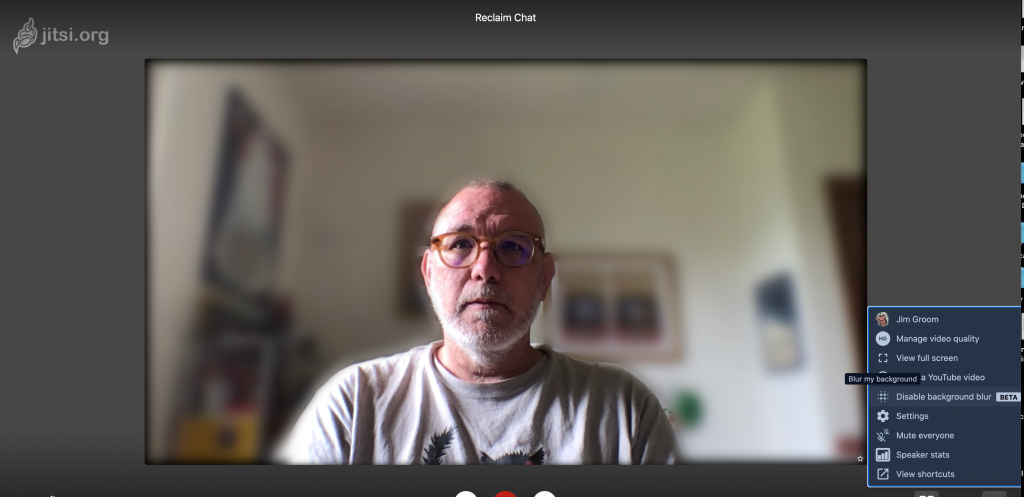
Blurring the background for that 3-D motion effect

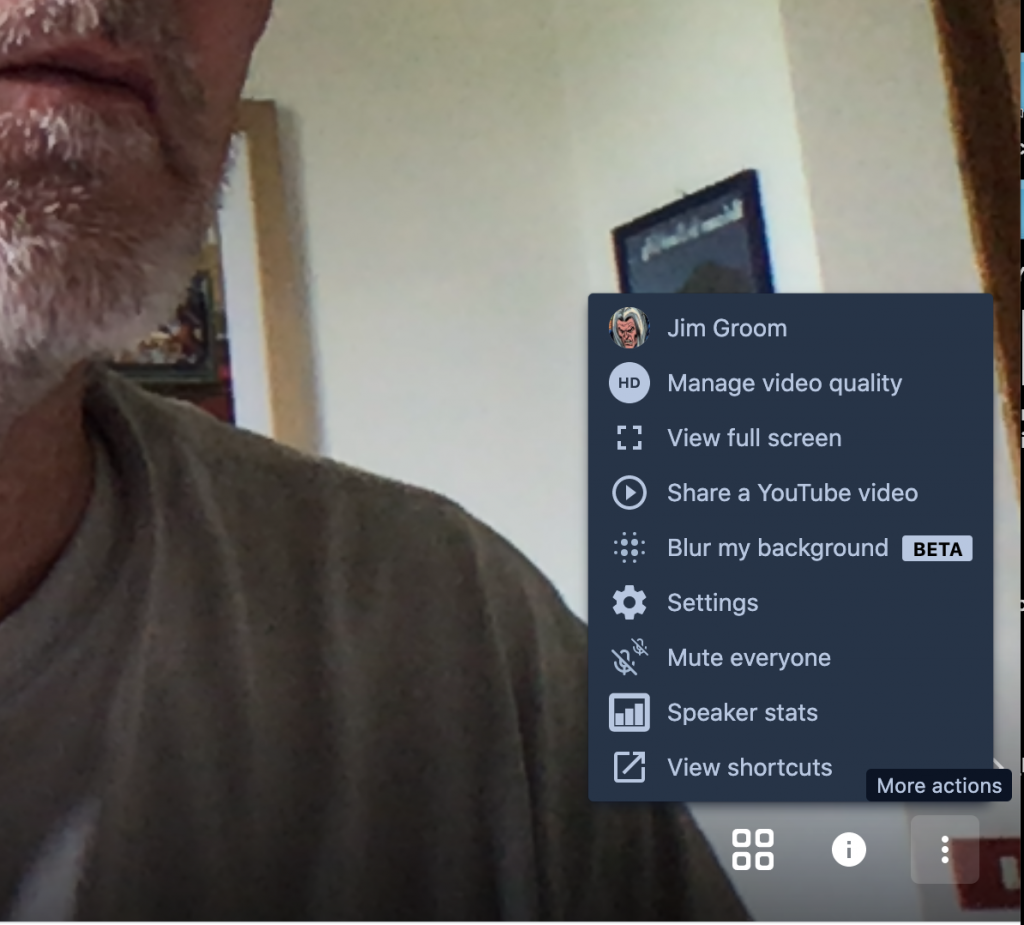
Not only is Jitsi encrypted end-to-end, but it is also as intuitive and seamless as Zoom. It allows screen sharing, in-app sharing of YouTube videos, chat, hand raising, and full screen or tile view.

There are also speaker stats for clocking who talked for how long, as well as bandwidth indicators for each participant in order to help identify where any connection issues are originating.

There are also integrations with other applications, such as for communal editing of documents in Etherpad or connecting your Google calendar:

Rooms you create on the fly can quickly be secured by the host with a password to prevent Zoom-bombing, and as host you can set these parameters much like in Zoom.

Over the past two weeks we have used Jitsi internally at Reclaim Hosting and it has been seamless. We’ve had no issues with groups of 7 or 8, and one-click install in Reclaim Cloud can support up to 75 users, but if more spaces are needed the instance can be vertically scaled.*

Also, it is worth noting I was able to map the instance on a custom domain, and I now have yet another tool within the complex of my Domain that I can use as needed. Pretty slick.

One thing that is not possible with Jitsi on Reclaim Cloud just yet is recording the sessions within the instance. That is something we are currently exploring, and once that is possible I will be hard pressed to see the advantages of Zoom over Jitsi in any regard.

__________________________________

*Jitsi scales resources up and down based on usage (think of scaling light using a light dimmer) which means you only pay for what you use. What’s more, you can also turn off the instance when it’s not in use to save even more on resource usage, which is true of any application on Reclaim Cloud. Even when idle applications like Jitsi use a certain amount of server resources (what are termed Cloudlets), so turning off the instance until next usage is like turning off the lights in a room you won’t be occupying for a while to save energy and money.

Posted in open source, reclaim, Reclaim Cloud, video | Tagged , , | 4 Comments

Discourse in the Reclaim Cloud

What’s old is new again. In 2015 I wrote about Reclaim Hosting experimenting with the next-generation forum software Discourse using a multi-user Docker setup. We use Discourse for Reclaim’s Community forums and I’ve grown to love the software.* What’s more, as that 2015 post notes, it epitomizes some of the challenges of running these next-generation apps on existing, affordable commodity web hosting: namely it runs Ruby using Nginx and requires transactional email. As Tim pointed out yesterday, I never take the easy road with this stuff. Discourse, even on the Reclaim Cloud, is not a simple, one-click install. But I know folks asked me about it, so I wanted to see what the process looks like, and then document it, which I have in the Reclaim Community Forums (which will not be available for another two weeks given we are still building this out, but I will paste in below). I am also working on a video tutorial for this install.

The following guide describes the process of setting up Discourse on Reclaim Cloud, but before I paste it below a note for my particular case that is not necessarily generalizable. When mapping the forum it seems the proxied A record for discourse. through Cloudflare (where I manage DNS for bavatuesdays) was creating issues. I needed to turn that off for Domain mapping to work:

If you are not using Cloudflare this issue should not occur, but it frustrated me for quite a bit.

This guide will take you through installing the next-generation forum software Discourse on the Reclaim Cloud using the official Docker image they maintain.

To begin with you will need to setup a Docker Engine on Reclaim Cloud, by clicking on the downward-facing arrow next to the Docker tab:

After that select Docker Engine:

At the next prompt create the domain (bava-discourse.ca.reclaim.cloud), name the server (Bava Discourse), and decide in what region you want the app to live (blame Canada!).

At this point your Docker Engine server will be spun up, and once it is you can login via the web-based SSH window provided to install Discourse:
From the command line you can install Discourse (and the command line will follow) but before you do you need to ensure 1) you have a transactional email account working and 2) an A record pointed to the container’s public IP address if you plan on using a domain other than mydiscourse.us.reclaim.cloud. In this example we’ll be mapping Discourse to the URL discourse..

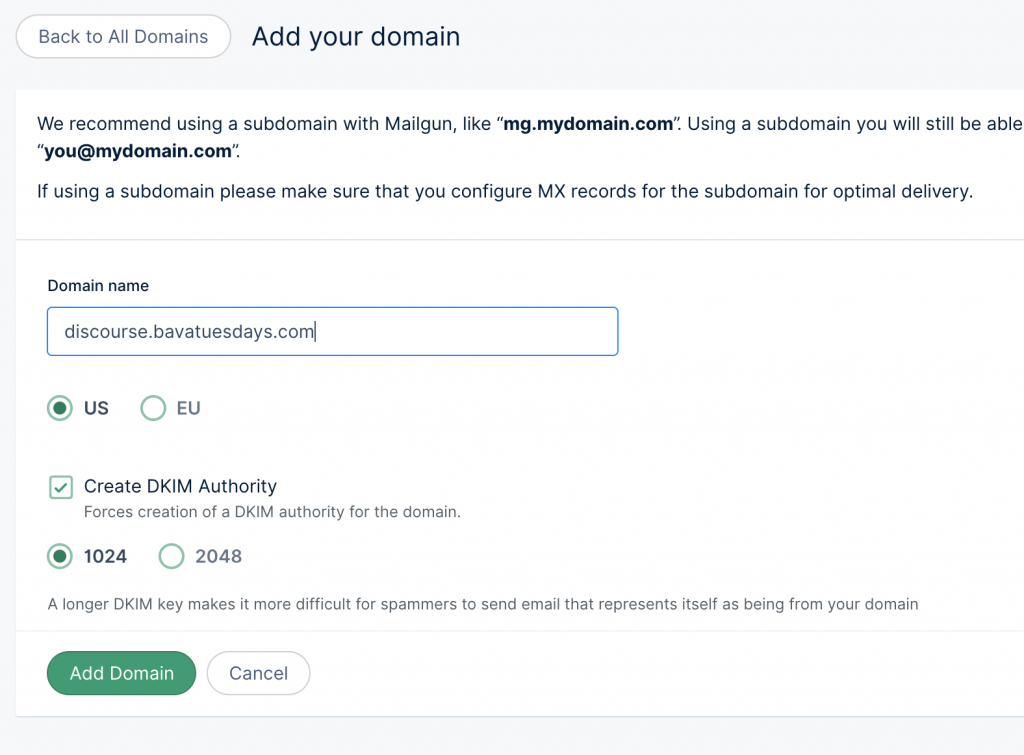
Transactional email services, like Mailgun and SparkMail, allows you to setup email sending and receiving for apps like Discourse. For this example we used Mailgun, and the crucial information you will need are the SMTP server address, SMTP port, SMTP username, and SMTP password. Along with the domain name, this is the information you will be prompted for when setting up Discourse, and if the email does not work (i.e. is not verified through your transactional email service) you will not be able to use the application.

This guide for setting up a new email domain using Mailgun could prove useful. But keep in mind there are more options.

Once that is done you can now begin installing Discourse. From the command line run the following commands:

git clone https://github.com/discourse/discourse_docker.git /var/discourse
cd /var/discourse

After that you can launch the Discourse setup tool:

./discourse-setup

At this point you will be prompted for domain, email, SMTP details, etc.

Hostname for your Discourse? [discourse.example.com]:
Email address for admin account(s)? [[email protected],[email protected]]:
SMTP server address? [smtp.example.com]:
SMTP port? [587]:
SMTP user name? [[email protected]]:
SMTP password? [pa$word]:
Let's Encrypt account email? (ENTER to skip) [[email protected]]:

We recommend defaulting to port 587 and skipping Let’s Encrypt account email if you do not want to receive email about the built-in SSL certificate.

This will generate an app.yml configuration file on your behalf, and then starts the install which takes a few minutes. If you need to change these settings after installation, you can run ./discourse-setup again (it will re-use your previous values from the file) or edit /containers/app.yml manually with nano and then ./launcher rebuild app, otherwise your changes will not take effect.

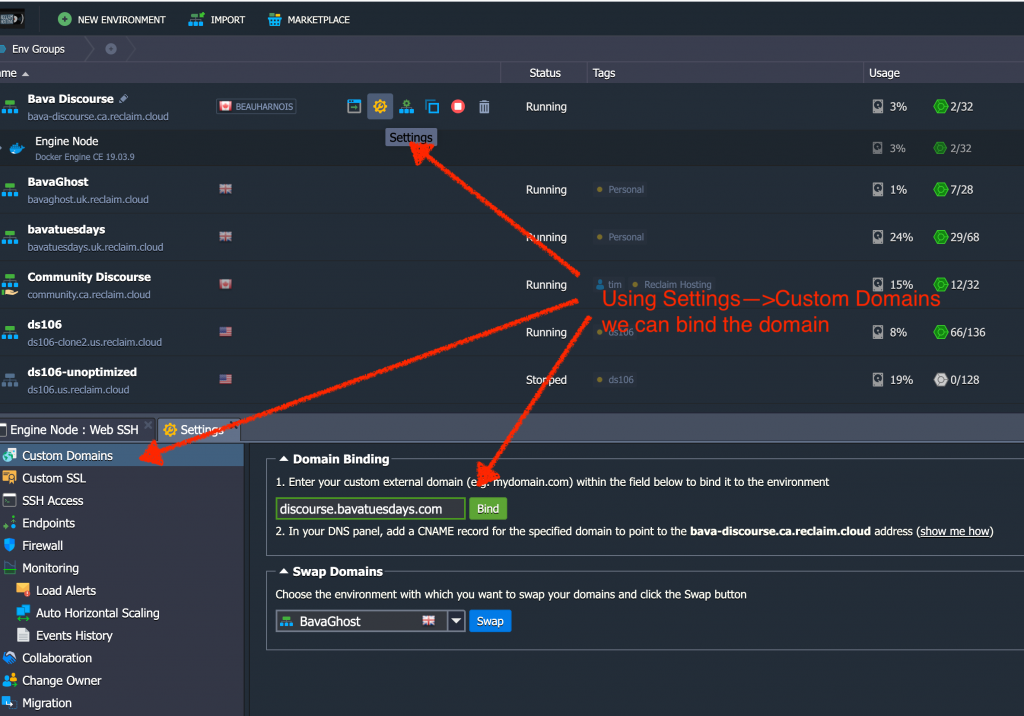
Last thing is if you are using a domain other than that provided by Reclaim Cloud you will need to go to Settings–>Custom Domains and add the domain there. Additionally, the domain you are pointing needs to have an A record pointed at the Docker Engine container’s public IP address.

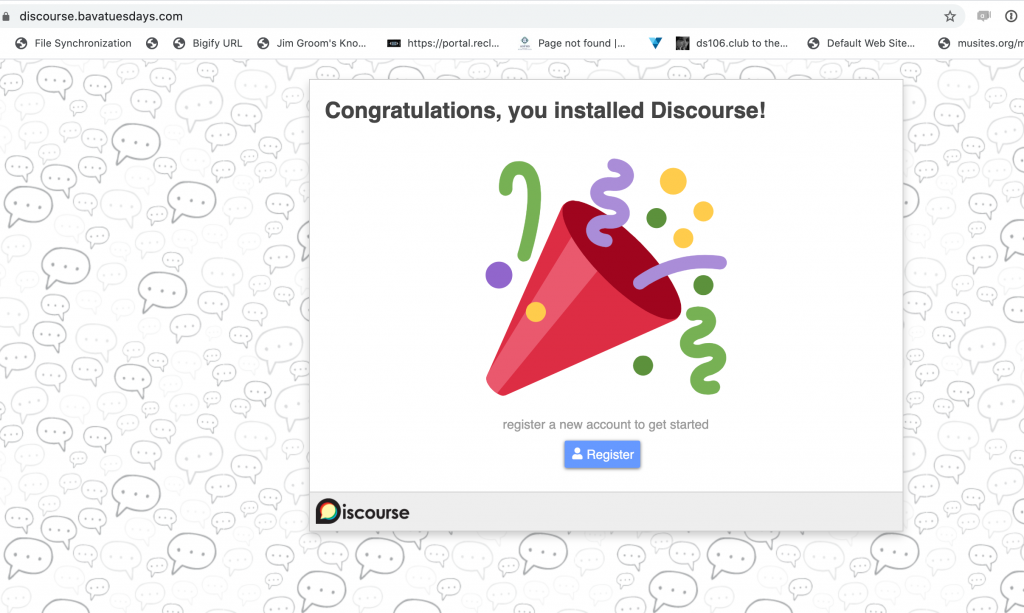
After that, go to the domain and Discourse should be installed and ready to setup.

__________________________

*We are now running Reclaim’s Discourse forum in the Reclaim Cloud quite seamlessly.

Posted in reclaim, Reclaim Cloud | Tagged , , , , | Leave a comment

MinIO and Object Storage in the Reclaim Cloud

In my work to get familiar with Reclaim Cloud I have been taking on projects that I am fairly familiar. Such as migrating this blog, ds106, and ds106.club. It’s been educational, and my last migration project is now almost finished as well. I wanted to migrate both my AWS S3 and Digital Ocean Spaces accounts over to the Reclaim Cloud.

But before I go too much further, it might help to understand what I use S3 and Spaces for. Back in 2014 or I started playing with S3cmd line as part of the process of moving bavatuesdays over to Reclaim Hosting—which is crazy to think about. The use in 2014 was pretty specific, using the Amazon S3 command line to upload a very large file so Tim could help me with the migration of my blog.

Since then I have used S3 not only for random storage, but also as a place to also upload a copy of any media I add to the bava using the WP Offload Media Lite for Amazon S3, DigitalOcean Spaces, and Google Cloud Storage plugin. As the plugin notes, Amazon’s S3 is now just one of many players, such as Google and Digital Ocean. Cloud storage, which is referred to as Object-based Storage, is different from block and/or file-based storage in that it uses a flat structure made up of objects that are related to one another through metadata rather than file hierarchy or block structure. So, rather than controlling access and URIs through file structures or separate parts, you can control access to a single file directly through metadata, something that is crucial for container stack architecture to work given each layer of the stack is usually abstracted from the underlying server.*

So, back to my use-case that I’m reproducing in Reclaim Cloud, I have the WP Offload Media Lite plugin on my blog that connects to S3 and Spaces and uploads all media from my blog there. This is useful for have a backup across multiple regions, hooking media into a content delivery network, or simply separating uploaded content and media from the core application files, which arguable make a move to a different application that much easier. So, as I was imagining a solution Tim quickly pointed me to MinIO, which is open source object-storage software like S3 or Spaces that we just so happen to have a one-click installer for on Reclaim Cloud, you see where this is going now?

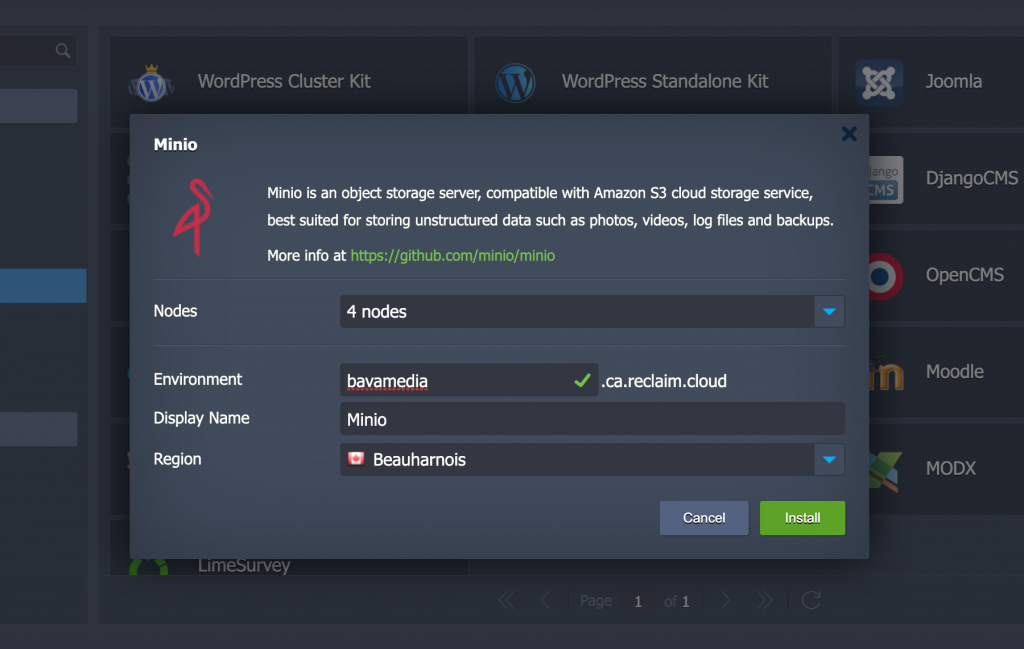
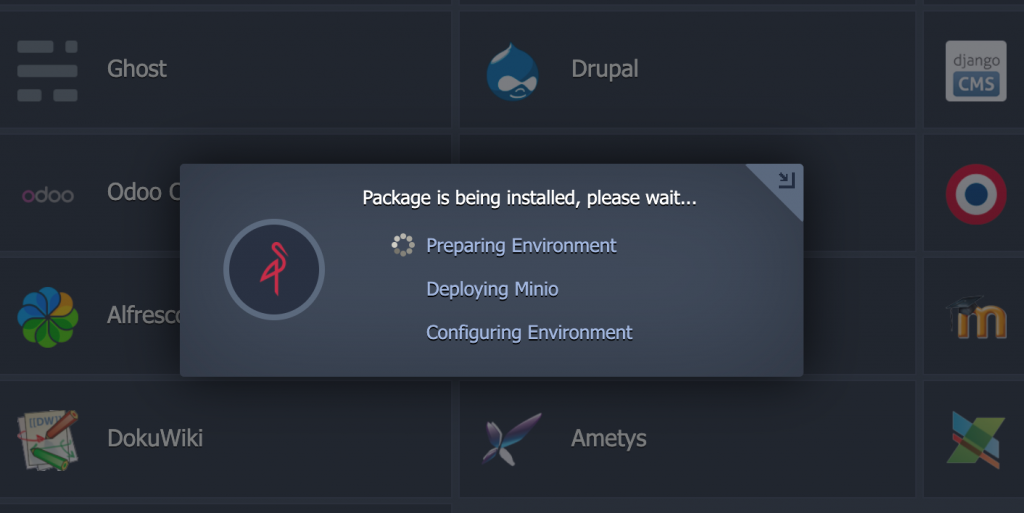
So, I installed an instance of MinIO on our Canadian data center (that’s right, Canada!) and called it bavamedia.

It took a few moment to install, and I was up and running with an object-storage solution, now I needed to see if it worked cleanly with s3 commands, which it does. I had already installed the S3cmd tool on my Mac (the guide is quite good for getting it running), so I’m now able to push files from my desktop up to MinIO. This means I could download my media uploads from AWS and Spaces, and uploads them to my Minio Instance, which I did. Once the directories were downloaded, I needed to upload/sync them to MinIO which means using S3 commands like the following:

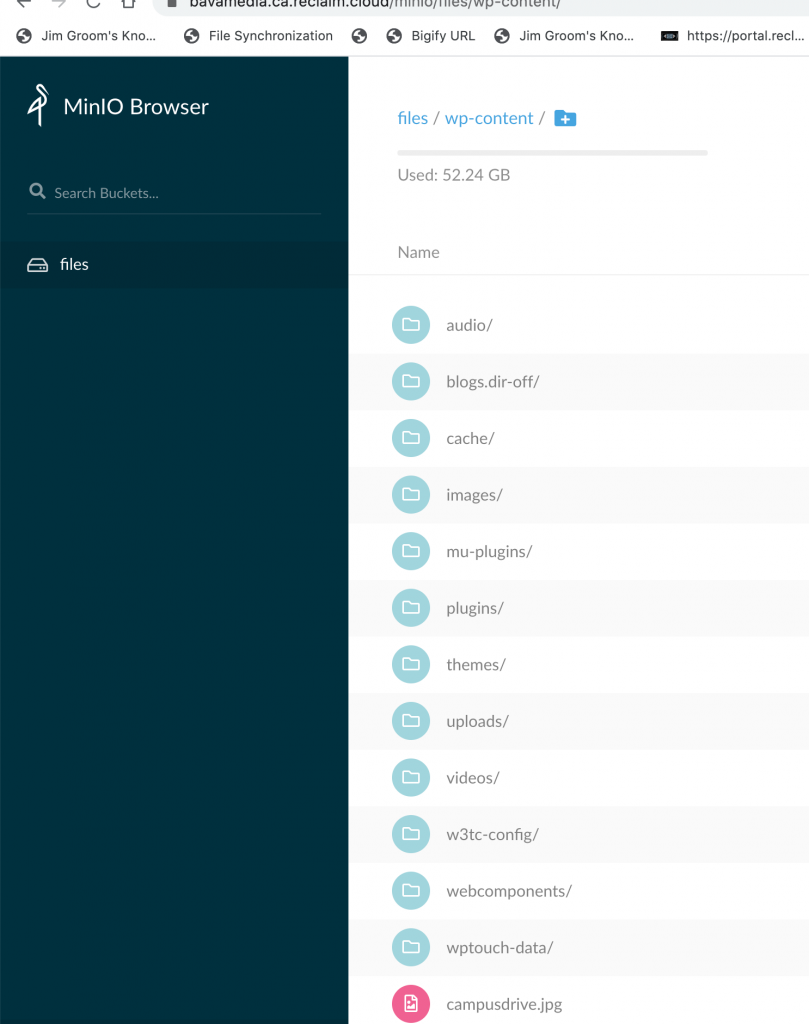
s3cmd sync --skip-existing ./ s3://files/

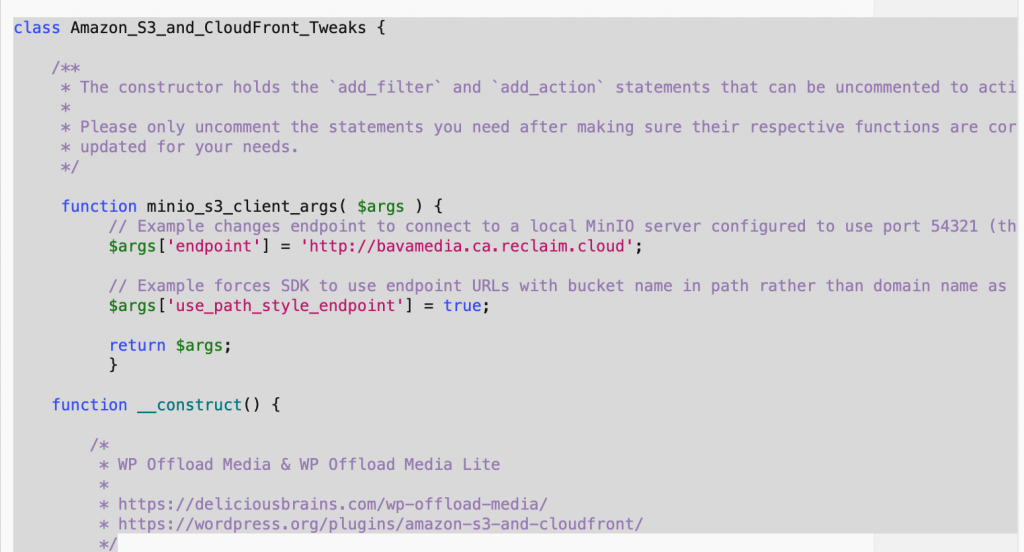
This command syncs all files within the current directory (./) on my desktop with the /files bucket on MinIO. So, in my files bucket I am either putting or syncing everything in /wp-content which will then be the bucket I point the WP Offload Media Lite plugin so that all future uploads to bavatuesdays go to this bucket. “But does this plugin support MinIO?” you naturally ask? “It is obvious from the title we can use S3, Spaces, and Google Cloud, but what about MinIO?” Absolutely, it uses the S3 command language, so it works cleanly, you just need to add an additional plugin, WP Offload Media Tweaks, and edit the amazon-s3-and-cloudfront-tweaks.php file with specifics from you MinIO setup. In fact, Delicious Brains, the developers of the plugin, have an excellent guide that takes you through using their plugin with MinIO. In fact, Tim was also playing with MinIO, and effectively realized that we can provide folks hosting Omeka (or Omeka-S) the ability to integrate through MinIO, much like they could with S3 previously.

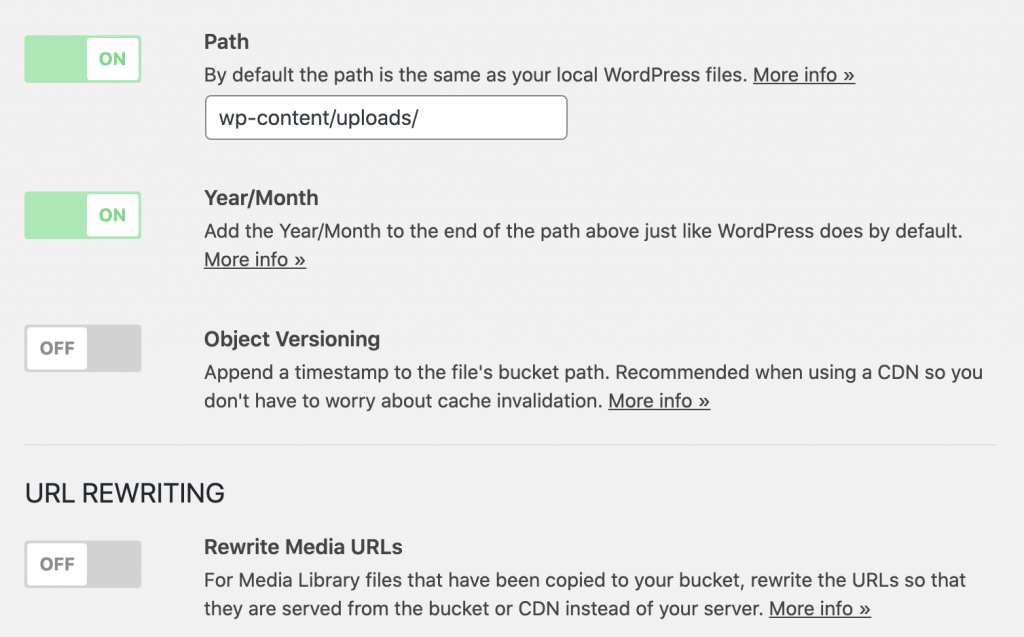
If you do use the WP Offload Media Lite, I have found turning off the object versioning helped me keep the file structure identical between my blog and my off-site files on MinIO (the object versioning adds another directory layer), but there is a sacrifice of the the extra layer of metadata for file structure consistency, which highlights that my thinking is still straddling the old and new in terms of my comprehension of object-storage.

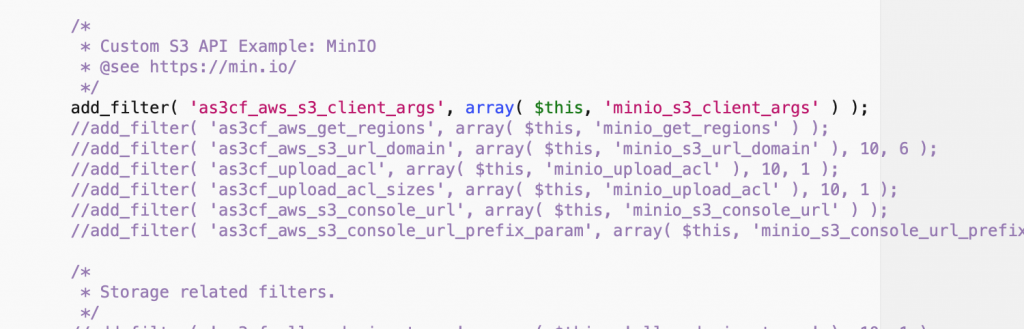
Below are areas that highlight my filters for connecting to the MinIO object-storage through the Amazon S3 and Cloudfront Tweaks plugin linked above:

And the following add_filter line was already uncommented and ready to go. I added it in the plugin code above this line and kept getting fatal errors when trying to install the plugin, only to realize it was already in there and ready to go.
After I did this MinIO works as a replacement for Spaces and S3 in terms of offloading media from my blog, but now it is time to get serious about exploring the possibilities that this flat file, metadata rich option provides me well beyond WordPress media.
____________________________________

*I’m still working my way through this conceptually, and this post is part of that, so any and all pointers, metaphors and explanations of these differences is always appreciated.

Header image by MarjanNo from Pixabay

Posted in AWS, bavatuesdays, reclaim, Reclaim Cloud, WordPress | Tagged , , , , , | 2 Comments

New Day Rising

While folks have been marching, protesting, and generally kicking fascist ass in the USA, I’ve had my head in the clouds. Not only literally as we work to roll out Reclaim Cloud, but also figuratively as I find myself day-dreaming of an alternative future for the country I was born in. And that is thanks to the many courageous folks who stood up and said they had finally had enough of a racist regime that was literally suffocating its people. As it plays out on my screens and throughout the Italian media, it’s readily apparent the African-American community has led the charge and precipitated what many of us are hoping will be the start of a new day.

I’m far away and forever in debt to those who rose and continue to rise, but for the last few days thoughts of home have me smiling rather than shaking my head. Thinking back to a land where the seeds of equality, possibility, and the people’s ability to change the status quo may be taking root. That all seemed far away these last 4 years as I watched from afar, and between the dis-information, fear-mongering and brutality it became increasingly easier to grow despondent. But when folks see through the violent strategy of financial and emotional austerity and refuse to be silenced, that’s a break in the socio-political dam that spouts hope.

So, I just want to recognize what’s happening, what matters and thank all those back home who refused to let fear get in the way of hope. You are heroes. What’s more, I recognize my absentee role in it, and beg forgiveness as I proceed to put my head back in the cloud to pass the days in hope 🙂

Posted in politics | Tagged | Leave a comment

Updating the bava database from MyISAM to InnoDB

Some of our initial explorations in the Reclaim Cloud have been around automagically scaling for larger WordPress Multisite instance. One of the things Tim discovered yesterday is that the Gallera Cluster that scales databases only works with InnoDB type MySQL databases not MyISAM. Turns out both this blog and ds106 run MyISAM, so I found this Stack Exchange post on upgrading from one to the other. Needless to say I got a backup of my database before trying anything, and then ran this code in the general SQL area of phpMyAdmin:

SET @DATABASE_NAME = 'bavatues_wp1';

SELECT  CONCAT('ALTER TABLE `', table_name, '` ENGINE=InnoDB;') AS sql_statements
FROM    information_schema.tables AS tb
WHERE   table_schema = @DATABASE_NAME
AND     `ENGINE` = 'MyISAM'
AND     `TABLE_TYPE` = 'BASE TABLE'
ORDER BY table_name DESC;

That command spit out the following that I then ran in the SQL area of phpMyAdmin for this blog’s database:

ALTER TABLE `wp_wordtube_playlist` ENGINE=InnoDB;
ALTER TABLE `wp_wordtube_med2play` ENGINE=InnoDB;
ALTER TABLE `wp_wordtube` ENGINE=InnoDB;
ALTER TABLE `wp_users` ENGINE=InnoDB;
ALTER TABLE `wp_usermeta` ENGINE=InnoDB;
ALTER TABLE `wp_term_taxonomy` ENGINE=InnoDB;
ALTER TABLE `wp_term_relationships` ENGINE=InnoDB;
ALTER TABLE `wp_terms` ENGINE=InnoDB;
ALTER TABLE `wp_termmeta` ENGINE=InnoDB;
ALTER TABLE `wp_stp_tags` ENGINE=InnoDB;
ALTER TABLE `wp_spamlist` ENGINE=InnoDB;
ALTER TABLE `wp_scaptcha` ENGINE=InnoDB;
ALTER TABLE `wp_richcomments` ENGINE=InnoDB;
ALTER TABLE `wp_ratings` ENGINE=InnoDB;
ALTER TABLE `wp_quotescollection` ENGINE=InnoDB;
ALTER TABLE `wp_posts` ENGINE=InnoDB;
ALTER TABLE `wp_postmeta` ENGINE=InnoDB;
ALTER TABLE `wp_pollsq` ENGINE=InnoDB;
ALTER TABLE `wp_pollsip` ENGINE=InnoDB;
ALTER TABLE `wp_pollsa` ENGINE=InnoDB;
ALTER TABLE `wp_podpress_stats` ENGINE=InnoDB;
ALTER TABLE `wp_podpress_statcounts` ENGINE=InnoDB;
ALTER TABLE `wp_options` ENGINE=InnoDB;
ALTER TABLE `wp_ngg_pictures` ENGINE=InnoDB;
ALTER TABLE `wp_ngg_gallery` ENGINE=InnoDB;
ALTER TABLE `wp_ngg_album` ENGINE=InnoDB;
ALTER TABLE `wp_links` ENGINE=InnoDB;
ALTER TABLE `wp_flickr_post` ENGINE=InnoDB;
ALTER TABLE `wp_comments` ENGINE=InnoDB;
ALTER TABLE `wp_commentmeta` ENGINE=InnoDB;
ALTER TABLE `wp_blc_synch` ENGINE=InnoDB;
ALTER TABLE `wp_blc_links` ENGINE=InnoDB;
ALTER TABLE `wp_blc_instances` ENGINE=InnoDB;
ALTER TABLE `wp_blc_filters` ENGINE=InnoDB;
ALTER TABLE `wp_bibliography` ENGINE=InnoDB;
ALTER TABLE `wp_as3cf_items` ENGINE=InnoDB;
ALTER TABLE `wp_amber_queue` ENGINE=InnoDB;
ALTER TABLE `wp_amber_check` ENGINE=InnoDB;
ALTER TABLE `wp_amber_cache` ENGINE=InnoDB;
ALTER TABLE `wp_amber_activity` ENGINE=InnoDB;
ALTER TABLE `wp_ak_twitter` ENGINE=InnoDB;
ALTER TABLE `wp_ak_404_log` ENGINE=InnoDB;

That was all it took, they were changed successfully. After that  I restarted the Gallera Cluster in Reclaim Cloud, and everything seems to be running smoothly. I’m currently working up the courage to try the same thing for ds106 🙂

Posted in bavatuesdays, Reclaim Cloud, sysadmin, WordPress | Tagged , , , , , | 3 Comments

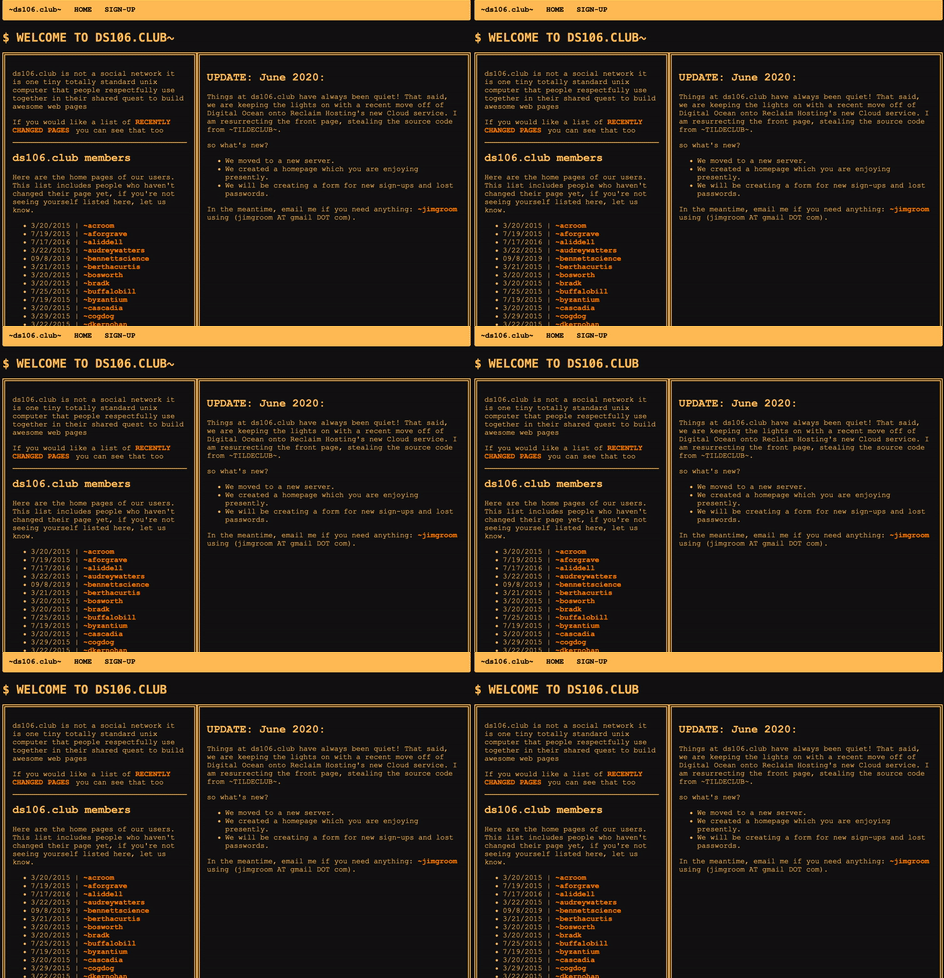
New homepage for ds106.club

While I am still cleaning house, I wanted to share the new homepage I create for the ds106.club site.

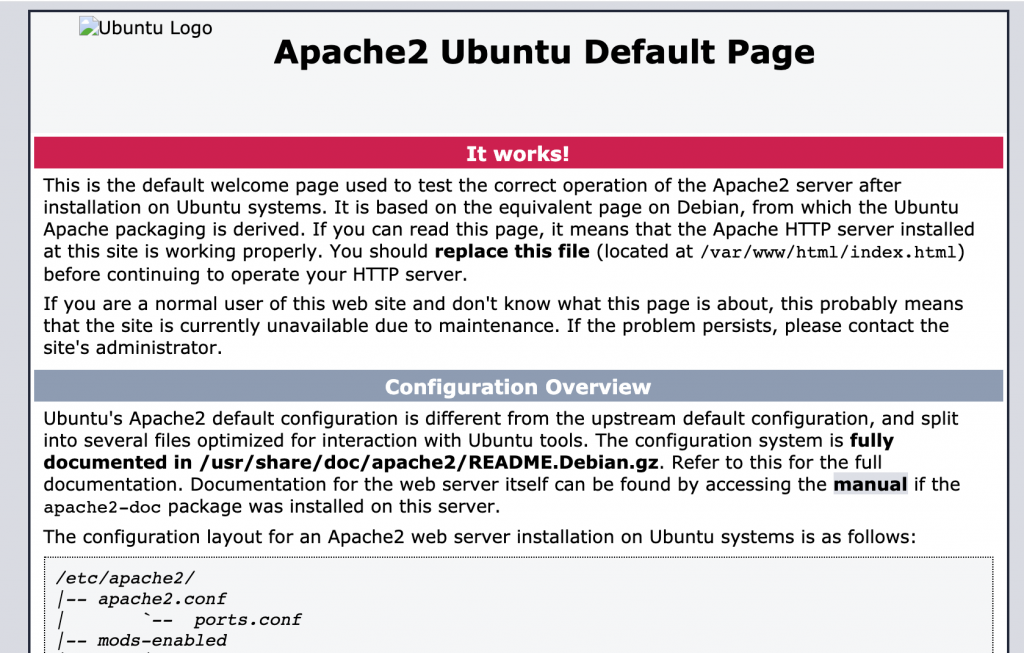
While I would like to pretend I actually styled this site, I did nothing of the sort. I basically copied the index.html of tilde.club, and then grabbed the stylesheet. I made some minor changes, like replaced the blinking cursor with a blinking tilde, but besides that it is pretty much a direct lift. It was fun because it brings me back to about 2004 when I was playing a lot with CSS and HTML to build a site for Hunter College’s Honors Program. It was a really good lesson in trying to hack at WordPress, even if I was always terrible at PHP. The inspiration was Cogdog’s comment after I reported on having migrated the site to the Reclaim Cloud. Honestly, I have no idea what happened to the front page, but for years it has simply been an Apache landing page letting me know the server is up and running:

So, I spent the other part of yesterday (much of the morning was dedicated to migrating and archiving the ds106 wiki) getting ds106.club squared away. Not sure it will ever be used again, but that never stopped me before.

Are you happy now, Alan?! Just feel like I am picking up where he left off given all the amazing work he did over the years to modernize, restructure, and categorize ds106. It’s in quite good shape because of all that work.

Posted in digital storytelling | Tagged , | 7 Comments

Archiving ds106 docs

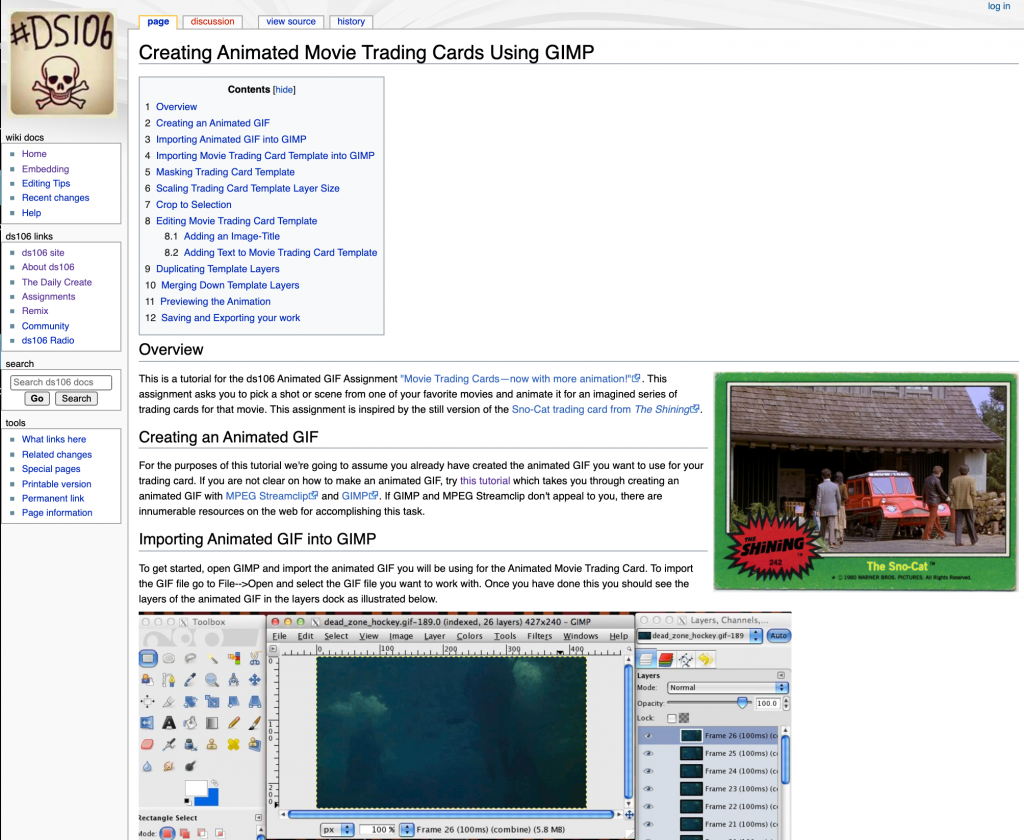
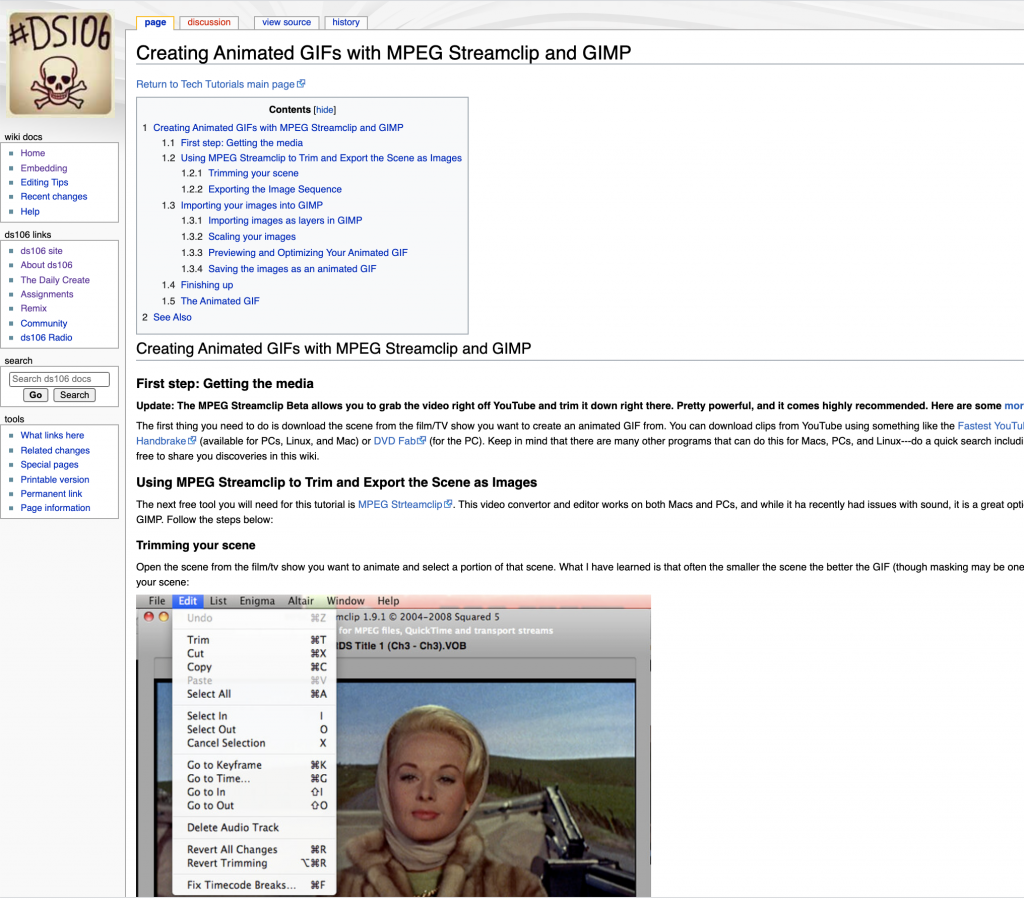
Part of moving ds106 to a new server is making sure you don’t leave a trail of dead links in your wake. With great classes come great responsibility 🙂 I think I have the caching issues and some of the kinks worked out after the move, but one think I did want to make sure wasn’t lost in the move was the ds106 wiki, also known as ds106 docs. It was used through 2014, and while it wasn’t a huge part of the class design, for quite a while we used it to for  tech tutorials, syllabi, and other assorted resources. For example, I forgot about the detailed tutorial I created for an animated series of Dead Zone trading cards:

Or the equally detailed Creating Animated GIFs with MPEG Streamclip and GIMP tutorial.

I understand these resources are not all that useful anymore, but the internet preservationist in me wants them to live on. There are other resources such as various syllabi for classes over the years, such for Alan Levine‘s and Martha Burtis‘s Camp Magic MacGuffin syllabus from Summer 2012, or the syllabus for the ds106 Zone in the Summer of 2013. What I noticed going through my early syllabi for ds106 is they were all the same, they just started riffing on a different theme as the years went by, but the core remained. And while that seems logical, I really didn’t remember simply copying and pasting the basics and then building the theme and the prompts of the class on the blog and through the assignments. So, all this to say keeping the wiki was part of the deal of moving the site off shared hosting.

One thing you realize when moving sites is the value of using subdomains versus subdirectories, let me explain. The MediaWiki instance was installed at ds106.us/wiki rather than wiki.ds106.us. That might have had more to do with the WordPress Multisite being subdomains and my not knowing how to resolve redirects, but if the wiki was installed in a subdomain it would still be live right now (which is probably a bad idea regardless). But given I moved everything in ds106.us and the wildcard subdomains to the Reclaim Cloud, I would not be able to run MediaWiki within a subdirectory of ds106. Whereas subdomain can always be pointed elsewhere, subdirectories lock you into the server you are pointing the root domain to.

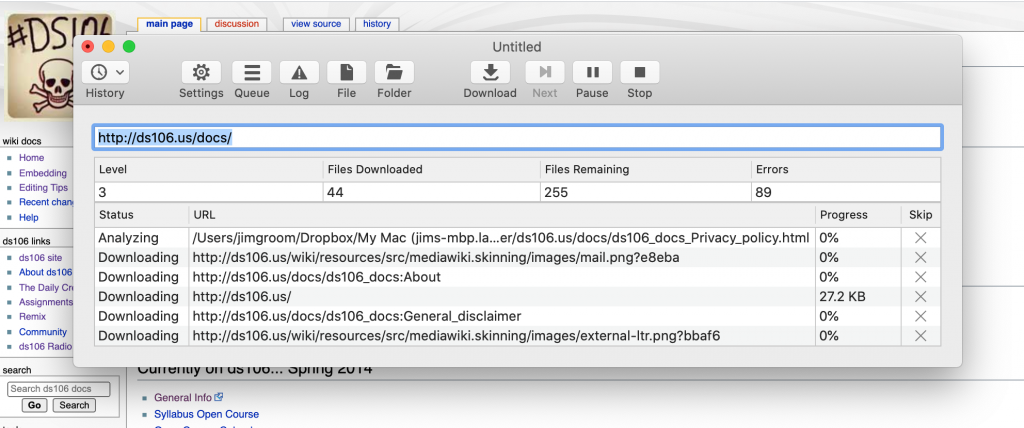
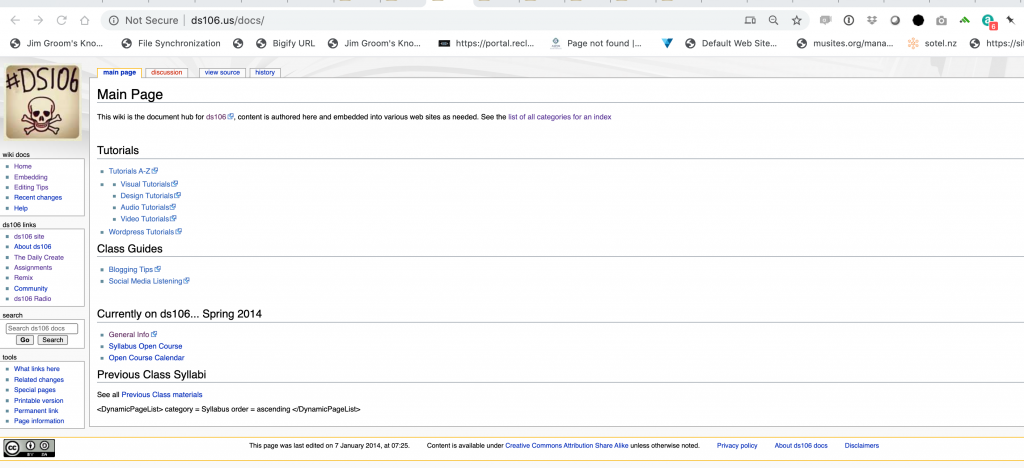
So, realizing this I need to a) get the wiki up and running temporarily so that I could then use Site Sucker to get a full HTML-based file backup of the site. This is great for archiving and also ensures that the wiki will not go down as application versions change, modules break, or spammers find a way in.* As you can se from the Site Sucker screenshot above, there are files both in ds106.us/docs and ds106.us/wiki because we used the article path function in MediaWiki to have all articles resolves as ds106.us/docs as opposed to ds106.us/wiki, which explains why the root ds106.us folder has both /docs and /wiki and both have part of the HTML archived files.

Another thing I did before archiving the MediaWiki instance (which I also have a full backup of) was update it from 1.19.xx to 1.33.xx. I had to replace the MonoBook theme, turn off the locked-out module, and adjust some other errors as a result of the update, but I was happy and relieved that it worked after a couple of hours and MediaWiki was now running a supported version on PHP 7.3 no less. Part of me still loves the promise and possibility of MediaWiki, but after wrangling with the documentation and the code it was a good reminder why it was never sustainable-the interface and editing was never made any easier and versioning issues made long-term maintenance onerous.

And with that, I think the future-proofing of the ds106 infrastructure and trying to ensure there remains some link integrity is in pretty good shape. I’ll do another pass this weekend, and then terminate the shared hosting instance, and commit to the cloud!

________________________________________________

*While I was at it I took a flat-file back-up of all of ds106.us and got a database and file dump (as well as a full cPanel backup file) that currently live in DropBox. So, this is a note-to-self that I do have a full snapshot of the site from June 2020 when I go searching for it in the future.

Update: I forgot to mention when posting this that I also created an index.html and about.html redirects given Site Sucker has the MediaWiki template linking to ds06.us/index.html and ds06.us/about which results in a 404 error. I created a simple HTML redirect file for the about.html file to go to just /about, and I tried the same for the index.html but that caused to many re-directs. I figured that this was because the default.conf file for nginx had index.html before index.php in this block:

root /var/www/webroot/ROOT;
index index.html index.php index.htm;

A simple transposition of index.html and index.php fixed it:

root /var/www/webroot/ROOT;
index index.php index.html index.htm;

Or at least making sure index.php comes before index.html in that line seems to have fixed the redirects.

Posted in digital storytelling, mediawiki, reclaim, Reclaim Cloud | Tagged , , , , | 1 Comment

ds106.club to the Cloud!

As the tale of the bava can attest, I have been knee-deep in migrating projects to the Reclaim Cloud. It’s been equal parts exhilarating and frustrating given the possibilities and the necessary learning curve, but that’s often the cost of personal and professional growth. That said, after migrating ds106.us things are starting to feel downhill, and yesterday I got the silly side-project ds106.club moved over from Digital Ocean, which means the last piece I have to move from my personal Digital Ocean account are some files I’m hosting on a Spaces instance.
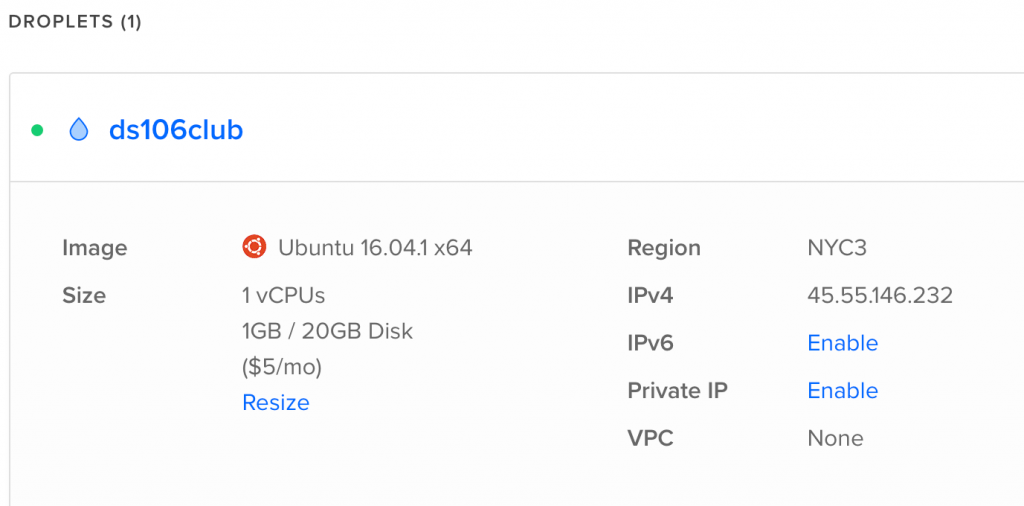
I moved ds106.club over to Digital Ocean from AWS back in 2016 when I realized I was never going to be a master of AWS’s infrastructure (part of what makes the Reclaim Cloud so welcome and exciting). The ds106.club is a straight-up UNIX apache server that was exploring the tilde.club experiment back in 2015. Our version of that experiment was hosted on a 1 GB Ubuntu 16.04 VPS through Digital Ocean at $5 a month. Not much has happened there, though there are some really fun site like the Prisoner 106 GIF story, my own little experiment, and many more. It’s a trailing edge corner of the web that is forgettable in many ways, and that’s why I love it. So, I spent Monday and Tuesday exploring how to get it migrated over.
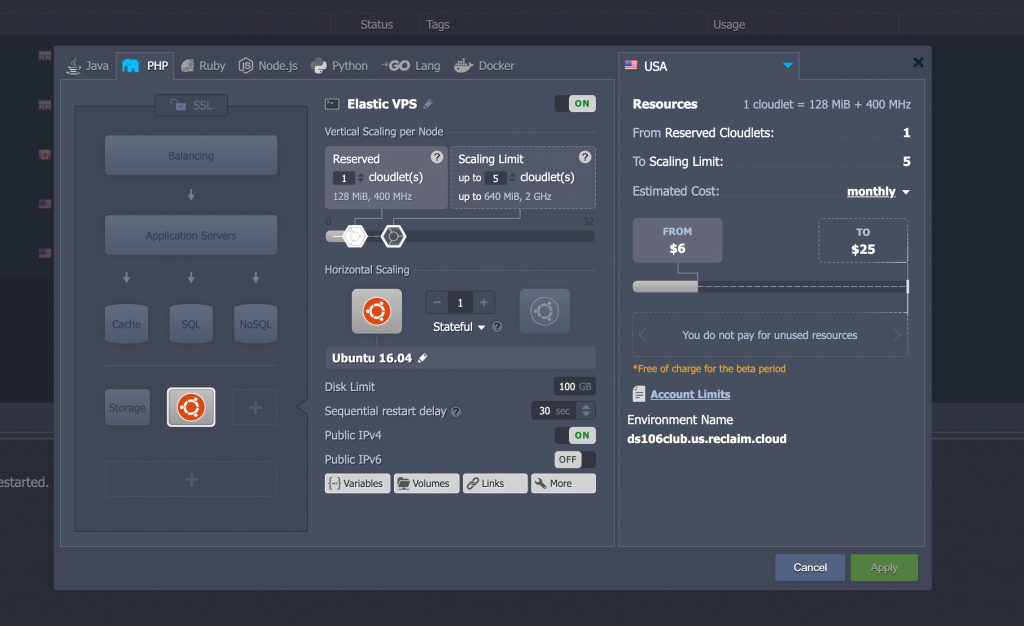
I had everything moved over cleanly on Monday following the original tilde.club how-to, but I missed a couple of things specific to the Reclaim Cloud (which is built on Jelastic’s virtualizing, container-based software). Such as the fact our Cloud has its own firewall for VPS instances. You can now see why we are still kicking the tires on this before an open, public beta in early July.  There were also some edits I needed to make to the Apache configuration file I missed, but this is a good moment to reflect on why we are able to even think about moving forward with Reclaim Cloud, which Tim documents our history with elastic computing and containers starting as far back as 2011.
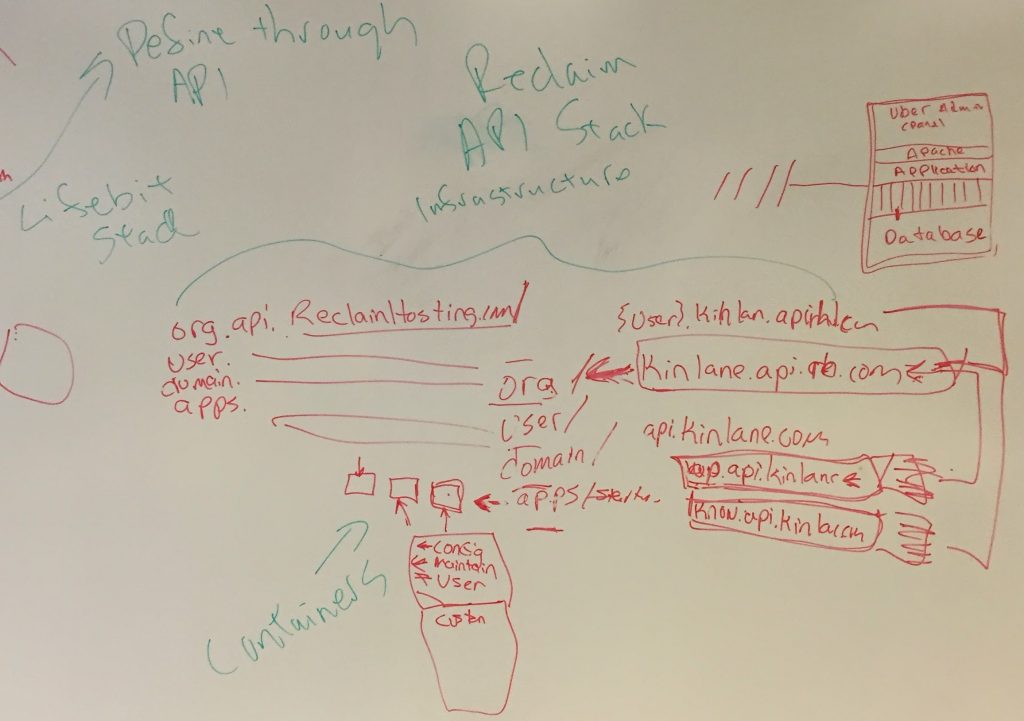
Whiteboard from a brainstorming session with Kin Lane back in December of 2014

If it wasn’t for our current team, namely Lauren Brumfield, Meredith Fierro, Chris Blankenship, Gordon Hawley, and Katie Hartraft none of this would even be thinkable, no less possible. We have gotten to a moment wherein Tim and I have both been relieved from a majority of the day-to-day operations of Reclaim, which has provided us the head space to actually push forward with a next generation infrastructure that will allow us to go far beyond even our wildest expectations 7 years ago when we started this whole thing. So, thank you all. You rule, I drool! 

In addition that that, we have setup an internal forum for our Reclaim Cloud project so that we can start to push hard on our current private beta before opening it up next month, and I tried to get things going with a post about my struggles migrating ds106.club, which I am documenting below:

I am setting up an Ubuntu 16.04 VPS in the Reclaim Cloud, and after spinning it up I can’t seem to get the public IP to resolve. To be specific, I’m migrating the ds106.club 1 instance of an Apache/UNIX tilde space server over from Digital Ocean that is also running on Ubuntu 16.04.

I am following the tilde.club setup guide 1 and have updated the hostname:

$ sudo hostnamectl set-hostname ds106.club

When I run the above command and reboot, the ds106.club hostname is replaced with node366-env-7531836.us.reclaim.cloud, so it is not sticking. Although, from what I understand that might not be an issue for Jelastic, and editing the /etc/hosts file may be enough?

In that vein, I updated /etc/hosts to the following (notice Jelastic keeps a record for the original hostname in this file underneath the commented line):

127.0.0.1 localhost ds106.club
147.135.81.23 ds106.club
# Auto-generated hostname. Please do not remove this comment.
147.135.81.23 node366-env-7531836.us.reclaim.cloud node366-env-7531836

After that I am still getting nothing at the IP or domain, I went ahead and tried installing Apache2, and I get the following error:

insserv: warning: current start runlevel(s) (empty) of script `apache2' overrides LSB defaults (2 3 4 5).
invoke-rc.d: policy-rc.d denied execution of start.
Setting up ssl-cert (1.0.37) ...
Processing triggers for libc-bin (2.23-0ubuntu11) ...

I looked this up and did see a Stack Exchange post on the issue 1, but when I ran the recommended command to fix:

RUN printf '#!/bin/sh\nexit 0' > /usr/sbin/policy-rc.d

I got the following:

RUN: command not found

At this point I backed away slowly from command line and decided to high tail it to this part of the Reclaim Community forums to see if I can get a lifeline :slight_smile:

To which, in less than an hour, Chris Blankenship response with the following:

I just ran through this successfully on an ubuntu vps, I did have to deviate from the steps outlined a bit.
End Result: http://hostnametest.chrisblankenship.cloud/~testuser/

I spun up the Ubuntu VPS, and edited /etc/hosts to add these lines to specify the IP and hostname I’d be using:
147.135.81.26 hostnametest.chrisblankenship.cloud hostnametest
127.0.0.1 hostnametest.chrisblankenship.cloud hostnametest

This doesn’t change the hostname for the VPS itself, I’ve been having trouble with that as it will re-set each reboot, but adding these lines should be sufficient so your server is recognized with the proper hostname.

Then I created the user testuser using the adduser command, switched into the user by running su - testuser, and created a public_html dir with all the permissions and a test index file by running: mkdir ~/public_html && chmod 755 ~/public_html && echo "<h1>TESTING</h1>" >> ~/public_html/index.html && chmod 644 ~/public_html/index.html && exit

Once I was back in the root shell, then I installed apache by running: apt install apache2

Before edits can be made, it has the be run to generate the config files, so I ran systemctl start apache2

Then I had to enable userdir support using a2enmod userdir and restart apache using systemctl restart apache2

And then in the default enabled site’s file /etc/apache2/sites-enabled/000-default.conf, I added a line at the top to specify the servername: ServerName hostnametest.chrisblankenship.cloud

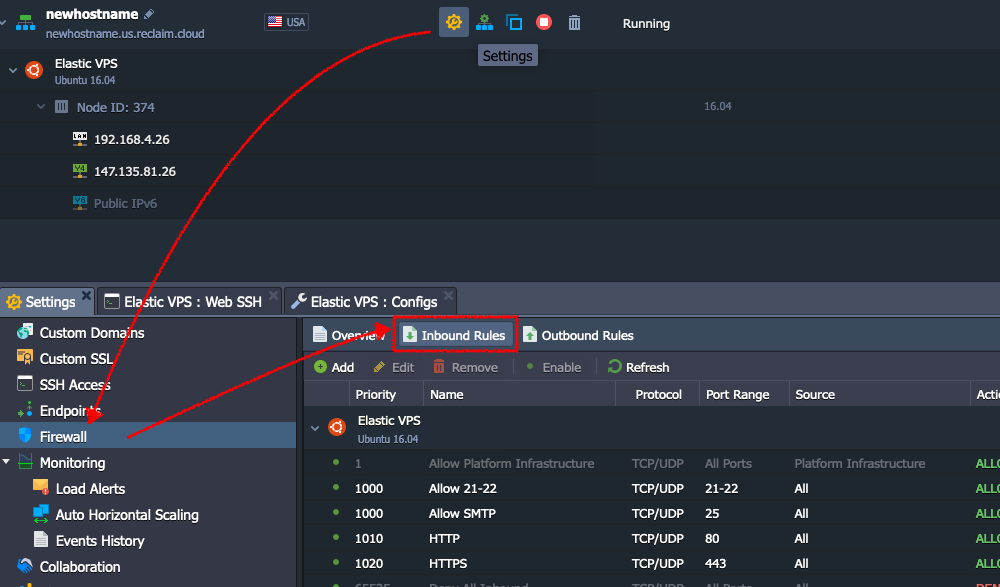
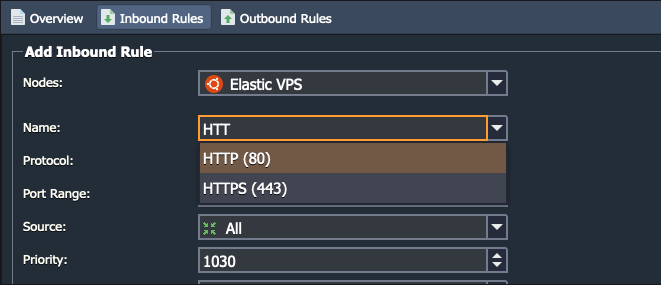
I gave it one more restart using systemctl restart apache2 and then I had to open up the HTTP/HTTPS ports in the Jelastic Environment Firewall
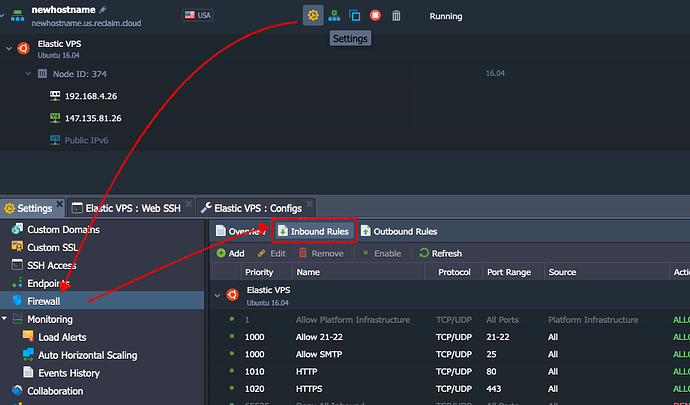
If you hit add under Inbound Rules, you can specify HTTP/HTTPS as the name, and it will autoconfigure with the ports.
image

I can now get the tilde space for the test user. I’m having some issues enabling the service to run at startup (systemctl enable apache2), but I’ll update once I figure that out.

Not only did this work for me, and the only other thing I needed to figure out was migrating content and user permissions, which this post on nixCraft was textbook for. So, thanks to Chris I have ds106.club up and running on Reclaim Cloud, and this really cemented for me that we are ready for this. We are ready to start helping students, faculty, and institutions think through the cloud for their offerings, and that is pretty exciting. Reclaim has been quite a journey thus far, and I think this marks a new, exciting chapter. And while it is important to temper excitement in the current political situation, I have always believed strongly that part of what Reclaim has been doing has always been about a sense of reclaiming control and educating as many folks as possible that it is indeed possible, and here is one way at it.

Posted in digital storytelling, Reclaim Cloud | Tagged , , | 2 Comments