The Great Firewalls of bava

Image of a failed metal detector
Luckily, installing both an internal and external firewall on the new bava setup was not nearly as difficult setting up the LEMP environment outlined in my previous post.  For the server-based firewall I used the same one we have on our 150+ servers at Reclaim Hosting, namely ConfigServer Security & Firewall (csf). It’s free, and it has been very handy for blocking and allowing IPs quickly and easily. Also, this guide for Centos or Ubuntu has a straightforward, step-by-step setup that worked a treat. So, that is now up and running.

Next, I added the external firewall service Bitninja as a preventative measure to preemptively identify and block any incoming attacks. They also do a preliminary malware scan during the first 8 hours after installation, which is nice. Bitninja has a been a life-saver for our servers at Reclaim Hosting, and we install it routinely on any new server we setup. So, following that logic, I installed it on the bava server. Installing it is dead simple to, I just use the following command:

curl https://get.bitninja.io/install.sh | /bin/bash -s - --license_key=********************

Keep in mind the license key is edited out given we pay $5 per month per server license for Bitninja, which has been worth it for us at Reclaim. This might be overkill for the bava, frankly, but in the end the costs of hosting this blog on its own cloud-based server are fairly reasonable. I’ll lay them out for you below, and you be the judge:

    1. The 2 GB 4 GB server through Digital Ocean with 50GB hard drive: $10 per month $20 per month
    2. Weekly backups on Digital Ocean: $2 per month
    3. bitninja license for external firewall: $5 per month $10 per month

I could probably do #2 cheaper, and #3 is a bit of a luxury, but in the end $17 $32 per month to have the bava running like a top [crosses fingers] is a good investment in my eyes.

Update:  Bitninja is actually causing performance issues at the moment. There is some kind of conflict, so will be looking into that tomorrow. Maybe D’Arcy’s right, damn the detox hippies!

Update #2: There’s a MySQl memory leak I am tracking down, so for the time being I jump the server up to 4 GB.

Update #3: Bitninja reached out and they are gonna help me trouble shoot the issue, cause they are awesome. Additionally, the reminded me the license is $10 a pop, so my total cost has gone up to $32 per month for the 4 GB server and the Bitninja license, but it will go down to $22 once I figure out the MySQL memory leak.

Posted in bavatuesdays, sysadmin | Tagged | 2 Comments

New Year, New Digs for the bava

I’ve been pretty good about trying to catch up and organize my photos on Flickr, more on that anon, but I got sucked into a New Year’s project that consumed me for the last two days. I decided to move my WordPress blog from shared hosting to a VPS running a LEMP stack (basically substituting Nginx for Apache). The reasons were several:

1) My site has been running into resource issues on our shared hosting servers for a little while now, and I need to be the change I want to see in owning my shit;

2) I’ve been itching to experiment with setting up my own performant WordPress server on Digital Ocean from a scratch for a while now;

3) I wanted to learn more about Nginx, and the promise of increased speed was something the bava could use;

4) But more than anything I’ve slowed on the personal development, experimenting front the last couple of years, and one of my goals for 2020 was to get back to that given it gives me great pleasure.

Although, no pleasure but pain for the bava. One of the things I forget about these projects is they consume me and I’m just emerging from a two day bender of some serious head banging. I wanted to do this with as few lifelines to the Reclaim Hosting braintrust as possible, having accomplished that I need to try and capture what I’ve learned here (with more links!) because I surely will be needing to follow my own bread crumbs in the future. So, here it goes….

It all started with the Digital Ocean Newsletter, in particular a link to this tutorial for creating a “DigitalOcean setup for WordPress website – secure, performant and budget-wise.” I saved the site for when I had some downtime, and then decided to dig in. But I almost immediately deviated from the guide given they were decided to use Ubuntu, and given most of Reclaim’s servers run Centos, I figured it would make more sense to go that route in terms of not only applicability, but also familiarity with file structure, commands, dependencies, etc. So, pretty much as soon as I got to the section in that tutorial of setting up Nginx (which was the next step after creating the Droplet and pointing DNS) I turned to the wilds of Google. One of the many things I love about Digital Ocean is their extensive guides/recipes for doing things with their infrastructure. As soon as I Googled setting up a LEMP environment one of the top hits was this article from Digital Ocean, “How To Install Linux, Nginx, MySQL, PHP (LEMP) stack On CentOS 7.” I used it fairly extensively, although I should have paid attention to the expiration date, given it was published in 2014. A lot of updates to core code happen in five years, but that’s alright because part of my learning curve this go around was updating PHP and MariaDB versions from 5.5.x to 7.2.x and 5.5.x and 10.3.x respectively.* The joys!

Two other general guides for setting up a LEMP environment were “How to Install PHP 7, NGINX, MySQL on CentOS/RHEL 7.6 & 6.10” (published in May 2019) from techadmin.net and “How to Install WordPress with LEMP Stack on Centos 7” by Linux4one. Although, with both of those I was mostly interested in comparing the Nginx configuration files for reference and nabbing various useful command lines, which reminds me how cool it felt to install WordPress using the command line on my own server—the future is now! 

Two utilities I needed to install almost immediately were nano, my preferred command line editor:

yum install nano

And wget for adding packages:

sudo yum install wget

Anyway, all this is prelude to where the issues arose, and how I navigated them. The first major, server destroying issue was when I installed MySQL. Installing Nginx was surprisingly simple, and I ran into next to no issues (at least with the installation), it’s as easy as:

sudo yum install nginx

And then you turn it on:

sudo systemctl start nginx

It’s the configuring of Nginx that can be a royal pain, but we’ll return to that a bit later.

It’s worth noting that I installed the latest version of MySQL, namely 8-1, which was raising numerous compatibility issues so I destroyed the droplet and started over being sure to install 7-1, although I eventually abandoned that for MariaDB 5.5 (thanks to the 2014 article from Digital Ocean about creating a LEMP environment) that I then upgraded to MariaDb 10.3.21. A useful resource during this process was learning how to clean up MySQL installation on CentOS. So, truth be told, there were two major resets in the process wherein destroying the droplet and starting over was easier than try to clean up the various messes I had made. But luckily with cloud infrastructure as it is, that was relatively painless. This was also when, while sharing my woes with Tim, he asked me why I wasn’t using one of Digital Ocean’s one-click LEMP images, but I figured doing from scratch might make things stick for me on a more fundamental level—hope springs eternal. I did notice, however, that there is still no one-click LEMP + WordPress app through Digital Ocean, so at least it is not all in vein just yet.

Turns out, in the end, using the 2014 tutorial by Digital Ocean was the most efficient way forward in terms of getting a working MariaDB and Nginx environment on PHP 5.5. And updating MariaDb and PHP was not as bad as expected and the server is now running Centos 7 with Nginx 1.16, MariaDB 10.3.21 and PHP 7.2 which puts me in good shape in terms of recent versions of both the operating system and the web server. So, let’s backtrack to configuring Nginx, which was where I spent a fair amount of the two days. In the end this is what my configuration file looked like, which is found at /etc/nginx/conf.d/default.conf

server {
    listen   80;
    server_name   www.;

    # note that these lines are originally from the "location /" block
    root   /usr/share/nginx/html;
    index index.php index.html index.htm;

    location / {
        try_files $uri $uri/ /index.php?$args;
    }
    error_page 404 /404.html;
    error_page 500 502 503 504 /50x.html;
    location = /50x.html {
        root /usr/share/nginx/html;
    }

    location ~ \.php$ {
        try_files $uri =404;
        fastcgi_pass 127.0.0.1:9000;
        fastcgi_index index.php;
        fastcgi_param SCRIPT_FILENAME $document_root$fastcgi_script_name;
        include fastcgi_params;
    }

    listen 443 ssl; # managed by Certbot
    ssl_certificate /etc/letsencrypt/live//fullchain.pem; # managed by Certbot
    ssl_certificate_key /etc/letsencrypt/live//privkey.pem; # managed by Certbot
    include /etc/letsencrypt/options-ssl-nginx.conf; # managed by Certbot
    ssl_dhparam /etc/letsencrypt/ssl-dhparams.pem; # managed by Certbot


}

I invite comment from folks on what I might be missing and if there are better ways at this configuration. One of my next tasks is to dig in on this and figure out what’s the best way to configure things, but as of now this seems to be working. Previously I had included a path to php-fpm, but that has gotten omitted during future iterations via manic trial and error. Speaking of which, I found the below command for the Nginx error log very useful:

tail /var/log/nginx/error.log

And after every change to the configuration file a reload is in order:

systemctl reload nginx.service

One of the errors that had me stumped, but I found out was not an actual issue was “centos 7: nginx Failed to read PID from file /run/nginx.pid: Invalid argument.” I confirmed the file was in the correct location, and read that this can happen but is not necessary a issue if Nginx reloads cleanly. But, if you disagree, I would love to know more…

The next piece after Nginx was MySQL, and once I got MariaDB 10.3.21 update this was pretty straightforward. I was relatively familiar with mysql commands for creating users, databases, adding privileges, etc. So nothing crazy there, though always useful for a refresher:

Logging into MySQl on the server:

mysql -u username -p

After that you add the MySQL password prompted for, and then the following commands can be run to create a database, user, grant privileges, etc.

CREATE DATABASE [datbasename] DEFAULT CHARACTER SET utf8 COLLATE utf8_unicode_ci;
CREATE USER '[username]'@'localhost' IDENTIFIED BY '[password]';
GRANT ALL ON [databasename].* TO '[username]'@'localhost' IDENTIFIED BY '[password]';
FLUSH PRIVILEGES;
EXIT;

The frustratingly stupid mistake I made that took up to much of my time was not logging out of the mysql shell before trying to import bavatuesdays sql file. I’ve done this same mistake before, and that makes it double annoying. basically, you need to upload the SQL file (or database) that you want to import to the site directory (although not sure it has to be there, but I do, and then delete it afterward). After that, you run the following command, but being sure you are not logged into the mysql shell:

mysql -u [username] -p [databasename] < [file_to_import.sql]

After that, MySQL was working and my data was imported to the database I created with privileges given to the appropriate user with a password—all details that need to be added to the wp-config.php file.

But before I get to syncing files from my old server, which was the easiest bit, I should mention a bit about setting up PHP, which was not, at least until I found this excellent guide by NixCraft on “How to install PHP 7.2 on CentOS 7/RHEL 7,” as simple as I had hoped. The issue was when I installed PHP 5.5.x  and then needed to upgrade, I was unclear how the PHP FastCGI Processes Manager (PHP FPM) worked with Nginx. That guide took me through not only getting PHP 7.2 up and running, but also what I needed to do to make sure PHP FPM was compatible with Nginx. 

With Nginx, PHP, and MariaDB all running smoothly, I was able to install WordPress and import the database, replace the wp-content folder and update the wp-config.php file, and that easiest way to get those file over was rsync, which is a way to copy files between servers, and it rules. I consulted this post I wrote several years ago, and it worked a treat:

rsync -avz . [email protected]:/usr/share/nginx/html/

It is also ridiculously fast and moving 10 MB per second, so 9 GB is moved in a few minutes. 

sent 8,919,411,276 bytes received 813,984 bytes 10,689,305.28 bytes/sec
total size is 9,208,402,639 speedup is 1.03

So, the last bit on this project was issuing an SSL certificate. And luckily certbot made that simple and painless: 

sudo certbot --nginx -d  -d www.

The even provide the code to make sure the certificate is automatically renewed every few months:

echo "0 0,12 * * * root python -c 'import random; import time; time.sleep(random.random() * 3600)' && certbot renew" | sudo tee -a /etc/crontab > /dev/null

And with that, bavatuesdays is running on a Digital Ocean VPS with Nginx. The speed difference is already noticeable, and the next think I have to work on is installing firewalls (thinking of going with an internal and external firewall), installing PHPMyAdmin, getting outgoing mail for WordPress working on the server, and optimizing Nginx, MariaDB, and PHP settings for best performance.

So, there you have it, a relatively useless guide in and of itself, but a wealth of links for me to return to over the coming days, weeks, months, and possibly even years as I continue to try and learn more about the various technologies that underpin the web as we know it. To infinity and beyond!


*The guides linked here are the best and easiest ones I found for updating PHP and MariaDB versions on Centos7.


Posted in bavatuesdays, Domain of One's Own, sysadmin, WordPress | Tagged , , , , , , | 12 Comments

3.5 in 2019

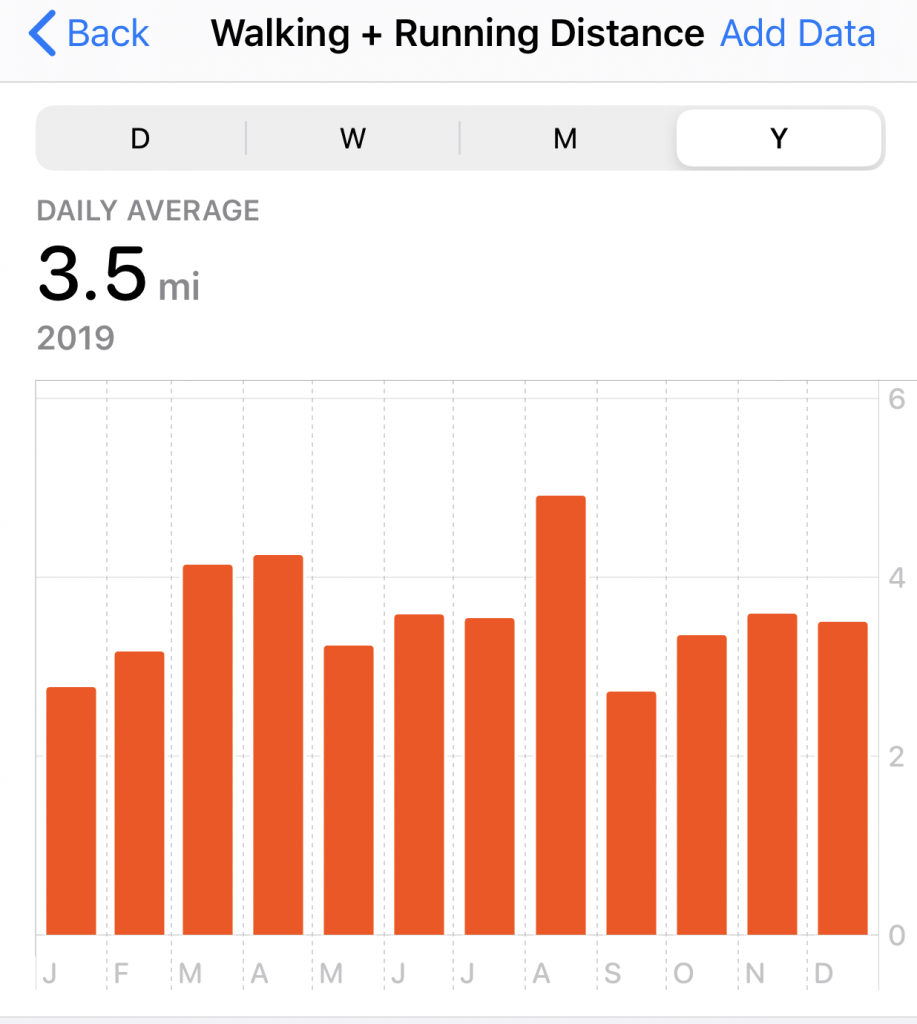
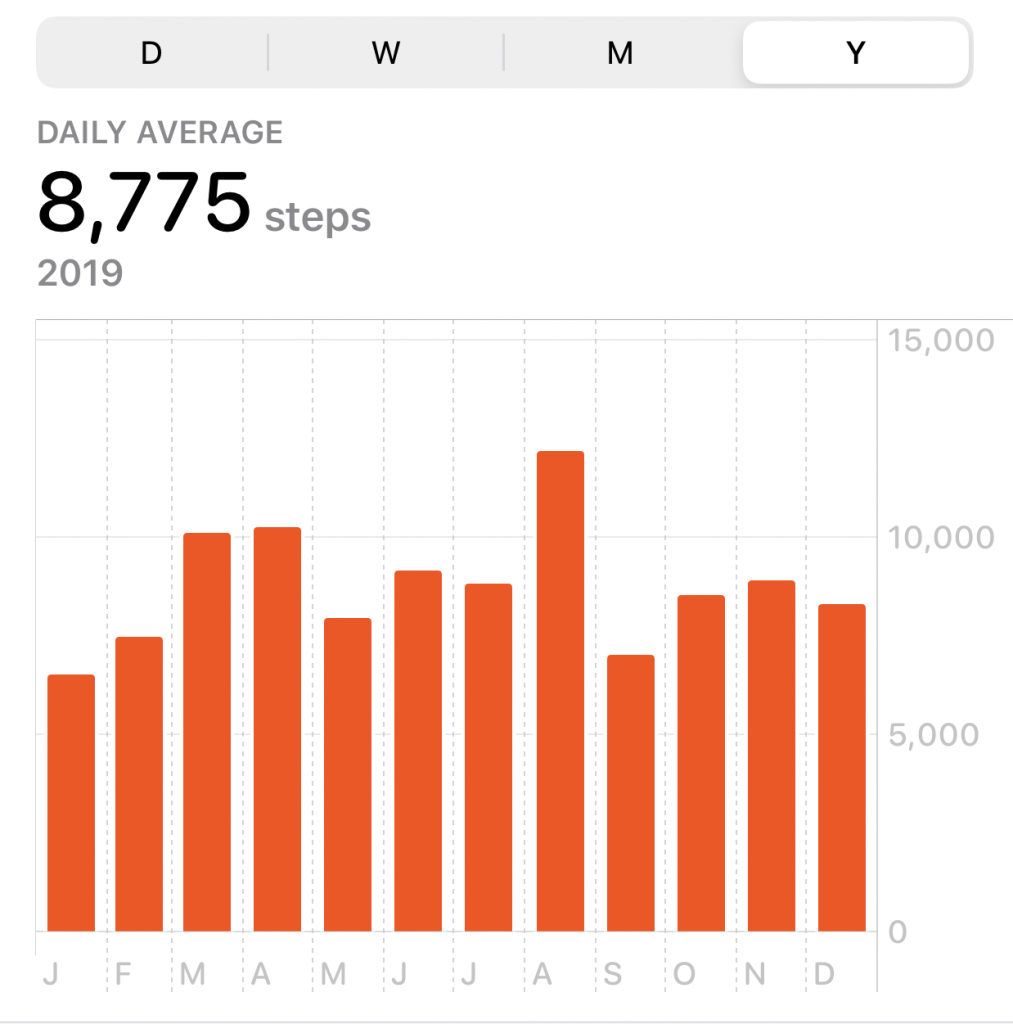
It’s my third consecutive year of regular hiking, and it continues to be a key ingredient to some much needed balance in my life. This year’s daily average for mileage and steps, 3.5 miles per day or 8775 steps, is lower than the previous two; I averaged 4 miles per day in 2018 (9438 steps) and 3.8 miles in 2017 (9,127 steps).

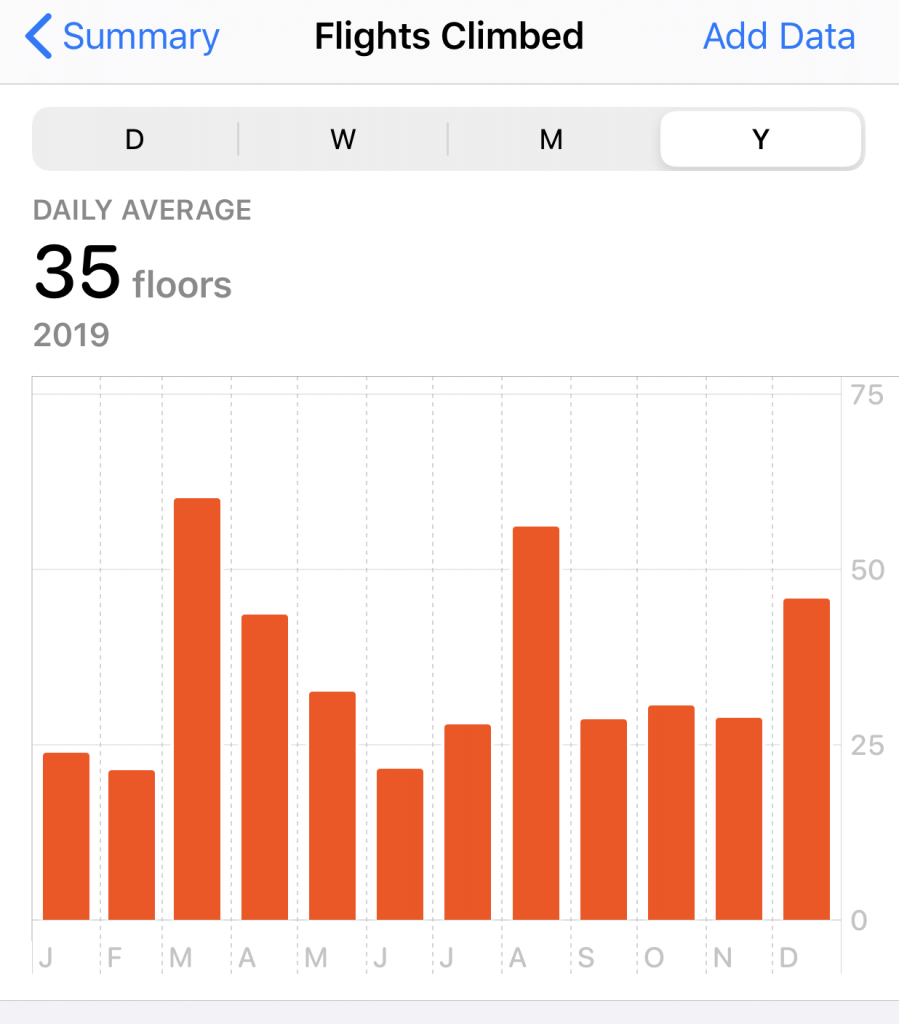
On the other hand, this year saw an uptick in flights of stairs climbed, 35 flights per day in 2019 versus 33 flights in 2018 and 28 flights in 2017.

 Numbers, numbers, numbers.

I think the key take away remains the same, regular hiking is good for mind, body, and soul. That said, some of the details are interesting to me. 2019 was kind of a break-out year for longer, more intense hikes. In March Antonella and I managed a 11-mile hike wherein we did a 1300 meter ascent, which remains the biggest ascent I have done to date.

And in August we did a 5-day tour de force through the Dolemiti, which was the most sustained hiking I’ve ever done. Averaging 10 miles a day over 4 or 5 days between 2000 and 3000 meters is no joke. In fact, after that hike I found my will to hike fell off quite a bit, not unlike in 1990 when my running fell off completely after finishing a marathon. Not sure if that’s a result of some kind of deflation after accomplishing something you’ve trained months for, but seems oddly counter-intuitive. The other factors this year that are worth noting are I travelled more in 2019 than any other year with the equivalent of four and a half full months on the road, and most of that Reclaim related. I enjoy the travel, but come late November, early December I was starting to feel it. Being on the road cuts into my hiking time, and that takes its toll. The other factor is that the original reason I even started hiking was to be in decent enough shape to snowboard, and I went snowboarding 10-12 times in 2019, which is awesome, and those days would have probably been spent hiking had I not been on the slopes. So, maybe that is another sign that the hiking is paying off.

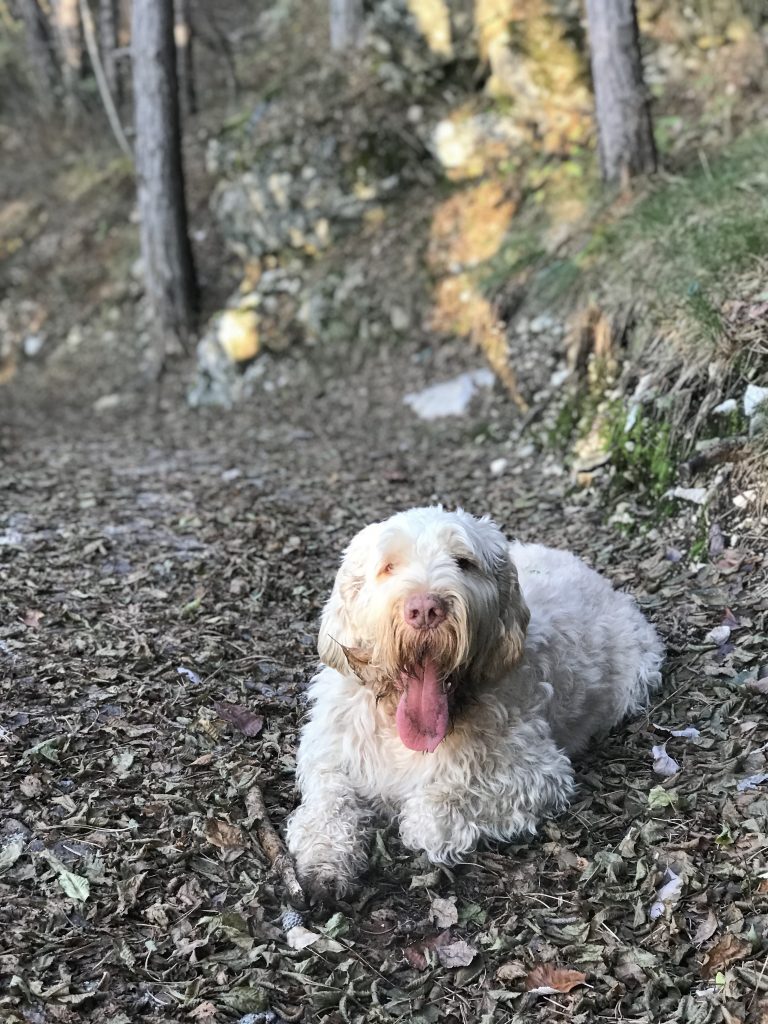
Although, in the end the biggest motivator for my daily hikes are neither staying in shape nor snowboarding, but rather spending quality time with Duke. I know I’m getting over my travel lethargy when Duke and I get into a daily rhythm of 4 or 5 miles a day. He’s fun to clock time with, and one of the reasons I found I’ve blogged less these past few years is because hiking several miles a day (on top of pretending to be a dad and husband and running Reclaim) demands a lot of time, in my case hours of my day. I had to re-arrange my schedule to fit everything in, and that is a luxury I have truly relished with my shifted work hours and relative freedom. Plus, having a dog rules all, especially a tired one!

Posted in hiking | Tagged , , , | 4 Comments

Is that a PS4 or a plane taking off in your living room?

We’ve had the PS4 for almost 5 years now, and its become somewhat of a catch-all entertainment center. Red Dead Redemption was my gateway drug, and the rest is history. One issue we’ve had, however, is the fan has gotten louder and louder until it’s almost as if a jet plane is taking off in our living room whenever we turn it on. We got accustomed to it—even as it has become ridiculously loud—until Grant Potter was in town and suggested we try blowing out the fan with compressed air. This was a couple of weeks ago, and earlier this week I finally gave it a whirl, and it worked like a charm.

I got a can of compressed air and followed the directions of the following two videos, and within 20 minutes we had what sounds like a brand new PS4—so quiet it’s deafening!

The first video below is a guide for removing the necessary pieces to get access to the fan in order to blow it out.

However, I quickly hit a roadblock because rather than the 3 screws indicated on the back of the PS4 in the video above, mine has only two. Turns out it is a different model, and the video below gives you instructions on how to tear down this type of machine.

I willingly voided the warranty after nearly 5 yeas because the sound was getting so bad we were considering buying a whole new machine, luckily Grant is awesome, and he showed me the light! Now when playing GTA, Red Dead Redemption II, or even Fallen Order (a recent acquisition) we can actually hear the game rather than the console 🙂

Posted in video games, YouTube | Tagged , , , | 1 Comment

A Couple of Unlikely Pinball Wizards

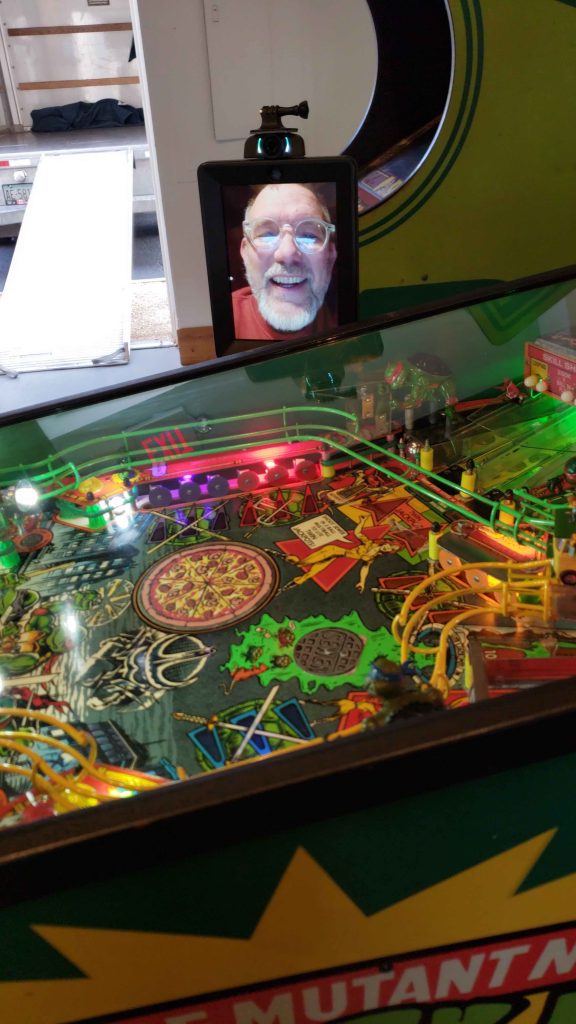
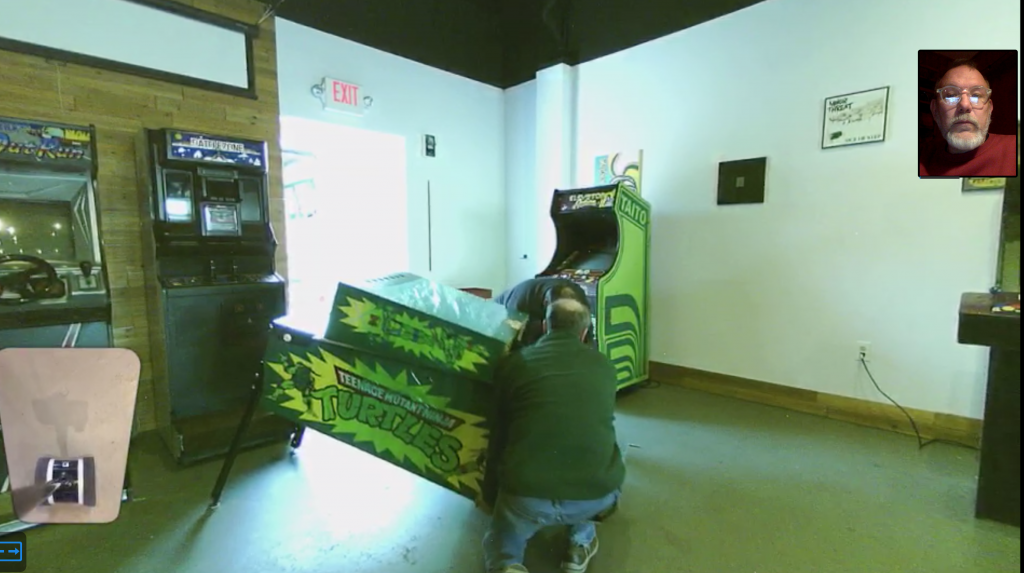
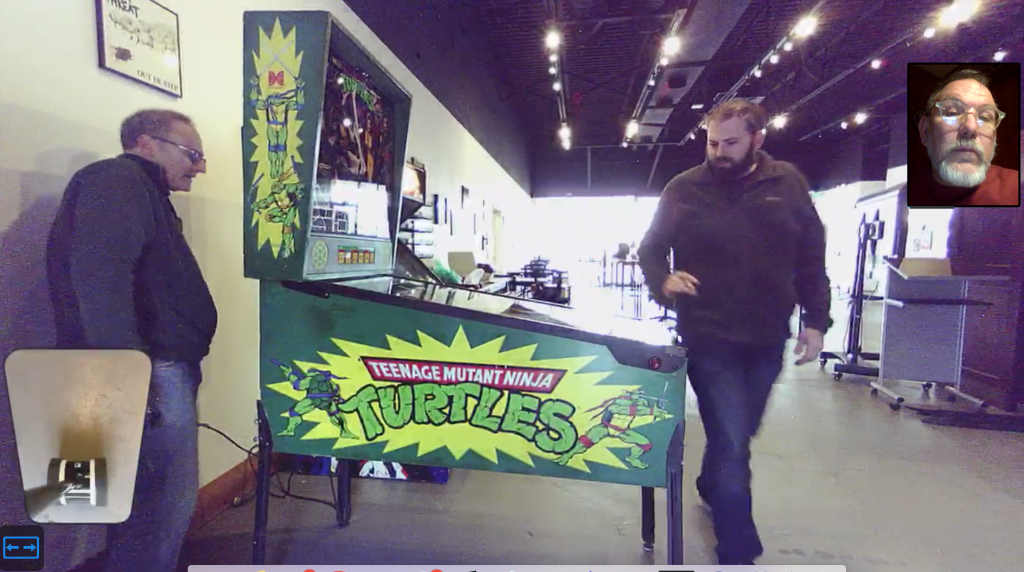
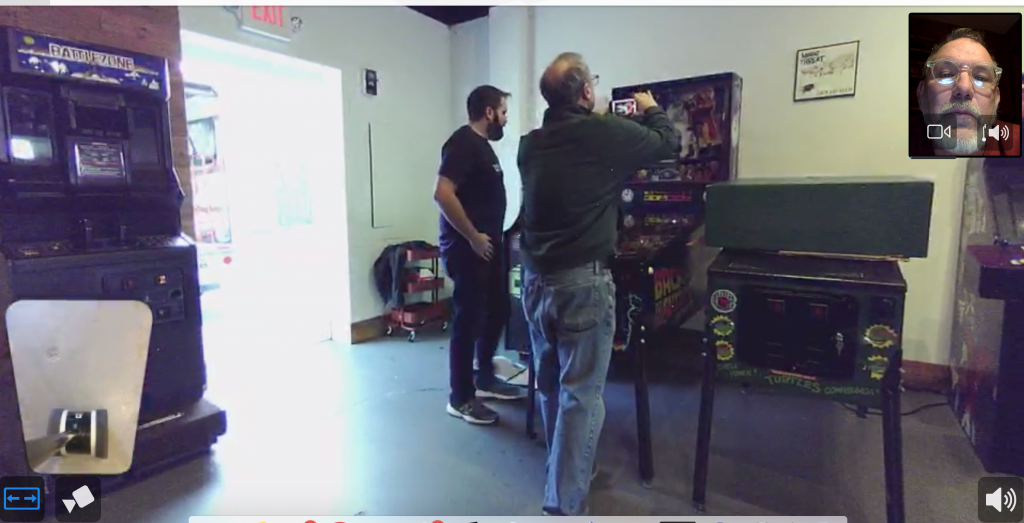
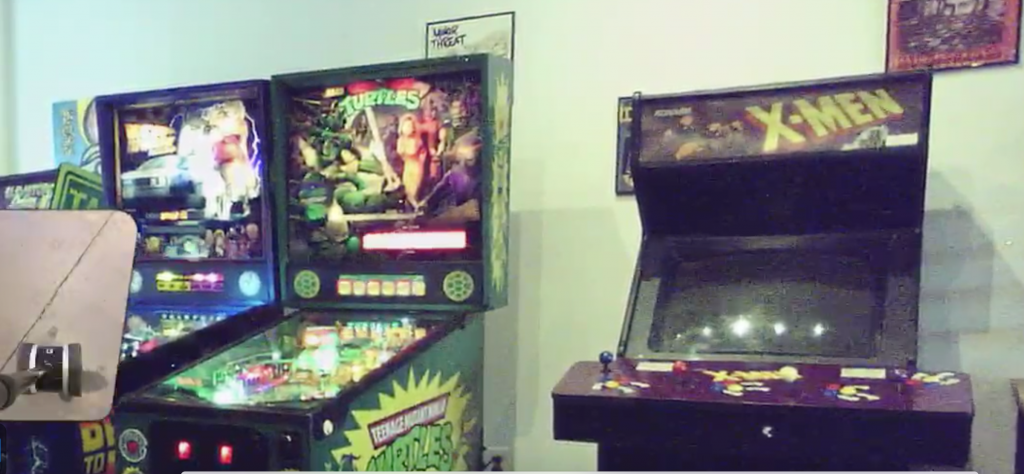
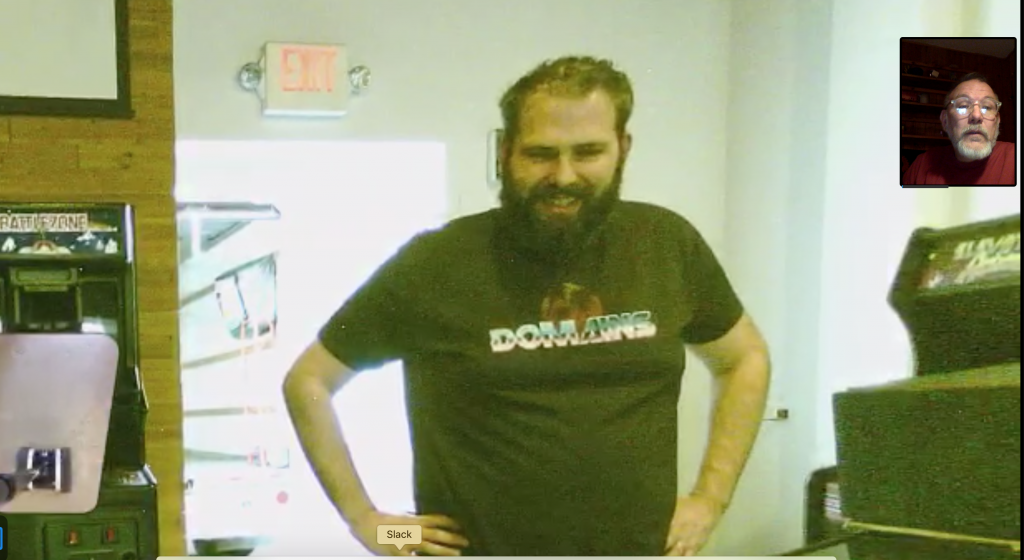
Yesterday evening I spent an hour remoting into Reclaim Arcade via Robot (we can officially call the space Reclaim Arcade now that CoWork is officially history) to watch Tim and John Heyn (of Heavy Metal Parking Lot fame!) deliver and re-assemble our first two pinball machines for the space. 

I am considering Teenage Mutant Ninja Turtles (TNMT) our official first pinball machine, given it was setup first, but in fact Tim got both TNMT and the Back to the Future pinball machines from Data East at the same time. He picked them both up yesterday, along with the 1992 X-men multi-player video arcade game, which means our arcade is really starting to fill out nicely. 

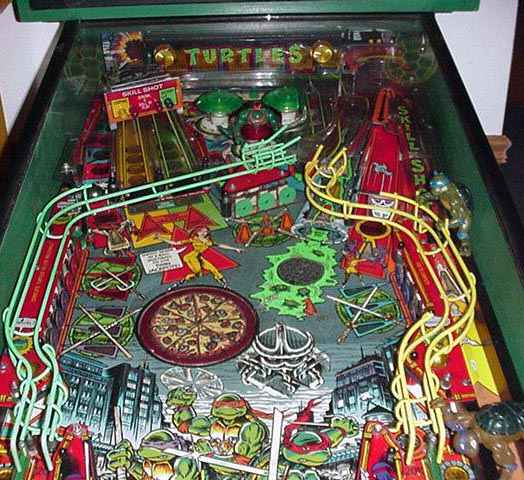
I have never been much of a pinball fan, and Reclaim Arcade was pretty much premised on the video game cabinets. But we decided thinking beyond my provincial idea of what an arcade should be might be of some value, and admittedly Reclaim Arcade will be the better for it. These machines are gorgeous, and the detail that goes into the pinball aesthetic is pretty magical, down to the Back to the Future DeLorean in the machine:

Or the rotating pizza in the TNMT machine:

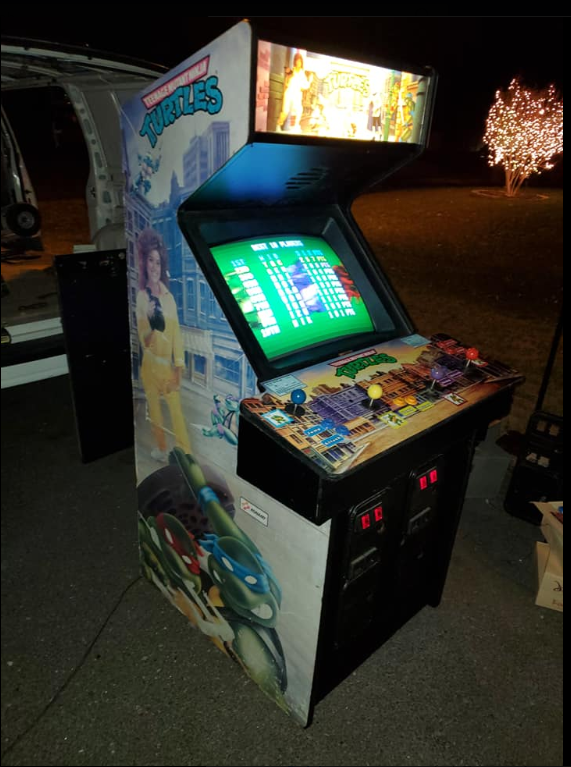
It’s pretty cool, so again I’ll be eating some crow on the bava saying I welcome Reclaim Arcade’s new pinball overlords 🙂 In fact, the stars must be aligning because just last night we got our third 4-player cabinet, in addition to Gauntlet and X-men, and can you guess what it is? Still thinking, well let me help you with a visual aide…
TNMT arcade game coming to Reclaim Arcade

Yeah, the arcade is really coming together now, and hopefully as soon as next month we’ll be doing some major structural renovations to the space to make the dream real. Moving and grooving, and it’s al because of this relentless, mothertrucking maniac genius!

Merry Christmas to Reclaim Arcade, Timmmmmmmmmmmmmmmyboy!

Posted in Reclaim Arcade, video games | Tagged , , , , , | Leave a comment

Reclaim Arcade’s Friday Fun

Every Friday for the last month and a half Tim (who is currently collecting a couple of pinball machines somewhere in Maryland) has been featuring one game from the Reclaim Arcade collection. He’s been sharing these short videos on the arcade’s various social media accounts, which include Facebook, Instagram, and Twitter. It’s a quick and fun way to keep the various accounts fresh while the space gets built out in order to give people a sense of some of the games they can play once we open. I also love Tim’s format: some fun facts and trivia about the game, some music and/or sound effects from the game, and usually an original commercial, movie clip, or some other marketing incarnation of these pop culture phenomena.

https://twitter.com/ReclaimArcade/status/1195392992481349634

It’s good stuff, and I look forward to them every Friday given I’m never sure which game Tim will be featuring. You can see the other four videos he created below, highlighting some true classics like Joust, Mortal Kombat, Star Castle, Gauntlet, and Outrun—and that’s just a small taste. In fact, he won’t even be able to feature all of our 50+ games by the time we open Reclaim Arcade, so you just might have to come out and see the rest. We’re quickly approaching 1000 followers on Facebook (which has been crucial for getting the word out locally) and early next week we’ll be talking with a reporter from the Free-Lance Star (Fredericksburg’s local newspaper) about Reclaim Arcade and Reclaim Hosting. I’m guessing we got the call from the Free-Lance Star after we got a quick shout-out on FredericskburgVA.com, thank you Bill Freehling! One of the things that has been fun and interesting about Reclaim Arcade is thinking through how we build momentum before we open our doors in May. Facebook has been the main strategy for connecting locally, and Tim as been making excellent use of this platform with his Friday feature campaign.*  The next thing will be planning some a series of pop-ups in and around town to let people know there will soon be a bitchin’ arcade in Fred Vegas. It’s getting realer every day!

https://twitter.com/ReclaimArcade/status/1205500458430844929


*And this is coming from someone who has talked smack on Facebook for a very long time. I still despise the platform, but more and more I find myself using it for scouring Facebook Groups to find arcade cabinets to purchase and, more recently, tracking interest in Reclaim Arcade. So, sometimes when you want to build a local business one has to eat a little bit of crow.

Posted in Reclaim Arcade, video games | Tagged , | Leave a comment

Orgaminized

It’s that time of year to get orgaminized. You get it? You remember that joke Travis Bickle tells in Taxi Driver, don’t you?

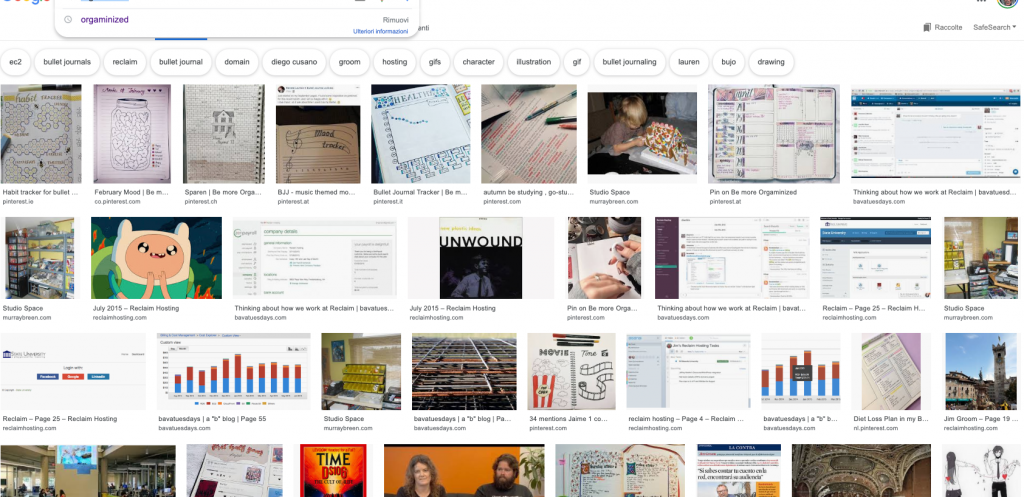
Yeah, I know. Turns out I was misquoting the joke, something I often do when trying to recite film, literature, and sociopaths. He says “organizized,” he even smells it out. Anyway, I must have used that misquided quote-joke quite a few times before on my blog because when I when searching for an image of “orgaminized” (thinking there was some kind of image in the campaign office scene of Taxi Driver with it, but again I was terribly wrong), all I could find was my blog images. So, the upside of all this is bavatuesdays owns the image search for “orgaminized” already. A fact that is equal parts embarrassing and empowering. 

orgaminized

I am trying to get orgaminized, and I’ll discuss that in a follow-up post, but this one is just to put another nail in the coffin of me owning the “orgaminized” search term on Google. 

Update: Fixed some of my hasty mistakes in the post, and found via Twitter thanks to Martin Weller there is a cartoon image! My memory really is unreliable.

Posted in fun | 3 Comments

Nunley’s Nostalgia

I want to try and start archiving some of my Instagram posts because like most other social media platforms that are not the bava, I just don’t trust it to stay around—or at least for me to care about it after a certain point.* Social media on the web is fickle, so it’s nice to have a domain of your own to hunker down on for the long haul. Anyway, this post is neither about blogging nor the web, but rather about what they both make possible like never before: nostalgia!

https://www.instagram.com/p/B43bGg_oEPd/?utm_source=ig_web_copy_link

I’m sure it has become painfully obvious to anyone still visiting these parts (I love you all!) that I’m poised to take my penchant for nostalgia to even greater heights next year with the announcement of Reclaim Arcade. This is something I’m very proud of given I wasn’t sure if we could ever top the UMW Console or Reclaim Video, but Tim and I decided to go all-in on our most recent venture. As a quick aside, the “I” is the personal pronoun that rules this blog by and large, but in the end whenever I write about any of this stuff it must necessarily morph into “we” given none of this is ever done alone, and working with folks to build all these things is the true dream. It’s like I’m back in grade school building a tree house with the neighborhood kids, or in high school building a half pipe with my brother and our friends. It’s the continued act of pushing to build something together that is the joy—and if it rules all the better.

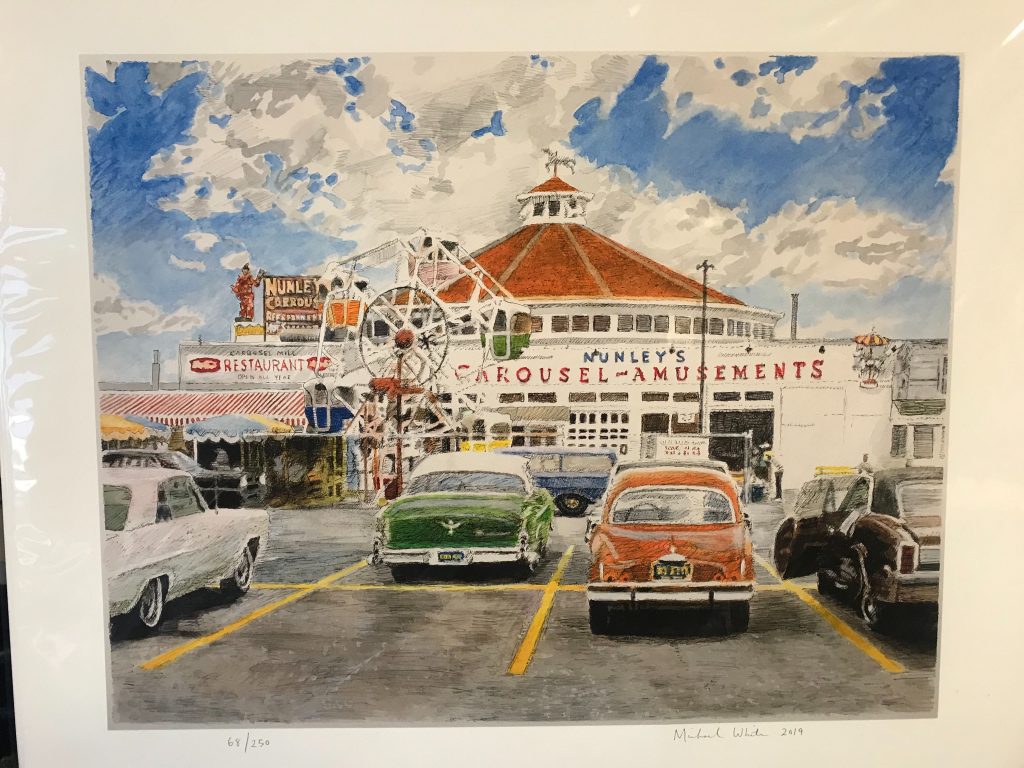
Anyway, all that to say this that I ordered the above poster of Nunley’s Amusement Park, which was a classic 20th century fun park located in my boyhood home of Baldwin, Long Island.† This poster is in many ways symbolic of the nostalgia that will rule Reclaim Arcade for a couple of reasons.

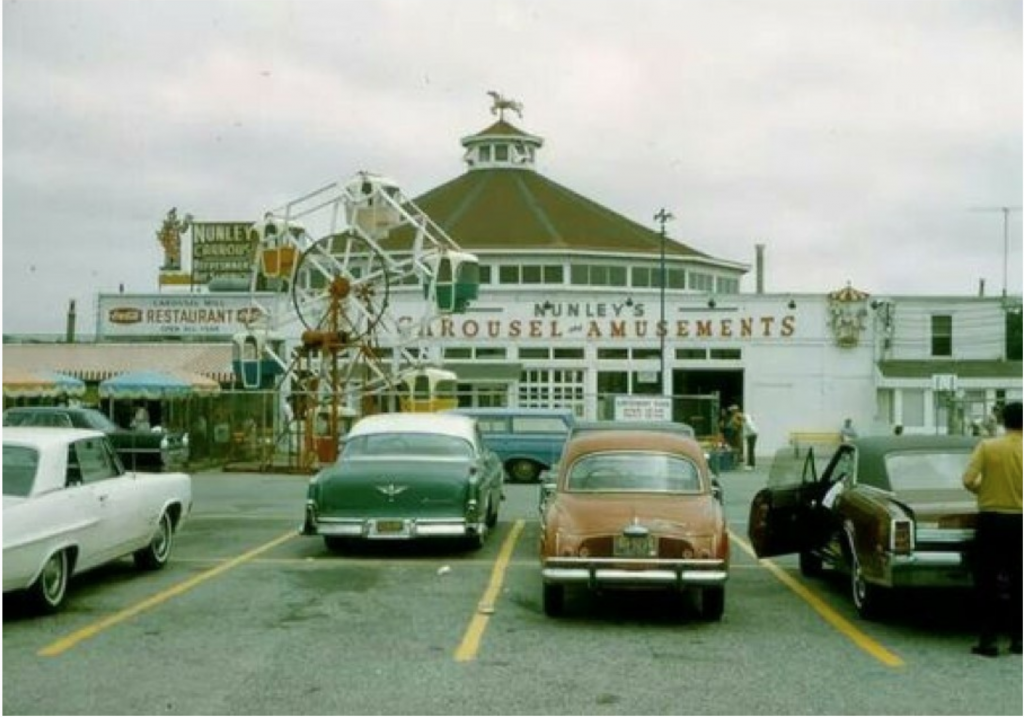
First, it’s a faithful interpretative illustration of a photo from the 1970s (?) featuring a since razed amusement park that I frequented as a child. It was known for its 1912 Stein and Goldstein carousel from Canarsie, Brooklyn that was re-located to Baldwin in 1940 to make room for the Belt Parkway. The same pilgrimage to Nassau county that so many Brooklyn and Queens families would follow in the 40s, 50s and 60s (my own included).  This was the place where I discovered games like Shark Attack, Galaxian, Pole Position, Pac-man, Centipede, Tempest, Asteroids, Defender, and the list goes on and on. The stent-like wooden structure featured in the picture housed the carousel, and along he perimeter were pinball machines, skeeball, and starting in the late 70s and early 80s lots and lots of video games. It was a mecca for me in the early 80s, and we were lucky enough to live just a few blocks from it. The painting will be framed and hanged above the entertainment center in the 1980s living room as a nod to what was and what can be. Like the paining, I see Reclaim Arcade as a creative interpretation of mental images of a time gone by, as well as an attempt to breath life into the idea of an attraction that cannot only act as a time machine for my generation, but hopefully create some memories for a whole new one.

Dungeons and Dragons 1980 Monster Manual

Dungeons and Dragons 1980 Monster Manual

Secondly, the watercolor is part of a series from an artist, Michael White, who I just so happened to live around the block from in beautiful Baldwin. In fact, he was the older brother of one of my close friends during elementary and middle school. I would go to their house to play Dungeons & Dragons (D&D) in their attic, and while passing Mike’s room I was always enthralled by the drawings on his walls featuring scenes of muscular warriors battling a host of horrific creatures right out of the D&D Monster Manual. It was also there that I discovered the glory of painted lead Advanced D&D figurines, which I would soon after buy at our local comic/hobby shop The Incredible Pulp. These moments  of imagination continued to be a source of inspiration, as this blog attests on the regular.

grenadier dwellers front

So, when I was searching for Nunley’s to collect images of their arcade, I stumbled across an announcement for Michael White’s mural of Nunley’s that he painted earlier this year at Baldwin’s Long Island Railroad station (which is across the street from the site where Nunley’s stood).

Crazy, right? So, just to re-cap: a person who I once knew and was a boyhood inspiration of Frank Frazetta-level proportions has been applying his immense talent towards  what I see as a similar kind of generative nostalgia to both pay honor to the past as well as attempt to bing a piece of it with us going forward. That would be the second reason this poster will be symbolic for me of the mission of Reclaim Arcade. Because despite our attempts to abstract it out to a business (and boy do I hope it works out in that regard), it will always be at its heart a deeply personal relationship to a shared past. 


*That said, Instagram has surpassed Twitter in terms of my extra-blog curricular activity over the last year or two, and no surprise there given public shaming and calling friend and stranger alike out for perceived offense is increasingly the default mode of the latter. I keep a healthy distance from Twitter given my sense of humor will sooner or later get me into trouble in such a humorless space. Also, in a strange turn of events I find myself on Facebook more and more looking for arcade cabinets given that is pretty much ground zero for OG arcade groups outside of the KLOV forums, but Facebook still feels so dirty to me.

†It is an ingrained habit to always follow the announcement of my hometown with Long Island, rather than New York. Why? Because being a Long Islander, for better and for worse, has its own distinct identity apart from the city folk, something like a diluvian species of clam diggers that emerged from the mud like John Goodman in Raising Arizona 

Posted in Console Living Room, Reclaim Arcade | Tagged , , , , , | 2 Comments

14 on Friday the 13th

Not one to break with tradition, I wanted to interrupt the radio silence on the bava over the past few weeks to say happy birthday to the best damn blog from Timbuktu to Portland, Maine, or Portland, Oregon for that matter. This blog turns 14 years old today, and that’s pretty damn awesome. I don’t think I have had any one past time (is that the right word? maybe “post time” is better? 🙂 ) I’ve done for this long in my life. I guess that’s because I love the bava, dead links and all.  2019 has been a bit quieter on this here blog than usual, but that’s all part of the ebb and flow of one’s time and attentions. I should be blogging more, I know it, cause blogging has been so very, very good to me, but at the same time I have found some peace when it comes the guilt of not always blogging on this site, although I am never not blogging in my head. Scary, I know…

But, I do have some posts to write before this year closes, and I figured this blog birthday post is a good way to blog about what I am going to blog about:

  • Los Angeles – my trip to LA in November with the family was awesome, need to get those images up and share my thoughts before they are gone
  • The 5-day Dolemite hike with Antonella in August was epic, and I actually blogged 3 of the 5 days, but only published one of them. Will finish that up and get in out
  • OE Global in Milan – what a fun, mellow conference I attended earlier this month. Need to blog it and the Canadian aftermath in Trento
  • Reclaim Arcade – almost too much to blog on this front, but I’ve had a post in the hopper about a boyhood amusement park in Long Island that is almost ready to go
  • Reclaim Video – I went on a buying spree of laser and video discs a couple of months ago, so an update would be fun. Also, with Reclaim Arcade going live in Spring, Reclaim Video may gain some square footage, very exciting!
  • Reclaim Hosting year in review- the gift that keeps on giving. If this blog made Reclaim Hosting possible, then Reclaim Hosting has made everything else in my life possible, and I’m gearing up for even more Reclaim Hosting goodness in 2020
  • Also, I still have to blog about MS Teams (that’s well overdue), and I will not be blogging about Instructure because the LMS is already dead 😉
  • Photos, photos, photos

So, anyway, the little blog that coulda shoulda eventually will. Happy birthday, bavatuesdays, try not to eat the yellow snow on your geburtstag!

https://www.instagram.com/p/B6AaAdEI-y5/?utm_source=ig_web_copy_link


Posted in bavatuesdays, blogging | Tagged , , , | 4 Comments

LA Roadshow Recap

https://twitter.com/doublem44/status/1192865348443230209

10 days ago I was sitting in a room in Los Angeles with 12 other folks listening to Marie Selvanadin, Sundi Richard, and Adam Croom talk about work they’re doing with Domains, and it was good! That session was followed by Peter Sentz providing insight on how BYU Domains provides and supports top-level domains and hosting for over 10,000 users on their campus. And first thing that Friday morning Lauren and I kicked the day off by highlighting Tim Clarke’s awesome work with the Berg Builds community directory as well as Coventry Domains‘s full-blown frame for a curriculum around Domains with Coventry Learn. In fact, the first 3 hours of Day 2 were a powerful reminder of just how much amazing work is happening at the various schools that are providing the good old world wide web as platform to their academic communities. 

https://roadshow.reclaimhosting.com/LA/

All of the presenters that shared at the workshop provided a wide range of examples, and they were kind enough to provide both links and slides post-facto. I’m including them below along with some notes from our shared Google Doc of the panel session:

Panel on “Possibilities with Domains” featuring Marie Selvanadin (Georgetown), Sundi Richard (Davidson) and Adam Croom (OU Create):

Notes:

  • Why Domains? “..provides you with web hosting so that you can take ownership of your online presence, develop valuable digital skills and engage in open and connected learning practices that go beyond institutional boundaries.”
    • Digital Fluency 
    • Digital Identity
    • Digital Freedom
  • community.bergbuilds.domains
    • Community Directory
    • Lead with examples
  • Coventry.domains
  • Hosting.nyu.edu
    • Web Hosting vs. web publishing
  • Georgetown
    • Marie: Teaching and Learning Center
    • Cross campus collaboration using Domains
    • Learning, Design, and Technology
    • Flourishing in College and Community
  • Davidson College
    • Shared a bunch of examples of how domains is being used
    • Faculty: When we meet new faculty, we let all faculty know about domains
  • Oklahoma Create 
    • Webfest
    • Faculty development programs
    • The creaties
      • This highlights good sites and shows what good work looks like
      • It is a way to award people for good work
      • e-mail list of all users, send broad e-mail to seek for nominations
    • This week on OU create
      • Weekly blog on best of OU Create
      • Students lead this activity
    • OER: textbooks online

You can also see the full slides from Peter Sentz’s presentation which created over a year ago as a defense of the BYU Domains program over a year ago, and really intelligently frames the pros and cons of  running a domains program at scale, and what it requires. 

The afternoon of day 2 was spent diving into SPLOTs, which is becoming a cornerstone of our Roadshow sessions at this point. I love those tiny teaching tools more and more each time I share them with folks. Below are a few examples of SPLOTs that were shared during the show and tell, many of which were created in just a few minutes time as part of the workshop: talk about fast cheap, and out of control edtech!

SPLOTs Show & Tell:

One of the questions that came up during the SPLOT workshop is if there’s a SPLOT for podcasting, which reminded me of this post Adam Croom wrote a while back about his podcasting workflow: “My Podcasting Workflow with Amazon S3.” . We’re always on the look-out for new SPLOTs to bring to the Reclaim masses, and it would be cool to have an example that moves beyond WordPress just to make the point a SPLOT is not limited to WordPress (as much as we love it) —so maybe Adam and I can get the band back together 🙂

And that was just day 2!* In fact, the workshops are starting to take on a shape that seems to work. Day 1 is a deep-dive into the technical management of the Domain of One’s Own platform, which means we get in the weeds of how WordPress, WHMCS, and WHM all work together to automate the creation of cPanel accounts through a given campus’s single sign-on. Understanding the ins and outs of these systems takes training, and the workshops are one way to provide campus admins more dedicated instruction as they want to take over more responsibilities on the ground and be proficient with their web hosting environment. All that training has been compressed into day 1 (you can find much of the workshop documentation on our site), and day 2 is dedicated to sharing how various schools are approaching, supporting, and enabling work on their platforms. It’s a lot of fun to hear all the good work, and I think it is quite useful for re-invigorating folks given it takes a lot of time, attention, and care for a Domains program to take root and grow. 

Special thanks to all those folks who attended,  you can see the participants list here (it’s a SPLOT!) and given the success of this workshop (and last year’s at Skidmore College) we are currently planning on running another in the Philadelphia area for Spring 2020, so stay tuned!  


*I’m kind of exploring an in media res approach to this recap post because I am always experimenting 🙂

Posted in reclaim, Reclaim Roadshow | Tagged , , | 7 Comments