Domains21: Jelastic – a Look at the Technology Behind Reclaim Cloud

Keeping up with my OERxDomains21 syndication series, here is a another great session featuring Jelastic founder and CEO Ruslan Synytsky whochats with Tim Owens about all things Cloud.

In the Summer of 2020 Reclaim Hosting rolled out Reclaim Cloud -a next-generation hosting platform that allows faculty, students, and staff at educational institutions to run complex technology stacks with the click of a button. It’s a brave new world of virtualized, containerized infrastructure that in many ways changes what’s possible for ed tech and higher ed IT groups around the world.

Tim Owens chats with Jelastic founder and CEO Ruslan Synytsky about their cloud platform software and how it has enabled hosting companies like Reclaim Hosting to provide its customers a sophisticated and elegant cloud solution that provides them access to a whole suite of next-generation applications.

Posted in Domains21, OERxDomains21, reclaim, Reclaim Cloud | Tagged , , , , | Leave a comment

Domains21: “My OER Journey through Domains”

Ed Nagelhaut is a repeat offender for the Domains conference, and an absolute joy of a human. So him narrate his journey through OER viz-a-viz domains was a personal highlight of OERxDomains21. Honest, authentic, and empathetic, Ed really highlights the potential loneliness of a long distance open education advocate. The riches in the Domains21 track just keep on coming, below the video is the abstract he sumbitted for this presentation.

This reflective practice presentation will examine how open educational resources led me inexorably through Domains. Since this journey has been a primary pedagogical influence on my more than 30 years of teaching literate practices at the university level, the presentation will reflect critically through a lens of open pedagogy as outlined by Bronwyn Hegarty (2015). The goals of the presentation, ultimately, are to offer suggestions for developing an open mindset and recommendations for effectively applying OER and Domains in courses using open pedagogical practices.

This presentation will begin by briefly describing my OER journey through Domains and how that has shaped my open mindset. From student-generated reading lists rather than textbooks to working out-loud rather than in isolation, my journey has been sometimes lonely, sometimes rocky, but always rewarding.

Next, this presentation will introduce Hegarty’s Eight Attributes of Open Pedagogy as a critical lens for understanding project and course design using open educational resources and domains. As a framework, these attributes will establish the parameters for my critical review.

Finally, this presentation will offer a critical review of a sample literacy project sequence grounded in open practices like OER and Domains that can be adapted easily to any course on campus. Open project sequences are student-centered, flexible, and inquiry-based.

For me, pedagogical goals and classroom practices at all levels of education must encourage greater collaboration, privilege informal and situated learning, and promote decision-making, student self-monitoring, and lifelong learning. Literacy is never simply reading or writing, but, instead, better understood as the results of the complex interactions among writer(s), readers, texts, and contexts (Brandt, 2011; Selber, 2004). And since literate practices are both cognitive and social (Cushman, Kintgen, Kroll, & Rose, 2001), we can easily create classroom spaces that encourage project sequences that are personalized, rhetorical, and contextualized. Open educational resources and Domains, as this presentation will show, have consistently helped me to meet these pedagogical goals throughout my teaching career.

Posted in OERxDomains21 | Tagged , , | Leave a comment

OBS Ninja

In my previous post about working with OBS one of the things I mentioned was the website/tool OBS Ninja that allowed me to pull Paul Bond’s video into a shot seamlessly by using a URL as a video capture source. It is quite a powerful tool, and gives the illusion that Paul and I are in the same space (assuming he has a green screen) given once his video is a source I can add a Chroma Key filter and effectively make his background transparent.

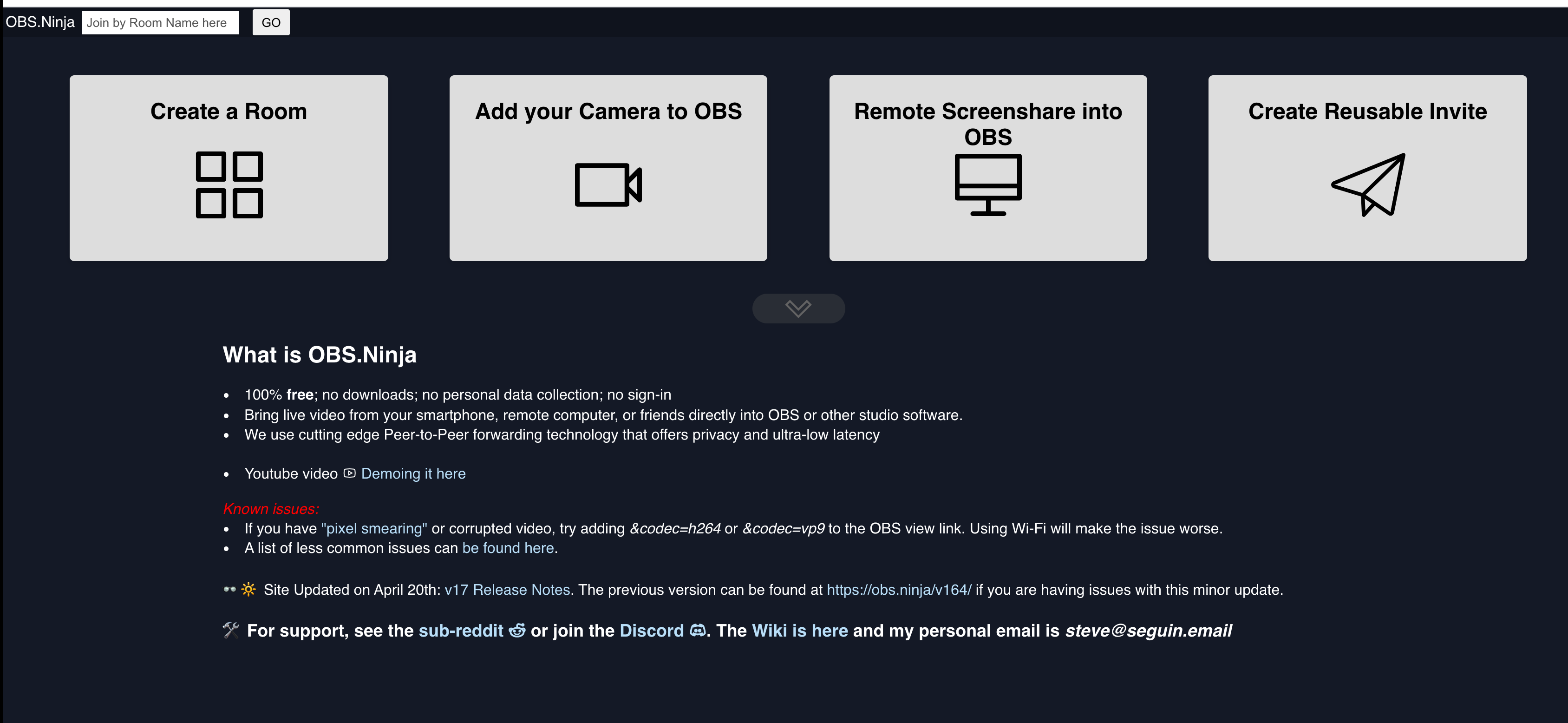
This is done by going to the obs.ninja website and creating a room:

OBS Ninja Homepage

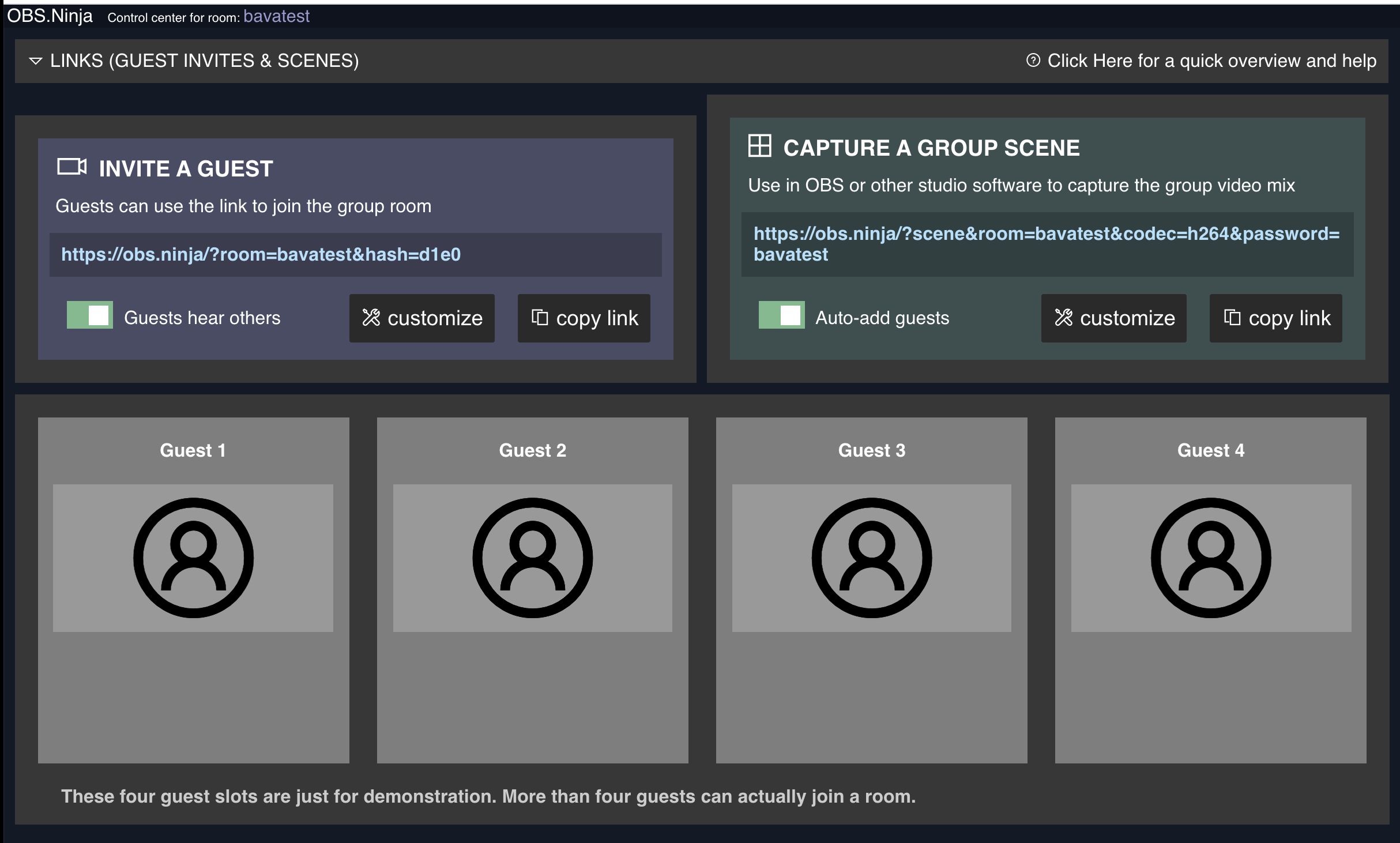
Creating a Room in OBS Ninja

After you created and protected the room, you can invite guests and they show up below where Guest 1, Guest 2, Guest 3 etc. are and each will have a unique URL.

OBS Room to invite Guests that can then be captured as video sources

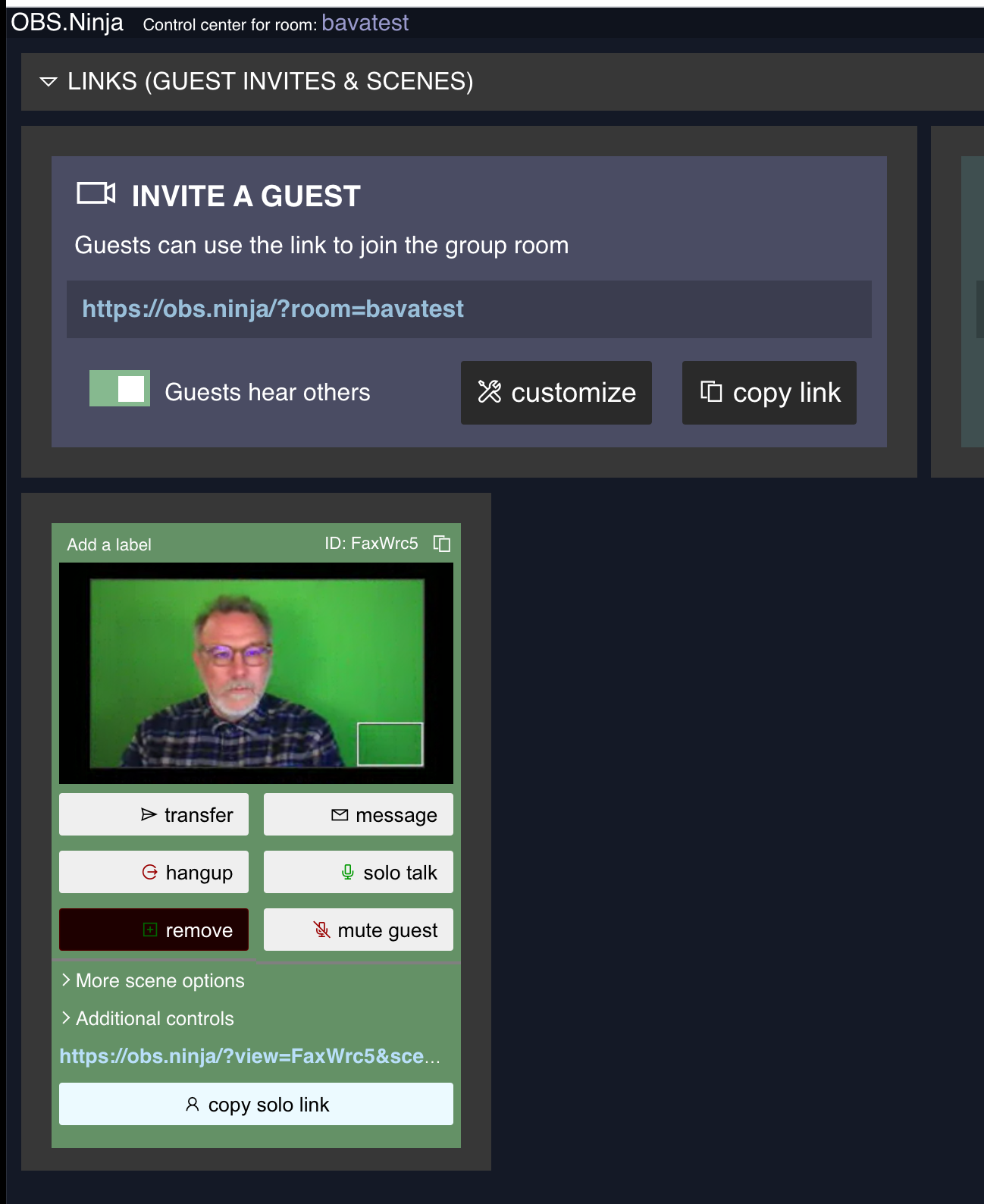
Copy the ink to the Guest Video in OBS Ninja

Once the person has entered, you copy the unique URL under their video source and paste it into the Browser Source:

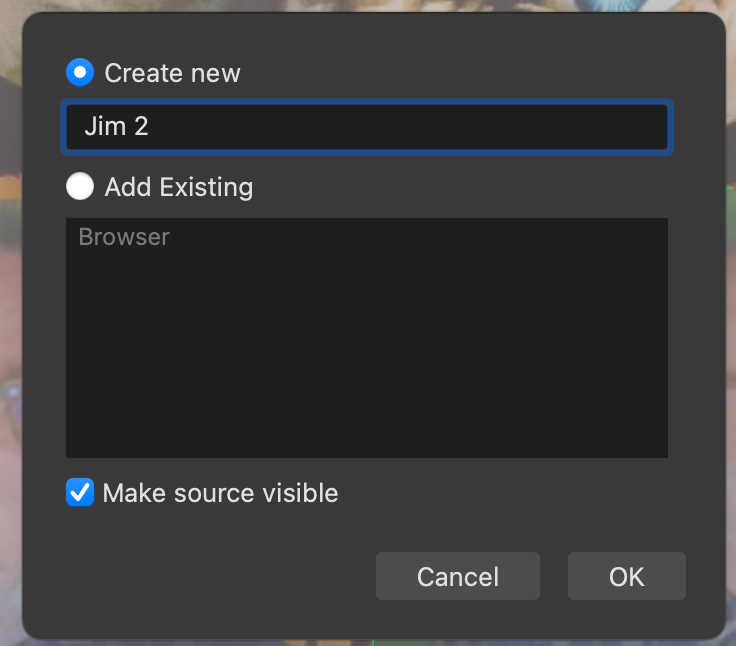
Name the new Browser Source:

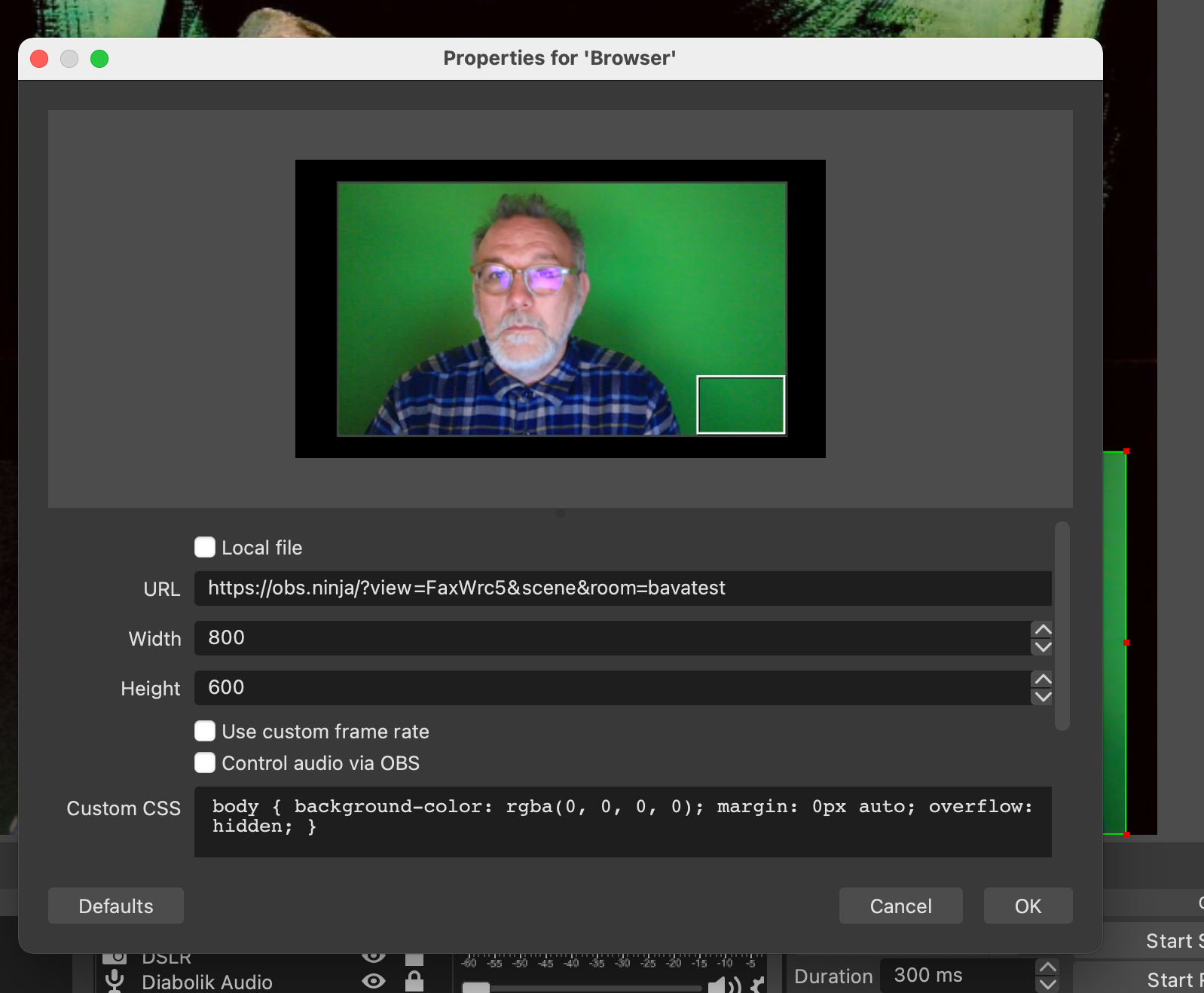
The you will be given the option to add the URL, which should then bring in the video source.

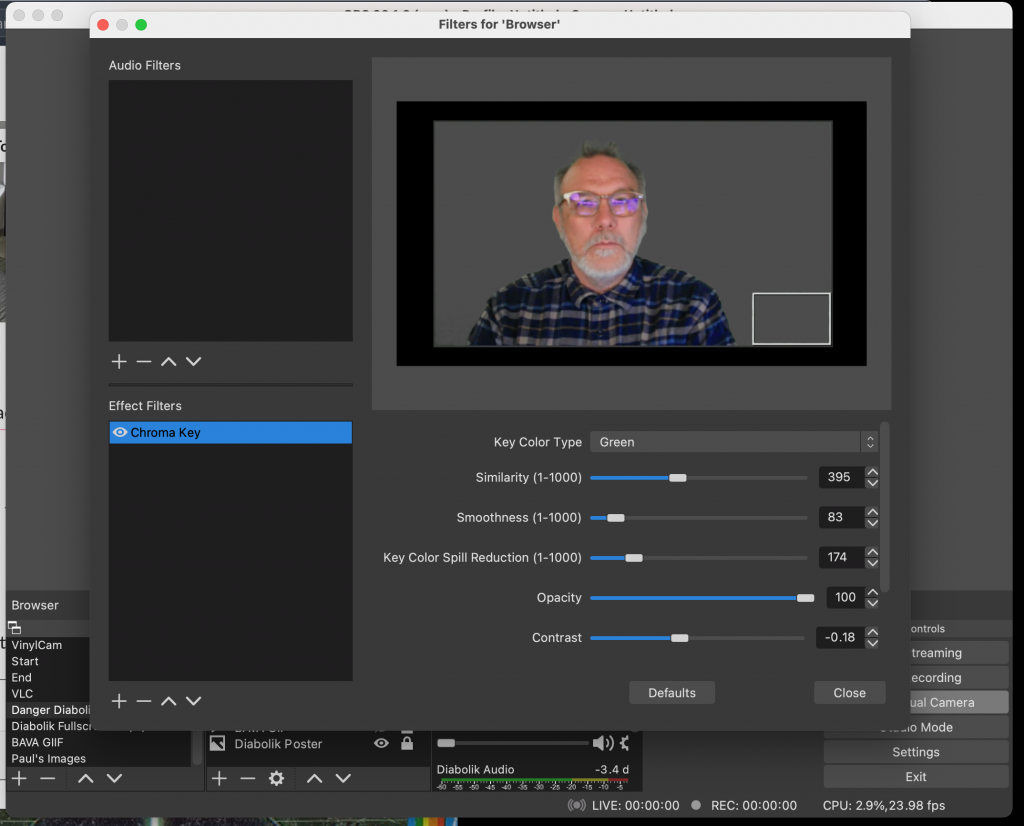
After that you can CTRL + click on the Browser Source and add a filter, in particular the Chroma Key that will allow you to dial in the green screen so the video participants background disappears. This tutorial does a nice job of explaining how to dial in the Chroma Key for a green screen.

Use the Chroma Key filter to make the guest background transparent so you can appear to be in same place at same time

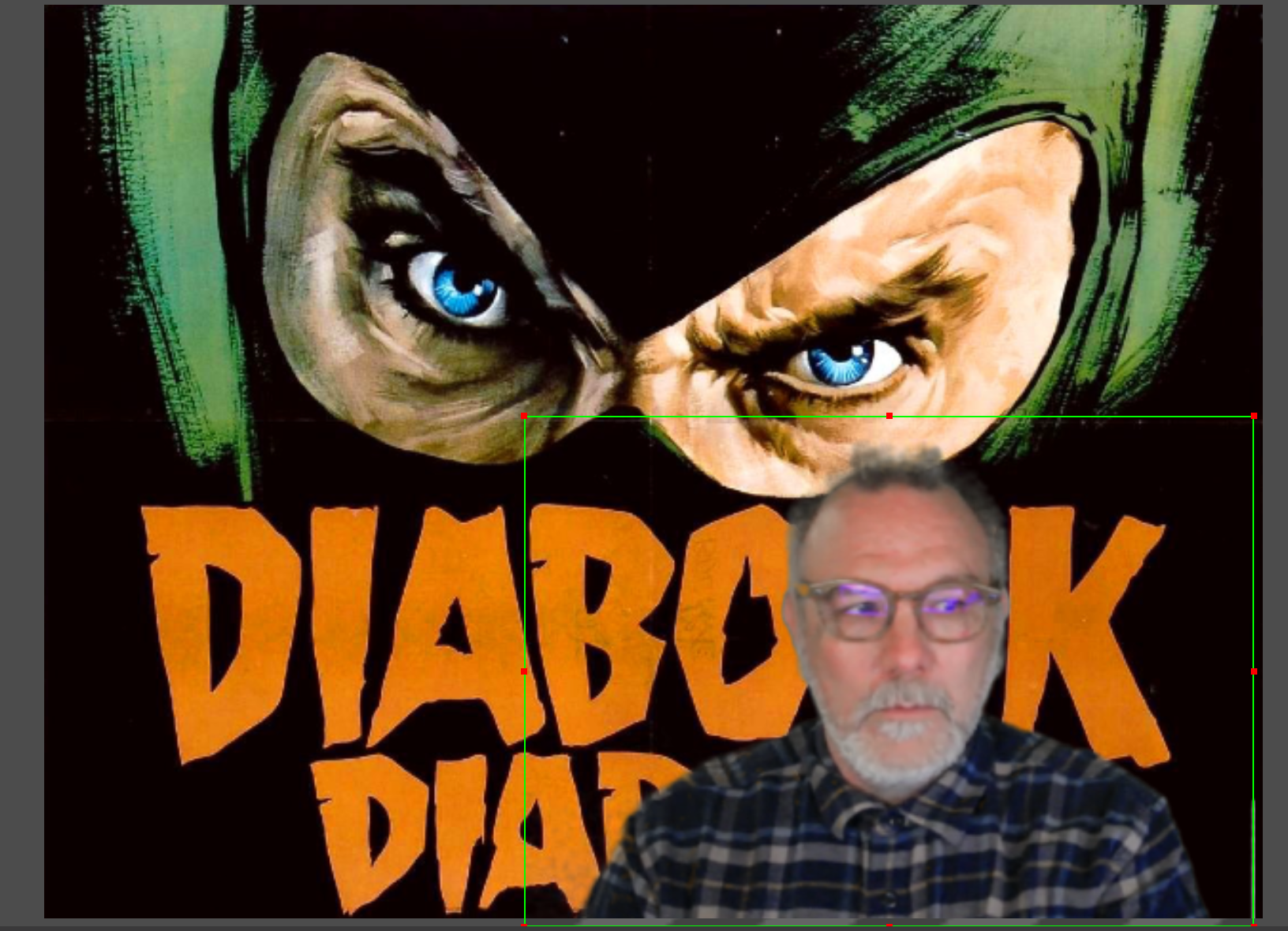
After that, you would simply need to move and manipulate where you want the browser video source on the screen:

Unlock the Browser source to move it around, scale, and crop as needed

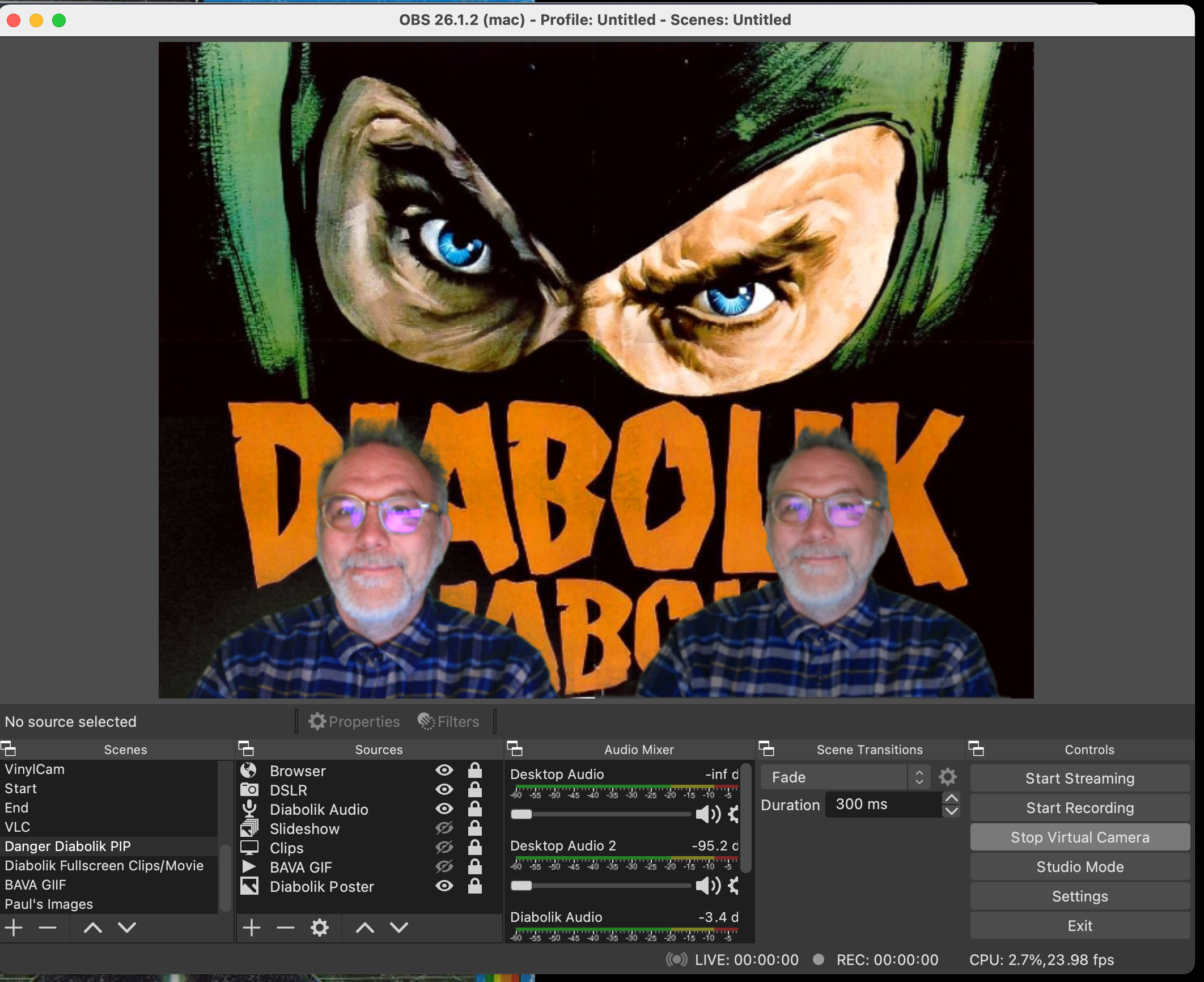
At this point you can add any other video capture sources and have multiple videos in the shot. Because the only thing better than one Jim is two Jims:

Two bavas are better than one bava

I have to say this was pretty fun to do, and it worked quite well. I have more to figure out with this, but I think the key for me is that it was pretty easy to get up and running with quickly. Plus, it highlights how cool and brilliant an open source community can be when it comes to quick, elegant, and cheap solutions to a potentially difficult and expensive feature.

Posted in OBS, Streaming | Tagged , , | 5 Comments

Introducing Danger: Diabolik to a Live-Streamed Audience

A year ago Antonio Vantaggiato invited Paul Bond and I into his Italian Cinema course to talk about Mario Bava’s The Girl Who Knew Too Much (1963). I was fairly new to Open Broadcaster Software (OBS) at the time, but I used the event as a chance to try it out. Everyone was quite patient with me, but it was rough. In fact, true to form I blogged about the class meeting soon after the event, and the video of the session makes me wonder how they stuck with us for an hour. It’s hard to re-watch and I wasn’t holding my breath for a callback anytime soon, despite how much I enjoyed failing.

Seems like faith springs eternal with my friend Antonio because he did reach out again this semester, and in the midst of the OERxDomains21 tsunami I had kind of forgotten about committing to talk about Danger: Diabolik. What’s more, I was delinquent in giving Paul much lead time to prepare accordingly, which was all my fault, but luckily he’s always game—not to mention damn good—so we were off and running. My idea for this one (born partly out of necessity) was to spend no more than a day on the OBS setup for this class which included ripping the DVD, grabbing clips, burning subtitles (which I failed at) and setting up the various scenes in OBS to view the media. Partly a result of procrastination, I also wanted to see how far I could get if I didn’t spent a week jerking around with OBS, my thinking being I’ve been playing pretty regularly since the train wreck that was the first attempt last April, so it was time to step up and own the means of production!

REDEMPTION! We came back, and while there were some issues, they were quickly and seamlessly resolved. The only thing I wish I would have done is spent more time checking the subtitle sync, given they were out-of-wack soon after the film started. But if we are going to start with what didn’t work, here are a few things I would re-visit (I already mentioned the subtitles syncing):

  • capturing the Zoom audio of everyone outside OBS, this was too bad because there was good discussion before and after the session, but I did not capture the Zoom audio, so a missed opportunity that is all my fault
  • getting my Mac mini setup so the plane is not taking off as it does when my laptop runs OBS and anything else, I will do this soon!
  • allowing myself to mute the mic more seamlessly so it does not pop annoyingly when I hit the button on the mic. I think there may be a way to isolate my mic in OBS which would allow me to map it to a button on the Stream Deck–on my to-do list

So these are all things I plan to do for the next episode of talking Bava in Antonio’s Italian Cinema class (which could be as soon as Fall looking at the first body count film Blood and Black Lace), and I am fairly confident after this session that I can get the whole experience to be all but flawless, which is very promising for my future as a streamer that will be regularly asking you to “like and subscribe for more!”

Now for some of what worked and how I did it, this might get long-winded and full of victory laps, so reader be warned.

Let me start by saying I haven’t been this excited about open source software since WordPress. OBS is absolutely amazing, it gives you so much power and is fairly easy to wrap your head around. I would feel confident getting folks comfortable with a few basics scenes for their courses for sure. In fact, I think I am just scratching the surface here, and turns out you can go a long way with a few basics. If I were an edtech, I would be pushing the whole TV Network of One’s Own now 🙂

Not gonna go into too much detail about how I ripped the DVD and grabbed clips, but long story short I used Handbrake for the rip (another great open source app still going strong) and Quicktime Player to split and save various clips. In fact, I have come to love Quicktime for small, simple edits like this.

Setting up the Main Scene

My main scene in OBS was “Danger Diabolik PIP,” and it looked something like this:
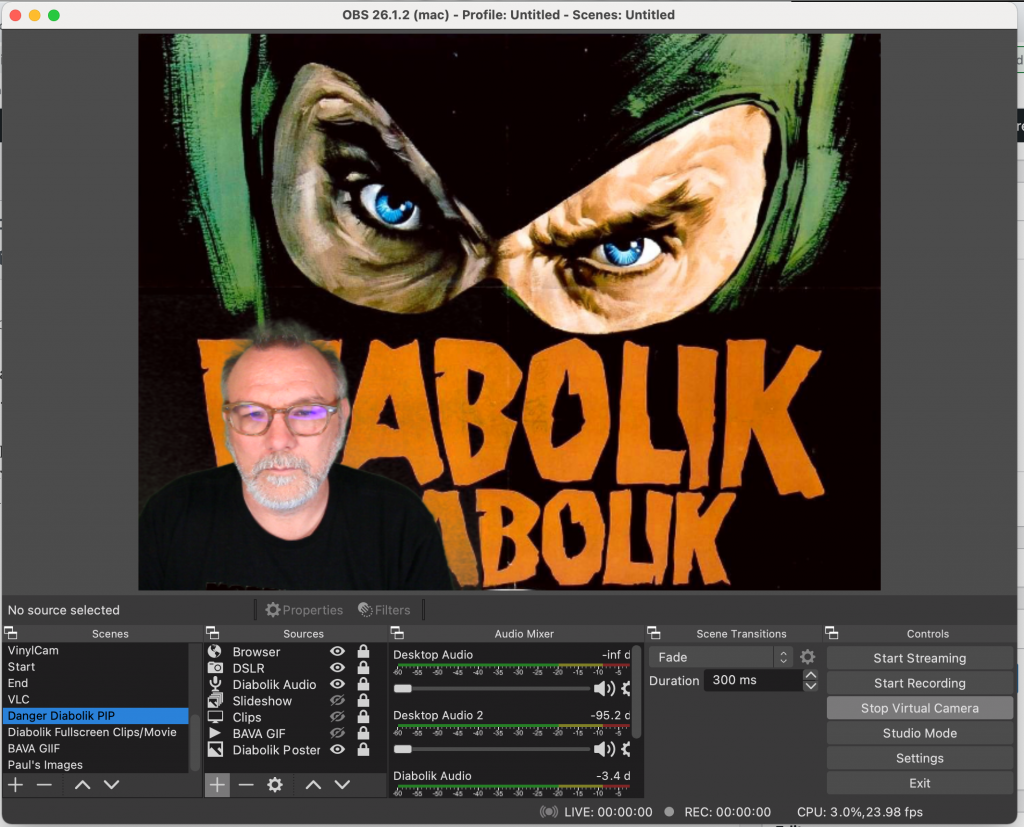
Main Scene Setup for Danger Diabolik Stream

I call this the PIP or Picture-in-Picture frame because any video clips and most stills we discuss will be available here above us because I wanted to be able to move between a full screen of a clip or the actual movie to our talking heads/newsroom setup, it looked something like this in action:
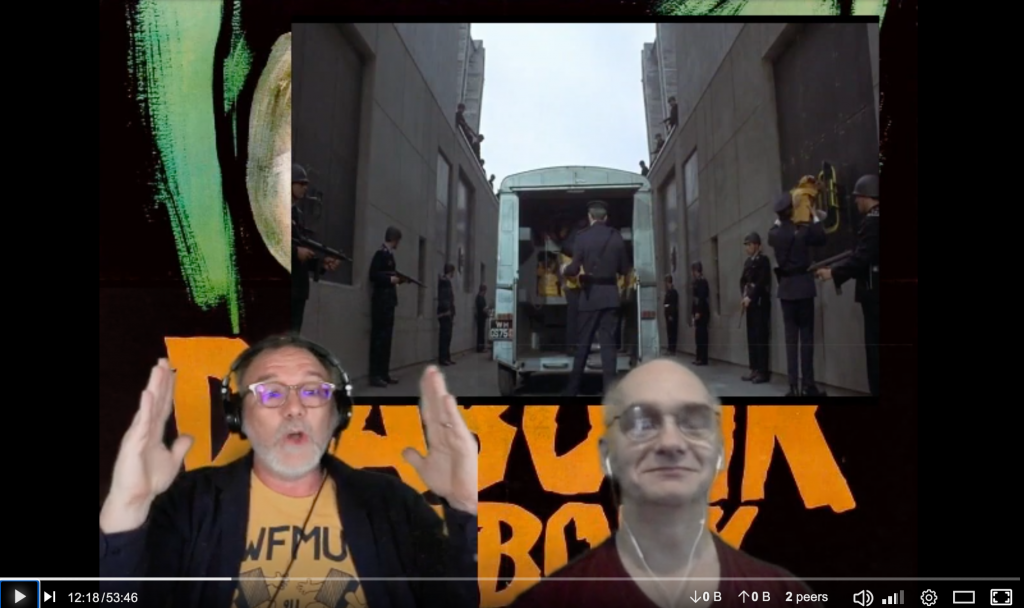
And while the clip would start in the PIP mode, I would usually switch to the secondary scene which was a full screen of one of my monitors running the clips in VLC (more on how to do that soon):
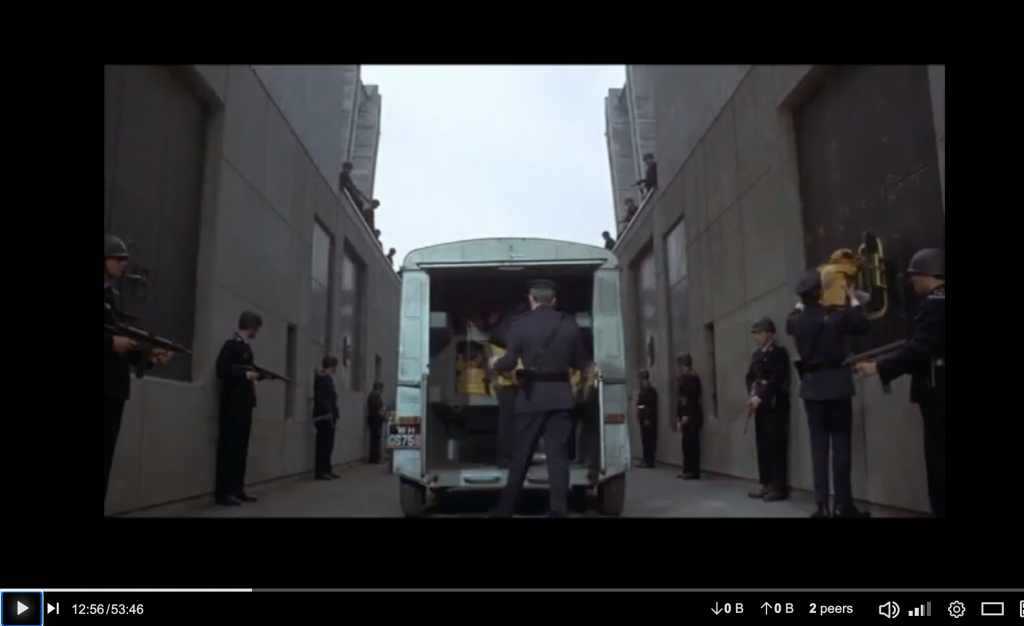
It’s pretty simple, two basic scenes, but with that you can seamlessly switch between your being in the scene with the media above your head and a full screen of the clip/video in question.

Main PIP Scene sources

But before we get ahead of ourselves, let’s take another look at the main scene again, and this time focusing on the Sources. These are basically the media you will be pulling into a scene. I will go through what each of them for the main “Danger Diabolik PIP” scene below:

Browser: This source is basically pulling a browser page into your shot, but I was actually doing something even cooler with this input. In fact, using obs.ninja I was able to pull Paul’s video source in remotely and since he had a green screen I could adjust his background Chroma key accordingly to make it seem like he was right there next to me, even though he was actually in upstate New York while I was 6 hours ahead in Italy! This was the highlight of this setup for me, and it worked really well—just another thing I picked up by hanging around Tim Owens for long enough.
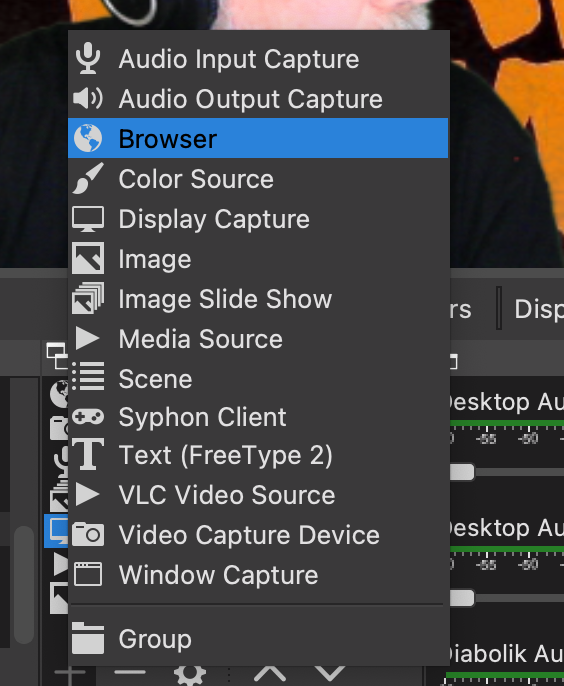
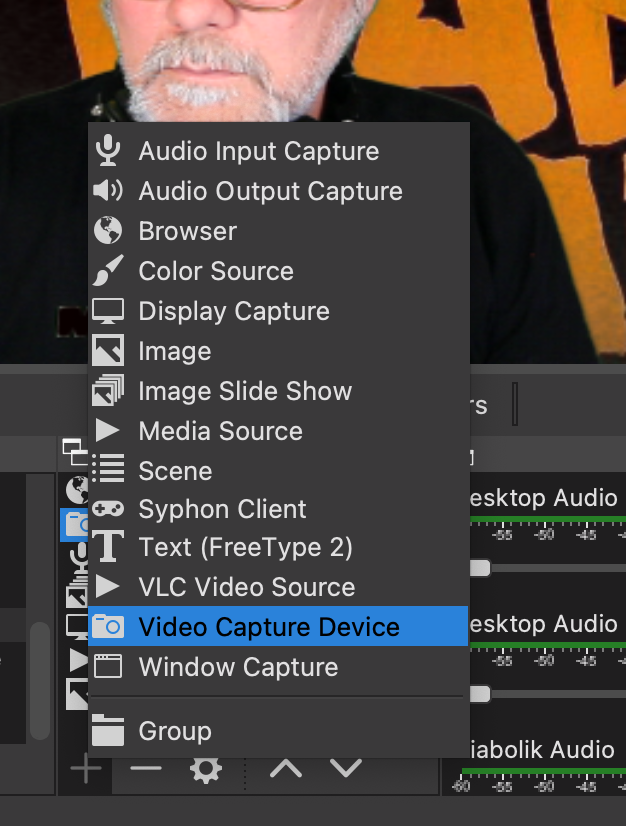
DSLR: This was my camera input, and I am basically using an old DSLR (which turns off randomly) with a Cam Link 4K convertor connection to pull in my video. That said, any webcam will do the trick—this is simply a Video Capture Device source. I still need to try out my ATEM Mini for this setup, but that was not in the mix this time around.
Diabolik Audio: Audio can be tough to figure out, but all my years on ds106radio have helped me tremendously here (that said, I still screw it up). So, this audio input is essentially pulling from a virtual mix of devices using an application called Loopback.
Here you can see my microphone (Elgato Wave), VLC for the video clips, Google Chrome (which is turned off), and Zoom (which I did not use effectively to capture the audio of Antonio and the students, so that is on me).
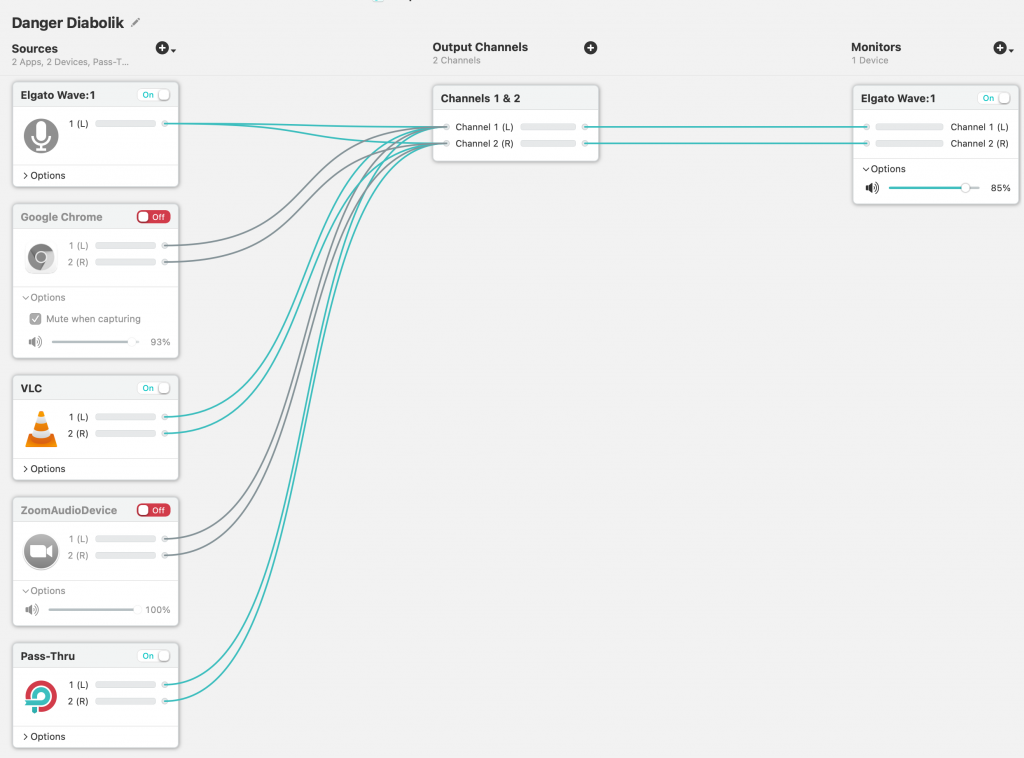
I thought Paul’s audio was coming in via Zoom, which concerned me for the recording, but looks like it was also being pulled in via the obs.ninja browser trick, which is awesome. I need to confirm that, but I do know it worked for the recording, and that the students could hear him fine. If you start playing with OBS, spend some time digging into audio because I have seen that is where a lot of folks go wrong, the virtual mixer is nice because you have all your audio in one source that you can add across your scenes easily.

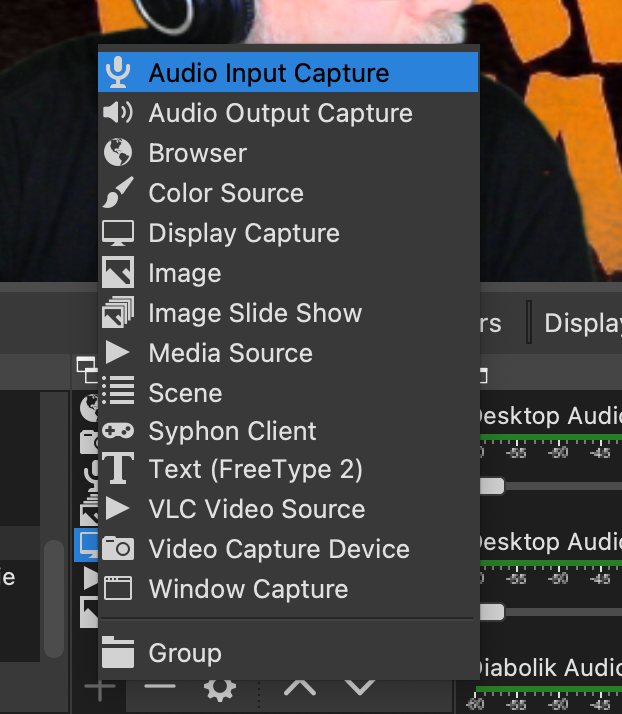
Slideshow: The slideshow is a cool feature of OBS and is a specific source called Image Slide Show that you can use to upload images and create a slideshow that can be controlled from within OBS.
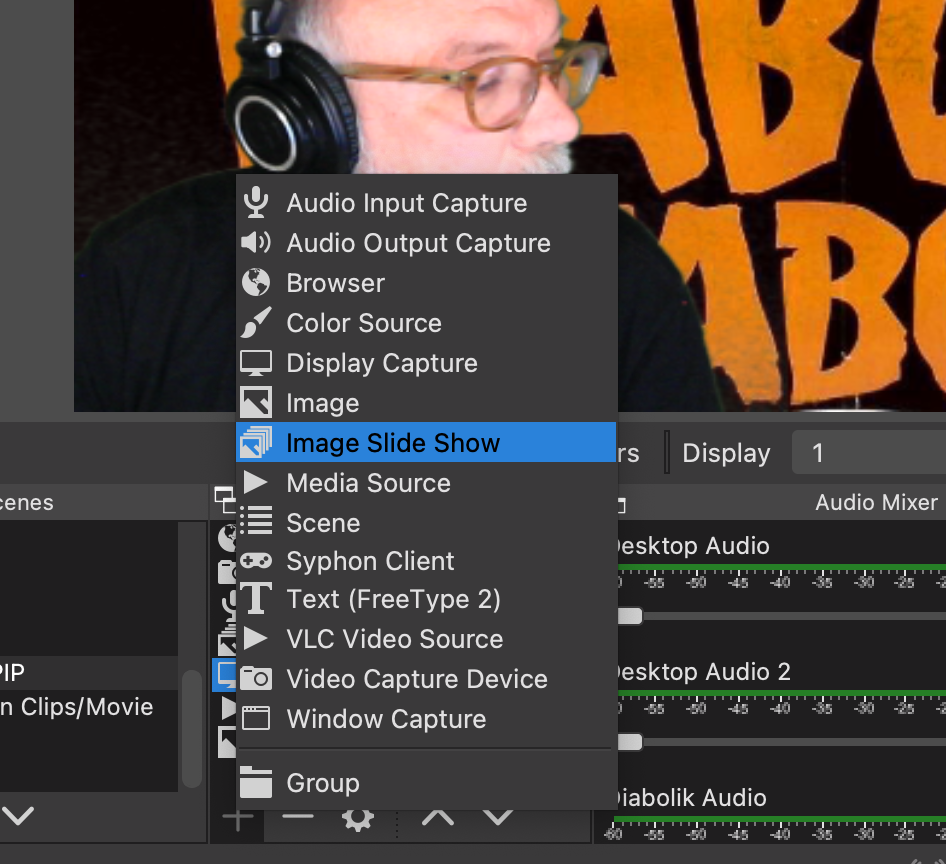
I dug this, and added a few images for the intro that I could use for stills and images that would remain a separate source from the video clips.
Using Image Source in OBS to add slideshow
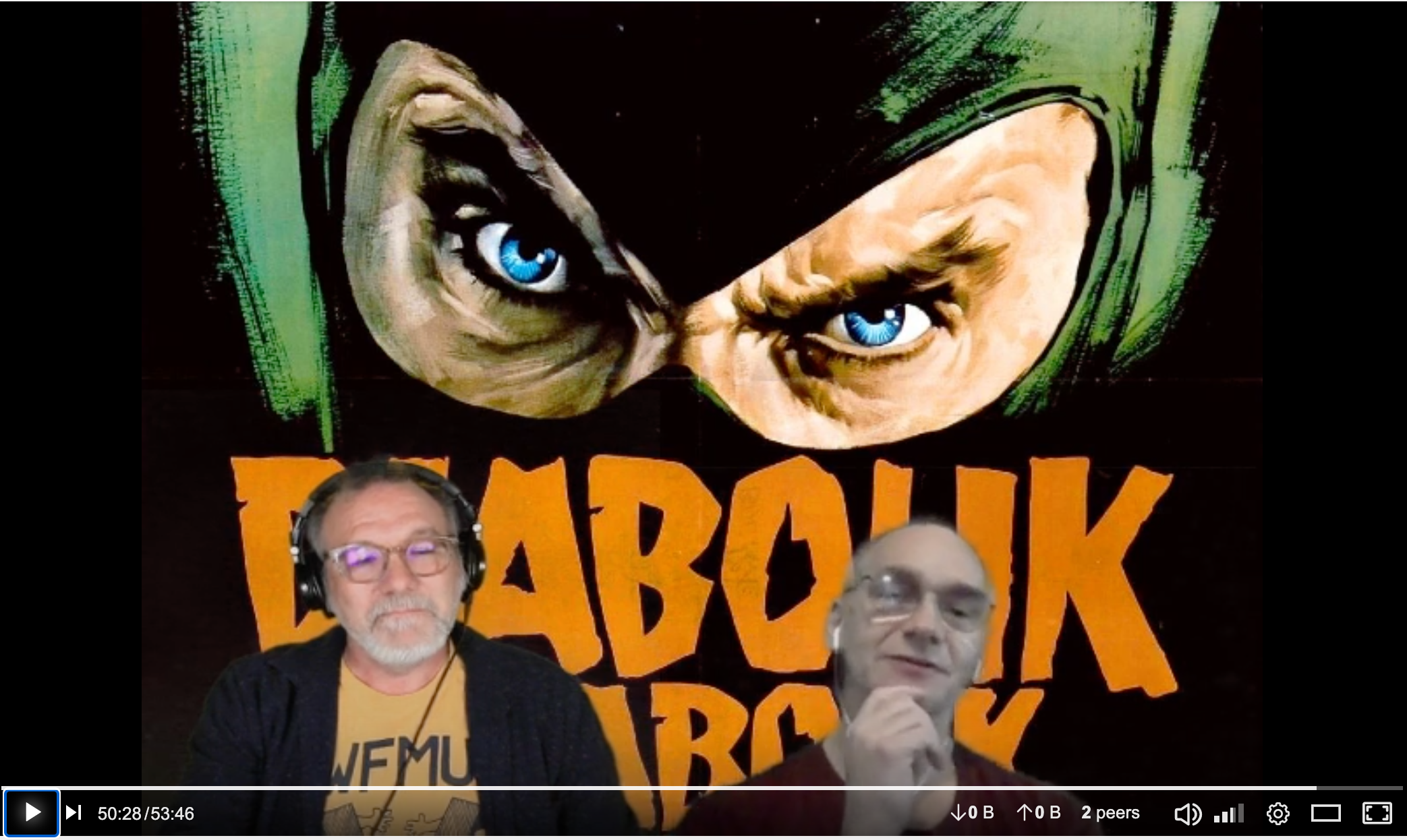
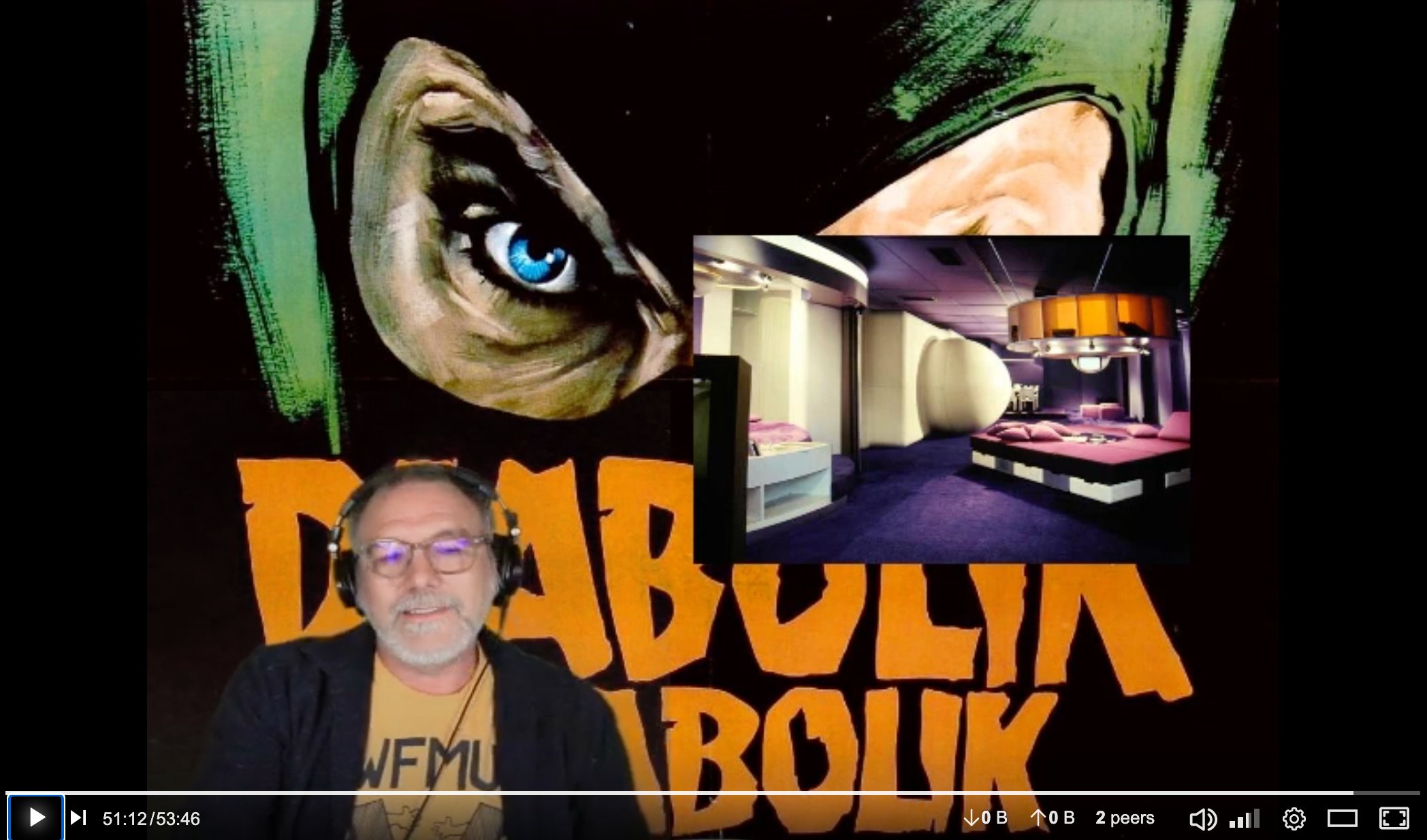
You’ll notice above I have the image up where Paul was during the class session, and this is another nice feature of OBS which let’s you hide each and every source by simply clicking the eye icon next to the source, so it was like magic to remove Paul and bring up an image in his place in real time. I love this stuff.

Clips: this source was using the Display Capture source, which essentially allows you to broadcast one of your displays (which kind of assumes multiple I’m guessing). A good question to ask here is “why use this when OBS has built-in support for VLC that will pull in those playlist?”* This is a good question, and I tried it, but when I was streaming within Zoom my virtual audio input in OBS would not get the audio from VLC, so it was a bust. I would really like to use the VLC source in OBS cause it is cleaner and would avoid showing the Mac Dock of applications popping up and other things you get when using the Display Capture as a source, but the audio worked so I took the path of least resistance given I intentionally limited my time to futz. That said, this was the one piece of the setup that was not as clean as it could have been, but I will keep at it.

BAVA GIF: This was kind of a throwaway test, but I was really happy with it. OBS also let’s you upload media files like mp4s (similar to how you would use VLC) and I had a 1 second clip of the titles of the film I added as a Media file and looped it, and it worked pretty well imitating a GIF special effect:
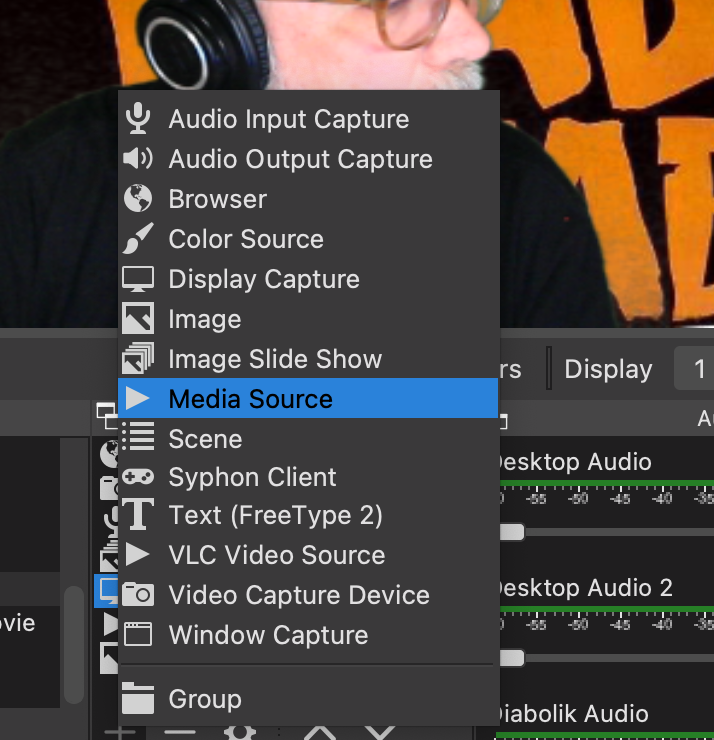
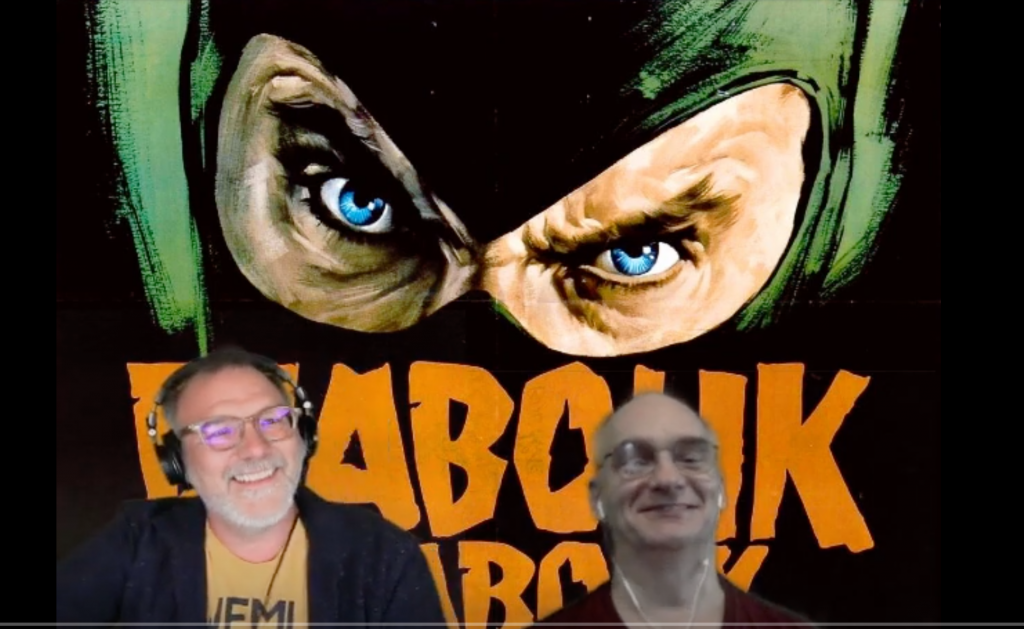
Diabolik Poster: The final source for the main shot was the Diabolik film poster that sat behind us the whole time, and added some ambience. That was using the Image source, making it dead simple to add images to each scene, and you’ll notice the eye icon is always active, where as the eye icon for the Clips, Slideshow, and BAVA GIF are only used when we are showing that media.

Notice which “eye” icons are on and off in this scene

So, those are the seven sources that make up the main shot. There may be better ways to do this, and granted a couple are unnecessary (like the BAVA GIF), but it was fun to do nonetheless.

Moving, Resizing, and Cropping Sources

In addition to figuring out how to add a source, the next trick is how to resize, crop and move it around. This is where each source becomes the equivalent of a visual layer in Photoshop. Once again layers undergird so much of how we manipulate media. By unlocking the source you can move it around, resize, and also crop it. I have found the option key crucial on my Mac for cropping down sources to get exactly the size and effect I wanted. This takes some time to play with, but once a source is unlocked it can be manipulated freely. Read more specifics on this here.

So, that is the anatomy of one scene, which is the most complex of the three I created for this stream. The other Scene was essentially a full screen (so the Display Capture source) with the virtual audio input source Diabolik Audio:
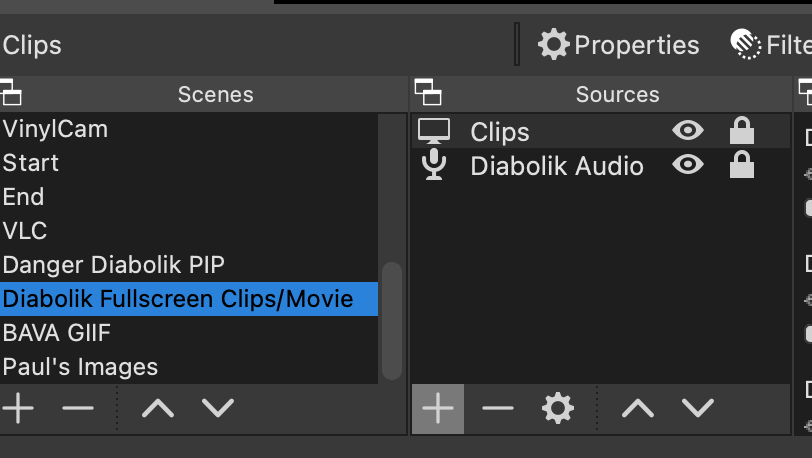
This scene looked like this, and you could hear Paul and I talking over the clip, the other nice thing is given the same audio input is in all three scenes the audience never loses our audio, which again is a common issue folks run into when playing with OBS for streaming:
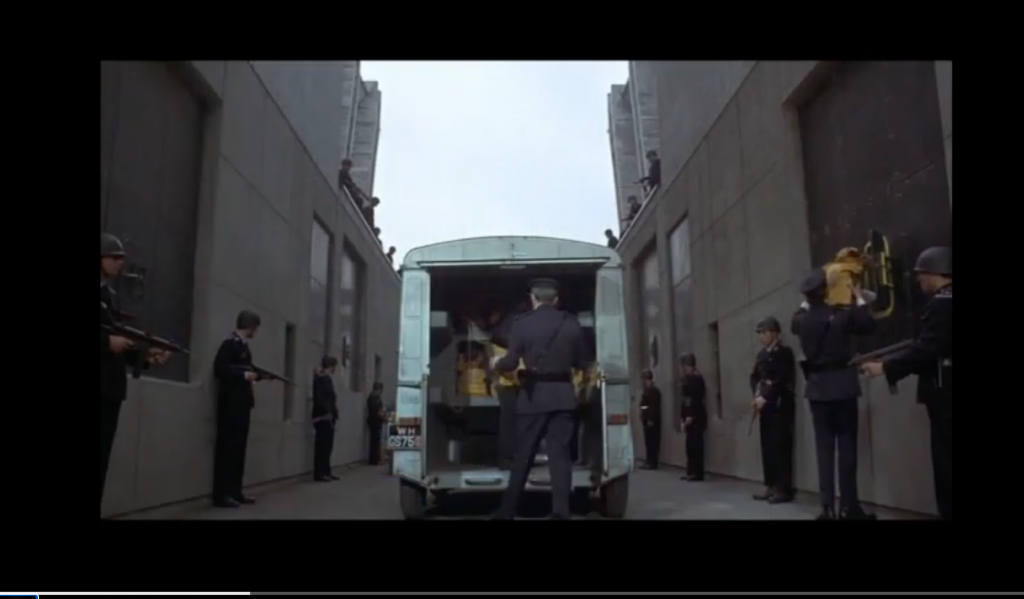
full screen scene in OBS

The last scene was having Paul (Browser source) and his images/stills (Image Slide Show source) along with the virtual audio input source (Diabolik Audio).
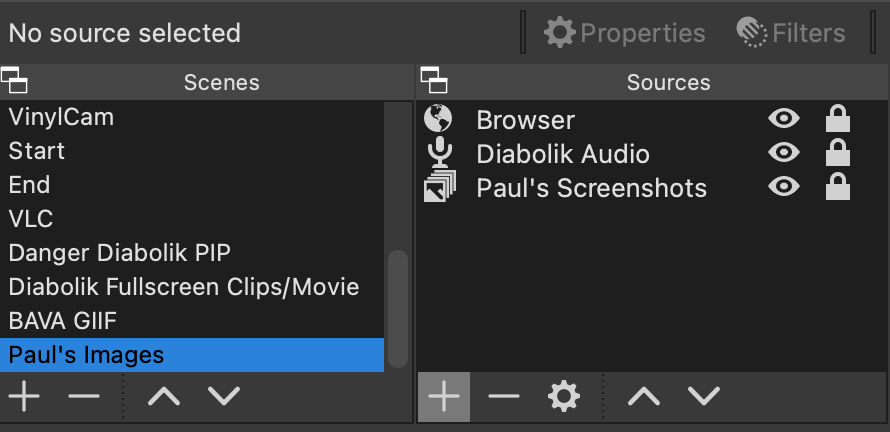
This scene looked like the following, but once again thanks to the Diabolik Audio input source you could still hear me even if I was offscreen:
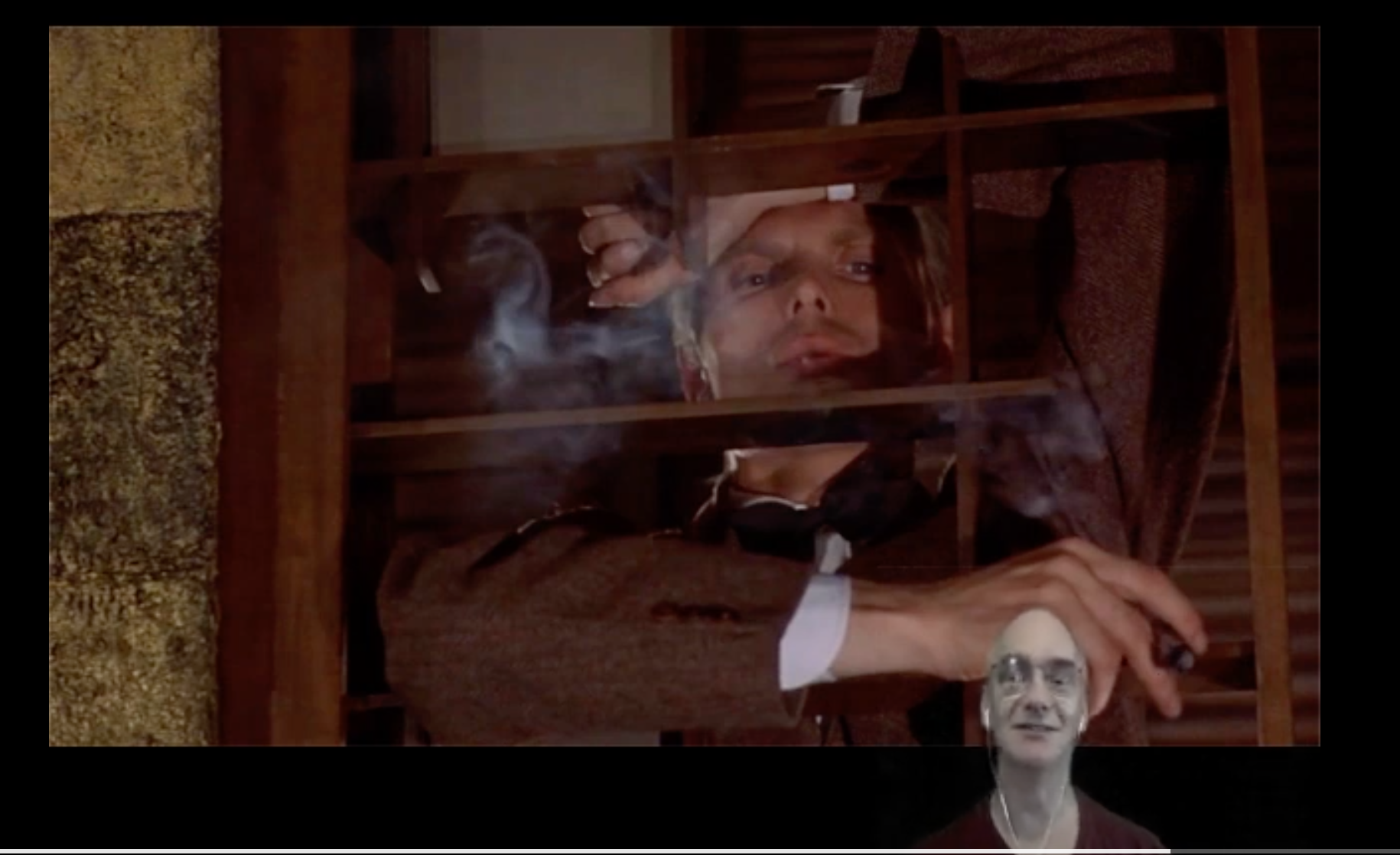
The scene featuring Paul and his screenshots talking about Bava’s translating comics to film

I am sure there are smarter and more creative ways to do this, so if you are reading and have suggestions, I’m all ears. I do enjoy playing with this tremendously, there is almost a certain amount of giddiness I felt while doing this session because it felt like such a cool way to feature and discuss the visual magic of Mario Bava. I think my favorite part was watching Paul and I bop our heads to the opening music Antonio played as we entered the Zoom room. There was joy in the telling of this introduction.
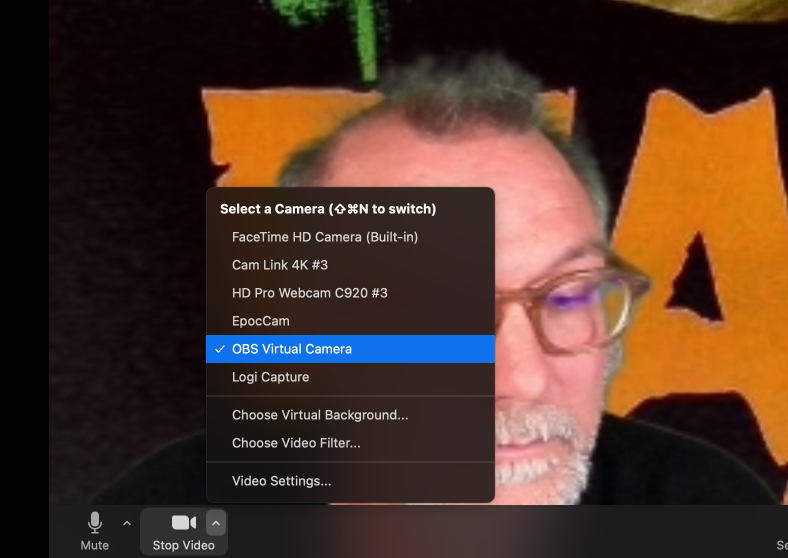
It is also worth mentioning that bringing this multi-scene production setup into Zoom is pretty easy. You just need to make sure you have the Virtual Camera in OBS setup, and after that it should be an option when you go to select a camera in Zoom.
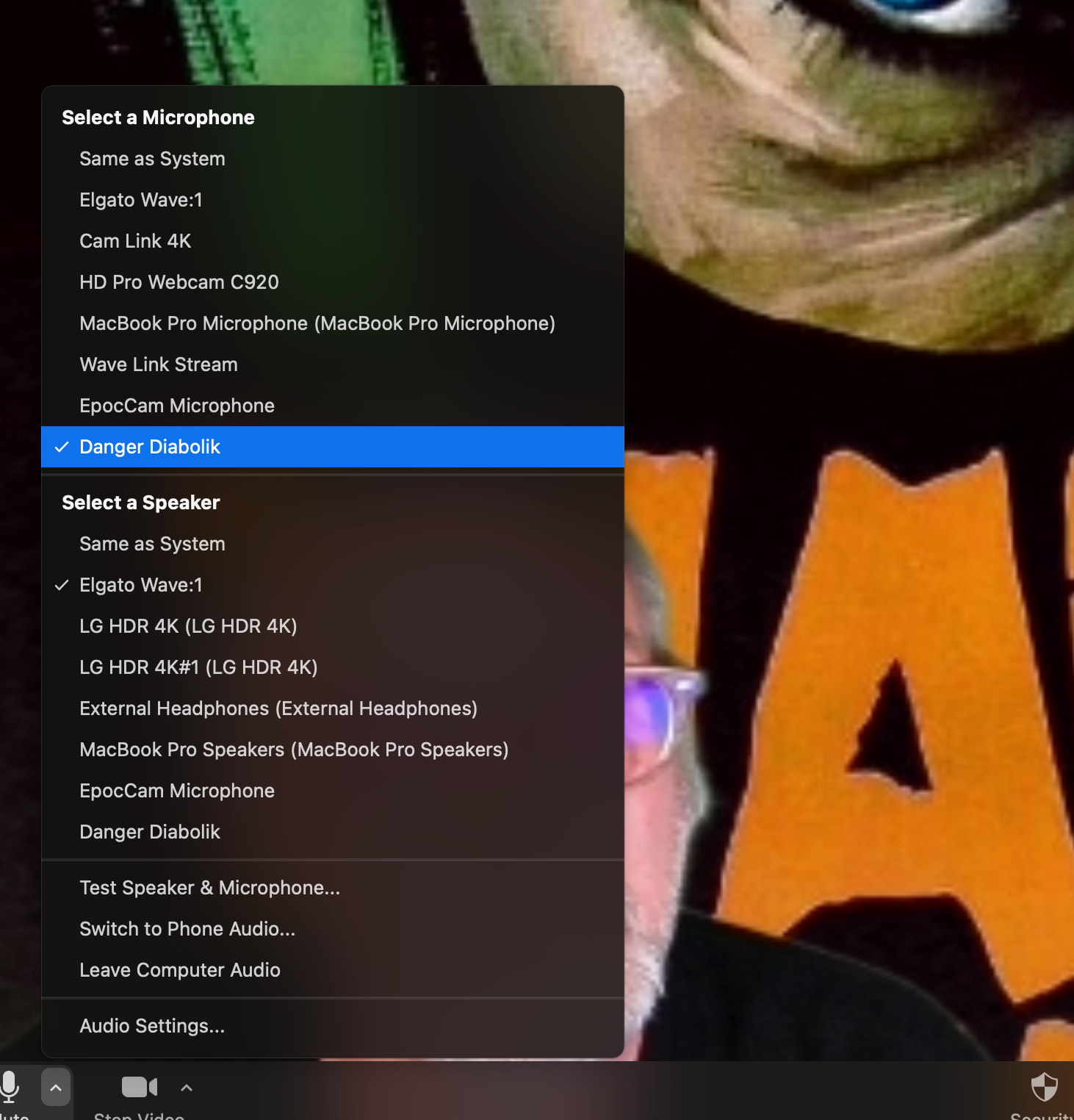
The other key piece here is if OBS is virtualizing your camera to add layered visual effects, then Loopback is virtualizing your audio to mix together various sources, so you should choose Diabolik Audio as your microphone in Zoom, this way the class can here the audio from my mic, the film clips, as well as Paul.
Another piece of this working cleanly in Zoom is that the final movie in the Clips playlist was the actual film which we watched together and used the chat in zoom to discuss it. Another real benefit of using the OBS virtual camera is you are not screen sharing so the video quality is consistent and can be HD, so you can have a really solid stream using your OBS virtual camera, and that’s what we did and it worked quite well, save for my terribly synced subtitles.

I could continue and talk about the other part of this setup, basically copying and storing all the clips and YouTube videos referenced to my bava.tv instance of PeerTube, but I think that deserves its own post along with how Paul and I tried to frame this film thematically for the class (the content besides the tech). That said, you can grab a sneak peek at the Diabolik playlist in bava.tv (linked above) to get a sense of what I mean.

________________________________

*I love how these two open source tools integrate.

Posted in film, movies, open source | Tagged , , , , , | 3 Comments

Reclaim Arcade Repair Log: Mortal Kombat, Gauntlet, Make Trax, Karate Champ, and Gyruss Cocktail

On Wednesday of this week Tim and I caught up on some arcade repairs. Coming into Reclaim Arcade via robot I’m more a cheerleader/annoyance than help, but I learn a ton so at least one of us gets something out of it 🙂 The back room was starting to fill up with non-working games, so it was good to see which ones we could resuscitate fairly easily. Space Invaders and Mouse Trap both have bigger monitor issues we need to address, so those two were left untouched. But I think we got everything else back up and running (even the parted-out Gyruss cocktail), which is damn impressive.

The fixing of these games is a strange affair. Games can be down for a while and once you remove the control panel, readjust a fuse, or wiggle a wire it works again. As Tim noted, those are not very satisfactory fixes when they happen because nine times out of ten the issue returns, but we always play the 10% angle 🙂

Gauntlet was the first game we looked at given it was not booting. We had this issue before and once we swapped out the PCB Rom board it worked again. We got the previous board looked at and there were no issues, so we swapped it again (to the board we originally removed that had no issues) and it worked perfectly. So, the jury is still out on this. It could be an edge connector issue? Not sure, but for now we are playing the quick, yet unsatisfactory, win. Especially given this was the biggest game in the backroom, and getting it back out on the floor freed up working space.

Mortal Kombat had monitor issues wherein it was making a strange noise and the screen was garbled at boot. But when we opened up the control panel and then tried to open the enigmatic back door of this Dynamo cabinet (ultimately to no avail) we realized the game was booting as it should. One of those magical “fixes” that leave you even more unsettled, but we did not need to put it back on the floor so we left well enough alone and moved on.

Next up was Karate Champ, which means we were working on the third of five games in the back room.  This game was having issue with the right player 1 joystick moving to the left (or was it down?). Either way, one of the directions was not registering a move, so the game was not working correctly. We opened up the control panel, which annoyingly uses bolts rather than a latch system, and discovered an easy fix, the contact had been removed. YEAH! That’s 3 for 5! But not a satisfactory fix in the lot yet.

On Karate Champ there is a separated blue contact point right under the red tape holding together wires, once that was plugged back in the back kick worked

We put Karate Champ back on the floor in Q*Bert‘s place because while Q*Bert is working currently, it has been going down consistently blowing fuses, so we ordered a new fuse set and will make sure we have the right fuses in there before trying again. There may be deeper power issues, but only time will tell.*

Gyruss Edge Connector Schematic to connect to switching power supply

The Make Trax fix was a simple one. We swapped the current board that did not have working sound with the one we had repaired back in February, and that game now has sound. That was a satisfying fix for me, cause the sounds of Make Trax are at least half the game play.

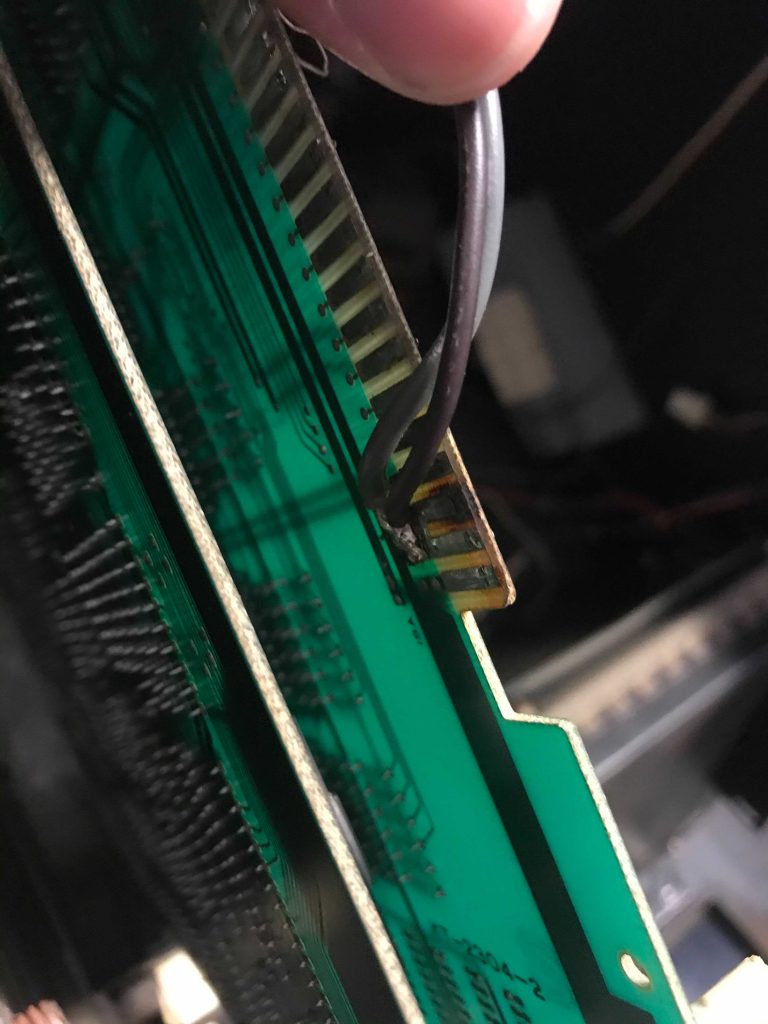
And just yesterday we returned to an old project, the Gyruss cocktail we have currently working as a TV stand in Reclaim Video. This was Tim and I rolling on our good fortune, but it also meant Tim finally got what he asked for, a satisfactory fix. Our Gyruss Cocktail had laid dormant since we got it over a year ago, and while working when Tim picked it up, we never saw it working once we had it back at HQ. We were having issues with the monitor in the stand-up Gyruss cabinet we have out on the floor, and given we have two Gyruss cabinets, there was no rush to get it fixed. That said, we are expanding Reclaim Arcade, so having another cocktail game might be useful, so we wanted to just take a look and see if we could get it back up and running, and if not what parts we needed to order. The first thing up was the monitor. We needed to re-attach the monitor from the stand-up cabinet to a chassis and test that to see if we got that far.† We did as much, but were not getting power, so we looked around and realized the switching power supply was also parted out to another machine, but luckily we had an extra and went about hooking that up. This is where and when I learn a ton because you have to hook the PCB board up to the power supply, and that means understanding which connection goes to which voltage slot–and if you get it wrong you could short out the board. Tim found the above schematic outlining the different connections, and I am slowly understanding how to read these, which is key the deeper I get into repairs.

Wires Soldered to Gyruss Cocktail PCB, not ideal

Once we had the power supply working we tested the monitor and realized we had the wrong chassis and swapped that quickly and it worked! The PCB was solid despite the two wires soldered to the edge connectors, wondering if we might want to do some pro-active repair on that one. Also. the monitor with the chassis Buffet repaired was crisp, and the controls worked. It was  so cool to see this game finally working. The last bit, which was testing Tim’s patience, was the monitor had to be removed from the metal harness securing it and rotated 180degrees given there was not room in the cabinet for its current configuration, and those bolts can be stubborn. But, in the end, he got it flipped and installed it on the glass and the game works as it should. I really enjoy shadowing Tim as he does these repairs. He is getting damn good at them, and while they can be trying at times, we have all but two of our 65 video games working, which is downright amazing. And when I get back to Reclaim Arcade we are shipping out the Space Invaders to deal with that monitor collapse and the Mouse trap should be something Buffet can fix, which means we will be pushing towards a temporary state of perfection yet again 🙂

Fixing these things was part of the bargain, and it should be no surprise to anyone that Tim has not only met, but exceeded, his end of the deal. So good.

Couple of things we might need:

  • Another CRT monitor tube or two
  • A few more monitor chassis for a variety of monitors we have (say 3 or 4?)
  • Some more switching power supplies (maybe 2)
  • A variety bolt and screw kit set

I think that’s it, and that is just me preparing for the inevitable next fix, but in fact our backroom is stocked with spare PCB boards and an assortment of parts which means we have been in pretty awesome shape. I will be making a run with 10-15 PCB boards for repair, which will continue to keep us honest, and I can say with some assurance we are going into the Summer and our near future plans for expansion in the proverbial catbird seat.

Boards to be repaired as of now:

  • Spare Galaxian Board
  • Spare Make Trax (sound)
  • Defender (showing some graphical distress)
  • Two Scramble PCBs (1 original, 1 bootleg)
  • 1 spare Super Cobra with high score save kit
  • Spare Zaxxon
  • Spare Galaga
  • Spare Karate Champ
  • Spare Missile Command
  • Spare Tutankham
  • Spare Gauntlet (mainly to confirm it is not a PCB issue)
  • Fix soldered wires on Gyruss cocktail PCB

________________________________________

*We also look at the games I bought for the bavacade, but will save what we found there for a different post, but Tim will be brining at least 3 of 4 of the games I got to a Retro Expo in Fredericksburg next weekend, and we wanted to get out ahead of that making sure they work and that everything was on free play. Short story there, Pac-man, Joust, and Defender looked good, but Galaxian was having monitor issues, so that is a coming project.

†Tim originally attached a G07 chassis to the Wells Gardner 4900 tube to no avail, there was horizontal screen collapse, but once he realized that and swapped out for a WG 4900 we were in business.

Posted in Reclaim Arcade, video games | Tagged , , , , , | Leave a comment

Reclaim Today Episode 30: OERxDomains21’s Headless TV Guide

For episode 30 of Reclaim Today Lauren, Tim, and I sat down with Tom Woodward and Michael Branson Smith to talk about the development of the headless WordPress conference website OERxDomains21 Guide. It was a fun one!

In this episode of Reclaim Today Lauren Hanks, Tim Owens, and Jim Groom of Reclaim Hosting chat with Tom Woodward and Michael Branson Smith about their development of the OERxDomains21 TV Guide-inspired conference schedule website. You can see the website here: https://oerxdomains21.org

Jim Groom blogged about the development of the site a few times (he’s good like that):
“OERxDomains21: Reclaiming the Conference Experience”
“OERxDomains21’s Instant Archive”
“Design and Development Notes on the OERxDomains Guide”

Michael Branson Smith blogged about his work with javascript to do much of the time-based magic discussed in this video:
“This is Temporal Experiment Number One”

You can see the Luxon Javascript library here: https://moment.github.io/luxon/
And the CSS text overflow here: https://developer.mozilla.org/en-US/docs/Web/CSS/text-overflow

Posted in Domains21, OERxDomains21, reclaim | Tagged , , , | Leave a comment

Domains21: Michigan State University Enmeshed in the Cloud

I’ll be posting sessions from Domains 21 over the next several weeks as a way to keep OERxDomains21 as close to my blog heart as possible, you’ve been warmed and warned! 🙂

In this session Kathleen Fitzpatrick and Scott Schopieray discuss the ways in which the MESH Research Center at Michigan State University has been using Reclaim Cloud as a sandbox for a wide-variety of applications that will not run in cPanel cleanly. With the ability to quickly stand-up applications like Mattermost, Etherpad, Jitsi, and Discourse, the Cloud might be understood as the requisite hosting environment for a whole new class of next generation applications built in Java, Node.js, Ruby, Go, and, as is increasingly the case, packaged up as a one-click Docker instance.

In addition, this session frames the importance of universities and colleges reclaiming control of their infrastructure as a means to not only explore the edges, but to ensure a degree of data sovereignty for the broader community. As with several other sessions in the Domains21 track, there is a growing sense urgency around exploring open source tools for a degree of platform independence for the broader academic discourse to remain viable.

Posted in Domains21, OERxDomains21, reclaim, Reclaim Cloud | Tagged , , | 1 Comment

Domains21: OpenLab – Open Infrastructure in Action at CUNY

I’ll be posting sessions from Domains 21 over the next several weeks as a way to keep OERxDomains21 as close to my blog heart as possible, you’ve been warmed!

This OERxDomains21 session discusses how New York City Technical College (City Tech) and the Borough of Manhattan Community College (BMCC) use customized WordPress Multisite/BuddyPress application known as Commons-in-a-Box to build out a localized, institution-focused social learning network for its students and faculty. Jodie Rosen (City Tech), Chris Stein (BMCC), and Charlotte Edwards (City Tech) not only share the history and impressive uptake of this truly unique open source software project, but also share examples at their respective schools (OpenLab at City Tech and OpenLab at BMCC)and that point to a broader moral imperative around providing a technical framework for connecting that is not predatory when it comes to faculty and student data.

It’s open source. It was dreamed up over a decade ago at CUNY and continues to be maintained there. What’s more, it’s freely available to anyone else who wants to implement it. It’s just another brick in the open educational infrastructure Wall brought to you by the largest, most diverse urban college system in the USA!

Posted in Domains21, OERxDomains21 | Tagged , | Leave a comment

bava 3500

https://twitter.com/mbransons/status/570951362994954240

Seems like just 100 posts ago I was writing about the bava 3400, oh how time and blog posts fly by. Not sure why 3500 posts feels like a landmark to me, but who am I to fight the urge when it provides a glorious opportunity to blog about blogging. I posted the tale of the blog tape on Twitter earlier today, and while the numbers can only hint at the story, they are almost like mile markers on the long cross-internet journey that is blogging for near on 16 years.

If we do the math that’s about 233 posts a year over 15 years, averaging out to 19 posts a month, every month, since December 2005. I never missed a month since I started, so I’ve been nothing if not consistent. I took the early discussions around blogging as a space of one’s own to develop and document a professional and personal narrative very seriously. In fact, it may be the only thing I have taken seriously over that time, at least professionally.

Over the past 15+ years I’ve realized and come to terms with the reality that despite writing regularly for all this time, I’m not necessarily a better writer. I always have, and always will, struggle with writing. It’s quite hard for me, and I think in some kind of sick masochistic way that’s part of the attraction. But besides my psychological quirks, this blog has given me the unique opportunity to figure out my strengths as a “blogger” which have been documenting the work and trying to capture the development of various ideas over time. And as time moves on I’m finding this approach to be ever more valuable. Not only can I backtrack to things I figured out technically, but also better understand retrospectively how half-thought ideas blogged about became the seeds of some amazing, life-changing relationships that led to projects, courses, companies, arcades, conferences and more to come. This blog made me, I’ve said it before and I’ll say it again. It’s not about numbers, not about readership, likes and/or subscribers. It’s simply about showing up regularly and being who you are. Folks can talk a lot of shit on me and this blog, and they have every right to (but dare not speak it aloud! :), but one thing I am still proud of is I never felt like I had to be someone else to write it. It truly remains my space, and for that I am thankful. What’s more, you get what you paid for every single time!

https://twitter.com/greeneterry/status/1386983321658433538

So, as Terry Greene noted, I am half way to 7000 posts, that’s a mile marker I think I can reach if my health holds out and the passion remains, but even if they shouldn’t there are no regrets on this here bava.blog. I remain #4life!

Posted in bavatuesdays, blogging | Tagged | 3 Comments

Reclaim Hosting does an OERxDomains21 Debrief

Several members of the Reclaim Hosting team who chipped into the OERxDomains21 conference effort took some time out yesterday to reflect on the experience for episode 29 of Reclaim Today. We did a similar therapy thing after OER19, so it was fun to capture our thinking the Monday after the conference and do yet another victory lap! WE DID IT AGAIN! WE DID IT AGAIN! WE DID IT AGAIN! WE DID IT AGAIN! WE DID IT AGAIN! WE DID IT AGAIN! …. plus I think these chats are fun 🙂

Posted in OERxDomains21, reclaim, Reclaim Today | Tagged , , | 2 Comments