Conan Cracking Nostalgia

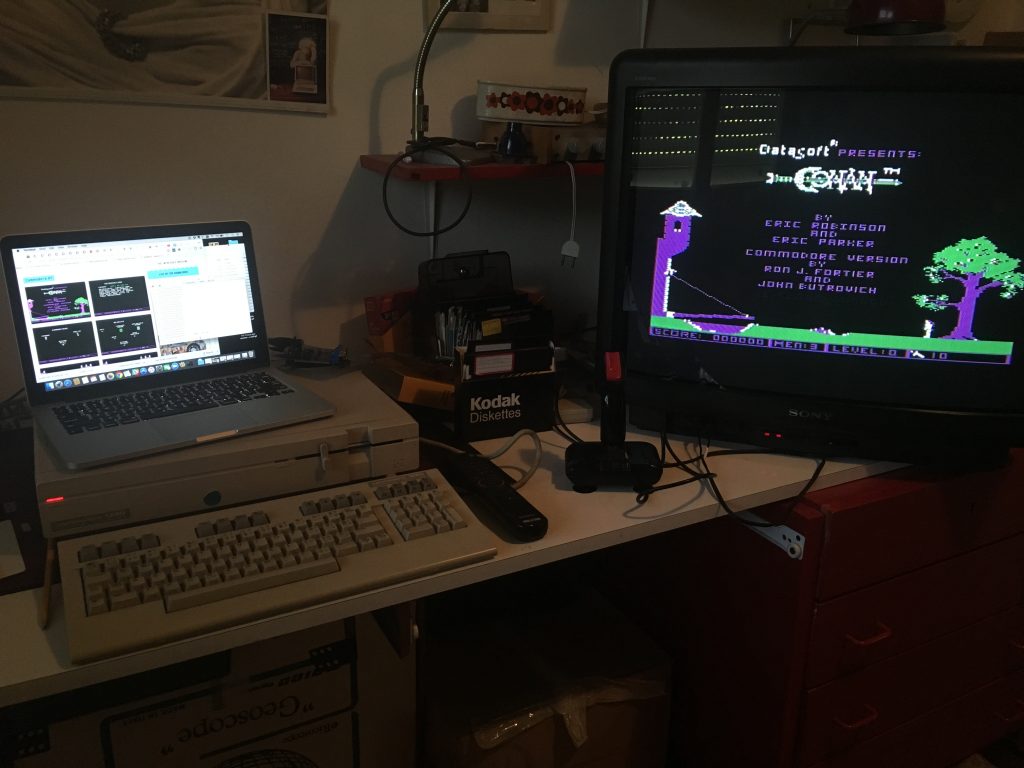
One of my favorite C64 games from “back in the day” was Datasoft’s Conan: Hall of Volta (1984). I went looking for it as soon as I got my ZoomFloppy up and running, and it was as good as I remembered.

2016-06-29 10.46.22

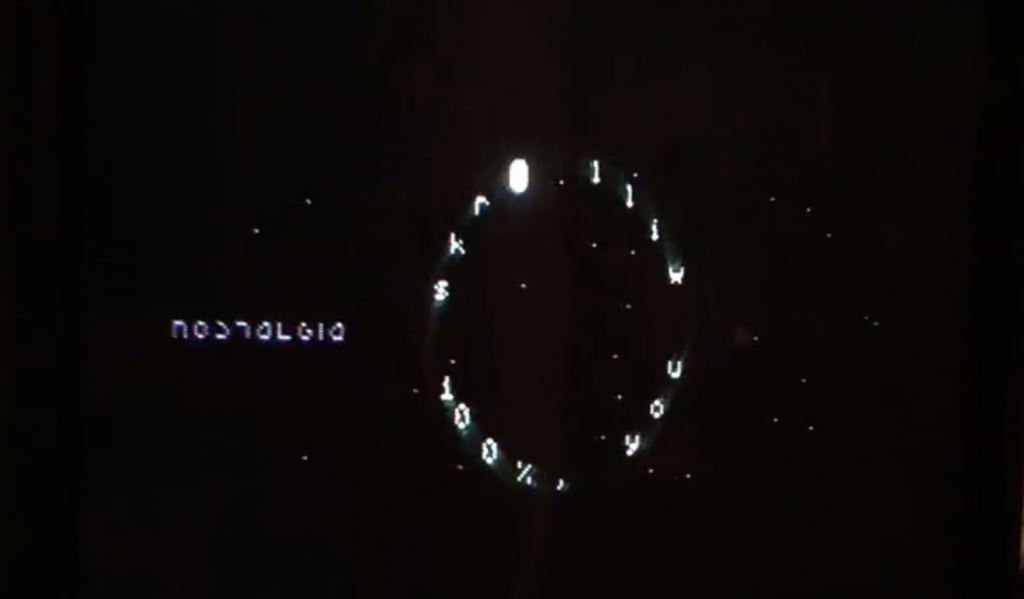
But maybe even cooler than the game was the animated introduction to this cracked version for the C64 created by the cracker group Nostalgia. Software cracking was one of the earliest organized challenges to copyrighted software, which was first introduced during the 80s for systems like the Apple IIe, the Atari 800, and the C64.  Crackerz reverse engineered protected software and then distributed them freely on the internet with a calling card much like the one below.I was introduced to this community in earnest in the early 90s when Warez sites were all the rage.

Screenshot 2016-07-04 11.52.50

Click to see video of Nostalgia’s intro to Conan Crack

There is so much 8-bit art/culture in Nostalgia’s intro for their cracked version of Conan: Hall of Volta. It’s like animated digital graffiti from the 80s, crackerz leaving their tags on the culture they set free! This got me interested in this cracker group so I searched and found their page on c64.org, which provides a history of the community:

The date was 1st of January in 1994 when Mr Alpha, then in Rebels, had the idea to form an”oldie-group”, as he calls it. This new kind of a scene association should release old skooldemos, game-graphics and -musics in collections to keep remembrances awake. It was firstly called “The Remembers” (TR) and also wanted to provide fresh and hot orries to the famous groups that were still around at that time. “Legendary Oldies ” was the first real product coming from TR, the first part of these oldies was released under the Rebels flag earlier. The first sceners following Mr Alpha were Maverick, H-Bloxx and luckily also Zyron, who agreed on an offer by Mr Alpha in spring 1994.

The history reads like something out of Anthony Burgess’s Clockwork Orange, with it’s own syntax and diction,  “provide  fresh and hot orries to the famous groups.” Orries is honors? No idea, but I love it. Anyway, Nostalgia has been releasing cracked games since 1994, which means they have been consistently active for 22 years. There latest contribution was the 1985 video game Nightshade, and it was released just two months ago.

This led me down the path to read more about software cracking on Wikipedia, and there are some gems there, namely Old Red Cracker and his/her High Cracking University:

The High Cracking University (+HCU), was founded by Old Red Cracker (+ORC), considered a genius of reverse engineering and a legendary figure in RCE, to advance research into Reverse Code Engineering (RCE). He had also taught and authored many papers on the subject, and his texts are considered classics in the field and are mandatory reading for students of RCE.[12]

The addition of the “+” sign in front of the nickname of a reverser signified membership in the +HCU. Amongst the students of +HCU were the top of the elite Windows reversers worldwide.[12] +HCU published a new reverse engineering problem annually and a small number of respondents with the best replies qualified for an undergraduate position at the university.[12]

1980s and 90s computer culture was re-thinking universities in far more interesting ways then we could ever imagine 20-30 years later 🙂

Posted in Commodore 128, copyright, video games | Tagged , , , , , , , , | Leave a comment

ZoomFloppy vs. the uIEC/SD drive

I spent many hours in my last two c128 posts trying to contextualize, link, and explain in detail the difference between two hardware devices I recently purchased, namely the ZoomFloppy and the uIEC/SD drive. While I erratically surf the web looking for information about whatever it is I am interested in, I noticed I tend to rely heavily on short videos of folks explaining things. For example, this CBM-Command demo video was quite useful for getting me up and running with their disk utility for Commodore computers.

https://www.youtube.com/watch?v=pqrgx88H_Wk

The CBM-Command video is 12 minutes long and I probably listened to half of it while searching for other stuff, but that was more than enough for me to figure the application out. So, in that vein I wanted to do a video wherein I try and explain (in less than 5 minutes) the practical differences between the ZoomFloppy and the uIEC/SD drive.

Why do this if I already wrote it up? I was wondering if I could do in 5 minutes what it takes me roughly 5 hours to write up in two blog posts. There are limits to videos, they often have to be on YouTube to be found, they can meander, less likely to have links, etc. At the same time I use them all the time, so I wonder if the blogger in me is privileging one form over the other. Either way, the idea of explaining something clearly and quickly for someone who may have similar questions as I did would’ve been quite valuable to me over the last few weeks.

So, I did this imagining there was someone in a similar situation of nascent understanding who might benefit from a fairly quick, straightforward explanation. I’m not sure if I succeed, but I find it a useful exercise for my own comprehension to try an explain something I’ve learned to an imagined audience. Also, it’s a small token of my appreciation for all the folks who take their time to teach me something without any expectations of anything in return (save internet fame and glory). A bit of paying it forward on and for the web.

Also, for the record, this is the first time in years I’m posting a video to YouTube, I feel a bit torn to be honest I’m using my Reclaim Hosting YouTube account (don’t tell Timmmmyboy). And while the above video has nothing remotely takedown worthy, I also have a compressed version uploaded and stored on my own webserver given I don’t trust the automated arbiters of copyright at Google.*

Update: Re-listening, one major gaffe was saying the 5 1/4″ floppies have 64KB, I was thinking the RAM for the machine. In terms of disk space on a double-sided 5″ floppy it could hold 360KB, and the high density 1.2 MB.

__________________________________________________

*So why upload anything to YouTube again? That’s easy, because I used up my weekly quota on Vimeo 🙂

Posted in Commodore 128 | Tagged , , , , | 1 Comment

In the Future Commodore C64’s will have 32 GB SD Cards!

I’ve been playing pretty steadily with my C128 setup, and I’m finding it’s a really consuming diversion. I’m working through some ideas for another exhibit along the lines of the UMW Console, and the C64 games are keeping my retro play quota filled. And while Cogdog is speculating about the future aesthetic of Reclaim Hosting‘s cPanel, I can assure you it has not gotten that bad….yet 🙂

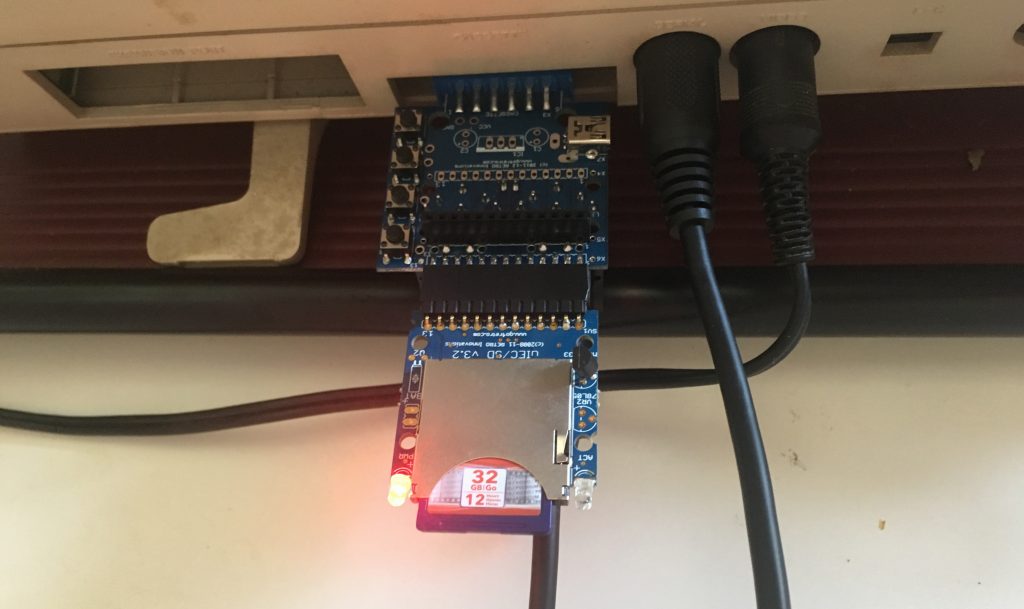
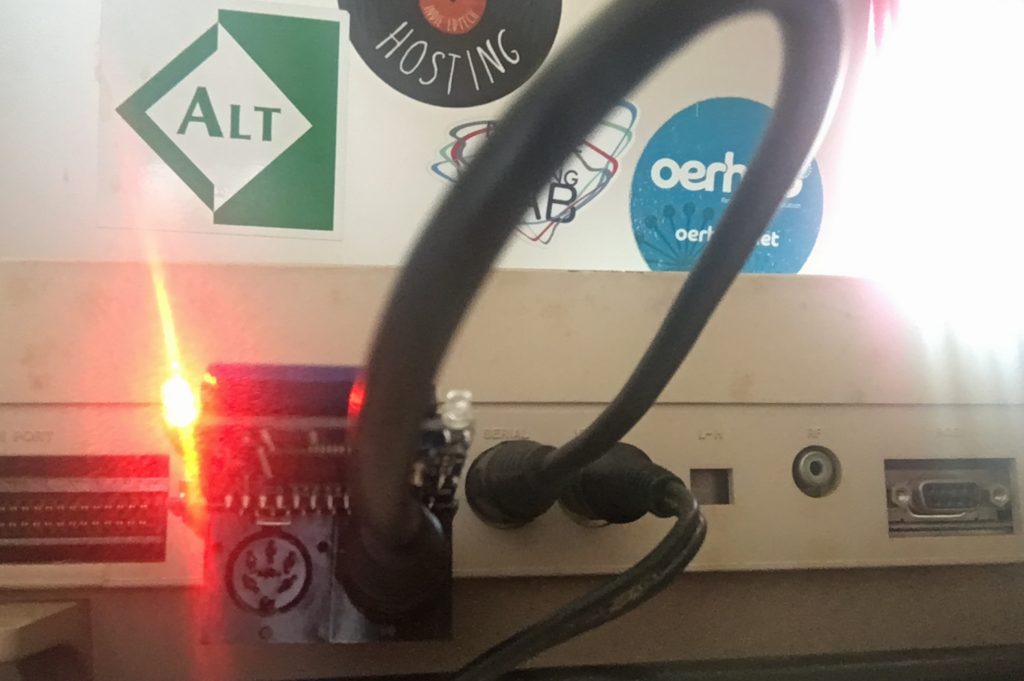
In my last post about the C128 I talked about the ZoomFloppy device which bridges your Commodore computer with a contemporary computer via USB. This device is great for copying .d64 files (or disk images) to and from 5 and 1/4″ floppy disks. In this post I want to discuss the other piece of hardware I bought from RETRO Innovations alongside the ZoomFloppy called the uIEC/SD drive.* The uIEC/SD drive is similar to the ZoomFloppy in that it allows you to transfer files from your 2016 laptop to your 1985 C128. But rather than being a bridging device connecting your machine to the C128 to transfer files, this acts like an actual drive that you plug into the IEC serial port and use the cassette port for power.

2016-07-02 14.42.12

A birds eye view of the uIEC/SD plugged into the cassette port

2016-07-02 14.43.34

Here is another view of how it plugs into your C129 at eye-level.

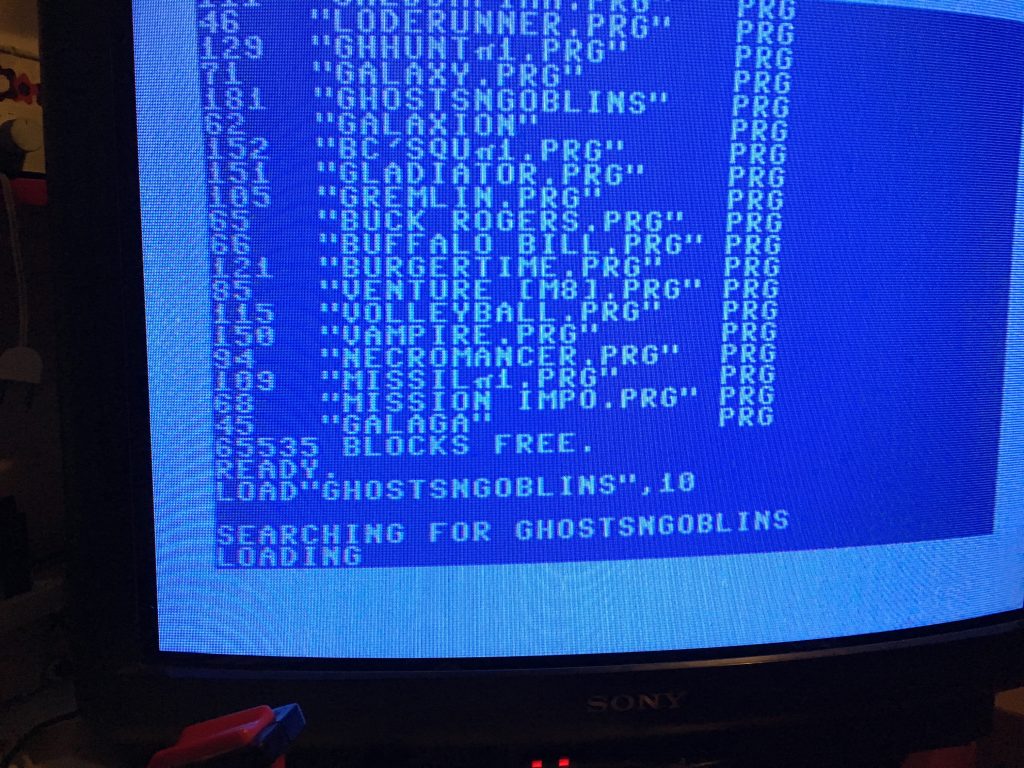
The drive has two IEC Serial ports so you can connect another disk drive if you want, and the idea of having 32 GBs of space on a C64 (the mode it most often runs in) is pretty wild. There are presently 65,535 blocks free on that card! 2016-07-01 21.26.31

In fact, the above image captures a break-through for me with one of the conceptual problems I had with the uIEC/SD. After working with the ZoomFloppy I was thinking this drive would load .d64 files, but I was wrong (and confused). The .d64 files are disk images you write on a floppy that already have the program files set. But the uIEC/SD is a disk drive, so  you don’t burn images to it, rather  you copy and load program (.PRG) files. I was banging my head against the wall on this for a little bit trying to load .d64 files off the drive until I finally realized the flaw in my understanding. Slouching towards enlightenment.

2016-07-03 01.49.56

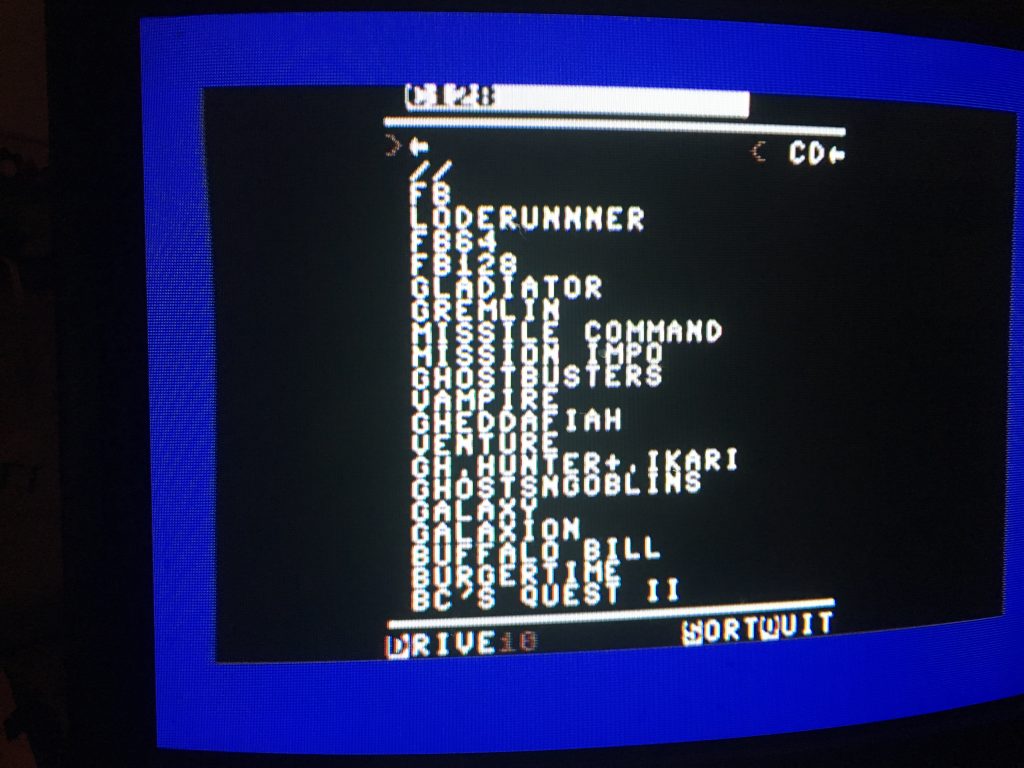
CBM File Browser version 1.6

One of the programs folks were recommending you run on the uIEC/SD drive is the CBM File Browser. What is it, well an O.G. file browser just like the name says. You copy it on your SD card then load and run it. After that you’ll get the above interface that you can navigate around with your joystick or mouse (I love how the joystick is interchangeable with the mouse here). It let’s you choose between drives, sort files, and quit. You can also create directories on the SD card on your contemporary computer, and use this application to manage the potentially thousands and thousands of programs you could load on a single SD card. This made me realize that the d64 files were not files but disk images, why that hit me then I am not sure—that is something I am wondering because going through all this is like learning to compute again. It’s also an interesting lesson in just how much more receptive my mind is  to computational thinking than it was 30 years ago. What was utterly alien and bizarre 30 years ago seems totally logical, almost naturalized, for me now.

After this the power of the UIEC/SD drive was clear, virtually unlimited storage space for programs you can organize and load using a fairly intuitive browser. Modern computing in the making 🙂 My next question was now that I understand the difference between a disk image (.d64 files) and program files (.PRG), can I copy files to and from the uIEC/SD drive from my internal 1571 disk drive. This is the drive I insert floppies to write the d64 image from my computer to a disk via the ZoomFloppy device. So, can I copy program files (PRG files) from the uIEC/SD onto a floppy disk? From what I understand (granted I have already demonstrated the limits of my understanding here), I don’t think you can copy individual program files to and from your computer with the ZoomFloppy, it seems limited to copying only .d64 files. Anyone know otherwise?

2016-07-02 16.24.19

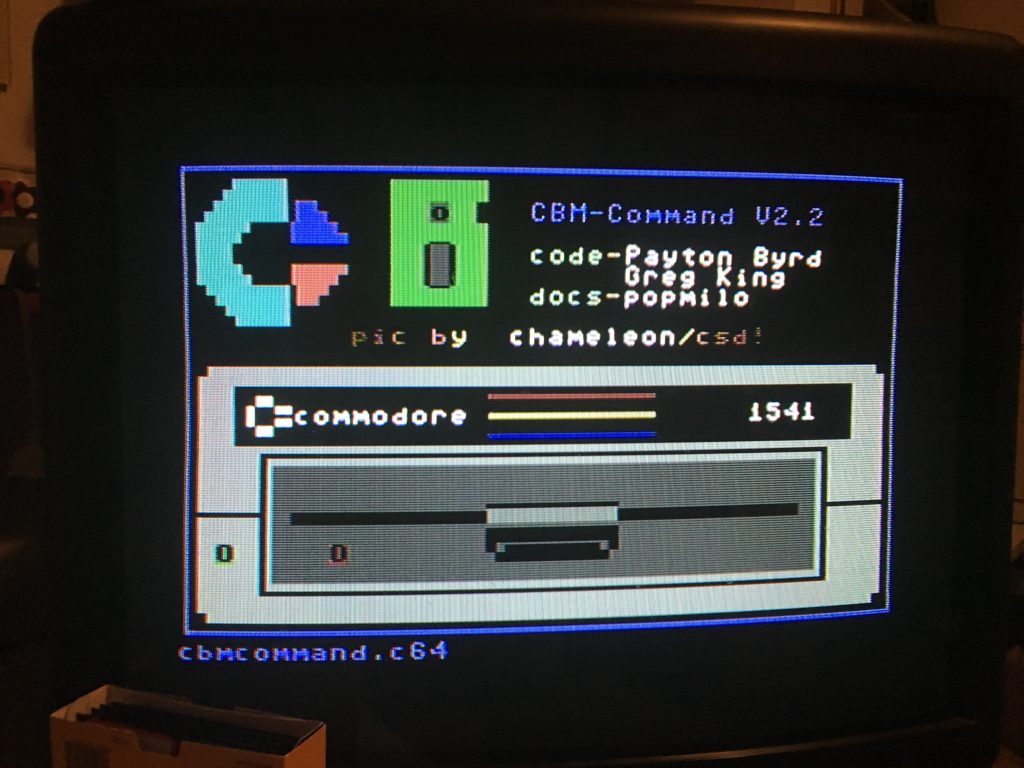
CBM-COMMAND  Disk Utility for Commodore Loading Page

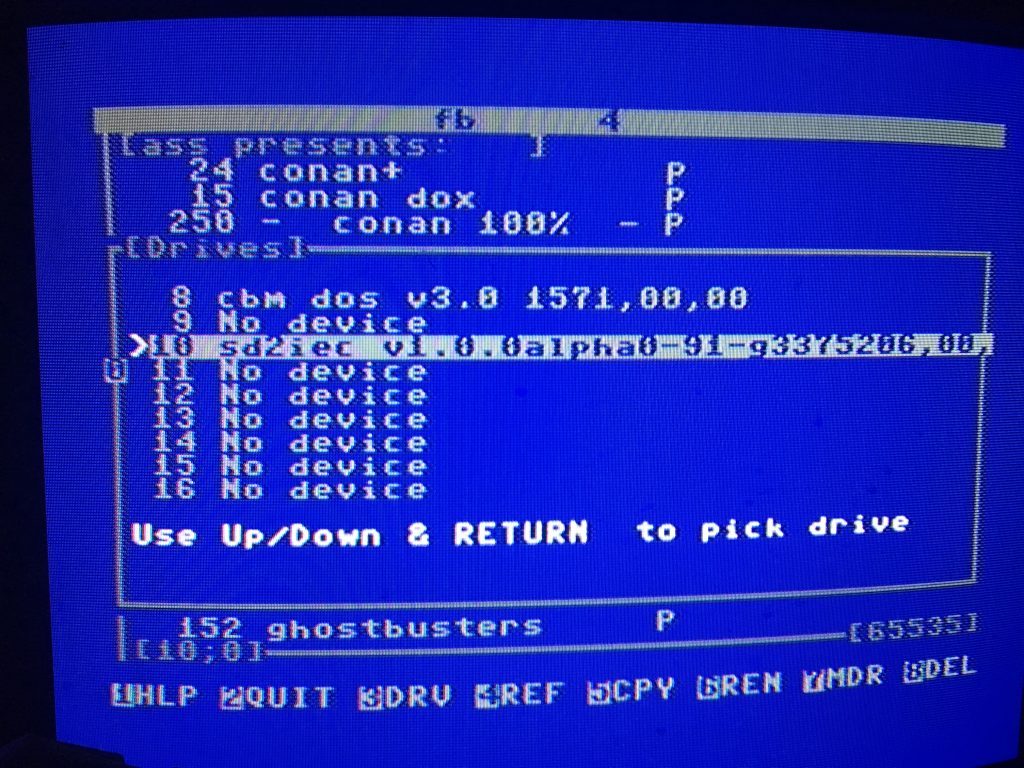
Anyway, I can now confirm that the uIEC/SD drive does indeed copy program files to and from another the internal disk drive using a disk utility program like CBM-COMMAND.  This tool enables you to copy files between disks, delete films, rename files, create disk images, copy entire disks, etc. It is pretty powerful. In the screenshot below I am using shift + D to select the drive I want to access.

2016-07-02 16.16.39

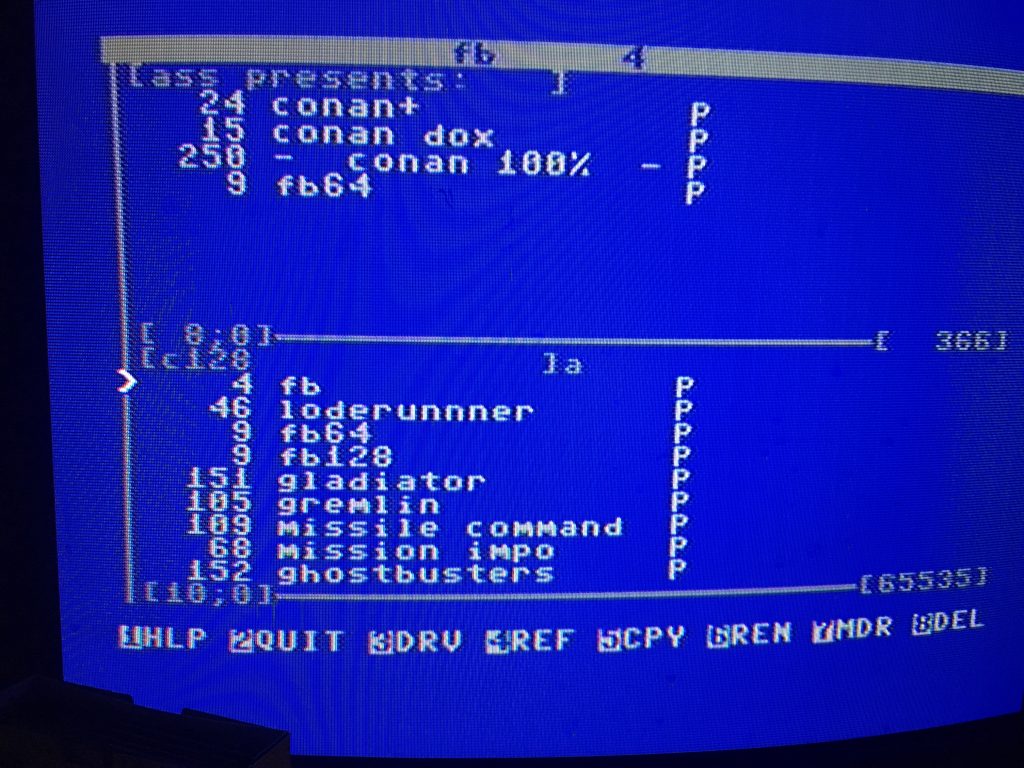
Here you can see drive 8 (internal 1571 disk drive) and the drive 10 (uIEC/SD), and by selecting various files with the spacebar you can then write them to a floppy disk by selecting F5.
2016-07-02 16.18.48

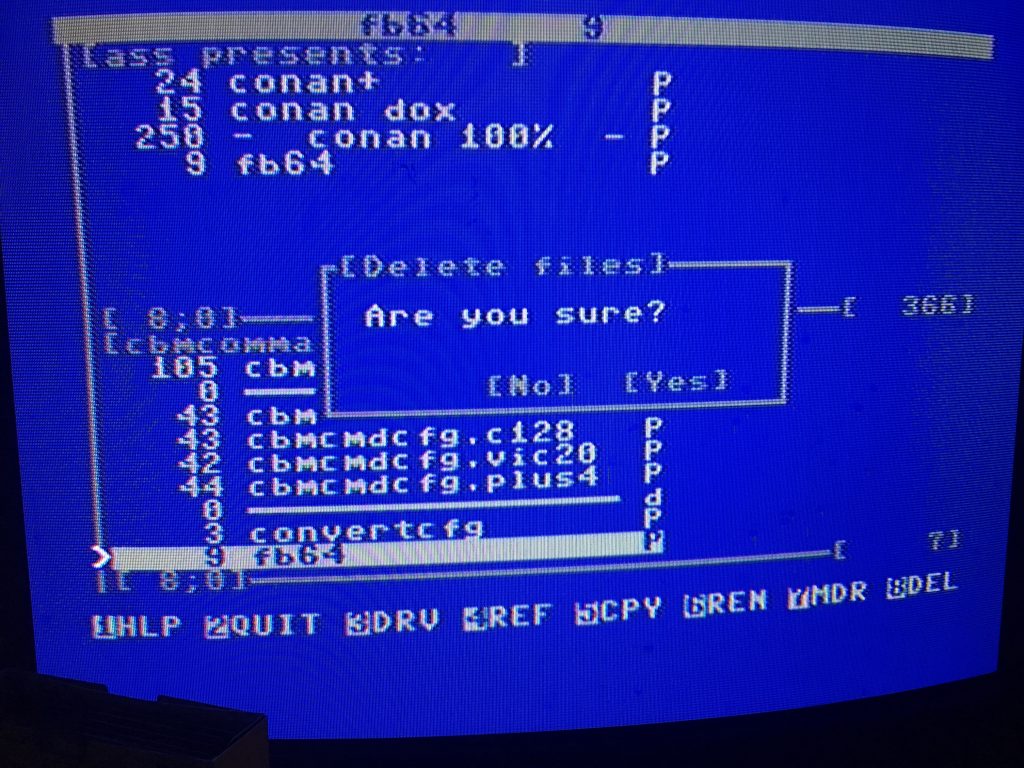
Below you get a now common warning dialogue box about deleting a file, you have to love this aesthetic!

2016-07-02 16.18.15

After this extensive playing with the uIEC/SD the last two days I have to say I am pretty sold on this hardware, and it has helped me understand the Commodore environment a lot better. My next goal is to start playing around with JiffyDos because I am hearing that helps speed things up a bit, which may not be a totally bad thing around here 🙂

___________________________________

* Some of you who are in the know may be asking yourself why the hell I bought both? The simple answer is I was hedging my bets in the event one of them didn’t do what I thought it would. Italy is a long way from South Dakota, and shipping costs are as much as both pieces of  hardware combined—so I decided to bite the bullet and get both. I figured I’ll probably be using at least one of them for some kind of installation over the next year, so it won’t be a total waste.


Posted in Commodore 128 | Tagged , , , , , | 1 Comment

A Brute Force Opening

Today’s Daily Create submitted by Kevin Hodgson is a beauty. And it also is a hot tip to cool little bookmarklet tool that prints out a sheet of stills from a YouTube video. Turns out I watched Jules Dassin’s 1947 noir classic Brute Force for the first time last night, and the open sequence really struck me. It was so noirgeous, replete with the stark blacks and whites, an imposing institutional establishing shots, and a sense of imprisonment within the frames. Noir to the core! I looked for the opening on YouTube, and lo and behold there it was it all it’s glory through minute 6 (and you can find the whole film quite easily on YouTube as well):

https://www.youtube.com/watch?v=MvDXIrxjUDg

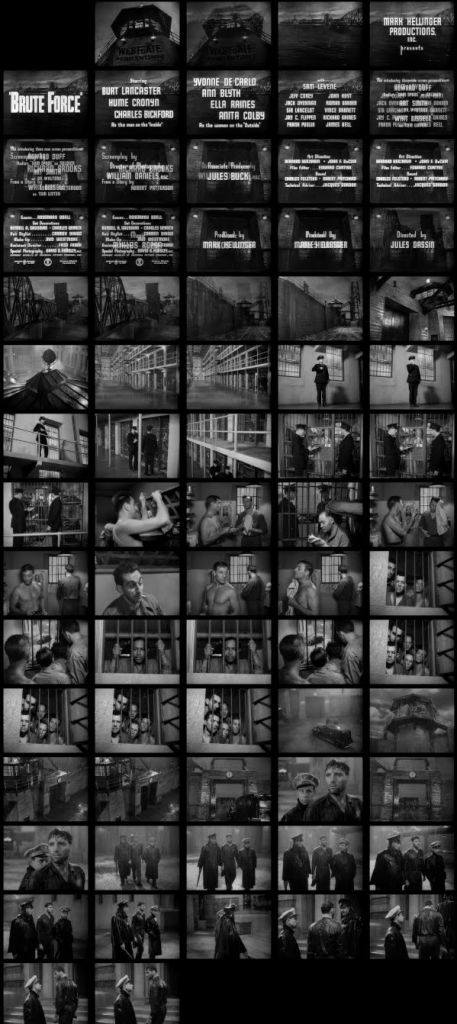
I gave the Print YouTube Bookmarklet a go and out came this:

bruteforce_opening_scene

Todd Conaway noted what a useful visual aide this could be for anyone discussing a particular scene in a film:

And it struck me that it is kind of like the anti-GIF, a series of shots that suggest movement but are all static. And I love the way it helps you track the different use of camera angles and colors (or lack there of) in one glance. So cool. And check out Paul Bond’s take on this Daily Create with a little Replacements music video love.

Posted in 106movies, digital storytelling, movies | Tagged , , , , | 6 Comments

ZoomFloppy on the C128

2016-06-28 22.15.06

Soon after setting up the Commodore 128 my mother-in-law is letting me play with, I went online and searched for ways to transfer files (read as games) I download on my Mac onto the C128. I soon came across this forum thread on Atari Age discussing “Getting c64 games on 5 1/4 floppies.”  This reply from user Fratzengeballer sent me over to the RetroInnovations site to check out the ZoomFloopy.

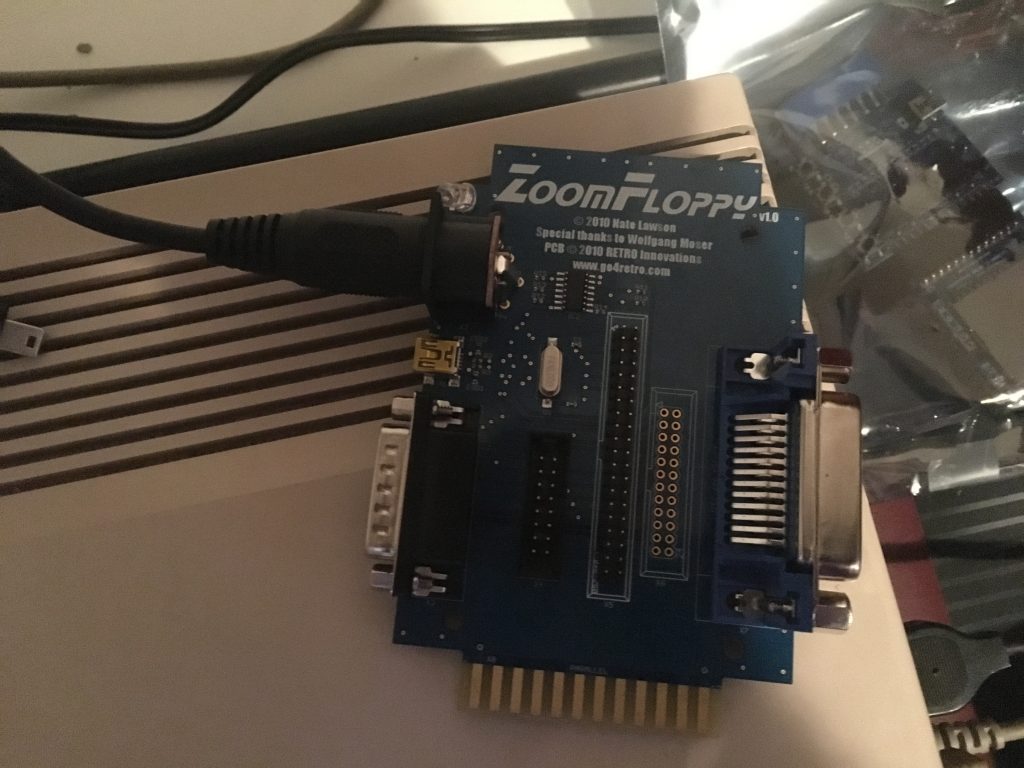
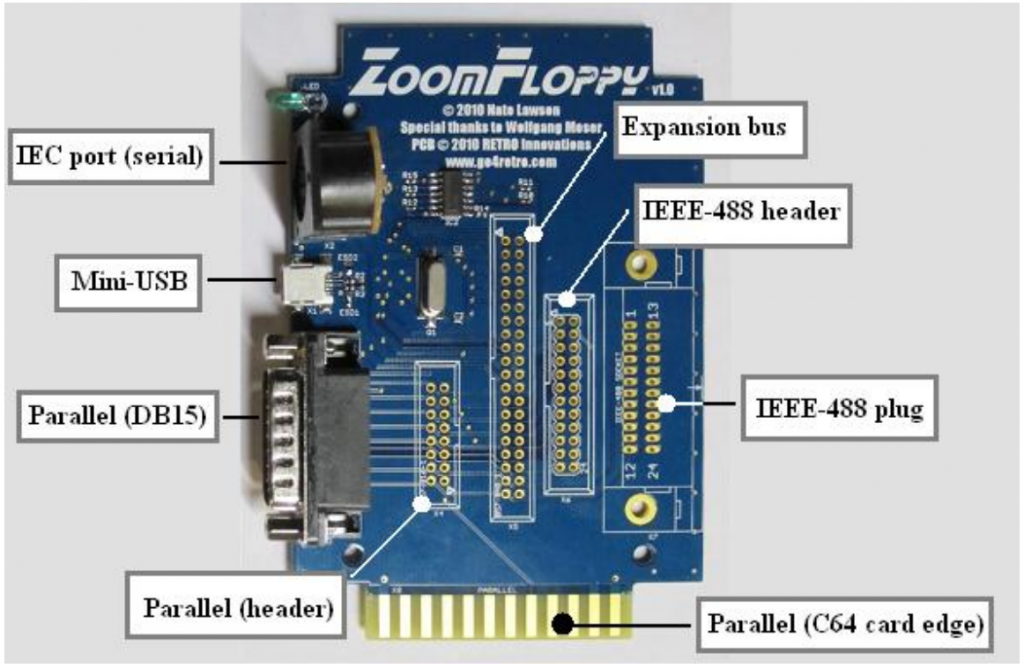
Image from the ZoomFloppy manual (linked)

Image from the ZoomFloppy manual (linked)

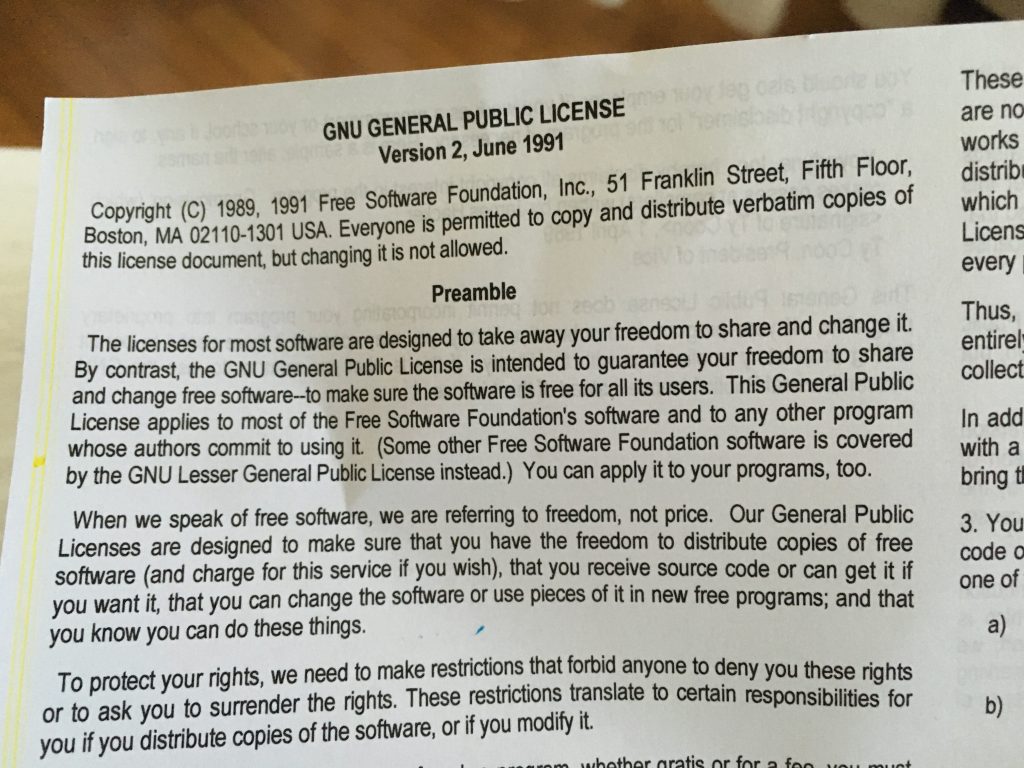
It’s basically a device that you connect to your Commodore’s disk drive (mine is an internal 1571) via an IEC serial cable which, in turn, connects to your computer via Mini-USB. In other words, the ZoomFloppy is a bridge between generations of computing hardware—a reach back into the glory of 1980s computer gaming! Many use this piece of hardware to archive floppy discs to their current machine, or copy Commodore files onto a floppy disc. It’s pretty cool to see a small, committed community of hardware hackers keeping the legacy of 1980s computer culture alive and well. And on that note, one of the things that struck me upon opening the package was that the only documentation they included was a printout of the GNU General Public License.

The software that powers this hardware is all open source, and a quick reminder about freedom and software is just an added bonus. If you want to actually get the ZoomFloopy up and running, however, the GNU license is not all that helpful. For that you should start at the ZoomFloppy Manual.  That manual is pretty much all you need if you are running Windows. If you’re using a Mac, like me, then you need to read the extremely well done HowTo post on Lallafa’s blog about installing OpenCBM on the Mac. Essentially, you need to install MacPorts and the XCode Development Environment to get OpenCBM working properly in terminal on your Mac—which will be how you communicate with your Commodore via the ZoomFloopy. I would say more, but there is no way I can match the clarity and precision of Lallafa’s post on the process.

2016-06-28 22.14.35

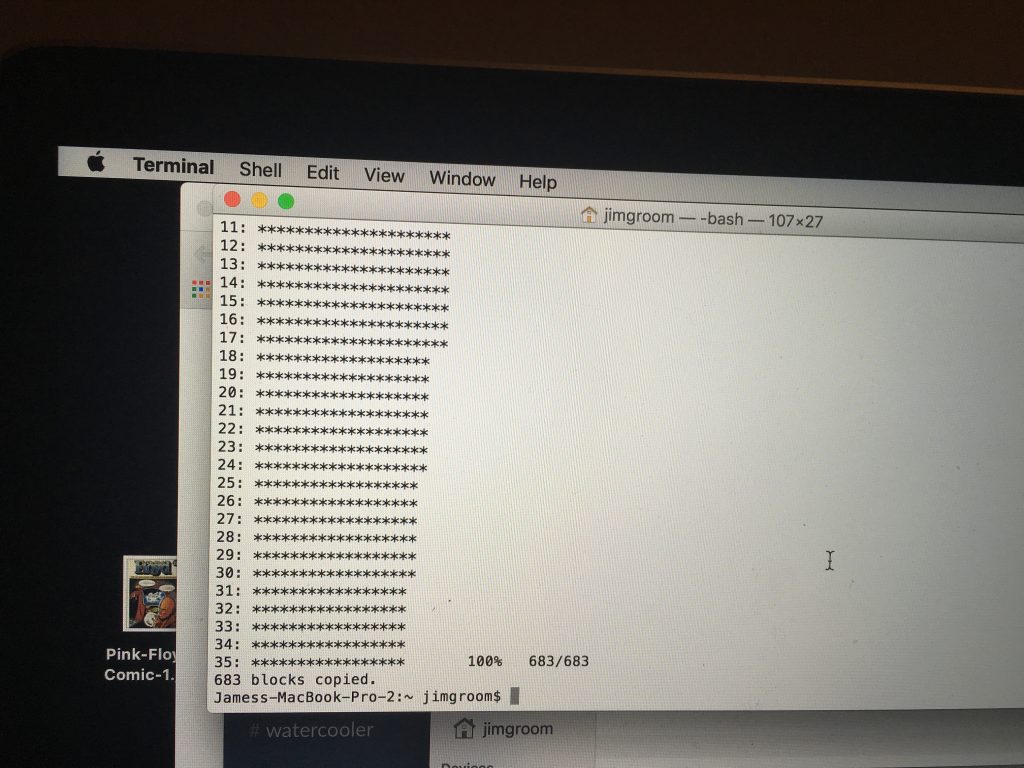
Blocks of data being copied from my Mac to a 5″ floppy that will work on the Commodore 128….Groovy!

Once you have got OpenCBM working, you can connect your Commodore computer to your Mac—so awesome. With the C128 I found that when I was in C64 mode the ZoomFloppy device could not write to or copy from the disk drive. So whenever copying files to a floppy (or vice versa), I recommend getting out of C64 mode. After that, it was all gravy! The commands are pretty simple. To copy from my Documents/C128 folder it would look like this:

> d64copy /Documents/C128/myimage.d64 8

To copy the contents of a floppy disk to my Mac it would look like this:

> d64copy 8 /Documents/C128/disk.d64

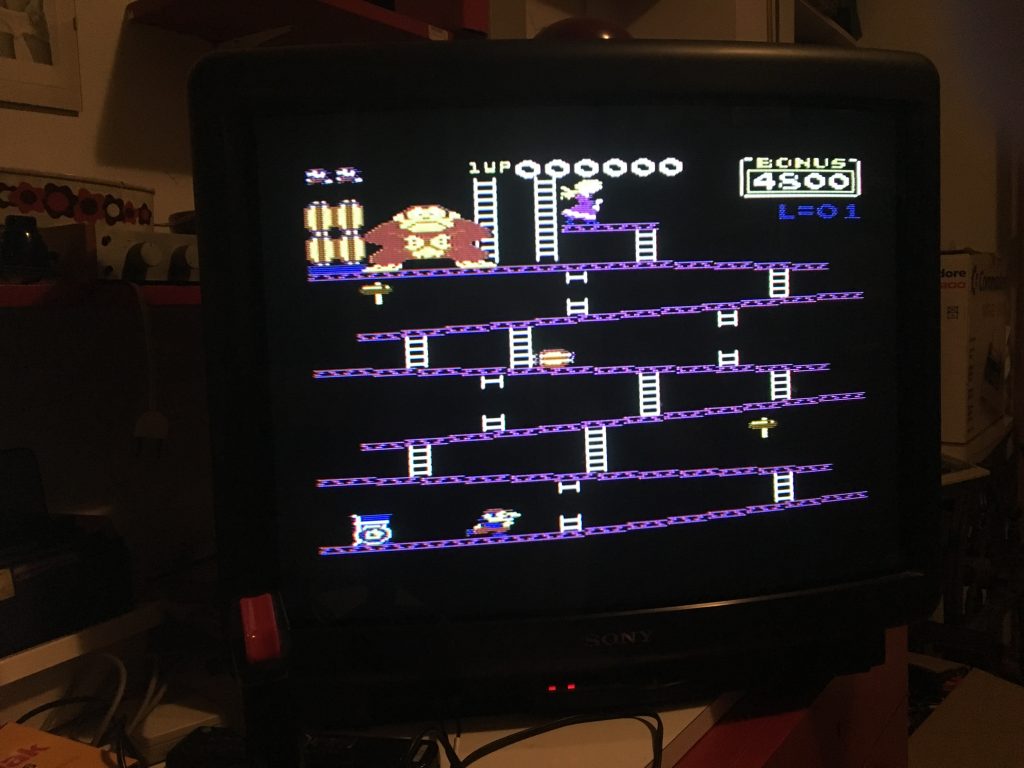
The rest is just fun and games 🙂 I immediately tried out Donkey Kong, and it worked a treat!

2016-06-28 22.14.02

Donkey Kong for the C64 running on the C128

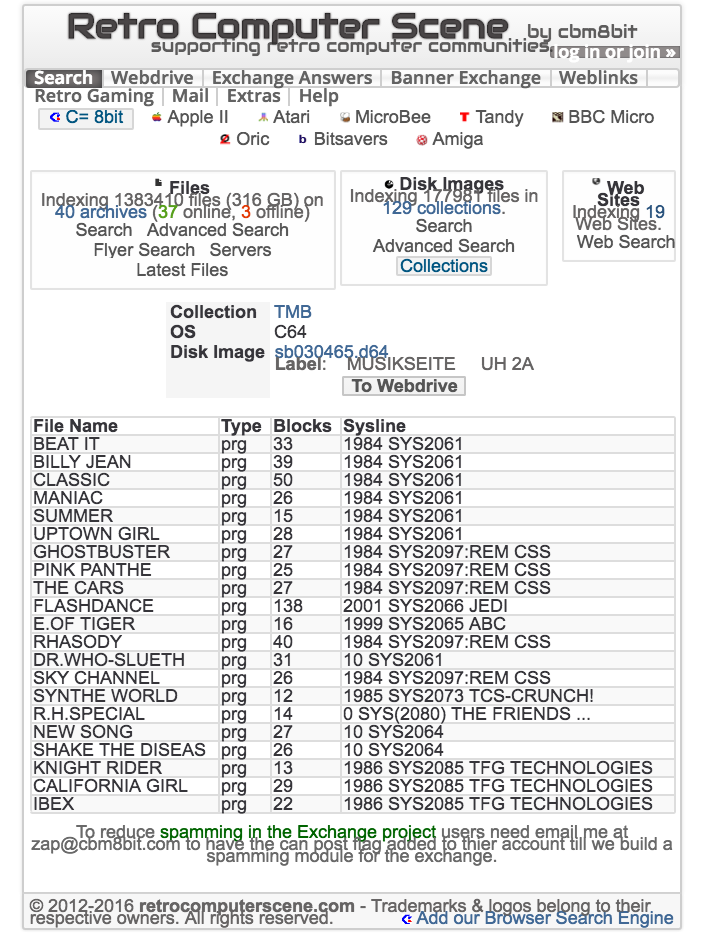
I then tried out this crazy disk image site I found the other day called Retro Computer Scene. It’s amazing. They have collections of entire floppy disk images that folks have shared, and you can copy them to a floppy disk if , like me, you have a ZoomFloppy. I am finding there are innumerable sites for just these kind of goodness, and the stuff you find is wild. Take for example this disc filled with synth versions of 80s songs like Michael Jackson’s “Billy Jean,” Survivor‘s “Eye of the Tiger,” Billy Joel’s “Uptown Girl,” and even Howard Jones’s “New Song”!

Screenshot 2016-06-29 15.15.03

Far out, right?! I downloaded this .d64 file to my hard drive and then copied it over to my floppy disk via terminal and the songs play on my C128. One of the characters behind these genius synth arrangements was The Mighty Bogg; s/he was responsible for my personal favorite, an 8-bit synth version of Depeche Mode’s “Shake the Disease.” In fact, I made a video of it for my dear friend GNA Garcia cause only she would understand how awesome this is.

That was last night, today I moved on to getting Conan: Hall of Volta running on the C128, and that took a bit of time because the files at Retro Computer Scene weren’t working. I then found this site with the goods, and downloaded the d64 image file and loaded it as before and disco!

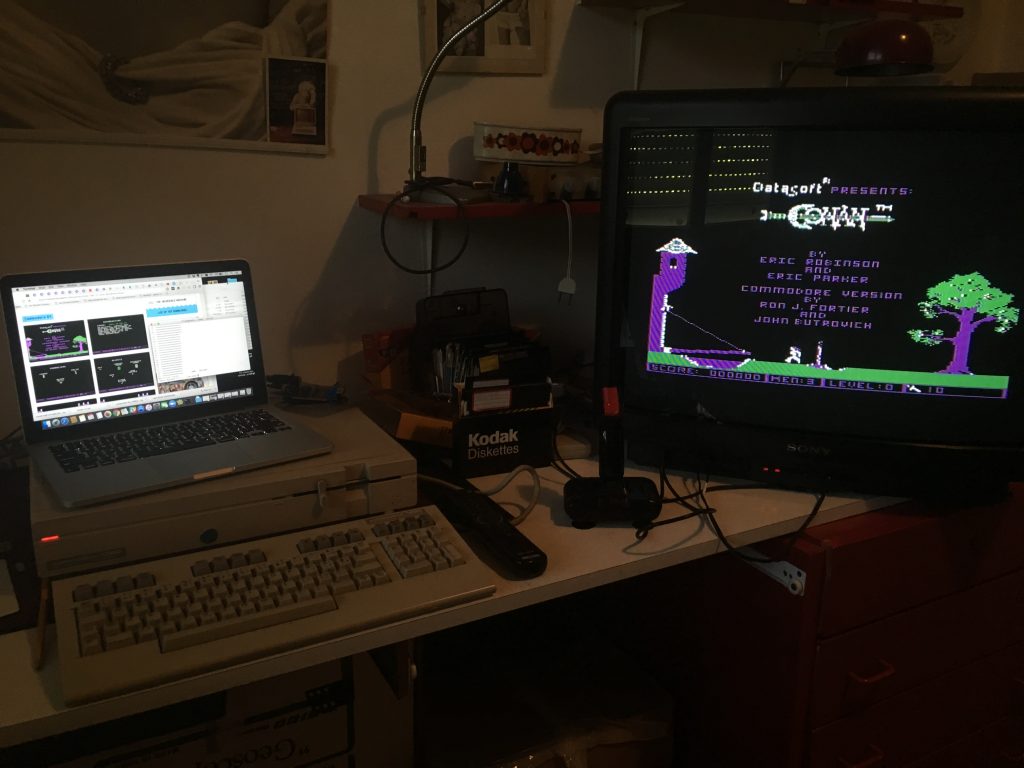
2016-06-29 10.46.20

This image also gives you a sense of my new office space. I moved upstairs to a room with more space so I can start tinkering with this stuff a bit.  My new computer setup featured my Mac sitting atop the C128 chassis alongside the early 90s Sony Trinitron TV/monitor. And while the TV is a stand-in for the time being, I really like the image quality, and it’s a big, fat CRT which keeps the aesthetic alive!

I have to give a huge thanks to the folks who run RETRO Innovations. They shipped my order internationally in no time at all, and everything was delivered as promised. I also got another piece of hardware for the C128 from them: the uIEC/SD drive that integrates with the C128 and allows you to pull files from an SD card. I am still working on that one, but I’ll post more when it’s fully operational.

By the way, blogging about this stuff is so much fun.

Posted in Commodore 128, Console Living Room, video games | Tagged , , , , , | 9 Comments

A Re-Possessed Aesthetic

As I wrote about previously, Bryan Mathers has been working on some designs for a couple of elements of the Reclaim Hosting site. In particular, a visual for the Migrations page as well as one for the various shared hosting packages we offer. He sent us the art this week, and as usual with his stuff it made me glow as green as a repossessed Chevy Malibu!

repo man (2)

In terms of the Migrations page aesthetic, I’ll quote myself here from the previous post to give a bit of context:

Tim, Lauren and I had been brainstorming what visuals we needed for the website. One of the things Tim mentioned was artwork that might help communicate our migrations service. We provide anyone that signs up free migrations to our hosting service. This is something few, if any, other hosting services provide, and I believe it does go above and beyond. Moving your stuff is stressful, and we make it painless, so the idea was to communicate this. Bryan had the idea of people outside a van with white gloves moving crates of records, which I totally loved. It set me down the road to Repo-perdition. In Repo Man the government agents worked out of a hi-tech industrial bread delivery truck (you can see the back of it in the image above–also what is the technical term for that kind of truck?). This image of movers with white gloves made me think of the government agents in nuclear suits moving the contaminated bodies of the homeless in Repo Man.

I think it came out brilliantly. You have the government agents in their radiation suits with the glowing Chevy Malibu, what’s more the EDUPUNK graffiti on the brick wall is so gorgeous. This project for rethinking the aesthetic for Reclaim has been an absolute highlight of my work these days. I remember last Summer Tim, Lauren and I were talking about this very thing, and a year later I feel like we are very close to having it where we want it. In fact, it’s even better than I could have imagined last year.

So take a look at the difference the above banner image does for our migrations page with a quick BEFORE:

Screenshot 2016-06-25 14.54.18

And AFTER:

Screenshot 2016-06-25 16.32.22

I’m not sure I can fully articulate how happy this webpage banner makes me, but maybe this GIF will help:

o8Ig4

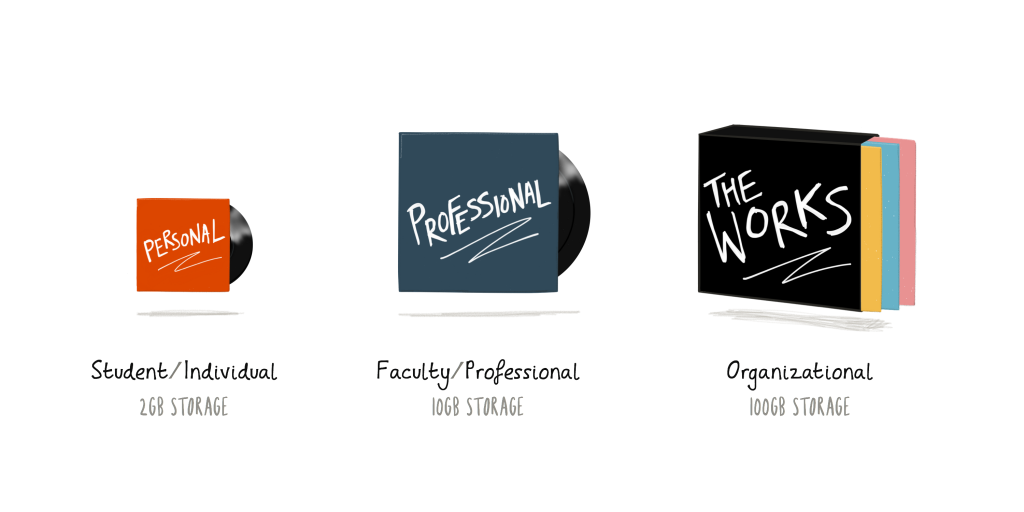
Next up was our shared hosting packages. Given the ethos of indie ed-tech that undergirds our work and has been the inspiration for the indie record store aesthetic, it makes some sense that the framing of the packages should follow suit:

3 options

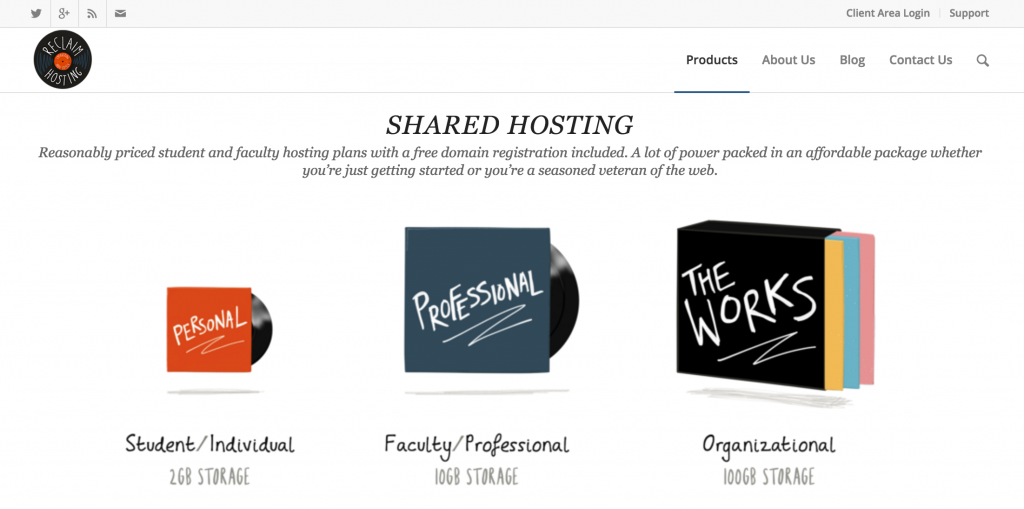
The Student/Individual is a single (or 45), the Faculty/Professional a full album, and the Organizational plan a box set. I think it works quite well, simple and on point:

Screenshot 2016-06-25 16.31.32

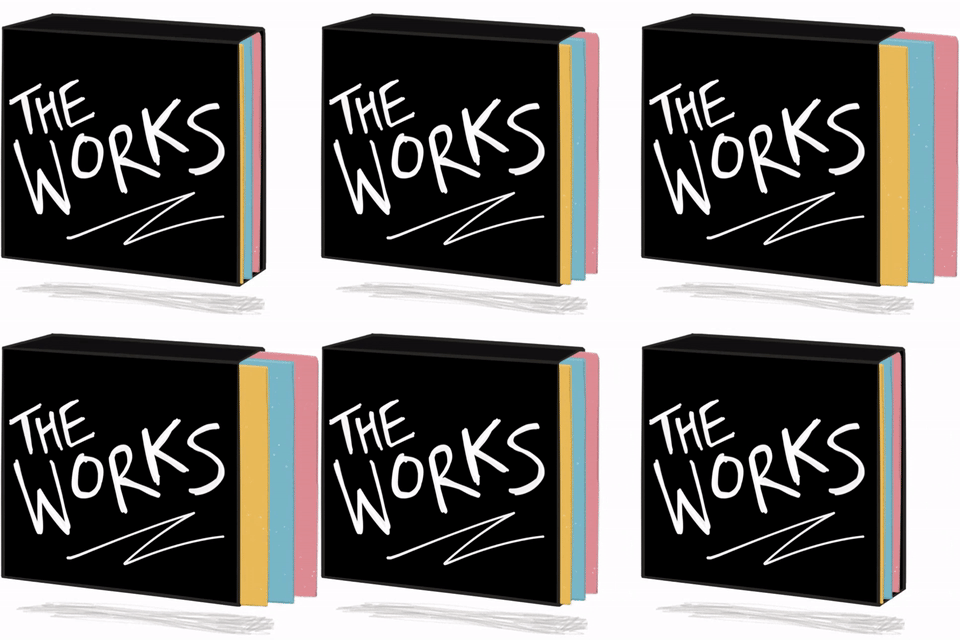
What’s more, Bryan animated each of the packages as you can see below, the idea being when you mouse over a package the record subtly comes out from its sleeve. A GIF won’t work here (we should probably avoid too much animation), but a little CSS kung-fu may just work—speaking of which check out John Johnston’s latest awesome with CSS and GIFs.
box professional single


So, the new aesthetic for Reclaim Hosting is in full swing and I could not be more pleased with the look and feel of the site. We have to spend some time brainstorming the next pieces we want done, but I feel like we have hit our stride.

Posted in reclaim | Tagged , , , , | Leave a comment

DMLL EXPO 2016: the Videos

I edited my original post with the link to the YouTube video to my presentation for the DMLL EXPO 2016 two months ago. I was particularly excited to hear that YouTube had flagged the video for copyright violation.

There’s a history there. But it turns out Sarah K. Andrews is far more effective negotiator with YouTube around copyright than me because the video is alive and well on the DMLL’s YouTube account.

You gotta love that! And today I was pleasantly surprised to see the folks at DMLL Expo had tweeted out a link to a short 5 minute video of me talking about Reclaim, Domains, EDUPUNK, my talk, etc.

There’s also a video of Brian Lamb immediately after an intensive therapy session with yours truly, and it seems to have had a positive effect 🙂

_______________
Update: Quick point of clarification, I credit Grant Potter with the SPLOTs in the above video interview, but the name and idea was the brainchild of Alan Levine and Brian Lamb at TRU last year. I tend to conflate this with the work Brian Lamb and Grant Potter (as well as Clint Lalonde and Tannis Morgan—and others I am sure) have been doing with the BC Open Educational Technology Collaborative, part of which is exploring stuff like Sandstorm and Docker to build capacity for the SPLOT experiments amongst other things. Fact is, there is so much cool stuff going on there it is worth a post and some clarification on my part because I’m not only bombastic, but I’m also sloppy—a brilliant mix.

Posted in presentations | Tagged , , , , | Leave a comment

Reclaim Father’s Day

2016-06-19 14.07.29

Today was a great Father’s Day:

  • Woke up to homemade waffles;
  • played Frogger on the Commodore 128 after breakfast;
  • went to Burger King for lunch with family;
  • went to Obi (Italy’s take on Home Depot) for a surge protector;
  • got ice cream and Tessy paid for mine;
  • came home to play more on the C128, this time with Tommy
  • blogged about the Commodore 128;
  • had Anto’s brother and girlfriend over for dinner, which was homemade Chinese stir fry
  • Ate an awesome cake Tessy made for Father’s Day—she is becoming a really awesome cook;
  • Watched France and Switzerland play a very boring game of soccer with Miles;
  • began writing this post

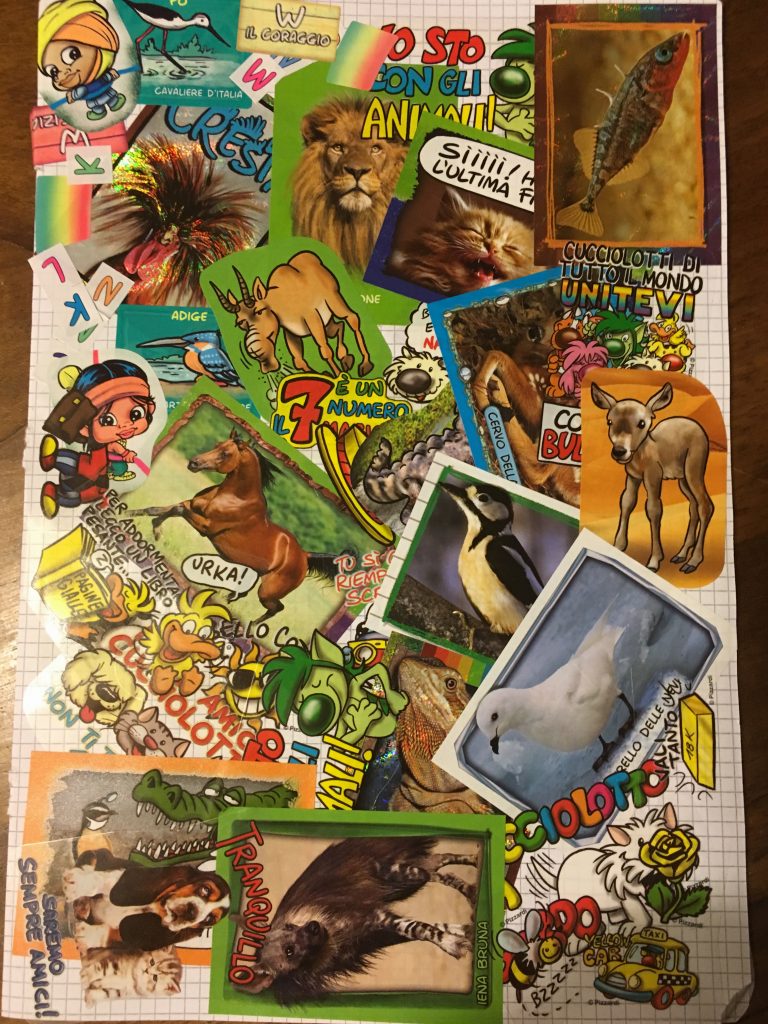
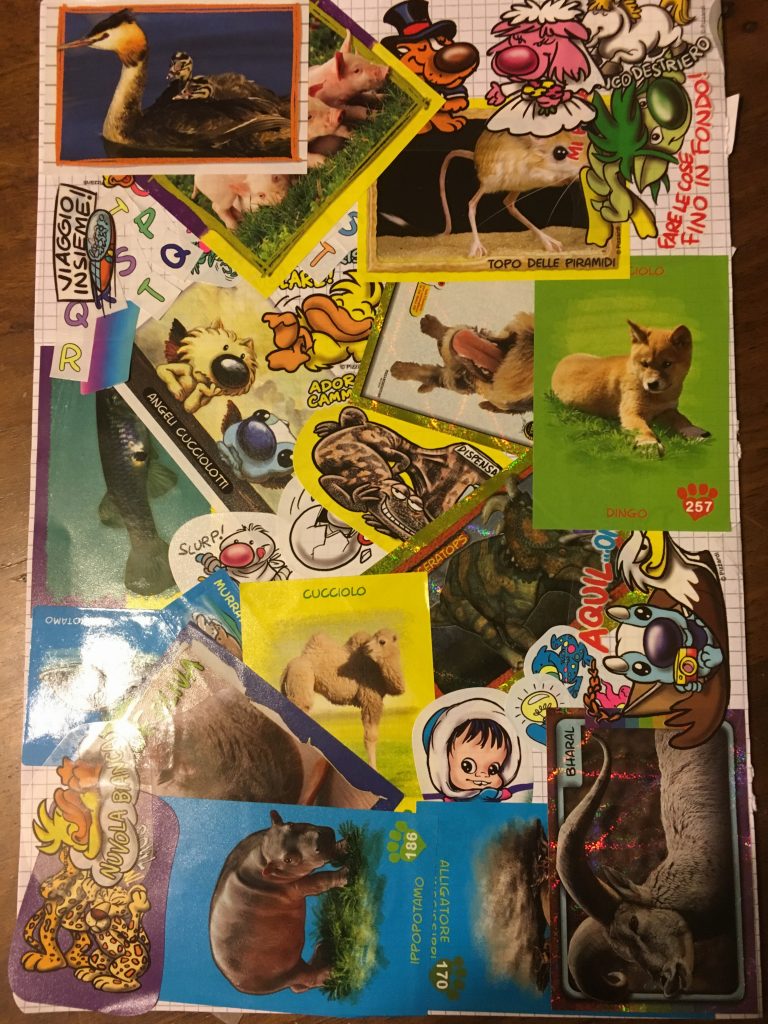
That’s about as American a Sunday as you can have in Italy. Everyone else was having picnics in the mountains….high altitude hippies.  Near perfect day in my mind. Father’s day isn’t really a thing here in Italy, which is refreshing because the trumped up holiday fanfare can overshadow some of the simple joys. That said, it was really awesome to get cards from Tessy and Miles this afternoon celebrating the occasion. They put together a couple of DIY creations, and I love them.

Tessy’s card is a two-sided elaborate collage of animal stickers, it is really quite impressive.

2016-06-20 00.45.24

2016-06-20 00.45.31

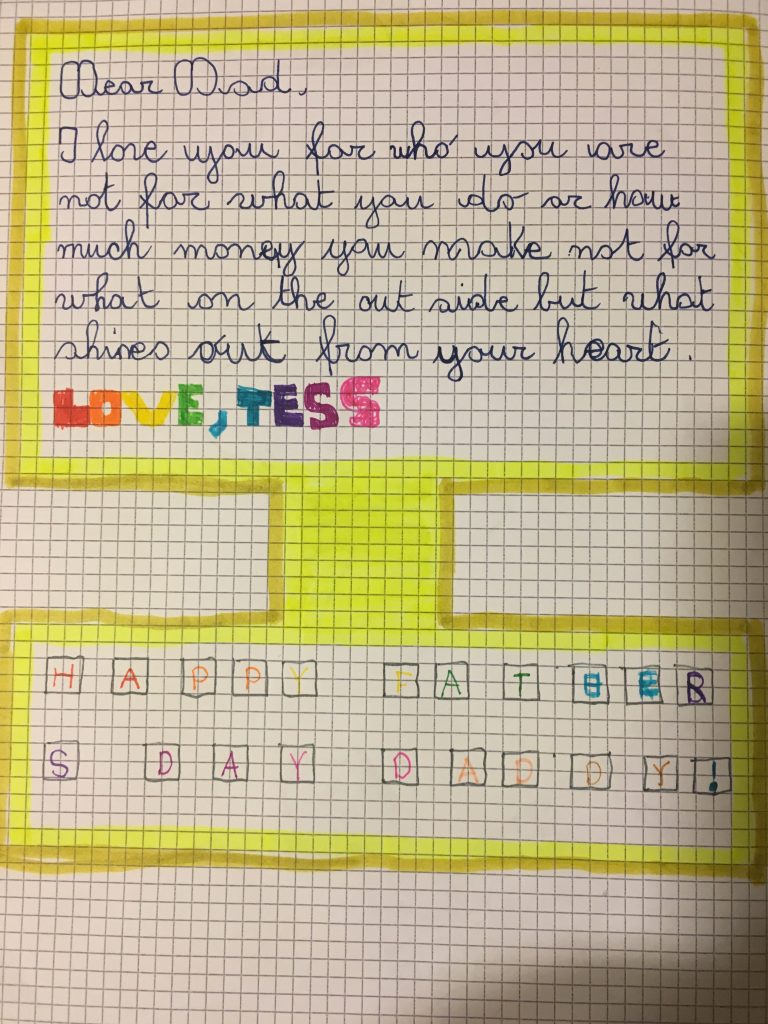
And inside the card a message delivered via a computer design, complete with screen and keyboard. So awesome, and I am glad she is getting the message about money and sees me as a kind of E.T./heart light kinda dad 🙂

2016-06-20 00.45.52

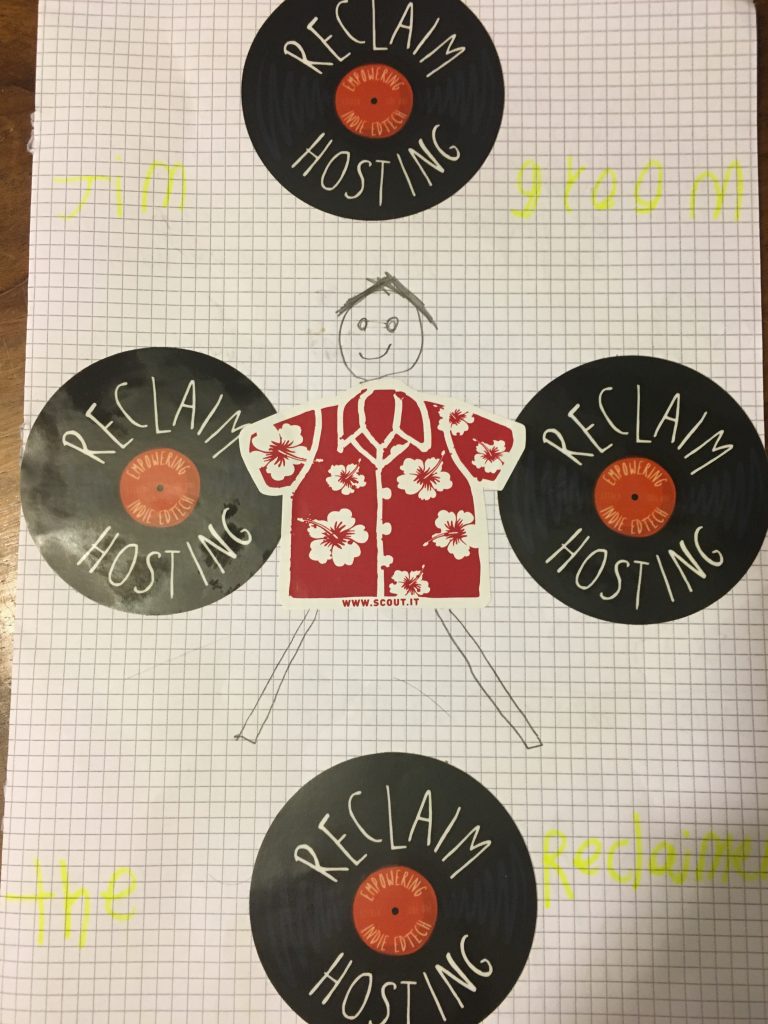
Whereas Miles has taken the Reclaim branding to a new level. The yellow writing in the four quadrants of this card read as follows “Jim Groom the Reclaimer.”

2016-06-20 00.44.01

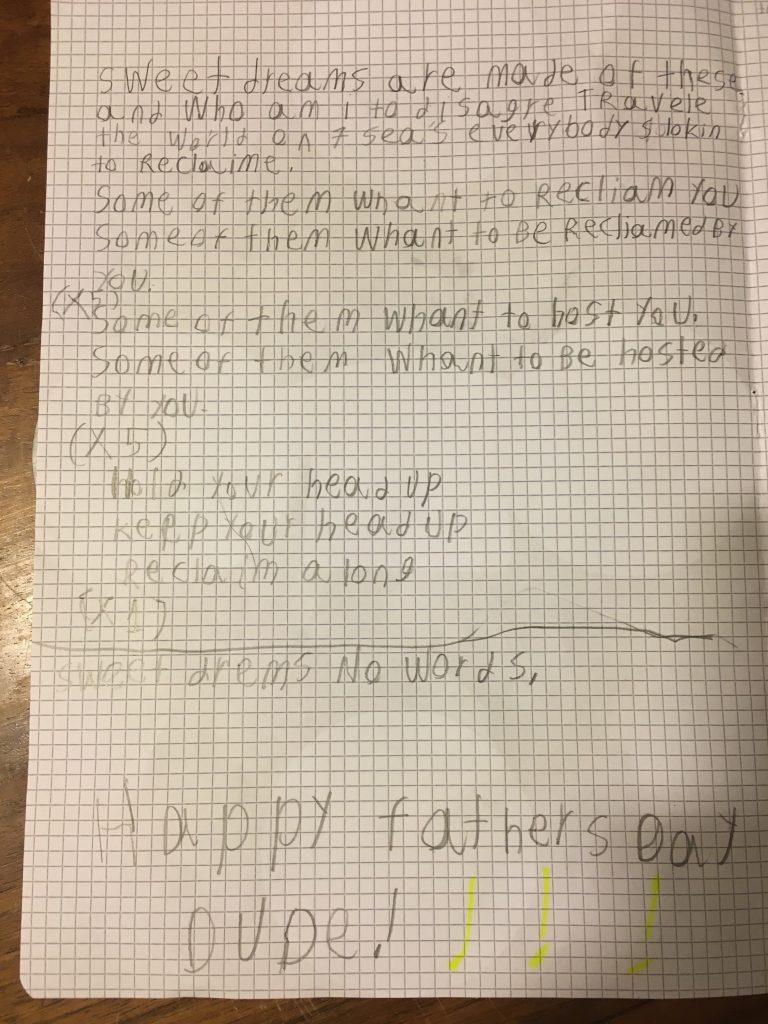
Also, it seems my 80s music influence is starting to payoff. He re-wrote (or shall we say reclaimed) the Eurhythmics “Sweet Dreams” lyrics very much to my liking:2016-06-20 00.43.32

Sweet dreams are made of these
and who am I to disagree travele
the world and the seven seas
Everybody’s looking to reclaim

Some of them want to reclaim you
Some of them want to get reclaimed by you
Some of them want to host you
Some of them want to be hosted by you

Hold your head up, keep your head up, reclaim along.

I think my marketing is working quite well at home. Yeah, pretty much a perfect Father’s day except for Tommaso—that little bastard—he didn’t give me anything 🙂

Posted in family, fun | Tagged , , | Leave a comment

Getting the Commodore 128 Up and Running

C128

So last week while talking with my mother-in-law about the Console Living Room exhibit I worked on last year (my Italian is definitely improving), I mentioned on of the pieces we never were able to get our hands on was a Commodore 64—which was a shame given its influence. She then proceeded to tell me that she is pretty sure they have one in the cantina (Italian for basement).  Lo and behold 20 minutes later we were unpacking a fully equipped Commodore 128, the less known successor to the Commodore 64.

The C128’s relationship to the C64 is somewhat akin to the Atari 5200, but with one very important difference—everything for the C128 was backward compatible with the C64. In other words, pretty much any game that worked on the C64 worked with the C128. Disco! What’s more, the model she had was the C128D which was released in 1985 and specific to the European market with some significant differences according to Wikipedia:

Late in 1985, Commodore released to the European market a new version of the C128 with a redesigned chassis resembling the Amiga 1000. Called the Commodore 128D, this new European model featured a plastic chassis with a carrying handle on the side, incorporated a 1571 disk drive into the main chassis, replaced the built-in keyboard with a detachable one, and added a cooling fan. The keyboard featured two folding legs for changing the typing angle.

I spent the last week or so poking around the Commodore resources online in anticipation of taking the computer to our house (Anto’s mom was cool enough to let us play with it). After bringing it home on Friday I cleared out some space and got everything and ready to go but I had some cold feet. I was looking at the electrical cord and there was no power supply unit brick, something I would expect from an old computer. There was only what I later learned was termed an IEC connector (a.k.a the IEC 60320) or, “a set of standards from the International Electrotechnical Commission (IEC) specifying non-locking appliance and interconnection couplers for connecting power supply cords to electrical appliances up to 250 volts.” The female adapter look the middle connector in the following image:
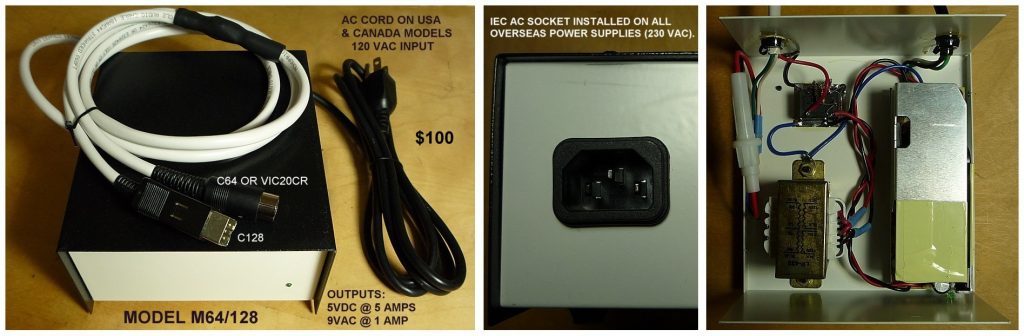
C128-64 metal PS

The male plug looks like this…

250 Volts 10 AC

…and it wouldn’t fit into the standard wall sockets in Italy, so I was getting nervous. I really didn’t want to fry the C128, so I resisted the urge to just plug it into a surge protector and take my chances despite my impatience. But after some research the next day I was pleasantly surprised to learn that the C128 had the power supply unit built-in. This brief quick comment on this forum gave me the go ahead, “C128-D ? has internal PSU mate!” Awesome, I was ready to see if this C128 worked, and lo and behold it was fully operational!
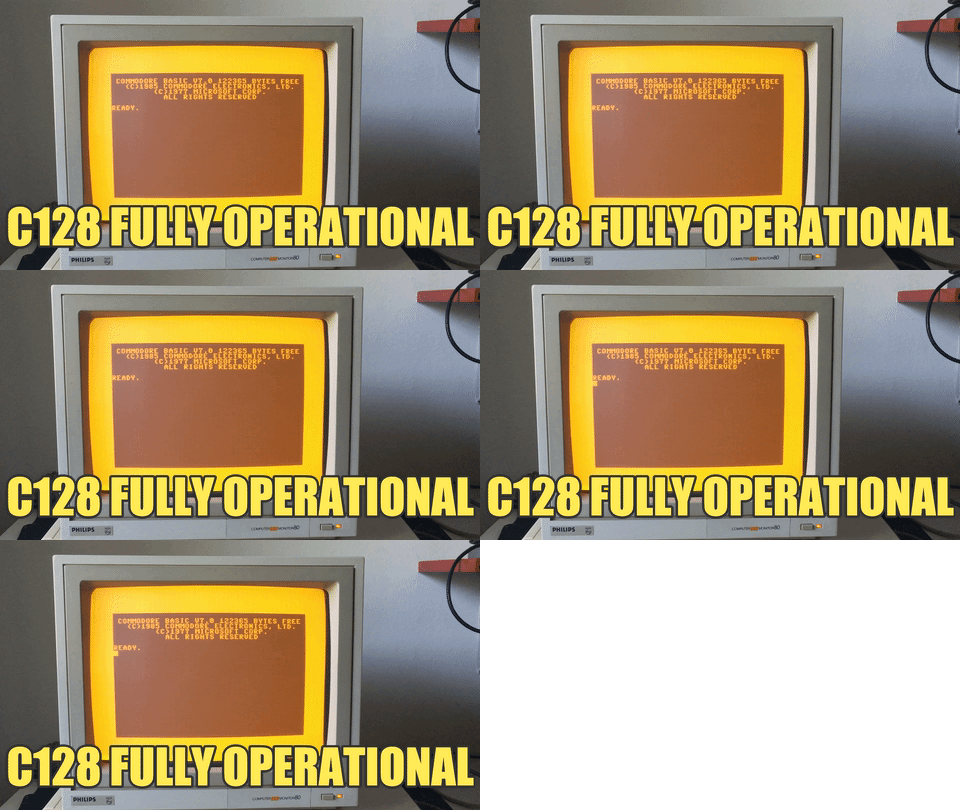
c128_fully_operational

The following video is a quick portal into managing the work the C128 alongside 3 eager kids who are all equally excited about the video gaming potential of this machine!

The yellow monochrome monitor is actually a Philips Computer Monitor 80, and it is an absolutely gorgeous yellow. But less than 10 minutes into playing with it the thing started to go, and within 20 minutes it was all but unusable give the whole thing started to look like this:

Philips Computer Monitor 80

This was very depressing given how crazy  awesome that yellow is. I’m doubtful there will be an easy fix, but I am thinking about trying and find a TV repair shop here in Italy to get an expert opinion. Anyone out there have any experience with an issue like the one above? Is it fixable?

Championship Wrestling for C64

Anyway, turns out the Commodore 128 has video/audio out of the RCA variety, and we just happened to have a 27 inch Sony Trinitron tube television from the early 90s around the house, so we did not lose a beat. Or so I thought, the TV was working as a monitor but whenever I typed anything on the computer it would show up as some strange character on the screen, when I would type the o in Load I would get some odd clrscrn message. I was beginning to think the whole thing was shot, but then Tommaso noted that the only think that changed was that we plugged the joystick in port 2. Turns out, Tommy was right, and the video below has him recounting his troubleshooting prowess:

And we were off an running, we tried to get Donkey Kong up and running, but that was not working. So, we tried a Battlezone knock-off called Tank Attack and that worked perfectly. The computer came with dozens of floppy disks with all sorts of treasures, we’ve only just begun to discover.

The next game we loaded was a trippy game called Necromancer featuring a Gandalf-esque wizard casting spells and growing trees. According to Wikipedia it is somewhat of a cult classic:

Necromancer was noted for its oddball concepts and frenetic gameplay.[2] A Creative Computing review claimed it “is one of the strangest, yet most imaginative, games I have ever played on the Atari computer”,[1] and “Necromancer is well conceived and beautifully implemented. The sound and graphics are out of this world.”[1] Brian Bagnall considered it one of William’s most notable releases on the Atari, among a notable career.[3] Reviewers continued to pour on the praise even decades later, and it remains a common fixture of articles on retrogaming.[4][5][6][7]

We enjoyed it, but the second level was just too bizarre and we couldn’t figure it out. We may have to come back to it. The following video will give you a sense of the game play in which the first level trolls attack you with”feathers” no swords 🙂

We then loaded Forbidden Forest and that was an exercise in figuring out how to shoot a bow, but once you master that the game is fun as hell. It also was a bit 8-but graphic, in the following video Tommaso’s archer gets devoured by giant spiders, and there is some blood!

We then hit pay dirt with a C64 version of one of my all-time favorite video games Yie Ar Kung-Fu! The kids also loved this one, and we spend some time working through Nuncha. it is actually a bit more difficult than the arcade version cause you only have one joystick and your opponents seem to realize this 🙂 But discovering this on a random diskette made me realize just how many games were made for the C64!

Playing Yie Ar Kung-Fu rounded off the first day of exploring the C128 quite nicely. We have it all setup and it seems to be working fine. My next steps will be to start getting access to the tons of games available online by securing myself some hardware that interfaces between my machine and the C128. I’ve already ordered uIEC SD disk drive from RETRO Innovations that will allow me to put files on an SD card and have the Commodore 128 read them. That said, I’ll need to try this all out before I can say much more—but I am sure they’ll be a blog post or two more about all of this 🙂 I had a total blast exploring the world of C128/C64 with my kids yesterday, they are a breath of fresh air because they don’t fetishize it in the same way I do. My youngest refers to it as the “big computer upstairs,” and he is taken with the games. He’s even memorized the LOAD"$",8 and LIST commands to see what’s on a disk, Not to mention LOAD"GAME NAME",8 and RUN commands to get the party started. I’m looking forward to getting deeper into this stuff over the coming months, I need a healthy distraction from all the computer work I am doing 🙂

Posted in Commodore 128, fun, video games | Tagged , | 10 Comments

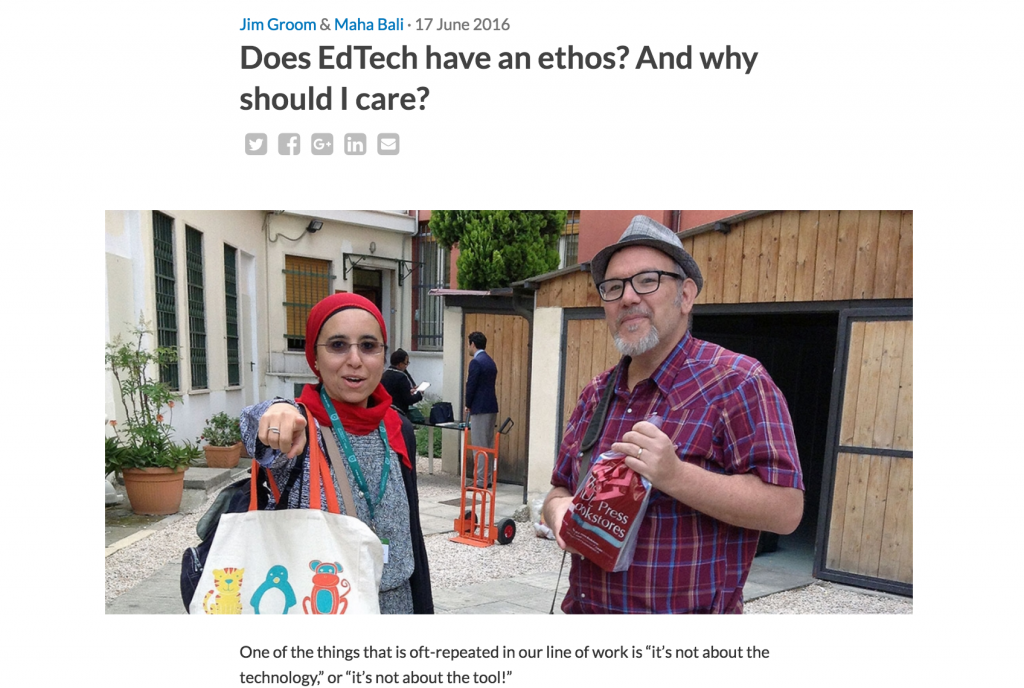
Does Ed-Tech have an Ethos?

The dynamic duo at AMICAL conference brining the ethos hammer down!

The dynamic duo at AMICAL conference brining the ethos hammer down!

This is the question that guided the interactive presentation Maha Bali and I gave together at the AMICAL conference in Rome last month. We finally got around to write about that presentation for the AMICAL blog, and you can find that post here. I won’t go into too much detail because that’s why we wrote the post, but it was really a pleasure to both co-present and co-author with Maha. I’ve gotten quite used to the idea of co-teaching ds106 with folks like Martha Burtis, Alan Levine, and Paul Bond, but I haven’t yet perfected the art of co-presenting and, especially, co-authoring posts. I’m so used to being a lone blogger that writing with someone else seems unnatural. That said, the final product is usually much better given that you have to read, re-read, negotiate, and feedback. And Maha is uncompromising, and I like that about her—it’s what makes us a good team.

Anyway, I particularly enjoyed this session because it brought into sharp relief (and directly challenged) the oft-repeated cliché “It’s not about the technology, “or “it’s not about the tool.” The idea of framing the session around the specific ethos of a tool we use like the LMS, Turnitin, Google Apps, etc., was all Maha’s, and I think it was an absolutely perfect frame for our session. We spent the session articulating—with the help of the audience—how the technology tools we use for teaching and learning have an embedded ethos and directly impact our practice. I like interactive, “in-your-face” sessions like this one, and we really benefitted from an engaged group of academics and librarians  that were willing to take the challenge and push back accordingly. There is no progress without struggle!

Posted in presentations | Tagged , , , | 1 Comment