
Heads up: this is not a technical run through, but more of a conceptual overview. Apologies if you came here looking for a how-to. Hopefully we will have just that in the next few months.
But enough about the past, let’s talk about the future!
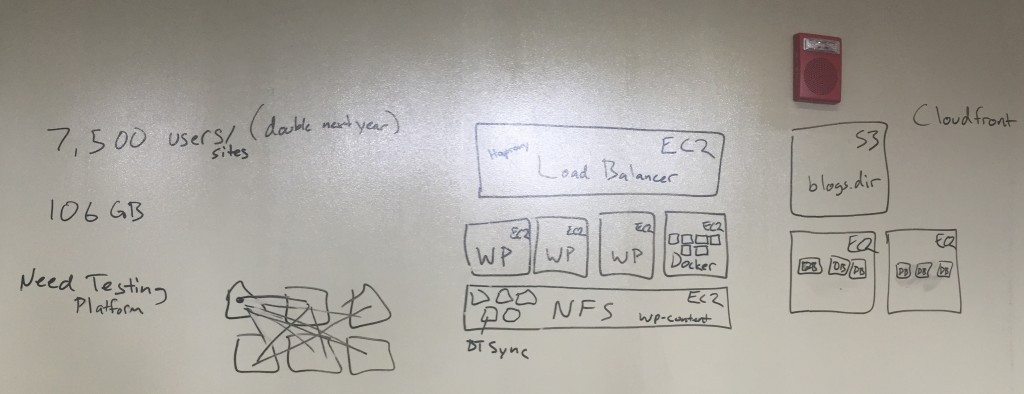
This past week Tim Owens and I went down to VCU’s ALT Lab to meet with Tom Woodward, Jon Becker, and Mark Luetke about the work they’re doing with Ram Pages. I already blogged about a couple of plugins they created for making syndication-based course sites dead simple. We also got to talking about some of the ways we have been using Amazon Web Services (AWS)to scale UMW Blogs. At this point Tim took us to school on the whiteboard explaining a possible setup he has been imagining, which is still fairly experimental.
Don’t let Tim fool you, he is DevOps #4life now. He can be found in his spare time watching presentations about load balancing a site for a billion users or scaling infrastructure for small services like Netflix. I’m becoming more and more interested in infrastructure discussions because they highlight interesting trends in the shifting nature of tech that deeply effects edtech, such as virtualization, containers, and APIs.
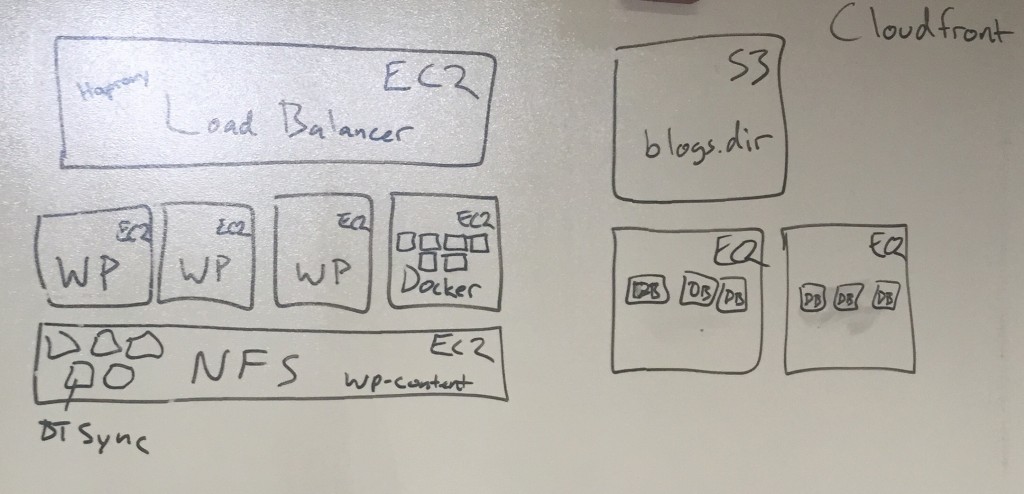
Anyway, the image above is a look at a potential setup for a large WordPress Multisite instance on AWS. It has a couple of elements worth discussing in some detail because I want to try and get my head around each of them. The first is a load balancer that runs in its own EC2 instance.

What the load balancer does is direct traffic to the Ec2 instance running the WordPress core files with the least load. So if you have four EC2 instances each running WordPress’s core files, the one with the least usage get the next request. Additionally, if all the instances have too great a load another could, theoretically, be spun up to meet the demand. That’s one of the core ideas behind elastic computing. The load balancer Tim used for UMW Blogs was HAProxy.
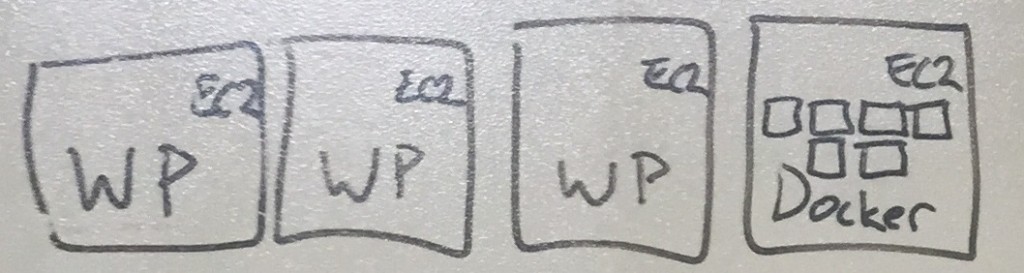
As mentioned above, you can setup a series of instances of EC2 on AWS with the core WordPress files save the wp-content directory, which is the only directory folks write to. But you will notice in the fourth instances Tim switched things up. He suggested here that we could have an EC2 instance running Docker that could then run several WordPress instances within it. What’s the difference? And this is where I am still struggling a bit, but from what I understand this allows you to spin up new instances quicker, isolate instances from each other for more security, and upgrade and switch out instances seamlessly. It effectively makes WordPress upgrades in a large environment trivial.
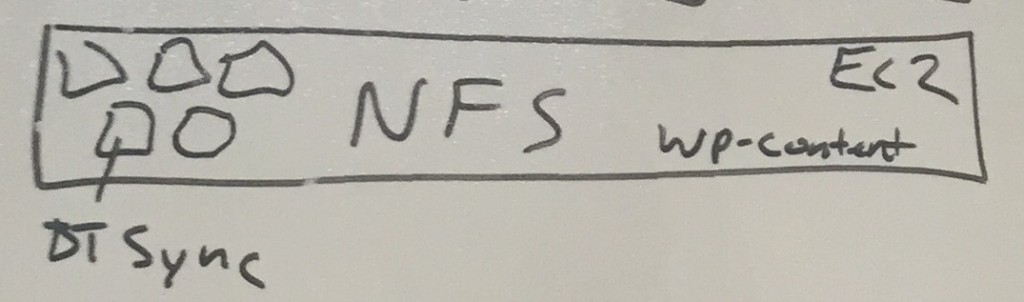
We have yet another EC2 instance that is the Network File Storage, this holds the wp-content files. The uploads, plugins, themes, upgrades, etc. And each of the above instances share this instance. The all write to this, but one of the issues here is that this can be a single point of failure, kinda like the load balancer. So, Tim suggested there is BitTorrent Sync (BTSync), which I still don’t totally understand but sounds awesome. It’s basically technology that synchs files from your computer to spot on the internet, or between spaces in the internet, etc. So, what if we had several bucket where the various instances of WordPress core files were writing the upload files, themes, plugins, etc, and those buckets used BTSync to share between them almost immediately. So then you wouldn’t have a single point of failure, you would have the various instances writing to various buckets of files that would be constantly synching using the technology behind BitTorrent. Far out, right?

BTSync provide ability to immediately copy and synch files across several buckets of the same files that get written to regularly.
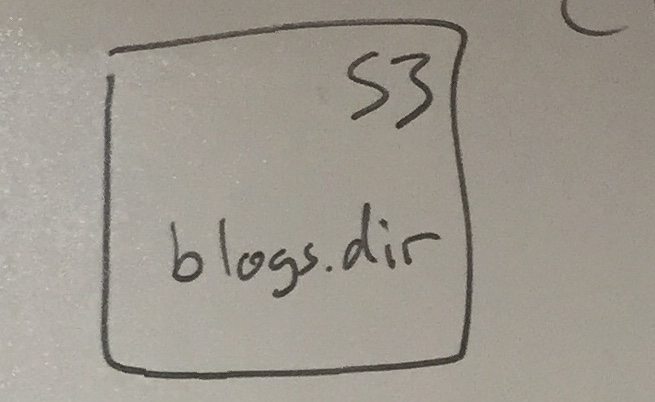
Another option, and I think this was before we started talking about BTSync, but not sure if this would be in possible in addition to BTync, is have the blogs.dir folder for a WordPress Multisite that handle all the individual site files uploaded be sent to S3, Amazon’s file storage service.
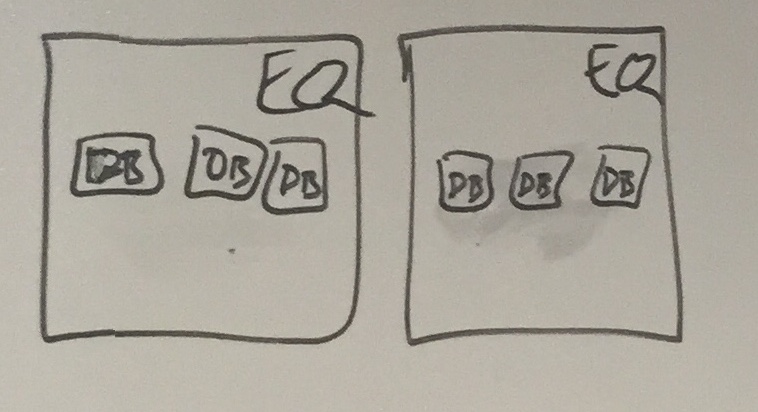
You get the sense that part of what’s happening when you move an application like WordPress Multisite onto AWS, or some other cloud-based, virtualized server environment, is each element is abstracted out to it basic functions. Core files that are read-only are separate from anything that is written to, whether that be themes, plugins, or uploads. Additionally, the database is also abstracted out, and you can run an EC2 instance on AWS with Docker containers each running MySQL (with a sharDB or HyberDB to further break up load) that can also replicate various writes and calls using BTSync? No single point of failure, and you greatly reduce the load on a WPMS which is completely I’m out of my depth here, but if I I accomplished anything here it might be giving you an insight to my confusion, which is also my excitement about figuring out the possibilities.
 I have no idea if this makes sense, and I would really love any feedback from anyone who knows what they are talking about because I’m admittedly writing this to try and understand it. Regardless, it was pretty awesome hearing Tim lay it out because it certainly provides a pretty impressive solution to running large, resource intensive WordPress Multisite instance.













 Her films have their own sensibility, and she creates a simultaneously ribald and tragic air to her narratives. Much of Love and Anarchy takes place in a brothel, and it may have some of the most insanely vulgar Italian I’ve heard to date, which is probably fairly useful given I’ll be living there in a few months. The film takes place in Fascist Italy right before World War II and centers around an anarchist (
 Wertmüller made All Screwed Up a year later, and the film takes place in Milan during the early 1970s. Much of the drama plays out in a tremendous kitchen where several of the film’s central characters work, and it provides an allegory (like the brothel in Love and Anarchy) for the regional and social struggles at work in Italy at the moment. What’s more, the owners of the restaurant are fascists and towards the end of the film employ a group of “demonstrators” (one of whom is an unsuspecting Sicilian who is doing anything and everything he can to support his seven children) that set off a bomb on the streets of Milan that kills several people. As we hear later on from one of the characters in the kitchen, all because the fascists wanted to prove to the industrialists that they mean business when it comes to standing up to labor. An allegory for the last four decades even?
List Remote Comments
I already blogged about Mark Luetke‘s awesome Motherblogs Made Easy plugin, and I promised there was more. Well, here’s more. Martha Burtis already experimented with Mark’s List Remote Comments plugin on the aggregator blog she is working on for Freshman Seminar she will be teaching (along with several other UMW faculty) titled Beyond the Selfie. It’s very slick, it basically takes the comment author, post title, time and day, and links that right beneath a post excerpt.
In fact, Mark is building on top of the Remote Comments plugin that Martha wrote a while back which shows the number of comments on a syndicated post. Mark took that code and actually pulled some meta data and a link to those comments right into the post. All of which makes the syndication hub that much slicker.
I wanted to try this out for myself, and Martha was kind enough to share the bit of code she used as part of a custom WordPress function for Beyond the Selfie, which I added to functions.php of the theme for the gorgeous Prisoner 106 site designed by Andrew Forgrave. This is a syndicated motherblog using FeedWordPress, so having the remote comments show up on the aggregator of the various syndicated posts is most useful for folks who want to see what’s happening at a glance. I failed to mention that both Mark’s and Martha’s plugins depend on FeedWordPress to work.
For Prisoner 106, I tried using both Martha’s and Marks’s plugin to show the number of comments on a remote post as well as providing a list of links to those comments beneath the posts. Pretty cool mashup of the two.
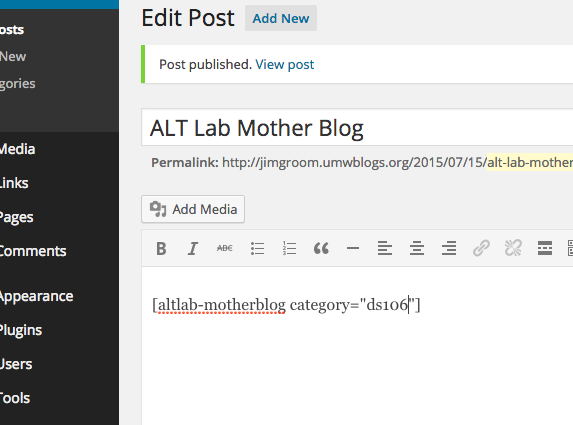
For Martha’s plugin you don’t need to change anything, it works seamlessly if FeedWordPress is installed and pulling in remote posts with comments. For Mark’s plugin you need to add the following bit of code
list_remote_comments()to the theme template file to make the comments show up within the blogs flow of posts. You can also use the shortcode[list-remote-comments]in conjunction with the Display Posts Shortcode,but that was too much work for my internet ADD