Seven posts over three years about (and on) Ghost is not that much in the end (running out of punny titles), but reading over them whiling writing this I realized there’s a lot of learning wrapped up in trying to figure out AWS, Bitnami images, command line, Docker containers, and Cloudron. All stuff I have been trying to focus on more an more, so this side site in many ways lives up to its subtitle: “Letters from the Cloud.” And I came back to it recently because while I blogged about setting up Ghost through Cloudron back in September, my Ghost instance on Reclaim had been terminated when we decided to no longer offer it through Reclaim Hosting. Given my Ghost blogging had been dormant for a while, I totally forgot I was hosting it through Reclaim and it vanished. Luckily I blogged everything on Ghost through the bava, so nothing was lost, and I had backups of all images, etc. So, I used the occasion of things finally slowing down at Reclaim Hosting and my being under the weather to finally get BavaGhost back online, and now it is!
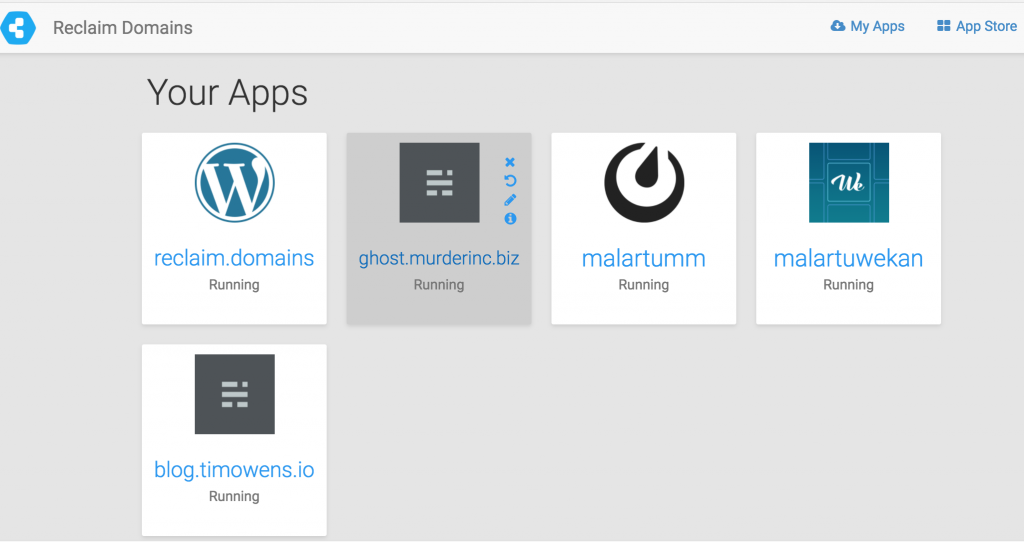
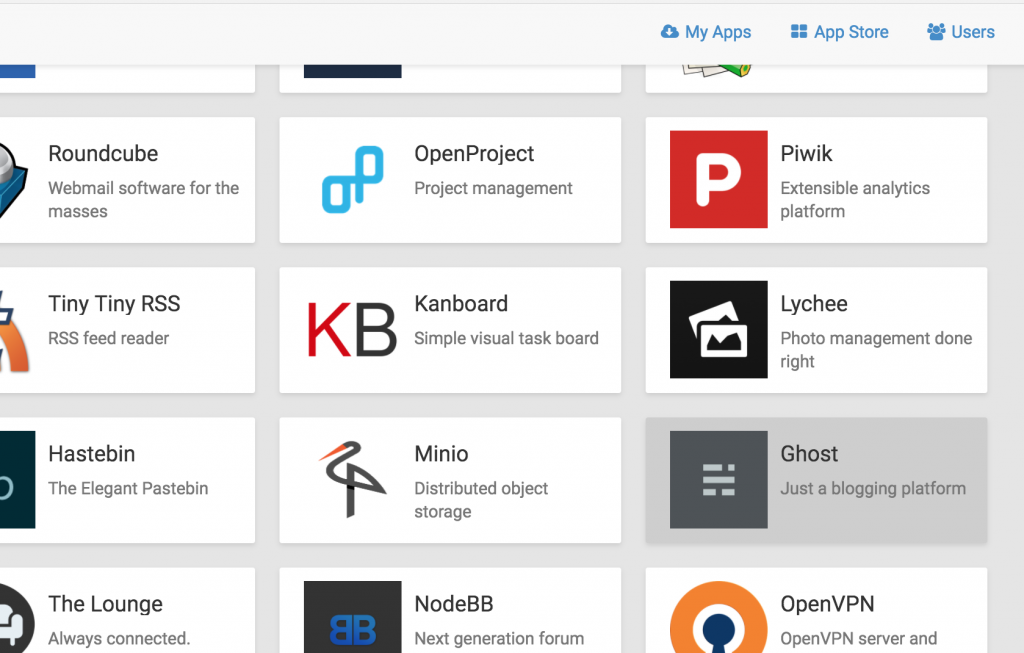
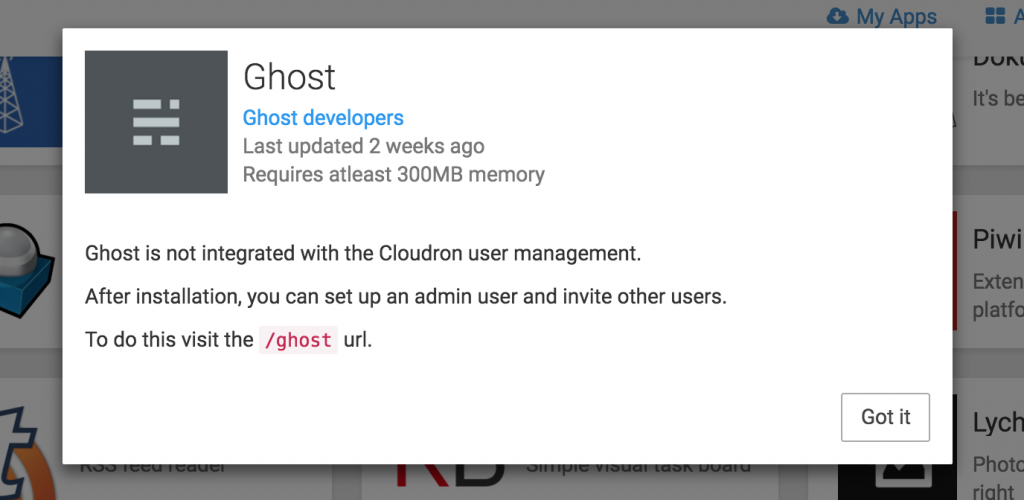
This is the Cloudron console where I login and you can see the various web applications installed. Right now this is a shared account for Reclaim with a few tests (you can see Tim’s blog there), but the idea would be this would be what an individual user at Reclaim might see if they wanted an app beyond LAMP. In the upper right-hand corner is the App Store icon, you click there at you get access to numerous apps that Cloudron have setup custom Docker containers for that run versions of the various web apps.
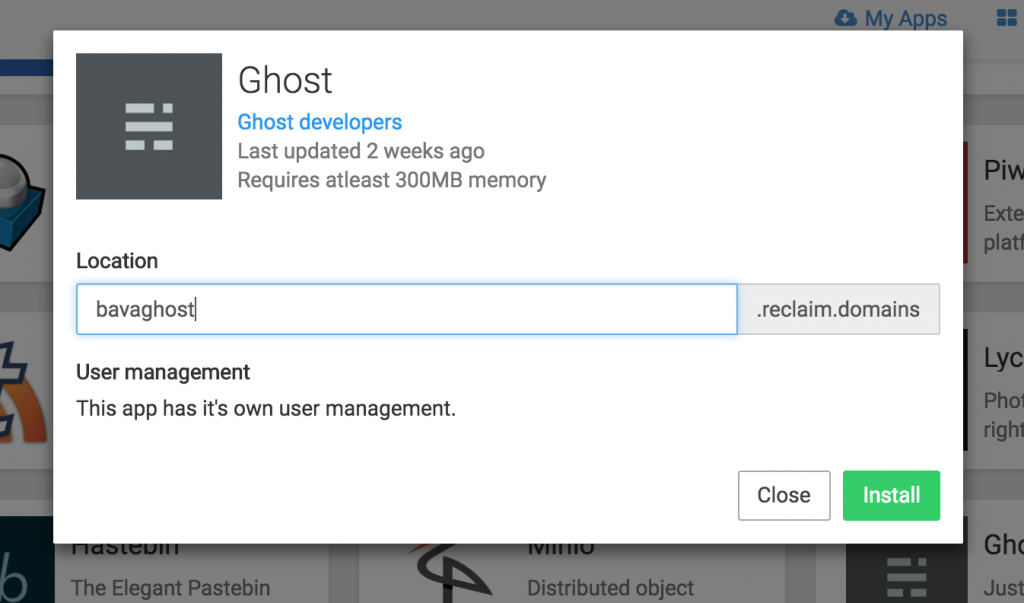
So, I clicked on Ghost and defined the location (subdomain):
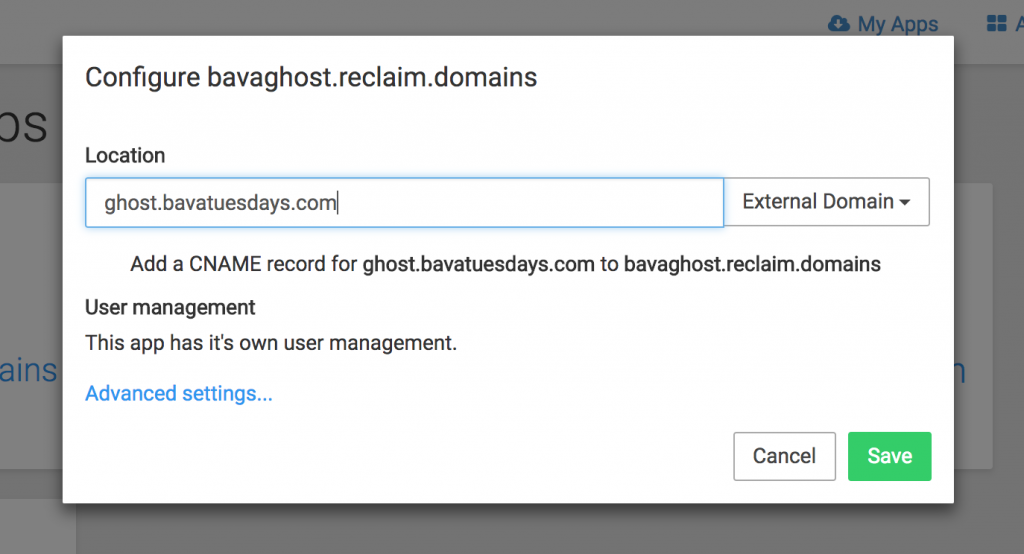
After that, I have the option to choose an external domain from the field’s right-hand drop-down menu where I can define a different domain I want to point this to.
It tells me how to setup the CNAME, which I did (but imagine we could automate this through Reclaim for folks).
When I did setup it up I need to repair the instance given I had not changed the CNAME before setting it up.
But once I did, Ghost was setup.
This was dead simple compared to the endless time and energy I spent back in 2014 and again in 2016. Literally a click and a CNAME pointer and Ghost is setup, what’s more I can chose daily backups through Cloudron and they also have configured sending email and SSL certs for the application out of the gate. So all I had to do was add /ghost to the end of my URL and I was in business. This does point to how much more viable web infrastructure built on top of this stuff is becoming, and Cloudron is an option we could roll out to folks for Ghost, Mattermost, Discourse, Etherpad, etc. and it can be dead simple for them to set them up.
As for Ghost, I had to do another manual copy and paste of my existing seven posts from the bava to Ghost, but the process was quite enjoyable because I could all but copy and paste my posts in.Ghost is a Markdown editor, but it seems to read pre-existing HTML better than it did even a year ago.
Image Credit: “Actress Virginia Pearson, page 75 of the August 1916 Motion Picture magazine.” found on WikiMedia Commons
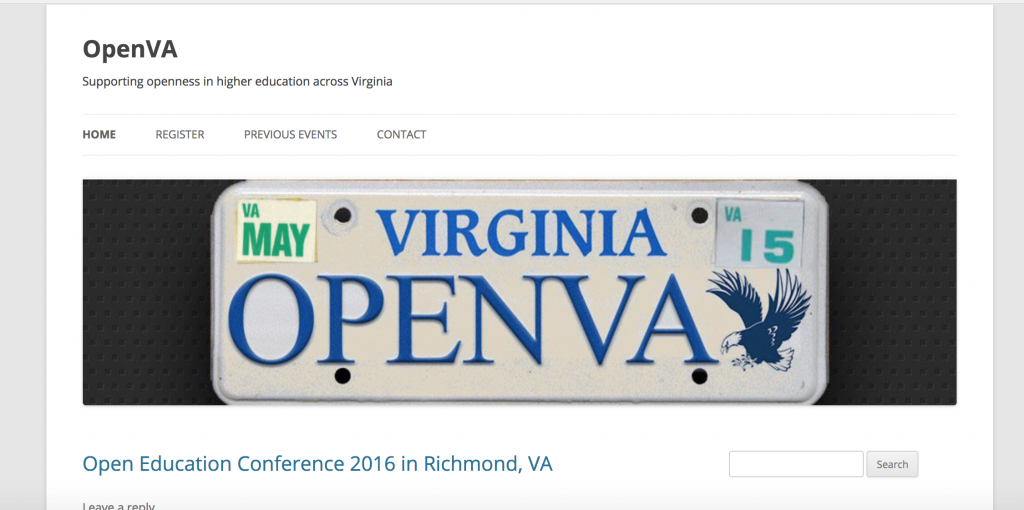
I finally got around to converting some dormant WordPress sites to straight-up HTML. This was inspired by similar efforts by folks like Adam Croom and Keegan Long-Wheeler who put their sites on a web diet of sorts. I decided to start with OpenVA, which was a working group formed by the State Council for Higher Education in Virginia in 2012 to see if we could do more in terms of affordable textbooks. The committee tried to move the conversation away from the proposed focus on a statewide deal with textbook publishers for better pricing to explore how we might highlight the myriad work already happening around open resources, open platforms, and open pedagogy in Virginia. So, rather than simply brokering a deal for discounts, the idea was to explore what is already happening with the hope there would be some broader structural/political implications for recognizing and providing targeted funding for this work.
But, alas, it was not to be (at least as part of the original OpenVA working group). After three conferences over two and a half years on the committee I was replaced, and not long after the entire effort seemed to peter out. It’s a shame because I think there were some really good people that might have done more to connect and co-ordinate the work happening across institutions in Virginia, but sometimes that’s the way these things go—and by doing this I learned that trying to implement change at the state level is just plain hard. It’s one of those things in my professional life that I had high hopes for, but was unfortunately left undone. And I am afraid will never be done given my life as a Virginia state employee has been over for more than two years.
Anyway, when I saw the group had let the site go I snatched it back up and reverted it to its original TwentyTen WordPress theme glory (wave to the haterz). This is a project I was part of that I want to preserve, but I’m not sure openva.org will see too much action anytime soon. What’s more, I installed WordFence on the domain after it had been hacked, and according to my regular WordFence emails it remains a constant target. So, I decided to make OpenVA.org the first of many archival projects I have lined up over the coming months.
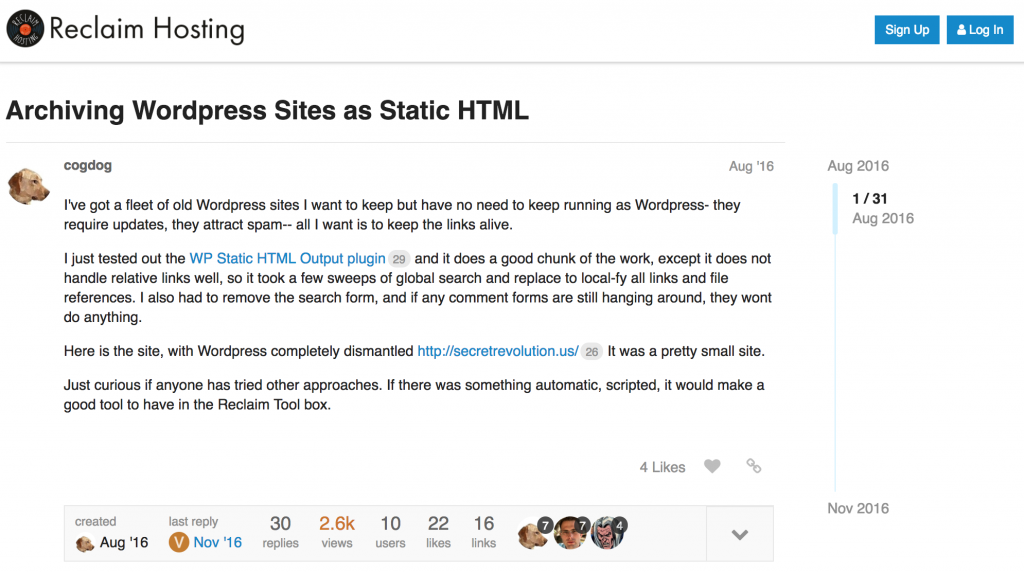
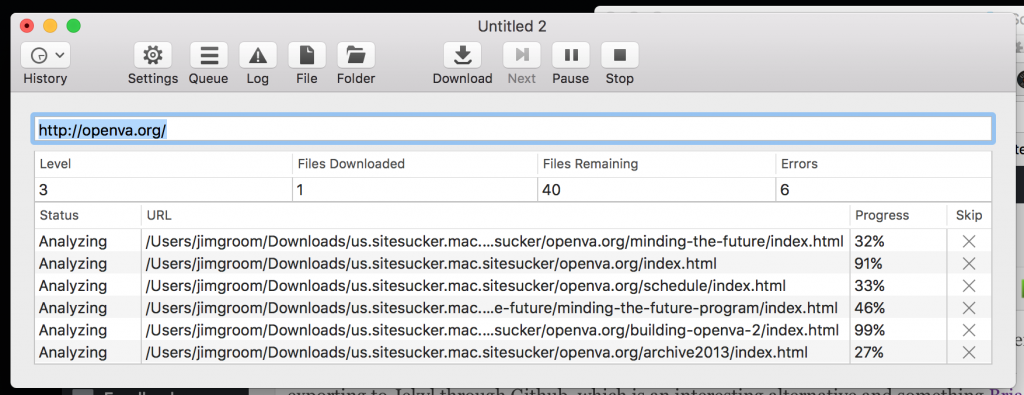
So, using Site Sucker is really as simple as adding the URL to the app and it goes through and downloads a copy of all the pages, media, CSS for the theme, etc. Once you have the archive, you can go to your web server directory that has the WordPress files and replace them with the HTML Site Sucker has generated. It is really that simple. Right now OpenVA is running with flat HTML files which decreases the risk of being hacked while giving me one less site to manage (although to be honest WordPress makes it so simple with automatic updates that it can be argued the management overhead is overstated). Anyway, after a few minutes it was done and OpenVA’s WordPress files are now archived and we are running it off flat HTML files sans database.
Although, as a bit of a cliff hanger here, I did start archiving another WordPress site with Site Sucker that was one of the the first multi-sites we ran at UMW back in 2007 (ELS Blogs) but ran into some issues. Those issues will be the topic of a future post as I work through options for archiving a WordPress Multisite given the issues that arise with outdated themes and plugins, amongst other things.
This post is pretty much a sticky note for myself to remember how I did this, but someone out there may find it useful. The scenario is I forward my [email protected] email (hosted through Google Apps) to my [email protected] address. Two years ago now (crazy how fast that went), I configured Gmail to let me respond to those forwarded emails with the proper address, namely when responding to a Reclaim email, I want to use [email protected] rather than [email protected]. I wrote up the process, and its been working fairly well since. The one change I made since writing the guide, is that since my Reclaim Hosting email was run through Google, I had to use a transactional email service* (in my case SparkPost) to send emails through a different SMTP host.
Anyway, recently my colleagues at Reclaim start telling me my forwarded emails were sometimes delayed 2-3 hours or more, which can be very problematic when you have an issue to address that is timely. Tim noted it looked like SparkPost was holding the emails, and recommended trying Mailgun to see if that is any better. So, I limped through the week, but finally sat down this evening and when about switching from SparkPost to Mailgun, what follows are the boring details with some screenshots so I can refer back to this post when I have to do this all over again 🙂
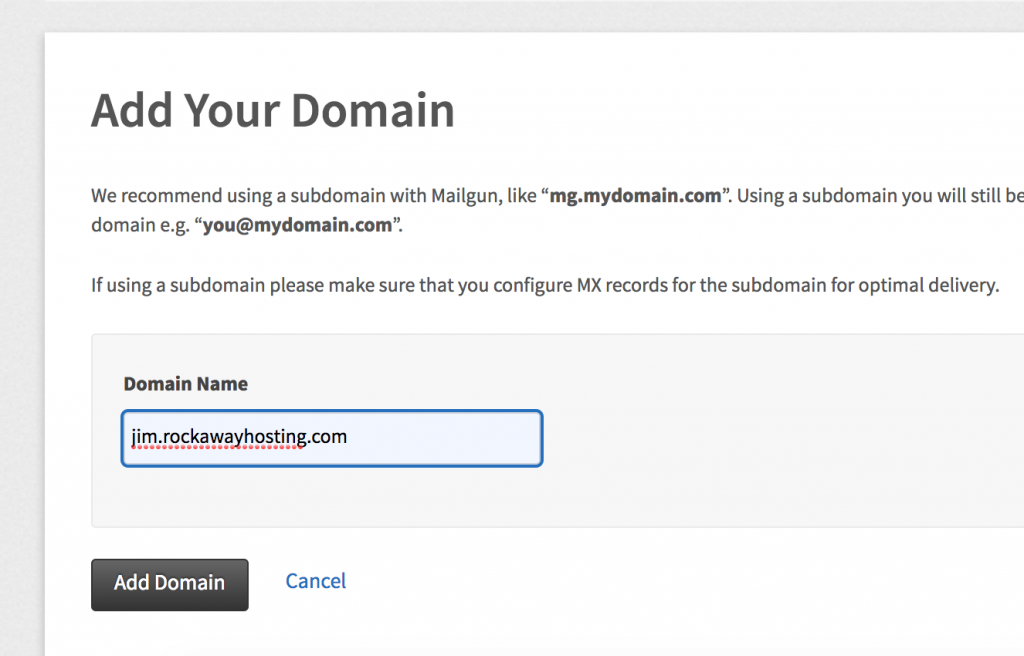
First step is adding your domain for your email in Mailgun
The first step, and this kinda tripped me up, is adding the domain for the email you want to send over. I was sending (at least in this example) using [email protected], but the domain I created was jim.rockawayhosting.com, even though I will not be sending email from [email protected]. Anyway, it is really a naming convention and a clean domain with rockawayhosting.com to set you various TXT, MX, and CNAME records. So, that was the next step:
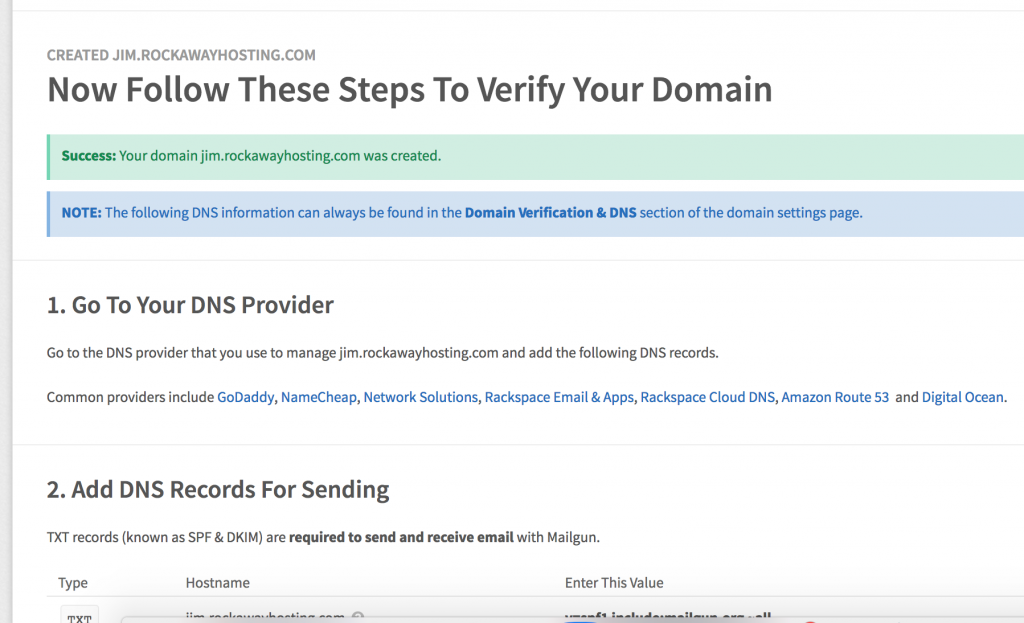
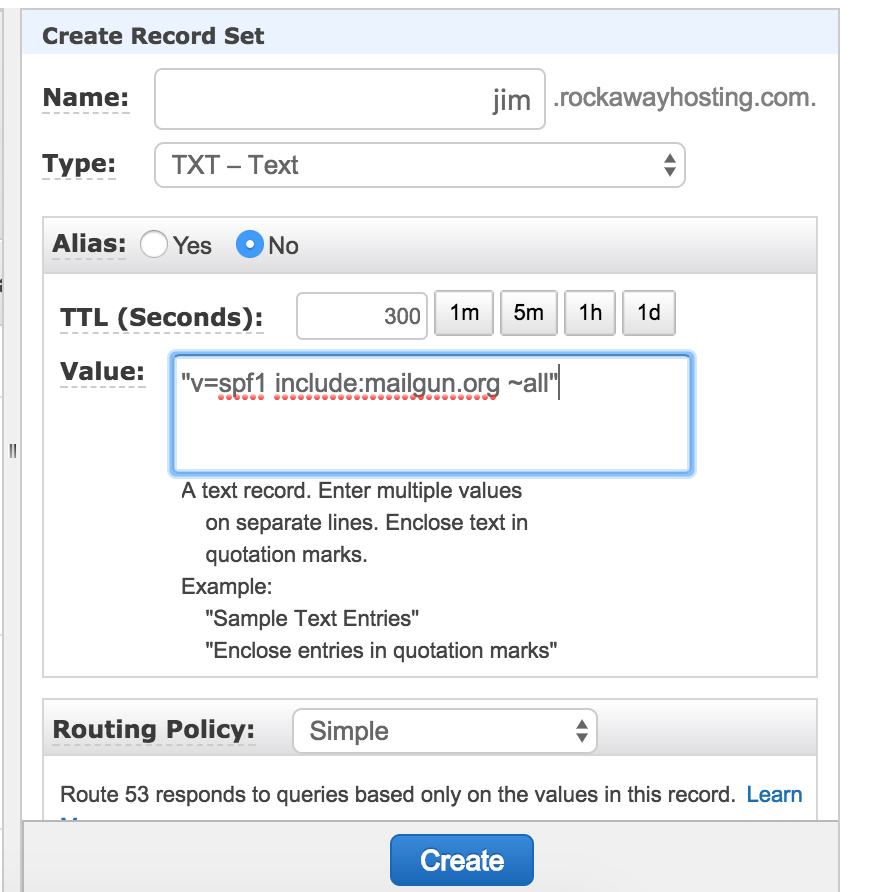
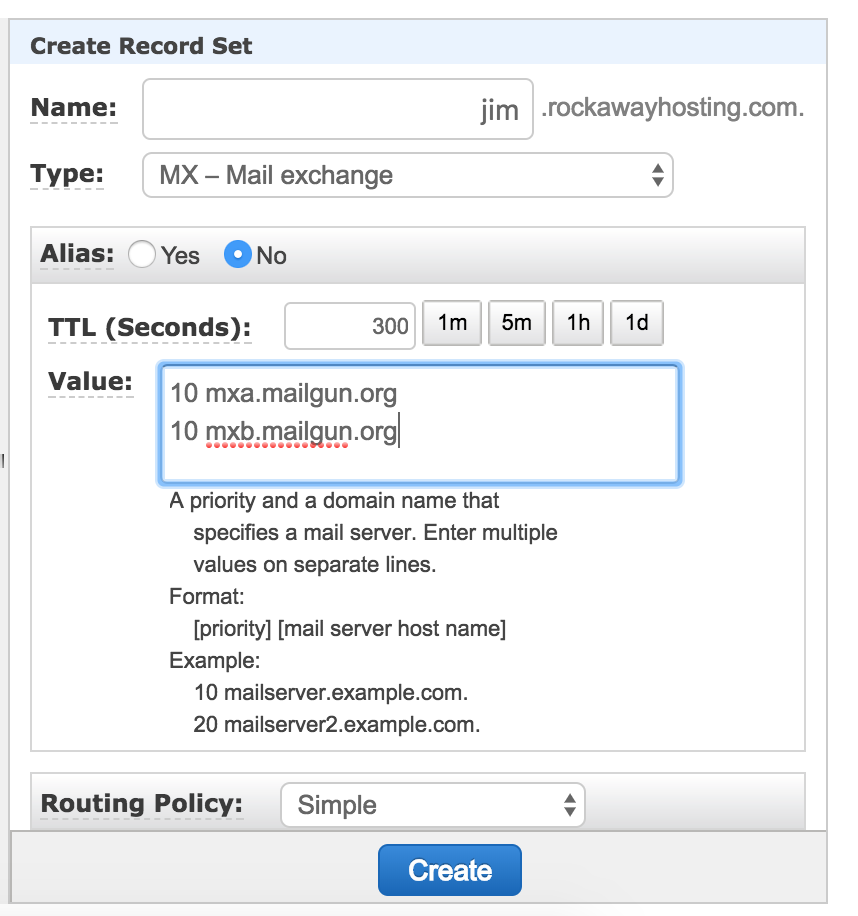
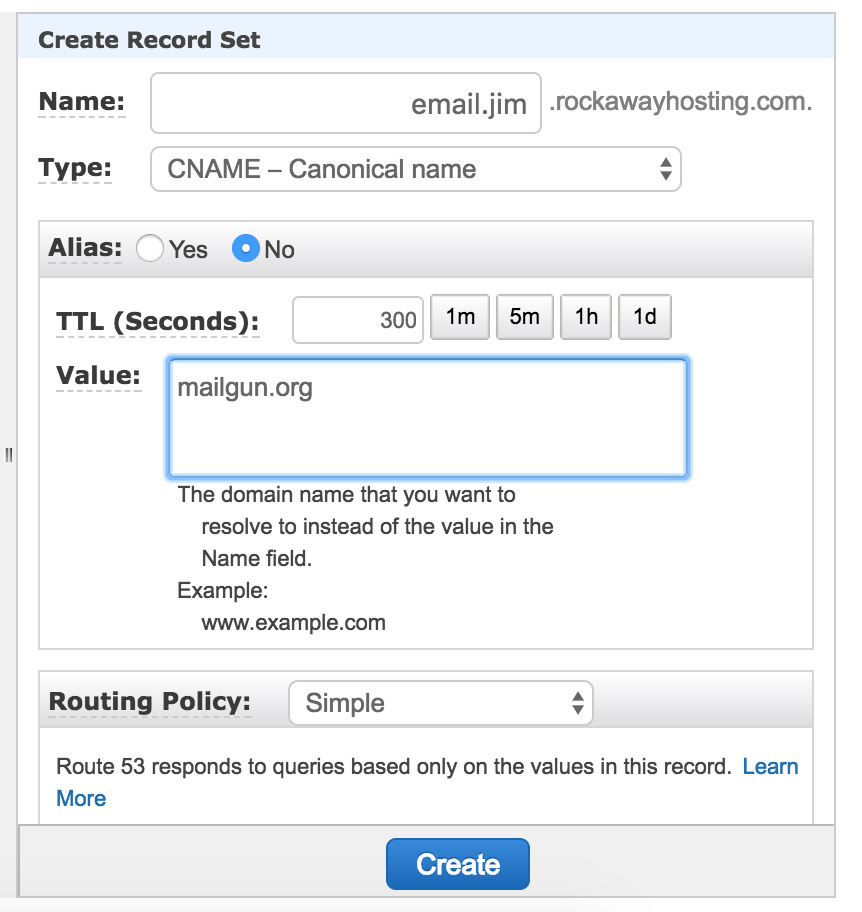
Once you create your domain you are directed to go to where you manage DNS and add a number of records. We manage our DNS through AWS’s Route53, so I headed there and started adding records (there are two TXT records, two MX records, and one CNAME in all):
They will look something like the following (although your mileage may vary given this is the interface for Amazon’s Route53):
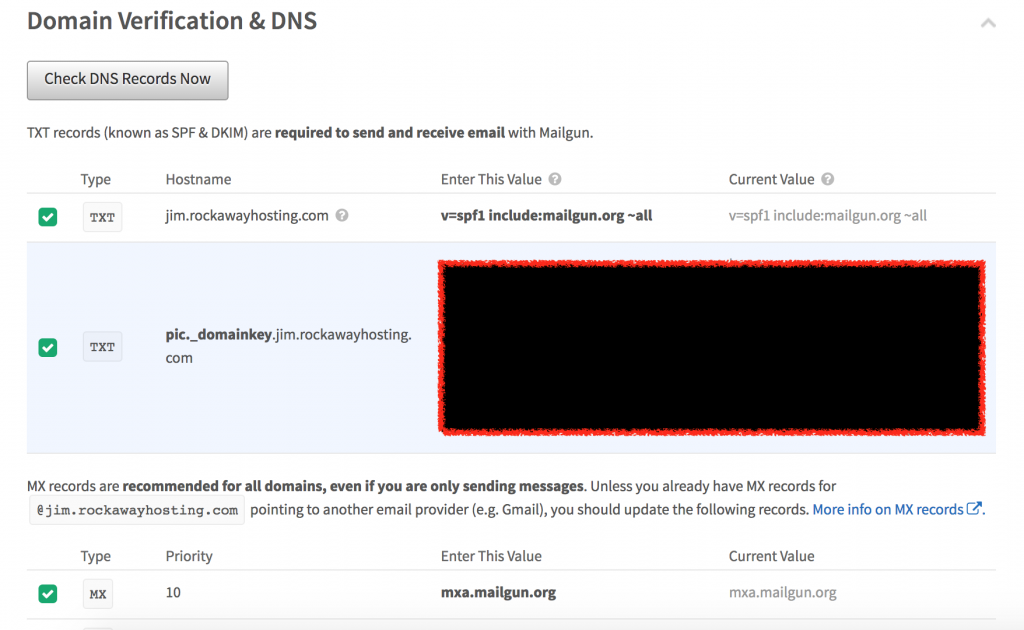
Once you have added all the records, you head back to Mailgun and verify they are working, which I did and they worked like a champ.
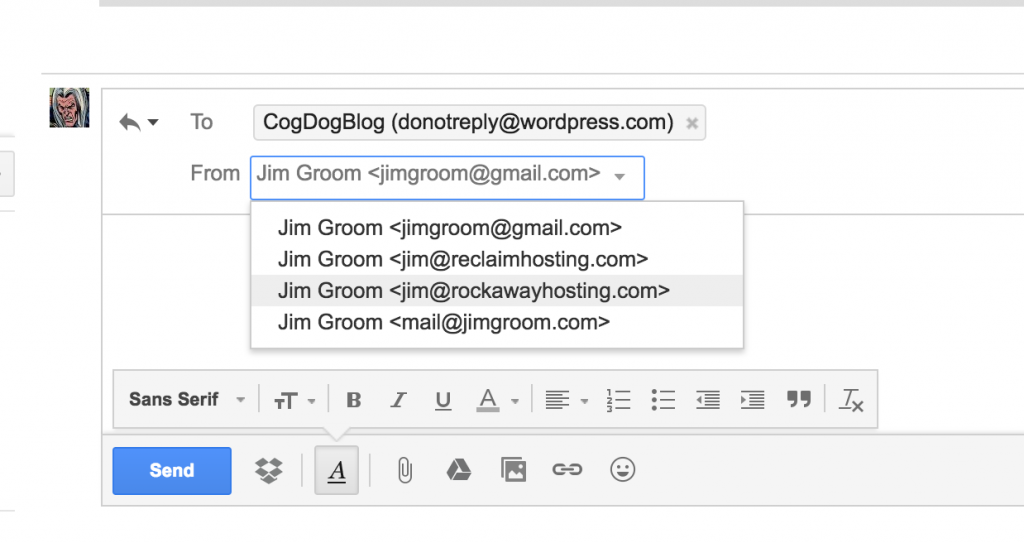
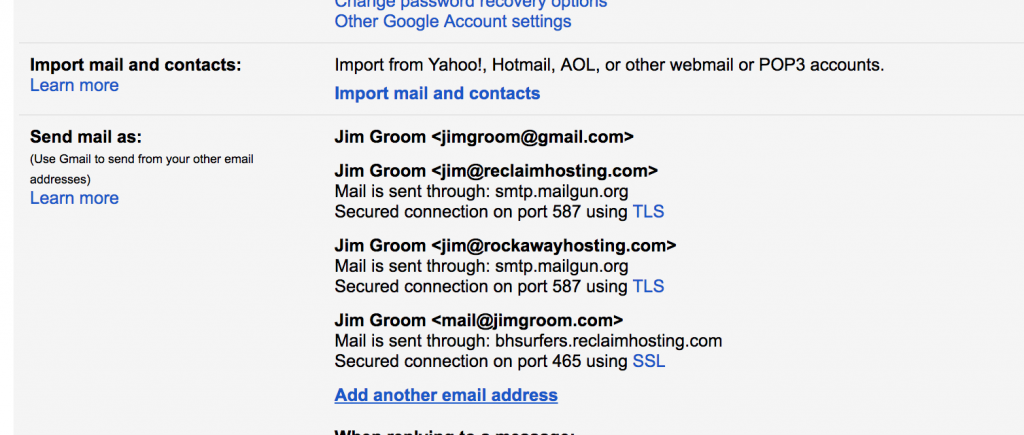
At this point I have Mailgun setup to send my email through their SMTP services, so now I have add [email protected] as an address I can use to send email from my main [email protected] account.
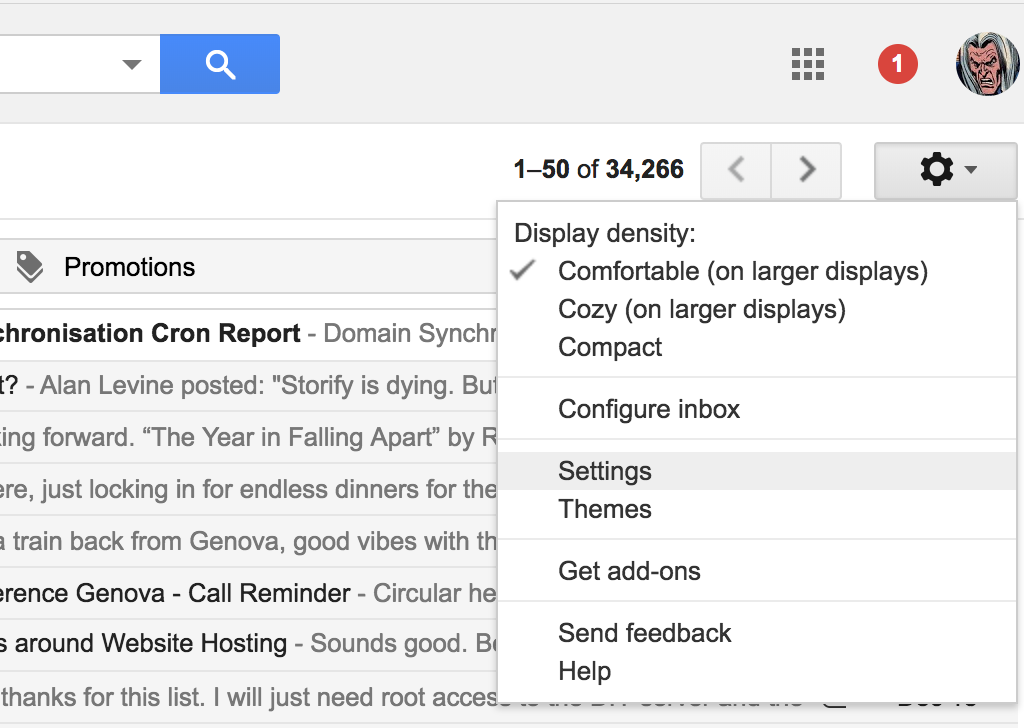
You go to Settings in your primary Gmail account:
And then under the “Accounts and Imports” tab you “Add another email address” in the “Send mail as” section:
From there, you specify the email you want to send mail from:
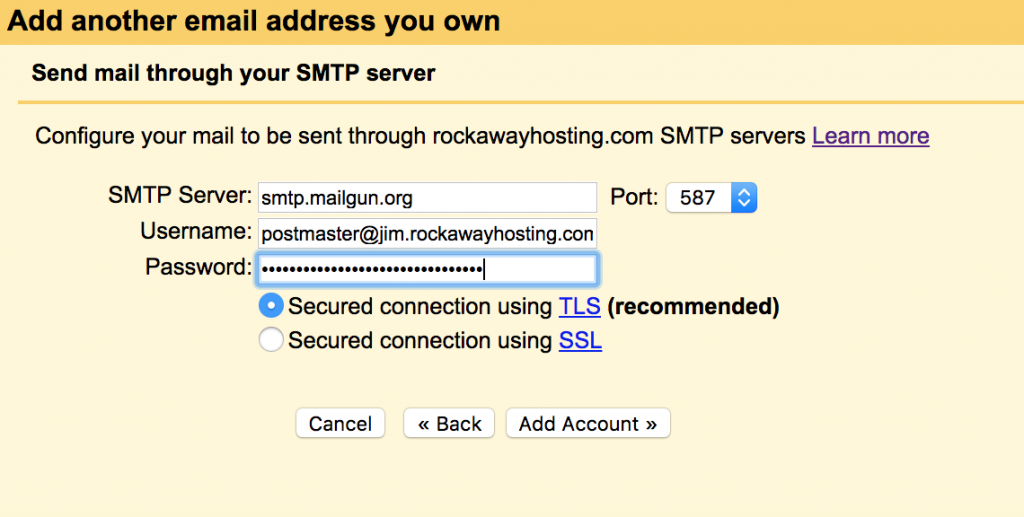
And then add the Mailgun SMTP server configuration settings:
After that, you are all set.
I tested it out, and I now have both [email protected] and [email protected] forwarded to my primary Gmail account (not covered above) as well as the ability to respond to those messages from from my primary email with the appropriate email address (covered above):
And it seems so clear right now, but two years later when this all goes to hell I will have forgotten everything I thought I know, hence the blog!
*Transactional email services are services that provide SMTP API-driven email infrastructure for applications that need to provide notifications, updates, and subscriptions. For example, a common one with WordPress would be a new account notification or a reset password email, etc. Using API driven email services like SparkPost, Mailgun, etc. has become more popular when running applications through infrastructure that makes it easier to just have an email services send these for you.
In an effort to organize the over 8000 photos I took this year and generally catch up on some blogging of my travels since January (see this post for more rationale/navel gazing) I’m gonna start with my most recent day trip to Verona and plan on regularly posting backwards until I get to January 2017 —just in time for January 2018 🙂
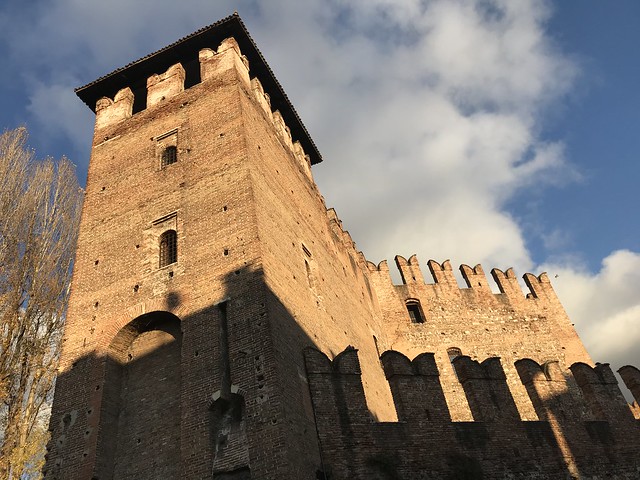
Anyway, last weekend we went an hour south to Verona which is an often overlooked gem of Italian cities. I have grown to really love going there these last two years. It is probably best know for being the setting for Shakespeare’s Romeo & Juliet, and Juliet’s house (Casa di Giulietta) is a major attraction. Also, the Arena is amazing and very well preserved, in fact you can still see concerts there—both Duran Duran and Kraftwerk played there since I’ve been in Italy. Arguably these two attractions are reason enough to go to Verona, and we’ve taken a few visitors there over the last couple of years.
Shannon on Juliet’s Balcony
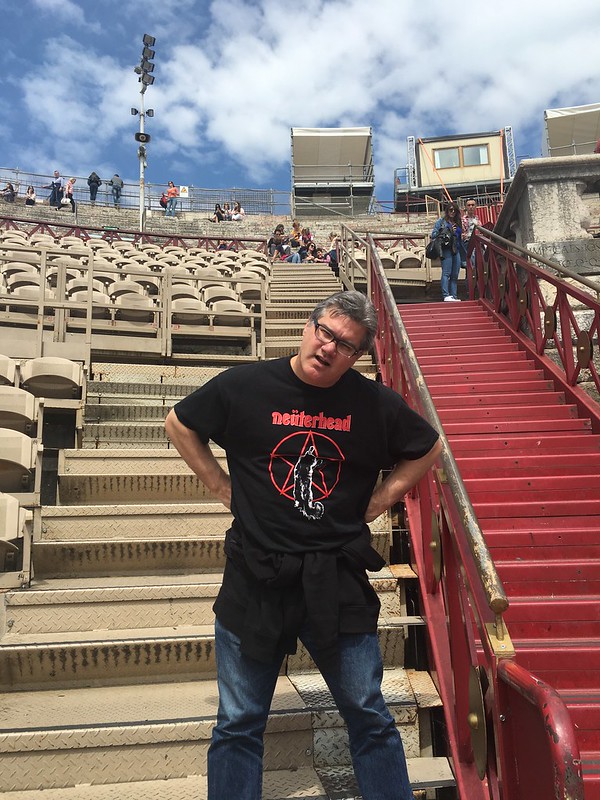
Brian was the Verona Arena’s fiercest Gladiator nicknamed Nüterhead
Verona’s Gladiators are not to be trusted
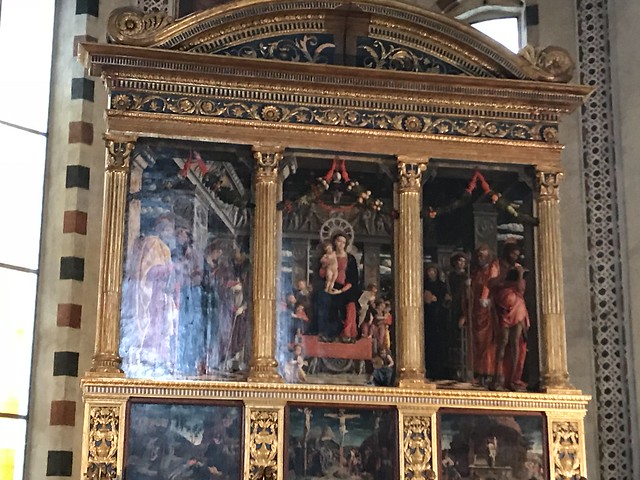
But this trip we decided to focus on the churches in Verona, in particular the Basilica di San Zeno, in order to see the altarpiece painted by the famous Renaissance painter Andrea Mantegna (it did not disappoint). Beyond Mantegna’s remarkable work, the church itself was something of a wonder. It is discussed as a model of Romanesque architecture and it was built and rebuilt over the course of more than 400 years starting in 967 and through 1398 (although significant work had been done since as well). It is known, amongst other things, for being the crypt where Romeo & Juliet were married (the lore from Shakespeare’s play is ubiquitous), and St. Zeno was of African descent and he became the 8th Bishop of Verona during the 4th century and has since become the city’s patron saint. It was a stunning church, and I’ll try and narrate it with some images, but they are a poor approximation, particularly Mantegna’s altarpiece—the power of which was impossible to capture.
Tess approaching the Basiclica di San Zeno
One of the facade reliefs: From Adam’s Rib
The Orchard Theives
Views of the Cloister
Scene from the Bronze door panels (circa 1100-1200 AD)
The Crypt
Fresco with graffiti noting a “teremoto grande” -or large earthquake, which is probably referring to the large earthquake in 1117 that devastated the church.
Fresco
Fresco with Grafitti
Photos of the altar, this is what we went to San Zeno for—to see Mantegna’s altarpiece, which is an amazing work. My photos do it no justice, but read more here: en.wikipedia.org/wiki/San_Zeno_Altarpiece_(Mantegna) It was like the garlands were 3-D, and the light and perspective of the triptych as a uniform, single work was amazing.
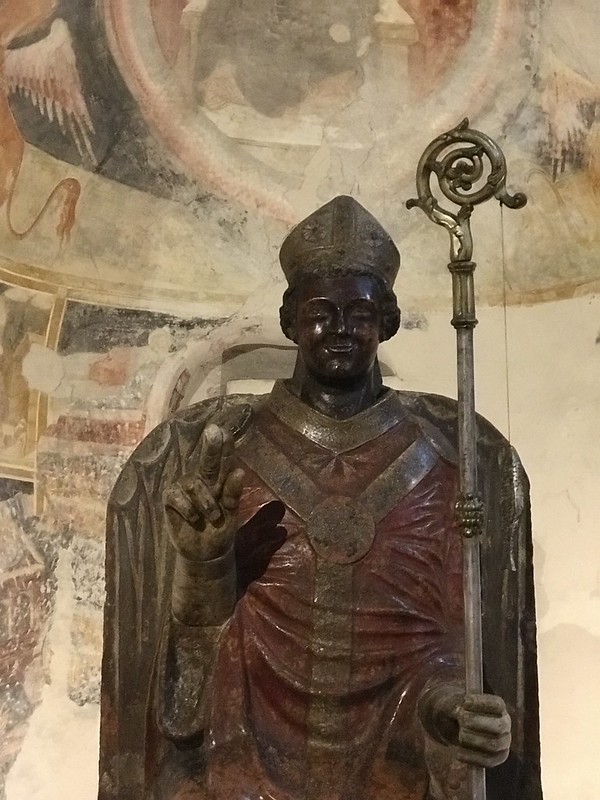
A smiling St Zeno
The many of levels of the basilica
The upper, main cathedral of San Zeno
The church was amazing, and after that we went toHosteria Moderna for a nice burger.
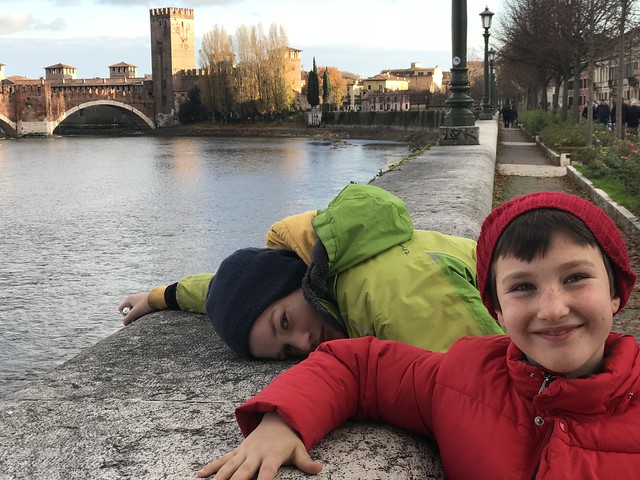
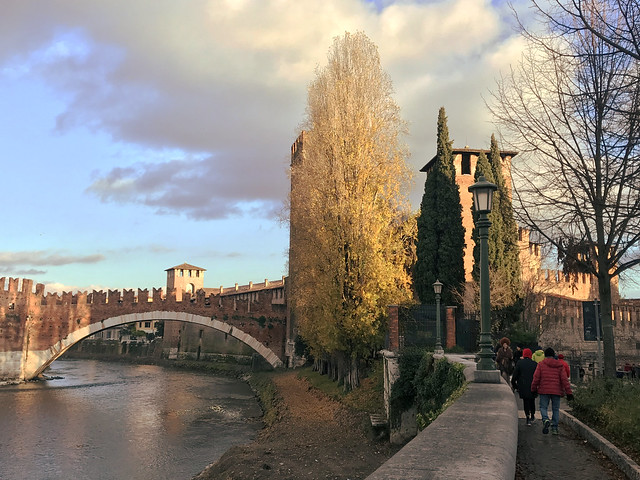
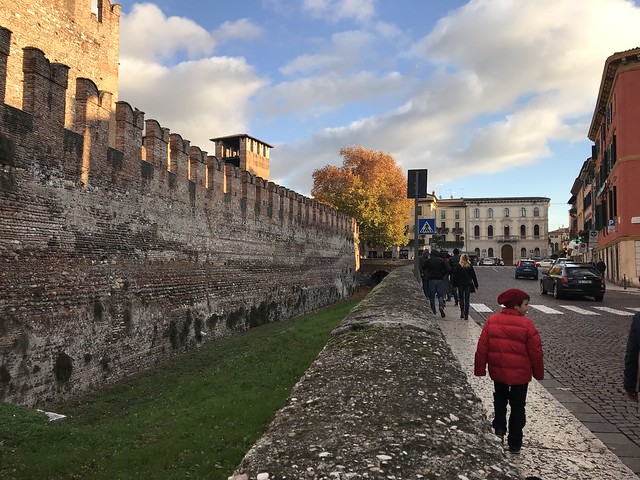
The we walked around the city, which is a treat, and the Adige river runs right through the center, it is truly gorgeous.
And then we headed to our second church of the day, the Chiesa di Sant’Anastasia, and the first thing I spied when walking in was the following chapel:
If you look close enough you can see the cleaver in St. Peter’s Head. Who needs Dario Argento when you have the Catholic tradition?
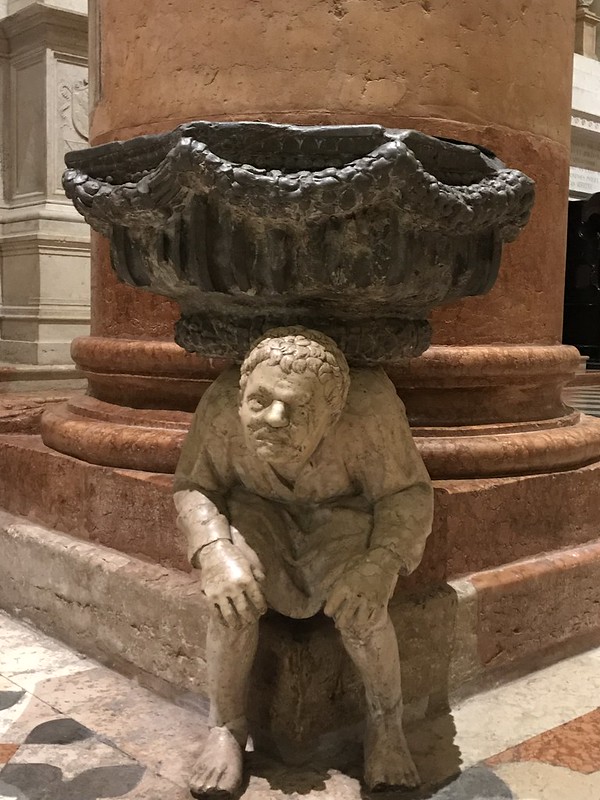
The fonts with holy water at the entrance were also amazing: the “Hunchback” by Gabriele Caliari was a highlight. The wait of the fountain for more than half a millennium on his back, poor dude.
Another highlight for me were the floors. They were all original from the 14th century, and maybe the most beautiful I have ever seen. It also explains Q*bert:
The biggest surprise of the day was the St. George and the Princess fresco by Pisanello. It was high above one of the numerous altars around the church, and unless someone pointed it out you would never notice it. Luckily Antonella is more knowledgeable and observant than me and she pointed me to the video near the chapel that tells the story of this International Gothic masterpiece.
Image from WIkipedia Article: St. George and the Princess (right part)
While it has been damaged over the years, you still get an excellent sense of the various characters that make up the princesses procession as she sees St George off to battle the dragon. The painting really struck me for all of its myriad fascinating details, and it was just another reminder of how a a cultural masterpiece seems to lie around every corner in Italy. That said, for every masterpiece there always seems to be an accompanying creepy cherub:
It was a pretty awesome day trip, and if you do get to Verona and are looking for something to see besides the Arena and Juliet’s house, let me recommend Basilica di San Zeno and Chiesa di Sant’Anastasia, and maybe even a solid hamburger if you find yourself far from home.
It’s funny how you begin to rely on certain figures in your network for so much that at some point you begin to take it for granted. Downes remains so prolific on so many topics—not to mention the single most important aggregator of the work in edtech—that you begin to just assume. This talk was a good reminder of how fresh and relevant his work remains. In fact, it’s been too long since I listened intently to a talk by Downes. And what struck me during this one was how all the hard work and research he does for the rest of us is brilliantly weaved into his presentations, which stand as narrative instantiations of the wide net he casts on both the research and the practice in the field.†
In fact, what I really appreciated about this talk was how he quite punctiliously tracks the topic from his own work with syndication using gRSShopper to the far reaches of the cloud-based container applications. His early examples from Javiera Atenas‘s and Leo Havemann‘s 2015 paper on Open Data as OER provided a good sense of how he was trying to re-frame the future conversations around OERs as contextual, dynamic containers of accessible data that move beyond textbooks, and in many ways licensing. How might we understand the various ways we can incorporate open, real-time data into a classroom through various local and web-based applications a form of OERs? And if we can, do our assumptions about content and licensing change? Much of this speculative next generation of learning environments is premised on access and virtualization, which is (and has been for some time) an established reality already in the world of computing.‡
And here is where Downes talk really worked as a kind of course of study. He worked through how sites/web applications like CodePen, Jupyter Notebooks, and Actionable Data Books can be understood as resources for sharing and testing code as well as integrating open data with mobile applications. From there, he explores the possibilities of servers on a stick (XAMPP) and Spoodle (or Moodle on a stick) suggesting how entire server infrastructure is becoming much more portable and easier to run. Wha’s more, applications can be run within other applications as demonstrated by gRSShopper with the browser Vivaldi, a concept we have begun to take for granted.
The constant examples really brought the concepts home, so that once he moved onto virtualization technologies which covered the OG Parallels running Windows in Mac to Vagrant to Docker. The entire talk was well-structured and informative, and it filled in several gaps in my own understanding and makes me want to not only experiment with a bunch of these, but re-read Tony Hirst’s blog over the past few years because he has been framing and explaining this stuff for us for years now—as Downes acknowledges.
The talk was of particular value for me because I have tried talking about this stuff as a part of several presentation over the last few years, and failed miserably. Not only was my timing off (I tried appending it to an existing talk rather than starting from scratch), but as I noted already there were gaps in my narrative and I was not able to frame the evolution as well as Downes does here—which points to the real value of his tireless work on the OL Daily newsletter. After listening to his talk and thinking about how valuable it was to get this kind of an overview of where things might be going, I was reminded why I get really excited about edtech sometimes. This stuff is important, complex and kinda fun, getting a sense of how this all works and what it might mean is important for educational technologists, and finding people who are digging in like this is quite valuable because it is fairly uncommon in the field (although I may be wrong there). Besides Downes and Hirst, I know Grant Potter is doing some vary cool stuff with the BC Open-Ed tech Co-op, but who else? Who am I forgetting? I am seriously asking because it would be quite fun to try and pull together some kind of event/symposium/workshop/conference for thinking and sharing around this topic, and why not Trento, Italy? 🙂
‡ I’ll also note it is a lot more interesting then the vaporware that defines EDUCAUSE’s vision of the Next Generation Digital Learning Environment (NGDLE).
This has been a pretty amazing year for travel for me, but not so amazing in terms of blogging all that travel. Alan Levine wrote about that “sad position of back blogging” during his current trip to Australia, and then proceeded to be his usual blog machine self.* I’m not sure how he is able to blog so much on the road, I personally find it quite challenging—and even harder the more I travel. Part of that is my lack of organization, but I also know I’m a sedentary blogger. I tend to blog most consistently when I have settled back into a quiet, couch-based routine at home.
I can manage to get off a few posts while traveling, but they often feel rushed and haphazard. What’s more, when I take two to three week trips like I have this year, I tend to not blog them at all given the time that passes from car to couch. That happened with my trips to Sweden, Ireland, England, as well as my cross country Route 66 road trip with Mikhail. Not a post about any of it. I only lightlyblogged Australia, and in the end New Zealand probably faired the best. But arguably the biggest shame of it all was how little I blogged about Domains 17, there were several conversations during that conference (not to mention Martha Burtis’s amazing keynote) that still resonate with me. I have been meaning to blog about a number of them, and I’ll take the last month of 2017 to simply catch up. I promise to have no new experiences of any value in December just so that I can polish off my blog post to-do list before January.
The idea of being smarter about building processes around how I sustain not only my blog, but also my photos, videos, Tweets, bookmarks, RSS feeds, etc. constantly dogs me. The increasing sense of carrying around a digital debt in relationship to managing and organizing my digital artifacts is something I feel acutely, but I’m also well aware I’m part of a broad network of folks how have processes, work flows, best practices, etc. that they use and would be willing to share. I want to start thinking and blogging about those processes more intentionally in 2018, and even work with a bunch of folks to spearhead something resembling a “class” around this topic? Alan Levine referred to it in passing as a crash course in “personal online sustainability” and I naturally gravitated towards an archive of one’s own 🙂
The idea of archiving and preserving some of the online work I’ve been part of over the last twelve years is something that is very important to me. Not simply to get rid of the sense of guilt when I think of all my unorganized digital life-bits that remain inaccessible across various storage containers online and off, but also because I want to be part of a sustainable web. I’ve had fun blogging and sharing photos, links, ideas, etc. over the years, and I want to make sure some of that is easily accessible and available (online and off) to my family and friends. These artifacts are probably the closest thing to a family legacy we’ll have, and the fact that so many of our memories are now tied up with digital media and the web (for better and for worse) means I feel obligated to start sorting some of that out. I’ll start the process now by documenting the blog gaps from 2017 over the next month—which will in turn force me to organize my photos on Flickr, which will make me upload and organize my videos, etc.
I’m really lucky I start blogging 12 years ago, because I could not imagine the fresh hell of having all of these memories strewn across third party social media services without the overarching organizing archive of my work that is the bava—it’s a mess, but its my mess.
*I counted at least ten posts since then in just over two weeks.
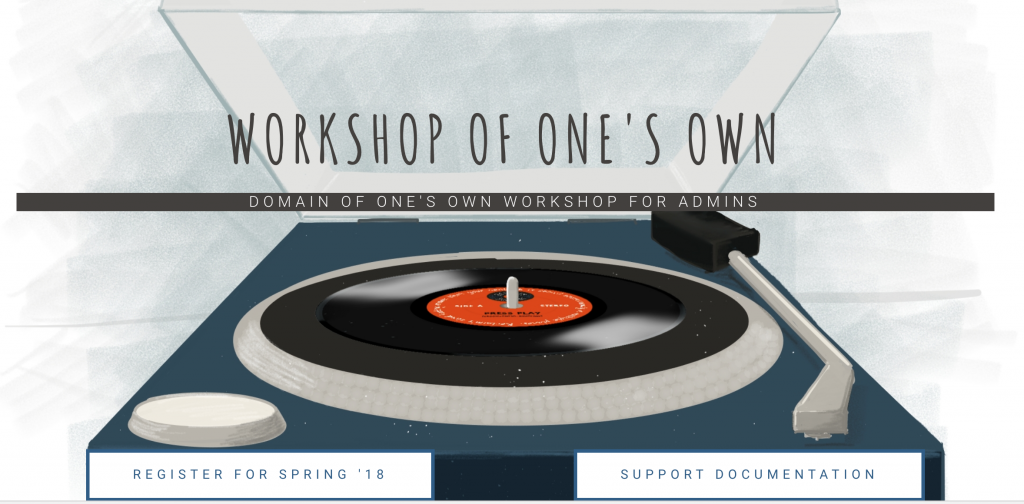
At the beginning of November Reclaim Hosting ran a focused two-day workshop for folks at very schools administering Domain of One’s Own at their schools. The idea was to do a deep-dive into the various systems we integrate that make-up Domain of One’s Own so that folks don’t feel like it’s a black box they can’t touch. This helps us support participating schools, while also helping the schools build capacity locally with the technology. What’s more, we hoped bringing people together from six different institutions might provide an opportunity for sharing and cross-fertilization of ideas and approaches for domains. It seems to have worked quite well given the feedback we got from the first particpants, so we are announcing another workshop for the Spring.Lauren put together a snazzy new site with all the details, but I am including a few quick facts below:
It’s happening on March 15th and 16th, 2018
It will take place at Reclaim’s Headquarters in Fredericksburg, VA
It’s first come, first serve, and we only have 10 spots
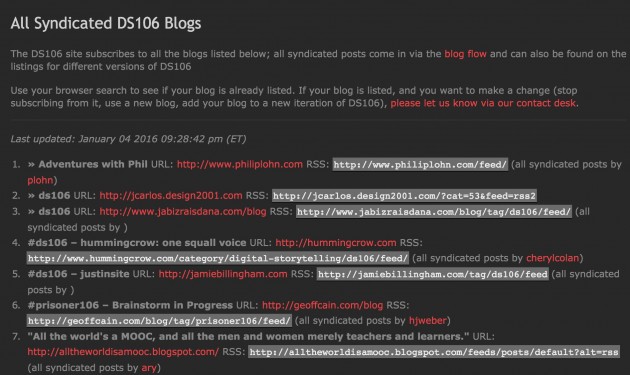
Many of us in a certain subgenre of edtech have been working for a long time to try and use RSS to syndicate and aggregate posts from individual blogs into community sites. These sites are sometimes referred to as planet sites, mother blogs, aggregator sites, syndication hubs, etc. A good example of this is ds106, where posts are not only syndicated into the Blog Flow, but also the assignment bank—making for a richer, more targeted contextualization of student posts. Over the last seven years ds106 has syndicated more the 75,000 posts, providing a point of creative contact—if you will.
The syndication and aggregation for ds106 is all handled by FeedWordPress, which can grab the RSS feed of just about any publishing platform that exposes one. In order to simplify things, we’re using a Gravity Form to help automate the sign-up process. It’s far from a perfect setup, but it has been working fairly well for almost seven years now. In fact, it has been a template for other site aggregators, including the first Community directory site that Martha Burtis and Tim Owens built around UMW Domains in 2014 (which is no longer in use).
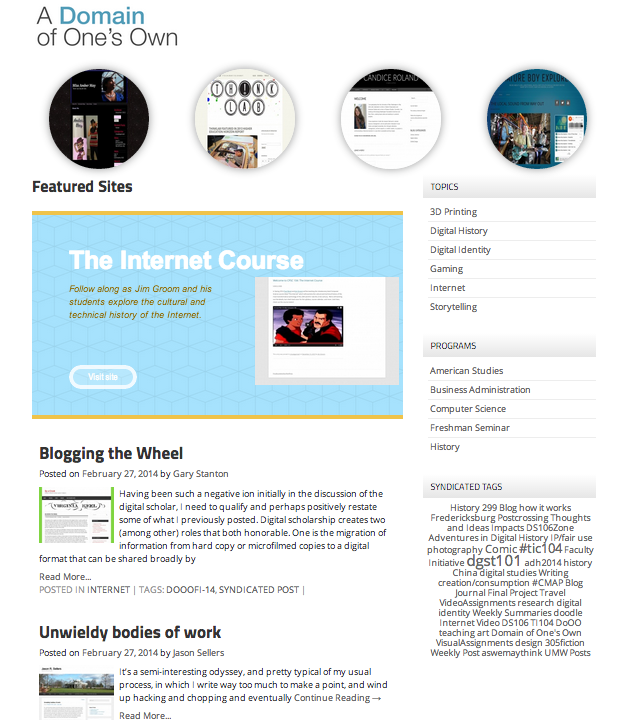
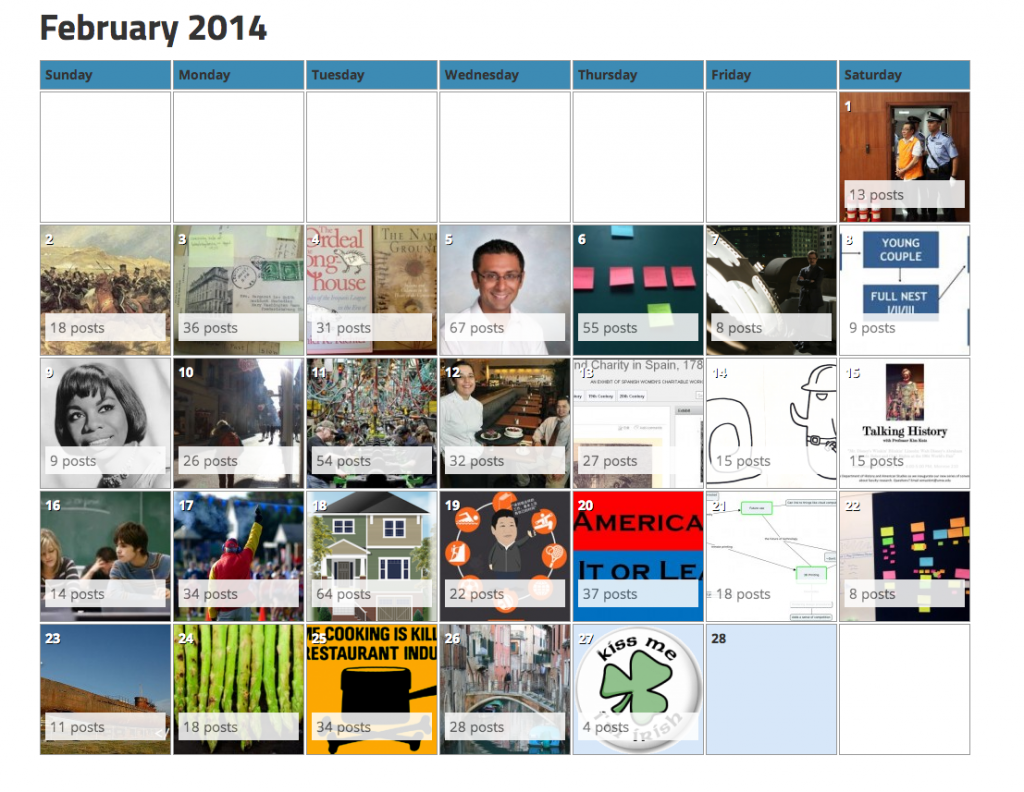
This community site for UMW Domains did a number of things: it aggregated recent posts, enabled a filtered view of posts by instructor, department, course, semester, software, etc., as well as providing a calendar view of posts. It was actually very awesome, and you can read about it in more detail here. That said, much of the ability to filter posts and add metadata was hacked together with FeedWordPress, Installatron, Google Spreadsheets, and a fair amount of duct tape. And while it worked—it was not easy to share. In fact, we tried as much with Emory University and University of Oklahoma, but it was not something easily supported given its idiosyncrasies. What’s more, as staff changed at UMW’s DTLT it was increasingly less sustainable (and eventually retired) with Martha running the Digital Knowledge Center and Tim going full time at Reclaim. But in the end it was a solid proof-of-concept, and one we were keen on returning to in earnest when time and energy allowed.
Martha built a feature that provided a calendar view of all the posts on UMW Domains -so cool.
Since then we’ve had a number of schools running Domain of One’s Own express interest in some version of UMW’s prototype. A few schools were willing to fund the work, but we just didn’t have the time. I think one of our strengths these last couple of years has been knowing when to pass on work. As much as we wanted to focus on building Community Directories given their potential to showcase work happening at various institutions, we knew it was too much. I think the fact we did turn the work down made our hosting that much better, but the community sites remained a stream deferred.
A Stream Deferred
We did try working with a developer to build aggregation hubs for Davidson and BYU using Known, but those did not pan out. After that BYU went ahead and started developing its own community directory. The site reproduces much of what Martha and Tim did in 2014, as well as integrating with BYU’s homegrown students information system to automatically de-provision inactive student sites It promises to be an excellent tool for showing off all the great domains work at BYU, as well as illustrating the folks at BYU are doing some deeper integrations to get associated metadata like user status (student, staff, faculty), graduation date, major, etc. I’ll definitely be blogging the work they are doing in more detail once it goes live.
But this brings me to the original point of this post—that took some time now didn’t it? I do apologize for rambling, but a little context helps when writing these posts given aggregation hubs are a topic I’ve been going on about for near on a decade. Anyway, this Spring Reclaim was finally in a position to return to the Community Directories, and we reached out to Marie Selvanadin and Yianna Vovides at Georgetown (who were keen on exploring this work back in 2015) about trying to build a Community Directory site from scratch. We also reached out to Tom Woodward to lead the development given his work with APIs of all kinds, The idea was that rather than doing this using FeedWordPress, we would try and build this using WordPress’s API. This was new territory for community aggregation hubs, and luckily Marie and Yianna were more than willing to approach this as an iterative experiment.
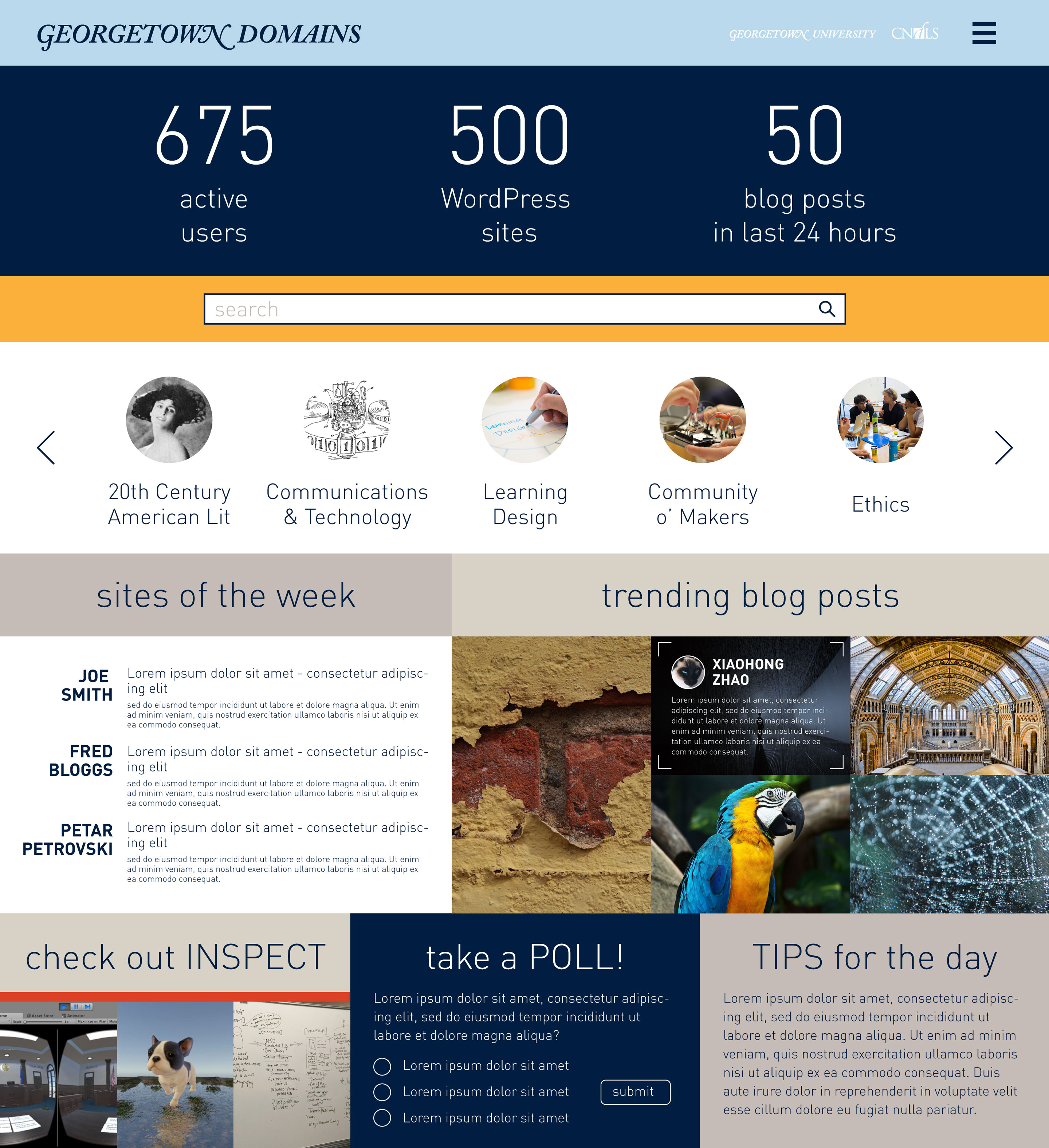
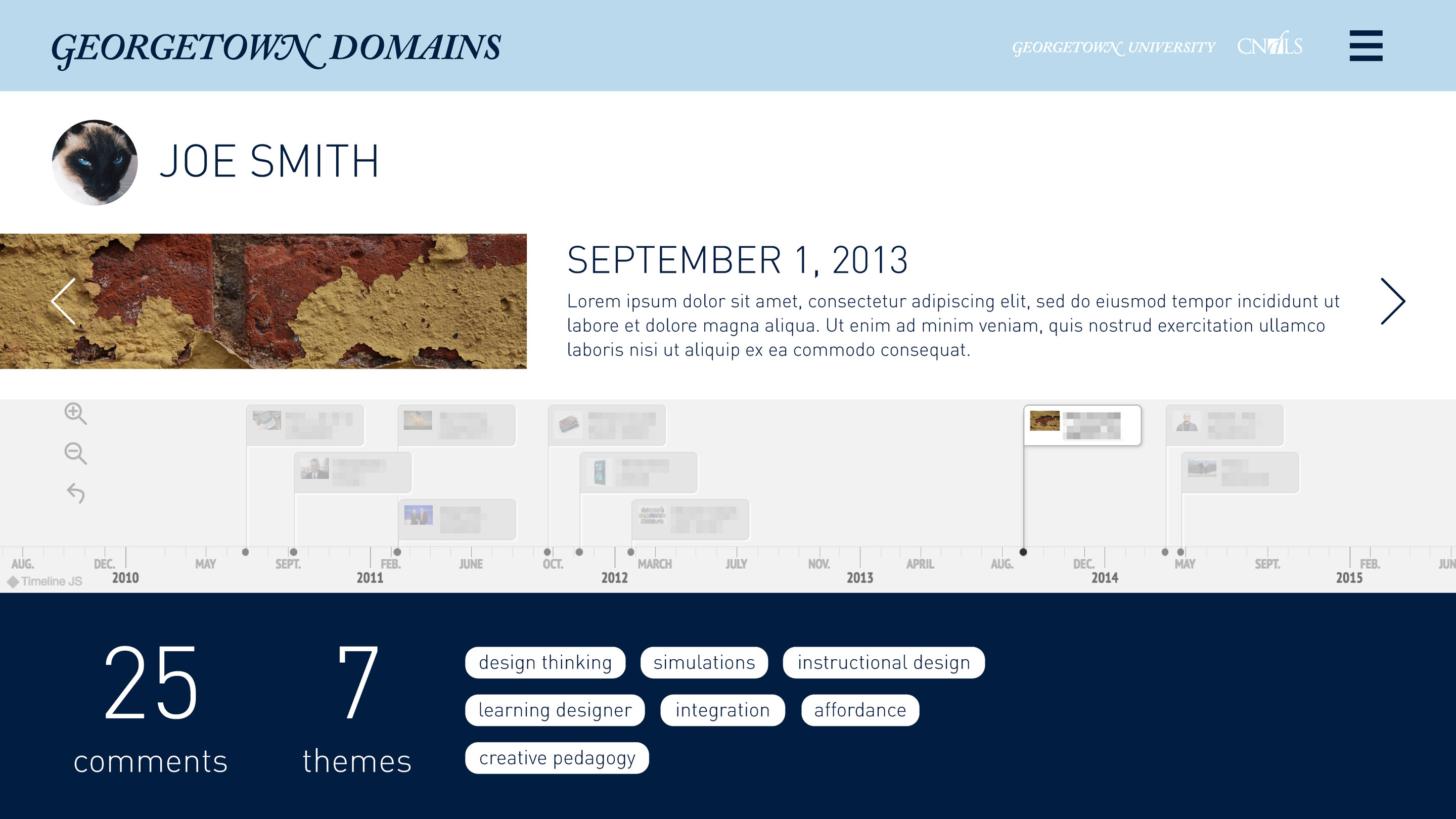
Georgetown Community Site Mockups
So, the development starts in earnest during the Spring and the initial work was presented at Domains 17. You can get a good sense of how Georgetown was approaching this site from the post “Envisioning a community site for GU Domains” Marie published back in June:
The presentation itself was a culmination of a few weeks of ideation, designing and prototyping with the team for this phase. Prior to this, we have always been intrigued by the idea of a true community space where people can create, collaborate and discover each other …. We conceived this community model in 3 layers – the macro layer which in this case at the campus level, the next layer is geared towards micro/sub communities which could be program level websites and the third layer is the individual layer.
I really like this vision of the community site as multi-level reflecting several visions of the university. From the macro to the individual:
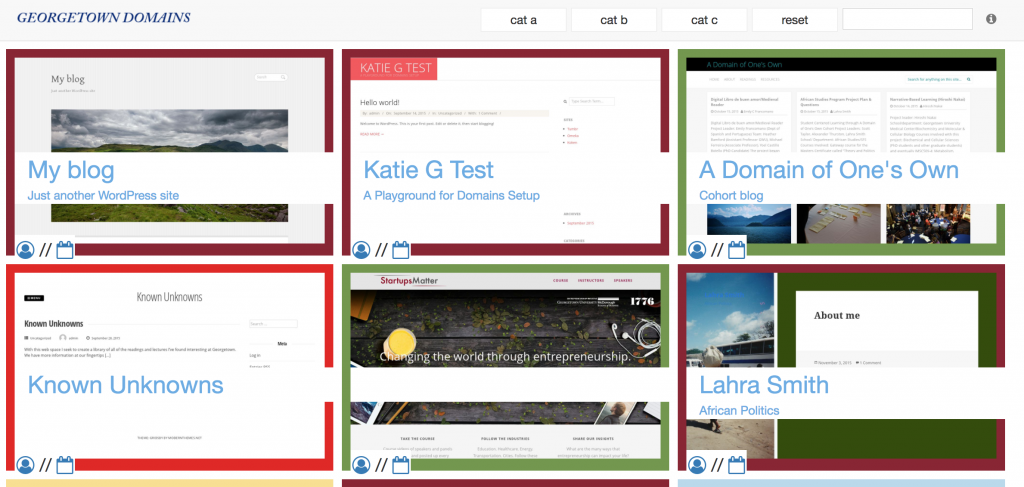
Soon after Marie posted how Georgetown was imagining their community site, Tom posted more details on how he was building the site in his post “Community- Technically Speaking.” In this post he not only discusses the various reasons community sites may or may not work, but gives a look into how he is building the community site. By using the WordPress API he can grab recent posts (and pages) from a list of WordPress sites* as well as filtering out Hello World posts, and then store them in a Google Spreadsheet. He also details how he uses phantomjs ( or “a web browser without a graphical user interface“) to capture screenshots of all aggregated sites and then uses Vue (a framework for building the GUI phantomjs doesn’t provide) to combine the spreadsheet data with a screenshot and then represent it as a directory listing on a web page. It would look something like this:
In the above example we have Tom’s first iteration on Georgetown’s vision, which has screenshots of all the WordPress sites as well as a link to individual posts as a list and/or a timeline. The different categories can be associated with a program, course, theme, etc. Associating tags can be added at the point of installation through our script installer (Installatron), or through a plugin in WordPress that’s automatically added and activated at the point of setup. What’s interesting is none of what you see above is happening through WordPress, Tom is accessing public content from a large list of WordPress sites through the API and pulling it into a Google Spreadsheet. He is also using Phantomjs to grab screenshots and then mashes that up with the data in a webpage using VUE. I think I finally understand what Kin Lane might mean when he refers to a “headless CMS” using Google Apps, Github, etc. That said, this whole directory still assumes folks are using WordPress—which probably defeats the point.
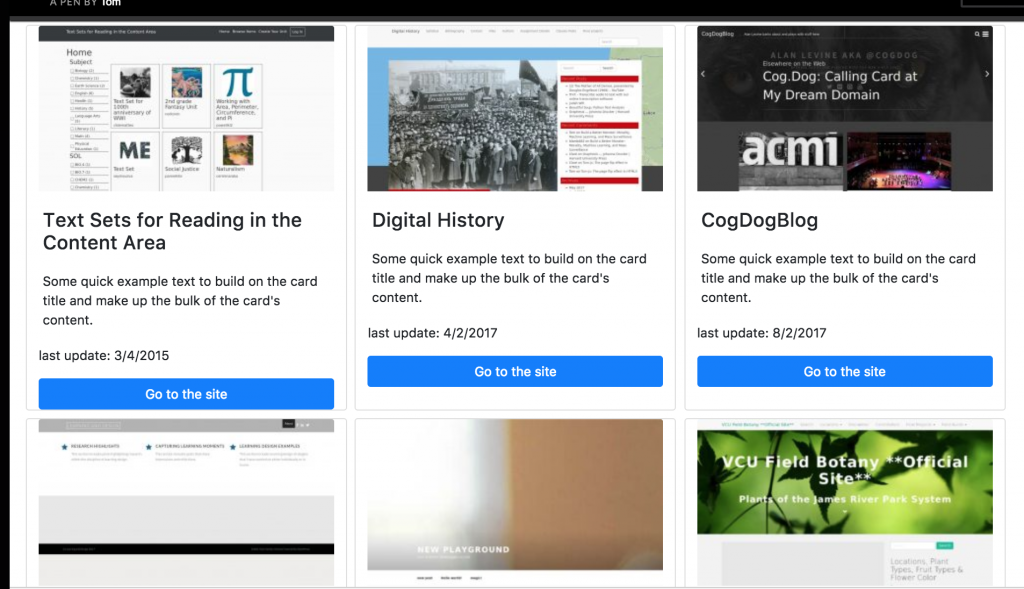
What’s more, Tom re-did much of this same functionality from within WordPress. Watch the above minute and a half screencast which takes you through the latest iteration of how you can essentially add a URL of any site and it will quickly capture a snapshot, including a list of available posts and pages, as well as data around number of posts, pages, last updates, etc. And this is just one way to add them, you can have folks use categories on their sites, a form, provide options for opting in (or out) at sign-up, etc. This is exciting work, and by doing it through WordPress like this it can be packaged into a plugin that folks can use on their Domains sites—or even for WordPress Multisite installs. Think about the innumerable use cases there. You can get a look at what this might look like at the macro level here.
Keep in mind all this is yet to be styled, but the screenshots Georgetown shared would be one way the directories could look. We are still somewhat at the raw data aggregation and exposition stage here. The in-process status also includes questions around what data to collect and why. Everything collected here is already on the open web, but in the various discussions we have had the ability to opt-out of any centralized directory must be front and center. What’s more, the ability for the data to go away must also be an option, so resisting the inclination to archive posts as been painfully counter-intuitive for me—this was often the default for how we aggregated ds106 posts.
There is still much to be discussed on the data collection front, and it is important to note none of this would have been possible without Georgetown’s willingness to support the exploration of what’s possible. Additionally, Davidson College saw the cool work Marie, Yianna, and Tom were doing at Domains17 and are now working with Tom to revisit their earlier attempts at trying to create a community hub (more on their work in another post). Having willing partners in the process is crucial, and it is one of the many reasons we did not rush it and started from scratch. It’s important to remember that without folks like Marie and Yianna on-the-ground at these institutions who have specific vision for various use cases concomitant with myriad concerns this whole thing becomes just another generically packaged edtech portal/portfolio product entirely removed from what makes sense. This might be the best reason to wait until we have the time, energy, and willing partners and developers to make something so many of us have been approximating for well over a decade.
*For example, this list can be provided from Installatron for a school that is using a Domain of One’s Own server.
Most exploitation movies are bad, but not necessarily painful to watch. They may be incompetent, they may be predictable, they may be badly acted or awkwardly directed, but at some level the filmmakers are enjoying themselves and at least trying to entertain an audience. Xtro is an exception, a completely depressing, nihilistic film, an exercise in sadness….It’s movies like this that give movies a bad name.
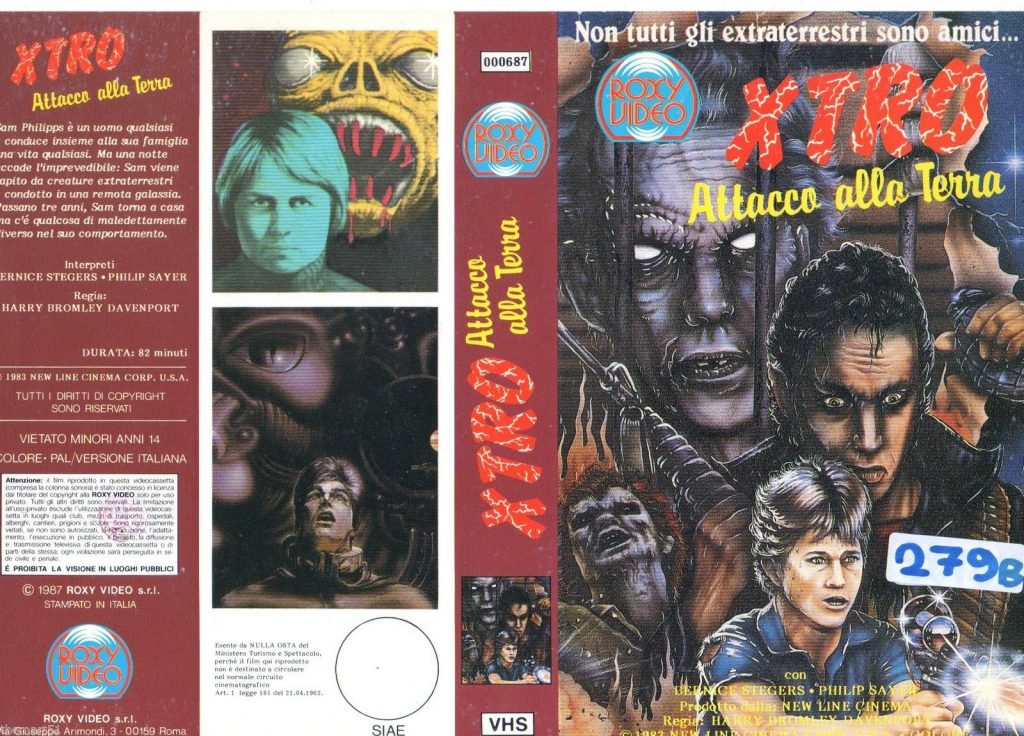
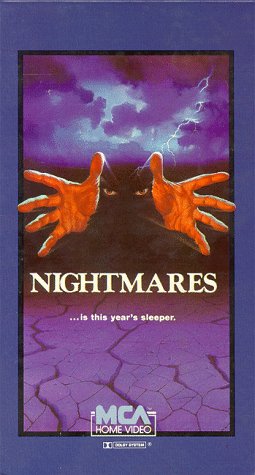
But it is one of those films that once you have seen it, you can’t unsee it. It was been near 35 years, and I am wondering if it may not be time to return to this film. The urge was brought on thanks to this Italian version on VHS I picked up this morning on Ebay. I dig the wild 80s cover art. I feel myself falling down a pretty deep hole with Reclaim Video, and I love it.
It took a bit of time, but ReclaimVideo has moved out of the possibility stage into the planning stage. We will be working on building out the storefront space from January through March, with hopes of a grand opening this Spring. Timelines are flexible, but there will be a brand new video rental store opening up in Fredericksburg in 2018. Expect nothing less than the trailing edge of innovation in all things Reclaim—the first name in retrograde technologies. More on that as the store progresses, but right now we are in the fun stage of purchasing movie titles and equipment on Ebay and beyond.
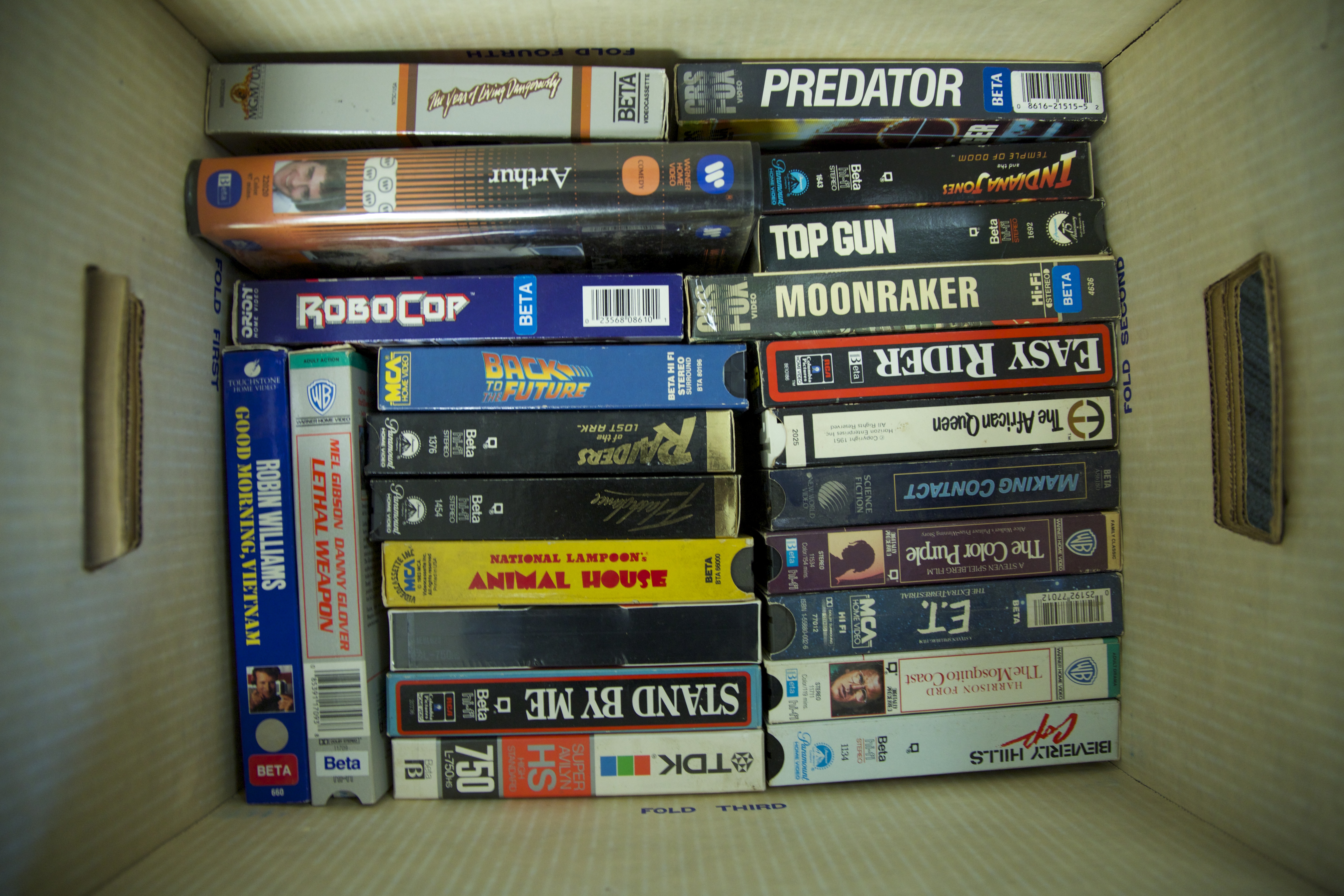
A secret stash of betamax tapes from the UMW Console
We have probably purchased around 100 VHS tapes already, and these have been mostly 70s and 80s U.S. sci-fi, horror, and action/adventure titles. We plan on branching out when it comes to other genres and national cinemas, and it’s our hope that we can get folks from all over to contribute any videos they own and want to find a permanent home for, or even buy and ship a favorite or two from their youth. But that’s fodder for another post, and we’ll be sure to make the call out to folks sometime soon. Of course we recognize this will be predominantly a labor of love on our part, and any contributions are simply a bonus—but the community contributions to the UMW Console made that whole process that much more special.
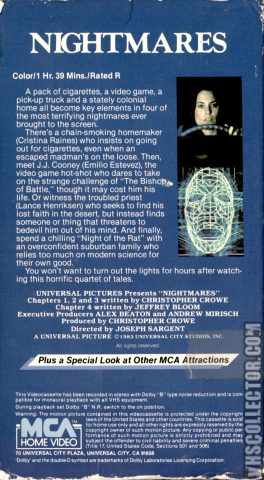
As it happens, one of the purchases I made this week was a result of a spam comment on an old post here on the bava. Back in the Summer of 2008 (when bavatuesdays was at the height of its EDUPUNK powers) I wrote a post about an episode of a fairly obscure horror anthology movie from the 80s called Nightmares (1983). The episode was called “Bishop of Battle” and starred Emilio Estevez as a videogame playing punk (just a year before his role in the legendary Repo Man). I provide a detailed overview of the episode in that post from almost a decade ago, so I won’t rehash it here. But this small bit sums up my ongoing fascination with not only that particular episode, but the medium more generally:
It’s a film’s ability through the visual to capture the actual spaces of an arcade during the 80s, which are for the most part gone, as well as the clothes, hairstyles, and the music of a moment that remains the true pleasure of the return to a movie like this.
Absolutely, and this is why the acquisition of Nightmares for ReclaimVideo is in some ways symbolic of the project, and what it means. It’s no coincidence that the few remaining video stores around the US are becoming non-profits and converting to lending libraries. These spaces represent liminal zones of commerce and cultural value for many, including myself, who saw these independent establishments as spaces of wonder and possibility. Many of them, before the advent of Blockbuster, were defined by knowledgeable proprietors that actually knew something about cinema. And these same folks were often ambassadors of the new, deeply exciting technology that was VCR (many of these early stores rented them before they became ubiquitous in homes). And then, of course, the colorfully cluttered walls filled with rectangular boxes containing countless stories yet to be heard—granted we would soon learn they were unevenly crafted tales. ReclaimVideo is in many ways the next metaphorical evolution of Reclaim Hosting, re-creating the moment when “video kills the radio star” a time that opens up a brave new pop-cultural currency from everything from videos stores to cable television to music videos to arcades—all buttressed by a looming sense of unchecked consumption and nuclear apocalypse. Why do this? Well, because it promises to be a bit of much needed fun, and sometimes that is reason enough.
is an ongoing conversation about media of all kinds ...
Testimonials:
Generations from now, they won't call it the Internet anymore. They'll just say, "I logged on to the Jim Groom this morning.
-Joe McMahon
Everything Jim Groom touches is gold. He's like King Midas, but with the Internet.
-Serena Epstein
My understanding is that an essential requirement of the internet is to do whatever Jim Groom asks of you while you're online.
-James D. Calder
@jimgroom is the Billy Martin of edtech.
-Luke Waltzer
My 3yr old son is VERY intrigued by @jimgroom's avatar. "Is he a superhero?" "Well, yes, son, to many he is."
-Clint Lalonde
Jim Groom is a fiery man.
-Antonella Dalla Torre
“Reverend” Jim “The Bava” Groom, alias “Snake Pliskin” is a charlatan and a fraud, a self-confessed “used car salesman” clawing his way into the glamour of the education technology keynote circuit via the efforts of his oppressed minions at the University of Mary Washington’s DTLT and beyond. The monster behind educational time-sink ds106 and still recovering from his bid for hipster stardom with “Edupunk”, Jim spends his days using his dwindling credibility to sell cheap webhosting to gullible undergraduates and getting banned from YouTube for gross piracy.

 When I did setup it up I need to repair the instance given I had not changed the CNAME before setting it up.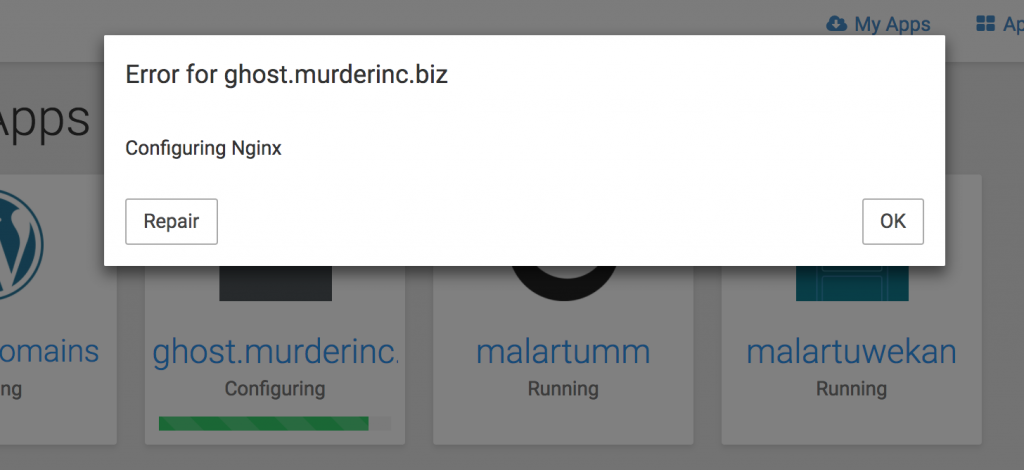


 They will look something like the following (although your mileage may vary given this is the interface for Amazon’s Route53):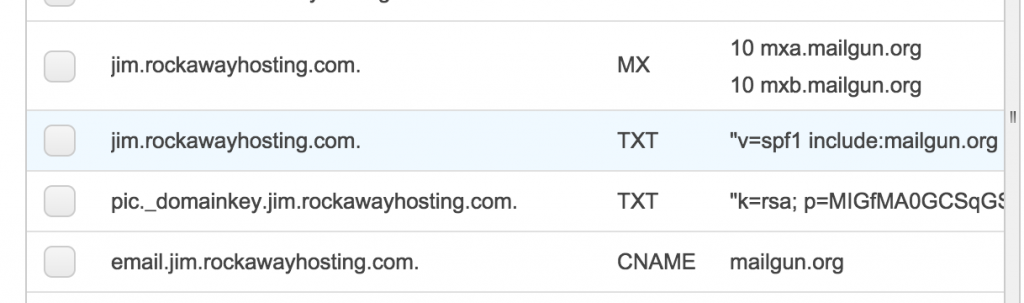
 From there, you specify the email you want to send mail from: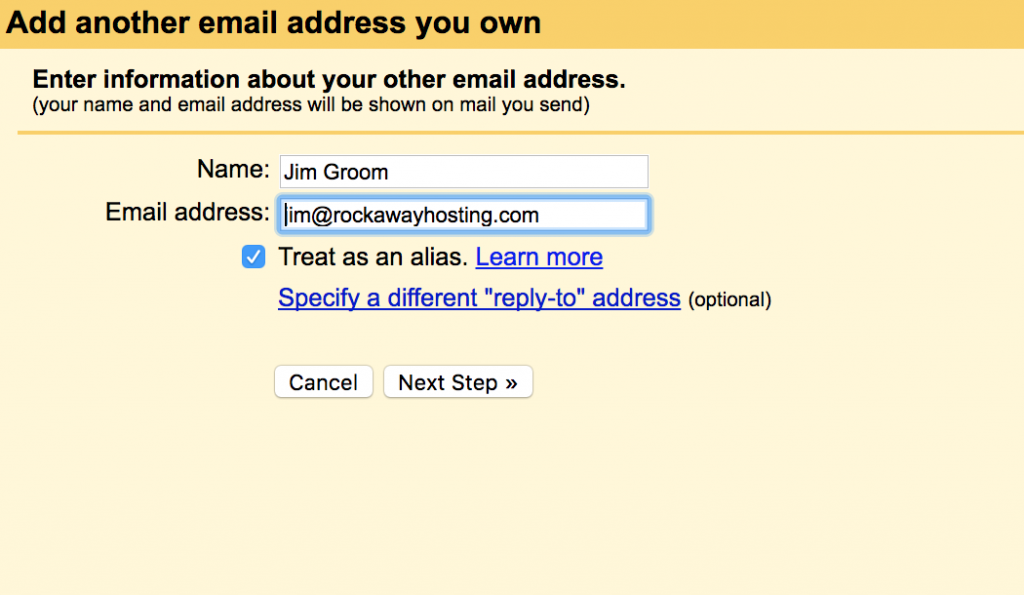
 After that, you are all set.